

What is Piik?
Piik is a free, open-source tool for private live streams with friends, including games, movie nights, drawings and photos. Each room supports one host and up to 20 viewers, who join through invitations in desktop or mobile browsers without installing an application. Rooms offer voice, messages, reactions and optional passwords.
Hosts can share through a browser or Piik App, available for Windows, macOS, Linux and Android. Available capture sources and audio vary by operating system and browser. App-based computer sharing also supports approved remote control and simultaneous keyboard, mouse or supported gamepad input.
Piik Server packages the web interface, room management and optional SFU media forwarding in a single binary, with room data stored in SQLite. It runs on Windows and Linux, with Docker Compose deployment also documented. The project's online service and temporary App invitations use P2P-only media; self-hosted sites can enable server forwarding, but both routes still require usable UDP connectivity.
Piik screenshots
Explore the interface. Open a screenshot to view it at full size.
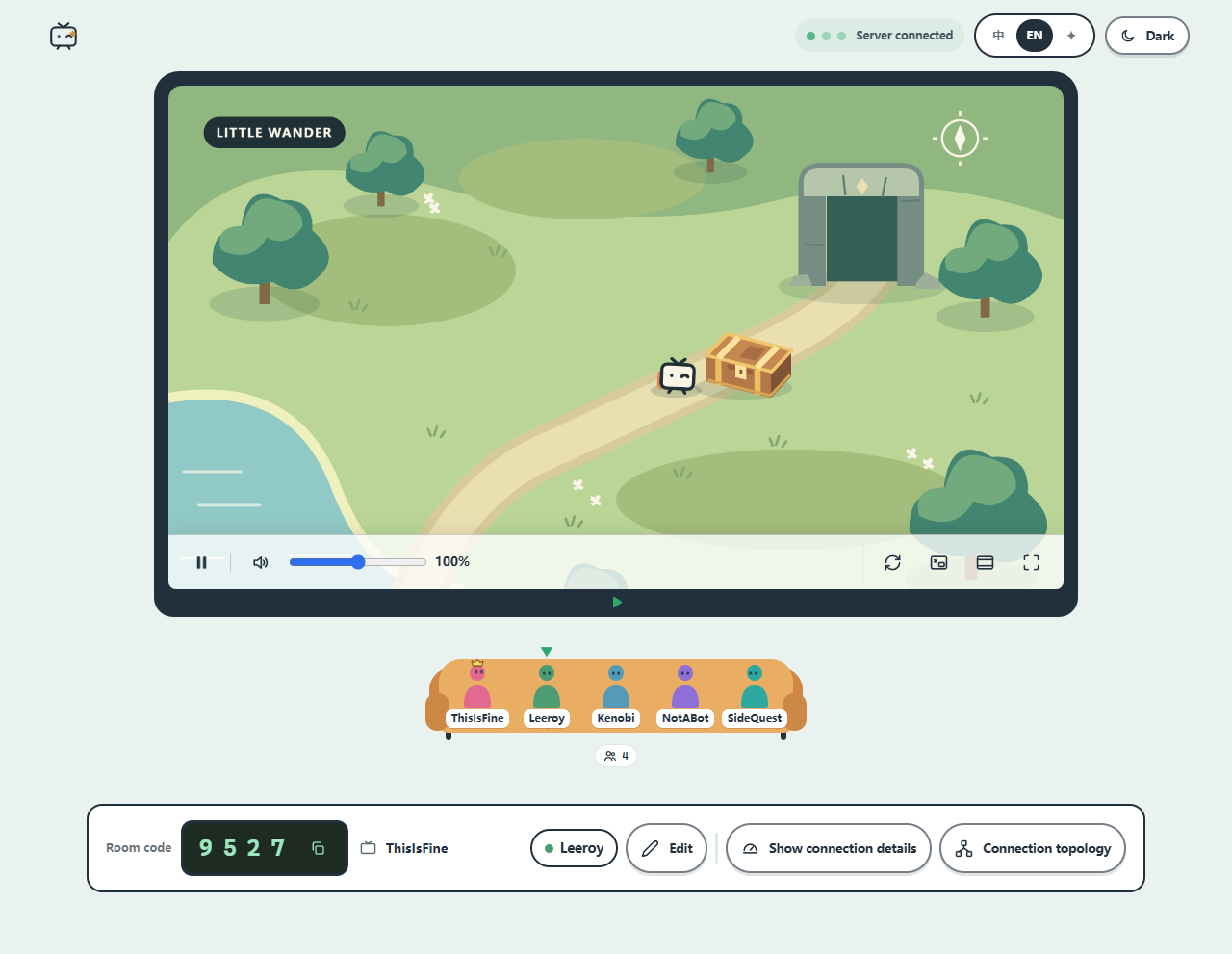
Source: official Piik project page.
Key capabilities
- Screen and camera sharing Shares supported screens, application windows, browser tabs or cameras through a browser or Piik App.
- Invitation-based rooms Provides invitations, room codes and optional passwords for a host and up to 20 viewers.
- Room communication Combines voice, text messages, reactions and on-screen chat with shared viewing.
- Approved remote control Lets trusted viewers operate an App-shared computer, with host approval and revocable access.
- Remote co-play Supports simultaneous keyboard and mouse input, plus gamepads where host support and required components are available.
- Self-hosted media routing Bundles room management and optional SFU forwarding, alongside direct participant connections.
Where Piik fits
Piik fits private watch parties, live game sharing and collaborative viewing of drawings or photos. Remote co-play extends supported local multiplayer games to invited friends, provided the game accepts the shared input arrangement. Android can share its screen or control a supported computer, but cannot itself serve as a remotely controlled endpoint.
Before deployment, operators should test capture sources, audio permissions and UDP connectivity across the intended networks. Public self-hosting requires HTTPS, reachable STUN and appropriate firewall configuration; enabling SFU also requires server bandwidth planning. Remote-control permissions deserve particular attention because keyboard and mouse access can operate beyond the visible video boundary. App and site major versions must match.
Install
docker compose up -dReviews of Piik
Be the first to share your experience with Piik.
Write a review
Loading review form…
Alternatives to Piik
 BuzzBuzz is an Apache 2.0 workspace from Block in which humans and coding agents such as goose, Codex and Claude Code join the same channels with their own keys. A Rust Nostr relay stores signed events in Postgres; desktop apps cover macOS, Linux and Windows.
 Cal.diyCal.diy is the MIT-licensed community edition of Cal.com with the enterprise code removed. You self-host the Next.js and PostgreSQL app to publish booking pages, sync calendars and connect video, payment and CRM apps. No hosted version exists.
 CinnyAGPL-3.0 Matrix client written in React and TypeScript with spaces, end-to-end encryption, voice and video rooms and themes. Use the hosted web app, the Tauri desktop apps or self-host the static build or Docker image.