

What is Cinny?
Cinny is an open-source client for the Matrix network, built around a calm interface rather than a dense administrator layout. It is a React and TypeScript single-page application that talks to any Matrix homeserver through matrix-js-sdk, so it holds no accounts or messages of its own. The source lives at github.com/cinnyapp/cinny under the AGPL-3.0 licence, and the project site is cinny.in. Its own tagline calls it "yet another Matrix client", and the README states the goal as an instant messaging app that is easy on people with a modern touch.
There are three ways to use it. The web app is hosted at app.cinny.in and is updated with each release, while a dev branch build at dev.cinny.in is continuously deployed and may break. Desktop installers for Windows, macOS and Linux are built from the separate cinny-desktop repository, which wraps the same web code with Tauri. Each release also publishes a tarball of the built files with a detached PGP signature, and a Docker image is published to Docker Hub and the GitHub Container Registry for people who serve it themselves.
The current release, v4.12.8 (October 25, 2026), updates the i18next-http-backend and sanitize-html dependencies for security advisories. Earlier 4.x releases did most of the feature work: v4.11.1 added voice and video rooms using the Element Call library, and v4.12 added a start-a-call option in direct messages and rooms, ISO 8601 date formatting, and codeblock filenames. The README also warns that the maintainers are replacing matrix-js-sdk with their own SDK and are not accepting pull requests until further notice.
Cinny is a client only. Running a homeserver, federation, bridges and server administration belong to software such as Synapse or Tuwunel, not to Cinny. It also has no official mobile application. Read the README, the developer guide and the public roadmap before deciding how to deploy it.
Cinny screenshots
Explore the interface. Open a screenshot to view it at full size.
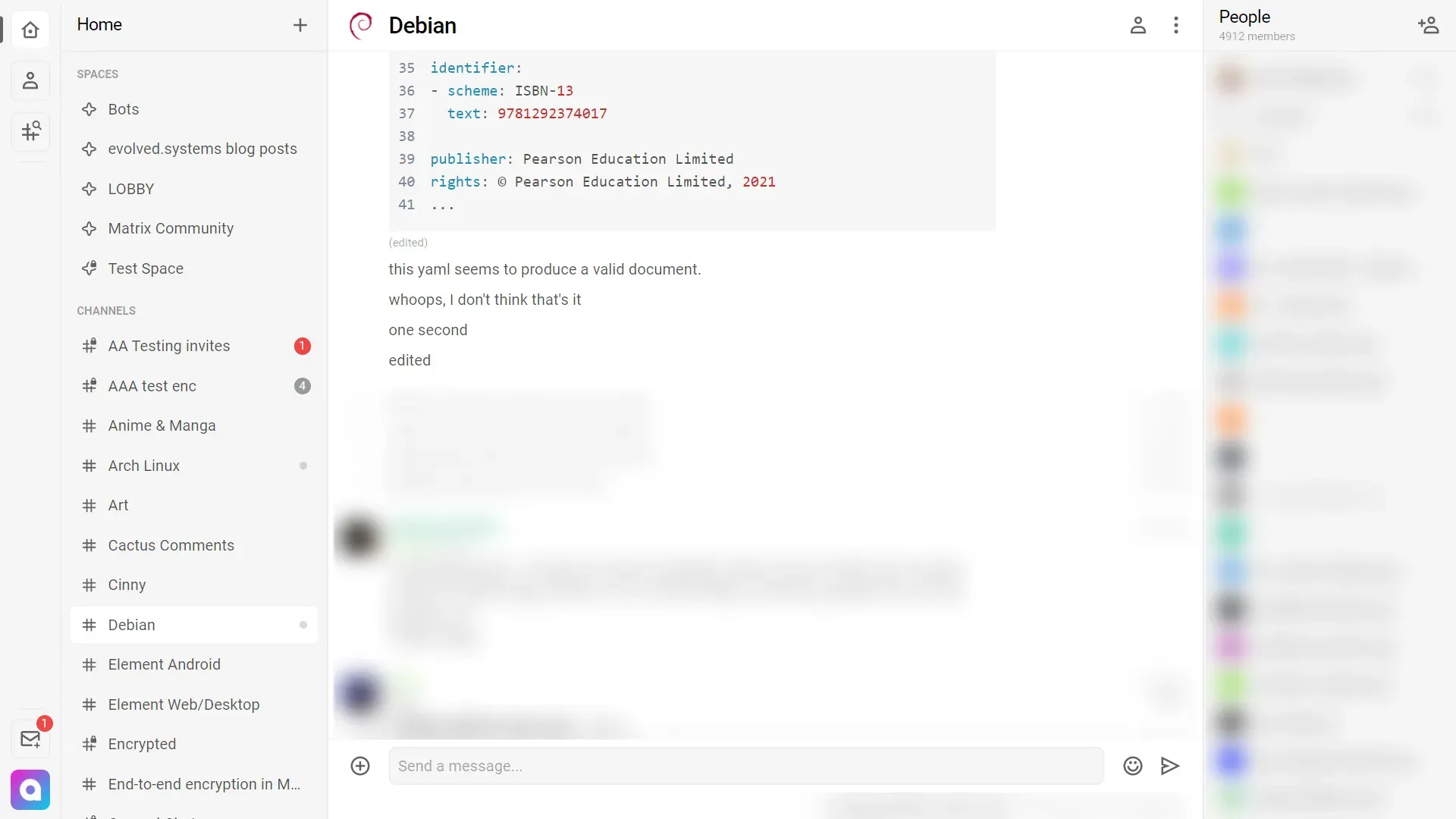
Light theme from the official project preview: Home room list with unread badges and a room timeline with a code block. Usernames, avatars and the member list were blurred by iThub; the rest is unaltered.
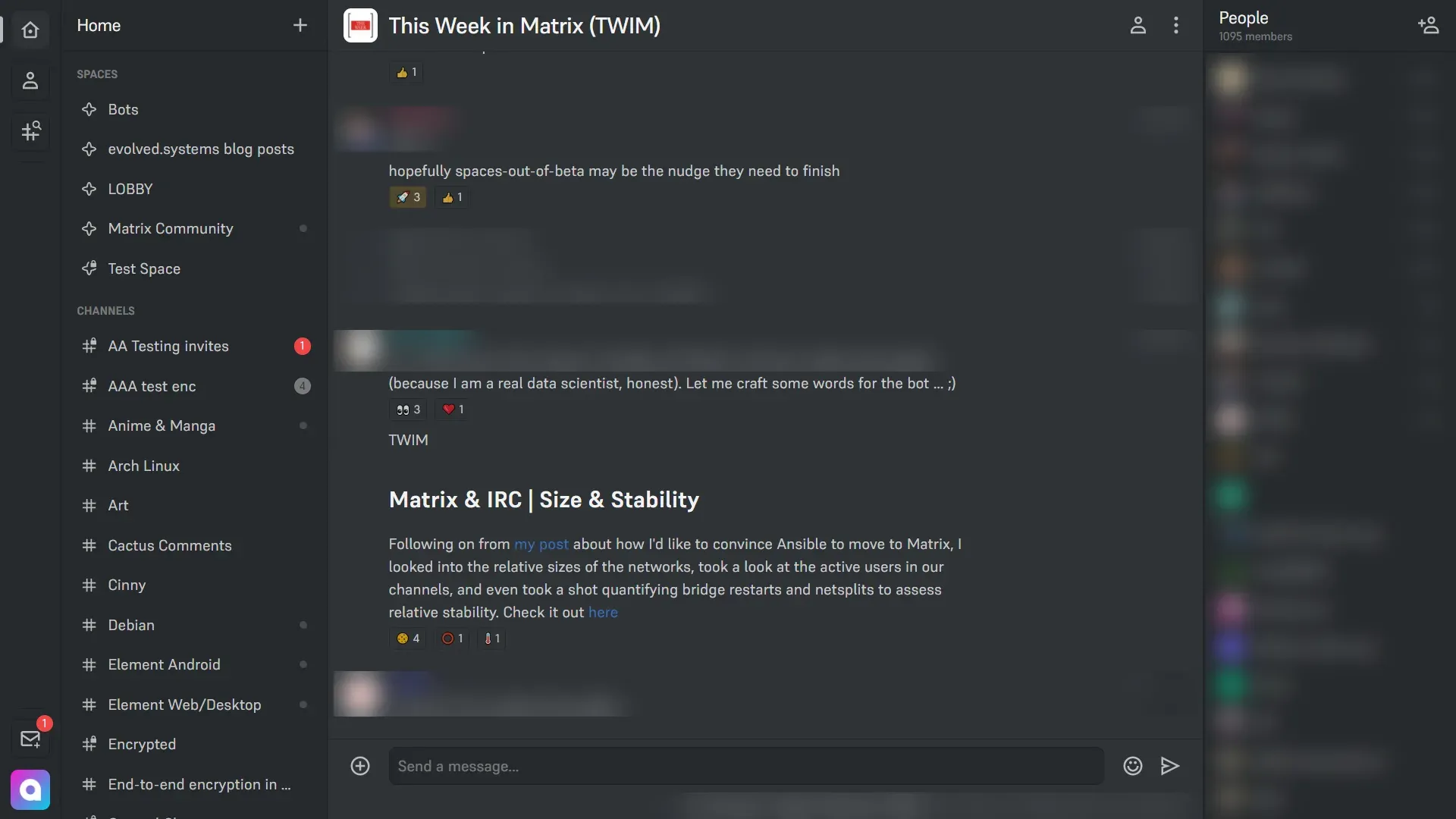
Dark theme from the official project preview, with reactions and a formatted message. Usernames, avatars and the member list were blurred by iThub; the rest is unaltered.
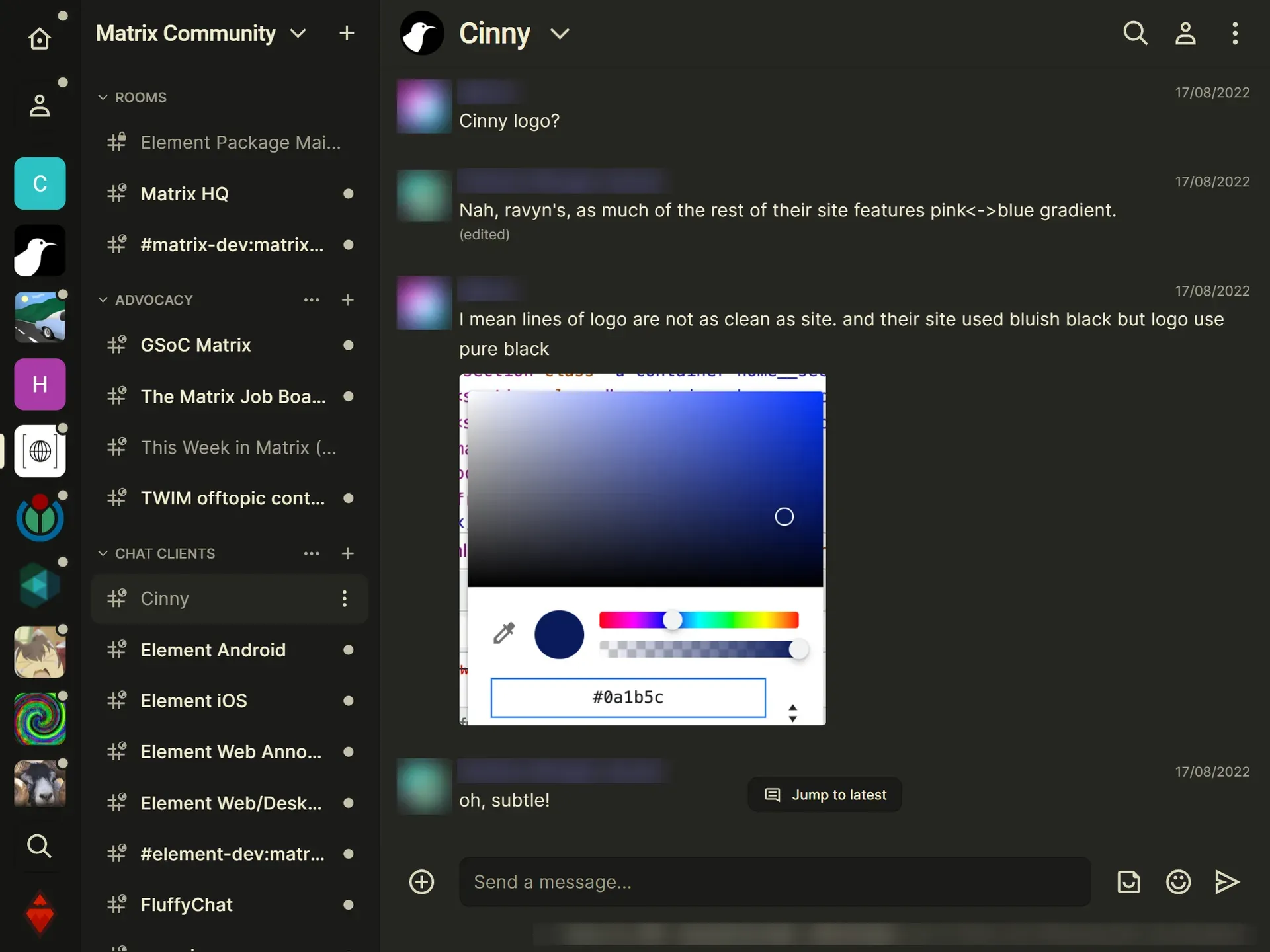
Butter theme from the official site, showing a space with grouped rooms, search, an inline image and the Jump to latest control. Usernames, avatars and the member list were blurred by iThub; the rest is unaltered.
Source: official Cinny project page.
Key capabilities
- Hosted web app and no installation Opening app.cinny.in and signing in with a Matrix account is enough to start. The default homeserver list in the shipped
config.jsonoffers converser.eu, matrix.org, mozilla.org, unredacted.org and xmr.se, and custom homeservers are allowed by default. Operators can change both settings in their own copy. - Desktop apps for Windows, macOS and Linux The cinny-desktop repository provides an x86_64 MSI and a Windows ARM64 installer, a universal macOS DMG, and an x86_64 AppImage, with a Flatpak listed on Flathub. Release files are signed with an Ed25519 key, and the README explains how to verify them with minisign. The v4.12.8 release also ships a Debian package.
- Self-hosting from a tarball or Docker image Download the release tarball and serve the
dist/directory from any web server, or pull the image from Docker Hub or the GitHub Container Registry. The project Dockerfile builds the app and serves it with Nginx on port 80. The single-page app needs redirect rules, and the repository includes example configurations for Netlify, Nginx and Caddy. - Hash routing for simple hosting If you cannot configure redirects,
config.jsonhas a hash-router option that puts/#/in the address so any static host works. Serving from a subdirectory instead requires rebuilding with a changedbasepath inbuild.config.ts. - Spaces, rooms and direct messages The sidebar separates Home, direct messages, a space switcher and room lists, with a lobby view for browsing and reordering a space hierarchy. Creating and joining rooms, spaces and chats are built-in flows. The official preview images show the Home list with unread badges on rooms.
- End-to-end encryption and verification The code includes device verification, secret storage and key backup restore components, and the project describes encryption as a core goal. Whether a given room is encrypted depends on the room and homeserver. Verify your own devices and keep the recovery key somewhere safe, because losing it can make old encrypted history unreadable.
- Voice and video rooms Release 4.11.1 added voice and video rooms built on the open-source Element Call library, and 4.12 added a quick call option in direct messages and rooms with user avatars shown in the call. Call quality depends on the homeserver and the call infrastructure it exposes, so test with your own server.
- Rich message composer The editor supports markdown formatting, nested lists, code blocks with an optional filename and plain text inside code blocks. Messages can be edited and replied to, and URL previews, image viewing and a PDF viewer component are part of the timeline. Pasting and uploading media follows the homeserver upload limit.
- Custom emoji and sticker packs Room and space settings include emoji and sticker management, and the emoji board supports packs from rooms. This lets a community keep its own set of images, subject to the permissions of the room.
- Message search and notifications A message search feature with filters is included for rooms the server can search, and per-room notification settings control alerts. Search coverage in encrypted rooms depends on the client and server and should be tested before depending on it.
- Themes and appearance settings The project site shows light, silver, dark and butter themes, and settings cover page zoom and date format presets including the ISO 8601 year-month-day option. These are cosmetic choices stored with the client.
- Room permissions and moderation Room and space settings expose power levels, members lists with membership filters and sorting, join rules and developer tools. Moderation depends on the Matrix permission model, so rights are set per room, not per Cinny installation.
- Featured communities and directories The default configuration lists featured spaces, rooms and servers, including #cinny:matrix.org, and uses public room directories on matrixrooms.info, activematrixrooms.com and others. Operators can replace these lists to give their users a curated starting point.
- Open governance and funding Development is tracked on a public roadmap, and the contributing guide describes the workflow. The project is funded through Open Collective, GitHub Sponsors and Liberapay, with no paid edition or hosted plan documented.
Where Cinny fits
Giving a community a friendlier Matrix front end
Point members to app.cinny.in or to your own hosted copy and start with a space that groups the community rooms. Check that the lobby shows the right rooms, that new members can join without help and that room avatars and topics render. Compare the first-run experience with another Matrix client on the same homeserver.
Hosting a private instance for an organisation
Pull the Docker image or serve the tarball behind your own domain, then edit config.json to set the default homeserver, turn off custom homeservers if policy requires it and replace the featured lists. Add the redirect rules for the single-page app, or enable hash routing. Re-test after each release, because the configuration file lives outside the built bundle.
Using encrypted rooms safely
Sign in on a second device, complete the device verification flow and set up the secret storage recovery key. Send a message from each device and confirm both can read the history you expect. Record where the recovery key is kept, since the client cannot restore keys that were never backed up.
Joining calls from the same client
Start a call in a direct message or a voice room and watch connection time, audio and who is shown as present. The feature uses Element Call, so it depends on the homeserver and any call service your administrator provides. Check behaviour behind a corporate firewall before announcing it.
Running a desktop client without a browser tab
Install the signed desktop build for your platform, verify the signature with the published key and check how notifications, tray behaviour and updates work on that operating system. The desktop app tracks the web release, so confirm the version number in settings after an update.
Evaluating the project's direction
Read the README notice about the SDK replacement and follow the roadmap. Pull requests are paused, so plan for slower community changes and treat the security-only point releases as the normal cadence for the near term.
Reviews of Cinny
Be the first to share your experience with Cinny.
Write a review
Loading review form…
Alternatives to Cinny
 ElementElement is the open-source Matrix client from Element Creations for browsers, Windows, macOS and Linux. It connects to any Matrix homeserver, encrypts DMs and private rooms by default and can be self-hosted as static files, a Debian package or a Docker image.
 StoatStoat, formerly Revolt, is an AGPL-licensed chat platform for communities with servers, channels, roles, group DMs, LiveKit voice and a REST and WebSocket API. Use the free stoat.chat service or self-host the Rust backend with Docker Compose.
 MattermostMattermost is an open core, self-hosted collaboration platform with channels, threads, playbooks, boards, audio calls and AI agents. It runs on Go and PostgreSQL, with a free Entry mode and paid plans sold by quote.