

What is Openlane?
Openlane is an open-source compliance automation platform for teams that run programs such as SOC 2, ISO 27001, NIST 800-53, GDPR and HIPAA. It acts as a system of record for the people, systems and vendors in scope, the policies and controls that govern them, and the evidence that shows those controls operate. The product is built by theopenlane, Inc.; the company page names Kelsey Waters (CEO), Sarah Funkhouser (Head of Engineering) and Matt Anderson (CTO) as co-founders. The theopenlane/core repository, created in August 2024, holds the Go server and orchestration services behind the hosted service.
Two delivery paths exist. The hosted service at console.theopenlane.io is sold per module rather than per tier: a Compliance module and a Trust Center module, each with a 30-day trial that needs no credit card, listed on the pricing page. The source can also be run by the operator. The operations documentation is explicit that running locally is the only supported deployment method today; container images are published to the GitHub container registry for Kubernetes use, and Helm values are generated from the configuration structs, but official Helm charts are not yet published.
The server release reviewed here is v2.14.5, published November 5, 2026, which applied go fix across the repository and updated dependencies such as the AWS S3 transfer manager and the Zitadel Go SDK. v2.14.0 (November 1) added session enforcement and OAuth login state validation and fixed boolean values in the generated configmap, and v2.13.0 made a trust center setting immutable. Each server tag attaches openlane CLI archives for Linux and macOS on amd64 and arm64 with checksums, SBOM files and cosign signature bundles. The repository also tags a separate common Go module, currently common/v1.2.3, which GitHub marks as the latest release even though it carries no binaries.
The stack is deliberately self-contained: PostgreSQL (the development compose file uses postgres:18), Redis, S3-compatible object storage with Cloudflare R2, local disk and database providers, ent for schema-driven data modeling, gqlgen for the GraphQL server, atlas and goose for migrations, River for background jobs and OpenFGA for fine-grained authorization. The go.mod targets Go 1.27.3. The web console lives in the separate openlane-ui repository, written in TypeScript and also under Apache-2.0.
The code is licensed under Apache License 2.0. The README states that Openlane logos and trademarks are not covered by that license, so a third-party distribution may reuse the code but not the brand or the cloud service. Out of scope today, according to the README roadmap: a library of automated evidence checks and tests, internal training programs, vendor risk scoring and dedicated third-party risk modules, and wider OSCAL support. Workflow approvals are marked as coming soon in the documentation.
Openlane screenshots
Explore the interface. Open a screenshot to view it at full size.
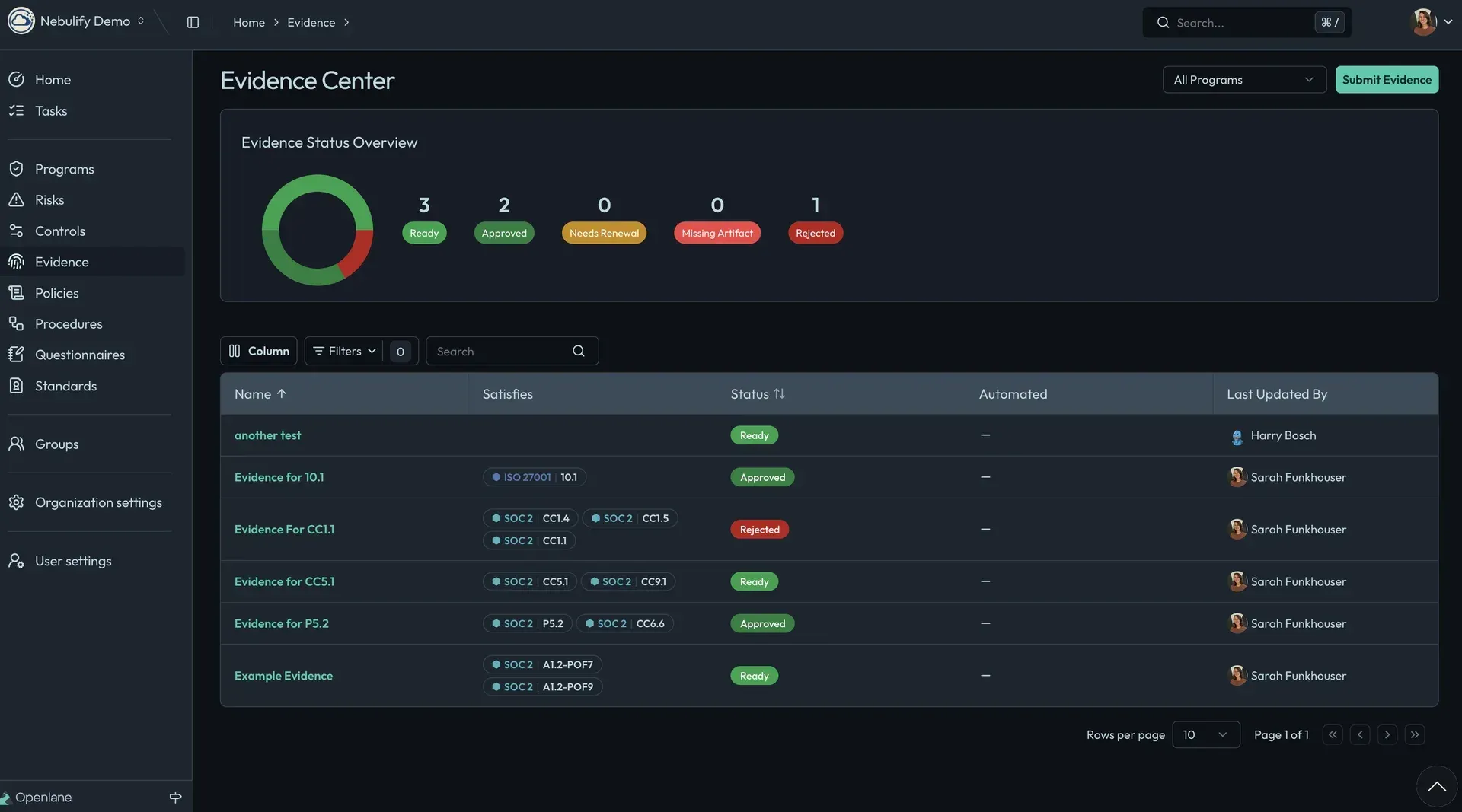
Official documentation screenshot of the Evidence Center in a demo organization, showing evidence status and the SOC 2 and ISO 27001 controls each item satisfies.
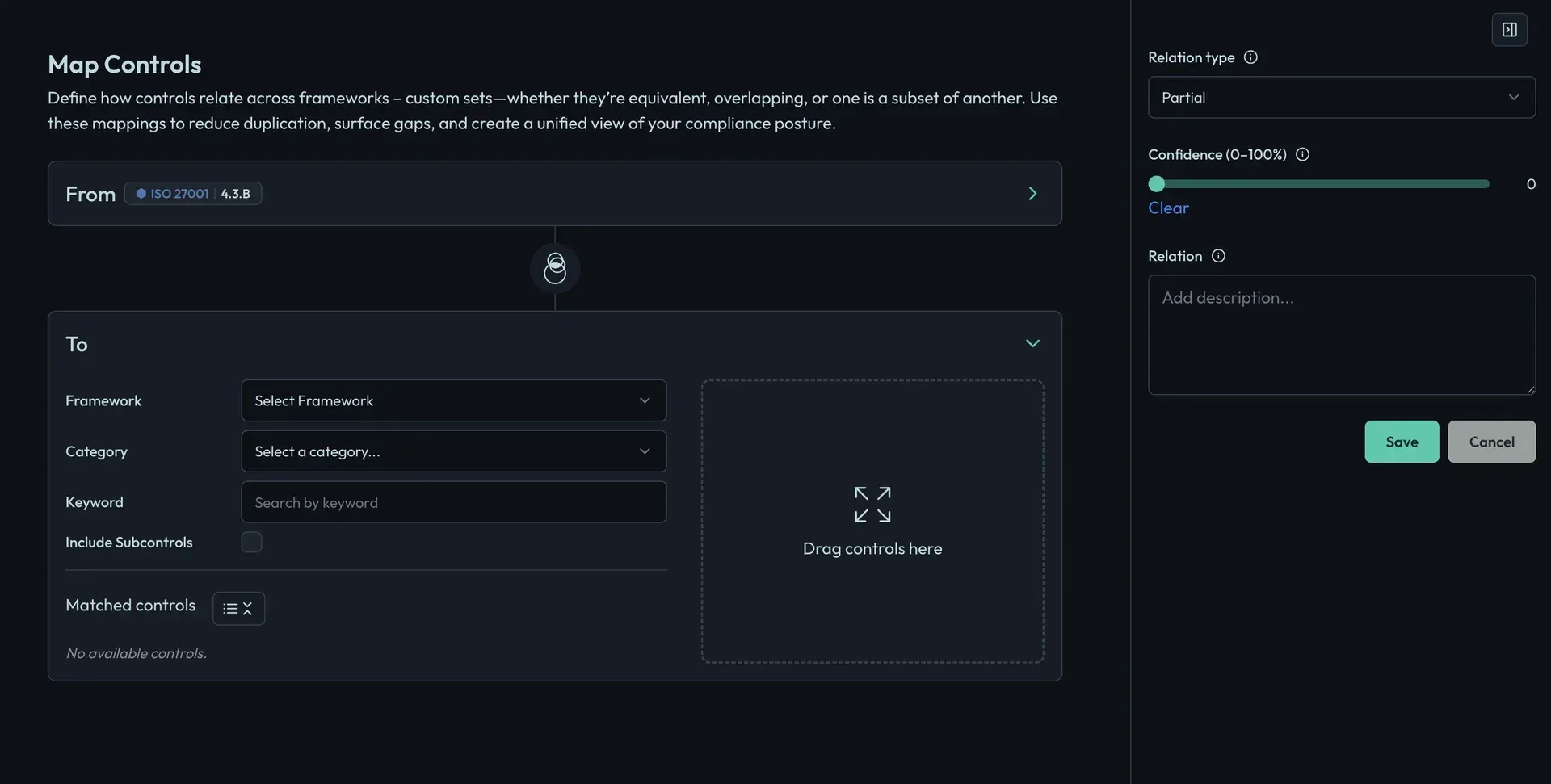
Official documentation screenshot of the control mapping editor, where a relation type, a confidence value and a rationale are recorded for each mapping.
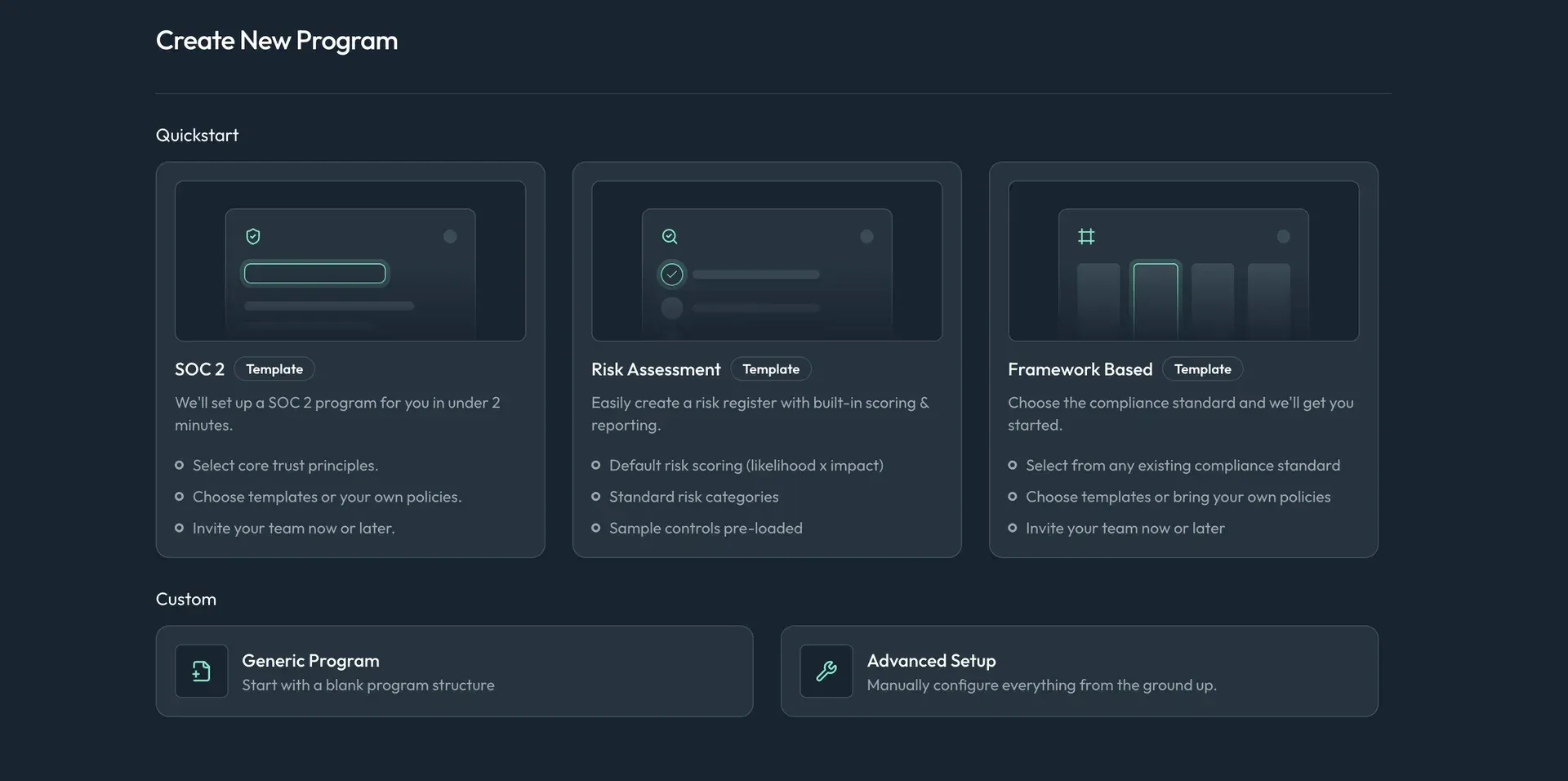
Official documentation screenshot of program creation, offering SOC 2, risk assessment and framework-based templates or a custom setup.
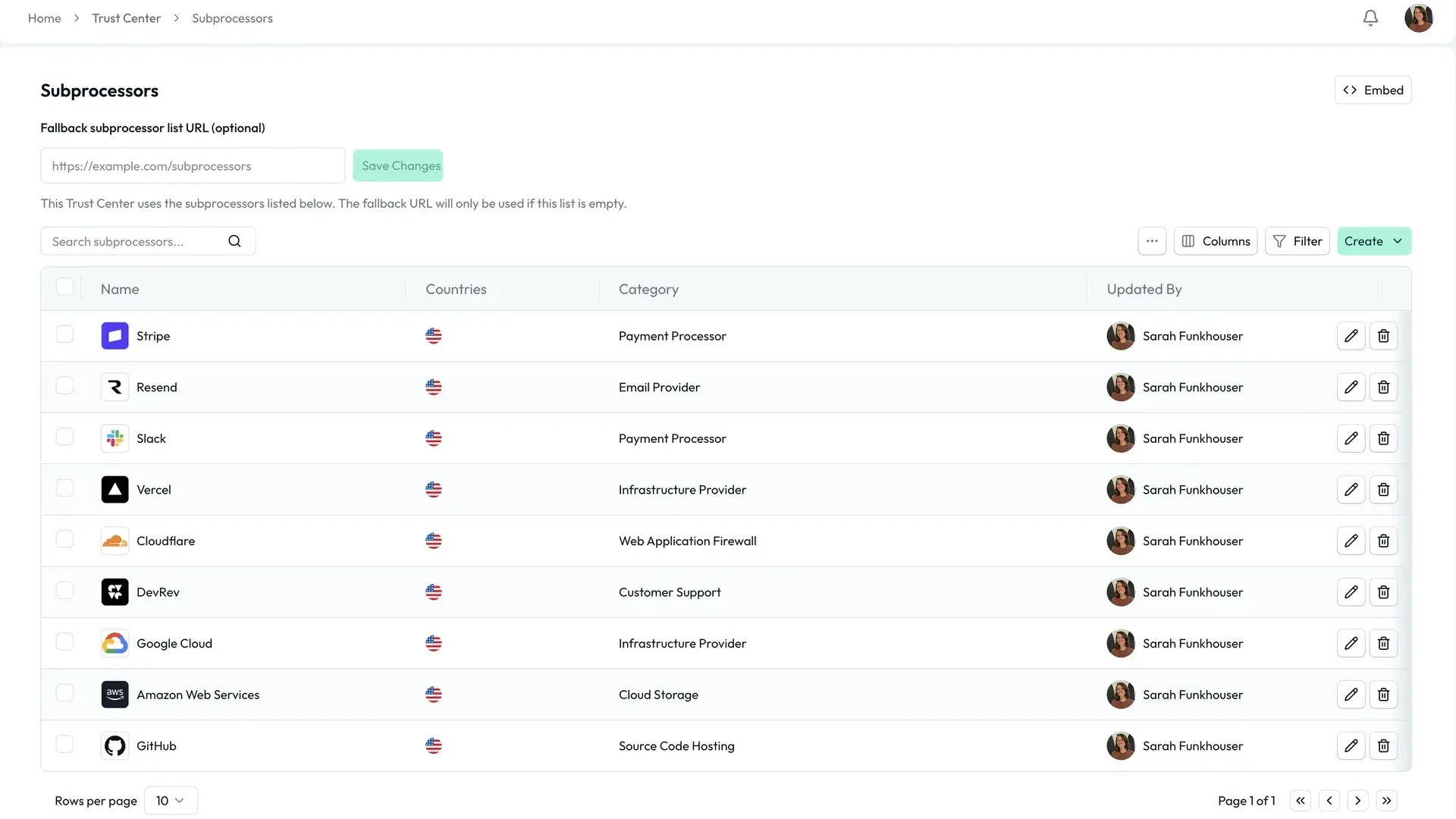
Official documentation screenshot of the subprocessor list managed for the Trust Center, with an embed option and a fallback list URL.
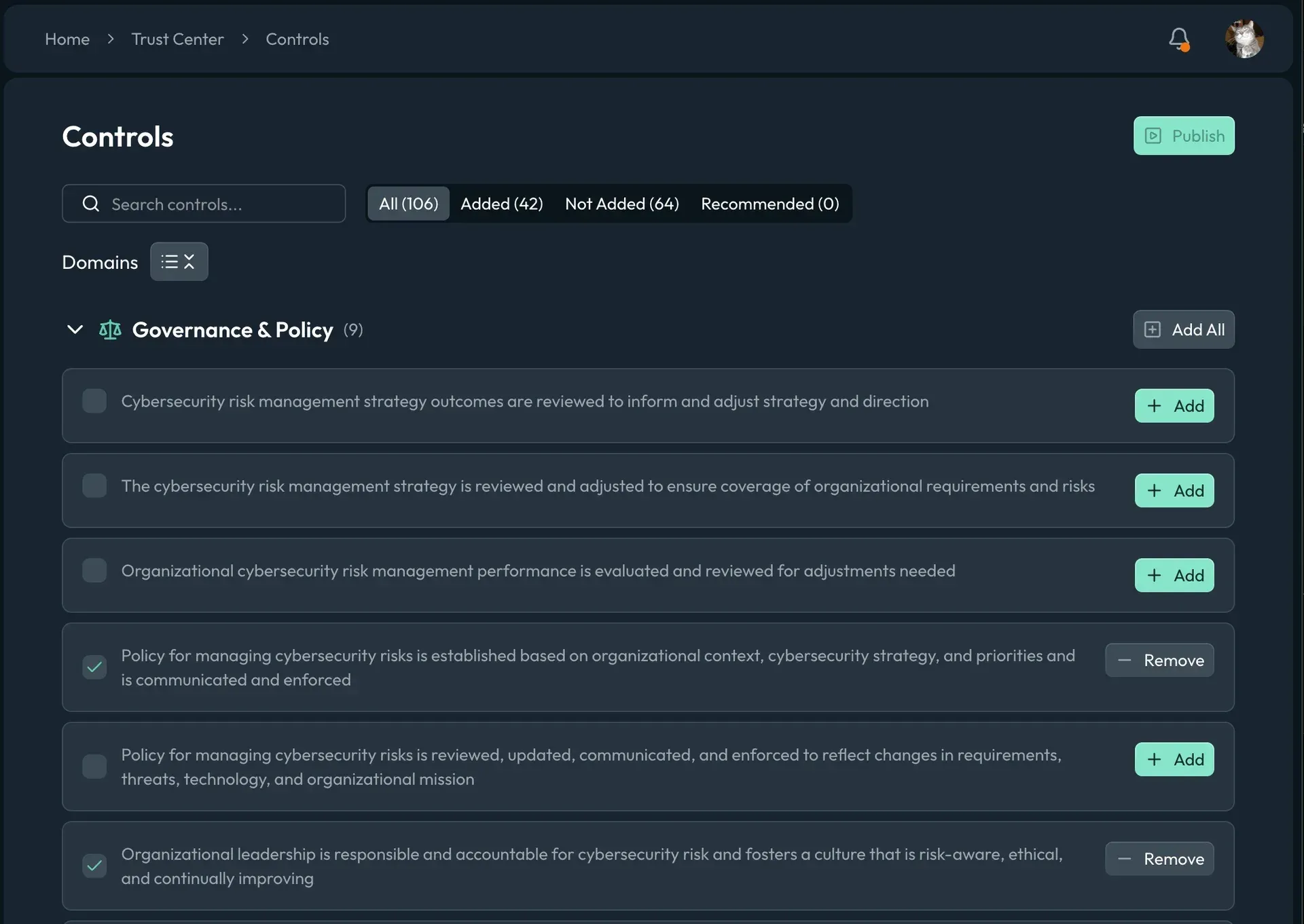
Official documentation screenshot showing which controls are added to the public Trust Center before publishing.
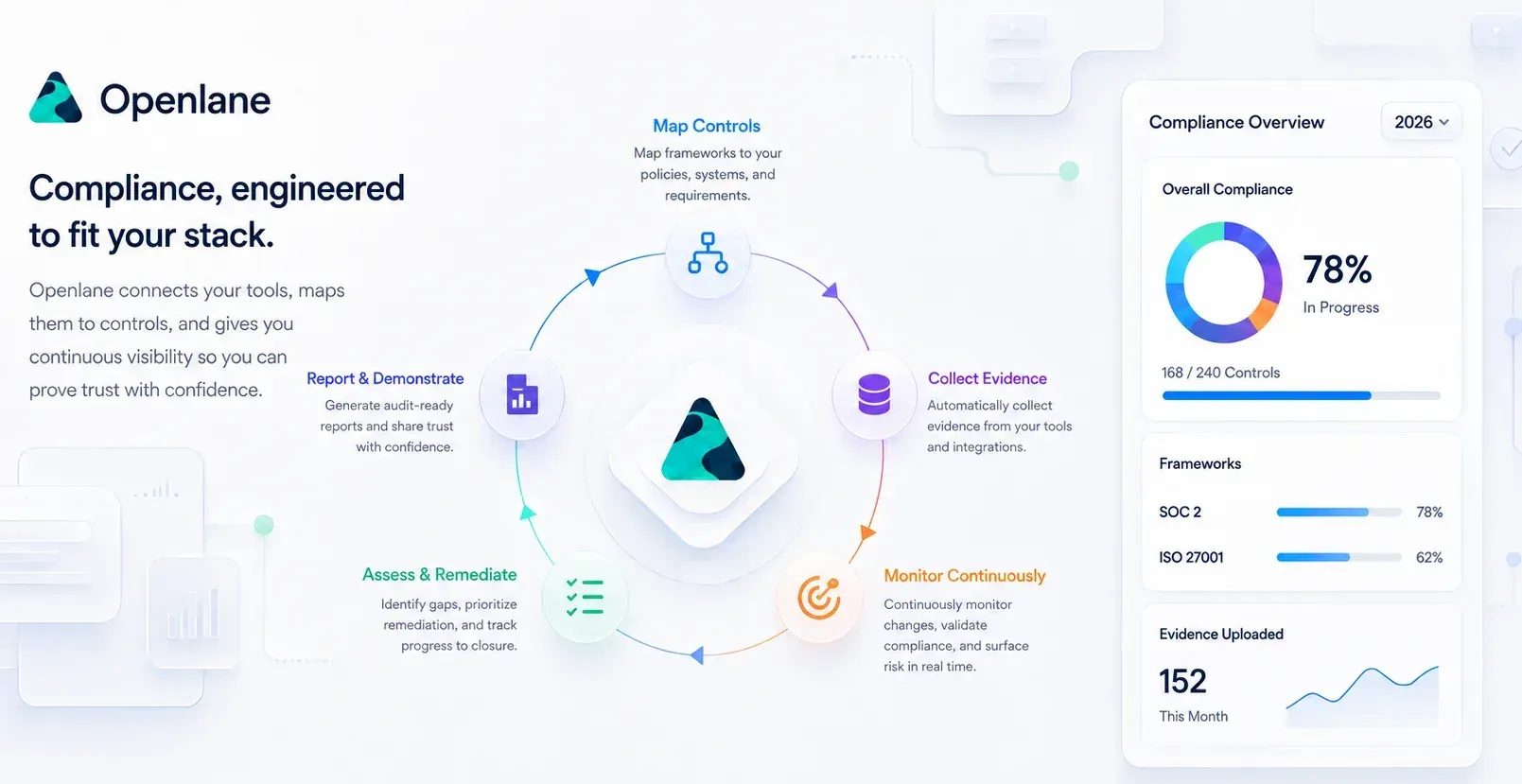
Official overview figure from the Openlane core README; the percentages and counts in the side panel are illustrative.
Source: official Openlane project page.
Key capabilities
- Compliance programs, controls and evidence Programs bundle the controls, policies, procedures, tasks and evidence for one audit period. Every object has editors, approvals, comments and a full change history. Evidence records link to the controls they satisfy and move through states such as Ready, Approved, Needs Renewal, Missing Artifact and Rejected, which the Evidence Center summarizes per program.
- Framework catalog The standards catalog documents SOC 2, ISO 27001, ISO 42001, NIST 800-53, NIST CSF, NIST SSDF, NIST 800-171, GDPR, HIPAA, PCI DSS, CMMC, CIS Benchmarks, CSA CCM, OWASP SAMM, SOX, DORA, FedRAMP Rev 5 Moderate, HITRUST, Essential Eight, APRA CPS 230 and Microsoft SSPA. Controls are cloned from a standard into the organization or added automatically by a program template. Most framework pages include example evidence lists.
- Cross-framework control mapping One control can satisfy requirements in several frameworks. The mapping editor records a relation type such as partial or equivalent, a 0 to 100 confidence value and a free-text rationale. Mapping a second framework onto existing controls avoids duplicating evidence, but the mapping quality still depends on human review.
- Policies and procedures Policies and procedures have editors, approval steps, sign-off and framework mapping, and can be imported from existing documents. The Google Drive and OneDrive integrations manage policy documents stored in those services. The separate policy-hub repository publishes example policies that can serve as starting templates.
- Registry of people, vendors and assets The registry holds personnel, entities and vendors, assets, platforms and third-party contacts. Personnel can be synced from directory providers, and records can be loaded from a CMDB export or spreadsheet. This registry defines what is in scope and feeds access reviews and vendor workflows.
- Exposure: scans, vulnerabilities and risks Scan records cover domain, vulnerability, vendor and provider scans with schedules, reviewers and attached reports; findings, vulnerabilities and remediations link back to their source scan. Domain and vulnerability scanning executed by Openlane is a platform add-on; results from scanners you already run can be recorded through the API. Vulnerability ingestion is documented for GitHub, AWS Security Hub, Google Cloud SCC and Microsoft Defender for Cloud. The scans guide explains the cadence fields auditors usually test.
- Risk register Risks are tied to the controls that mitigate them. The Risk Assessment program template creates a register with default likelihood times impact scoring, standard categories and sample controls. Remediation tracking documents fixes and updates the related risks.
- Integrations The integration list covers Authentik, AWS, Microsoft Entra ID, Microsoft Defender for Cloud, Cloudflare, email, Google Cloud SCC, a GitHub App, Google Workspace, Google Drive, Keycloak, Microsoft Teams, Okta, OneDrive, Slack, Stronta and Tailscale. Several integrations accept a CEL filter expression that limits which records are ingested. Directory integrations are aimed at access reviews rather than full identity lifecycle management.
- Campaigns and questionnaires Campaigns send one request to many recipients: questionnaires, policy attestations, training acknowledgements, vendor assessments or trust center updates, with per-recipient delivery and completion tracking. Campaigns can recur monthly to every three years, and resends to one recipient are capped at five. Questionnaire respondents use a short-lived signed link and need no Openlane account; the default response window is 7 days.
- Workflows and tasks Tasks carry assignees, reminders and escalation. Approval workflow definitions use triggers, conditions and actions with PRE_COMMIT staging or POST_COMMIT review. The documentation marks workflows as coming soon, and the pricing page lists the workflow automation add-on as not yet available.
- Trust Center A branded public trust portal on a vanity domain publishes documents, achieved frameworks, subprocessors, FAQs and updates. Documents can sit behind a clickwrap NDA, and changes go through draft, preview and publish. The default URL starts hidden from search engines. The Trust Center module adds visitor analytics and subscriber notifications; removing the Openlane footer is a paid add-on.
- Custom reports and CSV import Custom reports select columns across object types, add up to five filters and up to 25 related records per row, and show the generated GraphQL query for reuse. CSV import accepts files up to 10 MB, detects comma, semicolon, tab and pipe delimiters, maps columns and previews rows before anything is created.
- Authentication and access control Supported sign-in methods are organization SSO through any OIDC-compliant provider, passkeys (WebAuthn), Google and GitHub social login and passwords. Two-factor enforcement can be set per member in the console, or organization-wide through the API. SCIM provisioning is served by the REST API. Read-only auditor roles and group-level permissions are included in every plan.
- GraphQL and REST API The GraphQL API at api.theopenlane.io/query exposes every console object and has introspection enabled; a smaller REST API covers authentication flows, account operations and SCIM. Organization API tokens (
tola_) use object:action scopes, and personal access tokens (tolp_) inherit their user's rights. Creating tokens on the hosted service requires a payment method on file. - Openlane CLI and Go client The
openlaneCLI installs on macOS withbrew install --cask theopenlane/tap/openlane, or from release archives for Linux and macOS on amd64 and arm64; no Windows build is published. It authenticates with tokens or username and password; OAuth login is not supported in the CLI, per the CLI guide. The generated go-client library and the setup-openlane GitHub Action cover automation in code and CI. - Running the stack yourself The getting started guide needs Go, Homebrew, Task and Docker:
task install:allthentask run-dev, ortask docker:all:upto run everything in containers. The server imageghcr.io/theopenlane/coreis built on a Chainguard base and runs as a non-root user. Treat this as a developer-grade path until charts and a supported production method are published. - Documentation MCP server A read-only MCP endpoint at docs-search.theopenlane.io/mcp exposes one semantic search tool over the public documentation. It needs no authentication and never touches organization data, so it helps coding agents answer questions about the API without granting them account access.
Where Openlane fits
Preparing a first SOC 2 audit
Create a program from the SOC 2 template, choose the Trust Services Criteria in scope and decide whether to start from template policies or your own. Assign control owners, then attach evidence to each control and watch the Evidence Center for items that are missing or rejected. Give the auditor the read-only auditor role instead of exporting folders. Check that the audit period on the program matches the period in your engagement letter.
Adding ISO 27001 or NIST CSF to an existing program
Import the second standard and map your existing controls to it with the mapping editor, recording the relation type and confidence for each pair. Review partial mappings by hand: they are where gaps hide. Then filter the new framework for controls without mapped evidence. The mapping guide explains how mappings reduce duplicated evidence without merging the frameworks.
Running quarterly policy attestations and vendor reviews
Build an attestation or questionnaire, attach it to a campaign, select personnel or vendor contacts and set a recurrence and due date. Send a test email first, because tests use the real template and sender. Configure the email integration so messages come from your own domain. After each cycle, resend only to incomplete recipients and keep the completed campaign as the evidence record of who was asked and when they answered.
Publishing a trust center for sales
Upload the SOC 2 report and policies, decide which documents need the NDA gate, list subprocessors and enable only frameworks you have actually completed. Preview the draft, connect a vanity domain, then publish. Leave the default URL hidden from search engines when a vanity domain is used. Openlane runs its own portal at trust.theopenlane.io, which is a practical reference for layout and content.
Feeding evidence from CI and existing scanners
Create an organization API token with only the scopes the job needs, for example evidence:read and evidence:write, and set an expiration. Install the CLI in GitHub Actions with setup-openlane, or call the GraphQL endpoint directly, and record scan runs, files and linked vulnerabilities after each pipeline. The programmatic access guide covers token scopes and SSO authorization of tokens.
Evaluating a self-hosted deployment
Clone the repository, run task install:all and task run-dev, create the documented test user and exercise the API with the CLI. Then plan the gaps a production install would need: PostgreSQL and Redis operations, object storage, OpenFGA, the River job queue, OIDC and email configuration, backups and upgrades across frequent tags. Since running locally is the only supported method, budget engineering time or use the hosted service for the audit itself.
Install
brew install --cask theopenlane/tap/openlaneReviews of Openlane
Be the first to share your experience with Openlane.
Write a review
Loading review form…
Alternatives to Openlane
 ProboProbo is an open-source governance, risk and compliance platform written in Go. It tracks controls, risks, vendors, privacy records, access reviews, audits and signed policies, runs self-hosted or on Probo Cloud in the EU or US, and exposes every record to a CLI, GraphQL and MCP.FFleetFleet is open-source device management for IT and security teams, combining MDM, patching, software deployment and endpoint data, with a GUI, API and GitOps.