

What is useSend?
useSend is an open-source email sending platform published at usesend.com and developed in the usesend/useSend repository on GitHub. It sends product, transactional and marketing email and adds a dashboard with delivery, open, click, bounce and complaint tracking, domain management, API keys, contact books, campaigns, templates, a suppression list, webhooks and SMTP access. The documentation introduces it as an open-source alternative to Resend, SendGrid, Mailgun and Postmark, and the README states that the project is in beta. The repository was created in March 2024, and the name Unsend still appears in parts of the documentation, such as the changelog page, and in the default storage bucket name.
useSend does not operate its own mail transfer agents. Like most email products, it sends through Amazon SES, and the self-hosting guide states that it depends on AWS SES to send email and on AWS SNS to receive delivery status. The application stores its data in PostgreSQL and uses Redis as a queue. The README lists the stack as Next.js, Prisma, Tailwind, shadcn/ui, NextAuth.js and tRPC for the web app, with Hono serving the public API. The campaign editor uses tiptap as its core, converts content to HTML with jsx-email and is modeled on maily.to. A separate SMTP proxy in apps/smtp-server forwards SMTP submissions to a useSend instance.
There are two ways to run it. The hosted service at app.usesend.com is billed per email sent rather than per stored contact. For self-hosting, the project publishes the usesend/usesend image on Docker Hub and the GitHub Container Registry, a production Docker Compose file, a one-click Railway template and a self-hosting guide. Official SDKs exist for TypeScript (usesend-js), Python (usesend on PyPI) and Go (usesend-go), and the website also shows PHP and plain HTTP examples.
The latest release is v1.10.2, published on November 7, 2026. It contains the same code as v1.10.1 and adds the Docker images that the v1.10.1 build did not produce, after release image builds moved to GitHub-hosted runners. v1.10.1 is a security release: the Admin page is limited to the instance admin, SES callback events must carry a valid AWS SNS signature, webhook delivery to internal and cloud metadata addresses can be blocked, templates are scoped to the sending team, team invites are bound to the invited address, domain-restricted API keys are enforced on more routes, the SMTP proxy reloads renewed TLS certificates without a restart, and Next.js moved to 15.5.29. The earlier v1.10.0 (October 26, 2026) replaced the unmaintained MinIO storage container with RustFS, moved the image to Node 24 and tightened parsing of the from address.
The source is licensed under the GNU Affero General Public License v3.0. The README feature list marks inbound email and bring-your-own AWS credentials for the cloud service as not yet done, and lists SMS, push notifications and WhatsApp as planned sending channels rather than current features. According to the website, useSend is bootstrapped and funded by its cloud offering and sponsors. Similar projects listed on iThub include Plunk, Postal and Notifuse.
useSend screenshots
Explore the interface. Open a screenshot to view it at full size.
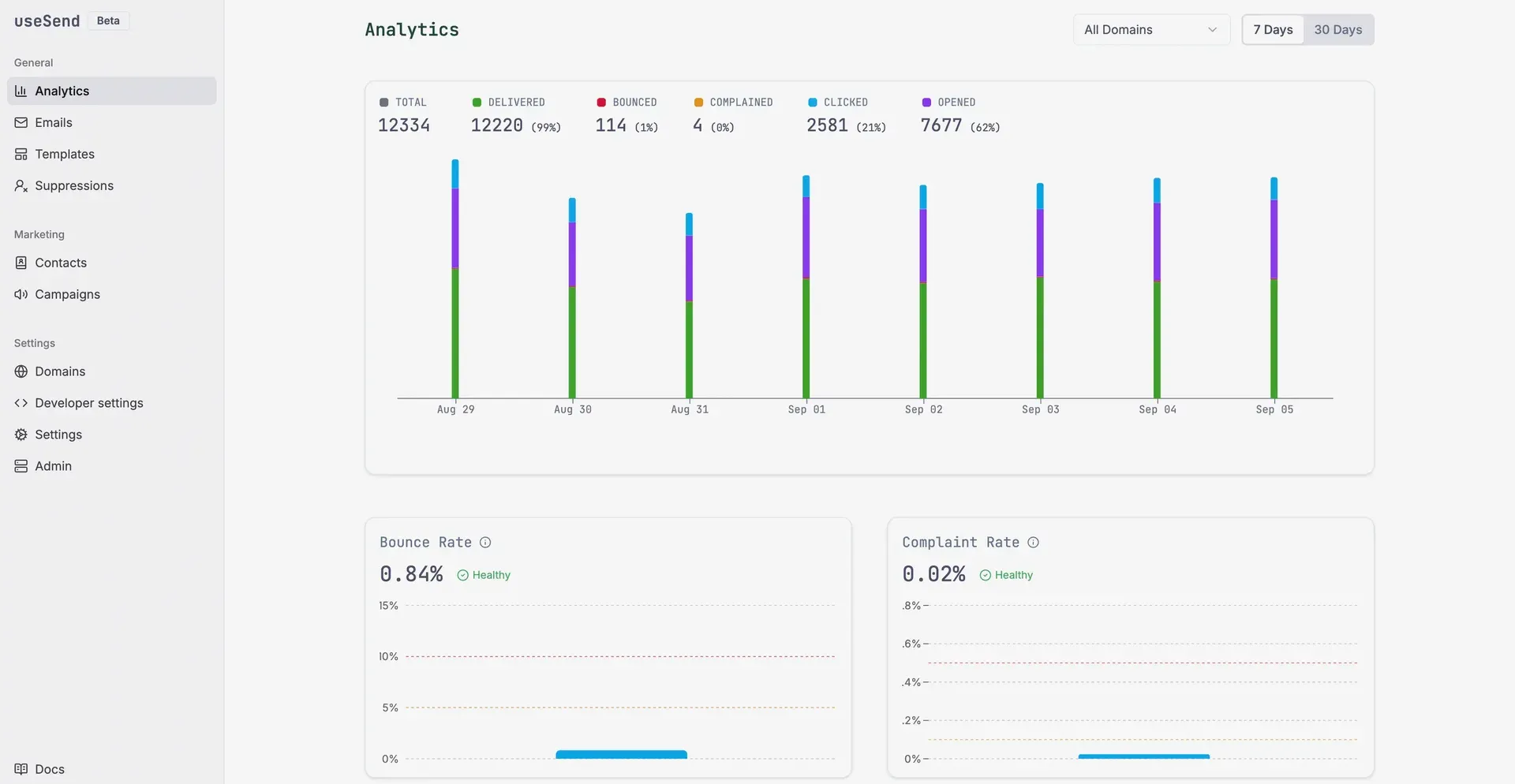
Official useSend marketing image of the Analytics dashboard, cropped to remove the account footer.
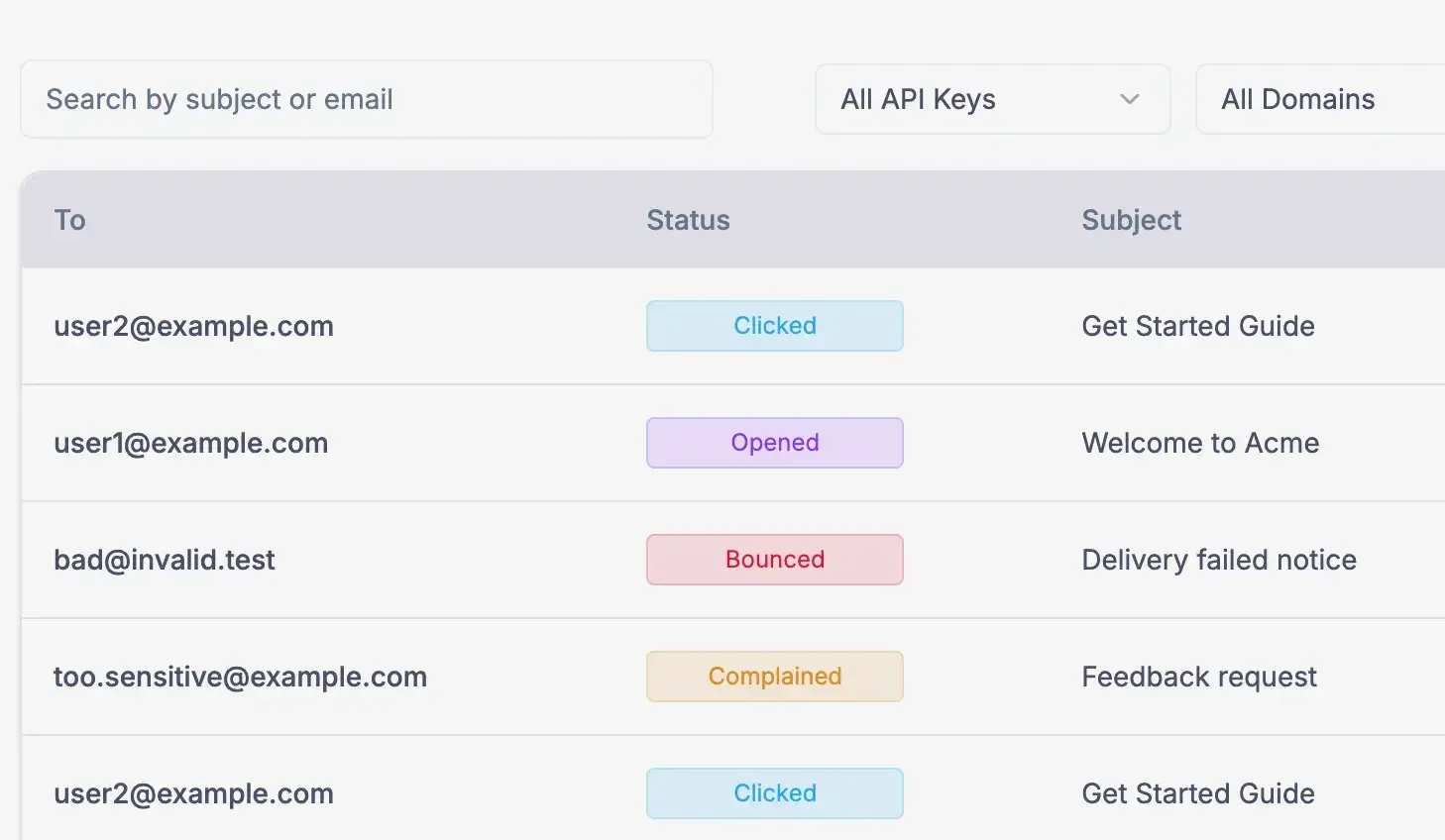
Official useSend marketing image of the email log with Clicked, Opened, Bounced and Complained statuses.
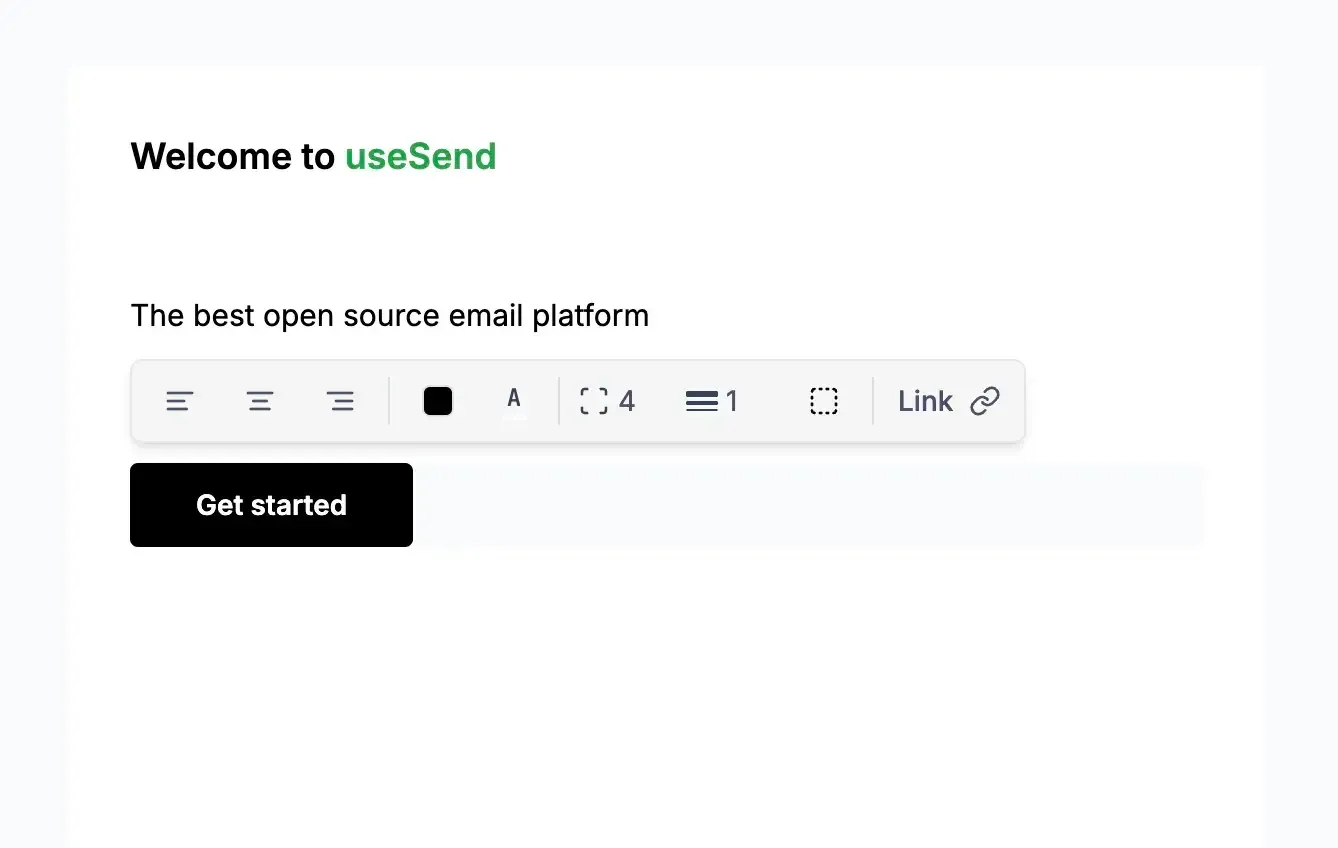
Official useSend marketing image of the visual email editor.
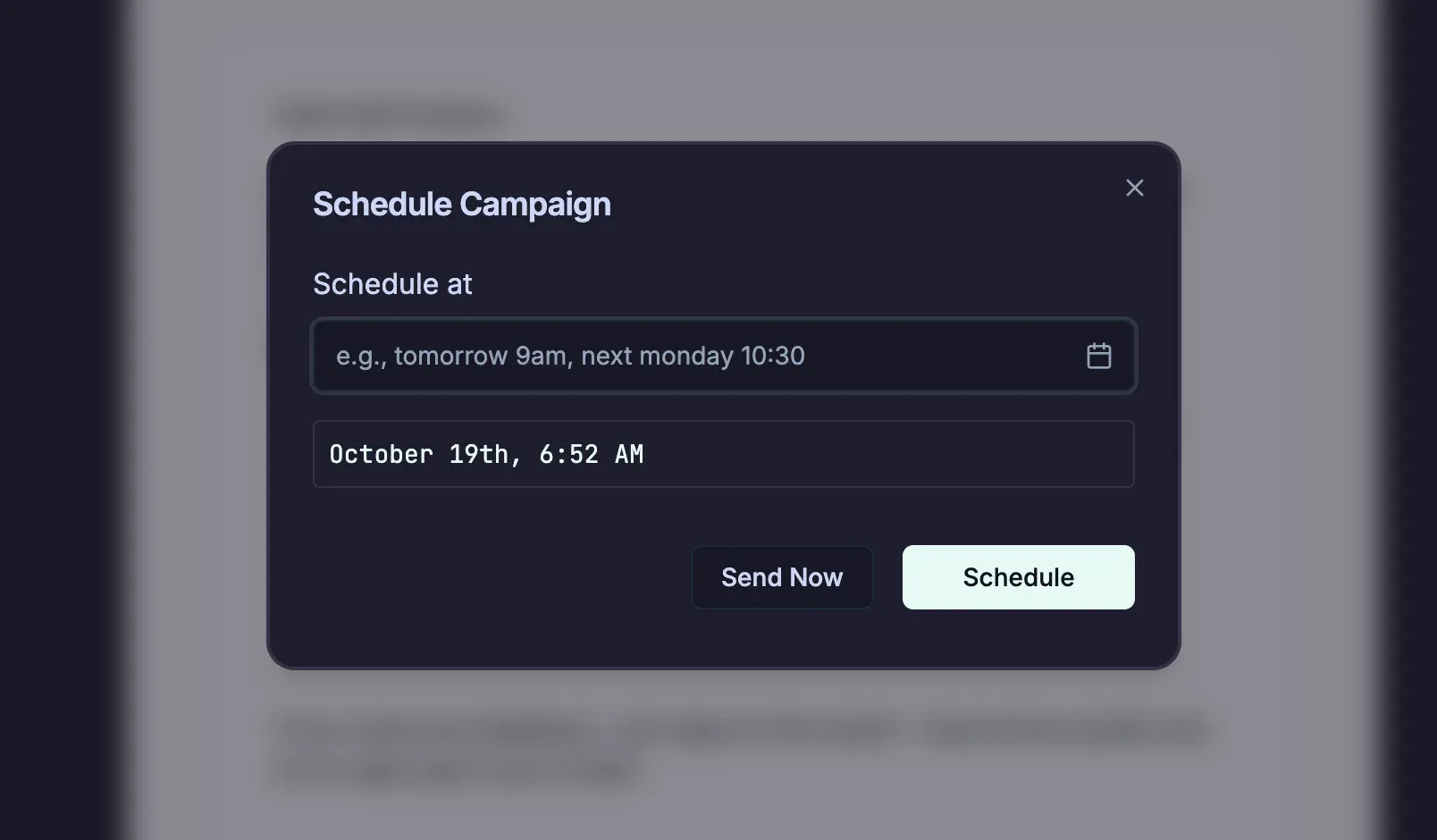
Official useSend documentation image of the campaign scheduling dialog.
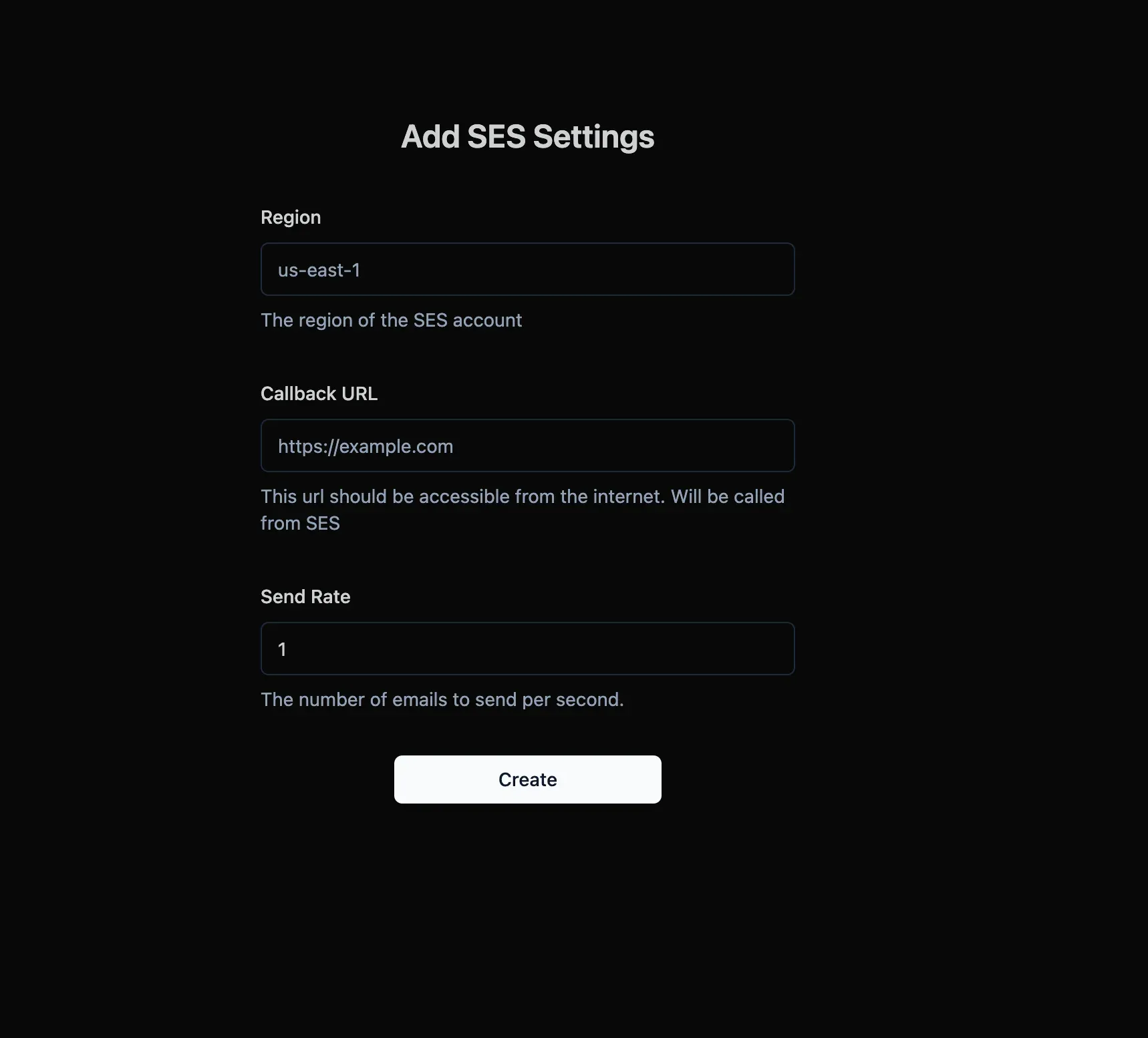
Official useSend documentation image of the SES settings form shown to self-hosters after first login.
Source: official useSend project page.
Key capabilities
- Transactional email REST API The API is served over HTTPS at
https://app.usesend.com/api/(or the self-hosted instance URL) and authenticates with a bearer API key that starts withus_. The send endpoint accepts to, from, subject, html and text, plus cc, bcc, replyTo, custom headers, attachments, atemplateIdwith variables and aninReplyToId. An optionalIdempotency-Keyheader of up to 256 characters makes a request safe to retry. The API reference and an OpenAPI file document every endpoint. - Batch sending and scheduling The batch endpoint sends up to 100 emails in one request. A
scheduledAtvalue queues an email for later, and separate endpoints update or cancel a scheduled send. Cancelled scheduled emails produce anemail.cancelledevent. - SDKs for TypeScript, Python and Go The TypeScript SDK is installed with
npm install usesend-js, the Python SDK withpip install usesendand the Go package withgo get github.com/usesend/usesend-go. The SDKs cover sending email and managing contacts, and the Go guide also mentions domains. The Python SDK 0.2.11, released alongside v1.10.0, requires patched versions of urllib3 and certifi. - SMTP relay Software that only speaks SMTP can connect to
smtp.usesend.comon port 465, 587, 2465 or 2587 with the usernameusesendand an API key as the password, after a domain has been verified. The website names Supabase as an example of a service that takes SMTP settings, and the docs include a Nodemailer example. Since v1.9.7 the proxy preserves safe headers, and since v1.9.8 Bcc recipients are taken from the SMTP envelope. - Self-hosted SMTP proxy Self-hosters run the separate
usesend/smtp-proxyimage, which listens on ports 25, 587 and 2587 with STARTTLS and on 465 and 2465 with SSL/TLS and forwards each message to the main instance. The username can be changed withSMTP_AUTH_USERNAME. Since v1.10.1 it re-reads its TLS certificate every 5 minutes (TLS_RELOAD_INTERVAL_MS) and logs a warning 14 days before expiry. - Domains and DNS records Sending domains are added in the dashboard or through the domains API, which returns the DNS records to publish, including TXT and MX record types, an SPF value of the form
v=spf1 include:amazonses.com ~all, DKIM status and a DMARC flag. A verify endpoint triggers the check, and each domain is tied to an SES region. API keys can be restricted to a single domain; since v1.10.1 such keys can only manage campaigns and batches for their own domain, cannot create domains, and are revoked when that domain is deleted. - Analytics and email log The dashboard shows totals and daily charts for delivered, bounced, complained, clicked and opened email over 7 or 30 days, filterable by domain, plus bounce rate and complaint rate panels with status labels. The email log can be searched by subject or address, filtered by domain, status and API key, and exported. The analytics API exposes an email time series and reputation metrics, optionally per domain.
- Marketing campaigns Campaigns send newsletters and product updates to a contact book. They can be created, scheduled, paused, resumed and deleted in the dashboard or through the campaigns API, and the schedule dialog accepts natural-language times such as "tomorrow 9am". Every campaign must include an unsubscribe link, for which the
{{usesend_unsubscribe_url}}variable gives a per-recipient address. - Visual email editor and templates The editor is a block-based, Notion-like editor whose output is converted to HTML for major email clients, with alignment, color, spacing, border and link controls on blocks such as buttons. Templates can be reused and filled with variables. On self-hosted installs with Docker Compose, image uploads in the editor work once the RustFS storage API is exposed through a reverse proxy.
- Campaign personalization Campaigns can use the built-in variables
{{email}},{{firstName}}and{{lastName}}and custom variables such as{{company}}or{{plan}}. Custom variable names must be registered on the contact book first and may contain only letters, numbers and underscores. Values come from the dashboard, a CSV import or the API. - Contact books and double opt-in Contacts are kept in contact books with per-book subscription status, can be imported and exported, and are updated automatically from bounces and complaints. The contacts API supports create, bulk create, update, upsert, delete and bulk delete. With double opt-in enabled on a book, new contacts start as Pending and receive a confirmation email whose HMAC-SHA256 signed link expires after 7 days.
- Suppression list Addresses that bounce or complain are added to the suppression list automatically, and the list applies to both transactional and marketing email. It can be managed by import, export or API, and a send to a suppressed address produces an
email.suppressedevent. - Webhooks Webhooks send JSON POST requests for 13 email events (such as
email.delivered,email.bounced,email.complained,email.openedandemail.clicked), three contact events and four domain events. Each request carries anX-UseSend-SignatureHMAC-SHA256 header over the timestamp and raw body, and the TypeScript SDK verifies it and rejects signatures older than 5 minutes by default. Failed calls are retried for up to 6 attempts with exponential backoff, and a webhook is disabled after 30 consecutive failures. A delivery log shows status, payload, response body and duration for each call. - Teams Accounts are organized in teams with members and invitations. Since v1.10.1 an invitation can only be seen and accepted by the email address it was sent to. For both the self-hosted edition and the Cloud plan, the pricing section lists unlimited domains, contact books and team members.
- Self-hosting with Docker The production Compose file starts PostgreSQL, Redis, RustFS storage and the app on port 3000, configured from a copy of
.env.selfhost.example. The standalone image needsNEXTAUTH_URL,NEXTAUTH_SECRET,DATABASE_URL,REDIS_URL, AWS keys and region, and GitHub app credentials. Optional settings includeREDIS_KEY_PREFIXfor a shared Redis,EMAIL_CLEANUP_DAYSto clear stored email bodies after a set number of days, and S3-compatible storage such as Cloudflare R2 or AWS S3. Since v1.10.0 the container stops if its startup database migration fails. - AWS setup for self-hosters The guide creates an IAM user with the
AmazonSESFullAccessandAmazonSNSFullAccesspolicies. After the first login, the instance asks for the SES region and a public callback URL, and the send rate follows the AWS account. The guide also covers moving the SES account out of sandbox mode. - Login and instance admin Self-hosted sign-in uses a GitHub app with read-only access to the account email address, which is used to match team invitations; email and password login is not provided. Since v1.10.1 only the instance admin, by default the first user who signed up or the user named in
ADMIN_EMAIL, can open the Admin page with SES settings, teams and the waitlist. - Signed SES events and webhook restrictions Since v1.10.1, events at
/api/ses_callbackmust carry a valid AWS SNS signature.SNS_SIGNATURE_VERIFICATION=log-onlyaccepts failing messages while logging them, andAWS_SNS_ENDPOINTandAWS_SES_ENDPOINTsupport emulators such as LocalStack. Self-hosted instances allow webhooks to private hosts by default,WEBHOOK_ALLOW_PRIVATE_URLS=falselimits them to public URLs, and redirects from webhook endpoints are not followed. - Hosted pricing The pricing section lists self-hosting at $0, sending through your own SES account with AWS charging about $0.10 per 1,000 emails. The Cloud plan costs $10 a month, includes 25,000 transactional or 10,000 marketing emails, then charges $0.40 per 1,000 transactional and $1 per 1,000 marketing emails, and can be cancelled anytime. Stored contacts are not billed.
Where useSend fits
Sending application email through the API, an SDK or SMTP
The documented first steps are to add and verify a domain, create an API key under Developer settings and send through the REST API, one of the SDKs or SMTP. The API takes single sends, batches of up to 100 messages, scheduled sends and idempotent retries, and each message then appears in the email log with its status.
Running newsletters and product updates
Contacts are imported into a contact book, optionally with double opt-in, and the campaign is written in the visual editor with personalization variables and the required unsubscribe link. The campaign is sent immediately or scheduled, can be paused and resumed through the API, and its delivery, open, click and bounce results show in the analytics views.
Reacting to delivery events in other systems
Webhooks push email, contact and domain events to an HTTPS endpoint that must answer with a 2xx status within 10 seconds. The receiving application verifies the HMAC signature, for example with the usesend-js helpers for Next.js or Express, and the delivery log in the dashboard records each call, its retries and the response.
Self-hosting on a server with Docker Compose
The self-hosting guide covers creating AWS credentials and a GitHub app, filling the .env file, starting the production Compose stack with PostgreSQL, Redis and RustFS, entering the SES region and callback URL on first login and requesting SES production access. Railway is documented as an alternative host, the docs point to a community write-up for Coolify, and the optional SMTP proxy runs as its own container. The v1.10.1 release notes list ADMIN_EMAIL, SNS_SIGNATURE_VERIFICATION, WEBHOOK_ALLOW_PRIVATE_URLS and the new docker/prod/compose.yml as the settings that changed for existing installs.
Providing SMTP to tools without an API integration
The SMTP relay and the self-hosted proxy are described for legacy applications, email clients such as Thunderbird, Outlook and Apple Mail, and third-party services that only accept SMTP settings. These tools use the host, one of the documented ports, the usesend username and an API key as the password, and their messages are logged like API sends.
Tracking sender reputation and list health
The analytics page shows bounce and complaint rates per domain with status labels, and the reputation metrics endpoint returns the same data for other systems. Bounced and complaining addresses move to the suppression list automatically and update the matching contacts, which applies to later transactional and campaign sends alike.
Install
docker pull usesend/usesendReviews of useSend
Be the first to share your experience with useSend.
Write a review
Loading review form…
Alternatives to useSend
 PlunkPlunk is an AGPL-3.0 email platform that combines a transactional API, SMTP relay, campaigns, segments and event workflows on one contact list. Use the hosted service at $0.001 per email or self-host it with Docker and your own Amazon SES account.
 PostalPostal is an MIT-licensed mail server for web applications. It sends over SMTP or an HTTP API, routes incoming mail to HTTP or SMTP endpoints, signs with DKIM and logs deliveries, opens and clicks. It runs in Docker with MariaDB on your own servers.
 MailCheapMailCheap is an AGPL-3.0 newsletter app for writing, sending and publishing issues from a dashboard, REST API or AI agent. Self-host it with Amazon SES or PostShiba, or use MailCheap Cloud from $19 a month for 20,000 emails.