

What is MailCheap?
MailCheap is a newsletter application: you write an issue, send it to a subscriber list and publish it as a page on the newsletter's own website, either from the dashboard, from code through a REST API, or from an AI agent through an MCP server. It is built by Marc Lou, and the hosted edition, MailCheap Cloud at mailcheap.ai, is operated by JustShipIt Pte. Ltd. in Singapore. The pricing idea behind the project is that you pay for the emails you send rather than for the size of the list, so subscribers who stopped reading do not raise the bill.
The whole application is published in the marclou/mailcheap repository under AGPL-3.0. MailCheap Cloud runs the same code with MAILCHEAP_CLOUD=true, which turns on open sign-up, plans and Stripe billing; only the cloud's marketing pages, analytics and support chat are kept out of the repository. A self-hosted server is deployed with the Vercel deploy button or on any Node.js 22 or later host with npm ci && npm run build && npm start behind HTTPS. There is no official Docker image. A server needs MongoDB, an Amazon SES or PostShiba sending account and Upstash QStash for background sending and scheduling, plus optional Resend for sign-in codes, Upstash Redis for shared rate limits and S3 with CloudFront or Vercel Blob for image uploads. The README estimates about an hour of setup, mostly waiting for DNS and for production sending access.
The project does not publish tagged GitHub releases. The repository was created in October 2026 and receives near-daily commits synced from the cloud codebase, and product changes are recorded with dates on the MailCheap changelog, whose first entry is from October 16, 2026. Entries from early November 2026 add a per-domain ramp for Gmail volume, billing that starts only after a new account's first issue clears review, bulk selection of contacts, test emails rendered as a specific contact, issue authors, dark versions of every theme and newsletter teams of up to 5 people. An earlier one-time release, commit 67d13b0 from October 10, 2026, remains under the MIT license; everything after it is AGPL-3.0.
Technically, MailCheap is a Next.js App Router application written in JavaScript, with Tailwind CSS and shadcn/ui for the interface, MongoDB through Mongoose for data, Better Auth for sign-in and OAuth, and a Tiptap-based editor. Every customer action is defined once in lib/actions and run by the dashboard, the REST API and the MCP server alike, so permissions, plan limits and rate limits are the same on each channel; a parity test fails when an action is missing from the API, MCP, the OpenAPI document or the docs. Sending goes through a provider switch for SES or PostShiba, and each MailCheap account gets its own tenant at the provider with its own domains and suppression list.
Some things are outside its scope. MailCheap is not a mail server or an inbox, and it only sends through Amazon SES or PostShiba: there is no generic SMTP relay option. Each account holds up to 3 newsletters. Self-hosting is offered without support: GitHub issues are turned off and pull requests may not be reviewed, so operators rely on the README, .env.example and the in-app help center.
MailCheap screenshots
Explore the interface. Open a screenshot to view it at full size.
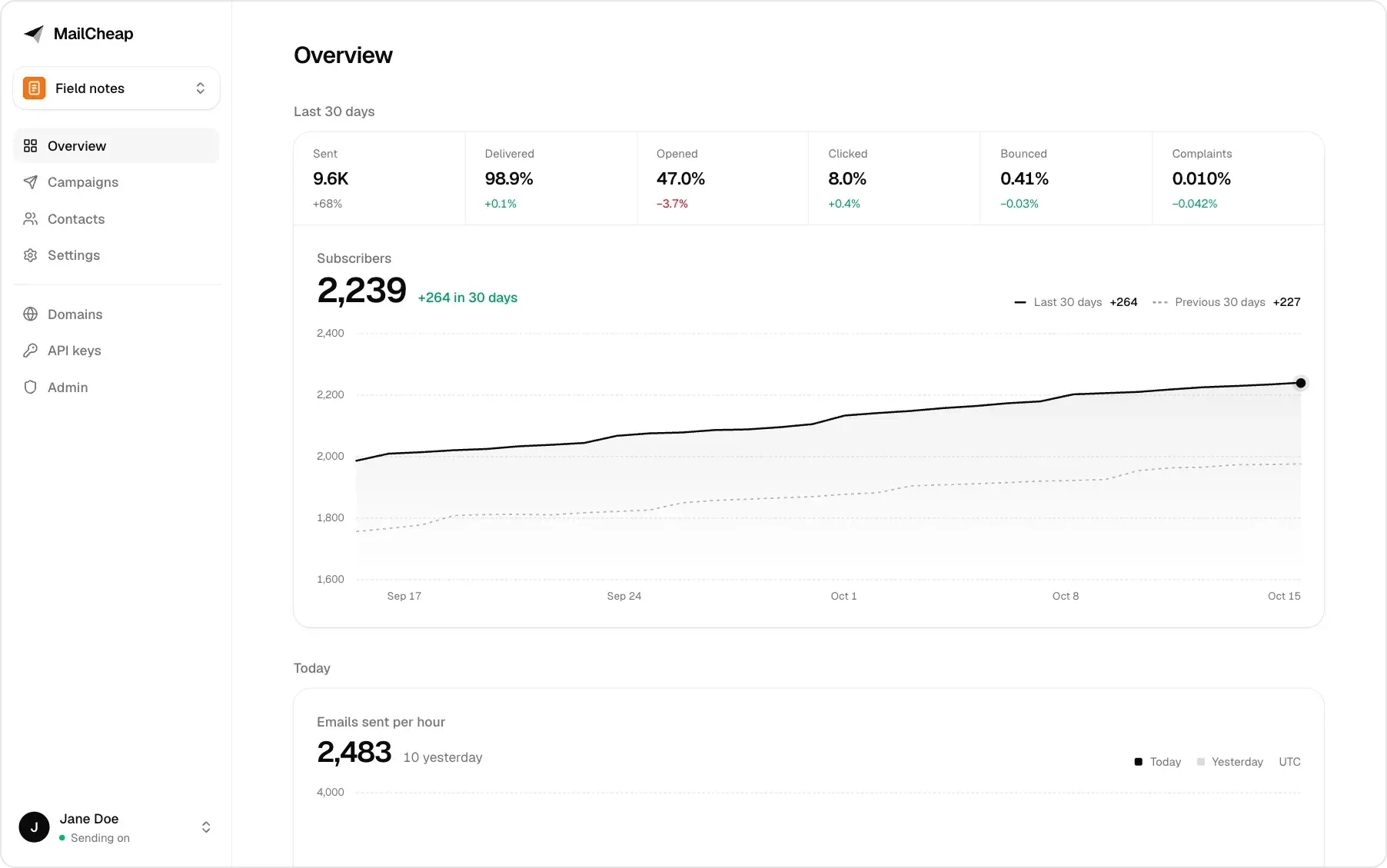
Dashboard overview: 30-day sending rates, subscriber count with a comparison to the previous period, and emails sent per hour. Official README screenshot; names and numbers are made up.
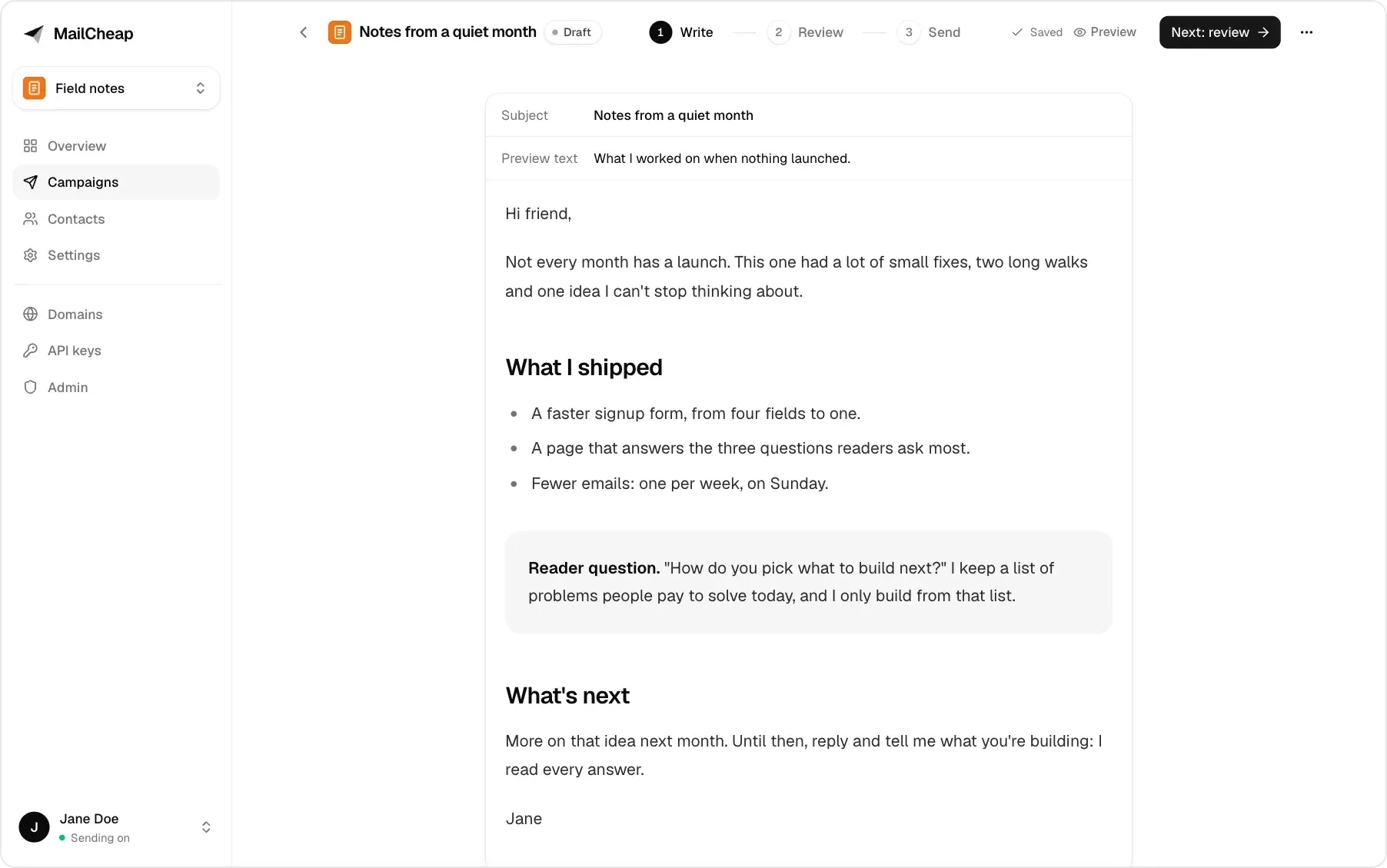
Campaign editor on the Write step, with Review and Send steps at the top. Official README screenshot with made-up content.
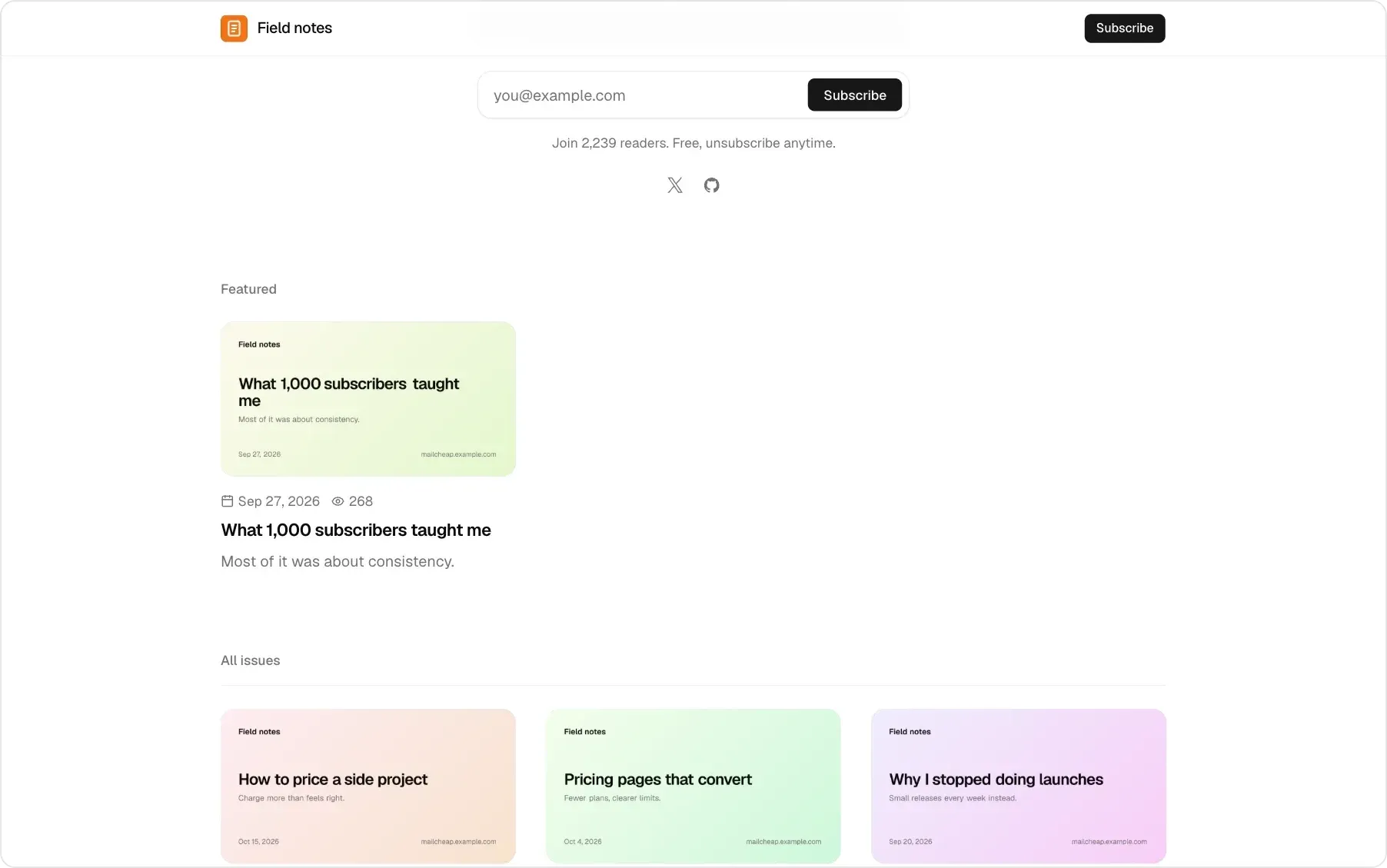
A newsletter's public website: signup form, featured issue with view count and the list of issues. Official README screenshot.
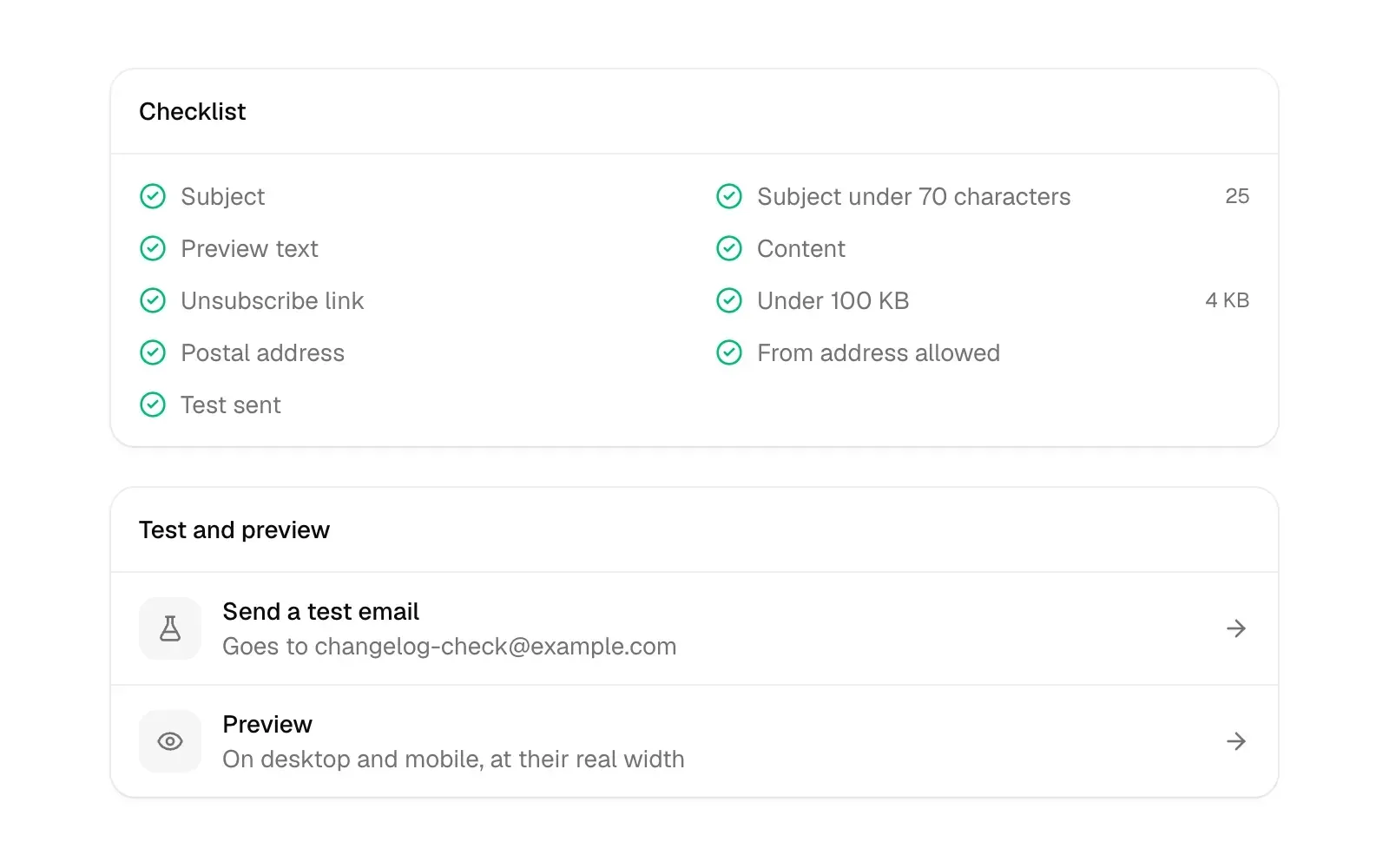
Review step checklist and test and preview options before a send. Help center figure from the MailCheap repository.
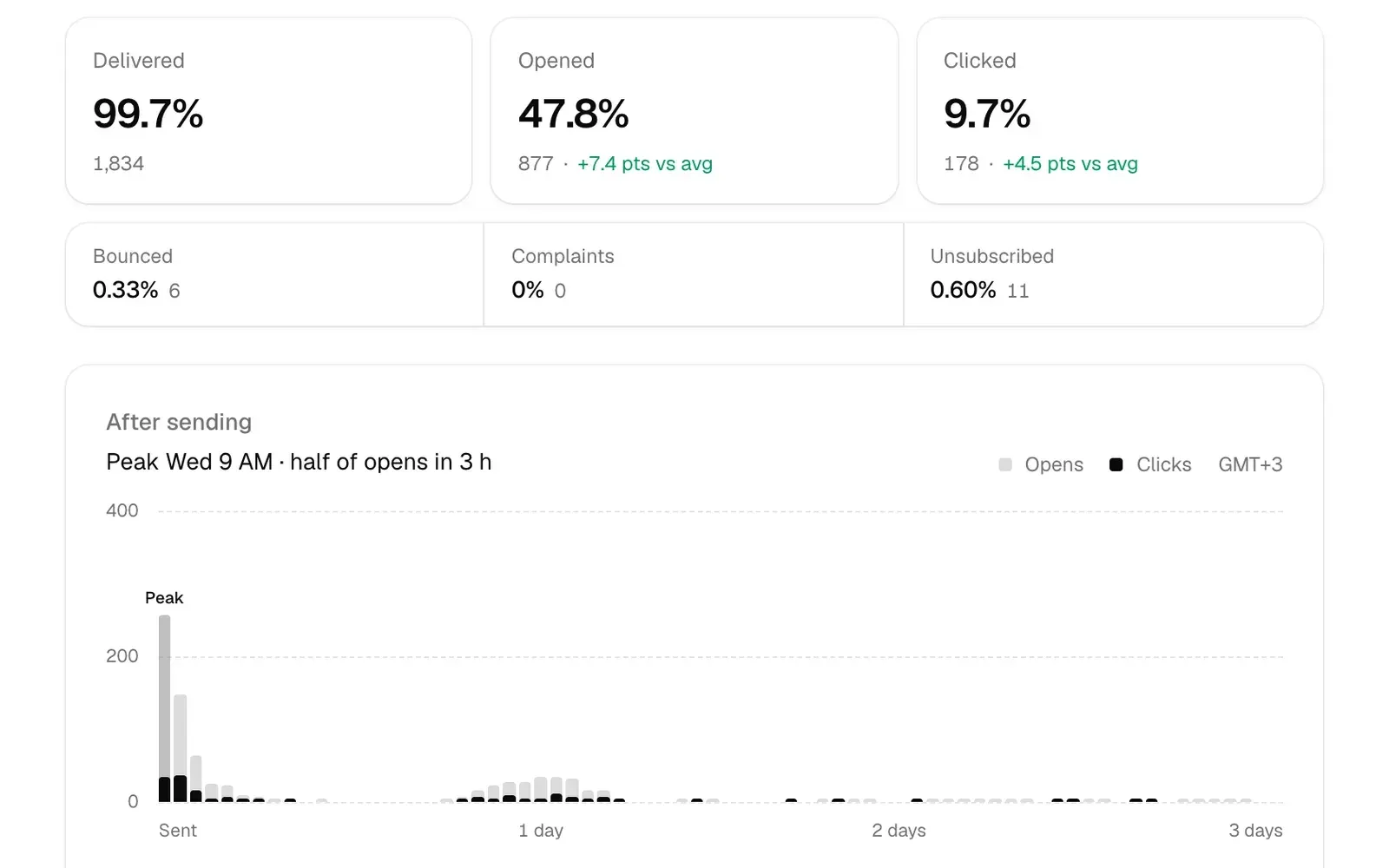
Campaign report: delivery and engagement rates compared with the newsletter average, and opens and clicks over the three days after sending. Help center figure.
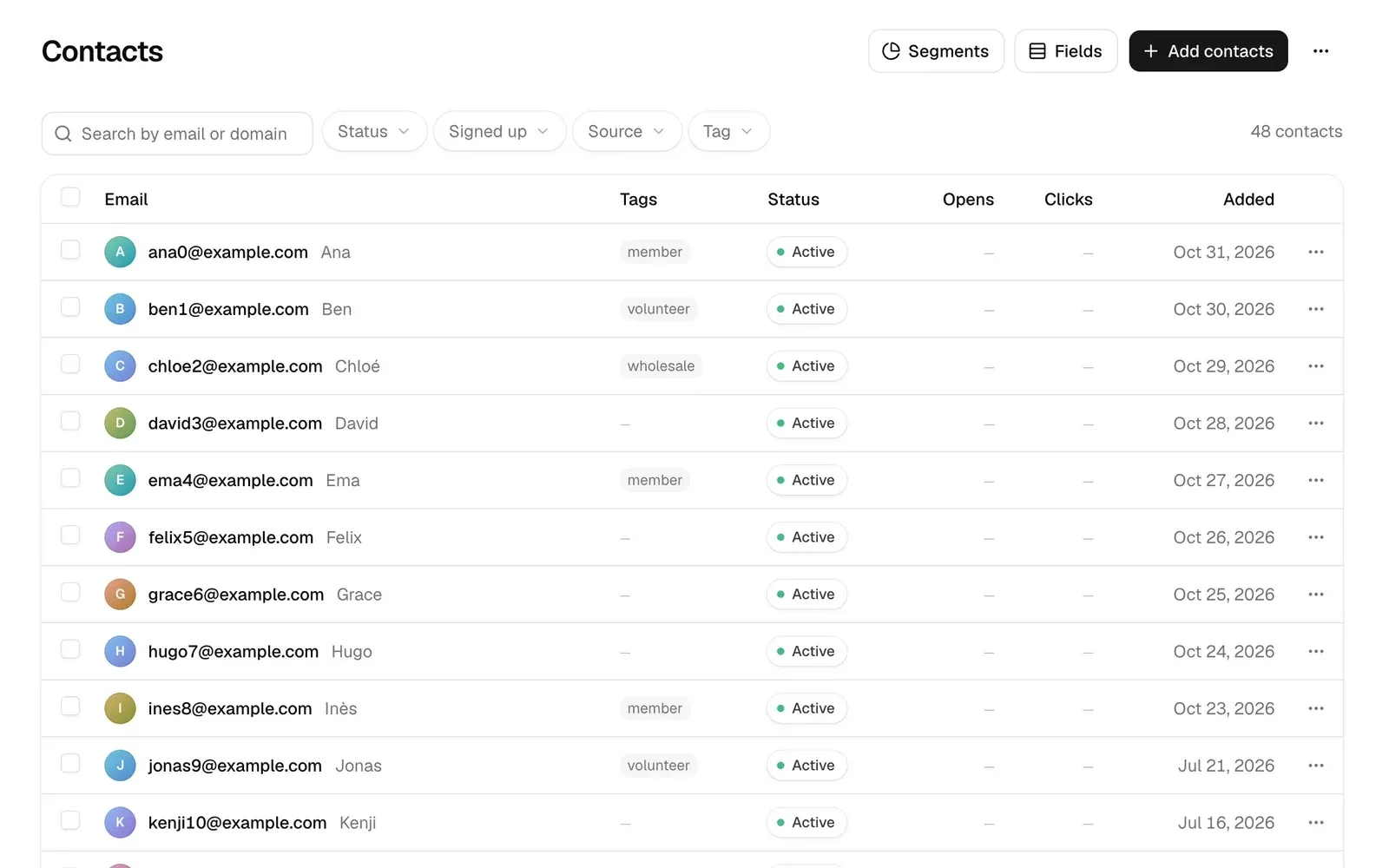
Contacts list with filters, tags, status and Segments, Fields and Add contacts buttons. Help center figure with example.com addresses.
Source: official MailCheap project page.
Key capabilities
- Campaign editor Issues are written in a block editor with a slash menu, images, buttons, callout boxes and contact-field merge tags, and drafts save automatically. Sections can be limited to readers with a tag or in a segment, or shown only in the email or only on the website. The REST API and MCP also accept a complete HTML email or Markdown instead of editor content.
- Review step before sending A checklist runs before every send: subject present and under 70 characters, preview text, unsubscribe link, postal address in the footer, an allowed from address and a size under Gmail's 100 KB clipping limit. Test emails go to up to 5 addresses and can be rendered as a specific contact sees them, and the preview shows desktop and mobile at their real widths.
- Sending, scheduling and staged sends A campaign can go out at once, at a scheduled time, or to a limited number of the most engaged readers first, with a Send to more action on the report once the first step looks healthy. Contacts the account has never emailed go out in steps, a random 2 percent, then 5 percent more, then the rest, 30 minutes apart while bounces and complaints stay low.
- Newsletter website Each newsletter gets a public website where every issue has its own page with a signup form, an author page, share images and a sitemap. On MailCheap Cloud it lives at
<slug>.mailcheap.ai; on a self-hosted server at/archive/<slug>, or on your own subdomain verified with a CNAME and a TXT record. A sent issue's web page can be edited without changing the email, and daily page views are shown per issue. - Imports from other platforms CSV exports from beehiiv, Substack and Mailchimp import as they are, with each reader's status and signup date, and so do exports from Kit, MailerLite, Buttondown, Ghost, EmailOctopus and listmonk. Imports leave out invalid, misspelled, spam trap, role, disposable and duplicate addresses, domains that cannot receive mail and anyone who previously unsubscribed, bounced or complained.
- Contacts, tags, fields and segments The contacts page filters by status, signup date, source and tag, and contacts can be selected in bulk to tag, change status, unsubscribe, add to a segment or delete. Custom fields hold extra data for personalization. Imports and contacts added by hand record who gave consent and when.
- Signup forms and confirmed opt-in Newsletters have signup forms, a signup API and welcome emails, and confirmed (double) opt-in is on by default. A signups-only API key can only add contacts, so it can sit in a website's code; signups are limited to 600 an hour per key and per account, and 5 per visitor in 10 minutes when the site passes the visitor's IP.
- Own sending domain The Domains page lists the DKIM, return path and DMARC records to add and checks each one. The README recommends a subdomain such as
mail.example.comso the main domain's mail is not affected. On MailCheap Cloud a newsletter without its own domain sends from a shared address,hello@<slug>.mailcheap.ai. - Deliverability limits A send pauses above 2.5 percent hard bounces, 0.08 percent complaints or 2 percent of emails refused by Gmail as unsolicited, and the account is blocked above 5 percent bounces, 0.3 percent complaints or on a spam trap hit. List cleanup, on by default, sends readers who ignored several issues one re-confirmation email and then stops mailing them. Every email carries RFC 8058 one-click unsubscribe headers and a signed unsubscribe link.
- Server-wide never-email list Addresses the provider reports as nonexistent are excluded from every account's imports, signups and sends for 180 days, and confirmed spam traps permanently. Only a keyed hash of each address is stored, using a
SUPPRESSION_HASH_KEYthat must differ from the auth secret; changing that key empties the list. - Gmail Postmaster Tools integration Every email carries a
Feedback-IDheader that maps back to the campaign and account. Once an admin connects Google Postmaster Tools on/admin, a daily job reads Gmail's spam rates, pauses an account flagged at 0.08 percent, blocks it at 0.3 percent and alerts admins when the domain reaches 0.1 percent. Gmail only reports domains that send to at least 50 Gmail users a day. - Reports and statistics Each campaign report shows delivered, opened, clicked, bounced, complaint and unsubscribe rates, an opens and clicks timeline after sending, a click map and results by inbox provider such as Gmail, Outlook, Yahoo and iCloud. Open and click tracking leaves link scanners out. The overview shows sending stats and subscriber growth over a selectable period.
- REST API Requests use
Authorization: Bearer <key>against/api/v1, and the API reference documents 92 actions across newsletters, campaigns, contacts, segments, domains, images, team, notifications, API keys and billing. Each key gets 300 requests a minute plus hourly limits on actions that send, import or upload. An OpenAPI 3.1 document is served at/api/v1/openapi.json. - MCP server for AI agents Every action is exposed as a tool on a Streamable HTTP endpoint at
/mcp. ChatGPT, Claude and Grok Bot connect with OAuth and a consent page; Claude Code, Codex and Cursor use a full-access API key. Send tools are annotated as destructive so clients ask for confirmation, and the MCP setup guide covers each client. - Themes and design Newsletters choose from 8 design themes that apply to both the website and the emails, each with light and dark versions. Colors, fonts and the newsletter's picture are set per newsletter, and issues can name an author with a picture and email address.
- Several newsletters and teams One account can run up to 3 newsletters, each with its own contacts, campaigns and website. An owner can invite up to 5 people per newsletter as admins or members; team members work in the dashboard only, since API keys and OAuth tokens belong to their own account.
- MailCheap Cloud plans The hosted service is priced by emails per month: Starter $19 for 20,000 emails and 10,000 active subscribers, Growth $39 for 75,000, Pro $79 for 200,000, Scale $149 for 500,000, Max $349 for 2,000,000 and Ultra $799 for 5,000,000, with yearly billing at ten months' price. Only active subscribers count, every email counts toward the month, and over a limit campaigns stop until the month resets or the plan grows. There is no free trial; see the pricing page.
- Self-hosting on Vercel or Node.js The self-hosting page and README walk through MongoDB Atlas, deployment, the sign-in allowlist, the SES or PostShiba setup with a scoped IAM policy, QStash and turning on
SENDING_ENABLED. Only addresses inADMIN_EMAILSorALLOWED_EMAILScan sign in, and there are no plans or limits./api/healthanswers 200, or 503 with what is missing.
Where MailCheap fits
Moving a newsletter off beehiiv, Substack or Mailchimp
Export the subscriber CSV from the old platform and import it as it is; MailCheap reads each reader's status and signup date. Check the import summary for the addresses it left out, such as typos, role accounts, disposable domains and earlier unsubscribes, before deciding whether any should be restored. Then verify a sending domain, set the newsletter's postal address and theme, and send a test to yourself. For a domain that is new to sending, start with the most engaged readers and use Send to more on the report once bounce and complaint rates look normal.
Running a weekly issue with a public archive
Write the issue in the editor, use sections to show sponsor text or a call to action only to some segments or only on the web, and let the review step check subject length, unsubscribe link and the 100 KB size limit. Schedule the send and confirm that the issue's page appears on the newsletter website with a signup form, since each page is meant to be found by search engines. Afterwards compare opens, clicks and complaints by inbox provider in the report.
Adding signups from an existing website
Create a signups-only API key, which can add contacts and nothing else, and call POST /api/v1/contacts from the site or embed the signup form. Pass the visitor's IP so the per-visitor limit of 5 signups in 10 minutes applies, keep confirmed opt-in on if bots fill the form, and check that the welcome or confirmation email arrives. On a self-hosted server, add Upstash Redis before a busy form goes live so rate limits are shared across instances.
Letting an AI agent draft and send issues
Connect ChatGPT, Claude or Grok Bot to https://mailcheap.ai/mcp with OAuth, or add the server to Claude Code with a full-access key using claude mcp add --transport http. The agent can create drafts from Markdown or HTML, read reports and manage contacts. Keep the client's confirmation prompt for send tools, which MailCheap marks as destructive, and review connected apps on the API keys page, where each can be revoked.
Self-hosting on your own AWS account
Create a MongoDB database, deploy to Vercel or a Node.js 22 host, and set BETTER_AUTH_SECRET and SUPPRESSION_HASH_KEY to two different values of at least 32 characters, or the server refuses to start. In SES, request production access, create the SNS topic with signature version 2 and the IAM user with the documented policy, then add QStash keys. Verify a sending subdomain, turn on SENDING_ENABLED=true and check /api/health. A separate AWS account is recommended, since SES reputation is per account.
Watching Gmail reputation
On a server with Google sign-in configured, enable the Gmail Postmaster Tools API, publish the OAuth consent screen and connect Postmaster Tools on /admin. Schedule /api/cron/postmaster daily outside Vercel, and optionally set Telegram alerts. Expect no data until the domain sends to at least 50 Gmail users a day, then confirm that per-account spam rates appear and that pause thresholds match lib/config.js.
Install
git clone https://github.com/marclou/mailcheap.git && cd mailcheap && npm ci && npm run build && npm startReviews of MailCheap
Be the first to share your experience with MailCheap.
Write a review
Loading review form…
Alternatives to MailCheap
 listmonkAGPL-licensed newsletter and mailing list manager that runs as one Go binary with PostgreSQL. It handles opt-in lists, SQL segmentation, templated campaigns, a transactional mail API, bounce processing, analytics and SMS or push messengers.
 GhostGhost is an open source publishing platform for building a website, sending email newsletters and selling paid memberships, self-hosted or on Ghost(Pro).
 BillionMailAGPL-licensed mail server and newsletter platform for Linux. Docker Compose deploys Postfix, Dovecot, Rspamd, Roundcube and a Go console for domains, contact lists, campaign tasks, a transactional sending API and delivery analytics.