

What is Jarvis AI Assistant?
Jarvis AI Assistant is an open-source voice dictation and assistant app for macOS, written by Akshay Aggarwal and published under the MIT license. The workflow is push-to-talk: hold the Fn key, speak, release, and the transcript is cleaned of filler words, punctuated and inserted at the cursor of whatever application is in front. Beyond dictation it can rephrase, format text as bullet points or an email, generate text from a spoken instruction and run small actions such as opening a site or setting a timer. The README positions it as a free alternative to subscription dictation products.
The desktop app is distributed as signed and notarized DMG files on the GitHub releases page, with separate builds for Apple Silicon and Intel Macs. The latest release, 1.3.11 from June 1, 2026, adds local SenseVoice transcription through sherpa-onnx with CoreML acceleration on Apple Silicon, and an in-app installer for the Jarvis 2.0 beta. The 1.3.x series that preceded it reworked Deepgram routing, kept two Parakeet recognizers warm, hardened model downloads, repaired auto-update after a notarization problem in 1.3.8 and made auto-launch at login the default for new installs. The changelog covers the 1.0 to 1.2.2 history.
The stack is Electron, React and TypeScript with small native C++ modules for hotkeys and audio, according to the contributing guide. Speech recognition can run on the Mac through whisper.cpp model files (tiny, base and small, with medium and large-v3 added on the main branch after 1.3.11) or through sherpa-onnx models such as NVIDIA Parakeet TDT 0.6B and SenseVoice Small. Cloud transcription uses Deepgram or OpenAI. Text post-processing calls Gemini, OpenAI, Anthropic or AWS Bedrock with your own keys, or a local model through Ollama. Building from source needs Node.js 18 or later and the Xcode command line tools.
The maintainer's website at jarvis.ceo has since moved its focus to Jarvis 2.0, a beta with app control, memory, routines and MCP extensions, plus phone apps for iPhone and Android, under the Aquarius AI name. Those 2.0 builds are downloaded from the website rather than from this repository, and their source is not part of it. This profile describes the open-source 1.x code and releases. A September 2026 merge on the main branch moved stored API keys into Electron safeStorage (the macOS Keychain) and restricted the command tool to a small allowlist; it has not yet shipped in a tagged release.
The repository also contains an iOS custom keyboard project that uses Deepgram and Gemini with keys stored on the device. Its README describes a build from Xcode with a shared App Group, so it is a developer build rather than an App Store product. Windows support, streaming transcription and clipboard actions remain open roadmap items.
Jarvis AI Assistant screenshots
Explore the interface. Open a screenshot to view it at full size.
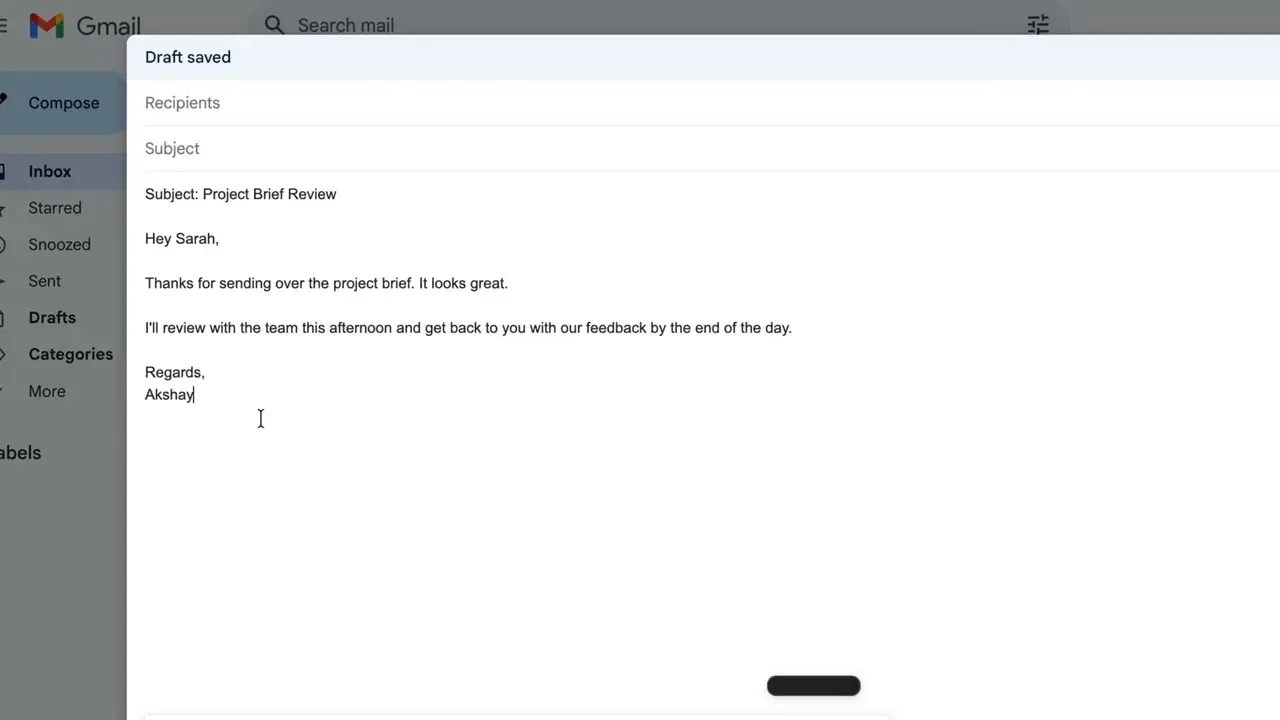
Frame from the official README demo: the cleaned-up dictation has been typed into a Gmail draft.
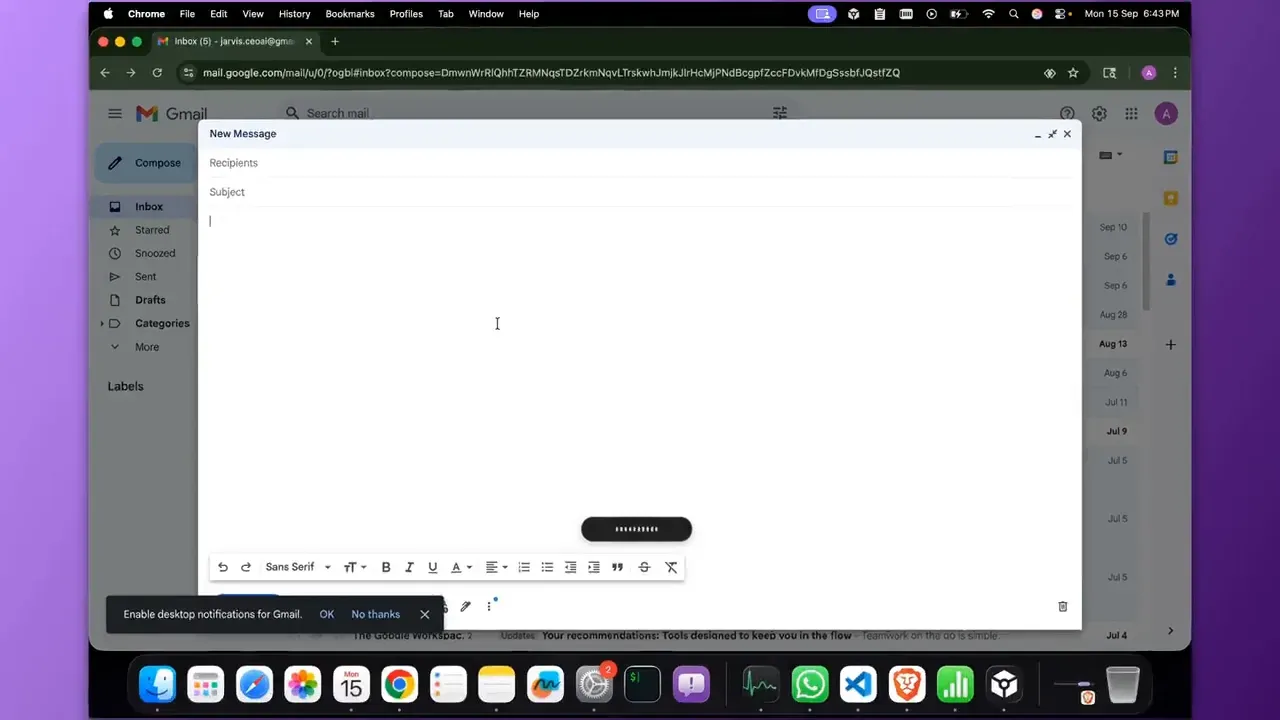
Frame from the official README demo: the floating waveform pill shows that Jarvis is recording while Fn is held.
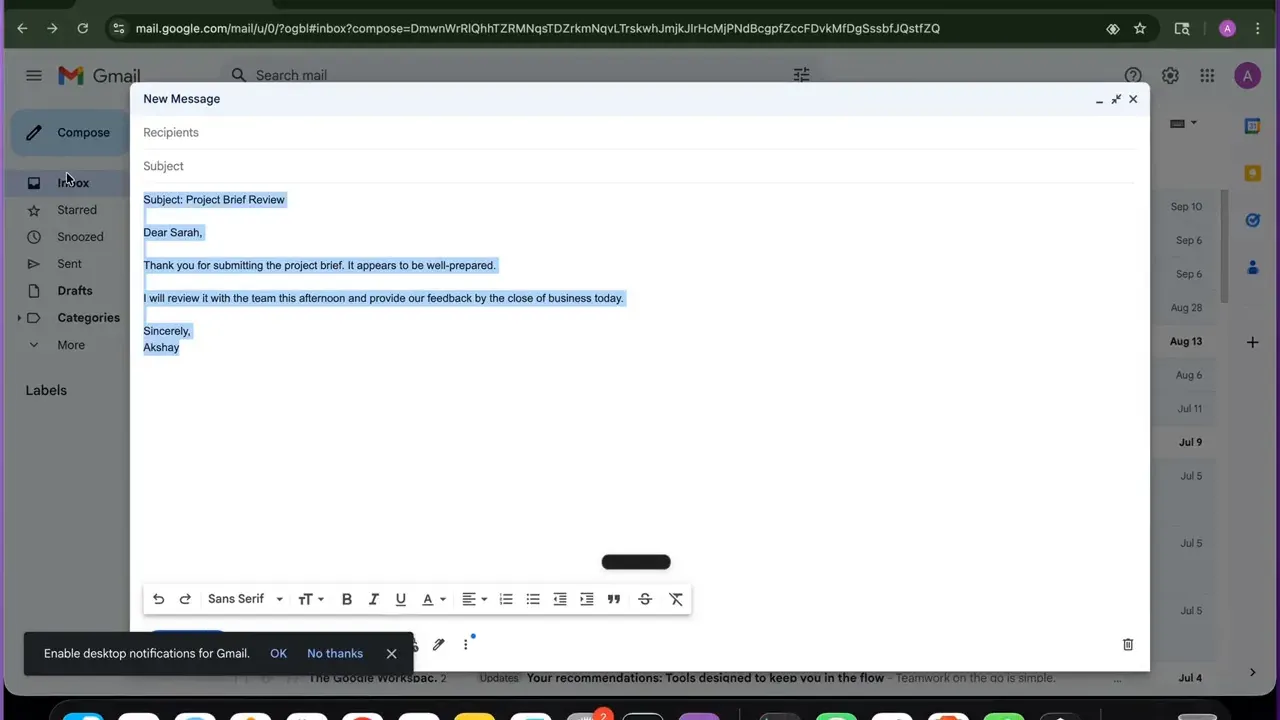
Frame from the official README demo: the selected email after Jarvis rewrote it in a more formal tone.
Key capabilities
- Push-to-talk dictation into any app Holding
Fnrecords, releasing transcribes and inserts the text at the cursor; a double tap toggles hands-free mode andEscapecancels. Insertion relies on the macOS Accessibility permission; comments in the 1.x onboarding code describe that permission prompt as the point where most stuck users give up, so confirm it is granted before judging the app. - Filler removal and formatting After transcription an optional AI pass removes words such as um and like, fixes grammar and punctuation, and can rephrase or turn speech into bullet points. Every behavior is driven by editable prompts, so the email formatter, dictation cleanup and assistant replies can be tuned. The README notes that this pass adds roughly one to three seconds with a local model on typical M1 or M2 hardware, and that turning it off gives the raw transcript immediately.
- Local Whisper transcription Whisper.cpp model files are downloaded from Hugging Face into the app data folder: tiny and base at about 75 and 142 MB, small at about 466 MB, each in English-only and multilingual variants. Medium and large-v3 multilingual models were added on the main branch after release 1.3.11. Since 1.3.5 the app rejects truncated downloads under 30 MB instead of treating a selected but incomplete model as ready.
- NVIDIA Parakeet through sherpa-onnx Parakeet TDT 0.6B in int8 form, about 600 MB, is the fast local English option. Release 1.3.0 keeps a CoreML recognizer and a CPU fallback warm and decodes in the background while you are still speaking. Since 1.2.2, audio longer than 30 seconds is split into 30-second chunks, which avoids a native crash at the cost of some accuracy at the chunk boundaries.
- SenseVoice Small for Asian languages Release 1.3.11 adds SenseVoice Small (int8, about 250 MB) with automatic detection of Chinese, English, Japanese, Korean and Cantonese and latency around 100 ms. The release notes mentioned 50 or more languages; a follow-up commit corrected the in-app description to these five. Enable it under Settings, Transcription, Local Transcription.
- Cloud transcription with Deepgram or OpenAI For speed or accuracy you can paste a Deepgram key and use Nova-3, with automatic language mapped to multilingual mode; requests default to
mip_opt_out=true, which opts out of Deepgram's model improvement program. OpenAI transcription is available as an alternative. Release 1.3.0 fixed a routing bug that had silently sent long audio from Deepgram-only users to OpenAI. - Local post-processing with Ollama With Ollama installed, Settings, AI Models, Use Ollama lists the locally pulled models and routes cleanup and assistant prompts to them. The README suggests a small LFM2 1.2B model for speed or Llama 3 as a general choice. Combined with a local speech model this gives a fully offline path, with speed depending heavily on the Mac's chip.
- Cloud language models with your own keys Gemini is the default cloud option; the code also stores keys for OpenAI, Anthropic and AWS Bedrock. Keys are entered in Settings or read from environment variables, which take precedence. On the main branch after September 2026 they are encrypted with Electron safeStorage in the macOS Keychain; earlier tagged releases predate that change.
- Voice actions and tools Short commands such as opening YouTube or setting a five-minute timer run through a tool router with app launcher, file organizer, file system, system information and screen vision tools. The September 2026 hardening limits the command tool to a fixed set of read-only programs such as
ls,pwd,unameandsw_vers, invoked without a shell, and restricts opened URLs to https. Multi-step and clipboard actions are still roadmap items for 1.x. - Dictation dashboard Version 1.2.0 replaced the analytics tab with a Dictation view: lifetime time saved, week-over-week hours, day streak, words dictated and a paginated history of recent transcripts with copy and expand. The data is read from the same on-device store the app writes to. Treat that history as sensitive on shared Macs.
- Setup guidance and onboarding Releases 1.3.2 to 1.3.9 added a persistent setup banner, a deep link to the microphone privacy pane, a guard against running the app from the mounted DMG, and an onboarding flow that explains a missing engine or permission instead of blocking the Continue button. Onboarding in 1.3.10 and later also offers the Jarvis 2.0 beta, which you can dismiss to stay on 1.x.
- Signed DMG builds and auto-update Each release ships an Apple Silicon DMG and an Intel DMG, signed with a Developer ID and notarized; release 1.3.10 was published for Apple Silicon only while the Intel build was rebuilt. The updater checks GitHub releases, swaps the app atomically with
dittoand verifies the code signature. Release notes for 1.3.5 say 1.3.x installs update within six hours. - Optional usage analytics in official builds Version 1.2.0 tied the Settings, Privacy analytics toggle (on by default) to PostHog in the US region, sending coarse counts such as word count, audio length and model name, plus sanitized crash signatures since 1.3.0. The analytics module states that transcript text is not sent and that builds from source have no key, so the module does nothing there. This differs from the no-telemetry wording on the README and website.
- Build from source
npm install,npm run buildandnpm run devstart a development copy; native modules are rebuilt during install. Scripts exist for unsigned app bundles, per-architecture DMGs and a signing and notarization pipeline that needs your own Apple Developer credentials. The repository includes Jest suites, including security-policy tests added with the hardening merge. - iOS keyboard project The iOS README describes a custom keyboard for iPhone and iPad with tap-to-speak Deepgram transcription and Gemini 2.5 Flash formatting, an editable system prompt and dark mode. It needs Xcode 15, iOS 16 and an App Group shared by the app and the keyboard extension, and the keyboard requires Full Access. A Gemini key is mandatory and a Deepgram key optional.
Where Jarvis AI Assistant fits
Private dictation on a single Mac
Download the DMG for your chip, drag the app to Applications and grant Microphone and Accessibility on first launch. In Settings, Transcription, choose a local Whisper or Parakeet model and wait until the download completes before dictating; models are never fetched in the middle of a dictation. Then enable Ollama for cleanup or switch AI post-processing off. Check that no cloud key is configured and that the analytics toggle under Settings, Privacy matches your policy.
Fast cloud dictation for daily writing
When latency matters more than keeping audio on the device, paste a Deepgram key for transcription and a Gemini key for cleanup. The README calls this the fastest combination on standard hardware, with local Whisper plus Gemini Flash as a middle option. Review the data handling terms of both providers, since audio goes to Deepgram and transcript text to the language model provider, and confirm that your contract permits that for client material.
Tuning prompts for email and team conventions
Open the prompt settings and adjust how dictation is cleaned, how emails are formatted and how the assistant responds. Typical changes are a fixed greeting or sign-off, a preferred spelling for product and colleague names, or a rule against rewriting technical terms. Test each change against a few recorded phrases in Gmail, Slack and a code editor, because the same prompt can behave differently depending on the target field.
Multilingual dictation
Choose a multilingual Whisper model for European languages, SenseVoice Small for Chinese, Japanese, Korean or Cantonese, or Deepgram Nova-3 with the language set to auto. The English-only Whisper variants and Parakeet TDT 0.6B v2 are tuned for English. Compare accuracy on your own vocabulary and accent before standardizing, and note that chunking of audio beyond 30 seconds can lose words at the seams.
Evaluating the 1.x code before the 2.0 beta
Teams that need an auditable build can compile the main branch, which includes the Keychain storage and command allowlist changes, rather than install the 1.3.11 DMG. Decline the Jarvis 2.0 offer in onboarding if you want to stay on the open-source code path, since that upgrade downloads a separate beta from the maintainer's website. Pin the version you reviewed and follow the release list for changes.
Building the iOS keyboard for personal use
Open the Xcode project under ios/JarvisAI, set the same team and App Group on the app and keyboard targets, and run it on an iOS 16 device. Enter a Gemini key, optionally a Deepgram key, then add JarvisKeyboard in the iOS keyboard settings with Full Access. Keys stay on the device, but audio and text go to the two cloud services, so there is no offline mode on iOS.
Reviews of Jarvis AI Assistant
Be the first to share your experience with Jarvis AI Assistant.
Write a review
Loading review form…
Alternatives to Jarvis AI Assistant
 VoiceInkGPL-3.0 voice-to-text app for macOS that transcribes on-device or through your own provider keys, pastes at the cursor and applies per-app Modes. Prebuilt app is a one-time license from $25; the source can be built for free.
 FluidVoiceGPL-3.0 voice-to-text app for macOS that transcribes on the Mac, types into any app through a global hotkey and can clean up text locally or with your own AI provider. Adds Command Mode, FluidMeet meeting transcripts and a local API.
 OpenWhisprMIT-licensed dictation app for macOS, Windows and Linux that types speech at the cursor, records meetings with speaker labels and keeps searchable notes. Runs Whisper, Parakeet and other models locally, or uses OpenWhispr Cloud or your own API keys.