

What is Frontman?
Frontman is a browser-based AI coding agent made by Frontman, a product of Boilerplate Ventures UG in Berlin. A developer adds a framework integration to a Next.js, Astro or Vite project, and anyone on the team then opens /frontman on the local development server. The chat panel sits beside a live preview of the running app: you click an element, describe the change, and the agent edits the real source files while the dev server hot-reloads the result. The same agent is also distributed as a WordPress plugin, where it changes posts, blocks, Elementor layouts, menus and settings through WordPress tools instead of files. The About page now names WordPress as the primary workflow.
The JavaScript integrations ship as npm packages (@frontman-ai/nextjs, @frontman-ai/astro and @frontman-ai/vite), each with an installer command. The plugin, listed as Frontman - AI Website Editor, is published in the WordPress Plugin Directory and as a ZIP on each GitHub release. Both paths use a hosted orchestration server at api.frontman.sh by default, with GitHub or Google sign-in. Teams can instead build and run that server themselves from the repository, following the self-hosting guide.
The current release is v5.6.0, published November 3, 2026. It adds Polylang language discovery and assignment to the WordPress plugin, a tool that saves post content as an authenticated preview without changing the published page, and opt-in remote post reads protected by WordPress Application Passwords. The browser client gained a preview_status readiness tool and passes request-scoped cancellation through browser MCP calls. Version 5.5.0 added hash-checked fragment edits to WordPress posts, and 5.0.0 moved relay tools to protocol 2.0 and added custom OpenAI-compatible providers.
The architecture overview splits one prompt across four environments. The ReScript React client renders chat and the preview iframe and runs browser tools such as screenshots and DOM inspection. The framework integration on the developer's machine performs file reads and edits. An Elixir/Phoenix server runs the agent loop, routes tool calls and stores every interaction in PostgreSQL before broadcasting it, and the selected LLM provider generates responses. Messages use JSON-RPC 2.0, with ACP for sessions and MCP for tools. The server has no direct filesystem access: file tools are relayed through the browser to the dev server.
Licensing is split by component. The browser client and JavaScript integrations are Apache-2.0, the WordPress plugin is GPL-2.0-or-later, and the server is AGPL-3.0-only with AI Supplementary Terms that restrict AI training and AI-assisted reproduction for competing products, which is why the company describes the combined product as source-available. Out of scope: there is no shell or terminal tool, the JavaScript integrations target development servers rather than production builds, Remix, Nuxt, Gatsby, Parcel and plain Webpack have no first-party integration, and no model credential is included.
Frontman screenshots
Explore the interface. Open a screenshot to view it at full size.
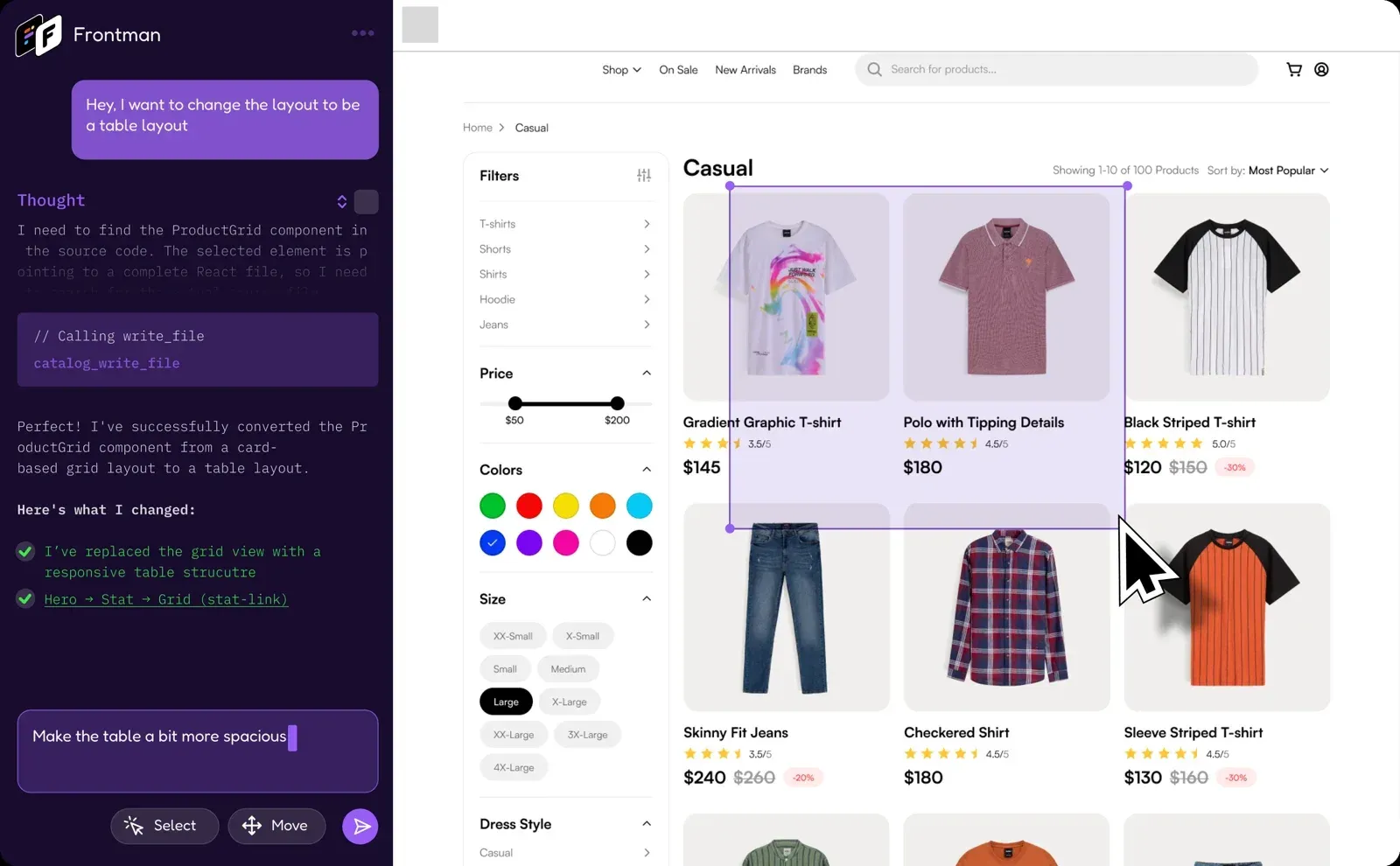
Official Frontman product image: the agent converts a ProductGrid component to a table layout while the selected storefront area stays visible in the preview.
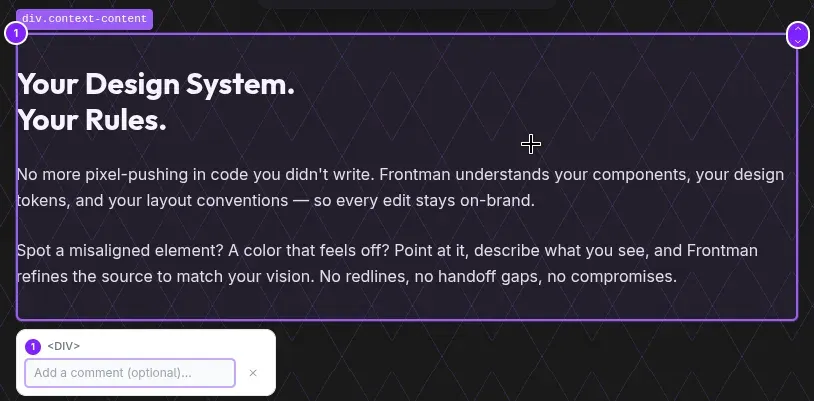
Documentation screenshot of a single annotated element with its selector label, numbered badge, tree navigation control and optional comment field.
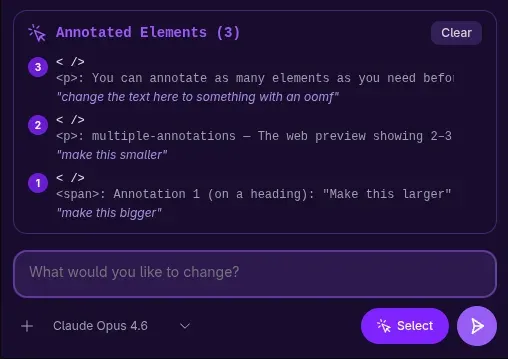
Documentation screenshot of three numbered annotations, each with its own instruction, queued above the prompt input before sending.
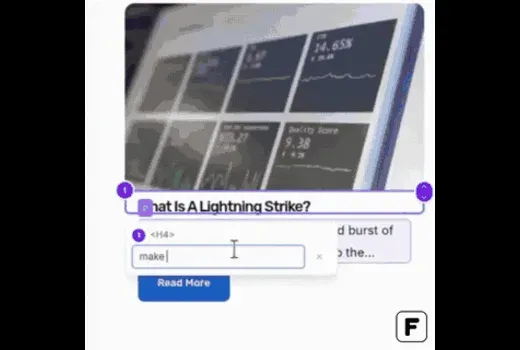
WordPress Plugin Directory screenshot: an article title is selected on the page and the requested change is described in plain language.
Source: official Frontman project page.
Key capabilities
- Next.js integration Run
npx @frontman-ai/nextjs installin a Next.js 15.5+ or 16.x project on Node.js 18 or later. The installer writes request middleware for Next.js 15 or a proxy entrypoint for Next.js 16, and works with the App Router, the Pages Router, Webpack and Turbopack. Routes are handled only whenNODE_ENV=developmentunlessFRONTMAN_ENABLE_IN_PRODUCTION=1orFRONTMAN_ENABLED=1is set. Extra tools includeget_routes,get_logsand optional OpenTelemetry request spans. - Astro integration Run
npx astro add @frontman-ai/astrofor Astro 5, 6 or 7 on Node.js 22.19 or newer. Route discovery uses the resolved route manifest, including content collections, redirects and API endpoints. Astro 5 and 6 rely on Dev Toolbar annotations for exact element locations, while Astro 7 uses Frontman-owned annotations because its Rust compiler no longer emits them. Support applies toastro dev, not toastro buildorastro preview. - Vite integration for React, Vue, Svelte and SolidJS Run
npx @frontman-ai/vite installon Vite 5.0+ with Node.js 18 or later; the installer addsfrontmanPlugin()to the Vite config. React, Vue, Svelte, SolidJS, SvelteKit and plain JavaScript or TypeScript apps are covered, with Vue single-file components mapped through a dev-only source plugin. Framework-aware context is strongest when the framework's Vite plugin is detected. Production and preview builds are not a supported editing path. - WordPress plugin Install Frontman - AI Website Editor from the WordPress Plugin Directory on WordPress 6.0+ with PHP 7.4+; only users with the
manage_optionscapability can open it. The editor opens from the admin menu or, with pretty permalinks, by appending/frontmanto any page URL. The chat UI loads from app.frontman.sh and the agent talks to api.frontman.sh over WebSocket. According to the plugin documentation, site content is sent only when you submit a message. - WordPress content and store tools Dedicated
wp_*tools cover posts, pages and Gutenberg blocks, Elementor elements, classic and block-theme menus, templates, widgets, allowlisted site options, Additional CSS with revision restore, and media uploads up to 20 MB. When WooCommerce is active,wc_*tools reach products, orders, coupons, customers, shipping, taxes and reports. Deletes, Elementor restores, CSS writes and WooCommerce mutations require explicit confirmation. Writes affect the connected installation immediately, so a live site changes before visual review. - Live web preview with device modes The running app is embedded in an iframe beside the chat, with back, forward, reload and a same-origin URL bar. Device mode offers phone, tablet and desktop presets from iPhone SE (375 x 667) to 4K (2560 x 1440), custom dimensions and an orientation toggle. The device choice is saved in localStorage per task. The agent sees only this preview, not other tabs, extensions or browser devtools.
- Element annotations Annotation mode lets you click elements in the preview; each receives a numbered badge and an optional comment. Frontman attaches an element screenshot, a generated CSS selector, classes, nearby text, bounding box and, when the framework can resolve it, the source file, line and component name. Chevrons swap the selection for its parent or first child, and a freeze control pauses CSS animations, transitions and videos. Navigating or reloading the preview clears active annotations.
- Browser-side agent tools In the browser the agent can call
take_screenshot,get_dom,get_interactive_elements,interact_with_element,search_text,set_device_modeandexecute_js. Outputs are capped: simplified DOM reads stop at 200 nodes or 30 KB, interactive-element discovery returns 50 items per page, and JavaScript evaluation defaults to a 5 second timeout with 30 KB of output. The tool reference documents every parameter. - File, log and Lighthouse tools Through the framework integration the agent reads, writes, edits, searches and lists files under the configured
sourceRoot, and reads dev server logs and build errors. Alighthousetool audits performance, accessibility, best practices and SEO in the code-first integrations. There is no shell tool, so builds, migrations and seed scripts stay manual. The server-sideweb_fetchtool rejects private and localhost addresses and caps responses at 5 MB and 60 seconds. - Plans, questions and queued messages For tasks with three or more distinct steps the agent can maintain a visible todo list through
todo_write, rewriting the full list on each update. A question tool pauses execution until you answer, and a Stop button ends a run. Since 5.0.0 a queued follow-up can be removed before the agent picks it up. Version 5.6.0 restores pending messages, execution state and plans when a session is reloaded. - Bring-your-own model providers Frontman includes no model credential. You connect Anthropic (API key or Claude Pro/Max OAuth), OpenAI (ChatGPT sign-in through Codex) or save keys for OpenRouter, Fireworks AI and NVIDIA; Google and xAI models are reached through OpenRouter. Custom Providers accept publicly reachable OpenAI-compatible endpoints. Saved keys are encrypted server-side and can be replaced but not deleted in the UI, so revocation happens at the provider. The model reference lists current IDs.
- Hosted Frontman Pro plan The hosted service starts with five free uses and no card. Frontman Pro then offers a 7-day trial with a credit card, followed by EUR 15 per seat per month or EUR 150 per seat per year, excluding VAT. One seat covers unlimited projects within one organization, and AI provider usage is billed separately by the provider. The same plan covers the WordPress plugin and the framework integrations.
- Self-hosted orchestration server The Phoenix server and its PostgreSQL database can run on your infrastructure from
apps/frontman_server/Dockerfile, the repository'srailway.json, or VM scripts that set up Caddy, systemd and blue/green deploys. Required settings includeDATABASE_URL,SECRET_KEY_BASE,CLOAK_KEYand WorkOS credentials for GitHub and Google sign-in. Health checks are exposed at/healthand/health/ready. Integrations point to the server through thehostoption orFRONTMAN_HOST. - Persistent task history The server stores user messages, agent responses, tool calls, results, pauses and completion markers as JSONB records in PostgreSQL before sending them to clients. A disconnected browser can reload the full task state and resume. Hosted history is kept until you delete it; the privacy policy states that backups may retain deleted data for up to three months. Self-hosters own retention through their own database backups.
- OpenClaw skill Frontman is also packaged as an OpenClaw skill, installed with
openclaw skill install frontman-dev. The skill gives an OpenClaw agent Frontman's component-tree awareness, computed CSS, source map resolution and hot reload feedback. OpenClaw remains the general automation layer, while Frontman handles the visual editing in the codebase.
Where Frontman fits
Fixing a visual bug on a specific route
Start the dev server, open /frontman and navigate the preview to the exact route and state, logging in manually first if the page is behind authentication. Annotate the broken element, describe the expected result and choose a device preset when the bug is breakpoint-specific. The agent takes a screenshot, locates the source through annotations or source maps, edits it and checks the hot-reloaded preview. Review the resulting change with git diff before committing, because the edit lands directly in your working tree.
Letting designers and product managers ship small UI changes
A developer installs the integration once; designers and PMs then sign in, connect a provider and request copy, spacing or color changes from the preview. Keep the existing pull request process as the approval gate: the teammate's edit becomes a diff that a developer reviews, tests and deploys. Scope each prompt to one outcome, as the limitations guide recommends, and check that every person using the shared dev environment has their own Frontman account and model credential.
Updating an existing WordPress site
Install the plugin on a staging copy first and confirm that a recent backup can be restored. Open Frontman from the admin menu, select the element on the page and describe the change; the agent uses wp_* tools on the content, Elementor layout, menu or CSS behind it. Only some tools require confirmation, and there is no plugin-wide rollback for Gutenberg, menus, templates, options or WooCommerce. Use Elementor rollback snapshots, WordPress revisions or trash where they apply, and clear page caches after the change.
Running Frontman in a monorepo
Set sourceRoot to the directory that contains the files the agent must reach, and projectRoot to the app itself. File tools reject .. paths outside the root, but they do not resolve symlink targets, and no rule hides .env or other secret files inside it. Keep secrets outside the exposed root, review symlinks, and run the dev server under an account or container that cannot read sensitive paths.
Self-hosting the orchestration server
Build the image with docker build -f apps/frontman_server/Dockerfile from the repository root, provision PostgreSQL, configure WorkOS sign-in and run FrontmanServer.Release.migrate() before routing users. Publish port 4000 only on loopback behind a TLS proxy with WebSocket support. The production config hard-codes Phoenix check_origin: false, so authentication and network controls carry the access decision. Verify /health/ready, sign in, run one end-to-end task and confirm that history survives a browser restart.
Checking what reaches production
Run the normal production build after installing an integration and inspect the output. Astro and Vite support stops at the dev server, while a Next.js middleware or proxy entrypoint can remain in the deployed app and is guarded only by environment checks. Confirm the intended FRONTMAN_ENABLED setting, request /frontman on the deployed URL, and remove the integration with the steps in the installation guide if it should not ship.
Install
npx @frontman-ai/nextjs installReviews of Frontman
Be the first to share your experience with Frontman.
Write a review
Loading review form…
Alternatives to Frontman
 DyadFree, open-source desktop app builder for macOS, Windows and Linux. You describe an app in chat, Dyad writes JavaScript code into a local Git repository, previews it, versions every edit and publishes through GitHub, Vercel or Cloudflare.
 OpenClawOpenClaw is an MIT-licensed AI assistant that runs as a Gateway on your own machine or server, connects to Telegram, WhatsApp, Slack, Discord, iMessage and other channels, and keeps memory and credentials on hardware you control.