
What is Airship?
Airship runs as a reverse proxy in front of an existing development server. Its browser interface displays the app on a pannable canvas with live device-sized frames, or overlays the editor directly on the page. It requires no project plugin or additions to the application's dependencies or bundle.
Developers can select an element, inspect its layout, CSS rules and DOM structure, and describe a change to a supported coding agent. Airship passes the selection's source location and editing context to the agent, then presents file diffs and undo controls. It works with the project's existing styling conventions rather than maintaining a separate design document.
Airship runs locally without an account or telemetry, while agent requests use the chosen agent's existing credentials and provider. Agents run without a sandbox by default. The optional safe mode provides an operating-system sandbox for Codex, but relies on edit and command checks for Claude Code and OpenCode.
Airship screenshots
Explore the interface. Open a screenshot to view it at full size.
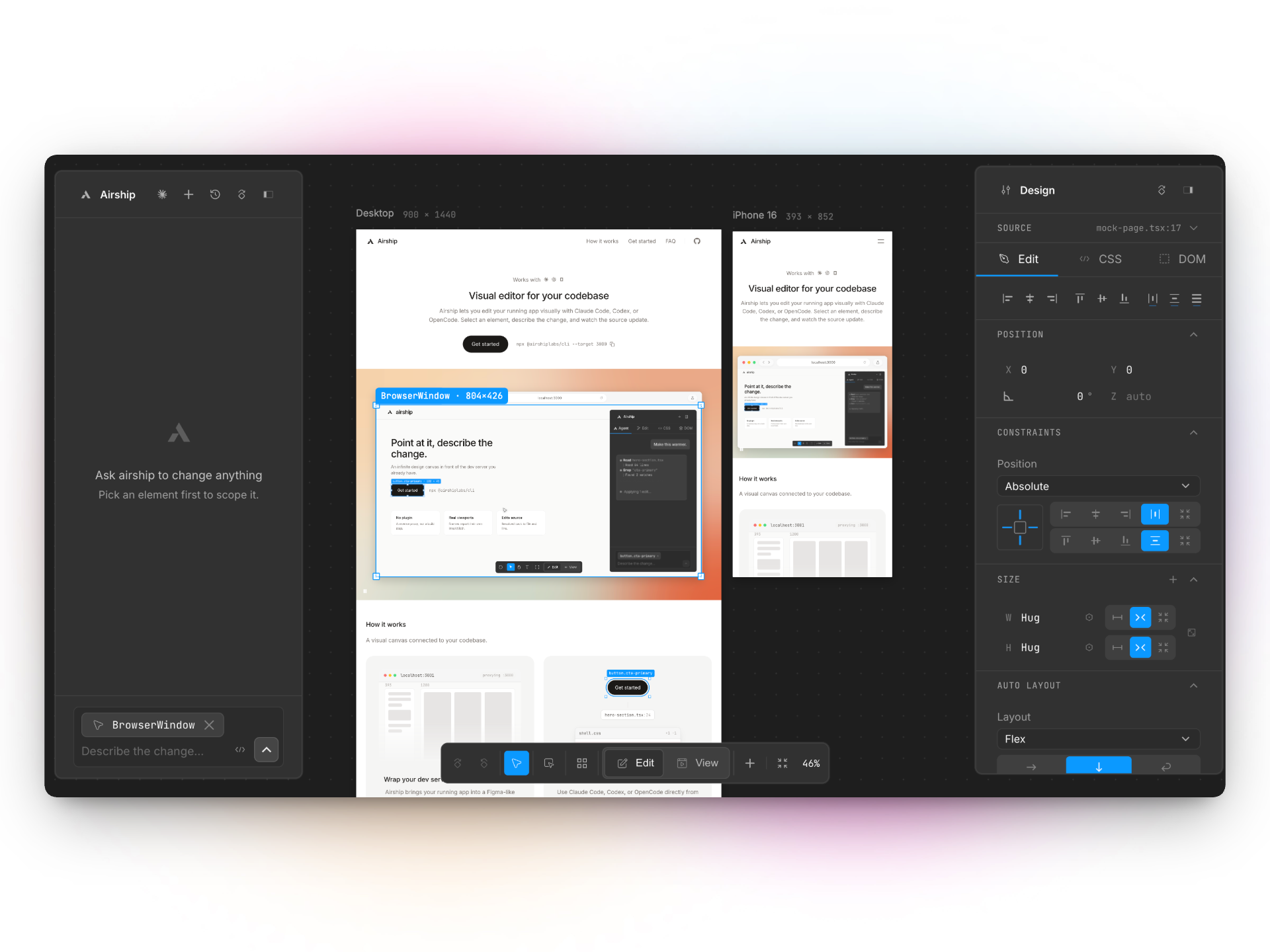
Source: official Airship project page.
Key capabilities
- Live canvas Displays the running app in editable frames at different device sizes, with an alternative inline editor mode.
- Element inspection Exposes layout controls, matched CSS rules, the box model and a navigable DOM tree for the selected element.
- Agent-driven changes Sends prompts, source locations and inspector context to Claude Code, Codex or OpenCode to edit project files.
- Diffs and undo Shows source changes and restores previous file contents, with Git required for Codex and OpenCode undo.
- Local deployment Connects to an existing development server through a CLI without adding project dependencies or changing the build.
- Safety controls Offers agent-specific restrictions, with sandboxed execution available through Codex safe mode.
Where Airship fits
Airship fits frontend development workflows where developers want to adjust an implemented interface while viewing the actual running application. Its device frames support checking responsive layouts, and the inspector provides context for agent-assisted changes to spacing, typography, layout and page elements.
Before deployment, teams should verify the Node runtime requirement, agent authentication and access permissions. Codex and OpenCode need a configured Git repository for their diff baseline and undo. Applications with absolute asset URLs or backend origin allowlists may need CORS adjustments because the editor uses a separate port. The editor server has no authentication and should not be exposed to a network without assessing the resulting access to the coding agent.
Install
npm i -g @airshiplabs/cliReviews of Airship
Be the first to share your experience with Airship.
Write a review
Loading review form…
Alternatives to Airship
 AiderOpen-source command-line tool for editing code with LLMs inside a local git repository. It builds a repository map, applies model edits to files, commits each change, runs linters and tests, and works with most hosted and local models.
 ClineApache-2.0 coding agent from Cline Bot Inc. that edits files, runs commands and uses MCP tools with per-action approval. Ships as a VS Code extension, JetBrains plugin, npm CLI, desktop app and TypeScript SDK, with BYOK or Cline-billed models.
 Codex CLIOpen-source Rust CLI from OpenAI that reads a repository, edits files and runs local commands inside a sandbox with approval prompts. Includes code review, MCP, skills, codex exec for CI, a TypeScript SDK and an app-server.