

What is LobeHub?
LobeHub is an agent workspace in which AI agents receive tasks, keep memory, use tools and answer inside the chat platforms a team already uses. It is developed by LobeHub LLC, and the README lists arvinxx and canisminor1990 as principal maintainers. The repository was created in May 2023 under the name LobeChat, a multi-provider chat interface; the license file still uses that name. The current product combines the built-in Lobe AI agent, user-defined agents, connected external coding agents, tasks with acceptance checks, Markdown pages and a resource library.
There are three ways to run it. LobeHub Cloud is the managed service with Free, Plus, Pro and Max plans. Desktop applications are published for macOS (Apple Silicon and Intel), Windows and Linux, with iOS and Android apps available through the official downloads page. The server can also be self-hosted from the lobehub/lobehub Docker image, with Docker Compose as the documented default and Vercel, Zeabur, Sealos, RepoCloud and Alibaba Cloud as one-click targets.
The latest release is v2.3.2, published on November 6, 2026 as part of a weekly release train. It adds task labels with filtering and grouping, undo for batch task actions plus a recycle bin for deleted tasks, interactive MCP App views inside conversations, channel-style conversations with mentions, GitHub Copilot CLI as an additional external agent and managed cloud devices connected with lh connect --managed. Self-hosted instances apply database migrations 0200 to 0205 automatically on startup. Version 2.3.0, from November 1, introduced real-time collaborative page editing, threaded channel replies, dashboards and a persistent sandbox that left preview.
The stack is TypeScript throughout. The server is a Next.js application that serves a hybrid SSR and SPA frontend plus API routes, and it stores conversations, agents, files and users in PostgreSQL 14 or later. S3-compatible object storage holds uploads and knowledge documents, Redis is optional for sessions and caching, and a separate agent gateway carries agent runs over WebSocket. The self-hosting overview lists Langfuse, OpenTelemetry and SearXNG as optional services. Sign-in uses Better Auth with SSO providers such as Auth0 and Keycloak.
The code is published under the LobeHub Community License: Apache License 2.0 with additional conditions. Commercial use as a frontend or backend service without modifying the source is permitted, but distributing a derivative work requires a commercial license from LobeHub. LobeHub does not run model inference itself in the self-hosted edition; you supply provider keys or local model endpoints. Desktop use is not fully offline, because cloud models, sync and online tools still need a network connection.
LobeHub screenshots
Explore the interface. Open a screenshot to view it at full size.
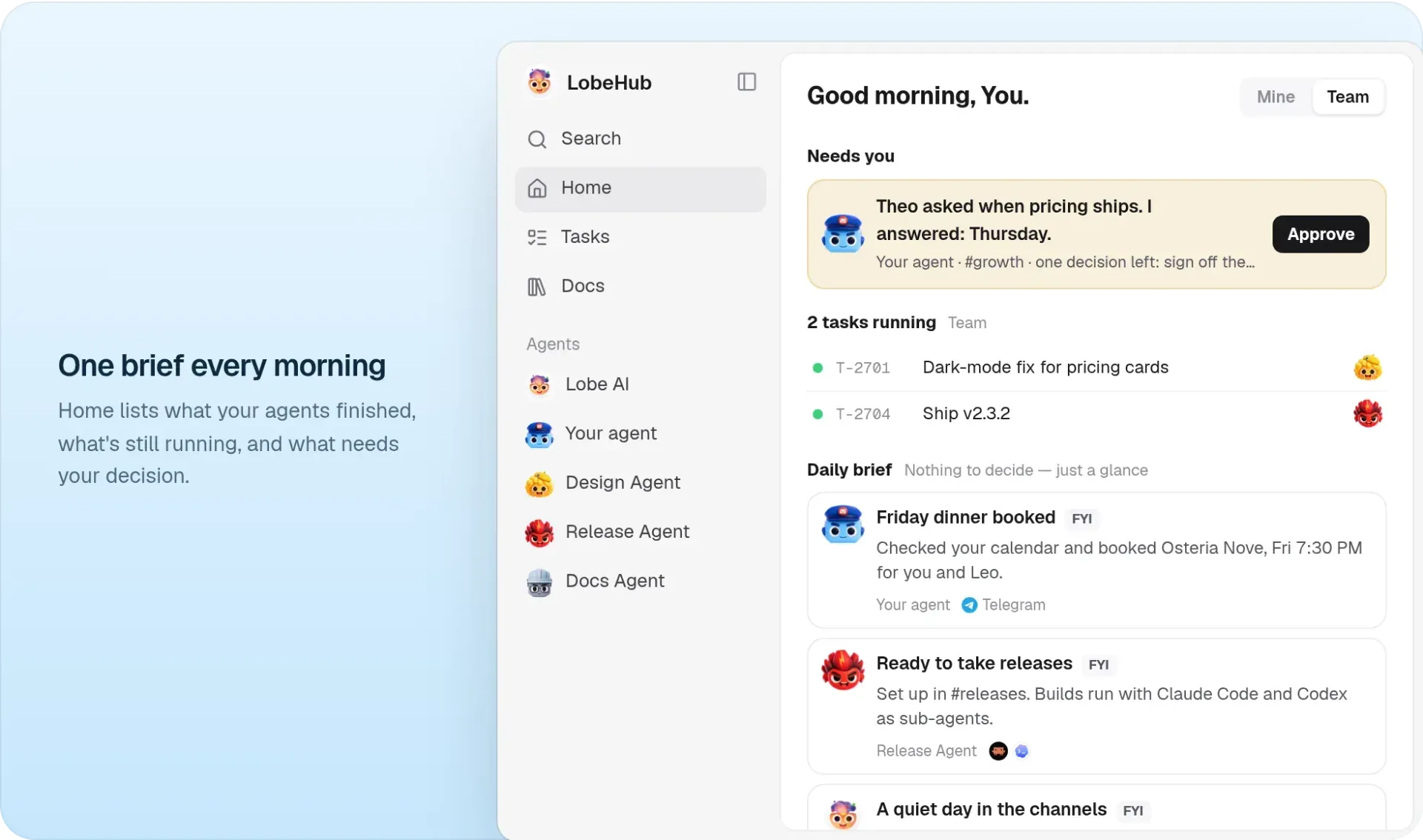
Official README figure: the Home page lists finished work, running tasks and items that need a decision.
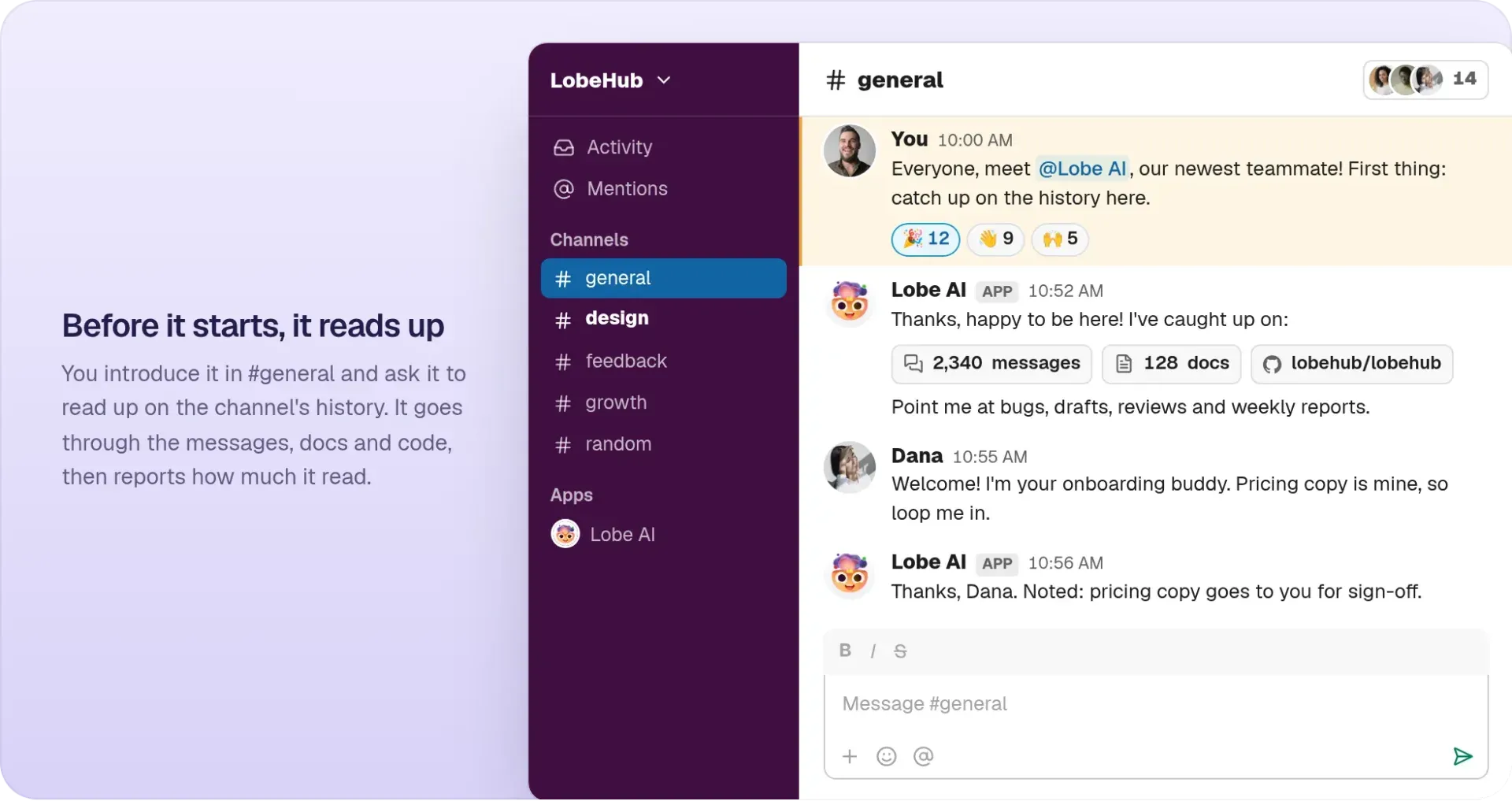
Official README figure: Lobe AI introduced in a Slack #general channel after reading the channel history.
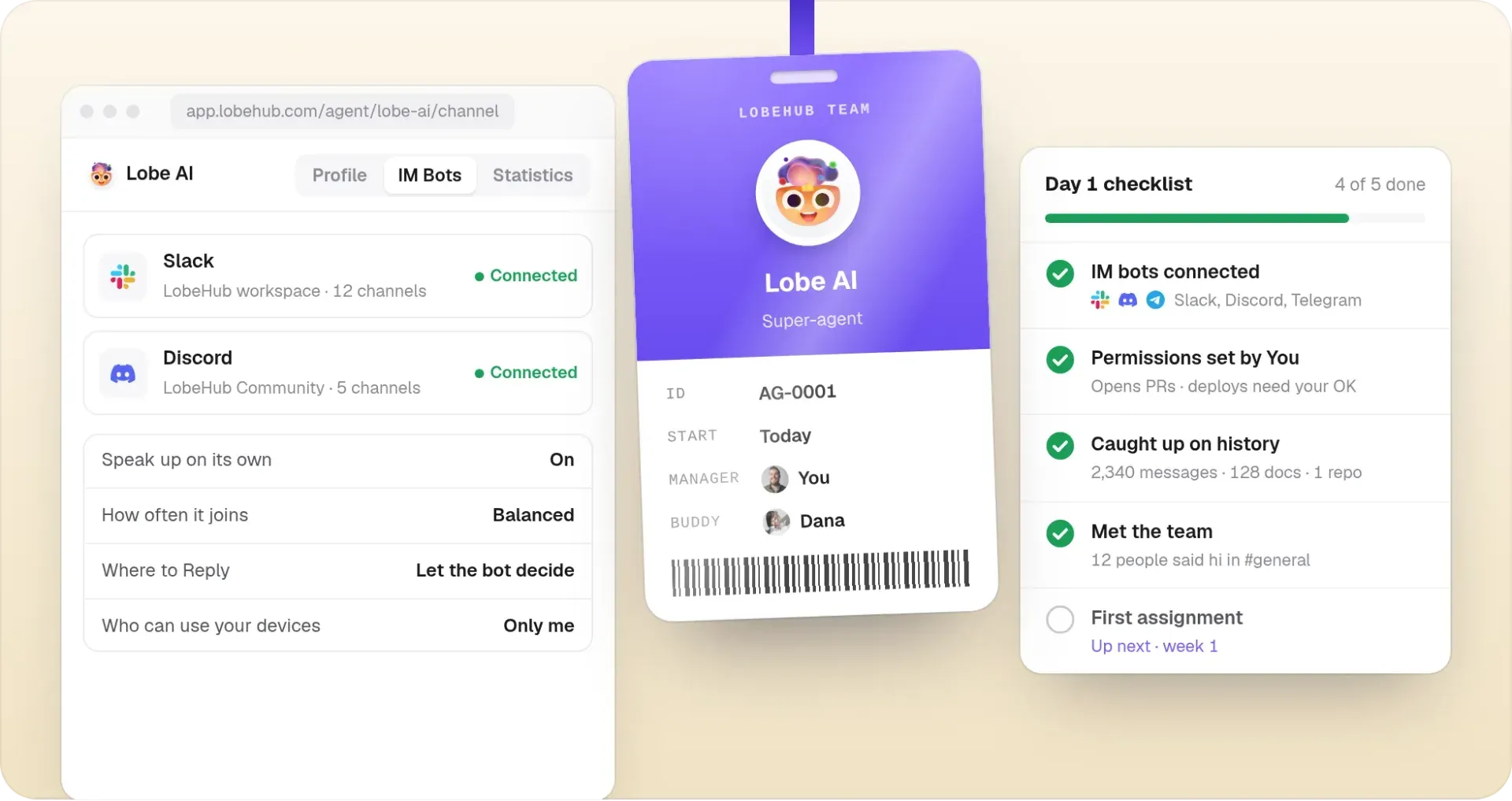
Official README figure: IM bot connections, reply and device settings, and the onboarding checklist.
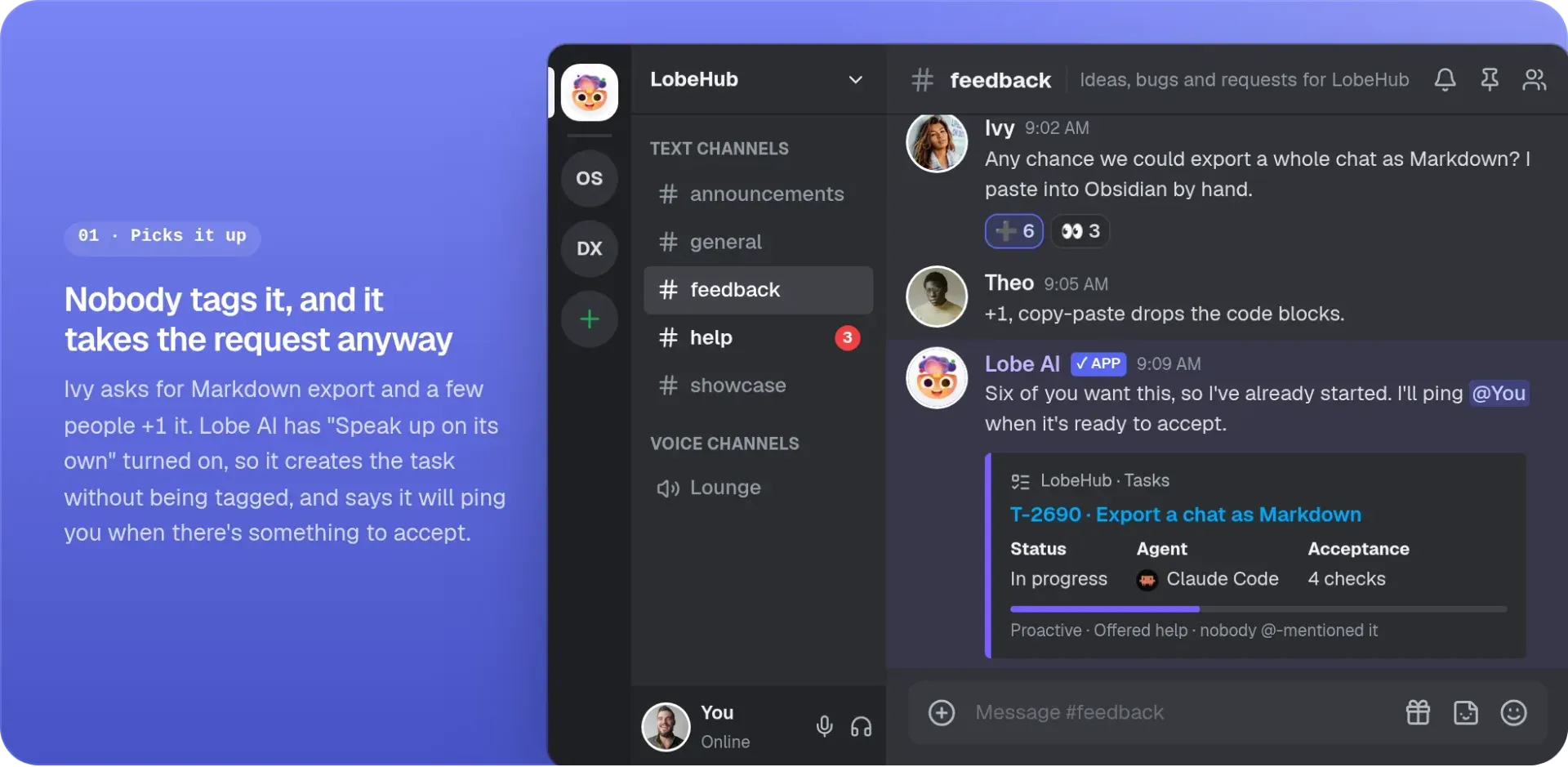
Official README figure: an untagged feature request in Discord becomes a tracked LobeHub task.
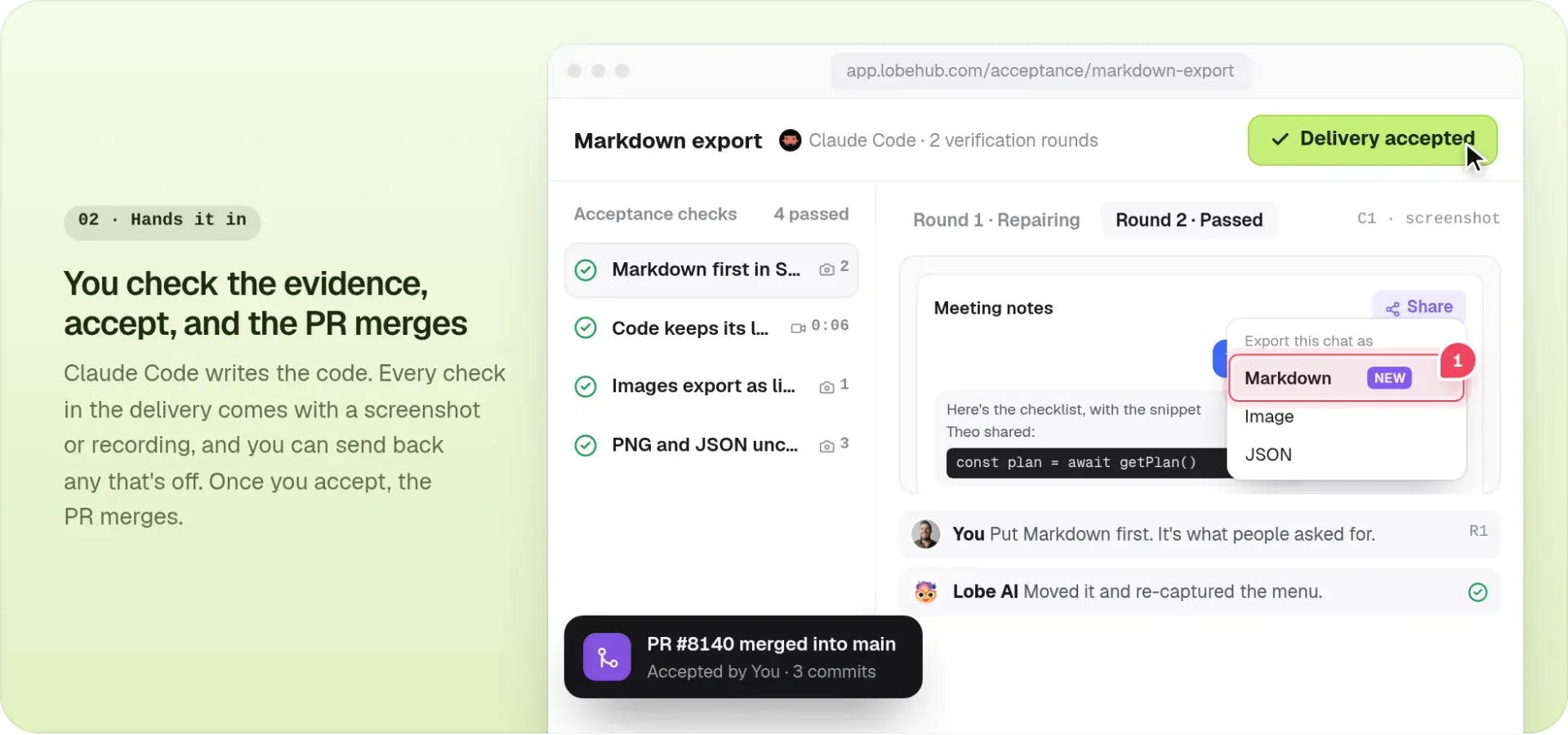
Official README figure: acceptance checks with evidence; accepting the delivery merges the pull request.
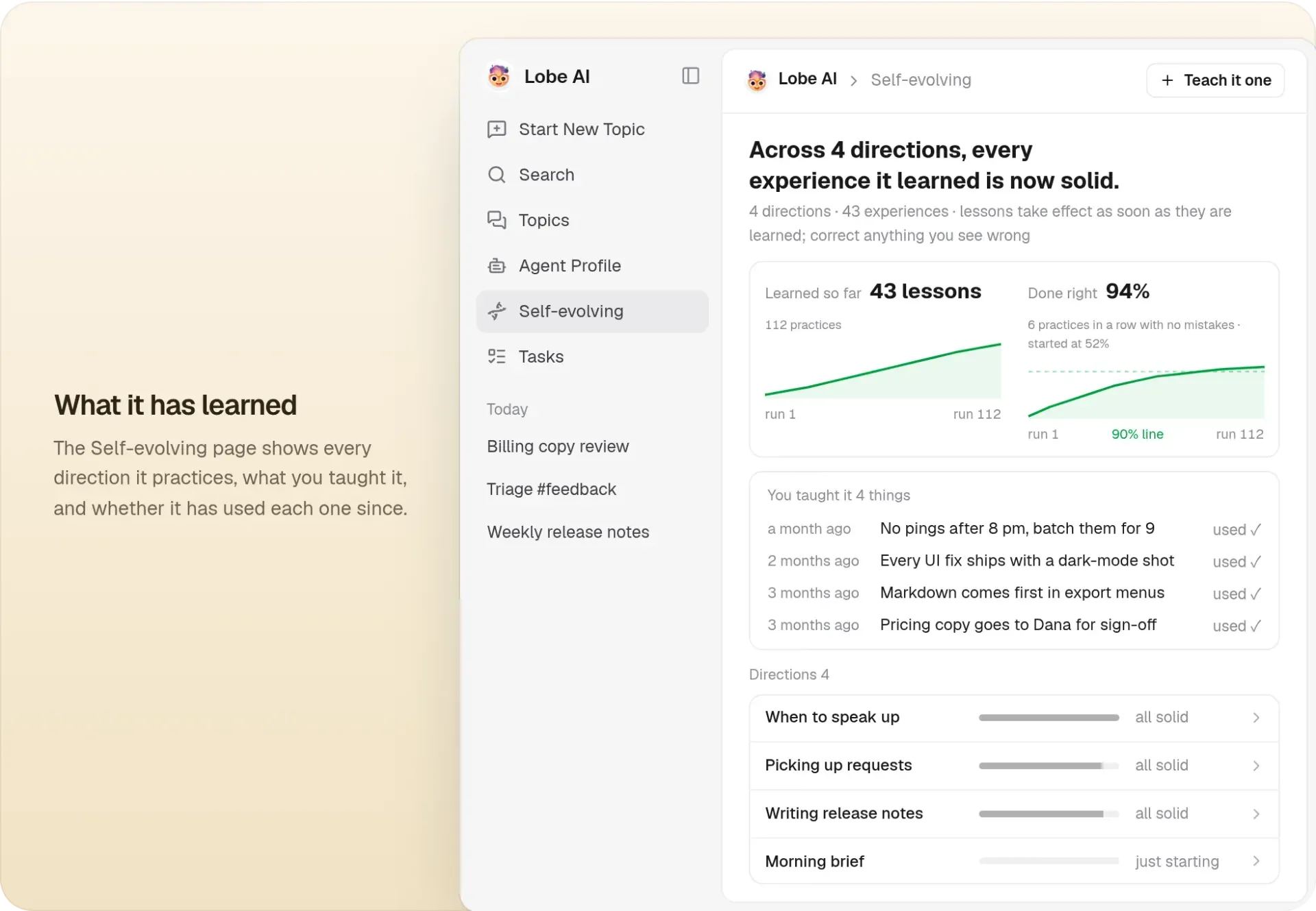
Official README figure: the self-evolving page showing learned practices and taught rules.
Source: official LobeHub project page.
Key capabilities
- LobeHub Cloud in the browser Sign in at app.lobehub.com with no installation. The same account syncs cloud content across web, desktop and mobile, but files stored only on one device do not sync automatically. The web interface can control a connected execution device without granting itself access to local files or a terminal.
- Desktop apps for macOS, Windows and Linux Release v2.3.2 ships macOS DMG and ZIP builds for Apple Silicon and Intel, a Windows setup executable, and Linux AppImage, DEB, RPM, Snap and tar.gz packages, all attached to the GitHub release. The desktop app adds side-by-side work panels, stateful tabs, automatic device registration and local MCP connectors. It still relies on the network for cloud models and sync.
- Mobile apps for iOS and Android The iOS app is distributed through the App Store and the Android app through Google Play, both linked from the downloads page. Mobile is intended for conversations, reviewing task results and voice features. Tool work that needs a terminal or files runs on a connected execution device instead.
- Self-hosting with Docker Compose The Docker Compose guide starts LobeHub with PostgreSQL, Redis, RustFS storage, SearXNG search and the agent gateway. The setup script supports Local mode, Port mode for LAN or public HTTP, and Domain mode behind a reverse proxy that must allow WebSocket upgrades for the gateway. Ports 3210, 9000, 9001, 8787 and 8788 must be free, and Windows hosts need WSL 2.
- Serverless and platform deployment Vercel deployment needs an external PostgreSQL database, S3-compatible storage and secrets such as
KEY_VAULTS_SECRETandAUTH_SECRET. The documentation notes a 10-second function timeout and no WebSocket support on Vercel, so long agent runs fit Docker better. Zeabur, Sealos, RepoCloud and Alibaba Cloud templates are also linked from the README. - Lobe AI and custom agents Lobe AI is the built-in agent for chat, code, research and writing without configuration. Custom agents combine a system role, model, skills, connectors, web search, resources and memory. Every new agent gets a direct channel, and agents can be published to the marketplace from their settings.
- Agent teams Several agents can work together in sequential, parallel, iterative or debate arrangements. Group runs show per-member progress for parallel work. This is coordination inside LobeHub, so each member still uses its own model, tools and permissions.
- External agents on your own devices The external agent wizard connects 13 coding CLIs, including Codex, Claude Code, Cursor, OpenCode and Amp, plus the OpenClaw and Hermes personal agent platforms; v2.3.2 adds GitHub Copilot CLI. The agent runs through its own software on the selected device, with its own sign-in, project instructions and permission rules. LobeHub notes that a working directory is not a security sandbox.
- Channels: your own bots in team chat An agent can be bound to bots you create on Discord, Slack, Telegram, LINE, QQ, WeChat, Feishu or Lark, and one agent can serve several platforms. Bot tokens and app secrets are encrypted before storage. DM policies are Open, Allowlist, Pairing or Disabled, group policies are Open, Allowlist or Disabled, and Pairing requires Redis. WhatsApp and iMessage are listed as coming soon, and WeChat requires a paid personal plan.
- Messenger through the LobeHub bot Users who do not want to create bots can link their account to LobeHub's official bot on Telegram, Slack, Discord or WeChat and switch the active agent. This is personal access rather than a shared team bot. Configuration lives under Settings, not on the agent.
- Tasks with schedules and acceptance Tasks turn a request into tracked work with Backlog, Running, Scheduled, Pending review, Completed, Failed and Canceled states. Schedules are Daily, Weekly, Hourly (1 to 24 hours) or a fixed interval; monthly schedules and custom cron are not offered. Acceptance checks produce a verdict, score and evidence per criterion, and v2.3.2 adds labels and a recycle bin.
- Memory you can inspect Memory is enabled per agent and stores structured entries such as preferences, role and project context, each with a weight, instruction and tags. Entries can be searched, edited, bulk deleted or cleared. Enabling memory does not train the underlying model, and agent self-learning is a separate Labs feature.
- Pages and resource library Pages are Markdown documents written with agents, and since v2.3.0 several people can edit a page at the same time while page agent edits run in a sandbox. The resource library holds documents, generated images and drafts that agents can answer from. Per-document character limits depend on the plan, from 100k characters on Free.
- Model providers and local models The provider guides cover more than 40 providers, inference platforms and local model runtimes. A self-hosted deployment needs at least one provider key, for example OpenAI, Anthropic or Google. A multimodal fallback model can be configured for audio, image and video uploads to models without that capability.
- MCP connectors and the marketplace The marketplace on lobehub.com lists community agents, MCP servers rated on activity and stability, skills in the open
SKILL.mdformat and an AI brand icon set. MCP servers can be published withnpx -y @lobehub/market-cli plugin submit. Desktop can install and run MCP connectors locally, and each connector tool can run directly, ask for approval or stay off. - GitHub and Linear integrations The GitHub integration tracks pull requests opened by agents: merging accepts the work, and failed checks go back to the agent. The Linear integration imports issues, including issues outside any project and optionally archived ones. Both are scoped by the credentials you grant.
- CLI and OpenAPI The
@lobehub/clipackage installs thelhcommand for tasks, documents, topics, messages, connectors and device connections. The server API is described by an OpenAPI 3.1 specification in the repository, and v2.3.0 added credit quota reads through the API, SDK and CLI. - White-label and enterprise options Since v2.3.0 distributions can set their own desktop identity, and the brand is no longer hardcoded in prompts, auth emails or the default assistant name. The Enterprise Edition on the pricing page adds a commercial license, brand theming, user management, private models and custom integration. Enterprise pricing is by contact only.
Where LobeHub fits
Putting an agent into a team chat
Create the bot on Slack, Discord or Telegram first, then bind it to one agent under Agent, Channels, following the channels guide. Fill Allowed Users before inviting the bot to shared channels, choose a DM policy and set Group Policy to Allowlist for specific channel IDs. Check that a non-listed user receives the refusal notice, that attachments work on the chosen platform and that the processing placeholder and status reactions match what the team expects.
Delegating recurring work as tasks
Write a task with a clear title, description, attachments and an assigned agent, then configure Daily, Weekly, Hourly or a fixed interval under Automation. Add acceptance criteria so the agent checks its own output before delivery, and read the verdict and evidence rather than the summary alone. Watch model and tool spend for frequent schedules, and disable automation instead of deleting a task when the run history should be kept.
Running coding agents against real repositories
Install and sign in to Claude Code, Codex or another supported CLI on the machine that will do the work, run a small task directly in its terminal, then connect it through the LobeHub desktop app or lh. Pick the execution device and working directory before the first prompt and start with a read-only request. Review the agent's own approval settings, because LobeHub connector permissions do not replace them and the working directory does not isolate the process.
Self-hosting for a team
Use Domain mode of the Docker Compose script with separate hostnames for the app, S3 storage and the gateway, regenerate the generated secrets and terminate TLS at the reverse proxy. Configure Better Auth with your SSO provider, add at least one model provider key and set up object storage backups alongside PostgreSQL dumps. Before each weekly upgrade, read the release notes for migrations: v2.3.0 warned that migration 0196 blocks writes to large memory tables while it builds indexes.
Building a shared knowledge base for agents
Upload documents to the resource library and write longer material as Pages, which agents can read and edit in Markdown. Enable memory only on the agents that need personal context, and review the memory panel for entries with low confidence or outdated details. Check that per-document character limits and file storage quotas on your plan, or S3 capacity when self-hosted, fit the material.
Extending agents with MCP servers and skills
Browse the marketplace for MCP servers and SKILL.md skills, or install a local MCP connector from the desktop app. Set each tool to run directly, ask for approval or stay off, and test destructive tools on a non-production account first. If you publish your own server, the market CLI submits it from a GitHub repository URL.
Install
bash <(curl -fsSL https://lobe.li/setup.sh) -l enReviews of LobeHub
Be the first to share your experience with LobeHub.
Write a review
Loading review form…
Alternatives to LobeHub
 LibreChatLibreChat brings multiple AI providers, custom agents, file interactions, and conversation management into a self-hosted web interface with multi-user access controls.
 OpenClawOpenClaw is an MIT-licensed AI assistant that runs as a Gateway on your own machine or server, connects to Telegram, WhatsApp, Slack, Discord, iMessage and other channels, and keeps memory and credentials on hardware you control.