

What is monetr?
monetr is a budgeting application built around recurring expenses and paychecks. Instead of assigning every transaction to a category after the fact, you describe what you owe and when you get paid, and monetr works out how much to set aside from each paycheck so that bills are covered and a single number, Free-To-Use, shows what you can spend. The README says it is based on the now defunct Simple budgeting service. The project is developed by monetr LLC and the source is on GitHub.
You can use the hosted service at monetr.app or self-host. The pricing page lists the hosted plan at $4 per month with a 30-day free trial that needs no payment method and allows one Plaid connection, and the self-hosted option as free. The officially supported install is Docker Compose, which starts monetr, PostgreSQL and a Valkey server, with images published to GitHub Container Registry, Quay and Docker Hub. The install guide mentions a basic Kubernetes guide and a community umbrelOS package.
The latest release is v1.21.1, published October 26, 2026. It added mTLS support for S3 storage backends, fixed ruleset start-date validation, made recurring transactions more deterministic and improved spending calculations by using the last spent date. Images from v1.14.0 onward are signed with cosign, which the install guide explains how to verify. The back end is written in Go and the interface is a React single-page app that can be installed as a web app on desktop or mobile.
The license is the Functional Source License 1.1 with an MIT future license (FSL-1.1-MIT), copyright 2024 monetr LLC. That is a source-available license, not an OSI open-source license, and the license text describes the conversion to MIT after a fixed period. Read LICENSE.md before using it commercially. The documentation says monetr focuses on checking accounts, and Plaid support covers the United States and Canada by default.
monetr screenshots
Explore the interface. Open a screenshot to view it at full size.
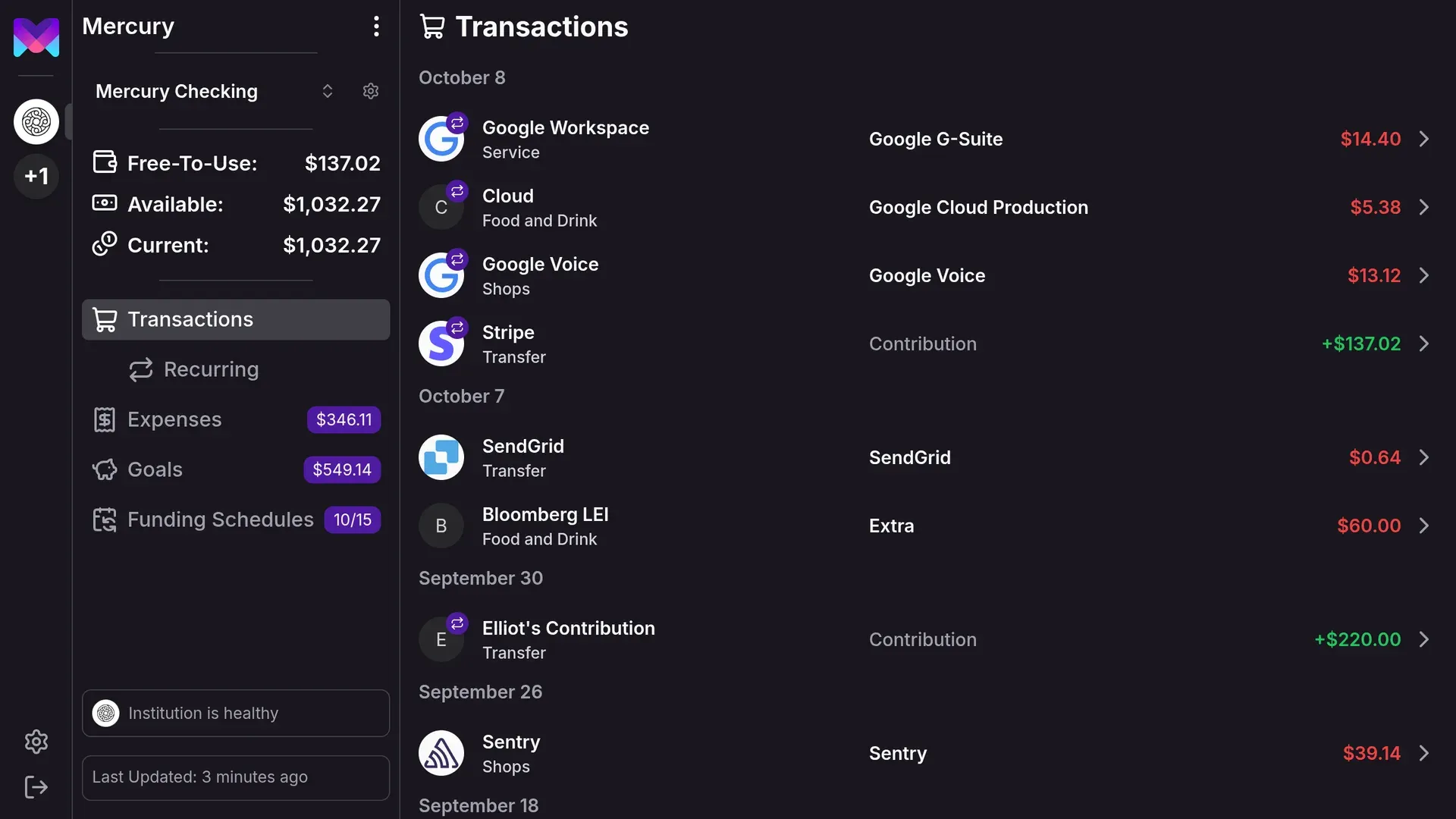
Official screenshot with demo data: the transactions list and the sidebar with Free-To-Use balance.
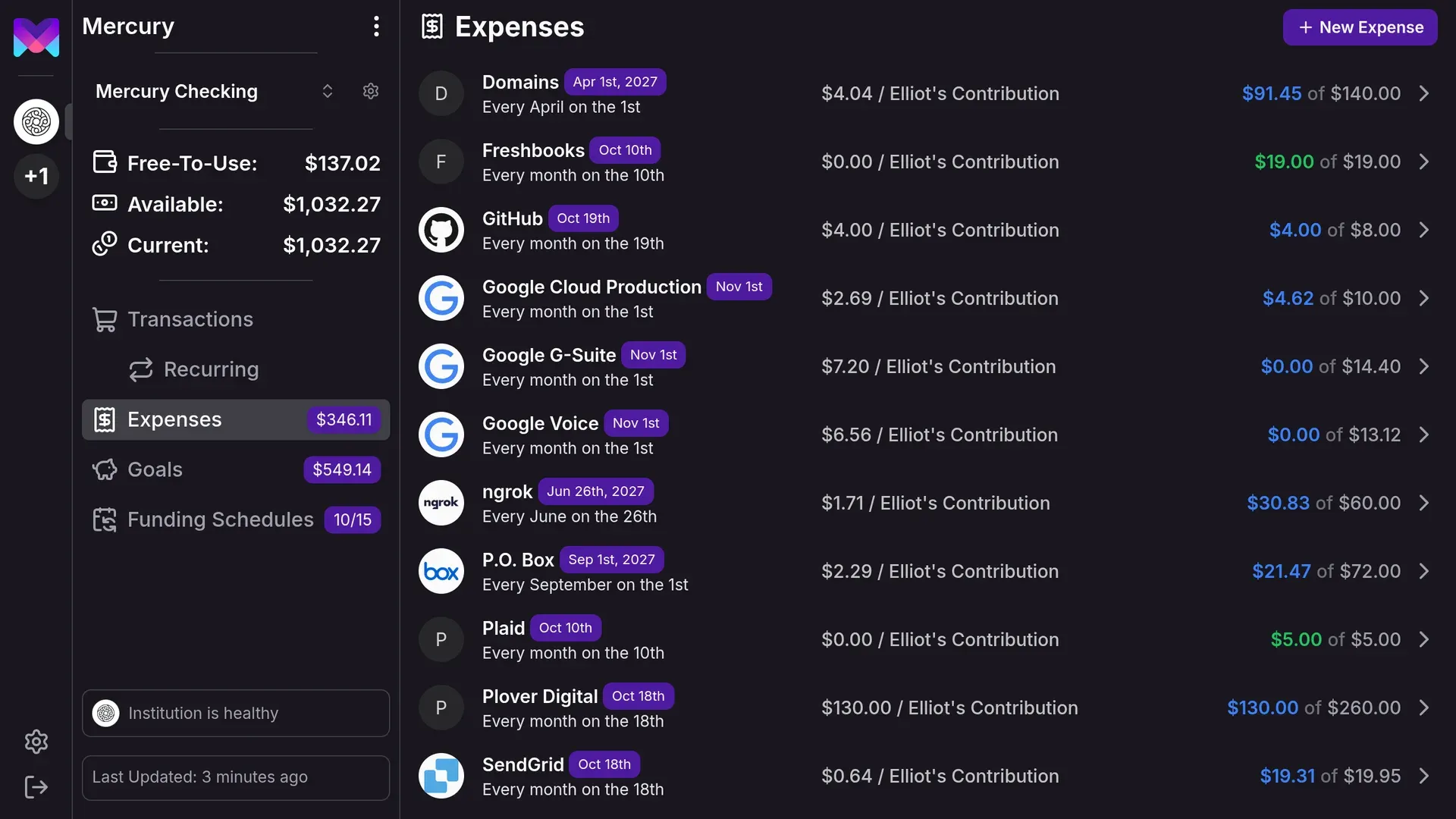
Official screenshot with demo data of recurring expenses, their schedules and allocations.
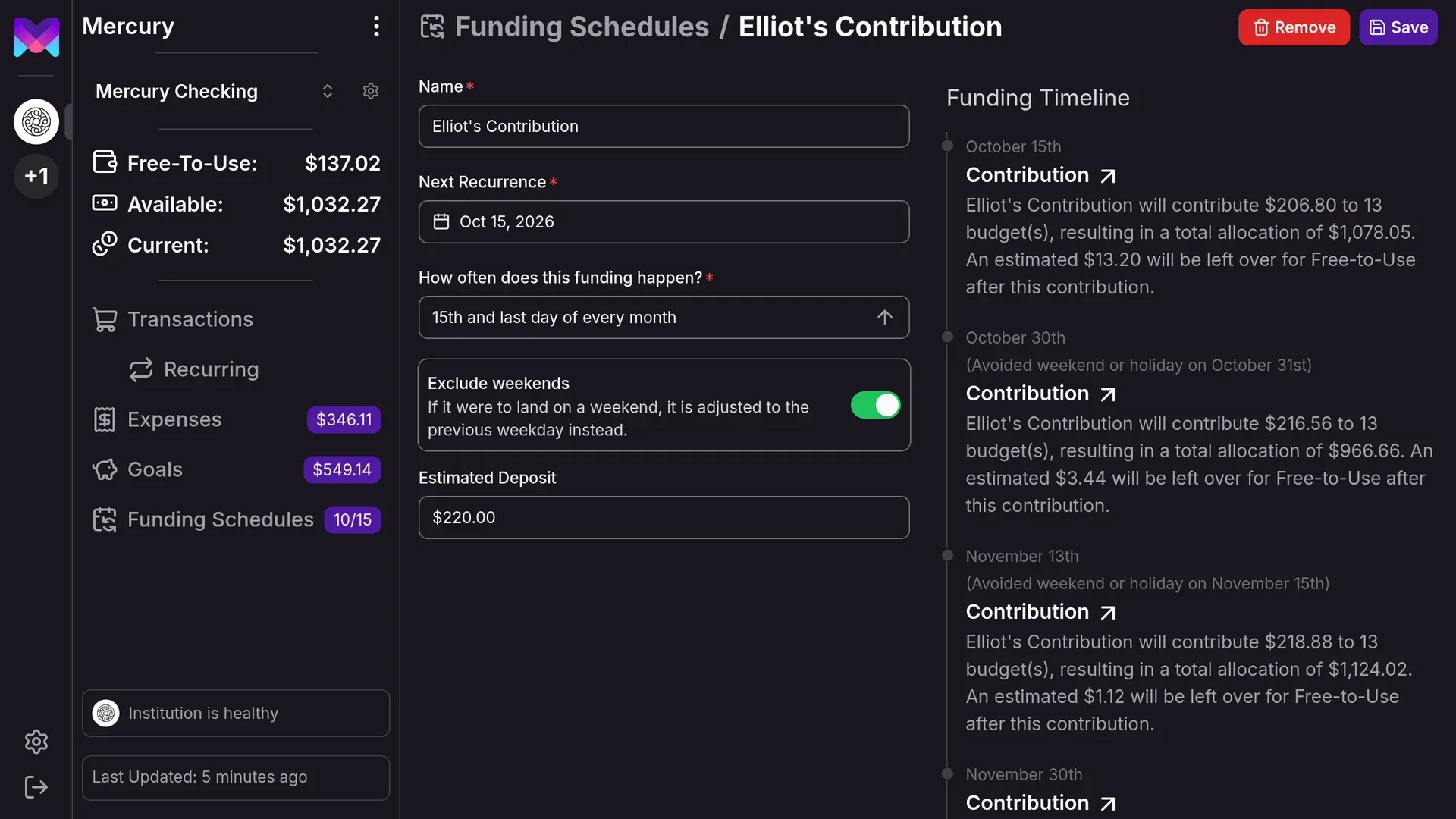
Official screenshot with demo data of a funding schedule and its contribution timeline.
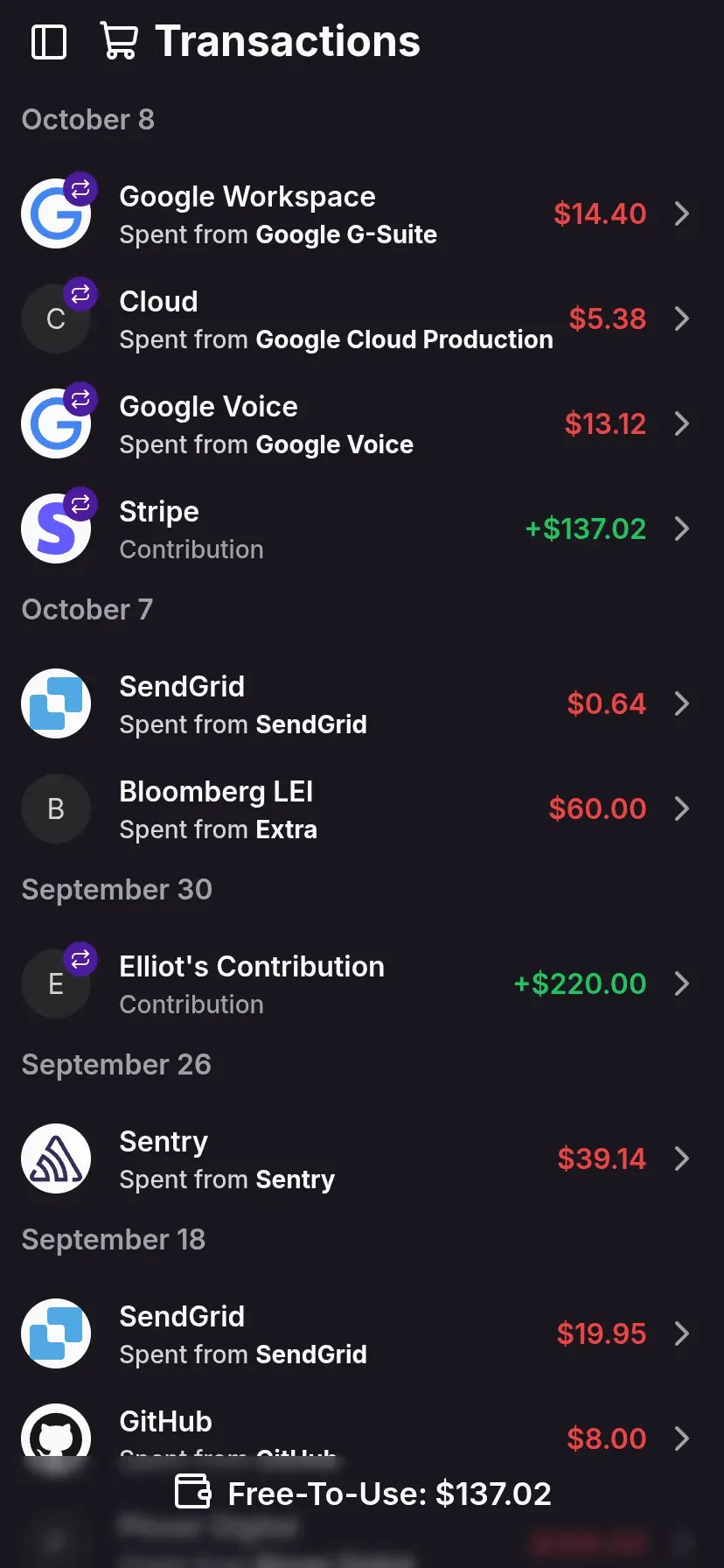
Official screenshot of the mobile layout showing transactions with demo data.
Source: official monetr project page.
Key capabilities
- Hosted service Sign up at monetr.app with a 30-day trial and no card required. The trial allows one Plaid connection. After that the plan is priced per month on the pricing page, and cancellation keeps access until the end of the billing period.
- Self-host with Docker Compose Clone the repository and run
docker compose up --waitto start monetr, a database and Valkey, then openhttp://localhost:4000. The default compose file suits trying manual budgeting, and a separate env file sets Plaid credentials or a domain. Pin a version tag such as 1.21.1 instead of latest. - Hardware and images The install guide recommends at least 512 MB of RAM and 1 GB of disk. Images are published at
ghcr.io/monetr/monetr, Quay and Docker Hub with identical versions, and signed images can be checked with cosign or the GitHub CLI attestation command. - Free-To-Use The central number: your available balance minus the funds already allocated to expenses and goals. It updates when budgets or balances change, provided monetr has current balances. The Free-To-Use guide explains how to move money between allocations.
- Funding schedules Funding schedules describe when you get paid, such as the 15th and last day of the month, optionally excluding weekends. Each expense and goal belongs to one schedule, and schedules are per bank account. The funding schedule guide covers multiple schedules and timeline previews.
- Recurring expenses Track rent, subscriptions and other recurring bills with a due rule, and monetr sets aside a portion at each paycheck, similar to envelope budgeting. Recurrence rules are documented in the expenses guide, and release 1.21.1 tightened recurring behavior.
- Goals Save for one-off targets such as a down payment or a loan payoff. Goals track both contributions and use, so monetr knows how much was spent and how much remains allocated. Goals do not show a spending event in forecasts.
- Forecasting Expenses, goals and funding schedules show upcoming contribution and spending events, so you can see where balances are heading. Forecasts depend on accurate dates and balances.
- Transactions and recurring detection A transactions view lists spending with merchant logos and a recurring section. Transactions come from Plaid, OFX uploads or manual entry.
- OFX file import Import transactions and balances from OFX files exported by your bank as an alternative to Plaid. Most US banks offer OFX downloads. Self-hosting needs a storage backend for uploads, and disabling storage disables imports.
- Plaid bank connections Plaid is optional and provides automatic transaction and balance updates for supported checking accounts in the United States and Canada. The docs note Plaid can incur costs for self-hosters, who bring their own credentials.
- Lunch Flow (beta) Self-hosted instances can connect to banks in the EU, UK and elsewhere through Lunch Flow's API. The documentation marks this beta and says it is not available on the hosted version.
- Manual accounts Create a manual bank link with a name, a balance and a funding schedule, and add transactions by hand. This works with no third-party data provider.
- Security options TOTP multi-factor authentication works with authenticator apps such as 1Password and Google Authenticator. Plaid credentials can be encrypted with AWS KMS, OpenBao or Vault, while the default provider stores them in plaintext, so choose a provider for production.
- REST API and API keys The app calls a documented REST API, and the same API accepts Basic auth with an API key created in Settings. Creating a key needs an active subscription on the hosted service, and self-hosted instances with billing off skip that check.
- Configuration A config file or environment variables cover cache, CORS, database, email, links, logging, Plaid, Lunch Flow, ReCAPTCHA, Sentry, storage and key management. Blank environment variables can override file values, so check them if behavior is odd.
- Mobile-friendly web app The interface adapts to phones and can be installed as a web app. There is no native iOS or Android app listed.
- Community A Discord server and GitHub issues handle support for self-hosters, and the hosted plan includes email support. A public status page reports hosted availability.
Where monetr fits
Budgeting around paychecks
Create a funding schedule that matches your pay dates, add each recurring bill as an expense, and let monetr allocate from each paycheck. Check that the due dates and amounts are right, then watch Free-To-Use for a few cycles before trusting it for discretionary spending.
Starting without a bank connection
Create a manual account, enter the balance and add or upload transactions from OFX files. This route sends no data to a provider, so verify the OFX file covers the period you need and that balances line up after import.
Self-hosting for privacy
Run Docker Compose on a home server, pin a version, put it behind HTTPS and turn off sign-ups after you create your login if the instance is public. Plan backups yourself, since the install guide notes data cannot be recovered without one, and choose a key management provider for Plaid secrets.
Saving toward a goal
Add a goal with a target and a schedule, and use its timeline to see when you will reach it. Confirm whether you plan to spend from the goal as you save, because that affects how monetr tracks what remains.
Planning irregular or annual bills
Add expenses with yearly or quarterly rules so small amounts are set aside every paycheck. Review the forecast for the next several events, and adjust the funding schedule if two large bills land on the same payday.
Scripting and reporting with the API
Create an API key for a script that reads balances or posts transactions, and store it as a secret. Keep in mind the key can do anything the app can do, so revoke it when finished and prefer a dedicated user.
Sharing a household budget
Decide whether one account holder manages the instance or each person runs their own, since the documentation describes per-account funding schedules. Check how sign-ups are configured, and turn off public sign-ups on any instance reachable from the internet.
Moving from another budgeting tool
Export transactions from the old tool or your bank as OFX, import a recent period and rebuild expenses by hand rather than expecting a category mapping. Compare Free-To-Use with your old available-to-spend number for a full pay cycle before switching completely.
Install
docker compose up --waitReviews of monetr
Be the first to share your experience with monetr.
Write a review
Loading review form…
Alternatives to monetr
 Actual BudgetActual Budget is a free, MIT-licensed personal finance app built on envelope budgeting. Data lives in a local SQLite database, and an optional self-hosted server adds multi-device sync, end-to-end encryption and bank sync.
 Firefly IIIFirefly III is a free, AGPL-licensed personal finance manager you host yourself with Docker or on a PHP server. It records income and expenses in double-entry form, with budgets, rules, recurring transactions, reports and a REST API.
 SureSure is a community-maintained AGPLv3 fork of Maybe Finance: a Ruby on Rails app for accounts, budgets, bills, loans and investments, self-hosted with Docker or Helm, with optional bank sync, AI chat, an API and an MCP endpoint.