

What is Firefly III?
Firefly III is a self-hosted web application for tracking personal finances. It records withdrawals, deposits and transfers between asset accounts, expense and revenue accounts, credit cards and liabilities, and organizes them with budgets, categories and tags. The project is written and maintained by James Cole in the Netherlands, and the name refers to the third iteration of an earlier tool called Firefly. The repository dates from 2014. According to the introduction in the documentation, the application does not contact external servers until the administrator enables a feature that needs one.
Firefly III is distributed as signed zip and tar.gz release archives with SHA256 and PGP signature files, and as the fireflyiii/core Docker image built for linux/amd64 and linux/arm64. The Docker guide provides a Compose file with a MariaDB database and a cron container, and the project also documents Portainer, Kubernetes and self-managed LAMP or LEMP installs. Third-party hosts such as PikaPods, Cloudron, YunoHost and Softaculous offer packaged installs; these are outside the core project. A public demo site uses the account demo@firefly.
The latest release is v6.7.9, published on October 11, 2026. It fixes a Target class [hash] does not exist error on self-hosted installs, account lists without sums and empty budget columns. The 6.7 series, which started on September 14, 2026, replaced the interface: templates moved from Twig to Blade, the layout uses a new AdminLTE version with Bootstrap Icons, and transactions get new create and edit forms. The rule expression engine is now off by default, cron jobs run per user, and the login page no longer names the product. Version 6.7.5 fixed a multi-factor authentication bypass that needed a username, password and OAuth client ID, and 6.7.8 added a release-notes popup and colors for categories.
The application is built on Laravel 13 and the current composer.json requires PHP 8.5 or later with extensions such as BCMath, intl, cURL and XML. Data lives in MySQL or MariaDB, PostgreSQL or SQLite. Bank files and bank connections are handled by the separate Firefly III Data Importer, which talks to Firefly III through its API. The code is licensed under the GNU Affero General Public License v3 or later; the logo is copyrighted and has its own usage rules.
The project lists what it does not do on its limitations page. YNAB-style zero-based budgeting, stock and portfolio tracking, business accounting and payroll, forecasting, sub-categories and custom monthly cycles such as the 23rd to the 22nd are out of scope. Sharing one financial administration between users is still in development. The published screenshots show the interface before the 6.7 redesign, so the current layout differs.
Firefly III screenshots
Explore the interface. Open a screenshot to view it at full size.
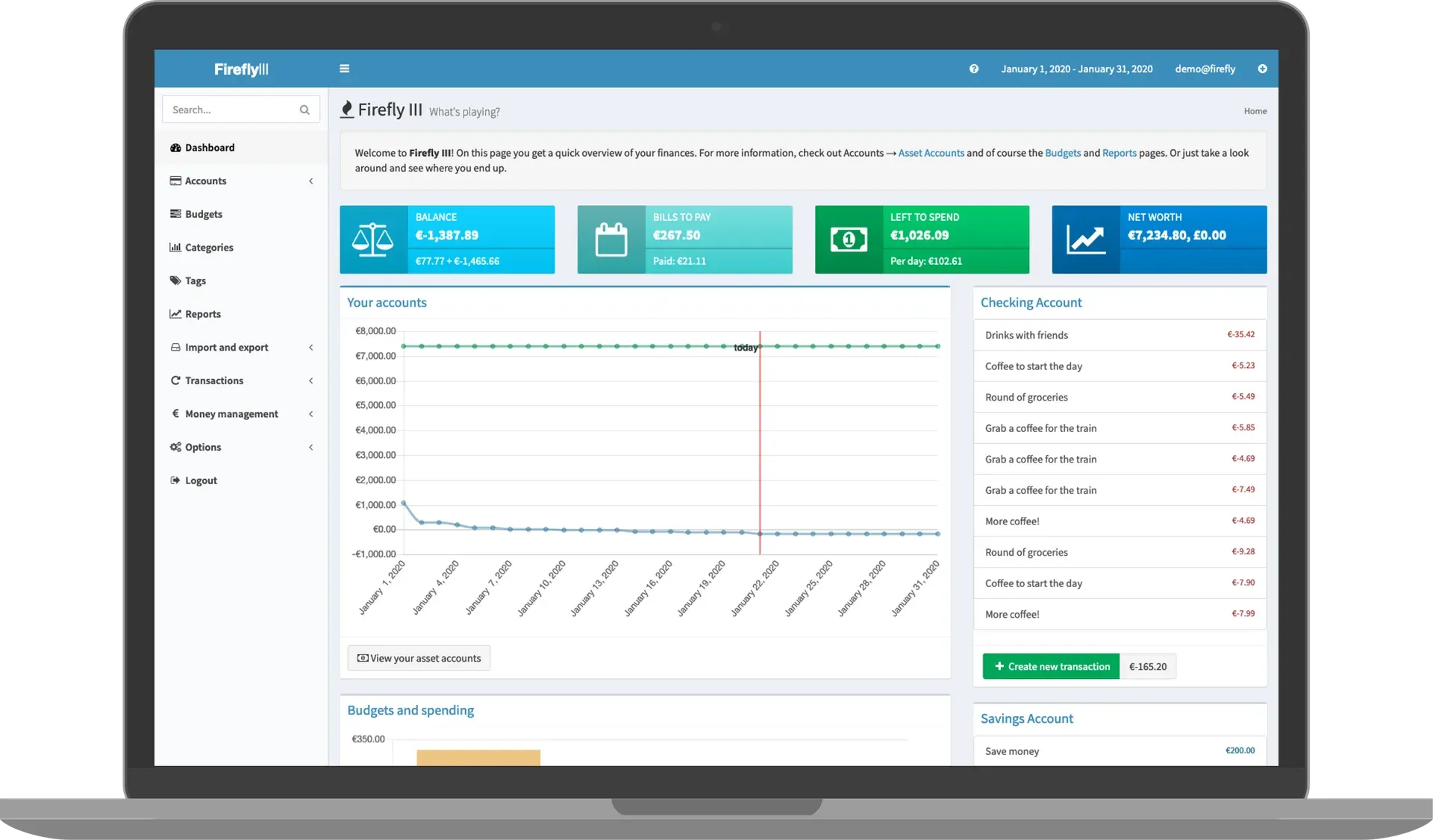
Official README illustration of the dashboard with demo data, showing the layout used before the 6.7 redesign.
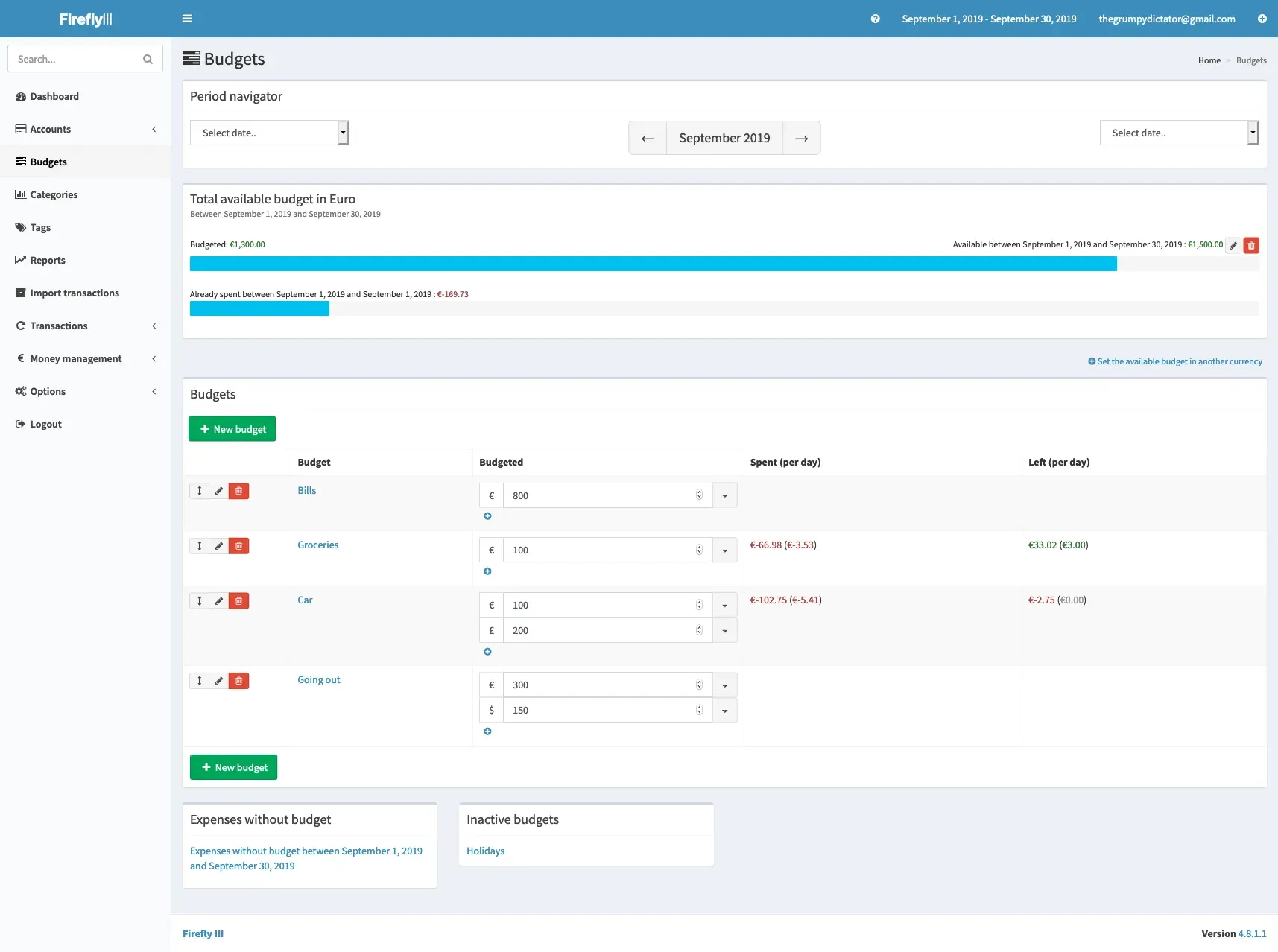
Official documentation screenshot of the budget overview with amounts in several currencies, from version 4.8.1.1; the current layout differs.
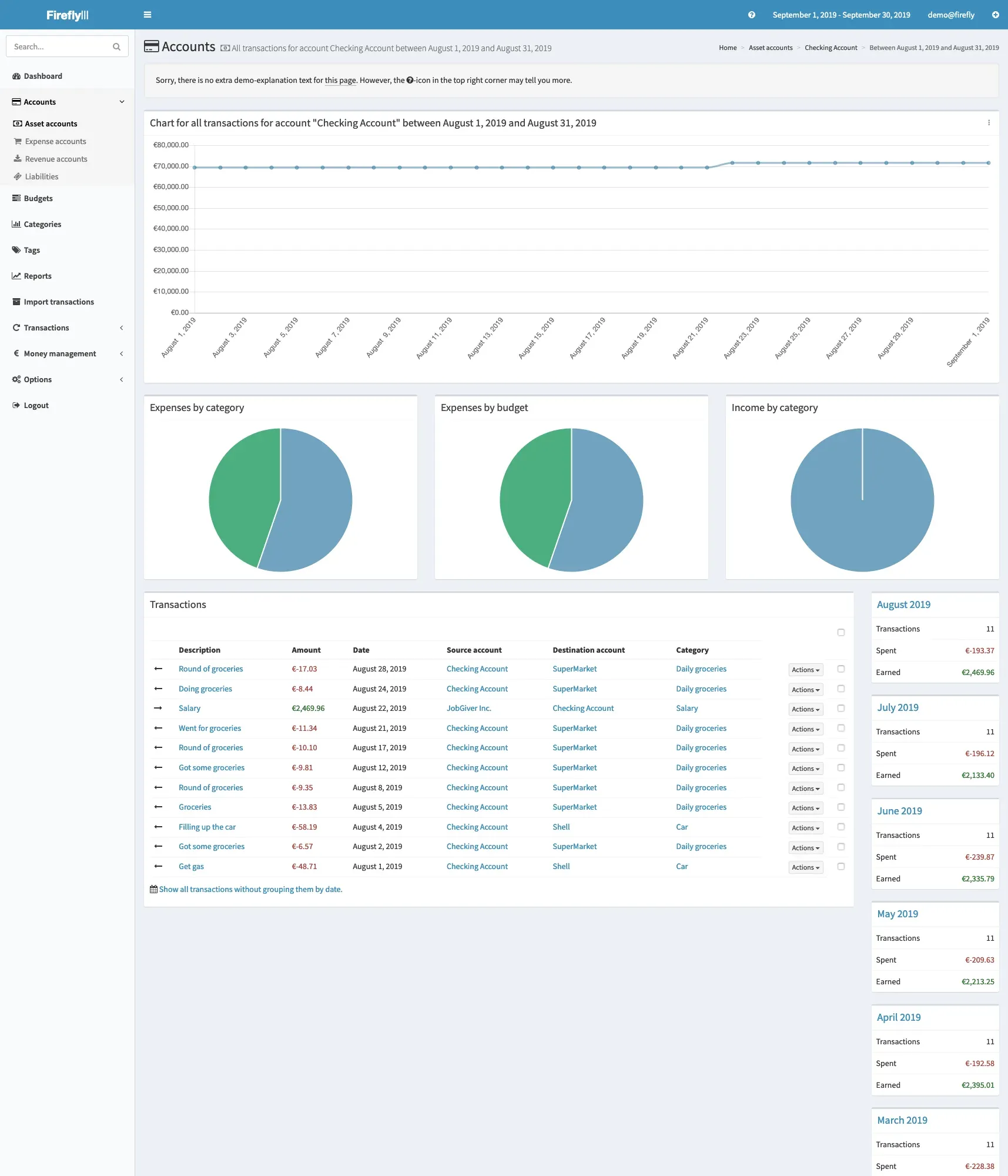
Official documentation screenshot of an asset account with charts by category and budget and monthly totals; shown in the pre-6.7 layout.
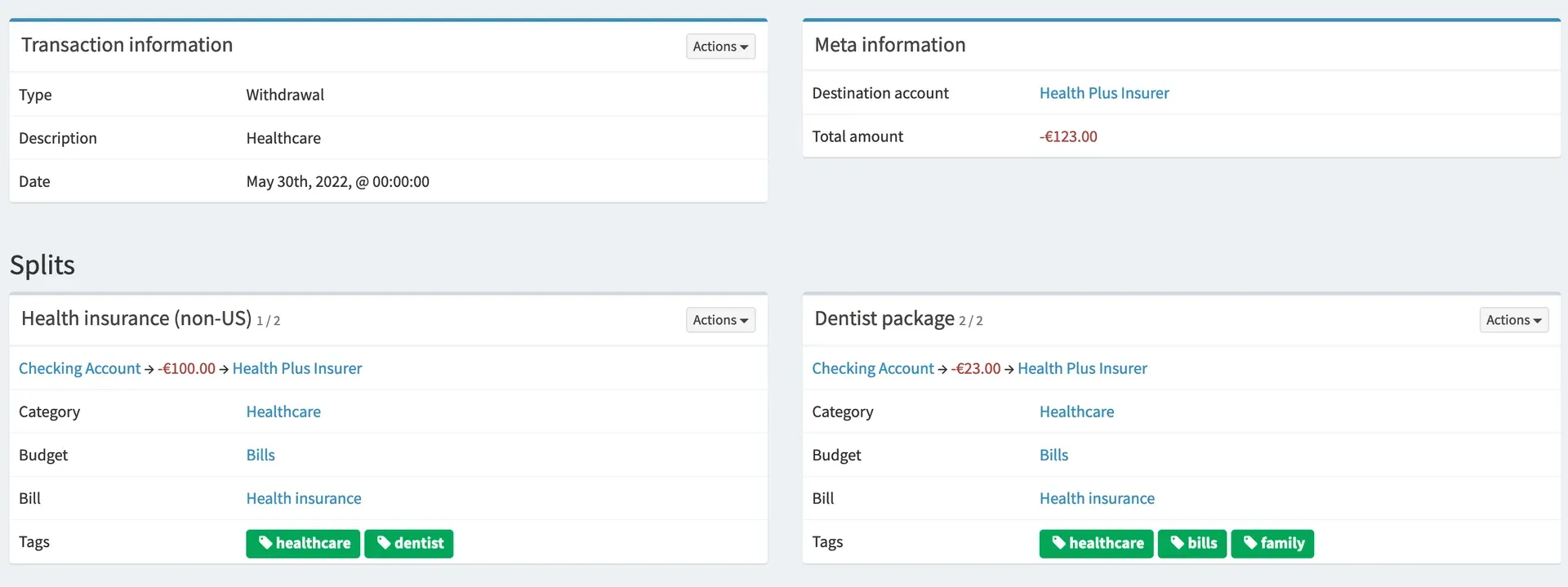
Website showcase image of a split transaction with per-split categories, budgets, bills and tags.
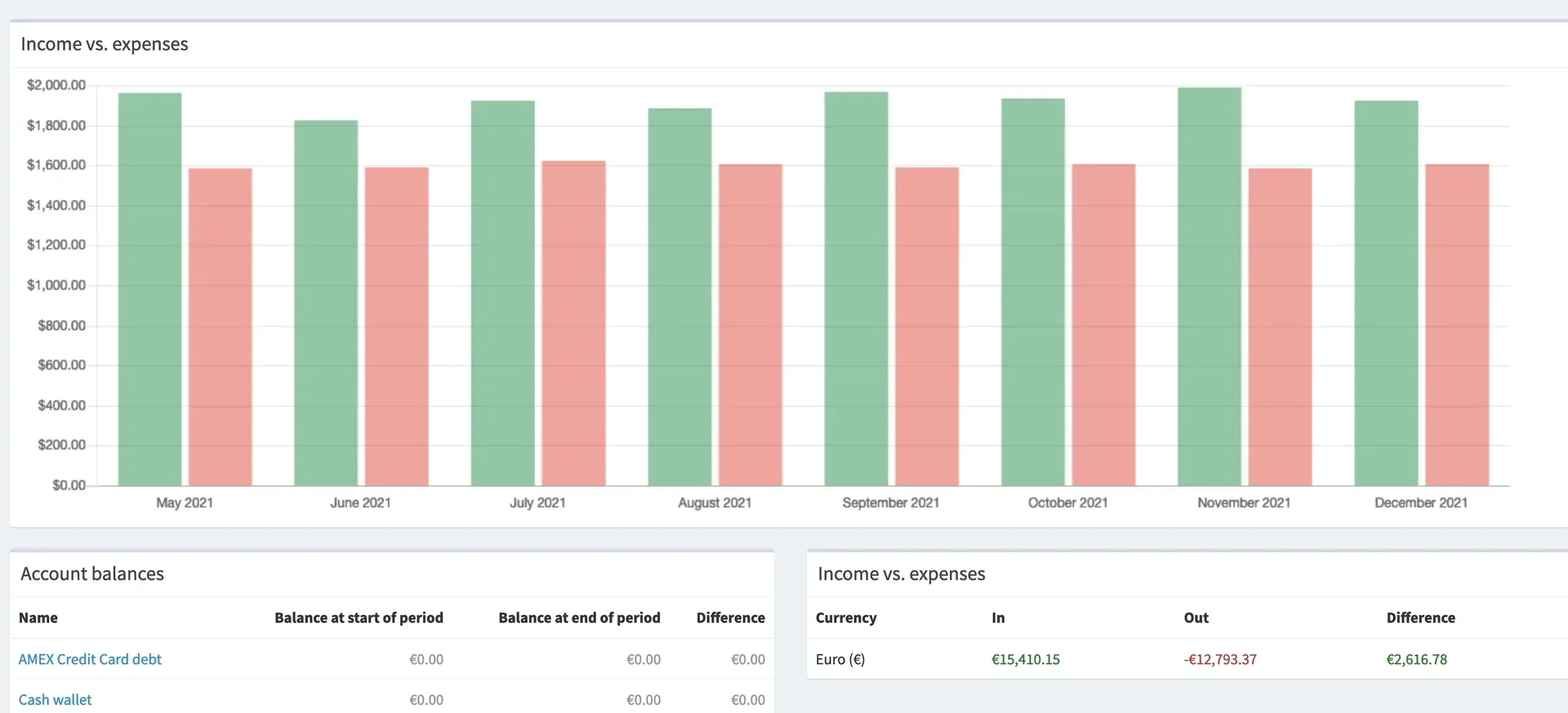
Website showcase image of a financial report comparing income and expenses from May to December 2021.
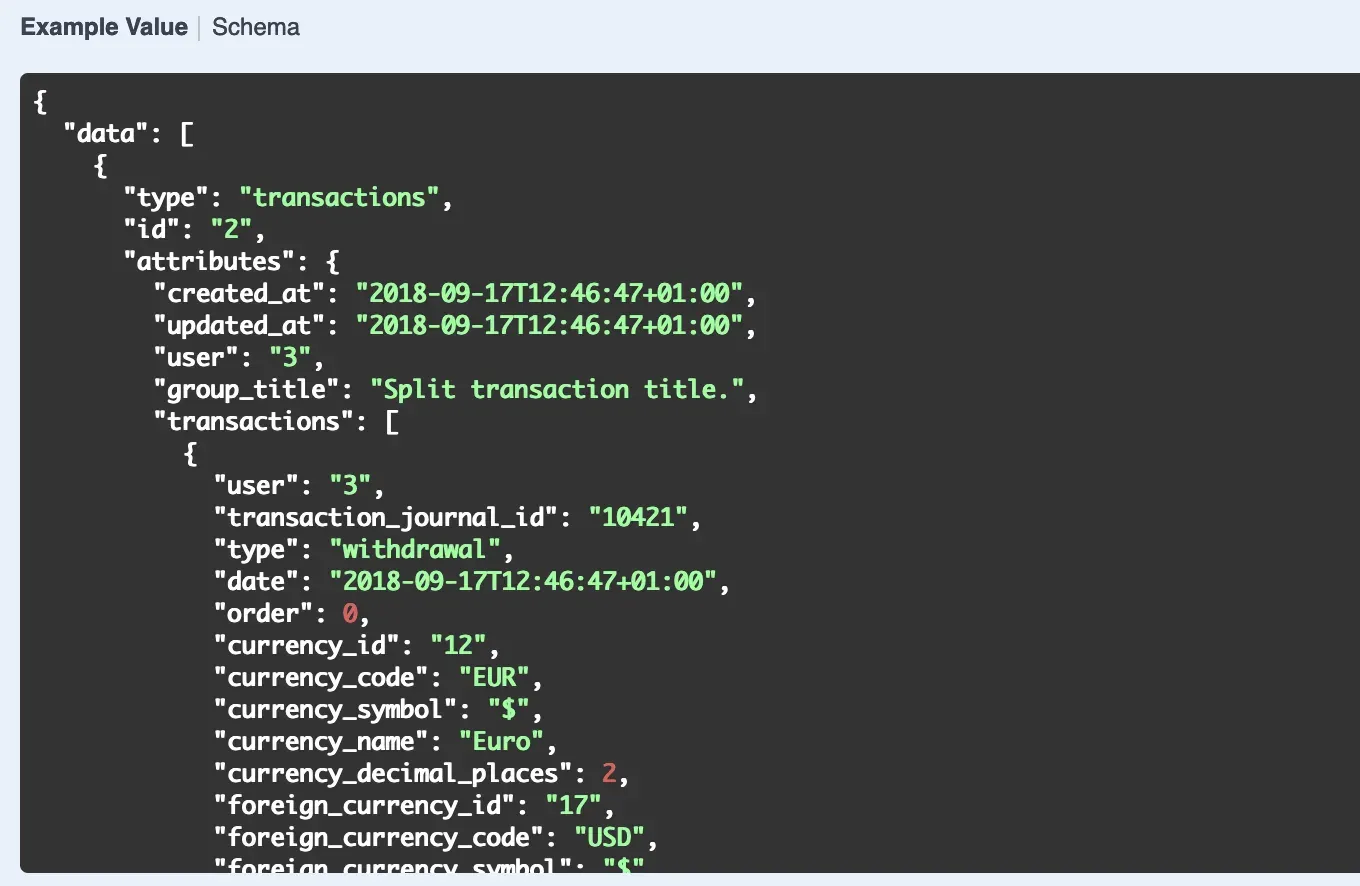
Website showcase image of an API reference example value for a transaction object.
Source: official Firefly III project page.
Key capabilities
- Run Firefly III with Docker Compose Download the official
docker-compose.yml, the.env.examplefile saved as.envanddatabase.envsaved as.db.env, set the same database password in both and start the stack withdocker compose up -d --pull=always. The stack contains Firefly III, MariaDB and an Alpine cron container. Images exist forlinux/amd64andlinux/arm64; 32-bit ARM andi386images are no longer built. Users onarm/v7devices are pointed to PostgreSQL instead of MariaDB. - Install on a self-managed server A LAMP, LEMP or WAMP stack with PHP 8.5 and modules for BCMath, intl, cURL, Zip, libsodium, GD, XML and MBString can host the release archive. Download the
ziportar.gzfrom the latest release page, verify it with the.sha256file or the.ascPGP signature and point the web server to thepublicdirectory. Cloning themainbranch is not supported because built JavaScript and dependencies are missing from the repository. - Kubernetes, Portainer and hosted options The project maintains Kubernetes configuration files and Portainer instructions next to the Docker guide. Hosted options listed in the README include sponsored PikaPods and Hostinger offers plus LumaDock, Cloudron, YunoHost, Softaculous and AMPPS. These providers run the same application but store the data on their own infrastructure under their own terms.
- Double-entry transactions and splits Every withdrawal, deposit or transfer moves money between two accounts, and a split transaction groups several journals under one title. Each split can carry its own category, budget, subscription link and tags. Foreign amounts can be stored next to the native amount for currency exchanges. The demo data and screenshots use this structure throughout.
- Account types and liabilities Asset accounts, shared household accounts, savings accounts, credit cards, cash, expense and revenue accounts are tracked separately. Loans, debts and mortgages are recorded as liabilities, covering both money you owe and money owed to you. Reconciliation compares an account against a bank statement. Physical assets such as a house cannot be added to net worth; the documentation points to GnuCash for that.
- Budgets and auto-budgets Budgets hold an amount per period, can be set in several currencies and show spent and remaining amounts per day. Firefly III can set these period amounts automatically when the cron job runs, and yearly and monthly amounts can overlap, in which case a withdrawal counts against both. Deposits cannot be assigned to a budget to raise its available amount, and months always run from the first to the last day.
- Categories, tags and groups Categories and tags classify transactions without a hierarchy; sub-categories and sub-budgets are not supported by design. Piggy banks and subscriptions can be arranged in groups. Since 6.7.8 categories can carry a color, and the category list can be sorted and filtered.
- Rule engine Rules sit in ordered rule groups and combine triggers such as description, amount or budget with actions that set categories, budgets, tags, descriptions or accounts. A rule is strict (all triggers) or non-strict (any trigger), and stop-processing flags exist at rule, trigger and action level. Rules can run on new transactions or be applied to existing ones. Boolean combinations of AND and OR are not supported, and the expression engine for computed actions must be enabled in
/settingssince 6.7.0. - Recurring transactions and subscriptions Recurring transactions create the defined transaction, including splits, whenever one of their repetitions is due. Subscriptions group expected withdrawals such as rent or utilities by week, month or year, but do not change budgets or accept income or transfers. Subscription warnings, like recurring transactions, need the cron job. The daily
firefly-iii:croncommand or the token-protected cron URL drives both. - Piggy banks Piggy banks track saving towards a goal, and each one is tied to an asset account, so a savings account can hold several of them. Money is added manually or through transfers, and a rule action can move a transfer amount into a piggy bank. Each piggy bank keeps its own currency.
- Multiple currencies and exchange rates Any currency can be enabled, and a primary currency is set per financial administration. Exchange rates can be entered manually or downloaded from the project's exchange-rate bucket when that option is enabled. The API returns
pc_*fields with amounts converted to the primary currency when conversion is switched on. - Reports, charts and search Default, budget, category and tag reports cover a chosen date range and set of asset accounts, and their URLs can be bookmarked. The dashboard shows balances, bills to pay, money left to spend and net worth. Search supports operators such as
from:,to:,less:andbefore:, and the same query engine powers rule triggers. - REST JSON API with OAuth2 The API reference documents endpoints for almost every object, authenticated with OAuth2 clients or personal access tokens created on the profile page. Requests need an
Accept: application/jsonheader. Diff files list API changes from v6.4.0 onward, and a developer newsletter announces upcoming changes. - Signed webhooks Webhooks must be enabled in
/settings/configurationand fire on transaction, budget and budget-amount events. Each sends one JSON response type, such as transaction, account or relevant details, and is signed with a per-webhook secret. Sending more than one response for the same trigger requires separate webhooks. - Data Importer for files and bank connections The separate Data Importer reads CSV and CAMT.053 files with column-role mapping and duplicate detection. It can also fetch transactions through providers such as Enable Banking, SimpleFIN and Lunch Flow, while GoCardless access is being phased out by that provider. Imports can be automated from the command line or through a POST endpoint with a cron job, which is not available in multi-user importer setups.
- Users, 2FA and remote-user login The first registered user becomes owner, and registration closes after that until the owner reopens it. Each user gets a fully separate administration. Two-factor authentication uses an authenticator app with eight backup codes. Setting
AUTHENTICATION_GUARD=remote_user_guarddelegates login to a proxy such as Authelia, which then handles every authentication check. - Export and command-line tools Transactions export to CSV from
/export, andphp artisan firefly-iii:export-datacan export accounts, budgets, categories, tags, rules, recurring transactions, subscriptions and piggy banks by date range. Firefly III cannot import these files back, so the documentation treats them as reports rather than backups. - Notifications and translations Notifications go out by email through SMTP, sendmail, Mailgun and similar mailers, or to Slack, Discord and Mattermost webhook URLs set by administrators and users. Mail also carries password resets and new-IP login alerts. The interface is translated through Crowdin from the
en_USsource strings, and pages include help texts and support popups.
Where Firefly III fits
Setting up a household finance server
Install the Docker Compose stack on a home server or VPS, change DB_PASSWORD and MYSQL_PASSWORD before the first start and set a 32-character APP_KEY. Put a reverse proxy with TLS in front, because Firefly III does not enable TLS itself, and set TRUSTED_PROXIES to avoid broken links and CSP errors. Register the owner account, enable 2FA and leave registration closed unless other household members need their own separate administration. The cron guide explains the STATIC_CRON_TOKEN needed by the cron container.
Importing bank statements
Run the Data Importer next to Firefly III and create a non-confidential OAuth client with the importer's /callback URL. Upload a CSV or CAMT.053 export, assign a role to each CSV column, set the date format and choose a default asset account. Save the import configuration as JSON so later imports reuse it. Check duplicates and transfers between your own accounts after the first run, because imported and manually entered transactions usually do not match each other.
Automating categorization with rules
Create rule groups for recurring merchants, salary and transfers, then add triggers on description or amount and actions that set category, budget and tags. Test each rule against existing transactions before applying it, and use stop processing to avoid later rules overwriting earlier ones. Rule errors are not shown in the interface when rules run asynchronously, so check the logs or a configured notification channel.
Budgeting a month and reviewing reports
Set budget amounts for the calendar month, optionally as auto-budgets, and link withdrawals to them while entering or importing. Use the budget page to compare spent and remaining amounts per day, then open the default financial report for the month or year. Reports and the dashboard can show amounts converted into the primary currency, which depends on the exchange rates stored for each date.
Connecting other tools through the API and webhooks
Create a personal access token for scripts or an OAuth2 client for applications, and send requests with Accept: application/json. Webhooks can push new or updated transactions to a home automation system or a custom service; verify the signature header with the webhook secret before trusting the payload. Follow the API diff files and the developer newsletter, because objects and fields change between minor versions.
Backing up and upgrading
Back up the database, the upload volume and the exact environment, especially APP_KEY, then restore the backup once on a test system to prove it works. The backup guide warns that a missing Docker volume name creates an empty volume and can overwrite a good backup. Read the release notes before each upgrade, pull the new image or replace the archive, and clear caches as the 6.7.9 notes describe.
Install
docker run -d -v firefly_iii_upload:/var/www/html/storage/upload -p 80:8080 -e APP_KEY=CHANGEME_32_CHARS -e DB_HOST=CHANGEME -e DB_PORT=3306 -e DB_CONNECTION=mysql -e DB_DATABASE=CHANGEME -e DB_USERNAME=CHANGEME -e DB_PASSWORD=CHANGEME fireflyiii/core:latestReviews of Firefly III
Be the first to share your experience with Firefly III.
Write a review
Loading review form…
Alternatives to Firefly III
 Actual BudgetActual Budget is a free, MIT-licensed personal finance app built on envelope budgeting. Data lives in a local SQLite database, and an optional self-hosted server adds multi-device sync, end-to-end encryption and bank sync.
 SureSure is a community-maintained AGPLv3 fork of Maybe Finance: a Ruby on Rails app for accounts, budgets, bills, loans and investments, self-hosted with Docker or Helm, with optional bank sync, AI chat, an API and an MCP endpoint.
 Maybe FinanceSelf-hosted Ruby on Rails app for tracking net worth, accounts, budgets, investments and transactions, with CSV imports, rules, an API and optional AI chat. AGPLv3; archived at the final v0.6.0 release in July 2025.