

What is Windshift?
Windshift is an open-source, self-hosted work management platform that positions itself as a Jira alternative. It covers projects (called workspaces), work items with configurable hierarchy levels, boards, backlogs, sprints, roadmaps, milestones, custom fields, workflows and permissions, and adds modules for service management, test management, time tracking, a knowledge base and an asset register. It is developed by Realigned Technologies, which says on its about page that it has built Story Maps for Jira since 2021.
The server is a single Go binary with the Svelte frontend built in. Data lives in an embedded SQLite database by default, or in PostgreSQL 15 or newer. Windshift is distributed as release binaries for Linux, macOS and Windows, as an official multi-architecture Docker image at ghcr.io/windshiftapp/windshift, and as a macOS desktop app for Apple Silicon. The download page lists each artifact for the current release, and a ws command-line client is documented in the CLI installation guide.
The release reviewed here is v0.9.3, published on November 4, 2026. Its notes describe milestones that carry a Markdown description, comments, linked pages and an activity feed, hierarchy views that load lazily by level, plugin host functions and routes that are denied by default, and a bring-your-own Markdown editor extension point. The notes also list Jira issue keys that survive import and an Italian interface language, and they carry an upgrade notice for anyone running plugins.
The core platform is published under the GNU Affero General Public License v3.0. The pricing page describes a planned paid Pro edition for audit logging, SCIM, SAML and commercial licensing, while the AGPL edition has no license key, user limit or workspace limit. Contributions require a signed contributor license agreement. Windshift is not offered as a vendor-hosted service in the sources reviewed, and it is not a drop-in clone: concepts map to Jira, but names and some behaviors differ.
Windshift screenshots
Explore the interface. Open a screenshot to view it at full size.
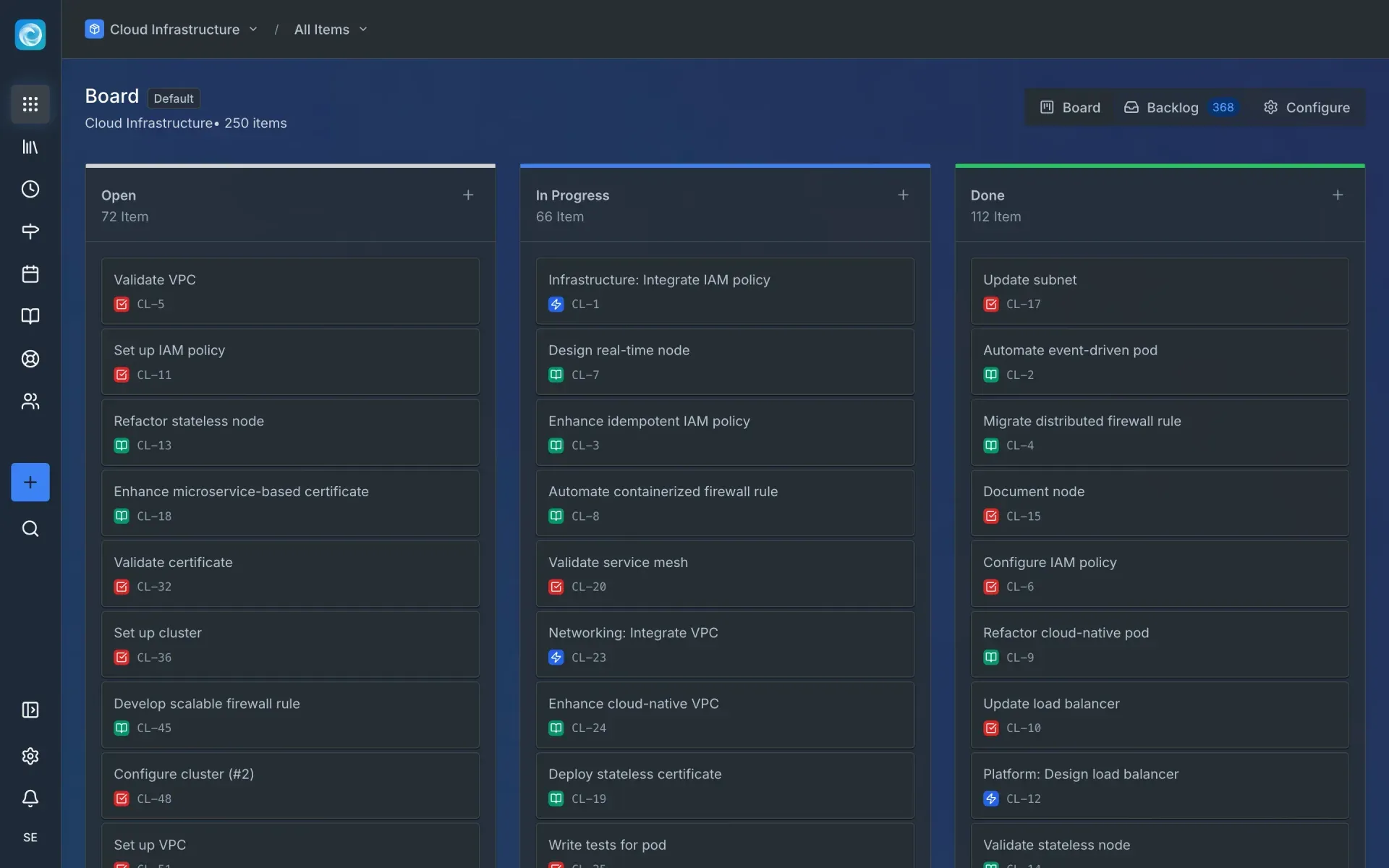
Official project screenshot of the default board view with work items grouped by status.
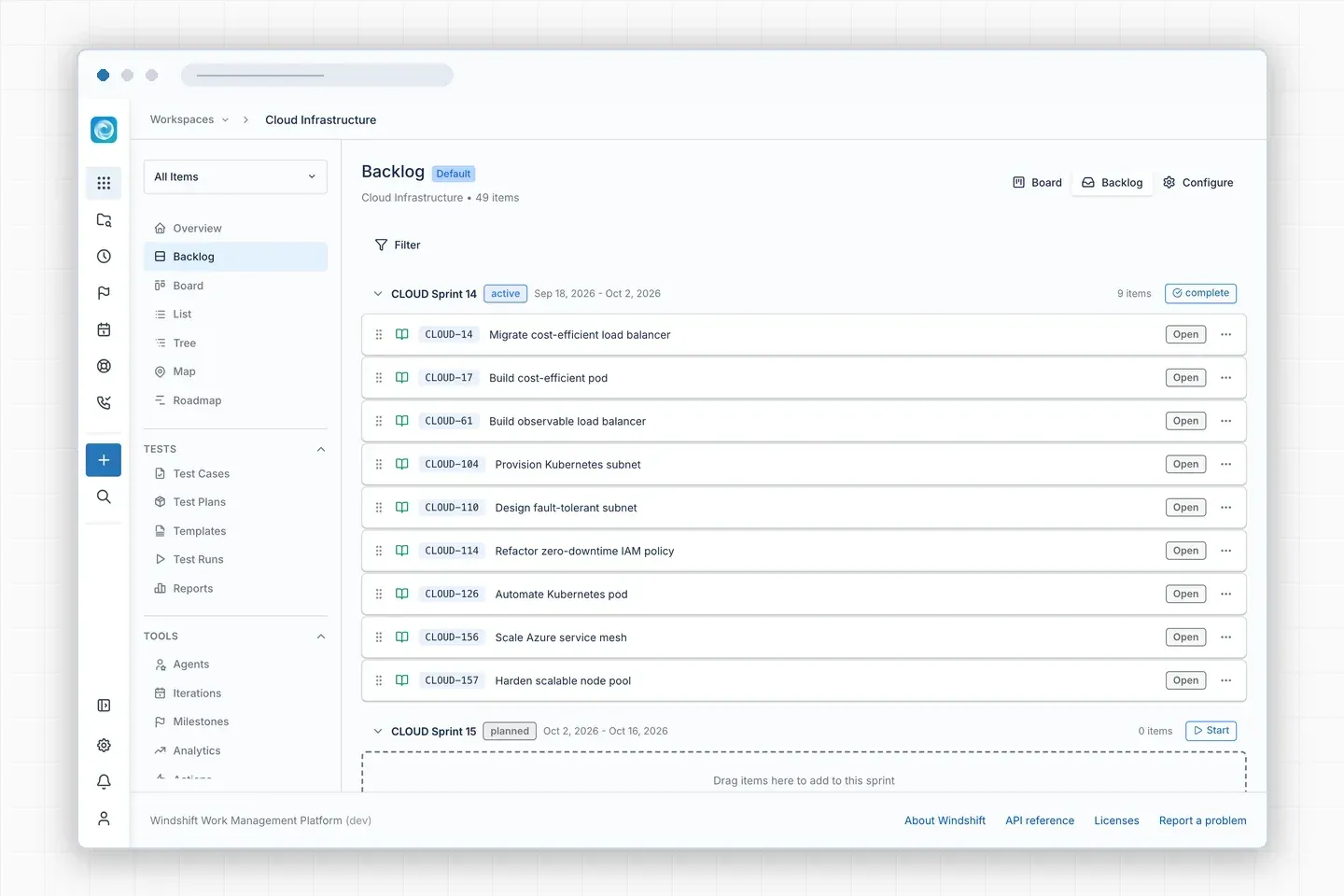
Official project screenshot of the backlog view with an active and a planned sprint.
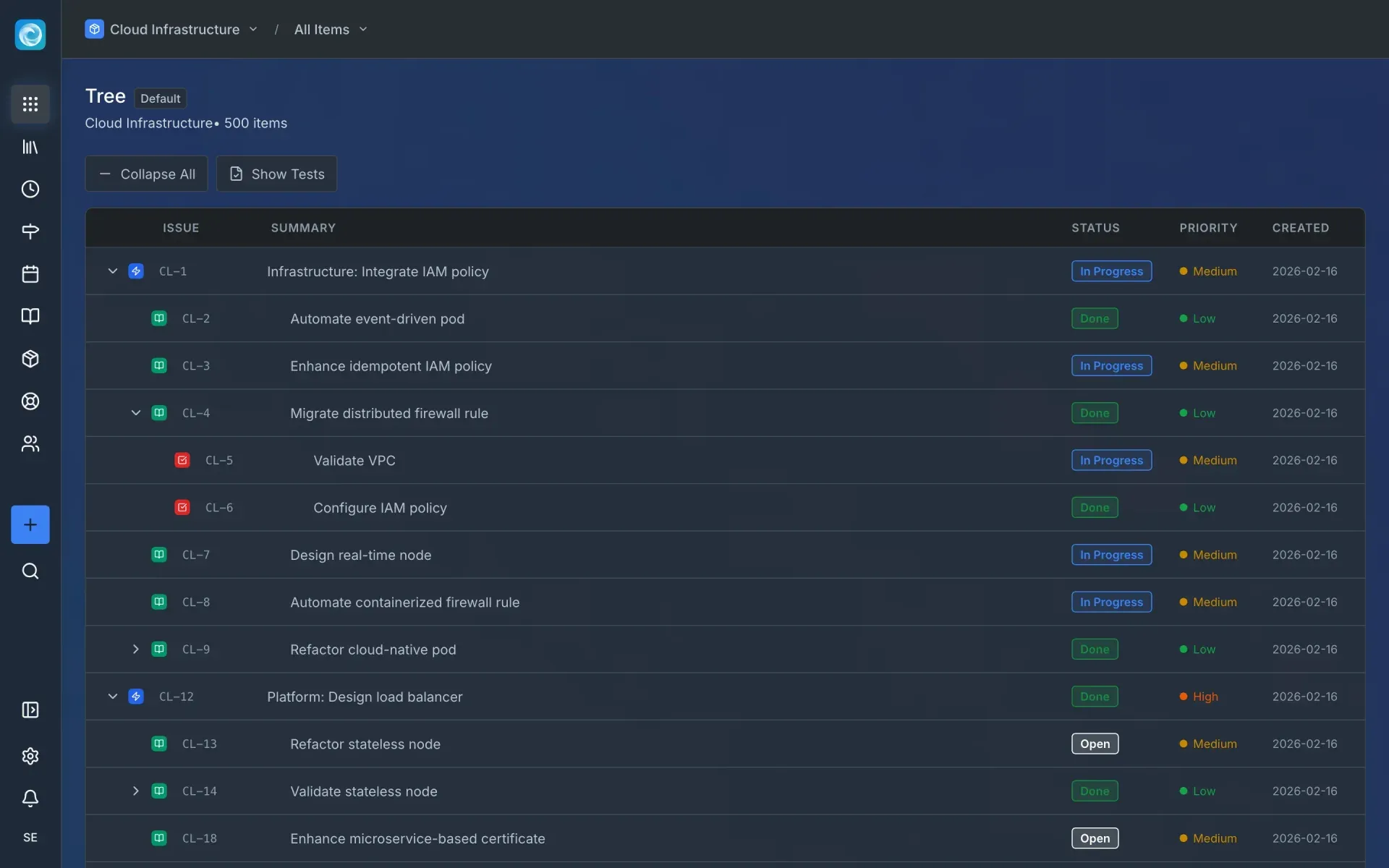
Official project screenshot of the tree view across hierarchy levels.
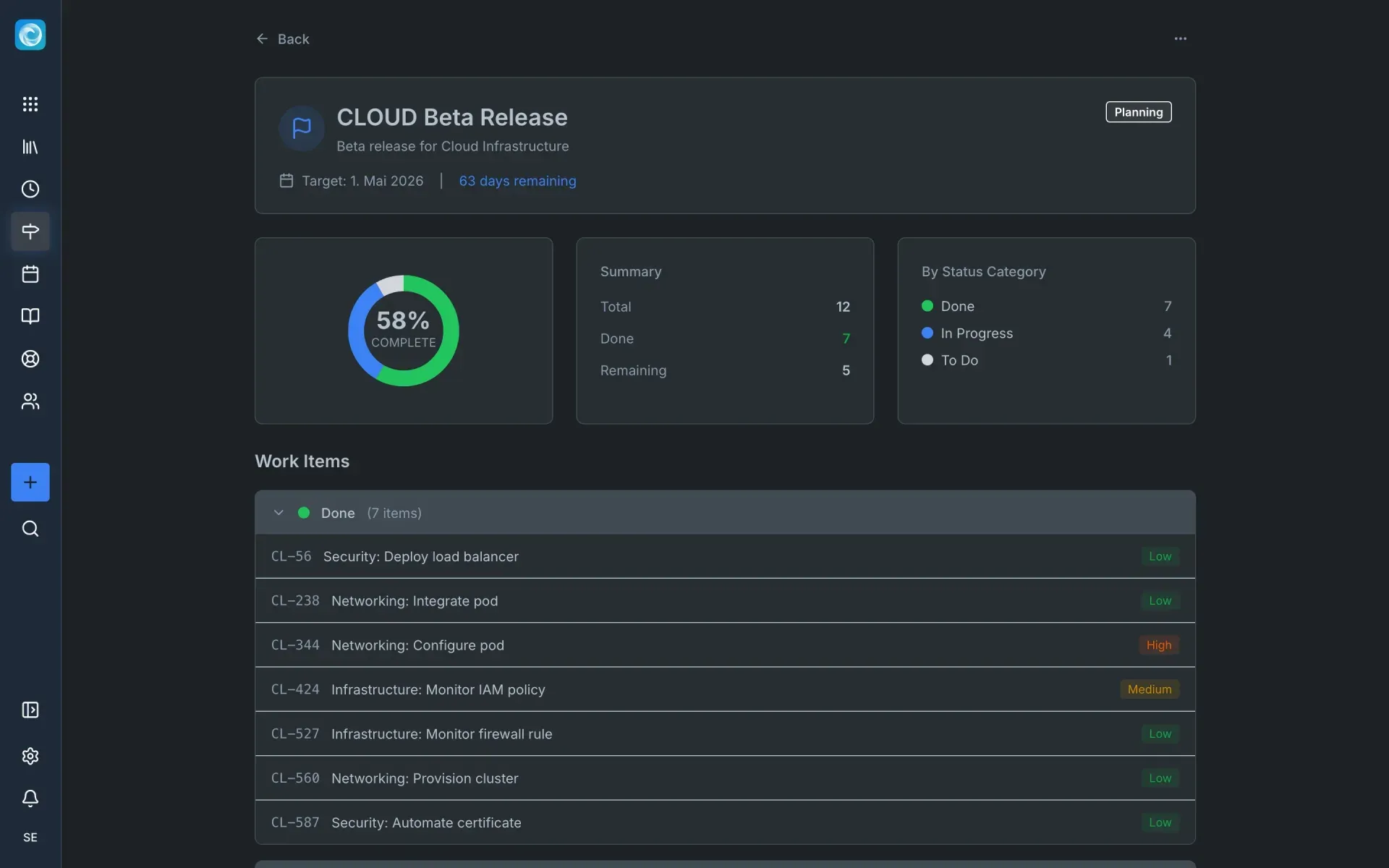
Official project screenshot of a milestone with progress and grouped work items.
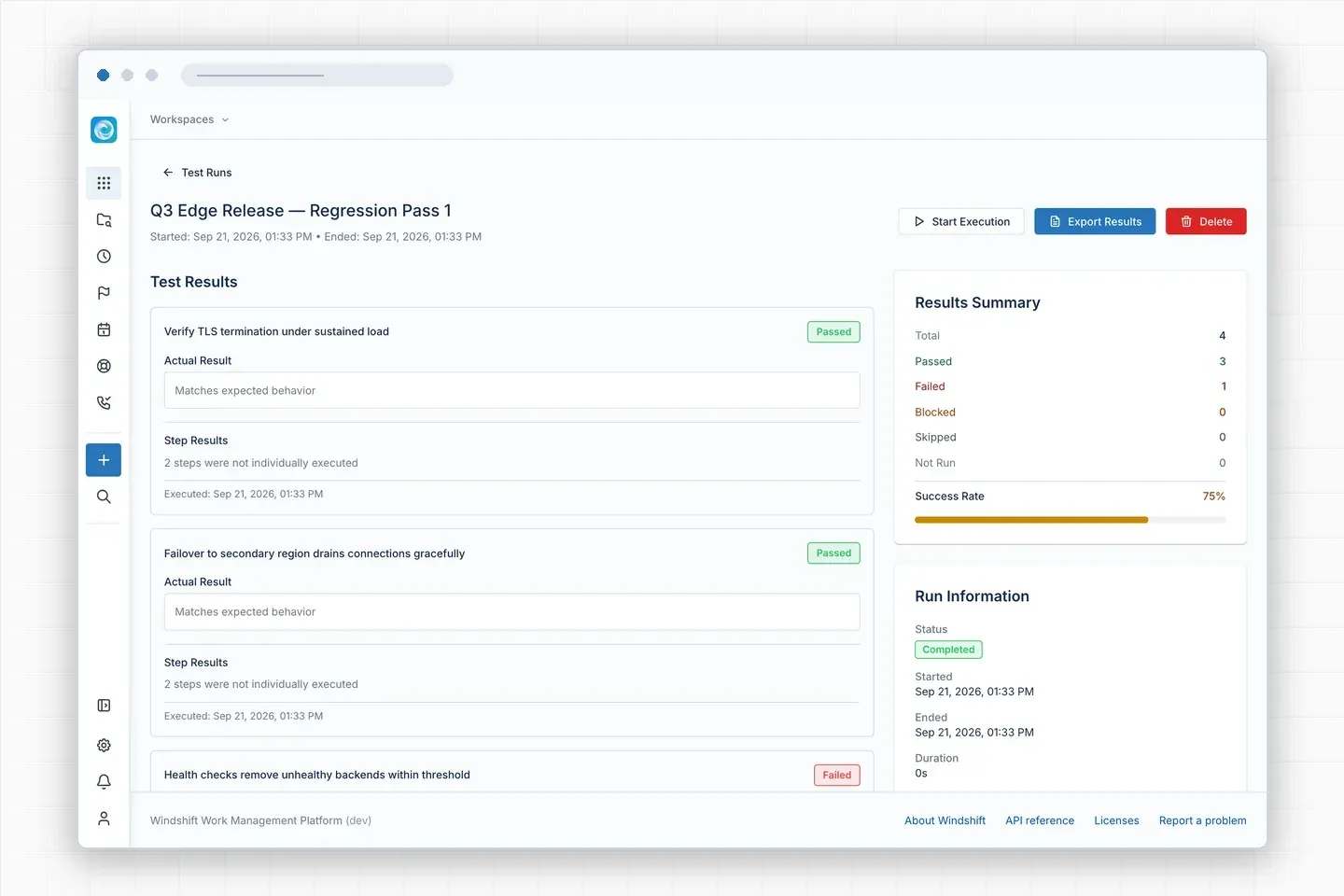
Official project screenshot of a test run with passed and failed cases.
Source: official Windshift project page.
Key capabilities
- Workspaces and configurable hierarchy Work is organized into workspaces and collections. Work items can be epics, stories, sub-tasks or custom item types, and the number of hierarchy levels is configurable. Each workspace has its own item types, statuses, priorities and permissions, so teams can keep different processes inside one installation.
- Boards, lists and backlogs Kanban boards, list views and a backlog view with sprints (called iterations) are included. Items can be dragged between columns and into sprints, and completed or cancelled iterations are hidden by default in the backlog with a per-view toggle.
- Tree, map and roadmap views The hierarchy views share one lazy loader. A level picker chooses which hierarchy level to show, and subtrees load when expanded, with a per-row control for large subtrees. Roadmaps place work on a timeline using start and due dates.
- Milestones Milestones can be global or scoped to a workspace. In 0.9.3 they gained a Markdown description, a comment thread, linked pages and an activity tab, plus a global milestones page with name, workspace and status filters.
- Custom fields, screens and workflows A workflow builder supports statuses, transitions, conditions and approvals. Custom fields and screens control what appears on each item type. Release 0.9.3 also adds a trigger for same-status loop transitions and keeps those transitions when importing from Jira.
- Windshift Query Language Filters and saved collections use a JQL-style query language. Saved results can be shared as views, which gives teams that already use Jira filters a familiar way to build dashboards and reports.
- Automation Event-driven actions update fields, send notifications and create work items. Actions support conditions, templates and validation, and the docs describe them as built-in rather than a separate marketplace add-on.
- Service management and customer portal Request types, queues, approvals, SLAs and a public request portal let customers submit and follow requests. Email intake and replies are handled through channels, and a stuck intake receipt can be discarded from the processing log.
- Test management Test cases, test sets and plans, templates, test runs and per-case results are included, with release reports. Test runs show a success rate, and results can be linked to the requirement they verify.
- Time tracking Timers, manual entries and worklogs can be tied to projects and customers, with billable and internal time separated and reported. In 0.9.3 a worklog customer is derived from its project, so deleting a customer organization no longer removes time logs for an unlinked project.
- Knowledge base and assets Pages support revisions, permissions, diagrams and search. An asset and CMDB register has asset sets, asset types, custom fields and reports, and the Jira importer can bring asset schemas across.
- Jira importer A built-in importer handles Jira Cloud and Data Center projects, including issues, comments, attachments, worklogs, boards, sprints and custom fields. The 0.9.3 release keeps the numeric part of Jira issue keys and stops imports from triggering live email or notification side effects. Run a representative project import first and review the fidelity findings.
- Source control integrations GitHub, GitLab, Gitea and Forgejo can be connected, with branches, commits and pull requests linked to work items by item key. Agent Studio binds a coding agent to a workspace, starts it from a work item and links the resulting pull request back.
- MCP server and REST API A built-in Model Context Protocol server exposes work items, comments, pages, knowledge, tests, time tracking and actions. It uses OAuth so an assistant acts as a real user with that user's permissions. A REST API v2 is documented in the REST API reference, and webhooks are supported.
- Plugin runtime Plugins run in a WASM runtime. From 0.9.3 a plugin manifest must declare the host permissions it needs from a closed catalog, and plugin routes require a session unless they opt into public access, which is gated by an environment setting that defaults to off.
- Identity and security The free edition includes role-based permissions, OpenID Connect single sign-on, LDAP and WebAuthn/FIDO2 authentication. Multiple identity providers, SAML 2.0, SCIM and audit logging are listed under the planned Pro edition.
- Interface languages Ten built-in languages are available, including right-to-left support for Arabic. Italian was added in 0.9.3 with a complete catalog.
- Installation options Run the single binary, the official Docker image, or the local evaluation installer script from the quick start. Two settings are required:
SSO_SECRET, which signs tokens and encrypts stored credentials, andBASE_URL. Readiness and version endpoints are documented for checks after start. - Desktop app and CLI A native macOS desktop app for Apple Silicon connects to a server or runs locally, and requires macOS 13 or newer. The
wscommand-line client is available through Homebrew and the CLI docs.
Where Windshift fits
Replacing or piloting a move away from Jira
Import one representative Jira Cloud or Data Center project into a test instance and inspect the result: issue keys, workflows, custom fields, sprint history and attachments. Review any fidelity findings the importer records, and have a pilot team work in it before planning a wider rollout. Plan permissions and automation rules separately, because they do not map one to one.
Running sprints and backlogs for a software team
Create a workspace, configure item types and a workflow, then plan iterations from the backlog and track progress on the board. Use the tree or roadmap view to see epics against stories at a chosen hierarchy level. Check that completed iterations are hidden or shown as your team expects before the first sprint review.
Handling customer requests and internal IT tickets
Configure request types, queues, SLAs and the customer portal, then connect an email channel for intake. A request becomes a linked work item, so the customer conversation and the internal task share one identifier. Test email delivery, approvals and SLA clocks with a few sample requests before exposing the portal to users.
Verifying releases with test runs
Write test cases, group them into sets and runs, and record results per case. Link results to the requirements they verify and review the release report. This works best when testers and developers share one workspace and one permission model.
Connecting repositories and AI agents
Link GitHub, GitLab, Gitea or Forgejo so branches and pull requests attach to work items by key. Use the OAuth-based MCP server for assistants that need to read or update items, and remember that the assistant inherits the permissions of the signed-in user. Review plugin permissions after each upgrade.
Operating a self-hosted instance
Start with SQLite for a trial and PostgreSQL for a team installation, pin the image tag rather than using latest, and keep the SSO_SECRET in a secret store. Follow the production-ready checklist for HTTPS, backups, monitoring and upgrade scheduling, which the project says remain the operator's responsibility.
Install
curl -fsSL https://windshift.sh/install.sh | shReviews of Windshift
Be the first to share your experience with Windshift.
Write a review
Loading review form…
Alternatives to Windshift
 OpenProjectOpenProject is open-source project management software from OpenProject GmbH in Berlin. It combines work packages, Gantt charts, boards, Scrum backlogs, time and budgets, wikis and meetings. Self-host the free Community edition or use the paid Enterprise cloud.
 PlanePlane is a project management tool for tracking work items, running cycles, grouping work into modules and writing pages. The Community Edition is AGPL-3.0 and self-hosted with Docker or Kubernetes; Plane Cloud and the Commercial Edition add paid plans.
 LeantimeOpen-source project management for teams without a dedicated project manager. Kanban, table and timeline views, goals, sprints, timesheets, wikis and idea boards run on PHP and MySQL, with a paid SaaS and a plugin marketplace.