

What is Pixelfed?
Pixelfed is a free and open-source photo sharing platform for the fediverse. An installation, usually called a server or instance, provides the familiar pieces of an image-centric social network: a profile grid, album posts, comments, likes, Stories, collections, direct messages and a Discover page. The project describes its feeds as chronological and its service as ad-free, and each server sets its own registration rules, limits and moderation policy. Users can sign up on an existing server listed in the Pixelfed server directory or run their own.
The project was started by Daniel Supernault (dansup), and the GitHub repository dates from April 2018. The pixelfed.org footer credits Pixelfed Inc. Development is funded through Patreon and has received grants from the NLnet Foundation under the NGI0 Discovery programme. The contribution policy in the README states that pull requests, documentation, translations or issues substantially generated by generative AI are not accepted. Translations are coordinated through Crowdin.
Pixelfed is a PHP application on the Laravel framework, with Redis for caching and queues, Laravel Horizon for background jobs and MySQL or MariaDB as the primary database. Federation uses ActivityPub with HTTP signatures, so accounts can follow and interact with Pixelfed, Mastodon and Akkoma users. The client API follows the Mastodon client API and adds Pixelfed-only endpoints, documented on the developer site. Official mobile apps exist for iOS and Android, and third-party Mastodon clients can use the compatible endpoints.
The latest release at the time of checking is v0.15.2, published October 21, 2026. It is a security update: the Docker base image moved to serversideup/php 5.0.2 with PHP patches for two CVEs, release images were rebuilt with updated CA certificates, and cached home timelines became the default. The v0.15.0 release dropped PHP 8.3, made PHP 8.4.1 the minimum, added FEP-6757 support and an account deletion API route, and raised the hashtag follow limit from 25 to 100. The v0.14 series added consent-respecting quote posts (FEP-044f), followers collection synchronization (FEP-8fcf) and group chats in direct messages. The maintainers state that refactoring continues toward a new Nuxt-based web interface.
Since September 2026 the README recommends Docker Compose for new instances, while a manual installation on a PHP-FPM stack remains supported. Pixelfed is licensed under AGPL-3.0, so operators who modify the server and offer it over a network must make their changes available. The project website lists no paid hosting plan; several third-party hosts and packagers, such as YunoHost, offer deployment options that are not maintained by the Pixelfed team.
Pixelfed screenshots
Explore the interface. Open a screenshot to view it at full size.
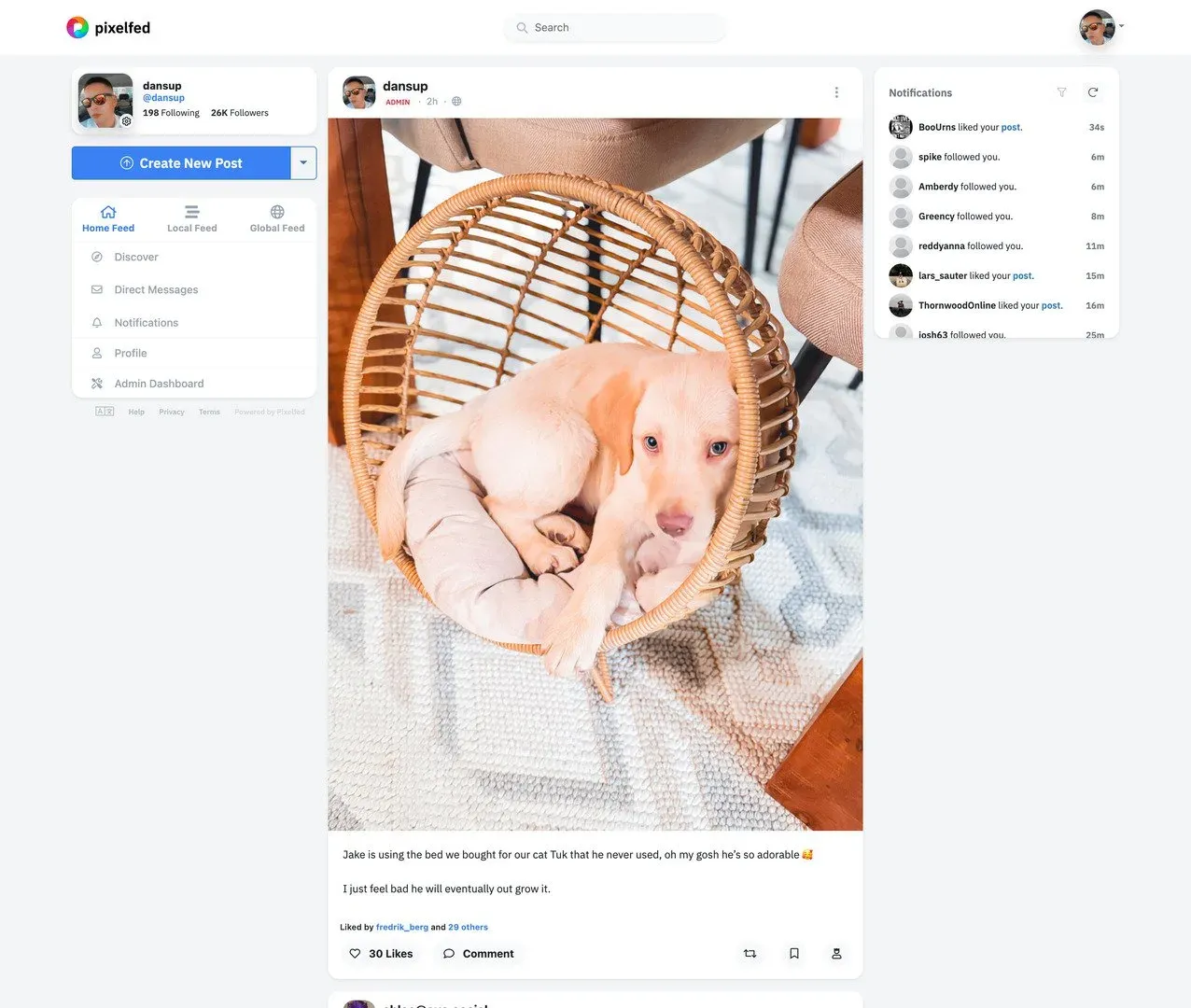
Official README screenshot of the Pixelfed web interface: profile card, home, local and global feed tabs, a photo post and the notifications sidebar.
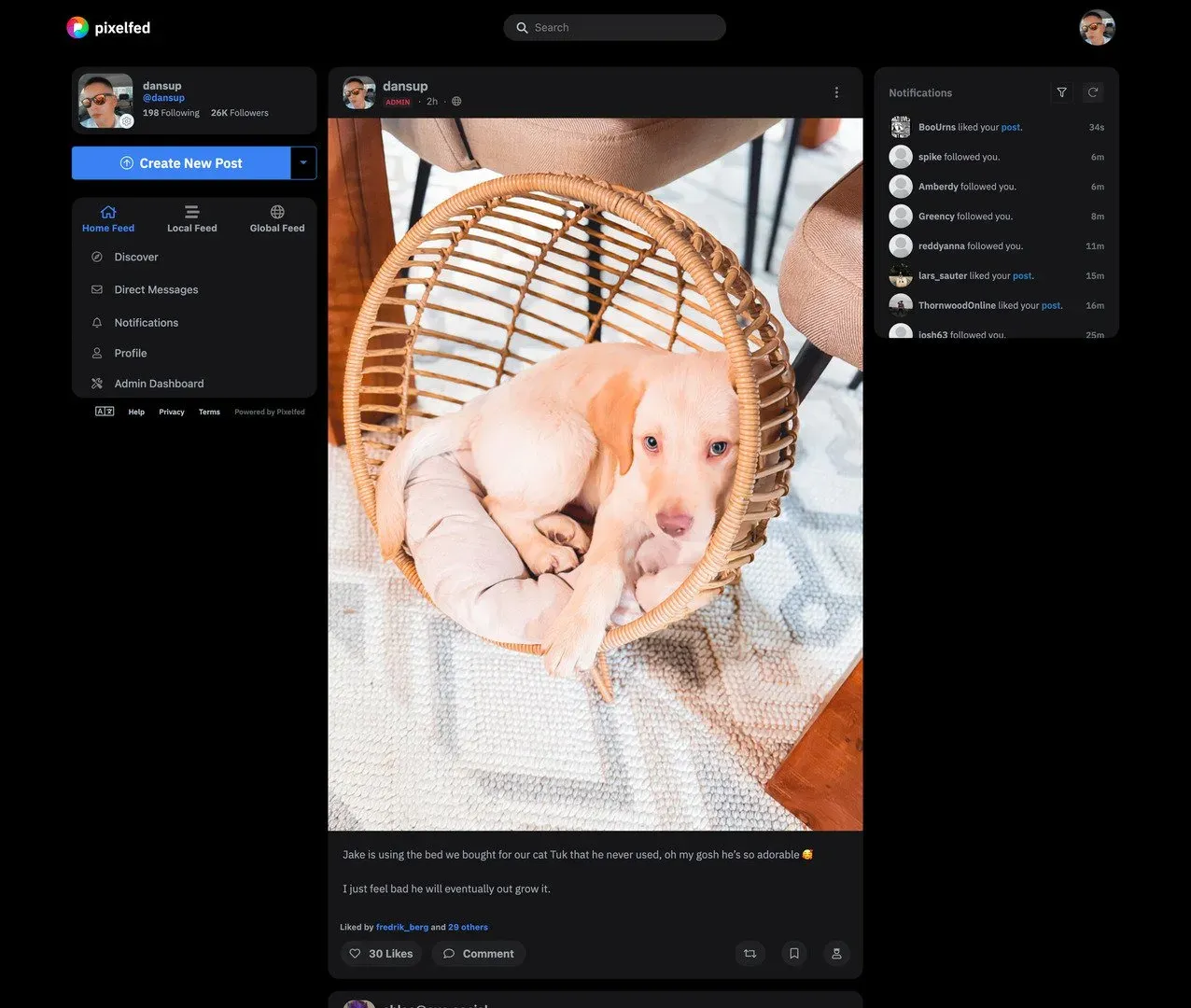
Official README screenshot of the dark theme, with links to Discover, Direct Messages, Notifications, Profile and the Admin Dashboard.
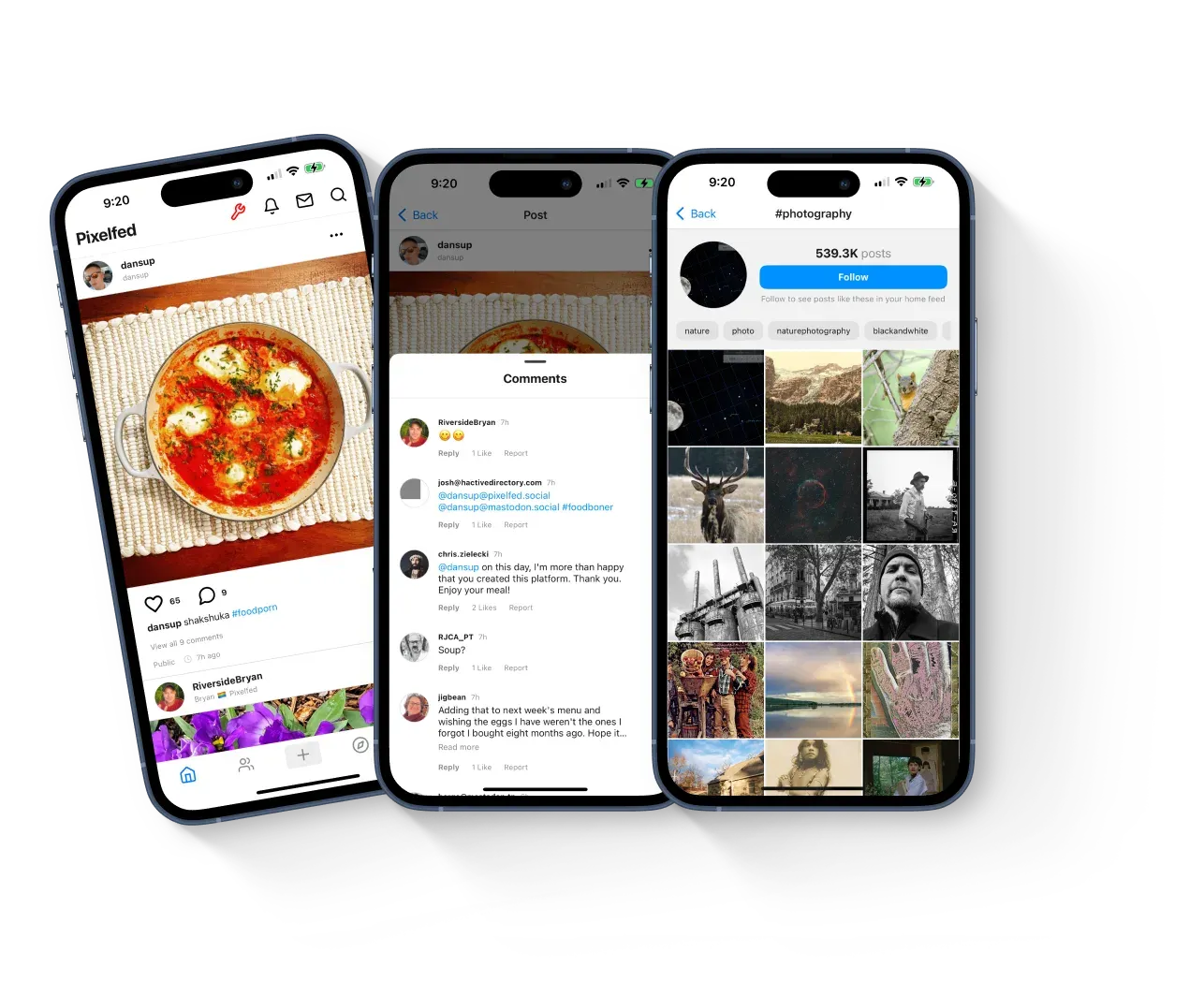
Official pixelfed.org image of the mobile app: home feed, threaded comments including replies from remote fediverse accounts, and the #photography hashtag page.
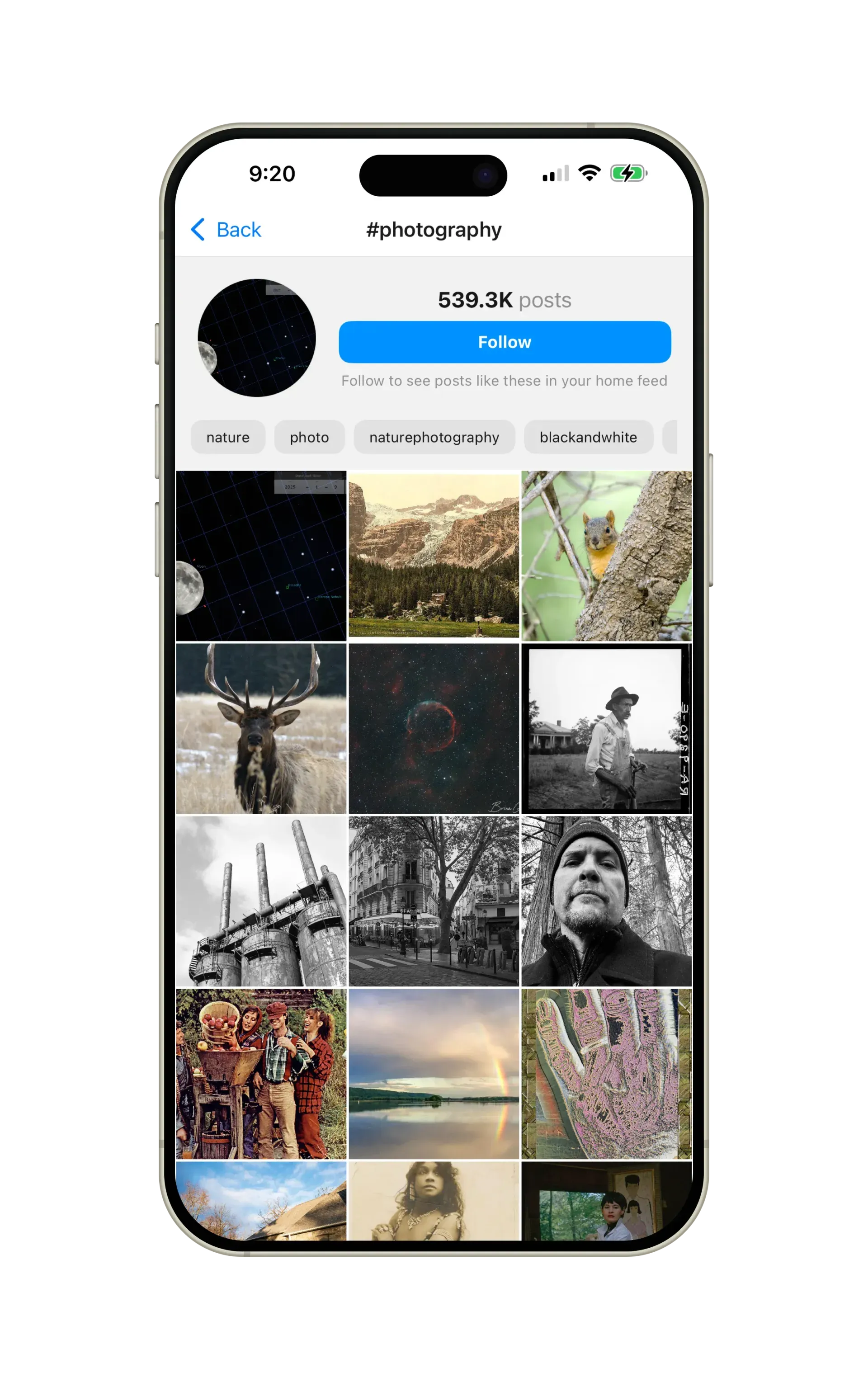
Official pixelfed.org screenshot of a hashtag page in the mobile app, with the option to follow the tag in the home feed.
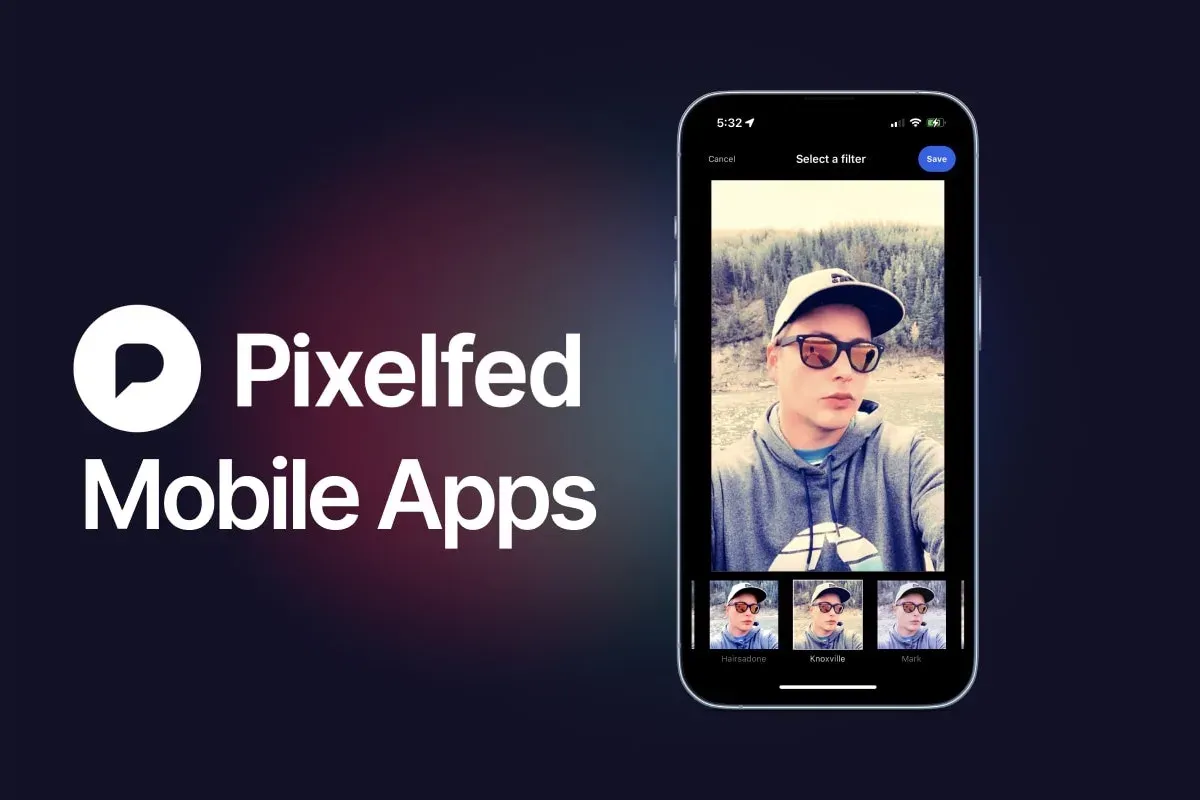
Official pixelfed.org mobile apps image showing the photo filter picker during post creation.
Source: official Pixelfed project page.
Key capabilities
- Photo and album posts Users publish single images or albums with captions, alt text, content warnings and optional location tags. The defaults allow 4 media items per album, 500 characters per caption and 1,000 characters of alt text, and an upload size of 15,000 KB per file. Each value is an environment setting, for example
MAX_ALBUM_LENGTHandMAX_PHOTO_SIZEin the Docker environment example. - Filters and modern image formats The composer includes photo filters, with WebGL filters added in v0.12.5. Uploads default to JPEG, PNG and GIF. With the libvips image driver, which the Docker image uses, operators can also accept HEIC, HEIF, AVIF, JPEG XL and WebP, and v0.15.0 preserves ICC colour profiles when images are resized.
- Chronological home, local and global feeds The web interface separates a home feed of followed accounts, a local feed for the server and a global feed of federated content. Release v0.15.2 enables cached home timelines by default, and the upgrade notes recommend rebuilding active feeds with
php artisan app:home-feed-rebuild. Whether the local timeline and Discover are visible to logged-out visitors is a server setting. - Stories, collections and pinned posts Stories are posts that disappear after 24 hours; they are disabled by default through
STORIES_ENABLEDand are only federated to known Pixelfed servers. Collections group up to 100 posts by default, and v0.13.0 added initial support for featured collections. Pinned posts arrived in v0.12.6. - Direct messages and group chats Private conversations are available on the web and in the apps. Release v0.14.2 refactored direct messages, added group chat support and improved threading with Mastodon conversations. Administrators can decide whether newly created accounts may send DMs.
- ActivityPub federation Accounts can follow, comment on and like posts from remote Pixelfed, Mastodon and Akkoma accounts. The ActivityPub specification page lists the supported activities, including Create, Announce, Like, Flag and Story activities, and extensions such as Blurhash, custom emoji, content warnings and groups based on FEP-400e and FEP-1b12. Federation can be switched on or off with
ACTIVITY_PUBand the inbox and outbox settings. - Mastodon-compatible client API The developer documentation splits endpoints into Mastodon-compatible resources (accounts, statuses, media, timelines, notifications, search, conversations, filters) and Pixelfed-only ones such as collections, Stories, Discover, archive and push. Adding
_pe=1to a request returns Pixelfed's own schema. Some Pixelfed-only features can be disabled by the administrator, so clients should read/api/v2.1/configfirst. - OAuth and personal access tokens OAuth is enabled by default because the mobile apps and third-party clients depend on it. Access tokens last 365 days and refresh tokens 400 days unless changed. Personal access tokens exist but are off by default (
OAUTH_PAT_ENABLED), and OIDC sign-in support was added in v0.12.6. - Official mobile apps The project publishes Pixelfed apps on the App Store and Google Play. They sign in to any Pixelfed server that allows app registration. The website also notes that third-party apps can be used.
- Registration controls Operators choose between open registration, closed registration, admin invites and curated onboarding, where an administrator reviews applications. Email verification is enforced by default, the minimum registration age defaults to 16, and
PF_MAX_USERScaps the number of local accounts at 1,000 unless raised. Captcha options are hCaptcha, Cloudflare Turnstile and Cap since v0.12.12. - Moderation and safety Users can report posts and profiles, and reports can trigger email alerts to administrators. The admin dashboard covers reports, autospam, moderated profiles, domain blocks (with a Mastodon-compatible admin domain blocks API) and a legal notice page. Custom filters let users hide posts by keyword, and optional parental controls let a parent account manage a child account.
- Storage quotas and S3-compatible storage Media is stored on local disk by default. Setting
PF_ENABLE_CLOUDmoves media to S3-compatible object storage using the standardAWS_*variables, including custom endpoints for non-AWS providers. A per-account size limit of 1,000,000 KB applies unless changed. - Docker Compose deployment The repository's docker-compose.yml runs five services: MySQL 9, Redis 8, the Pixelfed web container on FrankenPHP (port 8080), a Horizon queue worker and a scheduler. The image is built from the repository and compiles ffmpeg 9.0.2 and libvips 8.18.7 from source. The web container runs with
SSL_MODEoff, so TLS is expected at a reverse proxy in front of it. - Manual Linux installation The installation guide clones the
devbranch, runs Composer, configures.env, generates keys and the instance actor, and serves thepublicfolder through nginx or Apache with PHP-FPM. Horizon must run as a systemd or Supervisor service and the Laravel scheduler from cron every minute. The prerequisites page lists GD or Imagick, JPEGOptim, OptiPNG, PNGQuant and ffmpeg for media processing. - Command-line administration The CLI cheatsheet documents Artisan commands for creating, promoting, suspending and deleting users, cleaning unused media, regenerating thumbnails, running and listing backups and managing queues. Release v0.14.0 added a federation debug command for diagnosing delivery problems.
- Instagram import and account migration An Instagram data import is available but disabled by default (
IMPORT_INSTAGRAM), with a default limit of 100 imported posts. Account moves between fediverse servers are handled through ActivityPub Move, and v0.15.0 rejects new follows for accounts that have moved. - Embeds and public profiles Profiles and posts can be embedded on other websites, and video embeds were added in v0.14.2. Both embed types can be disabled per server. Profile pages can show a website link for verification purposes.
Where Pixelfed fits
Running a photo community under your own domain
Photography clubs, art schools and regional communities can run a server whose rules, registration policy and moderation they control. Start with the Docker Compose setup, set APP_URL, APP_DOMAIN and mail settings, and decide whether registration is open, invite-based or curated. Check that confirmation emails arrive, that PF_MAX_USERS and storage quotas match the expected membership, and that the reverse proxy forwards HTTPS correctly.
Joining the fediverse with a photo-first account
Photographers who already use Mastodon can keep a separate photo profile that Mastodon followers can still follow and reply to. Sign up on a server from the server directory or host a single-user instance. Verify that a remote Mastodon account can follow the Pixelfed profile, that replies appear under the post, and how album posts and alt text are rendered on the remote side.
Moving an image archive away from a commercial platform
Pixelfed can import Instagram data exports when the administrator enables IMPORT_INSTAGRAM. The default limit is 100 posts per import, so plan larger archives with the operator. After import, compare captions, dates and image quality with the originals, and keep the original export as a backup, because the import is a one-time copy rather than an ongoing sync.
Building a client or integration on the API
Developers can reuse Mastodon client libraries for timelines, statuses, media upload and notifications, then add Pixelfed-only endpoints for collections, Stories or Discover. Register an OAuth application, read /api/v2.1/config to see which features the target server enables, and test against at least two servers with different settings. The API reference marks which endpoints behave like their Mastodon counterparts.
Operating and upgrading an instance safely
Release notes include upgrade steps for Docker and standalone installations, and every recent release repeats the instruction to back up the server and database first. For Docker, the documented path is git checkout of the release tag, docker compose build --pull and docker compose up -d; migrations run automatically. Watch Horizon queue health after an upgrade and use backup:run and backup:list from the CLI cheatsheet to confirm that backups complete.
Scaling media storage
A busy server accumulates originals, thumbnails and remote media caches. Moving media to S3-compatible storage with PF_ENABLE_CLOUD separates storage growth from the application host. Test uploads, deletions and avatar handling after the switch, schedule media:gc to remove orphaned uploads, and confirm that the bucket and its CDN, if any, serve the correct cache headers.
Reviews of Pixelfed
Be the first to share your experience with Pixelfed.
Write a review
Loading review form…
Related to Pixelfed
 PeerTubePeerTube is Framasoft's AGPL-3.0 video hosting server. Each instance runs its own catalogue, users and moderation, federates with other instances and Mastodon over ActivityPub, and offloads viewer traffic with WebRTC peer-to-peer.
 ImmichImmich organizes photos and videos on a self-hosted server, with web and mobile access, automatic mobile backup, facial recognition, metadata search and album sharing.