

What is Piwigo?
Piwigo is open source photo gallery and digital asset management software for the web. The project's website describes it as built for organisations, teams and individuals who need to import, organize, search and share a media library. It runs as a PHP application with a MySQL or MariaDB database and serves galleries and an administration area through the browser.
The source code is at github.com/Piwigo/Piwigo and is released under the GPL v2 license, see the copying details. The project's website at piwigo.org carries documentation links, a community forum, news, a catalog of plugins and themes and the hosted service. The website footer shows copyright dates from 2002, which is the earliest date the project states, and the repository's description mentions more than 200 plugins and themes.
You can run Piwigo in two ways. The download page offers the self-hosted package, which the README describes as unzipping the archive, uploading it to a web space and following the installer, with an official Docker image introduced in release 16.0. Alternatively, Piwigo Cloud is a hosted service that the website says is operated in France on the company's own infrastructure.
The reviewed release is 16.4.0, published May 3, 2026. According to its release note, it is a maintenance release that fixes bugs, updates translations and addresses seven security advisories, including an SQL injection in the upgrade process. The previous major version, 16.0.0 of November 24, 2025, raised the minimum PHP version to 7.4, added API keys, TOTP two-factor authentication, standard sign-in pages and an official Docker image.
Piwigo manages photos, videos and other files in albums. It is not a photo editor or a raw developer, and it is not a social network, although comments and user accounts are available.
Piwigo screenshots
Explore the interface. Open a screenshot to view it at full size.
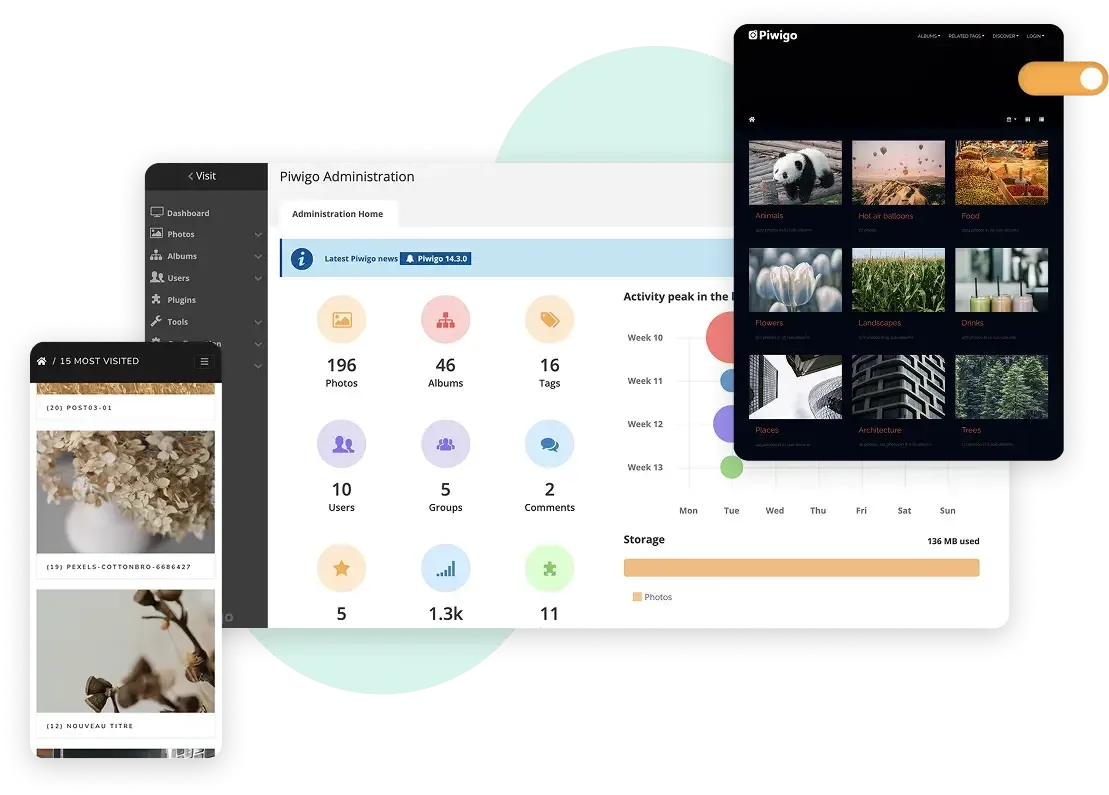
Official Piwigo website image: the administration dashboard with library counts and storage, a dark-theme gallery and a mobile view.
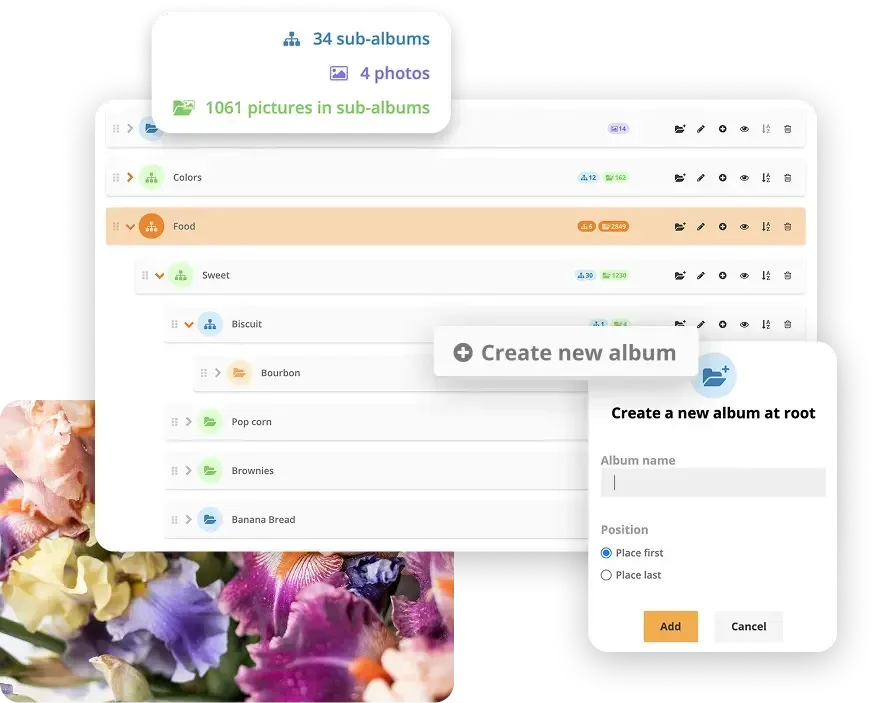
Official Piwigo website image of the album manager: nested albums with counts and the dialog for creating a new album.

Official Piwigo website image of the search panel with word search options and tag filters over a grid of results.
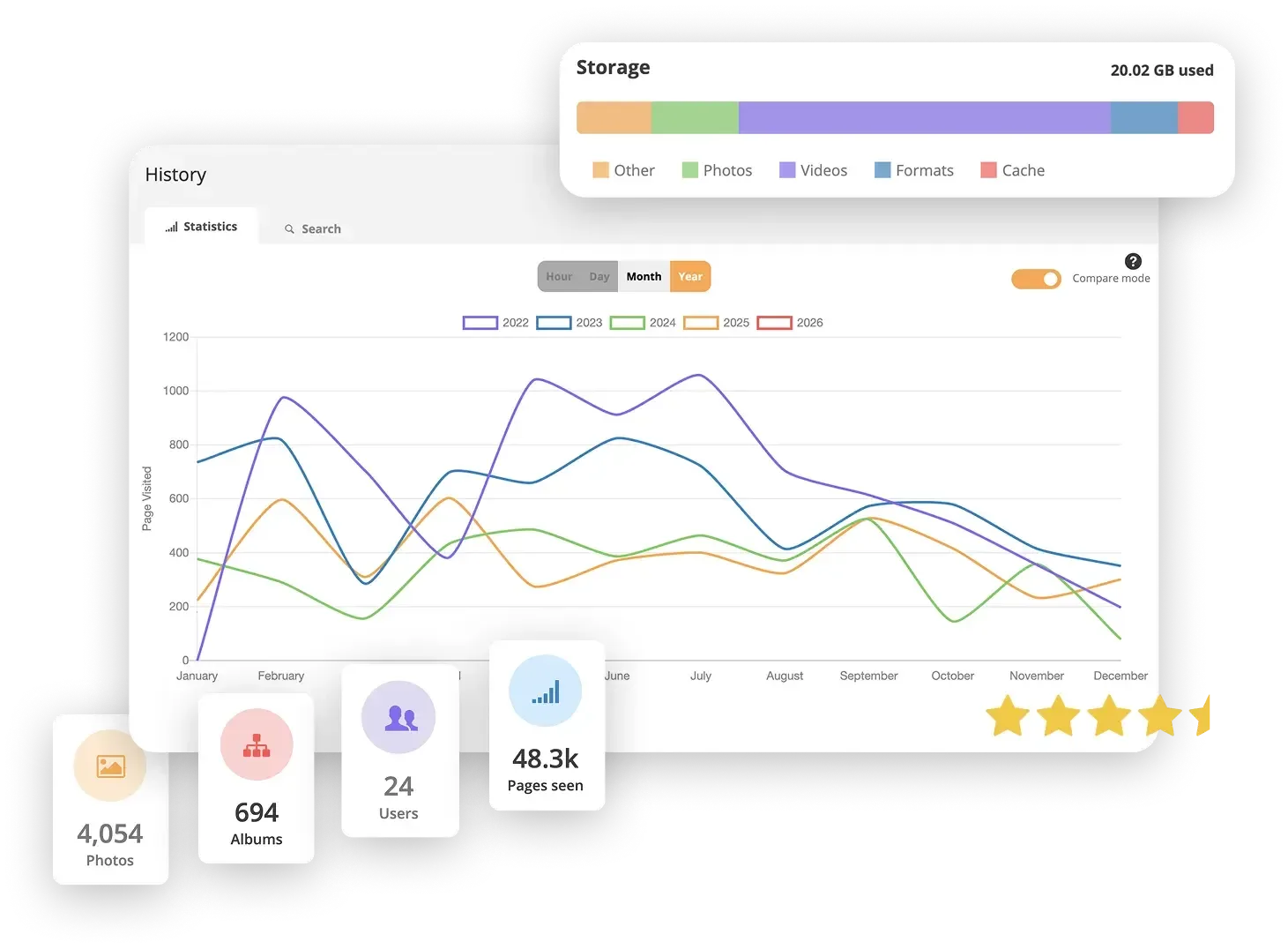
Official Piwigo website image of the statistics page: page visits by year, storage by file type and library totals.
Source: official Piwigo project page.
Key capabilities
- Import and upload Photos and videos can be uploaded through the browser, with batch upload into an album. Release 16.0 added the option to replace images with same-named files in an album during upload while keeping their metadata. Accepted file types depend on your server and, on Piwigo Cloud, on the plan.
- Albums and sub-albums A tree of albums and sub-albums organizes the library, with drag-and-drop ordering, counts of photos and nested photos, and album-level permissions. The administration screen shows the hierarchy, which scales to a large number of albums.
- Tags and metadata Photos can carry tags, titles, descriptions, authors and dates. Release 16.0 moved related tags to a dropdown with badges on tag pages.
- Search and filters Visitors can search by words in titles, file names, authors, descriptions, tags and album names, and filter by tag, date, album or location. Administrators can choose which filters appear and set defaults per user group, as of 16.0. An expert mode adds advanced operators.
- Users, groups and permissions Roles such as webmaster, administrator, basic, generic and guest, plus user groups, control who can view or manage which albums. The user list supports filters and activity history. The VIP cloud plan adds single sign-on and password rules.
- Sharing and comments Albums can be public, private or limited to groups, and visitors can leave comments that administrators validate in a comments manager, redesigned in 16.0 to separate pending from validated items.
- Plugins and themes The extensions catalog offers plugins and themes that change layout, add features or integrate other tools. Check compatibility with your Piwigo version before updating, because 16.x warns about plugins that may not work.
- Themes for the public gallery Themes change the gallery layout and style. Piwigo's standard pages for sign-in, registration and profile, introduced in 16.0, can use a custom logo and a light or dark switch.
- Web API and API keys A web API supports scripts and external apps, and since 16.0 API keys, tied to a user and limited in time, replace the use of a username and password. See the web API documentation.
- Two-factor authentication TOTP-based two-factor authentication was reworked in 16.0 to work with mobile apps through API keys. Enable it for administrator accounts first.
- Statistics and history The administration area shows storage use by type, counts of photos, albums and users, and page-visit statistics by hour, day, month and year, with a compare mode. 16.0 added filters to the user activity log.
- Image sizes and caching Piwigo generates resized derivatives, with optional 3XL and 4XL sizes disabled by default to save storage. ImageMagick is recommended and PHP GD is the fallback. Release 16.0 prefers external command-line ImageMagick over the PHP wrapper.
- Multilingual interface The interface is translated into many languages, and the 16.4.0 release updated about 25 of them. Date formats vary by language as of 16.0.
- Manual install The README lists the requirements: a web server such as Apache or nginx, PHP 7.4 or later, MySQL 5 or later or a MariaDB equivalent, and ImageMagick or PHP GD. The manual install guide walks through the setup.
- Docker install An official Docker image is documented in the Docker guide. Mount persistent volumes for the gallery files and the database, or the data will be lost when the container is recreated.
- Upgrades Automatic and manual upgrade paths are described in the release notes. For 16.x installations, a zip archive can be applied over the existing files with no database upgrade, according to the 16.4.0 note.
- Piwigo Cloud and support plans The pricing page lists cloud plans from 32 euros per month for Pro with 10 GB of storage, a 30-day trial, and optional paid support for self-hosted installs. Prices are in euros, excluding VAT.
Where Piwigo fits
Hosting a personal or family photo gallery
Install Piwigo on a PHP host or with Docker, create albums by event, and set most albums to private or group access. Test that thumbnails generate correctly with your ImageMagick or GD setup, and keep a separate backup of the original files, since the gallery is not itself a backup. Decide early whether family members get accounts or a shared guest link, and test both from a phone.
Publishing a portfolio or club site
Choose a theme from the catalog, keep a public album tree and add tags for subjects. Check how the theme handles mobile screens and large images, and confirm that visitors cannot reach private albums through search. Add a clear album structure and descriptions so the site reads well without a search box.
Running a shared library for an organisation
Create user groups, assign album permissions and decide who can upload. Use comments moderation and the activity log to see who changed what, and enable two-factor authentication for administrators. Review the roles carefully before inviting external contributors, and write down who owns each album so permissions stay current when people leave.
Building a searchable archive
Plan tags, titles and descriptions before importing, so that keyword and filter search return useful results. Import a sample, run searches that your users would try, and adjust which filters are shown for each group.
Automating uploads and integrations
Use the web API with an API key to upload or read photos from scripts. Store keys as secrets, give them an expiry date and prefer a dedicated user with limited permissions. Test the script against a copy of the gallery before using it on production data.
Keeping an installation updated
Read the release notes, check plugin compatibility, back up the database and the files, then use the automatic upgrade or the archive for your series. After upgrading, check thumbnails, a private album and the administration dashboard.
Reviews of Piwigo
Be the first to share your experience with Piwigo.
Write a review
Loading review form…
Alternatives to Piwigo
 ImmichImmich organizes photos and videos on a self-hosted server, with web and mobile access, automatic mobile backup, facial recognition, metadata search and album sharing.
 EnteEnte is an AGPL-3.0, end-to-end encrypted cloud for photos (Ente Photos), 2FA codes (Ente Auth) and documents (Ente Locker), with apps for mobile, desktop and web, 10 GB free and a Go server you can self-host.
 PixelfedPixelfed is an AGPL-3.0 photo and video sharing platform built on Laravel. Each server keeps its own accounts, media and moderation, uses chronological feeds without ads, and federates over ActivityPub. Official iOS and Android apps are available.