

What is BoxBox?
BoxBox is a self-hosted, browser-based file manager for homelab and NAS-style Linux servers. It gives a web interface to configured mount points on the host, with large file and folder uploads, previews, an in-browser code editor, name search, share links and background copy, move and delete jobs. The project is developed in the public jR4dh3y/BoxBox repository on GitHub, with documentation and downloads on boxbox.radhey.dev. It is released under the MIT license.
The architecture documentation describes a single-server web app: a Go HTTP server exposes a REST, streaming and WebSocket API under /api/v1 and serves an embedded static build of the SvelteKit frontend. The production Dockerfile builds the frontend with Bun, compiles it into the Go binary and runs it in a small Alpine image, so one HTTP process listens on port 8080. Every virtual path is resolved through one function that checks the mount name, rejects path traversal, refuses writes to read-only mounts and keeps symlinks inside their mount. Server state such as settings, shares and the authentication session registry is kept as files in a data directory, by default /data.
The documented deployment path is Docker Compose with the image published to GitHub Container Registry as ghcr.io/jr4dh3y/boxbox; the Docker guide states that no source checkout is required. A simple docker run container and local source builds are documented as alternatives. Standalone server binaries are published for Linux amd64 and arm64. Stable release tags update the latest image tag, while nightly builds go to a separate boxbox-nightly package.
The latest release is v0.3.2, published October 30, 2026. It adds a Linux desktop app, built with Electrobun and a bundled Chromium, that manages local files and pairs with self-hosted BoxBox servers using one-time codes and revocable device credentials. The release also fixes a read-only mount bypass, published as advisory GHSA-5x8j-9rww-9w52, that affected v0.3.1 and earlier when a protected location was also reachable through a writable parent or alias mount. Other changes since v0.3.1 include whole-folder loading with client-side sorting and filtering, keyboard navigation, wallpaper themes and per-account preferences that sync at login.
The project lists macOS, Windows, ARM desktop and Alpine or musl desktop builds as not provided. The server targets Linux hosts, and the Docker guide notes that a Linux host is needed for accurate drive discovery and mount propagation. Similar self-hosted file tools in this directory include Filestash, Sync-in and Nextcloud.
BoxBox screenshots
Explore the interface. Open a screenshot to view it at full size.
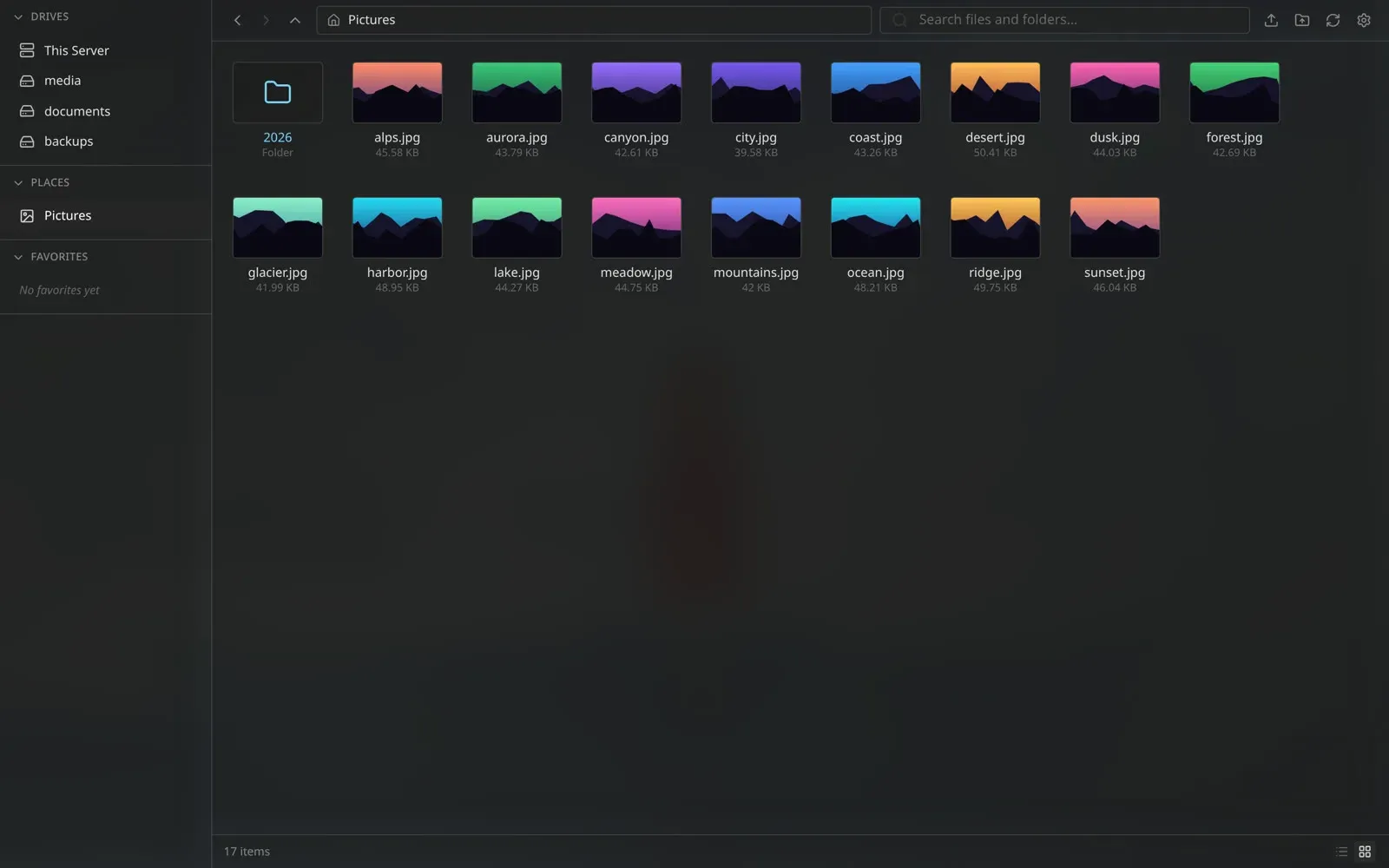
Browsing a Pictures folder in grid view, with configured drives and a Places shortcut in the sidebar. Official README screenshot.
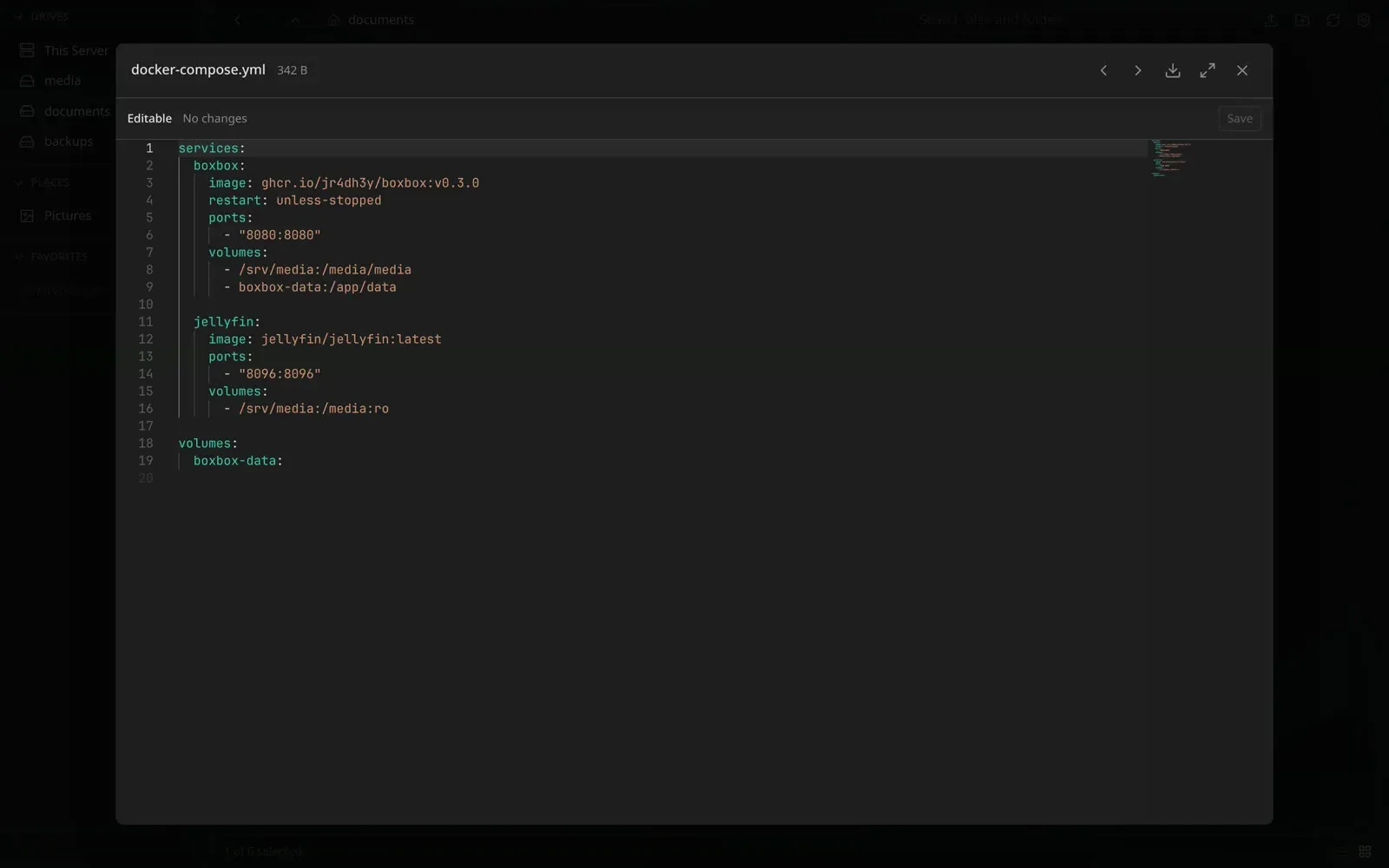
Editing a docker-compose.yml file in the built-in Monaco editor. Official README screenshot.
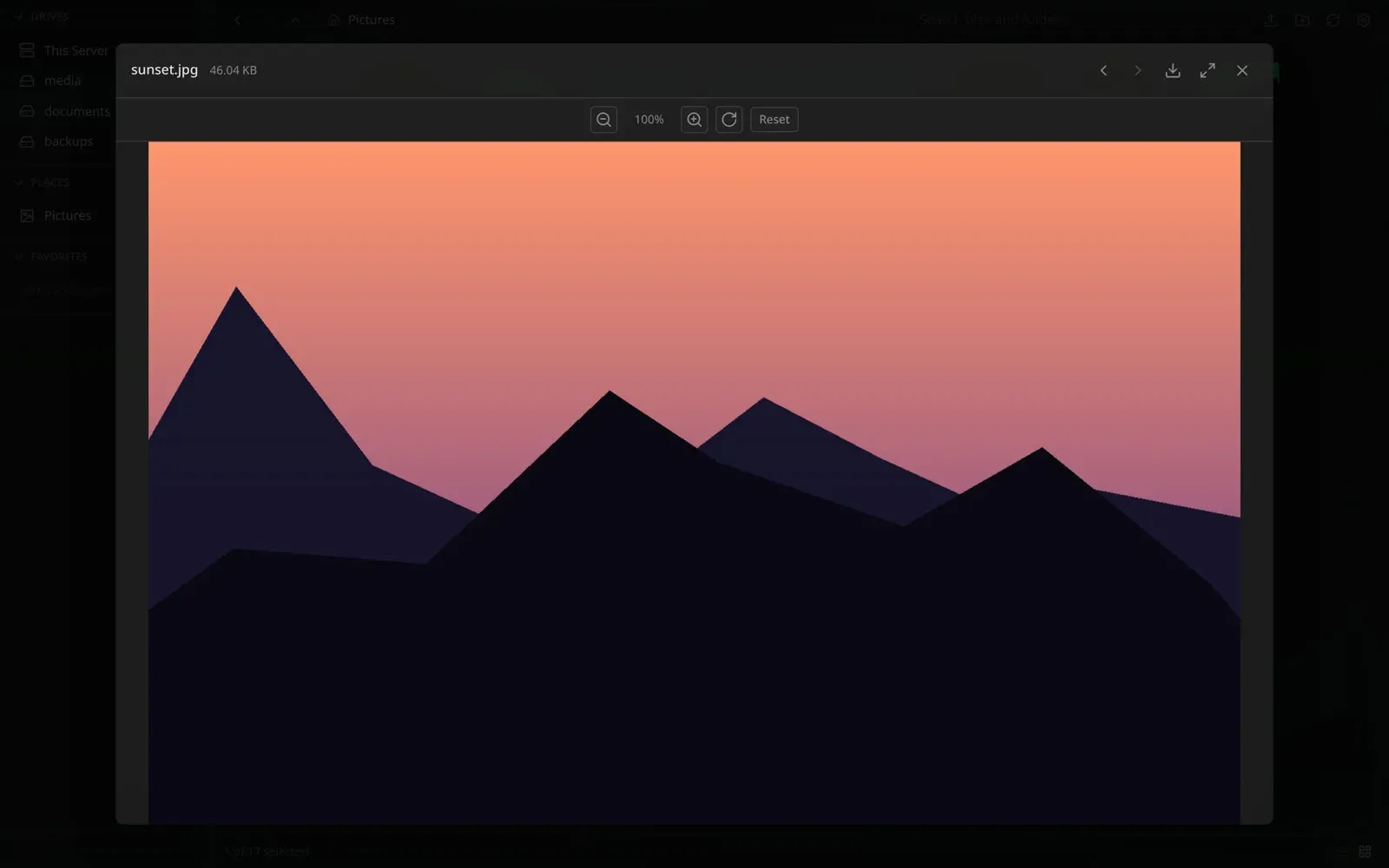
Previewing an image without downloading it, with zoom and rotate controls. Official README screenshot.
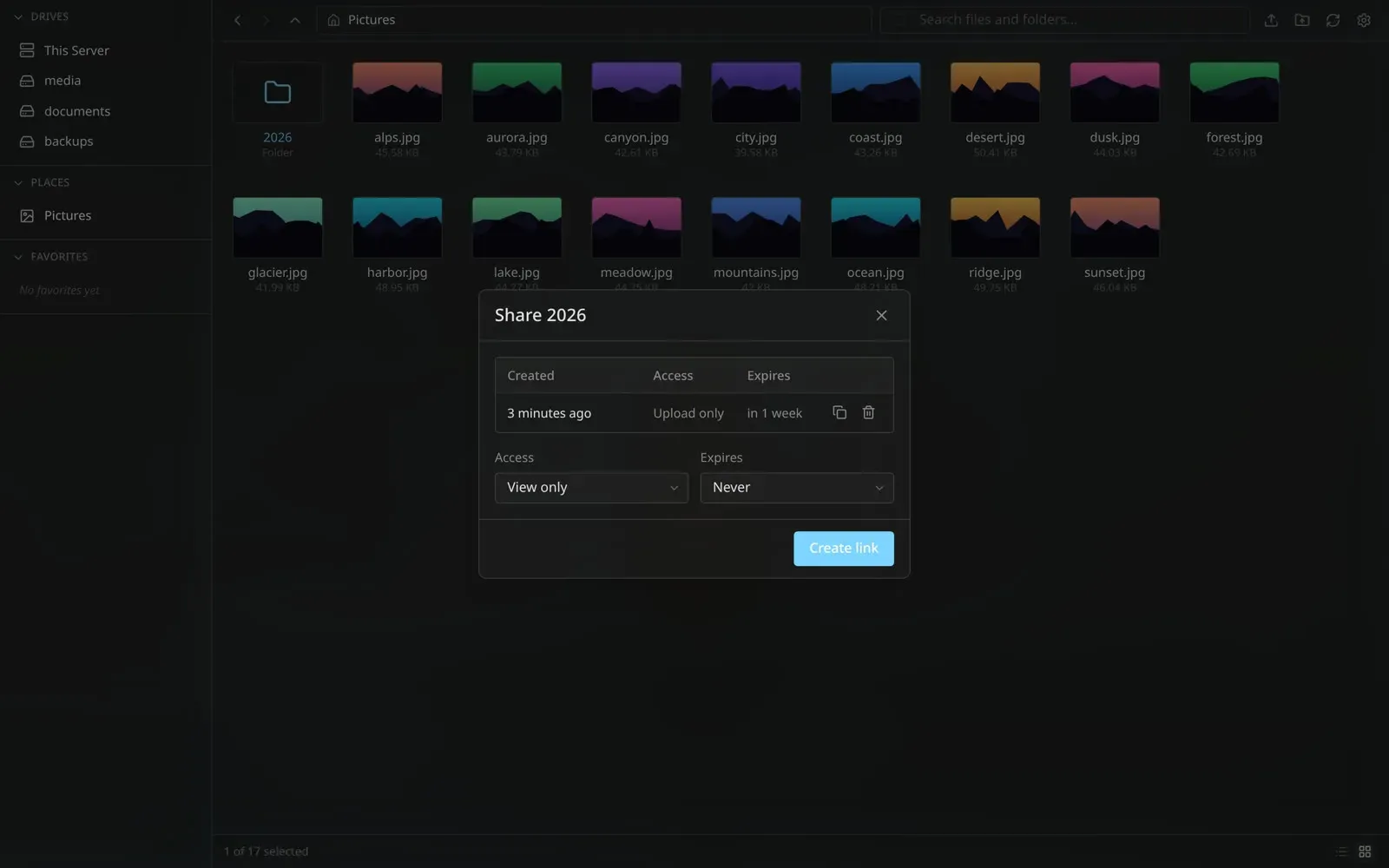
Share dialog for a folder: an existing Upload only link and options to create a new link with access level and expiry. Official README screenshot.
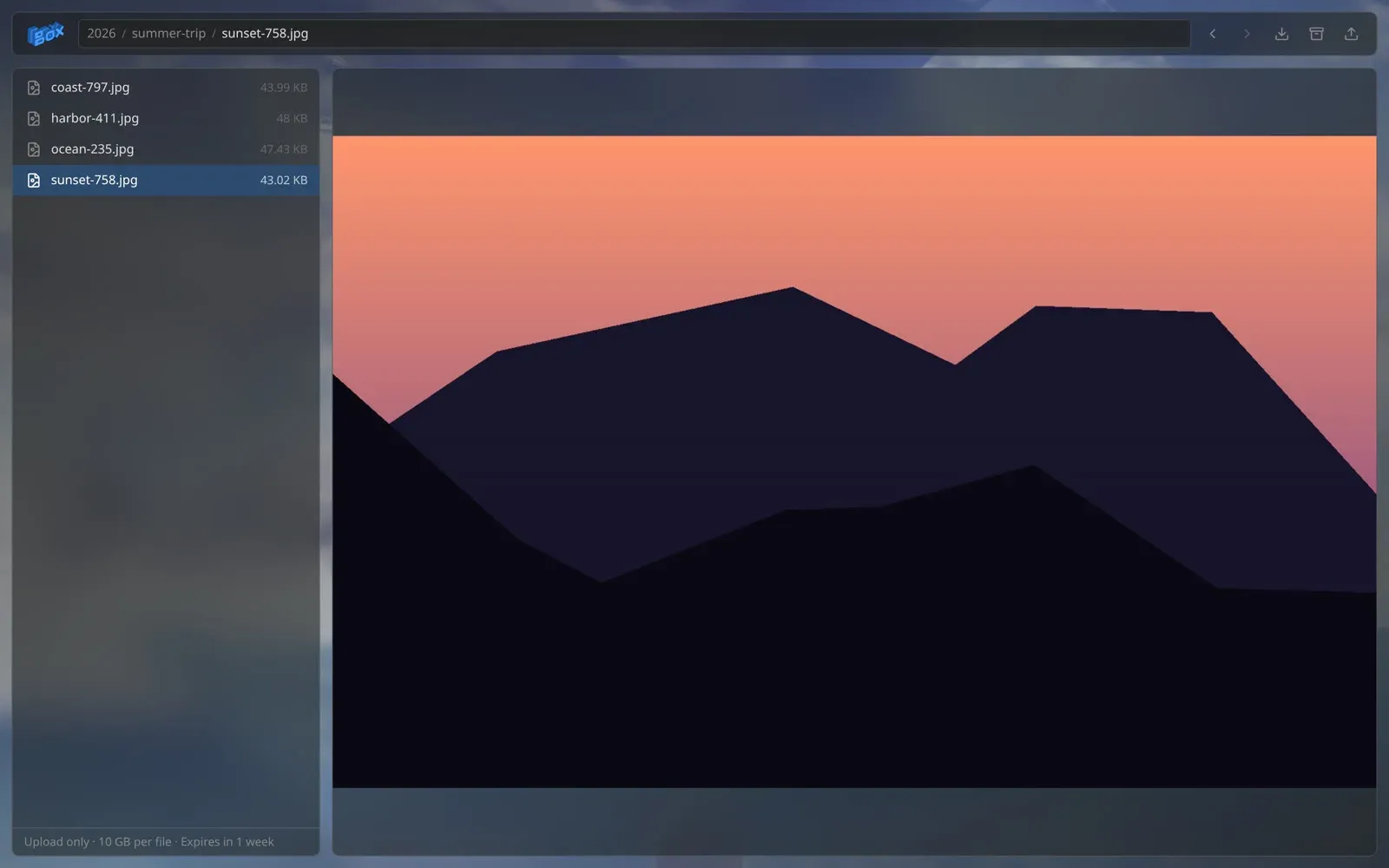
Public share page: recipients browse, preview and download shared files without an account. Official README screenshot.
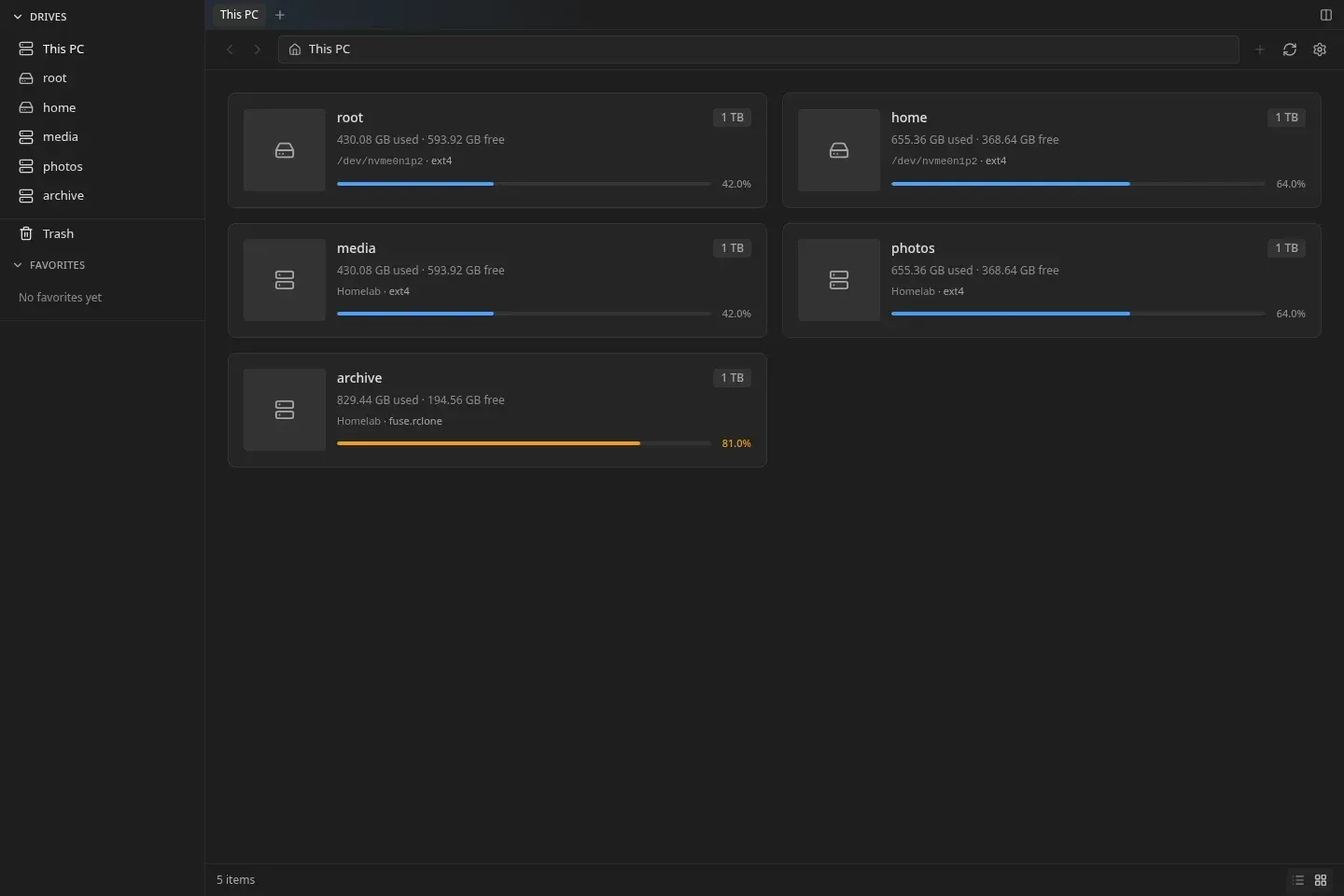
BoxBox Desktop for Linux with local drives and drives from a paired server in one workspace. Image from the v0.3.2 release notes.
Source: official BoxBox project page.
Key capabilities
- Multiple mount points in one interface Each mount in
config.yamlhas a unique name and an absolute container path, and the name becomes the first segment of API paths. The sidebar groups mounts into Drives (storage roots, also shown as cards with usage on This Server) and Places (folder shortcuts such as Downloads). The configuration guide explains how the group is chosen automatically or set withkind. - Read-only mounts Mounts marked
read_only: truereject writes, uploads, renames, moves and deletes with HTTP 403, including through another mount that exposes the same files. The rules apply to signed-in users and share recipients. Deleting or moving a parent directory that contains a read-only mount is denied. - Drive auto-discovery Setting
auto_discover: trueon a parent such as/media/devmonexposes mounted subdirectories as individual mount points. On Linux, BoxBox checks real system mounts and filters virtual filesystems. The default compose file mounts that path withrslavepropagation so new host mounts appear in the container. - Chunked, resumable uploads Large files and whole folders upload in chunks with nested paths preserved, checksum verification and an atomic final rename. The maximum upload size defaults to 10,240 MiB and the chunk size to 10 MiB; the chunk size can be lowered when a reverse proxy limits request body size.
- Previews and media streaming Images, audio, video, PDF and documents can be previewed in the browser without downloading. Video and audio play directly from the server.
- Monaco code editor Text and configuration files open in the Monaco editor with syntax highlighting, minimap and find and replace. Changes are saved back to the mount if it is writable.
- Share links Files and folders can be shared through expiring, revocable links with four access levels: View only, Upload only, Upload and delete, and Full access. Recipients browse, preview and download on a public page without an account, and see the owner's wallpaper.
- ZIP downloads Folders can be downloaded as ZIP archives from the main interface or from a public share page.
- Background jobs with live progress Copy, move and delete run as background jobs on a worker pool, with progress pushed over WebSocket. Since v0.3.2, symlinks are renamed, moved and deleted themselves rather than their targets.
- Search Directories can be searched by file or folder name. Folder listings load every entry up to a 10,000-entry server safety limit and are sorted and filtered in the browser.
- Users and authentication Users are configured as a map of usernames to bcrypt hashes in the YAML file or through
BOXBOX_USERS_<name>variables; BoxBox refuses to start with no users or a plaintext value. Sign-in issues JWT access tokens and a rotating refresh cookie tied to a session registry, and logout ends the whole session. Auth endpoints are rate limited per client IP, by default 2 requests per second. - Network and proxy settings Allowed WebSocket origins default to same-origin, and trusted proxy CIDRs control which proxies may supply client IP headers. Mounting the filesystem root requires an explicit
allow_root_mountoverride. The Docker guide documents Traefik labels as an optional reverse proxy setup. - REST API The API reference documents authentication, mount listing, drive statistics, directory listing, streaming uploads, jobs and a WebSocket endpoint under
/api/v1, plus health checks at/health. A separate connect API handles device pairing for the desktop app. - Docker Compose deployment The compose file runs the GHCR image as user 10001, drops all Linux capabilities, sets no-new-privileges, limits memory to 512 MB and defines a health check. Persistent data and temporary upload storage use the
boxbox-dataandboxbox-tempvolumes. Required values in.envare a JWT secret and at least one bcrypt-hashed user. - Linux desktop app BoxBox Desktop browses local drives and paired servers in tabs and split panes, opens local files in installed applications, uses the native clipboard and restores items from Trash. The desktop guide lists glibc Linux as the target, built on Ubuntu 24.04, with GTK 3, WebKitGTK 4.1 and Ayatana AppIndicator required. It installs without sudo from a release archive, and an AUR package
boxbox-binis documented; updates are manual. - Personalization Wallpaper themes, accents, component tint and scrollbar styling are available, with account-specific preferences that sync at login. Hardware acceleration in the desktop app is on by default and can be changed in settings.
Where BoxBox fits
Browsing a homelab server from a browser
The administrator downloads the compose file, the example environment file and backend/config.yaml, sets a JWT secret and a bcrypt hash generated with htpasswd, then runs docker compose pull and docker compose up -d. BoxBox is then reachable on port 8080, and the documentation states that the admin user signs in with the plaintext password that was hashed. Home folders and removable drives appear according to the volume mappings.
Protecting backups with read-only mounts
Backup or archive paths are added as mounts with read_only: true, so uploads, edits and deletes under them are refused for users and share recipients. The v0.3.2 release fixed a case where a read-only location could still be modified through a writable parent or alias mount, and the project lists filesystem-enforced read-only mounts as a workaround for older versions.
Collecting files from other people
An Upload only share link on a folder lets recipients add files through a public page without an account. Links carry an expiry and can be revoked from the share dialog. The share page footer shows the access level, the per-file size limit and the remaining validity.
Editing configuration files on the server
Files such as docker-compose.yml open in the Monaco editor from the file list and are saved back in place. The editor only writes to mounts that are not read-only.
Moving large folders between disks
Copy and move operations between mounts run as background jobs, with progress updated over WebSocket while the user continues browsing. Uploads of whole folders keep their nested directory structure and resume in chunks.
Managing local and remote files from a Linux desktop
After updating the server to v0.3.2, a one-time code is generated under Settings, Account on the server and entered with the server HTTPS address under Settings, Connections in the desktop app. Local and server locations then appear in one workspace, and copies across them show live progress. The release notes state that servers on v0.3.1 or earlier do not include the pairing API and that certificates must be trusted by the desktop host.
Reviews of BoxBox
Be the first to share your experience with BoxBox.
Write a review
Loading review form…
Alternatives to BoxBox
 FilestashFilestash is an AGPL-3.0 Go file manager that gives one browser interface to SFTP, S3, SMB, WebDAV and other storage, with plugins, protocol and MCP gateways, a workflow engine and optional SSO.
 Sync-inSync-in is an AGPL-3.0 self-hosted platform for file storage, sharing, synchronization and collaboration, with spaces, guests, WebDAV, desktop sync clients, full-text search and Collabora or OnlyOffice editing.
 NextcloudAGPL-licensed collaboration server for files, sharing, Talk calls, Calendar, Contacts, Mail and browser office editing. Run it with the official All-in-One Docker setup or on your own PHP stack, with clients for desktop and mobile.