

What is Filestash?
Filestash is an open-source web file manager that connects to many storage back ends through one interface. Its storage list includes SFTP, S3-compatible object stores, FTP and FTPS, SMB, NFS, WebDAV, Git hosts, Azure Blob, Google Drive, Dropbox and a local filesystem, and the plugin catalog adds more. The project began in 2017 as a Dropbox-like browser client and now describes itself as a file management platform with a web client, native sync clients, an agent-oriented folder and protocol gateways. It is published at github.com/mickael-kerjean/filestash under AGPL-3.0, with commercial licences sold through the Filestash pricing page.
The server is written in Go and the web client is handwritten JavaScript. The core is intentionally small: the README states that anything that is not a fundamental truth of the project lives in a plugin. Storage, authentication, authorisation, search, thumbnails, file viewers and the admin console are all plugins that implement published core interfaces. Plugins can be compiled in with Go, or loaded at runtime as a zip that can change the front end and carry WebAssembly code whose network and permission access is declared up front.
Distribution is deliberately simple. The install guide offers a statically linked binary of about 13 MB with no dependencies, or a Docker Compose file that bundles the C libraries used for fast thumbnails, video transcoding and compression. The documentation says one CPU core and 128 MB of memory are enough to start. The first visit to port 8334 asks for an admin password, then offers presets such as local storage for a single user. A hosted single-tenant cloud option is also described on the pricing page.
The GitHub repository does not publish formal releases: the only tag, v0.4, dates from 2019, while the default branch received commits in November 2026. For that reason this profile gives no version number and treats the install guide as the source of current behavior. Out of scope: Filestash is not a general office suite or a chat product, and it does not replace the storage it fronts. Its value is access, sharing, automation and control over data that stays in the original system.
Filestash screenshots
Explore the interface. Open a screenshot to view it at full size.
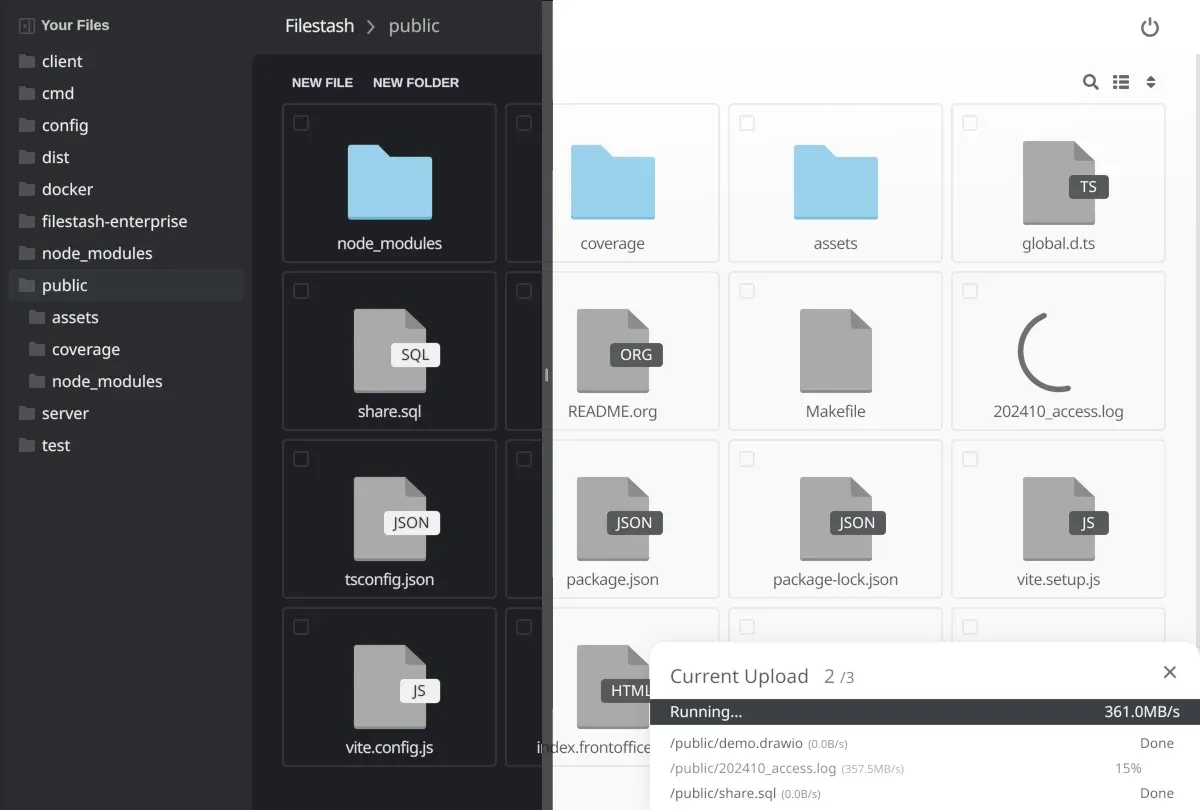
Official project image of the file browser in two themes, with an upload in progress.
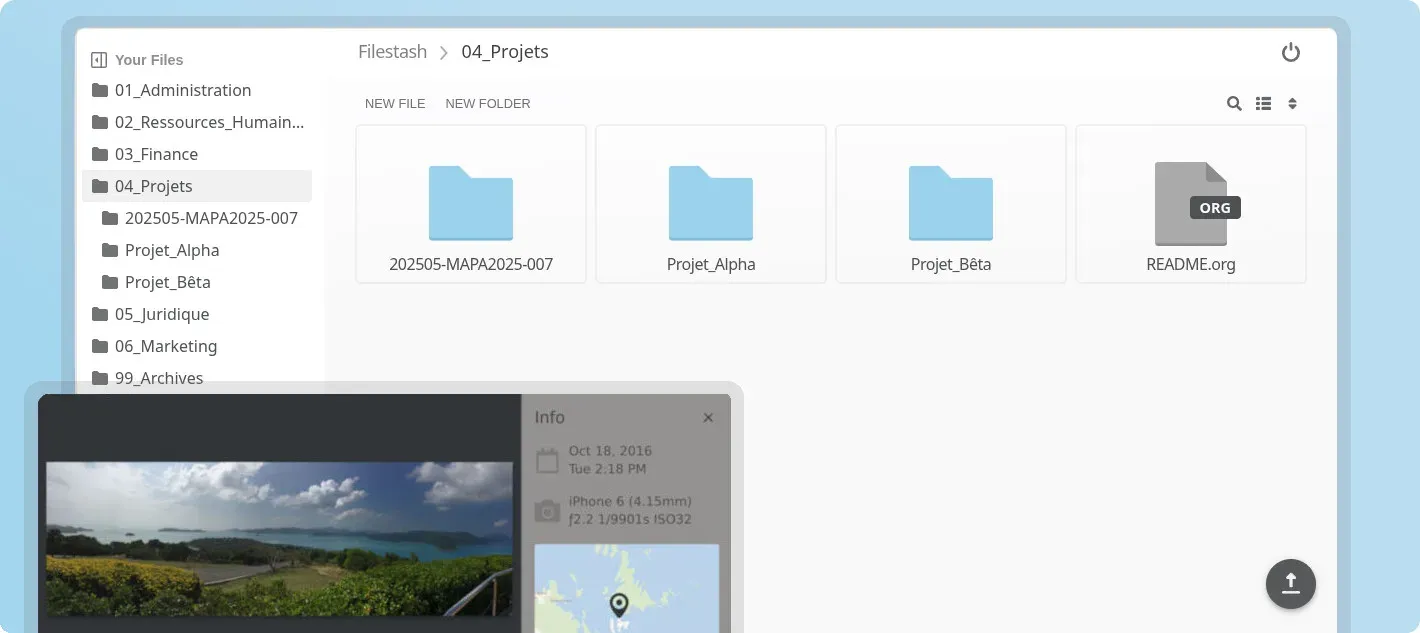
Official README image: folder grid and an image viewer with capture information.
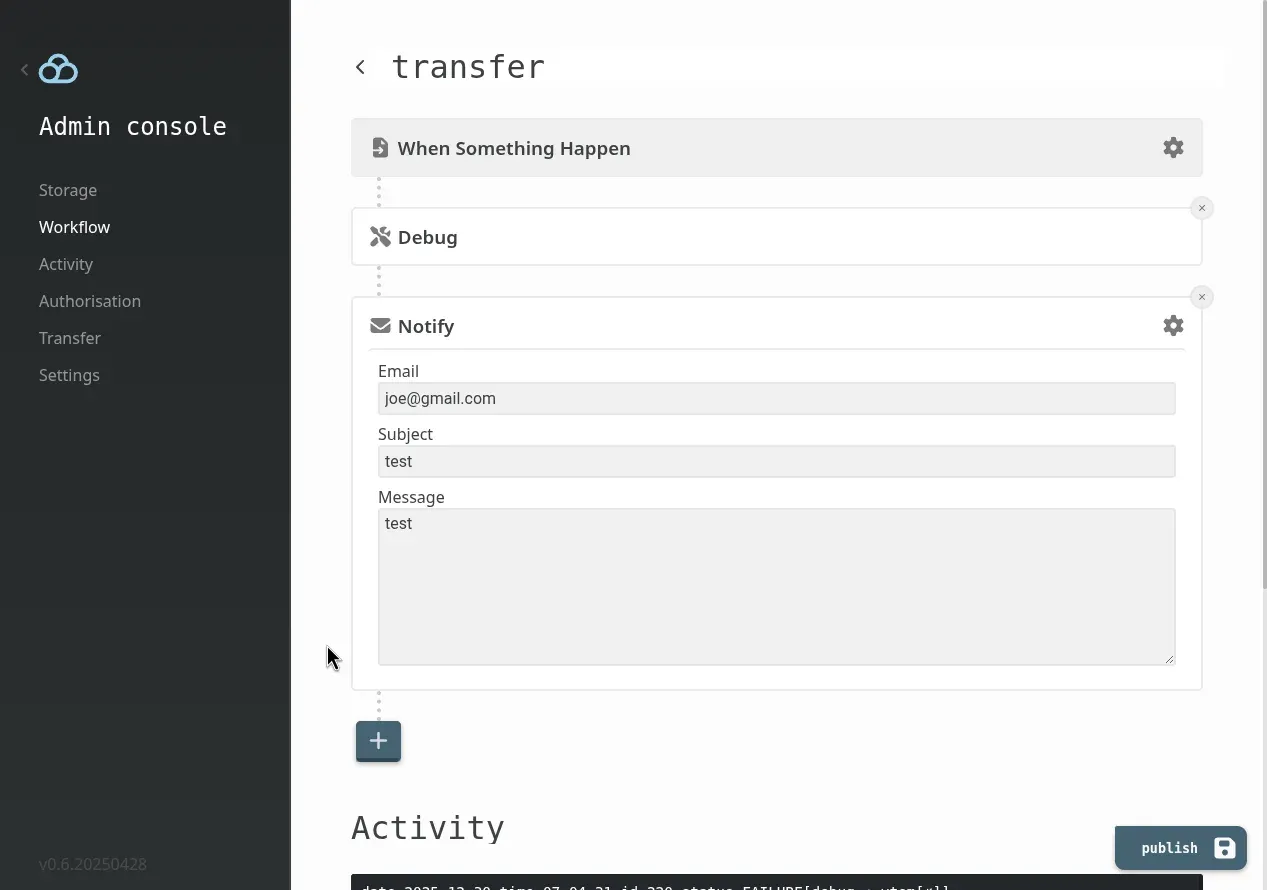
Official admin console image of a workflow with a trigger, a debug step and an email notification.
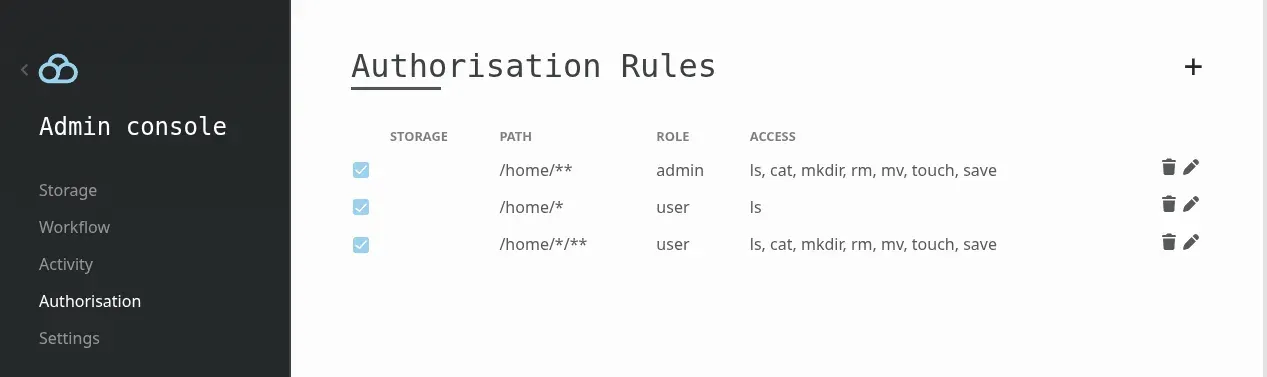
Official admin console image of authorisation rules that map paths and roles to file operations.
Source: official Filestash project page.
Key capabilities
- Single web file manager over many storage types The browser client lists, uploads, downloads, renames and deletes files on SFTP, S3, FTP, SMB, NFS, WebDAV, Git hosts, Azure Blob, Google Drive, Dropbox and other back ends. The pricing page lists the supported storage protocols per plan. Credentials for a back end are entered at login or defined by the administrator.
- Binary and Docker installation The install guide provides a static Linux binary of about 13 MB and a Docker Compose file. The compose route is heavier but includes native libraries for thumbnails, video transcoding and compression. The pricing page also mentions Debian, RHEL and Ubuntu installers for paid plans, and the guide says Kubernetes, air-gapped and Windows setups are available on request.
- Admin console and setup presets The first start asks for an admin password, or accepts a bcrypt hash in the ADMIN_PASSWORD variable. Presets such as local storage for one person give a working instance quickly, and every setting can then be changed in the admin console, which is itself a plugin. Configuration can also come from environment variables.
- Plugin architecture Storage, authentication, authorisation, search, viewers and middleware are plugins built on core Go interfaces. Runtime plugins are zip files that can alter the front end and ship WebAssembly with declared permissions. The plugin catalog lists more than 150 plugins according to the project website.
- Roughly 140 file types opened in the browser Viewers and editors cover photography RAW formats, astronomy FITS files, GIS data, Parquet and Arrow files, SQLite, 3D models, PSD and DWG files, embroidery formats and PGP files. Each family is a separate plugin, so an instance enables only what it needs.
- Unified HTTP API The API documentation shows bearer-token calls for listing, uploading, downloading, zipping, renaming, deleting and creating folders or empty files against any connected back end. A token comes from the session endpoint or from a shared link.
- Protocol gateways Gateways expose a connected storage over SFTP, S3, FTP, WebDAV, MCP and AS2, so existing clients and scripts can reach data held elsewhere. The SFTP gateway listens on port 2222 by default and can target a virtual filesystem.
- MCP gateway for AI clients The MCP gateway guide exposes file operations as tools for AI clients such as Claude Code, ChatGPT in developer mode and Mistral Le Chat. The guide recommends a chroot and authorisation rules to restrict what a model can read or delete.
- Workflow engine The workflow engine chains a trigger and actions. Triggers include file events, filesystem changes, webhooks and schedules, and the standard actions send email and make HTTP calls. Plugins can register their own triggers and actions.
- Authentication and SSO Supported methods include LDAP, SAML, OIDC, htpasswd files, MFA, signed URLs, QR codes and passthrough of storage credentials. The pricing page lists identity vendors such as Okta, Keycloak and Auth0. SSO and RBAC belong to the paid plans, while the free self-hosted tier is limited as described below.
- Authorisation and RBAC Rules map storage, path and role to allowed operations such as ls, cat, mkdir, rm, mv, touch and save. A virtual filesystem can delegate authentication to another system and use its roles to drive these rules. Check rule order and path patterns before granting access.
- Shared links and public sites Files and folders can be shared by link, and shared links can be mounted as a network drive. Plans list a public site, quota enforcement, antivirus scanning, captchas, IP lists and geographic restrictions as plugins.
- Native sync clients and agent folder Native clients for Windows, macOS, Linux, Android and iPhone keep a local folder synchronised with a remote storage, and the same folder idea is offered to AI agents. The README links to the separate fdrive repository for the desktop client.
- Search, smart folders and OCR A full-text search plugin indexes content, and the AI features add semantic search, smart folders and OCR. The website says local models are supported. Index rebuilds can be run from a workflow action.
- Audit, versioning and white-labelling Enterprise features include tamper-evident audit logs, file versioning, branding and white-labelling, high availability and 24/7 support. These appear in the plan comparison table, so confirm exact scope with the vendor before relying on them.
Where Filestash fits
Putting one browser front end over existing storage
Connect the back end you already run, such as an S3 bucket, an SFTP server or an SMB share, and sign in from the browser. Check that thumbnails, large uploads and downloads work for your real folder sizes. The storage keeps its own permissions, so compare what a Filestash user can reach with what the same account can reach directly.
Giving staff or customers a controlled file portal
Combine LDAP, SAML or OIDC login with authorisation rules that map roles to paths. A property-management or campus-style layout can give each role its own folder tree. Test with accounts for every role, including one that should see nothing, and review the audit log afterwards.
Exposing storage through another protocol
Enable the SFTP, S3 or WebDAV gateway when a partner or script needs a protocol your storage does not speak. Confirm which operations the gateway forwards, which port it listens on and where its host key is stored. The storage gateway guide explains how translation works.
Automating file transfers
Use the workflow engine to react to uploads, schedules or webhooks, for example by notifying a team or calling an API. Start with a debug action and an email, run a test upload and read the activity log. Add extra steps only after the trigger fires reliably.
Letting AI agents work with a shared folder
Enable the MCP gateway or the agent folder and restrict it to one directory with read or write rules. Try a prompt that asks for a listing and one that asks for a deletion, then confirm that policy blocks what it should. The MCP gateway guide covers client setup.
Viewing specialised files without desktop software
Enable only the viewer plugins that match your data, such as GIS, Parquet or 3D formats, and open sample files from the remote storage. Measure rendering time on the largest file you expect users to open.
Install
curl -O https://downloads.filestash.app/latest/docker-compose.yml && docker compose up -dReviews of Filestash
Be the first to share your experience with Filestash.
Write a review
Loading review form…
Alternatives to Filestash
 NextcloudAGPL-licensed collaboration server for files, sharing, Talk calls, Calendar, Contacts, Mail and browser office editing. Run it with the official All-in-One Docker setup or on your own PHP stack, with clients for desktop and mobile.
 SeafileOpen-source file sync and share platform with libraries, delta sync, optional client-side encryption, SeaDoc documents, wikis and file properties. Run it with Docker, or use the hosted Plus edition.
 SyncthingSyncthing is an open-source continuous file synchronization program that keeps folders in step across your devices without a central server.