

What is Cossistant?
Cossistant is an open-source customer support platform for React and Next.js applications. Its pitch is a code-first alternative to iframe chat widgets: you add a <Support /> component or compose your own interface from hooks and primitives, while the conversation inbox, AI support agents and knowledge base run in a dashboard. It is developed by the Cossistant team in the cossistantcom/cossistant monorepo and offered both as a managed service at cossistant.com and as source you can deploy yourself. The project describes the widget as the shadcn of support: the SDK lives in your application code, inherits shadcn theme variables when they are present, and can be restyled through class names, slots and CSS tokens.
Distribution is through npm and a shadcn registry. @cossistant/react and @cossistant/next provide the widget and hooks, @cossistant/browser adds a script-tag loader for non-React sites, and @cossistant/core, @cossistant/types and @cossistant/protocol hold shared logic and the wire contract. The latest GitHub release is @cossistant/protocol@0.3.0, published on August 4, 2026, which added the protocol package: all 65 public operations (64 REST routes and the /ws handshake) as typed OpenAPI route descriptors, plus a generated openapi.json and a compatibility test kit. The 0.3.0 SDK series, described in the 0.3.0 changelog, reduced the browser widget by 65.3 KB gzip to 127 KB, added lazy Support entry points that cut initial SDK JavaScript by 79.9 percent, and added feedback management, AI agent profile pictures and an admin panel. Release 0.2.0 introduced script-tag embeds, automatic shadcn theming and AI knowledge clarification requests.
The repository is a Turborepo monorepo built with Bun, TypeScript, Hono and tRPC for the API, Drizzle ORM on PostgreSQL, Better Auth, Redis, WebSockets and Tailwind CSS. AI features go through OpenRouter. Self-hosting is documented, but the project states that it does not provide a one-command production deployment: you operate PostgreSQL 17 with pgvector, Redis, the API, web app and workers, a job delivery service compatible with QStash, object storage and email, and the provided docker-compose file is only a development baseline.
The license needs a careful read. The README and GitHub identify AGPL-3.0 and say a commercial license is required for commercial use or deployments requiring a setup fee, while the website footer names GPL-3.0. Treat the repository LICENSE text and the README as the controlling statements and ask the maintainers before a commercial deployment. Cossistant is a support inbox and widget; it is not a general helpdesk suite with ticket SLAs, a telephony layer or a public help-center builder.
Cossistant screenshots
Explore the interface. Open a screenshot to view it at full size.
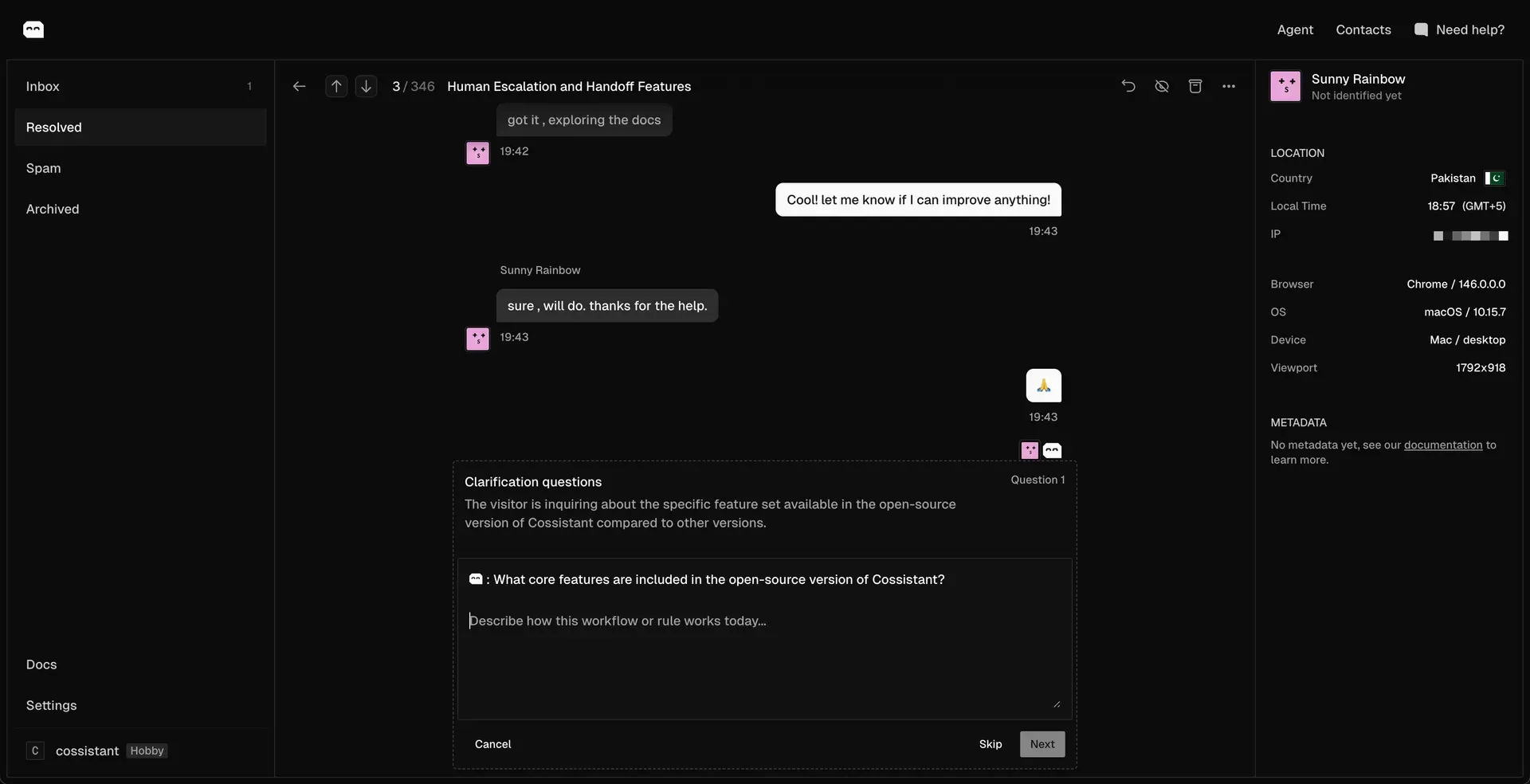
Official 0.2.0 changelog screenshot of the inbox, a conversation and the AI clarification request form, with a visitor side panel.
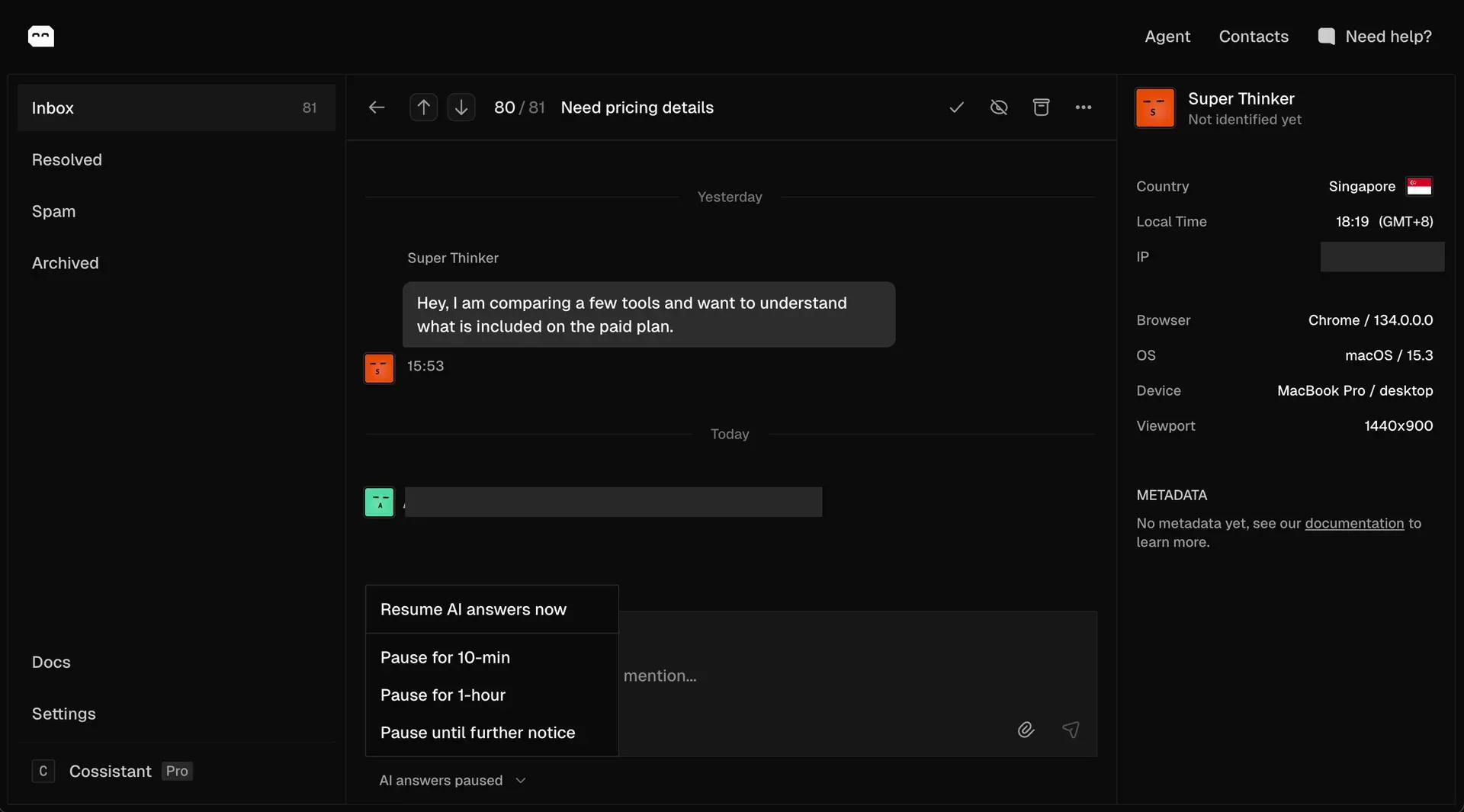
Official 0.1.2 changelog screenshot of the pause AI control. iThub covered a visitor IP address and a teammate name in the original image.
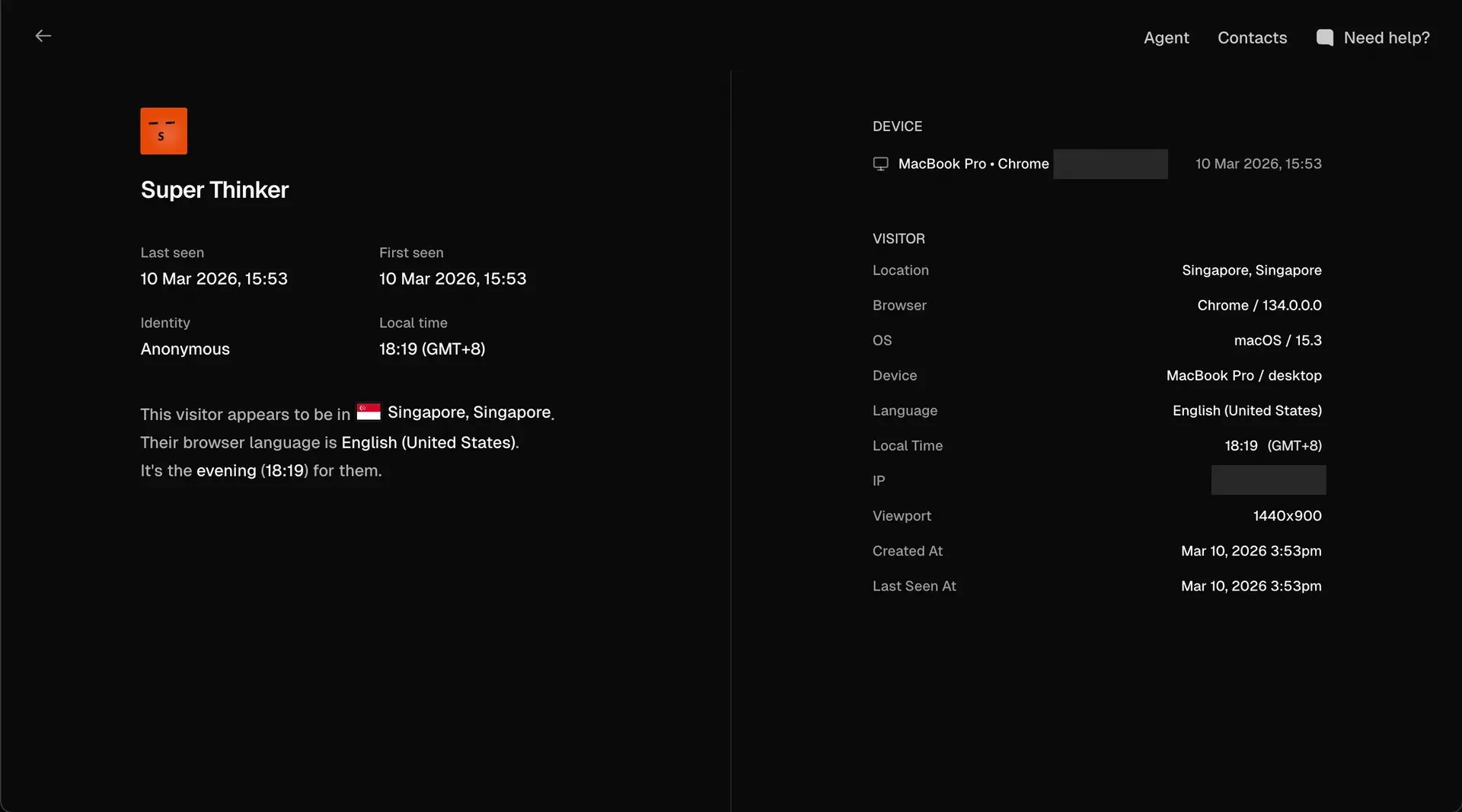
Official 0.1.2 changelog screenshot of a visitor detail page. iThub covered the IP address fields in the original image.
Source: official Cossistant project page.
Key capabilities
- Drop-in Support widget
<Support />renders a chat bubble and conversation window. The documented default isLazySupport, which loads the UI from an async chunk, while the eager export suits cases where the full widget should be in the current bundle. Install withnpm install @cossistant/reactor@cossistant/next, add one CSS entry point and set a public key. See the Support overview. - Next.js and shadcn registry install For Next.js,
bunx --bun shadcn@latest add cossistantcom/cossistant/supportinstalls a provider, a starter component, dependencies, the widget CSS import and an environment variable placeholder. A manual path usesSupportProviderfrom@cossistant/next/provider. The quickstart also offers an AI prompt that configures the install for you. - Script tag embed Since 0.2.0 the widget can be loaded from the Cossistant CDN with a loader script and
window.Cossistant.init({ publicKey }), without React. The docs suggest this for Vue, Framer or Webflow and recommend pinning a version rather than using latest. - Headless hooks and primitives For a custom interface you use focused hooks, shared types and public primitives instead of the default shell. You then own layout, accessibility, navigation, loading and error states. The Advanced section documents this path.
- Styling and theme tokens The widget stays unstyled until you import
support.css(Tailwind v4) orstyles.css(plain CSS). It picks up shadcn-style color, radius and font tokens and dark mode automatically, and exposesclassNames,slotProps,--co-theme-*tokens and stabledata-slot,data-stateanddata-pagehooks. Replacing a slot transfers accessibility responsibility to you. - Visitors and contacts Anonymous visitors are created per browser from a generated ID in localStorage; the docs state that no browser fingerprinting is used as a fallback. When a user signs in,
IdentifySupportVisitoror theuseVisitorhook identifies them as a contact with external ID, email and name. Context can include language, timezone, browser, device, current page, referrer and server-enriched location. See Visitors. - Conversations and real-time chat Each conversation has a status (open, resolved or spam), a priority from low to urgent, participants, tags and a timeline of messages, events and tool activity. WebSockets carry new messages, typing indicators, seen receipts and status changes. The conversation concepts page describes the model.
- Dashboard inbox The dashboard groups conversations into Inbox, Resolved, Spam and Archived, shows a visitor side panel with location, browser, OS, device and viewport, and lets a teammate pause AI replies for 10 minutes, one hour or until further notice. Official screenshots show these views.
- AI support agents AI agents answer the first response, gather context and can escalate to a human. Release 0.1.0 added a dedicated decision step for when the agent should engage and automatic model fallback; 0.1.2 improved tool calling and memory; 0.3.0 added custom agent profile pictures and better escalation notifications. AI features are metered as credits on hosted plans.
- Knowledge base and clarification requests Agents are trained from links, FAQ entries and uploaded files, with plan limits on pages, size and refresh interval. Since 0.2.0 the agent can ask the team for clarification when it detects a knowledge gap, and the dashboard lists those requests for review.
- Email replies and notifications Conversations can notify the team by email and accept replies by email. Transactional email runs through Resend by default or Amazon SES through
EMAIL_TRANSPORT_PROVIDER. The self-host email guide notes that delivered events are accepted but not persisted, so it is not delivery tracking. - File sharing and storage Uploads use presigned URLs so browsers send files directly to object storage. The repository includes an AWS Terraform module for S3, which its own documentation calls a permissive starter that must be hardened before production. See the storage guide.
- User feedback component A drop-in
<Feedback />widget and theuseFeedbackFormhook collect topic, rating and comment, attached to the visitor and to the contact once identified. Release 0.3.0 added a feedback management view. See the user feedback docs. - Auto translation The dashboard has an auto-translate toggle, and 0.3.0 improved language detection and translation reliability. It is listed as a feature on every hosted plan.
- Hosted MCP server A remote HTTP MCP server at
api.cossistant.com/mcpuses OAuth with thesupport:readscope. Its four tools list websites, search knowledge, list conversations and read one conversation. They are read-only; replying or resolving is not exposed. The MCP page has client configuration for Cursor, Claude Code and OpenCode. - Self-hosting and billing switch Self-hosters can set
POLAR_ENABLED=falseto disable billing, which bypasses checkout flows and plan limits and treats entitlements as unlimited. Tinybird analytics for inbox metrics and live presence can be toggled separately. Read the self-host overview before planning an install.
Where Cossistant fits
Adding in-app support to a Next.js SaaS
Create a public key under Settings, Developers, allowlist your development and production hostnames, install the package or the shadcn registry component, and mount the provider in the root layout. Check that the key works only on allowlisted domains, that the CSS entry point matches your Tailwind version, and that the widget loads lazily so it does not enlarge the initial bundle.
Identifying signed-in customers
Render IdentifySupportVisitor with the user ID, email and name after authentication so conversations attach to a contact. Verify that an anonymous visit, a sign-in and a second device each produce the visitor and contact records you expect, since the docs state that a new browser profile creates a new anonymous visitor.
Running AI first response with human handoff
Train the agent on a small set of links and FAQs, ask a few realistic questions and read how it decides to answer or escalate. Test the pause controls and the escalation notification, and confirm that the team can take over a conversation without the agent replying on top of them.
Building a custom support interface
Use the headless hooks when the support experience should live in a page, modal or sidebar of your product. Plan for the accessibility work that the default widget otherwise provides, including focus handling, announcements for unread counts and keyboard operation.
Collecting product feedback with context
Use the feedback component with topics such as bug, feature request and UX, and a trigger label that records why feedback was requested. Tell users when feedback is tied to their account, and apply your own retention and deletion rules to the stored comments.
Evaluating a self-hosted deployment
Treat self-hosting as an operations project. Stand up PostgreSQL with pgvector, Redis, the API, web app and workers from the same release, then work through storage, email, analytics and billing. Run migrations before serving a new release and keep the SDK and server versions aligned.
Reviews of Cossistant
Be the first to share your experience with Cossistant.
Write a review
Loading review form…
Alternatives to Cossistant
 ChatwootChatwoot is an open-core customer support platform: a shared inbox for website chat, email, WhatsApp, Instagram, Telegram, SMS and voice, plus help center, contacts, reports and an AI agent. Self-host it with Docker, Helm or a Linux script, or use Chatwoot Cloud.
 ZendeskZendesk is a customer service platform with ticketing, omnichannel routing and built-in AI, priced per agent per month with plans from $19.
 FreshworksFreshworks sells Freshdesk for customer support, Freshservice for IT service management, and CRM, chat and voice products, each with a free trial.