

What is ONCE Campfire?
Campfire, published as ONCE Campfire, is a web-based group chat application that you install on a server you control. It is made by 37signals under the ONCE product line and sold on once.com with the line "Super simple group chat, without a subscription". The Campfire name goes back to a 37signals chat product from 2006; this repository is the self-hosted release that the company opened under the MIT license in 2025. The core features are rooms with access controls, direct messages, file attachments with previews, search, Web Push notifications, @mentions and an HTTP API for bots.
The application is a Ruby on Rails app (the repository tracks Rails main and pins Ruby in .ruby-version) that stores data in SQLite and uses Redis, Resque and Puma. Its Docker image, ghcr.io/basecamp/once-campfire, bundles the web app, background jobs, caching, file serving and automatic SSL, so a single machine can run the whole service. State lives in one mounted volume at /rails/storage. The project is single-tenant: one instance serves one organisation, and separate groups of customers need separate deployments.
The latest GitHub release is v1.5.8, published November 6, 2026. Its notes list security and stability backports to the 1.5.x line and state that v1.5.7 was yanked because it was built from the wrong commit. The once.com changelog entries for recent versions mention access-check tightening, SSRF protection for link previews and harder image processing, which shows the maintenance focus is on hardening. The README also lists sibling implementations of Campfire in Django, Laravel, Express, Elixir, Go, Rust and C, each in its own repository.
Source code is MIT licensed. The once.com page adds that buyers and users of a ONCE product are also subject to a 37signals software license agreement, so read both before redistributing. There is no hosted Campfire service: you pay for and operate the server. Out of scope are native iOS and Android apps (mobile use is through the browser or an installed PWA), federation with other chat networks, built-in voice and video calls, and an importer for Slack or Teams data. This profile summarises the official repository and website.
ONCE Campfire screenshots
Explore the interface. Open a screenshot to view it at full size.
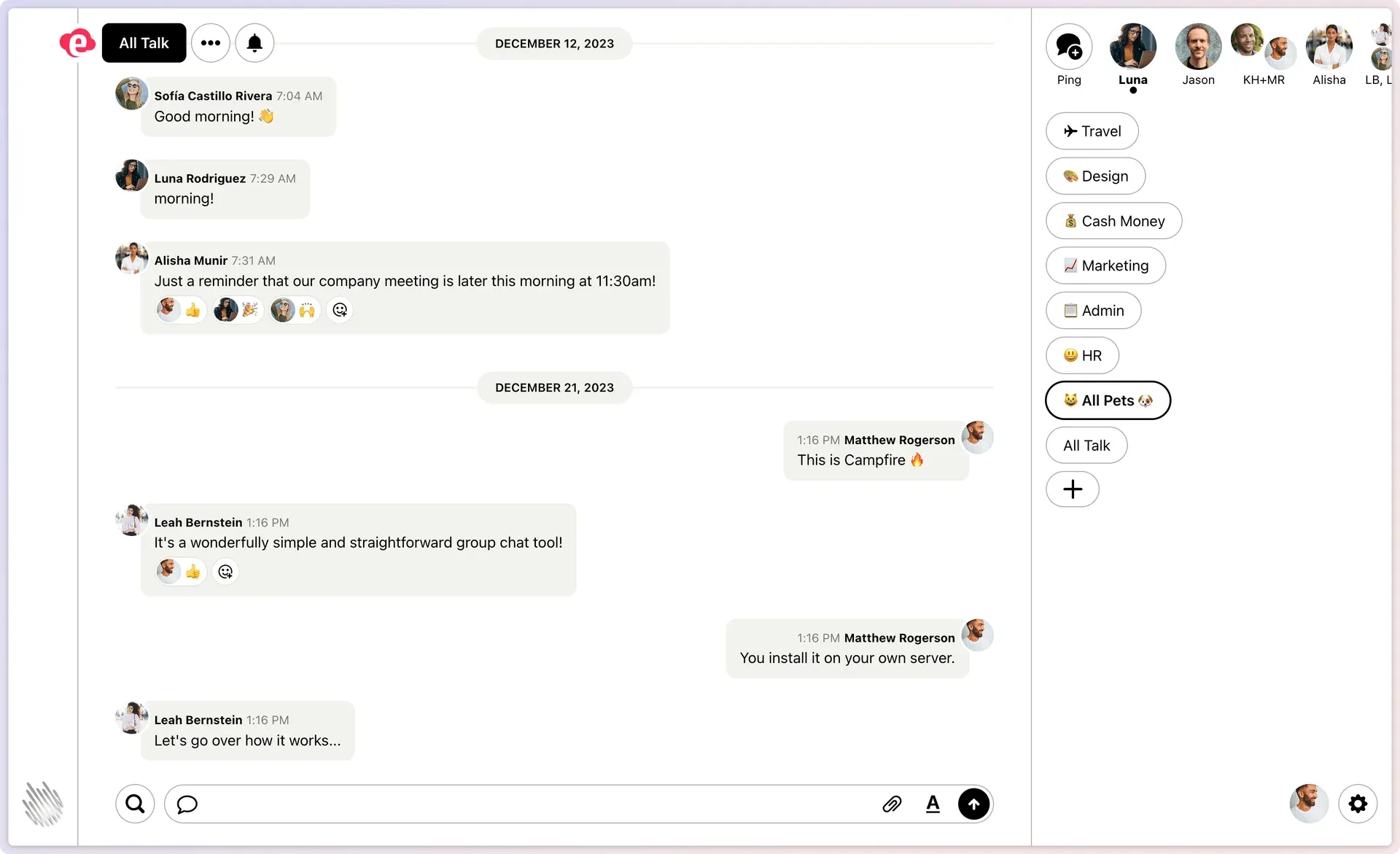
Official once.com screenshot of the desktop light theme with sample conversation data, showing rooms, direct-message shortcuts, reactions and the search and attachment controls.
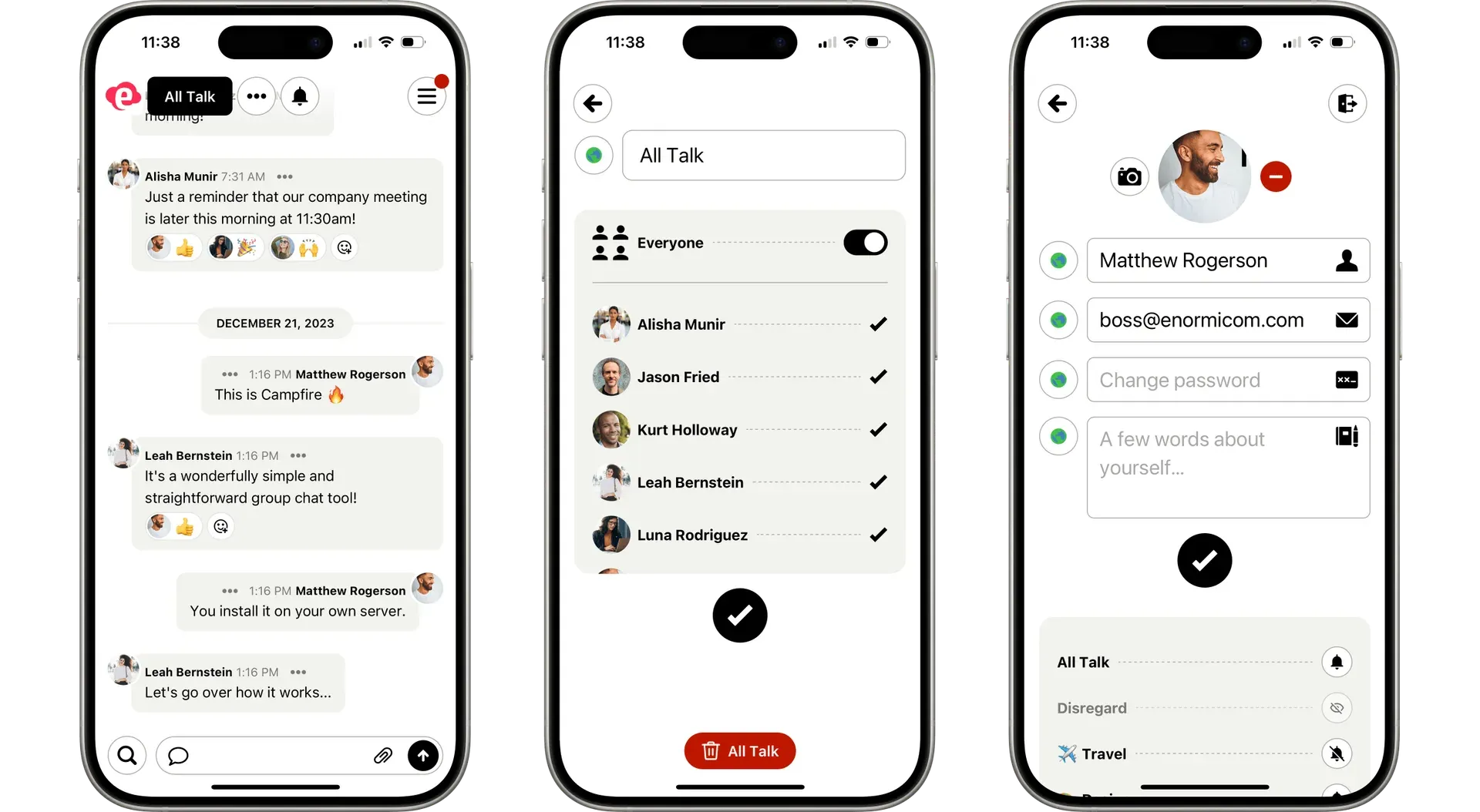
Official once.com screenshot of the mobile interface with sample users: the chat view, room membership and profile settings.
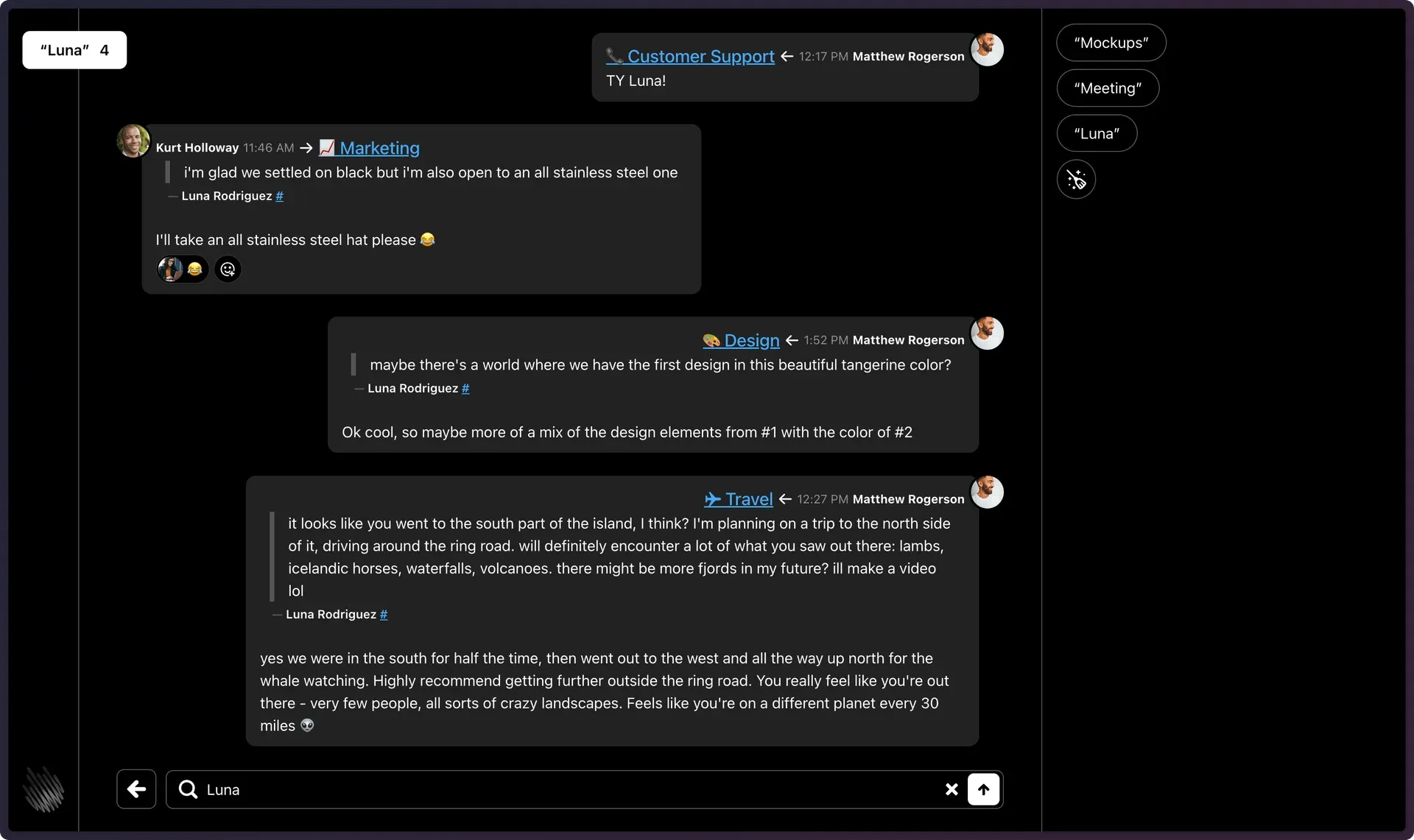
Official once.com screenshot of search in the dark theme, with each result linking to the room it came from and recent searches in the sidebar.
Source: official ONCE Campfire project page.
Key capabilities
- Install with the ONCE CLI The README tells you to run
curl https://get.once.com | shon the target machine, pick Campfire from the list and follow the prompts. ONCE then keeps the instance updated. A direct form isonce deploy ghcr.io/basecamp/once-campfire --host chat.example.com. The ONCE project describes itself as easy self-hosting for Docker-based web apps. - Run the Docker image yourself The self-hosting guide covers a plain
docker runand a Compose file. You need Docker, a persistent volume mounted at/rails/storage, and three secrets:SECRET_KEY_BASEand a VAPID key pair. A bundled script generates them. Changing them later invalidates sessions and push subscriptions, so keep them with your configuration. - Automatic HTTPS or your own proxy Set
TLS_DOMAINand publish ports 80 and 443 so the container obtains a Let's Encrypt certificate itself. If another proxy terminates TLS, or you run it locally, setDISABLE_SSL=trueand publish port 80 only. - Version pinning Images are tagged for every major, minor and patch version, so you can pin to exactly 1.4.4, to 1.4 or to 1. The
latesttag follows the newest release and themaintag follows every merged pull request, which the guide calls the least battle-tested option. - Rooms with access controls Rooms can be open to everyone in the organisation or restricted to selected members, and an admin can choose who belongs to each. Public rooms are visible to every user of the instance, which is why separate audiences should get separate installations.
- Direct messages and @mentions People can message one another directly or in small groups and mention colleagues in a room. Unread rooms are highlighted in the sidebar so busy channels are easy to spot.
- Attachments with previews Files and images can be attached to messages and are previewed in the thread. Uploaded files are stored in the same mounted volume as the database, so their size counts toward your disk planning and your backups.
- Search with saved history A search view finds messages across the rooms a user can access and keeps recent searches. Authenticated room, message, sidebar and search pages use a bounded per-worker response cache that can be turned off with
CAMPFIRE_RESPONSE_CACHE_MB=0; every request still checks authentication and room access. - Web Push and installable PWA The mobile experience is the browser or an installed progressive web app with badges and push notifications. Push uses your own VAPID keys, so notifications are not routed through a third-party notification account of yours.
- Chatbots over an HTTP API A bot is created in the admin area and receives a webhook when mentioned or pinged. Replying with text or an image posts it to the room, and bots can also post on their own through bot-specific URLs. The campfire-bot-kit repository contains a sample Ruby bot with text and image examples. Bot webhook URLs are intentionally unrestricted for admins.
- Link previews with SSRF guards Pasting a link can unfurl a preview. Because any member can trigger it, destinations are checked through a private-network guard, and the 1.4.5 changelog entry extends that protection to IPv6 transition and CGNAT ranges.
- Light and dark themes The interface offers a dark mode alongside the default light theme, and the official screenshots show the same layout on desktop and phone-sized screens.
- Admin setup wizard The first launch walks you through creating an admin account. The admin email is shown on the sign-in page so people know whom to ask for help; the guide suggests a role address if you do not want a personal one displayed, and it can be changed later in settings.
- Backups with a consistent snapshot The guide asks you to run
script/admin/prepare-backupinside the running container, then archive the whole storage volume. This avoids copying SQLite files while they are being written. Restore by extracting the archive into a stopped instance and replacing the live database with the snapshot, as the guide shows. - Automatic updates you can turn off Under ONCE, each installation checks once a day for updates and installs them. The website says this can be switched off if you prefer manual upgrades. With the raw Docker route you pull a newer image and recreate the container, and pending migrations run on boot.
- Sizing guidance The product page lists 250 concurrent users on 1 CPU and 2 GB of RAM, 1,000 on 4 CPUs and 8 GB, 5,000 on 16 CPUs and 32 GB and 10,000 on 32 CPUs and 64 GB. These are vendor estimates, so load test with your own usage before committing.
- Error reporting you control Sentry reporting only starts if you provide a DSN, and
SKIP_TELEMETRY=truedisables its initialisation entirely. Review this and the daily update check when you assess outbound connections from an air-gapped or regulated network.
Where ONCE Campfire fits
A private chat for a small company or team
Deploy with ONCE or the Docker image on a small VPS, create the admin account and invite colleagues. Check that the domain and certificate work, that Web Push delivers to a phone and that room membership matches your org chart. Start from the self-hosting guide and keep the secrets in your password manager.
A backup channel when the main chat is down
Run Campfire on infrastructure that does not share a failure domain with your main chat vendor, and keep a short list of rooms and members ready. Practise switching over once a quarter, because a standby that nobody has logged into is not a plan. Verify that staff can reach it from the networks they use during an outage.
An isolated space for leadership or a board
Because an instance is single-tenant, a separate deployment gives a boundary that room permissions alone do not. Host it on a restricted network, decide who holds server access, and remember that the server operator can read the database. Confirm the daily update check is acceptable or disable it.
Event or community rooms
Create rooms for an event, invite attendees by link and use the mobile web view or an installed PWA on phones. Test file uploads and search with a realistic crowd, and keep the sizing table in mind. Remove access when the event ends and archive or delete the instance according to your data policy.
Adding bots for alerts and automation
Create a bot, point its webhook at your service and reply with text or an image from the handler. Use the bot-kit sample to see the request shape. Keep bot URLs secret, because anyone holding one can post, and review webhook targets since they are not restricted.
Backing up and upgrading safely
Take a snapshot with the prepare-backup script, archive the storage volume off the machine and restore it into a scratch container before you trust it. Pin a version tag for production and read the release notes before moving up, particularly after a yanked release such as 1.5.7.
Install
curl https://get.once.com | shReviews of ONCE Campfire
Be the first to share your experience with ONCE Campfire.
Write a review
Loading review form…
Alternatives to ONCE Campfire
 MattermostMattermost is an open core, self-hosted collaboration platform with channels, threads, playbooks, boards, audio calls and AI agents. It runs on Go and PostgreSQL, with a free Entry mode and paid plans sold by quote.
 Rocket.ChatRocket.Chat is a TypeScript and MongoDB communication platform for channels, threads, calls, Matrix federation and customer conversations. The core is MIT-licensed and self-hosted with Docker or Kubernetes; enterprise features and add-ons need a paid plan.
 ElementElement is the open-source Matrix client from Element Creations for browsers, Windows, macOS and Linux. It connects to any Matrix homeserver, encrypts DMs and private rooms by default and can be self-hosted as static files, a Debian package or a Docker image.