

What is Nordcraft?
Nordcraft is a visual website and web app builder. Designers and developers work on a canvas in a browser-based editor, with control over HTML elements and CSS, components, pages, formulas, workflows and API connections, and the result is rendered on the server for fast first loads. The product site at nordcraft.com describes a Play, Design, Ship workflow: explore ideas with an AI assistant, refine them visually, then publish. The editor itself is a hosted service; the framework that renders and runs the projects is open source.
The nordcraftengine/nordcraft repository holds the packages the platform uses internally, published on npm under the @nordcraft scope: core logic and data models, the front-end runtime, server-side rendering, the built-in formula and action library, issue rules and validators, validation schemas, a CSS parser for the style panel, shared editor interfaces and a backend. The backend uses Hono and runs on Cloudflare Workers, Node.js or Bun, and the repository includes a Docker setup that runs it in a distroless container. This is how a project exported from the editor can be served on your own infrastructure.
The reviewed release is 3.0.2, published November 5, 2026, a small change to custom element font loading. It follows 3.0.0 on November 3, 2026, which the site presents as Nordcraft 3 with a website builder, LLM and MCP integration and support for any CMS or API. The repository is Apache-2.0 licensed. Nordcraft's editor, hosting and AI assistant are commercial features of the platform, priced on the pricing page, and the site mentions more open-source work planned for 2026.
Nordcraft does not supply a back end: the documentation says you bring your own and connect it through API connections, with services, authentication and streaming described in the data section. The platform is aimed at web teams that want designer-friendly visual control without losing component structure, branching and server rendering.
Nordcraft screenshots
Explore the interface. Open a screenshot to view it at full size.
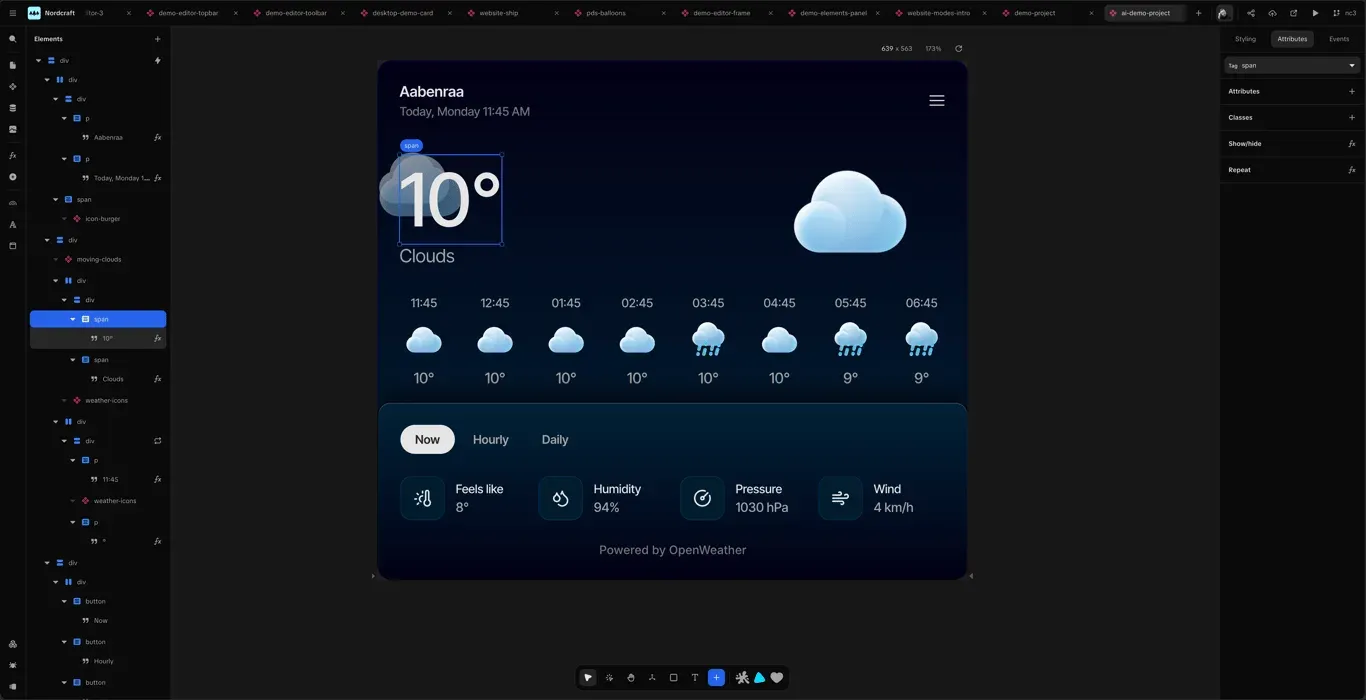
Official site screenshot of the editor canvas showing a weather app project with the element tree.
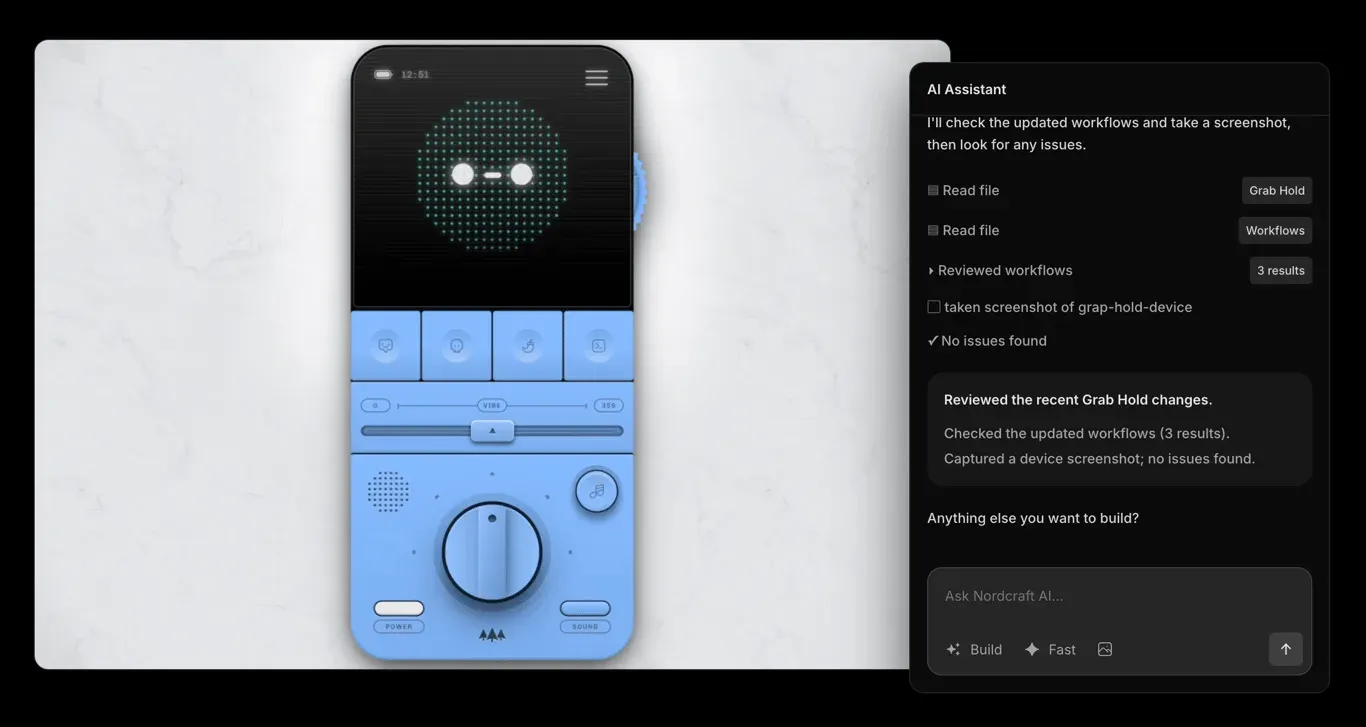
Official site screenshot of the AI Assistant panel beside the canvas.
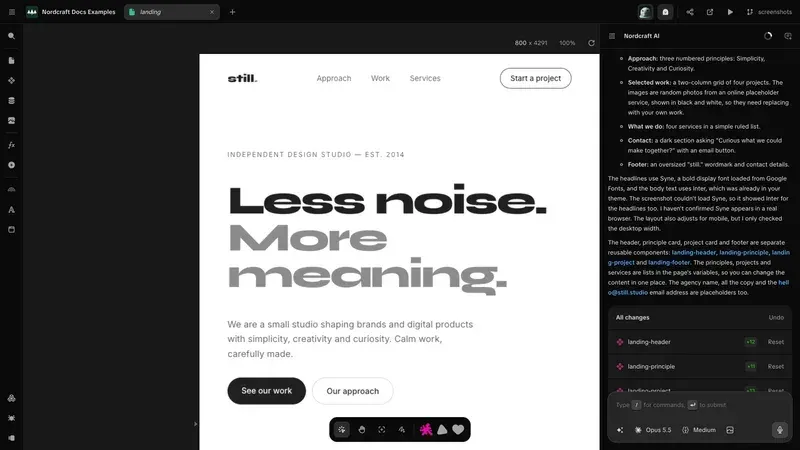
Official documentation screenshot of Build mode with a list of changes and the page on the canvas.
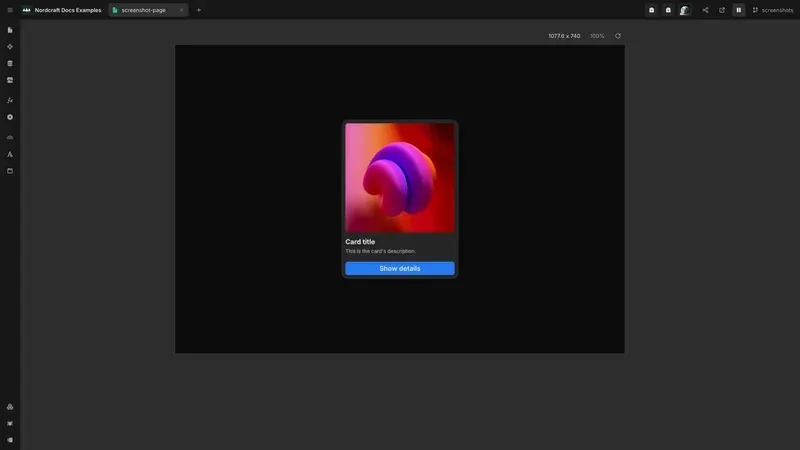
Official documentation screenshot of the canvas with a card component selected.
Source: official Nordcraft project page.
Key capabilities
- Visual canvas editor Design on a canvas with real-time feedback and direct control over elements and CSS. An element tree, command palette, issues panel and data panel sit alongside the canvas, and the canvas documentation describes the tools.
- Components, pages and elements Projects are built from pages, components and HTML elements. Components have an interface and lifecycle, can be composed, exported and shared as packages, and follow a model similar to modern JavaScript frameworks.
- Server-side rendering Pages render on the server for faster loads and SEO, with static and dynamic pages, redirects, proxies and page configuration for meta tags. The open-source SSR package contains the HTML generation and routing logic.
- Formulas and workflows Logic is built from variables, formulas, workflows, contexts and actions. A formula editor handles calculations, and repeat and show or hide formulas control rendering. The standard library of built-in formulas and actions is open source.
- Data and APIs Connect to REST or GraphQL back ends, use authentication, streaming and services, and trigger API calls from workflows or fetch automatically. Because there is no built-in database, plan where your data lives.
- Styling system Default styles, themes, conditional styles and a keyframe animation editor are included, with CSS variables supported. Themes let a design system flow through components.
- AI Assistant An assistant works in Ask, Plan and Build modes, can reference canvas elements and annotations, and edits the project. The docs state limits: it cannot create services or upload or read media files. Credits are sold as add-ons, with a free daily allowance.
- MCP server Nordcraft exposes an MCP server so tools such as Claude Code, Claude Desktop, VS Code with GitHub Copilot, Cursor, Windsurf, Zed and OpenCode can read and edit projects. The docs advise working on a feature branch and reviewing every change, since the tool acts with your account permissions.
- Branching and version control A Git-like branch workflow offers live preview URLs, change history and conflict resolution. Use a branch for each change and merge into the live project after review.
- Issue detection Issue rules and validators flag problems in a project as you build. The rules are published in the open-source search package and documented in the issue rules reference.
- Media management Upload, store and resize assets, with images delivered through the platform's image service. The assistant cannot currently manage media on its own.
- Packages and templates Share reusable widgets as packages and start from pre-built templates. Packages are managed from the editor and can be created and launched by your team.
- Hosting on Nordcraft Free projects publish to a nordcraft.site address with Nordcraft branding. Upgraded Pro projects remove the branding, add custom domains and extended SEO features, and are priced from $9 per project per month, with each added domain $5 per month.
- Self-hosting The pricing page lists a self-hosted option at $0 where you handle hosting yourself, and the open-source backend serves exported projects on Cloudflare Workers, Node.js or Bun. Plan for your own deployment, monitoring and updates.
- Enterprise plan For large teams the pricing page lists a 99.99 percent SLA, priority support and custom billing, handled through sales.
- Unlimited collaborators There is no per-seat pricing: you can add unlimited team members, and you pay for the projects you upgrade.
- Learning resources Documentation, video tutorials and a beginner course are linked from the editor dashboard, and a community Discord and forum provide help. A status page is maintained for the hosted service.
Where Nordcraft fits
Building a marketing site visually
Create pages and reusable components, set a theme, and publish to a nordcraft.site address for review. Check meta tags, redirects and server-rendered output before you upgrade the project for a custom domain.
Connecting an existing CMS or API
Add API connections to your headless CMS or back end, bind responses to components and handle loading and errors in workflows. Test authentication and CORS or proxy needs early, because Nordcraft supplies no data store of its own.
Working with design and development together
Let designers edit layout and styles on the canvas while developers build components, formulas and workflows. Use branches with preview URLs so each change is reviewed, and run the issues panel before merging.
Using AI to draft and refine pages
Start in Plan or Ask mode to agree on a structure, move to Build mode for edits and inspect the list of changes the assistant reports. Keep credits and quality in mind: review accessibility, copy and responsive behavior by hand.
Driving projects from a coding agent
Connect the MCP server to your preferred tool, restrict it to a feature branch and review every change before merging. Avoid storing secrets in project files, as the security guidance warns.
Self-hosting a Nordcraft project
Export a project from the editor, run the open-source backend on Cloudflare Workers, Node.js or Bun, or in the provided Docker image, and serve static assets alongside it. Confirm which editor features still need the hosted service and keep versions of the packages aligned.
Managing a design system across projects
Define themes and default styles once, build shared components and publish them as packages for other projects. Verify that updating a package does not break pages that depend on it, and use a branch to test the upgrade first.
Planning for growth and cost
Start on the free plan, note which projects need a custom domain, and upgrade only those, since pricing is per project and collaborators are unlimited. Track AI credit use if several people use the assistant, and decide who approves purchases.
Reviews of Nordcraft
Be the first to share your experience with Nordcraft.
Write a review
Loading review form…
Alternatives to Nordcraft
 WebstudioWebstudio is an AGPL-licensed visual builder for websites from Webstudio, Inc. It exposes every CSS property, binds data from any HTTP or GraphQL API, lets AI agents edit projects through MCP, and publishes to Cloudflare or exports sites for self-hosting.
 WebflowWebflow is a hosted website platform with a visual builder, CMS, hosting, SEO tools and REST APIs, aimed at marketing, design and engineering teams.
 FramerFramer is a website builder combining freeform visual design with a built-in CMS, animations and one-click publishing, plus the option to extend pages with custom React code components.