

What is Synara?
Synara is a local-first desktop workspace and control plane for coding agents. It does not ship its own model: it drives the coding-agent runtimes already installed and authenticated on the machine, currently Claude Code, Codex, OpenCode, Cursor, Antigravity, Grok Build, Devin CLI, Pi, Oh My Pi and Factory Droid. Each task keeps its objective, provider session, working directory, terminal, in-app browser, diff and delivery state together, so a change can be reviewed before it leaves the workspace. The project is maintained under the GitHub account Emanuele-web04, and the official site is trysynara.com.
According to its own comparison page, Synara is a fork of T3 Code, cloned at the end of March 2026 and developed separately since then with its own releases, documentation and features such as the Kanban board, split views, Computer Use, Hubs and Studio. The MIT license file still carries the original T3 Tools Inc. copyright notice. The repository is written in TypeScript: a React web client, a server that owns orchestration, provider sessions, Git, terminals and automations over a typed HTTP and WebSocket RPC layer, and an Electron shell that supervises the backend and loads the same client. Durable state lives in a local SQLite database.
The current stable release is Synara 1.1.0, published November 2, 2026. It adds English, Spanish and System interface language settings, an opt-in Resume after usage limits option for supported Codex and Claude refusals, guarded continuation of ordinary chats after an unexpected server shutdown, and an offline synara-compact-database command for legacy SQLite files. Version 1.0.9 brought the Code OSS editor engine and remote MCP Connectors to the Stable channel, and 1.0.8 focused on handoff reliability, captured live diffs and parallel-work recovery. The changelog also lists separate Beta builds and a Remote build line.
Packaged builds are published on GitHub Releases and the download page: an Apple Silicon DMG, an Intel DMG, a Windows x64 installer and a Linux x86_64 AppImage, plus synara-server-1.1.0.tar.gz for a headless web installation without Electron. The release notes state that macOS builds are signed and notarized, while Windows 1.1.0 ships under an explicit unsigned exception and can trigger SmartScreen. Mac bundles declare macOS 13 as the minimum.
Synara does not include a model subscription, does not proxy normal provider traffic and does not require a Synara account for local use. Provider accounts, models, usage limits and permissions remain owned by each runtime. Native iPhone and iPad apps and Synara Remote are described on the website as coming soon, so this profile treats Synara as a desktop and headless-server product. The project labels itself early-stage software whose APIs and interface details are still changing.
Synara screenshots
Explore the interface. Open a screenshot to view it at full size.
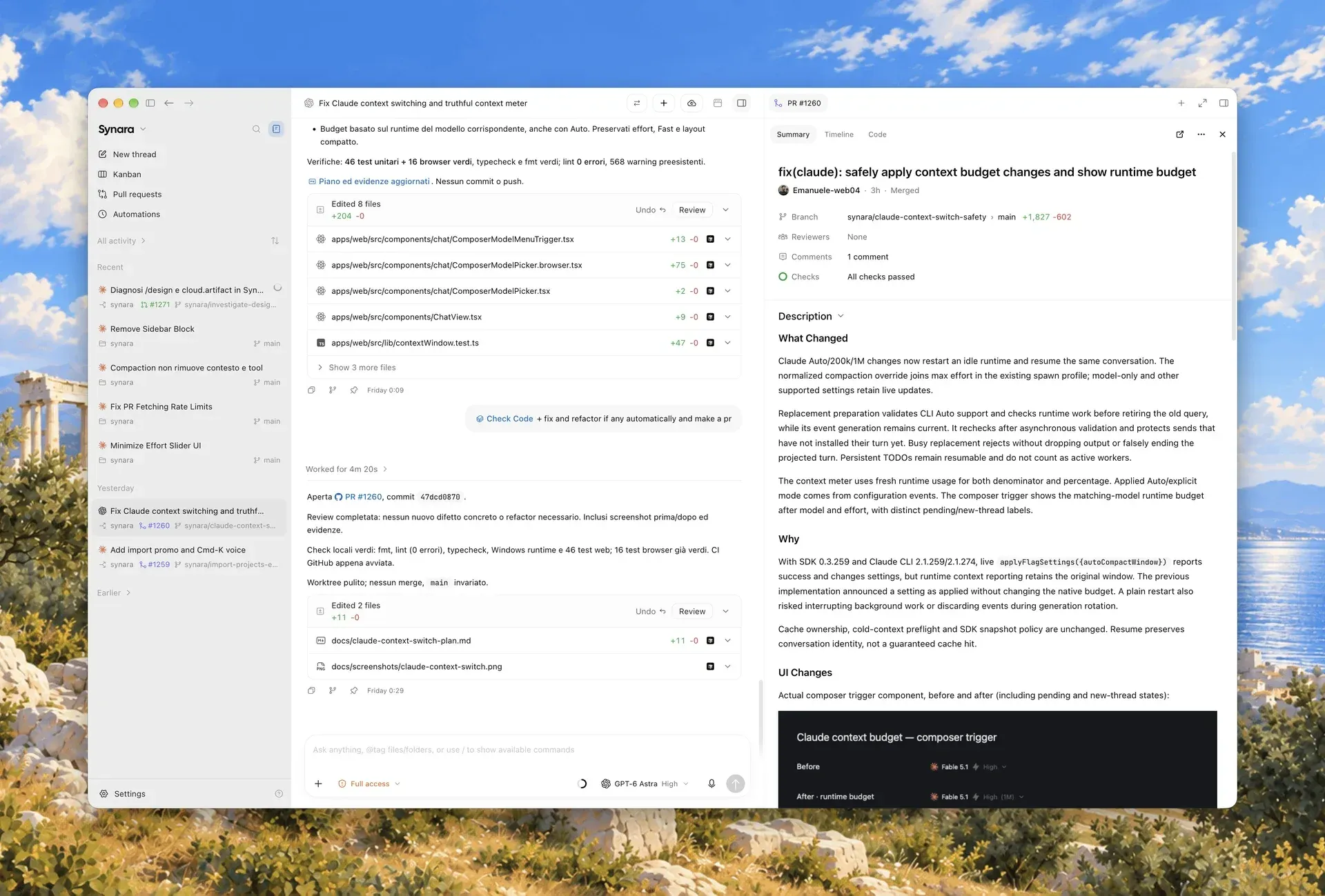
Official README image: an agent task and its pull request review side by side in the light theme.
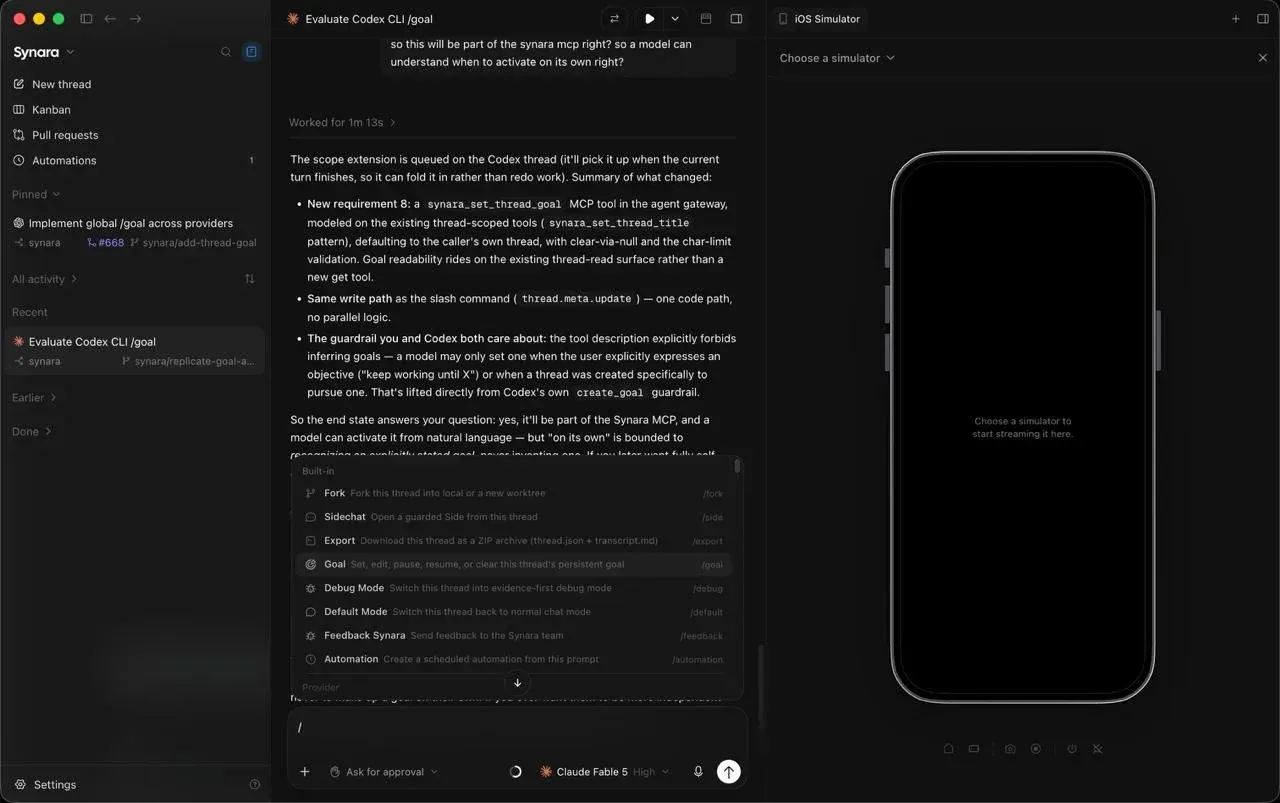
Official README image: a thread beside the iOS Simulator pane, with built-in commands such as Fork, Goal, Debug Mode and Automation.
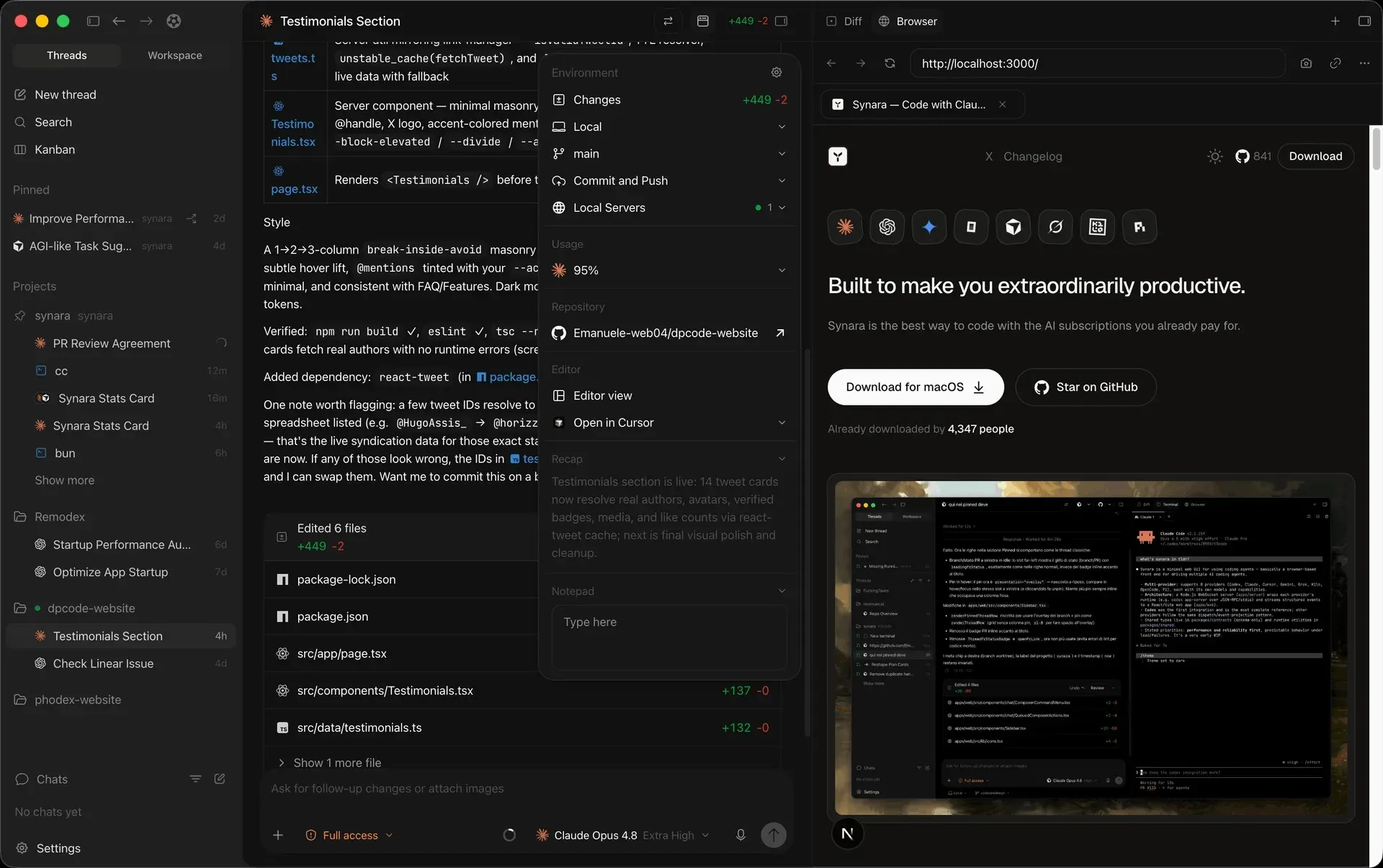
Official website image: a task's diff summary and environment menu beside the in-app browser showing a local dev server.
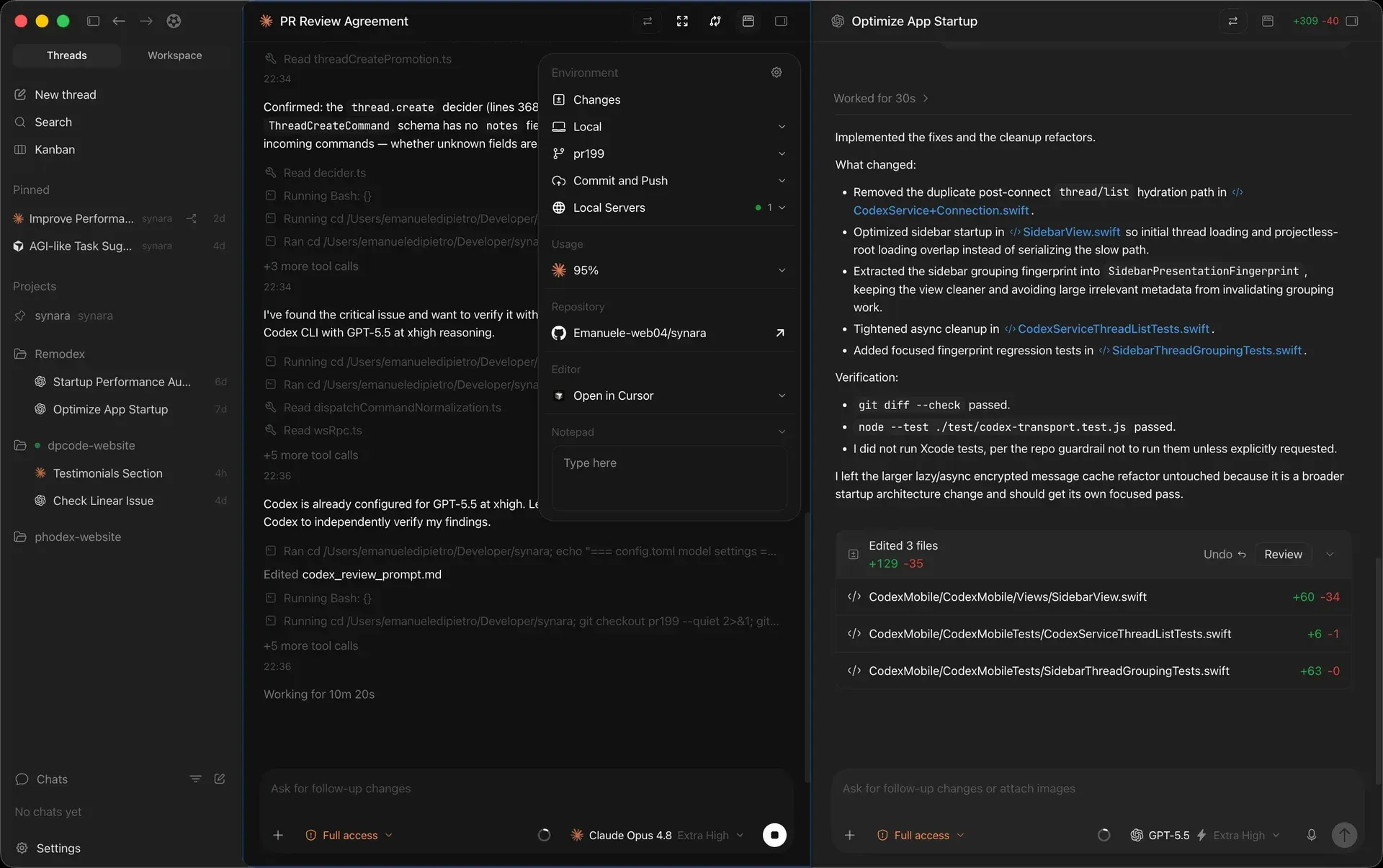
Official website image: two tasks on different providers open side by side, each with its own model and diff summary.
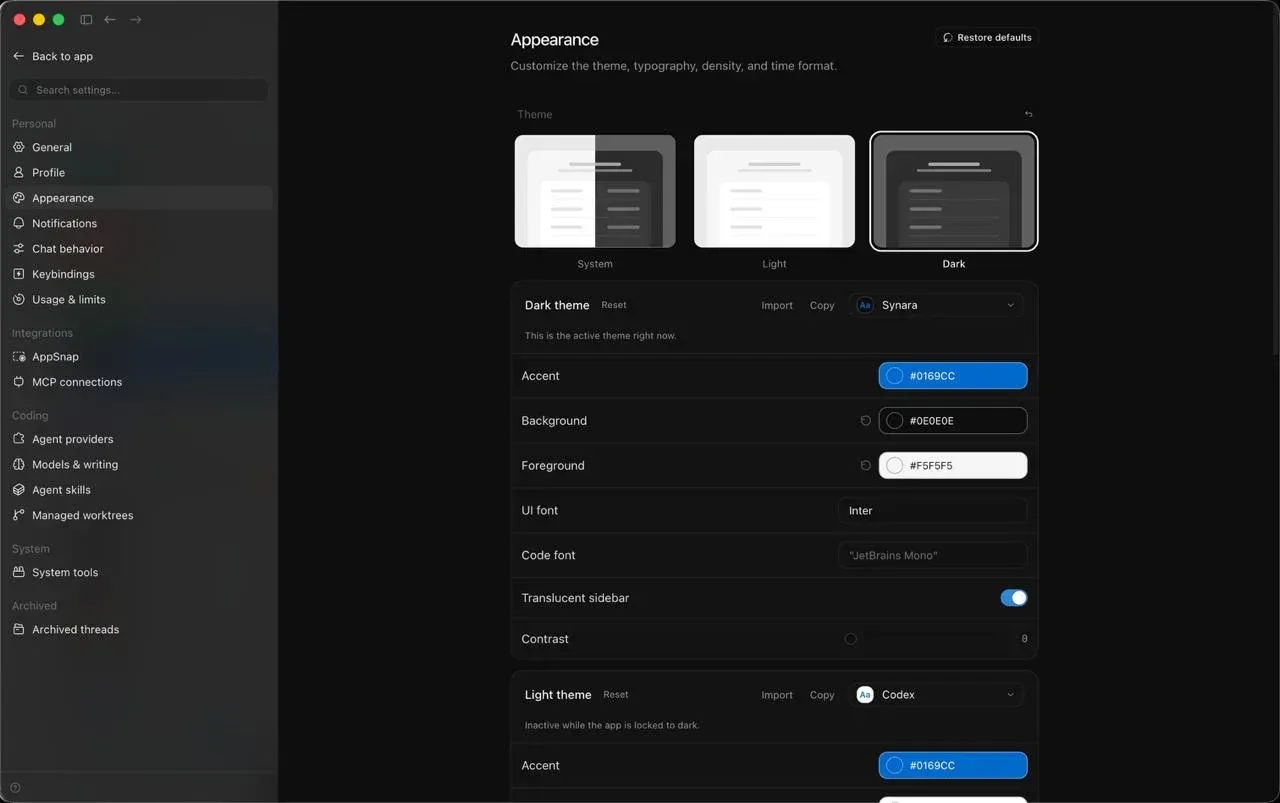
Official README image: theme, color, font, translucency and contrast controls, with the settings sidebar listing agent providers and managed worktrees.
Source: official Synara project page.
Key capabilities
- Download Synara for macOS Separate DMG packages exist for Apple Silicon (arm64) and Intel (x64). The 1.1.0 release notes state that both pass Developer ID signing and notarization. Bundles declare macOS 13 as the minimum, and updater feeds refuse the update on older systems; the project notes that runtime behavior on every macOS 13 configuration is not qualified.
- Download Synara for Windows The Windows x64 build is an
.exeinstaller with a blockmap for the desktop updater. Release 1.1.0 is published under an explicit unsigned exception, so Windows SmartScreen can warn on first launch. Release qualification includes a Windows Defender scan and a packaged startup check. - Download Synara for Linux Linux is distributed as an x86_64 AppImage. Depending on the desktop environment, make it executable with
chmod +x Synara*.AppImagebefore opening it. No ARM Linux desktop package is listed in the current release. - Headless server package Each release includes
synara-server-<version>.tar.gz, which runs the same server and web client without Electron. It needs Node.js 22.19 or newer, a productionnpm install --omit=devand a private data directory. It binds to 127.0.0.1 by default, and the headless server guide warns against exposing the raw port without deliberate authentication and trusted transport. - Ten provider runtimes Synara connects to Claude Code, Codex (CLI and app-server), OpenCode, Cursor, Antigravity, Grok Build, Devin CLI, Pi, Oh My Pi and Factory Droid. Each must be installed and signed in outside Synara first. Model lists are discovered from the installed runtime, so they vary by provider version, account and subscription.
- Projects, tasks and threads Work is organized into projects and task threads that keep conversation, state, files, notes, recaps and history. Provider, model and effort can be chosen per task. Side chats, thread forks from an exact turn, pinning and search help move between active work.
- Managed Git worktrees A task can run in the local checkout or in a managed worktree that has its own directory and branch while sharing the repository object store. The worktree guide notes that separate directories do not isolate shared databases, services or dev-server ports, and that each worktree may need its own dependency install.
- Provider handoffs Choosing another provider in the model picker hands the same task, checkout, visible history and attachments to that runtime on the next send. If the receiving session cannot start, the source provider keeps the task. Private native session state is not transferred, and switching between two accounts of one provider creates a new thread.
- Changes, terminal, files and editor The task surface includes live diffs, real terminals in the task directory, a file browser and an editor based on the Code OSS engine with TypeScript and JavaScript language intelligence and JavaScript debugging. Turn diffs can show captured live snapshots and complete Codex cumulative patches against their baseline.
- Git and pull-request workspace Branches, commits, pushes and pull requests can be handled from the app, including stacked pull requests and a linked chat that works on failing CI checks. Git features require Git 2.29 or newer; GitHub operations need a GitHub remote and an authenticated GitHub CLI (
gh). - In-app browser and WebMCP tools A task-scoped Chromium surface lets you and the agent inspect the same page, docked or floating. Compatible providers receive the same browser tools with bounded results and timeouts. Cookies and signed-in sessions are shared across Synara browser tabs, which matters when testing with real accounts.
- Split views and iOS Simulator pane Two chats or a chat and a preview can sit side by side. On a macOS server with Xcode, a selected iOS Simulator can stream into the right dock for you and supported agents. The pane installs and launches build products but does not replace
xcodebuildor the project's build system. - Computer Use (beta, macOS only) With Accessibility, Input Monitoring and Screen Recording permissions, an agent can operate native Mac apps and a separate headless Chromium profile. It is enabled per request with
/computer-useor globally in Settings, and task approval still applies. Linux support is announced as coming soon. - Tasks, Inbox and Kanban To-dos can be delegated to a chosen provider, model and project, then tracked through Draft, In Progress, Awaiting you and Done columns. Approvals, unanswered questions, failures and stalled work surface in the attention view. Items can exist without a project or agent.
- Hubs and Library A Hub combines one coordinator chat, worker chats, shared instructions, a
MEMORY.mdand a Library of delivered files, across several repositories or none. New Hubs allow 3 parallel threads, adjustable from 1 to 8, with a persistent queue. The server never approves a worker's pending request on your behalf. - Automations Scheduled and heartbeat automations run through the same task, provider, environment and approval pipeline as interactive work. Heartbeat runs can evaluate a stop condition. The automations guide recommends bounded, easily verified jobs such as summarizing failing checks.
- Agent Gateway and External MCP The Agent Gateway is an internal, thread-scoped MCP surface that lets a provider session inspect projects, create and wait for child tasks and use browser tools. External MCP pairs another local client with selected projects, scopes, rate limits, expiring credentials, audit records and revocation; it is available only while Synara listens on loopback.
- Remote MCP Connectors Since Stable 1.0.9, Settings then Connectors adds catalog or custom public HTTPS MCP servers with browser sign-in. Claude, Codex and OpenCode support them directly; Cursor, Grok, Droid and Oh My Pi need ACP HTTP MCP support; Pi, Devin and Antigravity cannot use connectors. Running sessions keep the connector set they started with.
- Project import Local Codex and Claude Code projects and conversation history can be scanned and imported. Synara copies provider-session state for continuation rather than resuming the original session, preserving source history. Historical attachments and provider-internal artifacts are not guaranteed to be reconstructed.
- Appearance and languages Light, dark and system themes, custom accent and background colors, UI and code fonts, density and translucency are configurable. Release 1.1.0 adds English and Spanish interfaces; Simplified Chinese remains Beta-only. User content and provider output are not translated.
Where Synara fits
Running two agents on one repository without collisions
Create two worktree-backed tasks from the same agreed base commit, for example one owning an API change and one owning the UI. In each task terminal check pwd, git status --short and the current branch, and confirm the directories differ. Install dependencies per checkout and assign different dev-server ports. After both finish, review each branch, then merge them one at a time from a clean integration checkout and run the combined checks before delivery.
Getting a second opinion from another provider
Let the active turn finish, answer pending approvals, then pick another runtime in the model picker and send. The handoff guide distinguishes a handoff, where one provider continues the same objective and branch, from a review-only task, where a second provider inspects a completed diff without taking ownership. Check the receiving account, model and permission mode, and do not leave two providers editing the same environment.
Repairing a pull request with failing checks
Confirm git remote -v, gh --version and gh auth status on the machine, then open the pull-request workspace to read discussion, checks and diffs together. A linked chat can work on the failing CI job in its own task. Treat Git and GitHub as the authoritative state: verify the exact head that was tested before merging, as the pull-request guide advises.
Verifying web and iOS changes visually
Open the task-scoped browser on a local preview so the agent and you inspect the same page, and ask the agent to capture screenshots or logs as evidence. A browser timeout does not prove an action failed; re-snapshot before retrying. For iOS work on a Mac with Xcode and a simulator runtime, attach the iOS Simulator pane, build from the task terminal and let the agent install and drive the build.
Coordinating research or multi-repository work through a Hub
Create a Hub, choose coordinator and worker models, add shared instructions in Memory and link the relevant repositories. Ask the coordinator for the outcome and, if preferred, a proposal before it starts workers. Keep the parallel-thread limit at the default 3 until cost and review load are clear, and collect deliverables in the Library. Workers that need input appear in the Hubs panel; approvals stay with you.
Running Synara on a dedicated development machine
Download the matching synara-server tarball, extract it into its own directory, run npm install --omit=dev and start it with --no-browser --home-dir pointing at a private data directory. Check readiness with server status --json, which exits non-zero on failure. Keep it loopback-only until authentication and transport are decided, and authenticate provider CLIs for the service account, since the tarball does not carry provider credentials.
Reviews of Synara
Be the first to share your experience with Synara.
Write a review
Loading review form…
Alternatives to Synara
 OrcaOrca is an MIT-licensed Electron app from Stably AI for running many coding agents at once, each in its own Git worktree. It adds chat and terminal views, diff review, a CLI, SSH and self-hosted servers, plus iOS and Android companion apps.