

What is ForgeCode?
ForgeCode is a terminal coding agent written in Rust, developed in the open at tailcallhq/forgecode under the Apache-2.0 license. You run forge in a project directory, describe a change in plain language, and the agent reads files, applies patches, runs shell commands and keeps the conversation as a saved session. It talks to the model provider you configure rather than to one fixed model, and the README lists support for 300+ models through providers such as OpenAI, Anthropic, OpenRouter, Google Vertex AI, Groq and OpenAI-compatible endpoints.
The project has two layers. The open-source CLI is the part this listing is mainly about: an interactive terminal UI, a one-shot mode (forge -p "..."), a Zsh plugin that routes lines starting with : to the agent, MCP client support, skills, custom agents and custom commands. Alongside it, the ForgeCode website now presents a hosted product it calls a software factory: cloud machines on which several agents work through issues on a mission board, started from Slack, GitHub issues, alerts or a prompt, with pay-as-you-go pricing per agent-hour. The two are related but not identical, and the CLI does not require an account on the hosted service.
The CLI installs with curl -fsSL https://forgecode.dev/cli | sh. The v2.14.0 release, published on October 1, 2026, ships prebuilt binaries for macOS (Apple Silicon and Intel), Linux (glibc and musl, x86_64 and aarch64), Windows (x86_64 and ARM64) and Android (aarch64). Its notes list support for newer Claude models on the claude_code and anthropic providers, a pinned html2md dependency to repair the Android build, additional models for the Neuralwatt provider, and many dependency updates. Nix users can run nix run github:tailcallhq/forgecode for the development branch.
Configuration lives in ~/forge/.forge.toml and optional forge.yaml files. Provider credentials are entered through forge provider login, while the older .env approach is marked deprecated in the README. The project is maintained by Tailcall; the founder named on the ForgeCode blog is Tushar Mathur. Documentation is kept in the repository, so the README is the main reference for commands. The details above come from the repository, release page and official site.
ForgeCode screenshots
Explore the interface. Open a screenshot to view it at full size.
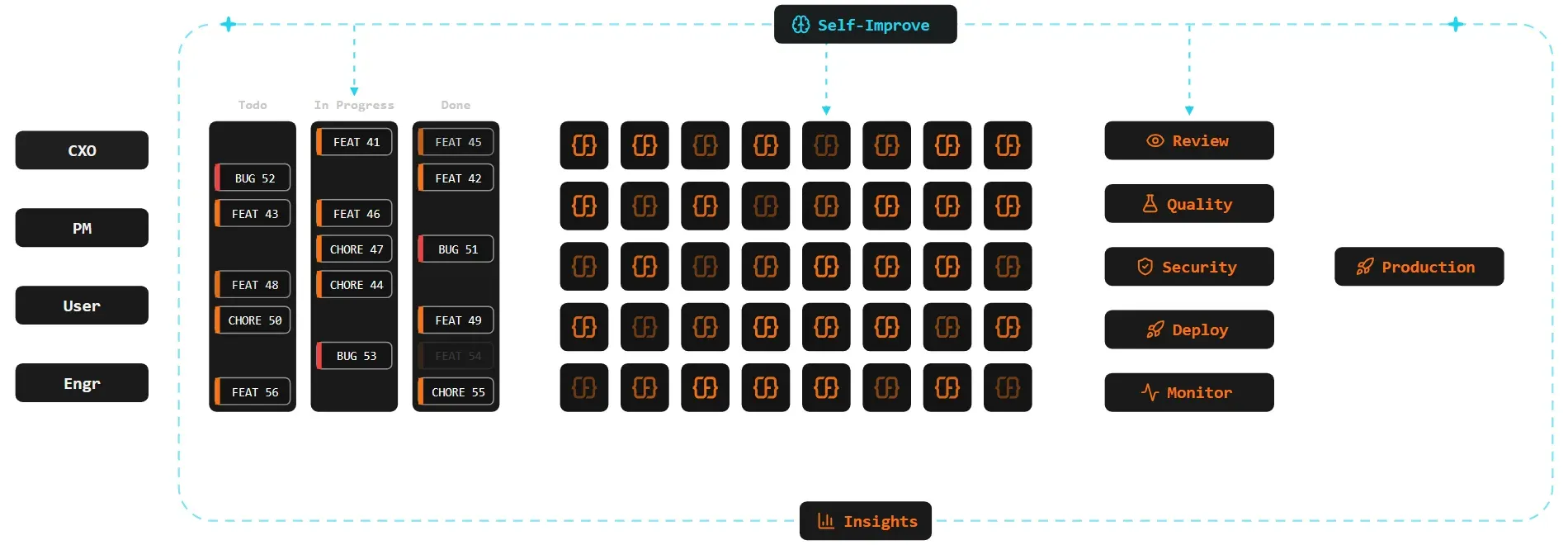
Official architecture figure from the ForgeCode blog essay on the software factory, rendered from the published SVG.
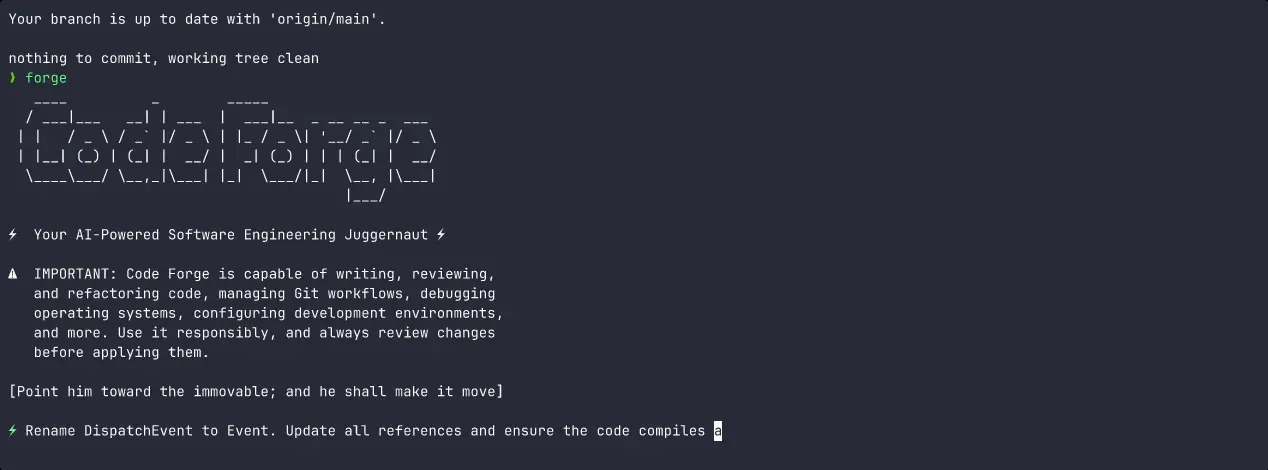
Frame from the demo animation in the project README (recorded in early 2025, so the interface has changed since).
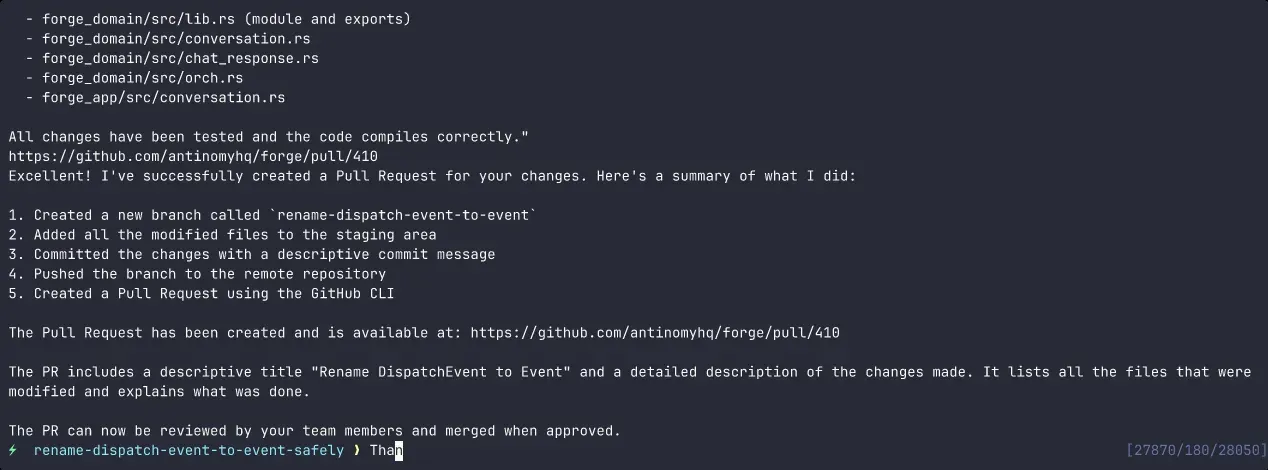
Later frame from the same README demo animation, showing the agent summary of the work it performed.
Source: official ForgeCode project page.
Key capabilities
- Interactive terminal session Running
forgewith no arguments opens a persistent conversational UI in the current directory. The agent reads files, writes patches and runs commands while keeping context across the session. Options such as-Cstart it in another directory and--agentselects a specific agent. - One-shot and piped prompts
forge -p "..."runs a single prompt and exits, and piped input is accepted as the prompt. This makes it usable from scripts and CI jobs, although you should treat any automated run as one that can edit files and execute commands. - Zsh plugin with the colon prefix After
forge setupinstalls the plugin, lines starting with:are sent to Forge instead of the shell. Commands include:new,:conversation,:retry,:compact,:modeland:doctor. Other shells use the plain CLI. - Three built-in agents
forgeimplements changes and can modify files,sage(alias:ask) researches and reads code without editing, andmuse(alias:plan) writes implementation plans into aplans/directory. Splitting read-only agents from the implementing agent gives a safer way to explore an unfamiliar codebase first. - Multi-provider model access
forge provider loginwalks through credentials for the listed providers, and OpenAI-compatible endpoints can be added with a custom URL. The default model and reasoning effort (none through max) can be set per session or saved globally with:config-modeland related commands. Prompts and file context go to whichever provider you choose. - Saved and branchable conversations Every conversation is stored and can be listed, resumed, renamed, cloned, dumped as JSON or HTML, or deleted from the CLI.
:conversation -toggles to the previous one, and:clonebranches a session so a different approach can be tried without losing the first. - AI commit messages
forge commitreads the diff, writes a message and commits, while--previewonly prints the message. In the Zsh plugin,:commit-previewplaces the command in your buffer for editing. Check the staged diff first, since the message is generated from it. - Shell command suggestion
forge suggest "find large log files"turns a description into a command. It is meant for commands you then read and run yourself; in the plugin flow the suggestion lands in your shell buffer instead of running. - File attachments with fuzzy search Typing
@and pressing Tab searches project files and inserts an@[path]reference, which attaches that file as context. This keeps prompts specific without pasting source into the terminal. - Skills Reusable workflows live in
SKILL.mdfiles with YAML front matter. Built-in skills cover creating a skill, executing a plan and writing a GitHub pull request description. Project skills in.forge/skillsoverride global ones in~/forge/skills, which override built-ins. - Custom agents, commands and AGENTS.md An
AGENTS.mdfile in the project root, or in~/forge, supplies persistent instructions that Forge reads at the start of every conversation. Markdown agent files and YAML command files in.forgeadd project-specific roles and shortcuts. - MCP server management The
forge mcpsubcommands list, import, show, remove and reload Model Context Protocol servers, so external tools can be added to an agent. Review what each server can reach before enabling it in a repository with sensitive files. - Semantic workspace search
forge workspace sync(or:sync) indexes a codebase so the agent can search by meaning. The README states that indexing sends file content to a workspace server that defaults tohttps://api.forgecode.dev; settingFORGE_WORKSPACE_SERVER_URLpoints it elsewhere for self-hosting. - Sandboxed worktrees
forge --sandbox experiment-namecreates an isolated git worktree and branch and starts the session there. Experimental changes stay off your main working tree until you decide to merge them. - Restricted shell mode The README describes a restricted shell mode that limits file system access and unintended changes. It reduces exposure but is not a replacement for running the agent in a container or a disposable checkout when the task is untrusted.
- Prebuilt binaries and updates Release assets cover macOS, Linux, Windows and Android on the architectures named in the release page.
forge updateinstalls the latest version andforge doctordiagnoses the shell environment. - Hosted software factory (separate product) The official site describes cloud factories billed per agent-hour, with Small, Medium, Large and Ultra machine sizes at $0.20, $0.40, $0.80 and $1.60 per agent-hour. Enterprise adds bring-your-own-cloud on AWS, Google Cloud or Azure, SAML SSO and organisations. It is optional and independent of the CLI.
Where ForgeCode fits
Understanding an unfamiliar repository
Switch to the read-only sage agent with :ask and ask how a subsystem works, where a data flow starts, or which files a change would touch. Because that agent does not modify files, it is a reasonable first pass. Check the answer against the code it cites before acting on it, and run forge workspace sync only if you accept the indexing data path described in the README.
Planning before implementing
Use :plan to have the muse agent write a plan into plans/, then review that file as you would a design note. The execute-plan skill can run it afterward. Planning first makes the scope visible and gives you a document to edit when the first attempt misunderstands the task.
Scripted and one-off changes
For a mechanical change, call forge -p with a precise prompt from a script or alias. Run it on a clean branch, inspect git diff, and run your normal tests. In CI, prefer a throwaway checkout, because the agent can edit files and run commands with the permissions of the account that started it.
Experimenting without touching your branch
Start with forge --sandbox name to work in an isolated git worktree and branch. Compare the result with git diff against the base, discard the worktree if the approach fails, and merge only what you reviewed. This also suits trying a different model on the same task.
Commit and pull request hygiene
Use :commit-preview so the generated message lands in your shell buffer for editing, and the github-pr-description skill for a pull request body from the diff. Reviewers still need the code to be correct; treat generated text as a draft that you stand behind.
Standardising agent behaviour for a team
Commit an AGENTS.md with coding conventions and commands the agent should avoid, plus project agents and skills under .forge. New contributors then get the same instructions, and changes to those files go through normal code review.
Install
curl -fsSL https://forgecode.dev/cli | shReviews of ForgeCode
Be the first to share your experience with ForgeCode.
Write a review
Loading review form…
Alternatives to ForgeCode
 AiderOpen-source command-line tool for editing code with LLMs inside a local git repository. It builds a repository map, applies model edits to files, commits each change, runs linters and tests, and works with most hosted and local models.
 Codex CLIOpen-source Rust CLI from OpenAI that reads a repository, edits files and runs local commands inside a sandbox with approval prompts. Includes code review, MCP, skills, codex exec for CI, a TypeScript SDK and an app-server.
 gooseApache-2.0 AI agent written in Rust, with a desktop app, a CLI and an ACP server. It works with 15+ model providers or built-in local inference, connects to MCP extensions and runs reusable recipes. Originally from Block, now hosted by AAIF.