

What is Coucou?
Coucou is an open-source desktop companion for developers working with AI coding agents. Its Mochi character appears in the Mac notch or along the top of a Windows or Linux screen, showing session activity, file changes and requests that need attention. Supported agents connect through hooks or plugins, with approval controls varying by agent.
The desktop app runs locally and stores service credentials in the operating system's credential store. Optional chat connects to cloud providers using the user's API keys, supported AI subscriptions through their terminal tools, or local models. Flow provides dictation, including offline Parakeet recognition, while the Notetaker records microphone and system audio to produce transcripts, summaries and action items.
Mobile apps extend desktop sessions rather than running the coding agents themselves. The iPhone companion uses the same Apple Account and a private iCloud database to communicate with the Mac. Android pairs with Windows or Linux over Wi-Fi using a QR code and a pinned certificate, with an optional self-deployed encrypted relay for access away from the local network. The code uses the MIT License, but the name, character, icon, sounds and media have separate restrictions.
Coucou screenshots
Explore the interface. Open a screenshot to view it at full size.
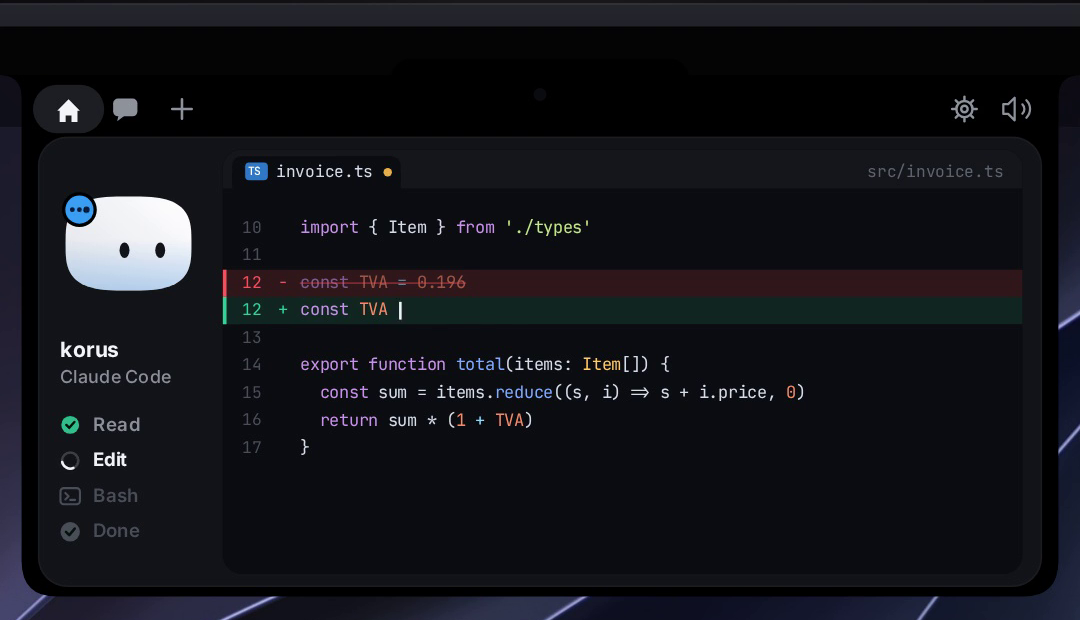
Source: official Coucou project page.
Key capabilities
- Session monitoring Displays agent states, tool activity, changed files and readable diffs in a desktop overlay.
- Approval handling Presents permission requests and Claude Code questions, with available actions depending on the agent and build.
- Mobile supervision Shows desktop sessions and actionable requests on iPhone or Android, with authentication required to allow requests.
- AI chat Connects to supported cloud providers, existing AI subscriptions through terminal tools, or local model servers.
- Voice workflows Provides dictation with offline recognition options and call transcription with summaries and action items.
- Service panels Displays information from connected services such as GitHub, Stripe, n8n, Vercel and Notion.
Where Coucou fits
Coucou fits alongside terminal and editor-based coding agents when developers want session progress and pending decisions visible outside the terminal. Mobile companions support checking work and answering requests while away from the computer, which must remain available to run the agents and apply decisions.
Before deployment, the selected desktop build, agent hooks and approval behavior need checking together. Some integrations only display activity rather than accepting approvals. iPhone use requires matching Apple Accounts and iCloud; the released Android setup targets Windows and Linux, while Mac pairing is described as unreleased. Teams should also review which session details reach mobile devices or AI providers, recording consent for calls, and the unsigned Windows installer.
Install
brew tap louis-cfm/coucou https://github.com/Louis-CFM/coucou
brew install --cask coucou
Reviews of Coucou
Be the first to share your experience with Coucou.
Write a review
Loading review form…
Alternatives to Coucou
 MulticaMultica is a source-available workspace for assigning issues to AI coding agents, tracking runs and reviewing results, via cloud, desktop or self-hosting.