

What is Busabase?
Busabase is an open-source database and workspace built for AI agents and the people who review their work. Agents such as Claude Code, Codex, Cursor or a custom script read and write the same structured records, Markdown documents, files, skills and small web apps, and each write arrives as a Change Request with a message, a field-level diff, an author and a history. The project is published by Busabase under the MIT license in the busabase/busabase repository, and the same engine runs the hosted Busabase Cloud service. Busabase has no built-in model: it stores and governs what external agents produce.
The local server starts with npx -y busabase@latest server and listens on port 15419, with the dashboard at /dashboard/local. It needs no account, database server or configuration file: data goes to ~/.busabase/data, with an embedded PGlite database in pgdata/ and files in storage/. Environment variables switch to external PostgreSQL (PG_DATABASE_URL) or S3-compatible storage (STORAGE_URL). The project also publishes a Docker image on Docker Hub and GHCR, desktop builds for macOS, Windows and Linux on the download page, an iOS app and an Android APK for review on a phone.
The current release is v1.1.0, published November 6, 2026. It ships the npm packages busabase, busabase-cli, busabase-sdk, busabase-package and busabase-cms-sdk at 1.1.0, with the short aliases busa-cli and busa-sdk, plus multi-architecture container images for amd64 and arm64. It also includes release 0.1.2 of the separate email SDK. Version 1.0.0, published October 30, 2026, changed the CLI to create credential files with mode 0600 from the start, and 0.99.0 added SMTP and Amazon SES delivery with durable reply tracking to that email SDK.
The code base is TypeScript. apps/busabase is a single-workspace Next.js shell, and packages/busabase-core holds the engine: nodes, records, file trees, review primitives, search, agent access and API contracts. Those contracts are exposed through a REST API under /api/v1 with an OpenAPI document, an MCP endpoint at /api/mcp, the busabase-cli client, TypeScript and Python SDKs, and an Agent Skill file that onboards an agent from a single prompt. Content is organized as typed nodes: Folder, Base, Doc, File, Drive, Skill, AirApp, Form, HTML, Whiteboard and Workflow, described in the node type reference.
Scope matters when evaluating it. The open-source server has no user system, sign-in or organizations, and the README states that it is designed for a trusted local machine or private network. Multi-user features such as accounts, spaces, roles, audit log export and API keys with Vault secrets come from Busabase Cloud or a commercial self-hosted Premium license, described in the self-hosting overview. Busabase runs on PostgreSQL rather than replacing an application database, and it is not a vector store or an agent runtime. The gallery shows official screenshots of the local desktop edition with demo data.
Busabase screenshots
Explore the interface. Open a screenshot to view it at full size.
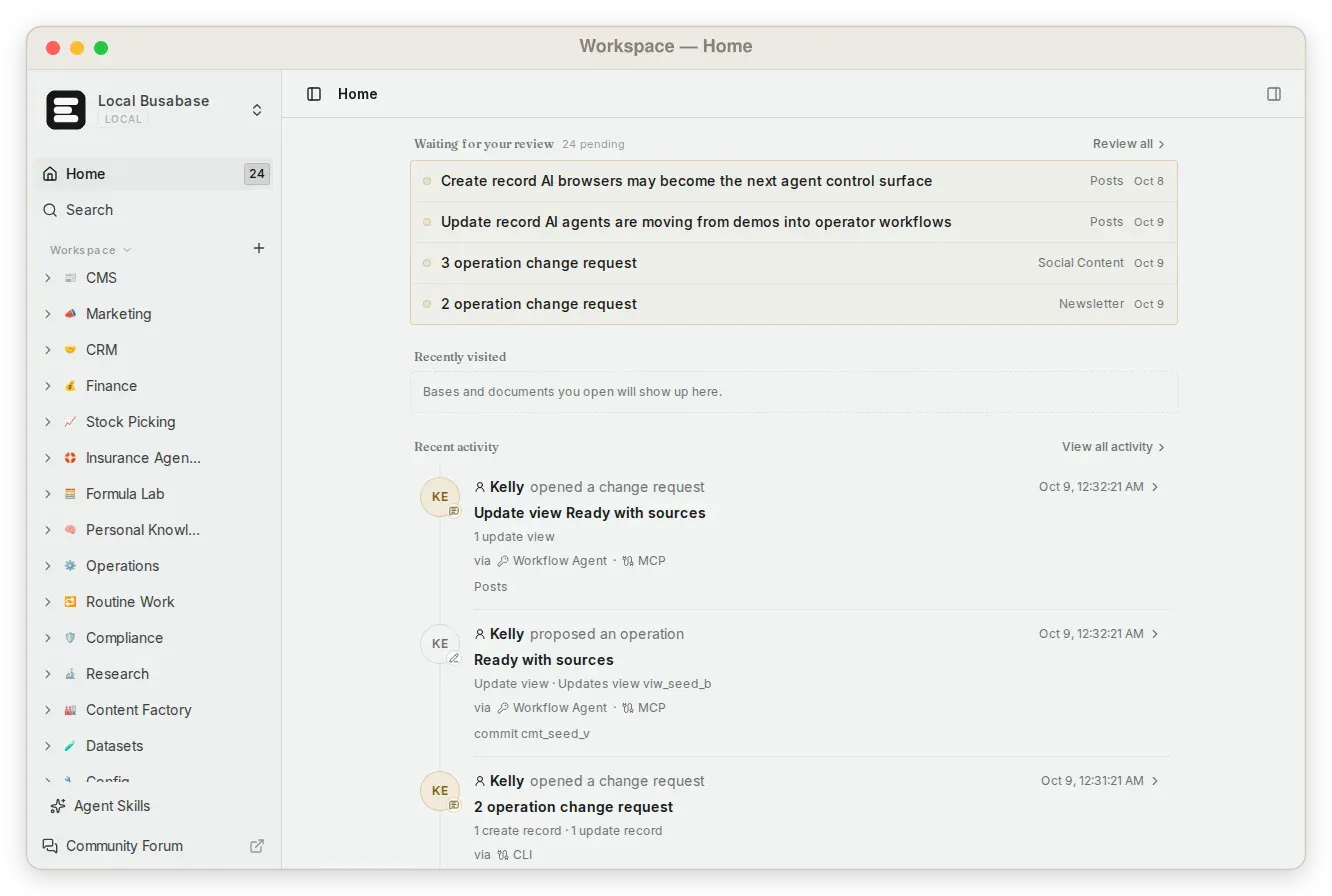
Official screenshot of the local workspace home: changes waiting for review, and activity attributed to agents via MCP and the CLI.
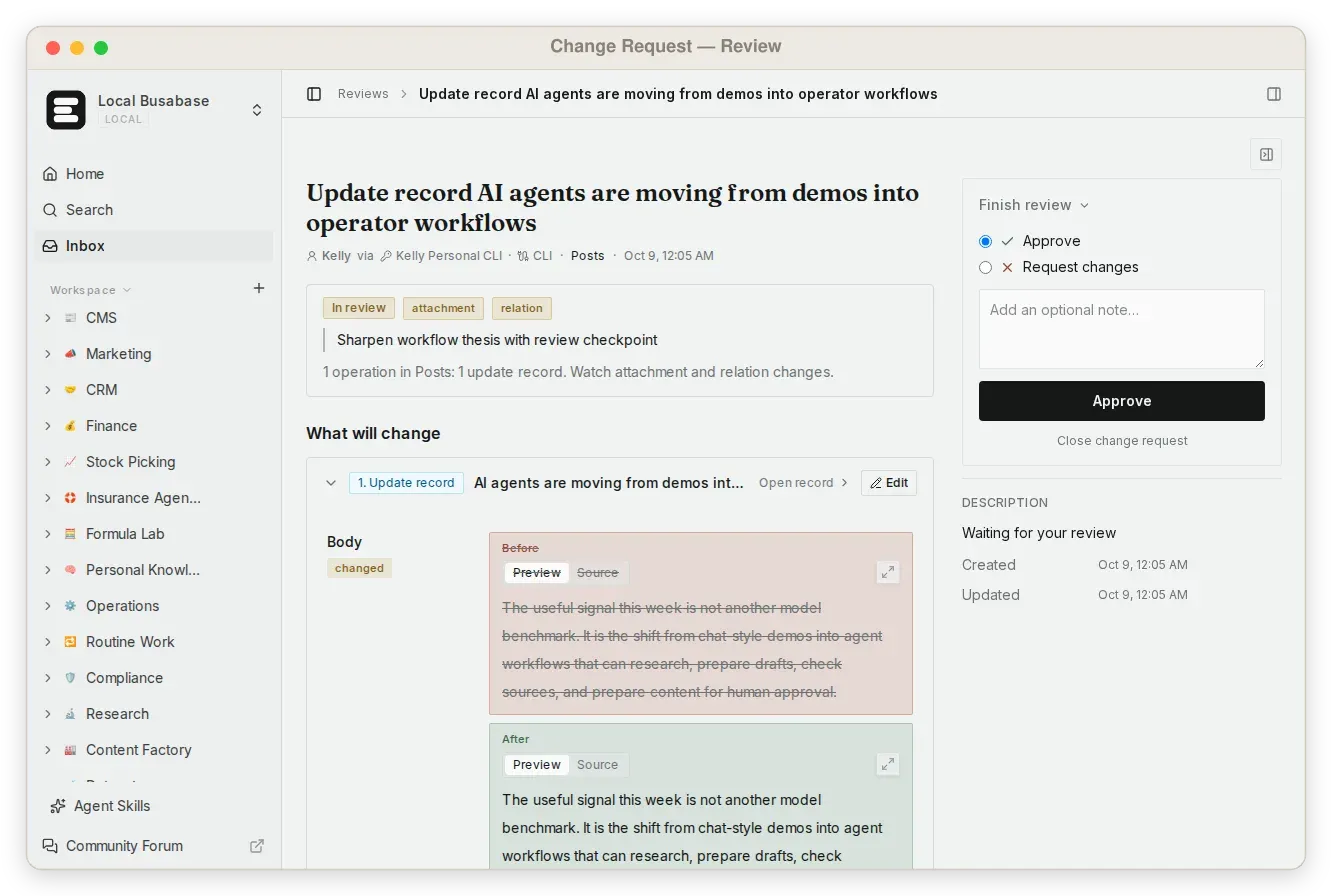
Official screenshot of a Change Request: the field-level diff of an agent edit next to the approval panel.
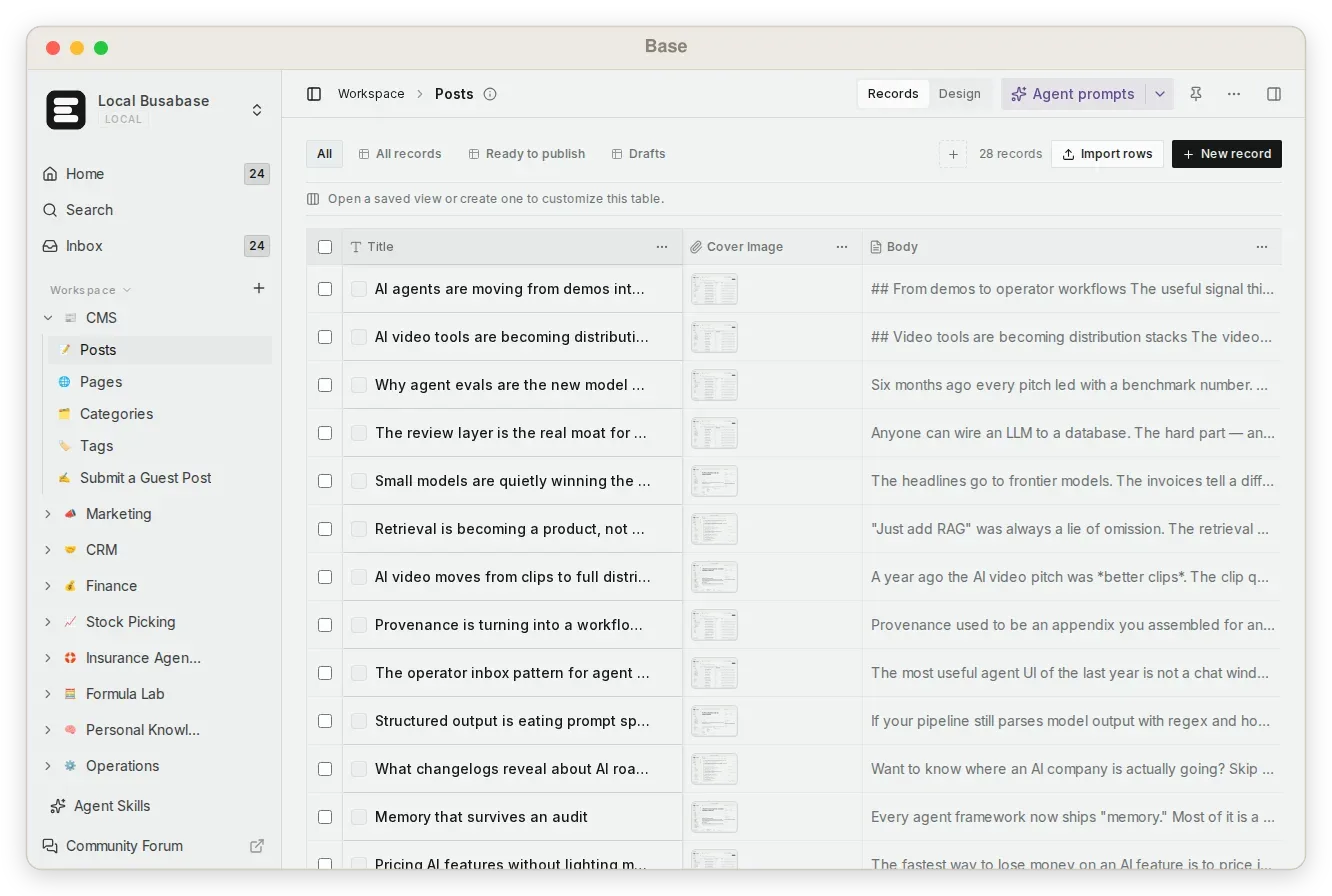
Official screenshot of a Base: typed records in a table with saved views and an Agent prompts menu.
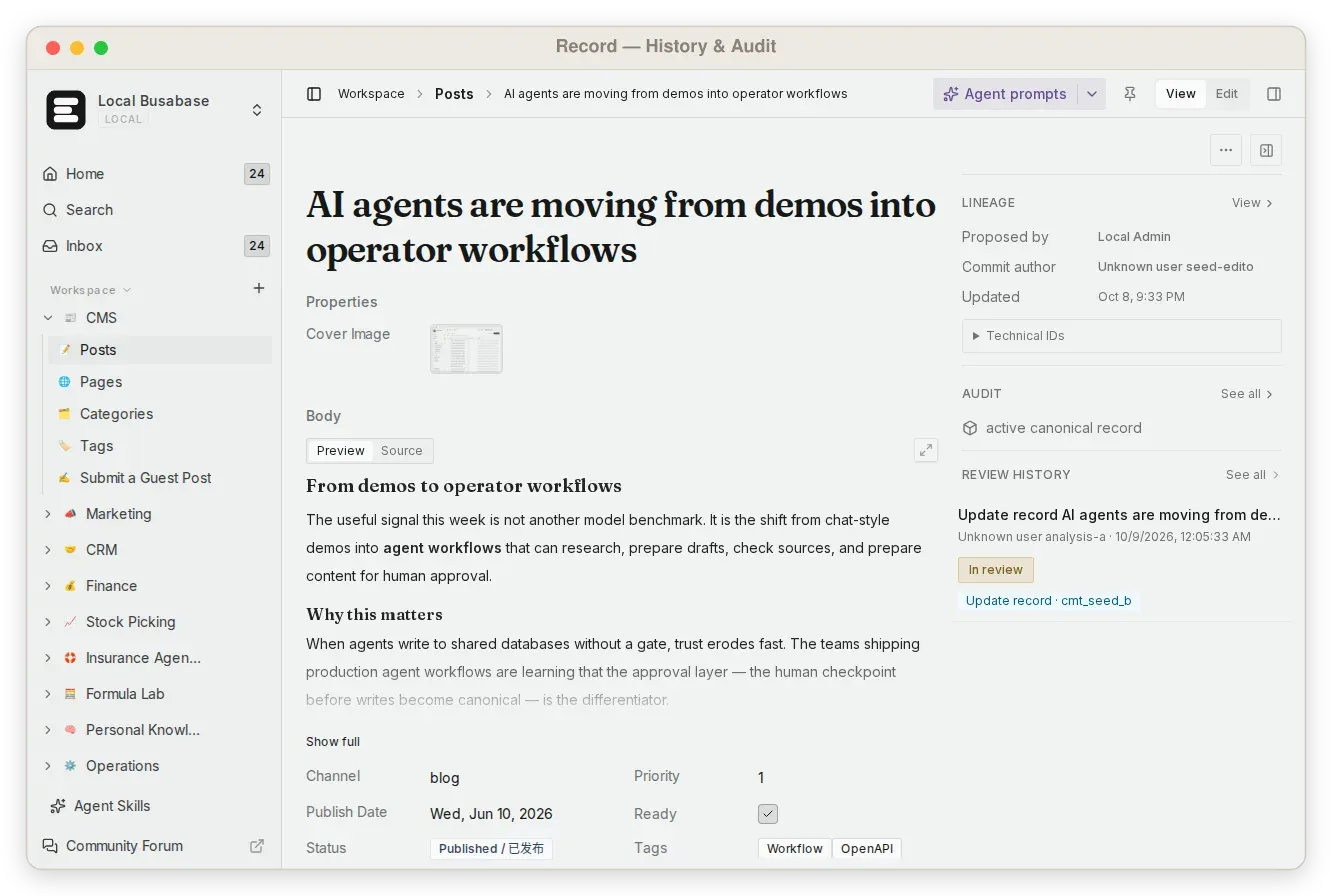
Official screenshot of a record page showing who proposed it, the commit author and its review history.
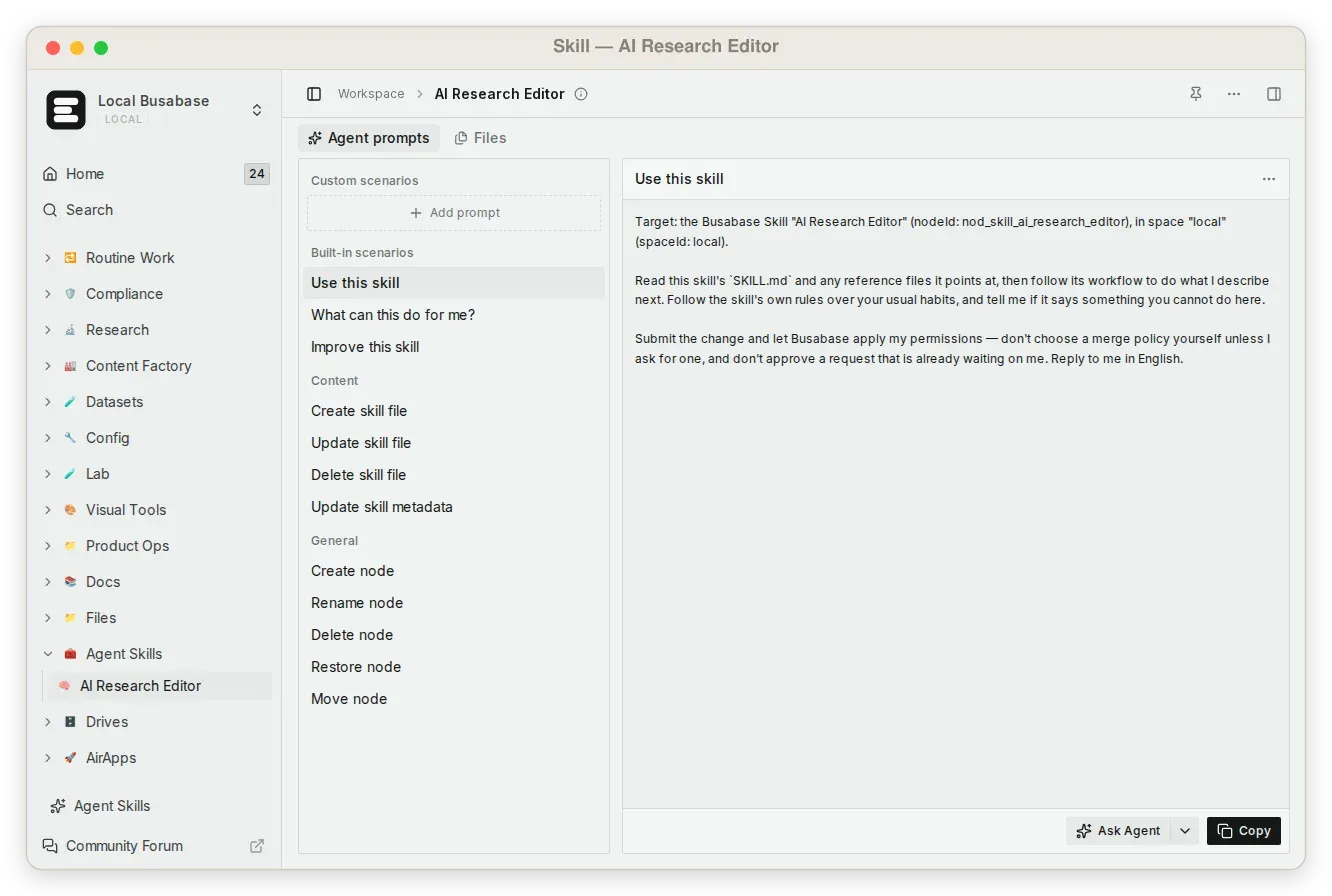
Official screenshot of a Skill node: reusable prompts that tell an agent to read SKILL.md and submit changes through Busabase.
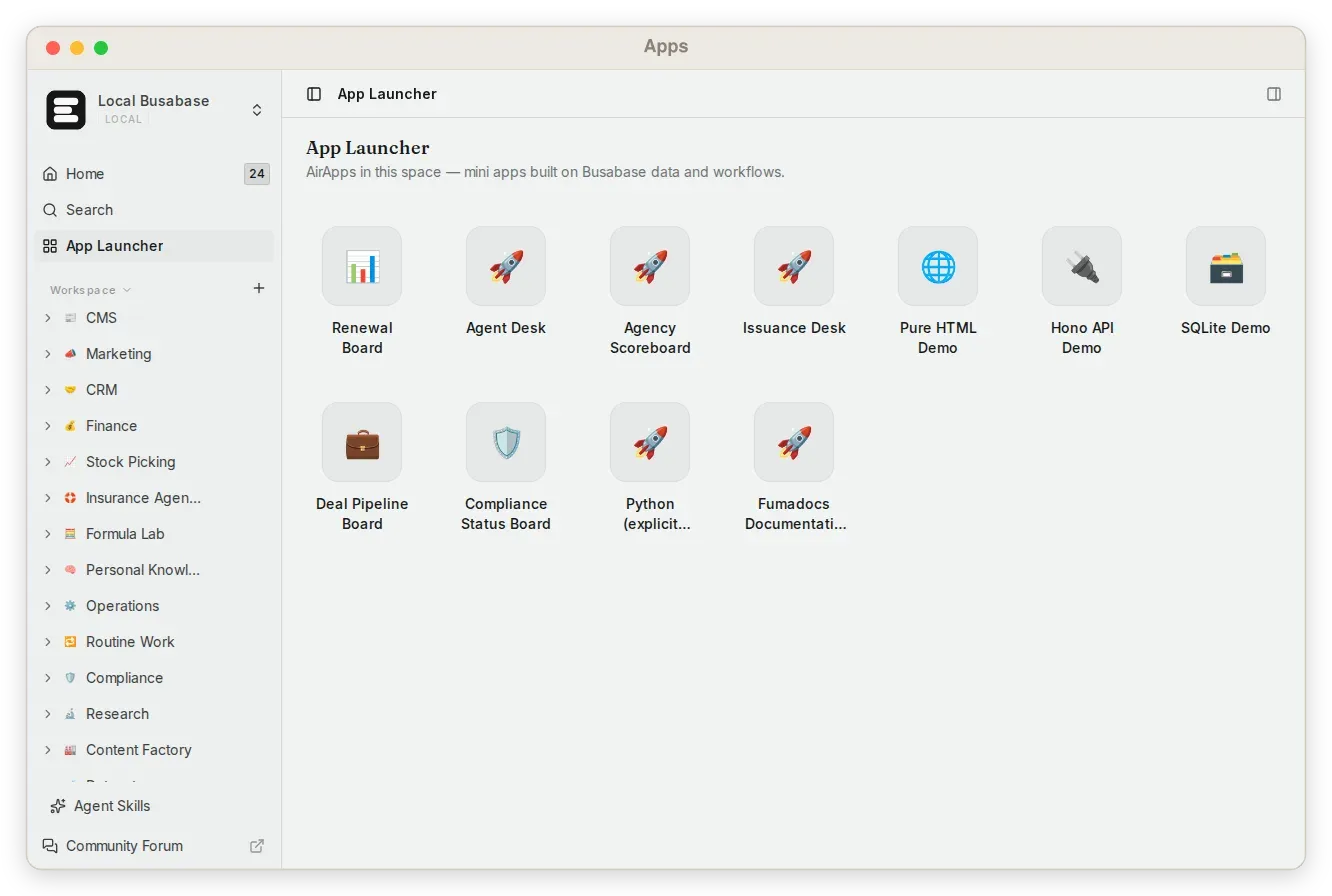
Official screenshot of the App Launcher with demo AirApps built on workspace data, from the seeded demo workspace.
Source: official Busabase project page.
Key capabilities
- Run the local server with npx
npx -y busabase@latest serverstarts the server on port 15419 with embedded PGlite, local file storage and a demo workspace. A global install withnpm i -g busabaseprovides thebusabase servercommand. Only one process can hold the same PGlite database at a time, so a desktop app and a CLI server should not share a data directory. The quick start covers the first connection. - Docker images for amd64 and arm64 The README runs the image as
docker run --rm -p 15419:15419 -v ~/.busabase/data:/data busabase/busabase, and release 1.1.0 is taggedbusabase/busabase:1.1.0on Docker Hub andghcr.io/busabase/busabase:1.1.0on GHCR. Mount a volume: removing a container without one removes its database. Pin a version tag rather thanlatestfor repeatable deployments. - Download Busabase Desktop for macOS, Windows and Linux Desktop 1.1.0 is offered as a DMG for Apple Silicon and another for Intel Macs, an EXE installer for 64-bit Windows 10 and later, and a DEB package for x86-64 Linux, with a separate DEB for UnionTech UOS and Kylin. The desktop edition runs locally and works offline. The download page states that builds are not yet code-signed, so macOS and Windows show a warning on first launch.
- Mobile review on iOS and Android Busabase Mobile is listed on the App Store, and Android is offered as a direct APK (version 0.90.1 on the download page), with Google Play marked as coming soon. The mobile app is aimed at reviewing agent Change Requests and opening records rather than building workspaces. The mobile app guide explains how it connects.
- Bases with typed records A Base holds records with typed fields, relations, saved views and forms. Field, view, record and schema changes are all expressed as operations, so an agent that adds a column or edits a value produces a reviewable diff. Rows can be imported, and downstream tools read merged, current records over REST.
- Docs, Files and Drives A Doc is a single Markdown page whose body lives in object storage and changes through document operations with version history. A File node wraps one stored asset, and a Drive is a plain file tree seeded with a
README.md. All three appear in the same left-hand tree as Bases and follow the same review path. - Change Requests and the Inbox Every node, file and metadata change is a Change Request carrying a message, a field-level diff, an author and a history. A caller with write permission on the target merges in the same call; a caller without it, a call that sets
autoMerge: falseor a credential capped at thechangeRequestlevel leaves a pending request in the Inbox. Reviewers can inspect, request edits, approve or reject, and merged changes stay attributable and reversible. - Record history and audit trail Record pages show lineage such as who proposed a change, the commit author, the review history and the canonical record state. This gives a person a way to trace an agent-written value back to the request and reviewer that accepted it. Audit log export is a Premium and Enterprise feature, not part of the open-source edition.
- Shared Skills and Playbooks Skill nodes are file trees containing
SKILL.mdplaybooks and supporting files that any connected agent can read. Playbooks collects skills and custom prompts into one searchable catalog, available throughPOST /api/v1/playbooks/searchorbusabase-cli playbooks search. The skills guide covers the file layout. - AirApps on workspace data An AirApp is an agent-authored web app stored as a file tree and run from the node page through one of three engines. The default browser engine runs JavaScript in the reviewer's tab via Nodepod and is not a full Node.js; the local engine starts a bare, unisolated process on the host and is offered only where host processes are allowed; the remote engine runs on a provisioned Sandock machine. A running app reaches
/api/v1with the same access as the reviewer who pressed Run, and Run requires HTTPS or localhost. - Workflows with approvals A Workflow node stores a graph of triggers, webhooks, functions, conditions, waits, approvals and record actions, started by hand or by
record.createdandrecord.updatedevents. A self-hosted scheduler picks up queued runs every 10 seconds and Cloud every minute. Webhook steps make one attempt with no retries and a 30-second limit behind a private-address guard, and finished runs are deleted after 90 days. Details are in the workflows documentation. - Whiteboards, Forms and HTML pages Whiteboards store a
scene.jsoncanvas for visual context, Forms publish a public intake page that creates records on a target Base, and HTML nodes hold one rawindex.htmlpage. Anonymous form submissions resolve no permission on the Base, so they always queue for review instead of merging. - MCP endpoint for agents and IDEs The local endpoint is
http://localhost:15419/api/mcpover Streamable HTTP, with an SSE endpoint kept for older clients. On Cloud, clients sign in through OAuth with dynamic client registration and PKCE and choose aread,changeRequest,writeormanagegrant. System administration, Vault secrets and the live event stream are not exposed as agent tools. See MCP and OAuth. - REST API, OpenAPI and SDKs The REST API lives under
/api/v1and acceptsAuthorization: Bearerkeys; a running instance serves its OpenAPI document at/api/v1/doc. busabase-sdk is the typed TypeScript client, andpip install busabaseinstalls the Python SDK. The REST API guide explains key scopes, where a write-level key merges and a proposal-only key sends changes to the Inbox. - CLI, templates and packages Busabase-cli is an API client for any Busabase server, covering skills, drives, AirApps, playbooks, export and install.
busabase-cli installapplies a template from a GitHub URL, bringing Bases, views, docs, sample data, apps and the agent manual in one step, and--require-reviewholds that content for approval. Templates are listed at busabase.com/templates. - Agent connections and plugins The README lists Claude Code, Codex, Cursor, Gemini CLI, OpenCode, OpenClaw, Hermes, Buda AI and n8n, and the documentation includes plugin guides for Codex, Claude Code, DeepSeek Harness, Dify and Omarchy. An Agents view supports ACP chat sessions with inline tool activity and permission requests. Onboarding uses a
SETUP_SKILL.mdfile served by the instance. - Email SDK Busabase-email-sdk sends text, Markdown, HTML and attachments through SMTP or Amazon SES, reads IMAP replies without marking them read, and records conversations in Bases through permission-aware Change Requests. Its changelog notes that production SES credentials, sender identity and account limits must be verified in the deploying account.
- Backup and restore
busabase-cli backup -o space.bbdumpwrites a zstd-compressed tar archive with nodes, records, files, doc bodies and, by default, commit and review history;--no-historykeeps only current state. Vault secrets and webhook signing keys are never included. Restore requires an empty target space and keeps original IDs, as described in backup and restore. - Self-hosted deployments The self-hosting guide offers an all-in-one container suited to trials and up to 20 people, a four-service Docker Compose setup with PostgreSQL and SeaweedFS, and a Helm chart for Kubernetes. It lists a minimum of 2 vCPU, 2 GB of memory and 10 GB of disk, and publishes port 3000 for the application and 8333 for object storage behind a TLS reverse proxy. See the Compose guide.
Where Busabase fits
Giving several coding agents one project memory
Start the local server, open Agent Skills in the sidebar and paste the onboarding prompt into each agent; the agent reads SETUP_SKILL.md, confirms the server and saves the base URL to ~/.busabase/.env. Record project conventions, decisions and release notes as Docs and Bases, then ask a second agent what changed this week. Check that answers cite workspace records rather than chat history, and that each agent appears as a distinct author in the activity feed.
Reviewing agent writes before they become records
Issue agents a credential capped at the changeRequest level, or the MCP changeRequest grant on Cloud, so they can propose but not merge. Their edits then wait in the Inbox with a field-level diff. Approve, reject or request changes, and confirm that the merged record shows the reviewer and commit in its history. Test one case where the agent holds write access, because that change merges immediately.
Running a content or CRM desk on structured data
Install a template such as the CRM example with busabase-cli install, which brings Bases, views, sample data, AirApps and an agent manual together. Agents research, draft or log follow-ups into the Bases, while people work from views and AirApp dashboards. Before relying on it, check field types, which views downstream readers use, and who can approve changes to published or customer-facing records.
Automating record-driven processes
Draw a Workflow that starts on record.created for a specific Base, evaluates a condition, waits or requests approval, and then updates or creates records. Remember that earlier step outputs are snapshots: place a read_record step after a Wait when a later branch needs current data. Webhook steps fail on a non-2xx answer or timeout with no retry, so the receiving service should be idempotent and observable.
Building small internal apps with an agent
Ask an agent to turn a Base into an AirApp dashboard, then review the generated files in the Change Request like any code change. The browser engine suits JavaScript apps that call /api/v1; Python or native dependencies need the local or remote engine. Because a running app inherits the reviewer's API access, read the bundle for unexpected API calls before approving and running it.
Moving from a laptop to a team deployment
Back up the local space with busabase-cli backup, choose Busabase Cloud or a self-hosted Compose or Helm deployment, and restore into an empty space. Self-hosted multi-user sign-in, roles and audit export need a Premium license. Put the application and storage ports behind TLS, set APP_URL to the HTTPS address, keep /data/.credentials or .env backed up, and test the restore before migrating real work.
Install
npx -y busabase@latest serverReviews of Busabase
Be the first to share your experience with Busabase.
Write a review
Loading review form…
Alternatives to Busabase
 BaserowSelf-hostable no-code database from Baserow B.V. with spreadsheet-style tables, form and kanban views, an application builder, workflow automations, dashboards, a REST API and an MCP server. The core is MIT; premium features need a license.
 NocoDBNocoDB is a free, self-hostable Airtable alternative with grid, gallery, form, kanban and calendar views and Docker install options.
 NotionNotion is a hosted workspace from Notion Labs, Inc. for documents, wikis, databases and projects, with Notion Agent, Custom Agents, an MCP server, a REST API, desktop apps for macOS and Windows, and mobile apps for iOS and Android.