

What is Paymenter?
Paymenter is an open-source billing and client management platform for hosting companies. A provider defines products and plans, customers order and pay through a storefront, and server extensions provision the service, for example a game server in Pterodactyl or a virtual machine in Proxmox. The project describes itself as open-source billing built for hosting, and the code is licensed under MIT. The official site lists the project's sponsors, which are hosting companies.
It is a PHP application built on Laravel, with an admin panel and a client area. The 1.5.0 release moved the stack to Livewire v4 and Filament v5. The README lists PHP 8.3 or later, Composer, Apache or Nginx and MariaDB as requirements, and the current installation guide targets Ubuntu 24.04 and 22.04, Debian 13, 12 and 11, and CentOS 9 and 8, with nginx, Redis and a systemd queue worker. Windows is not supported. A Docker route is documented, and the project also offers a hosted option, Paymenter as a Service, at 5 USD per month according to the docs.
The latest release is v1.5.9, published October 2, 2026. Its notes list fixes for eight security advisories and a fix for installing extensions in Docker, which makes updating a routine task for any production instance. The 1.5.0 release added support for multiple remember-me sessions, session locking, an auth login hook, service labels, ticket message avatars, products and categories API endpoints and a mail test action. The 1.4.0 release introduced billing agreements for saved payment methods with Stripe and PayPal, immutable invoice details, proforma invoices, a notification center and a basic WHMCS importer.
Paymenter is a billing system, not a hosting control panel: it relies on extensions to talk to the panels and gateways. The documentation calls the project still in development, and some importers, such as one for Blesta, are listed as in development on the website.
Paymenter screenshots
Explore the interface. Open a screenshot to view it at full size.
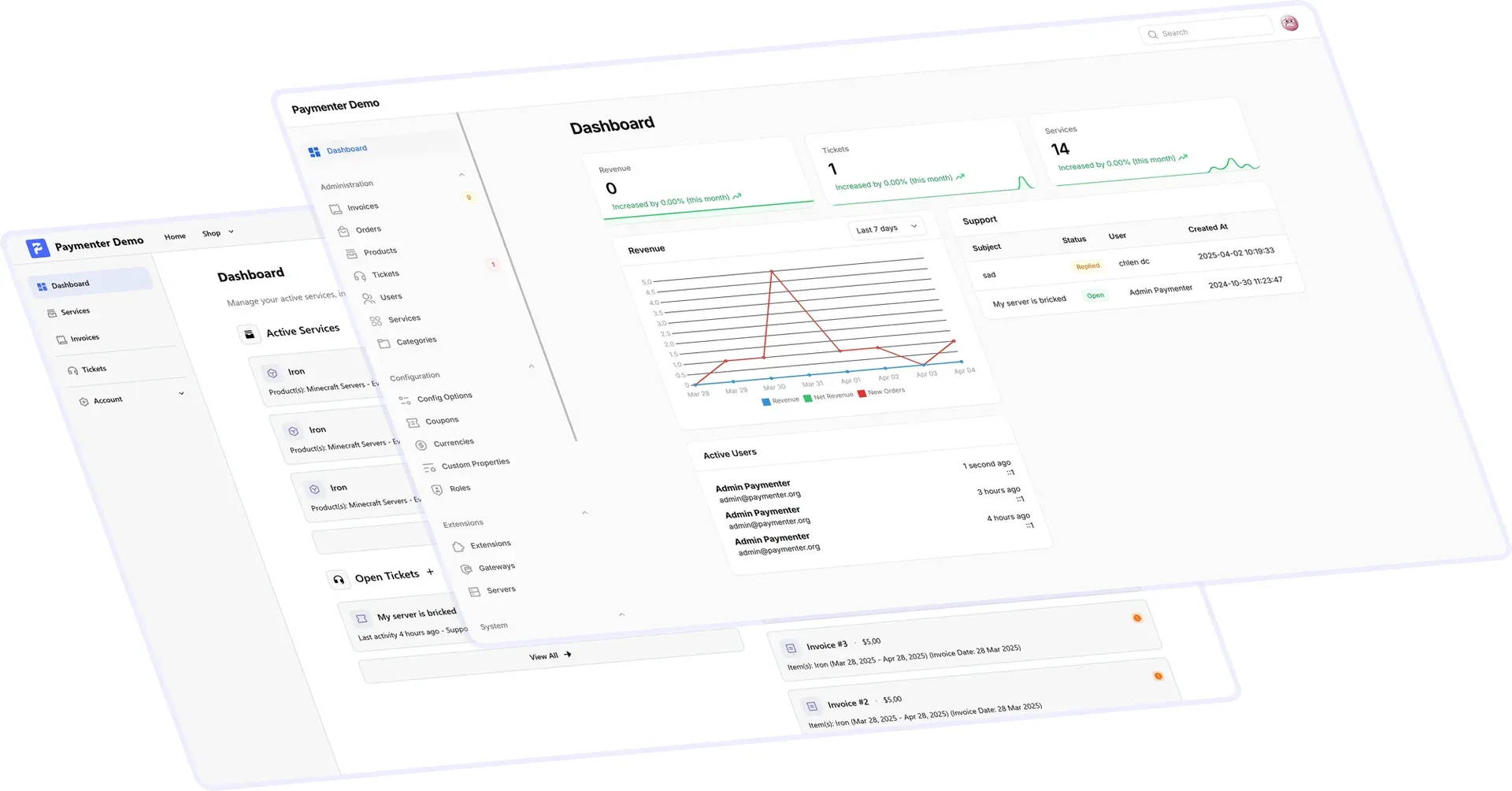
Official Paymenter website graphic of the demo client dashboard and the admin dashboard with revenue, tickets and services.
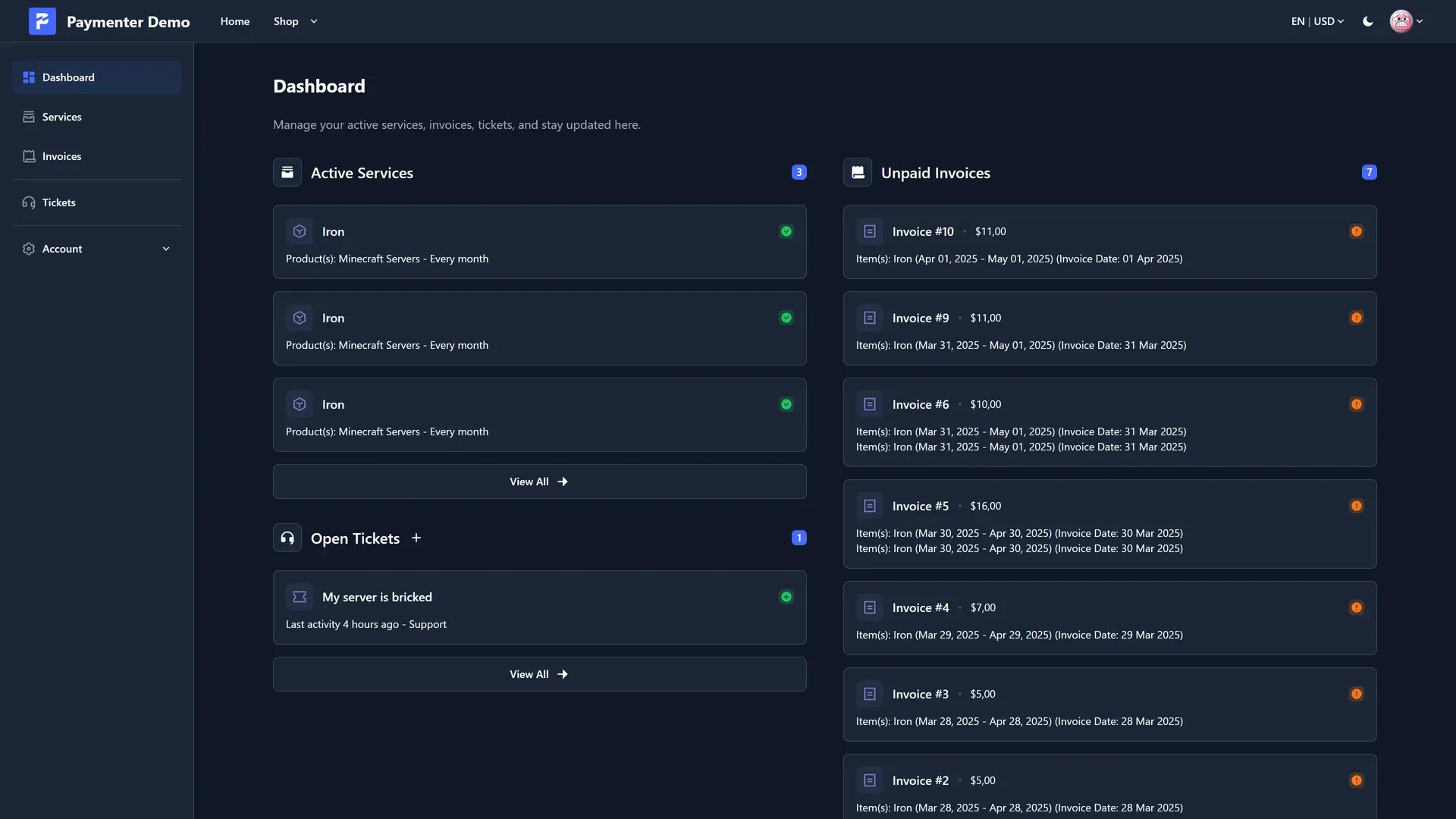
Official Paymenter website screenshot of the client area in the dark theme, with services, tickets and invoices.
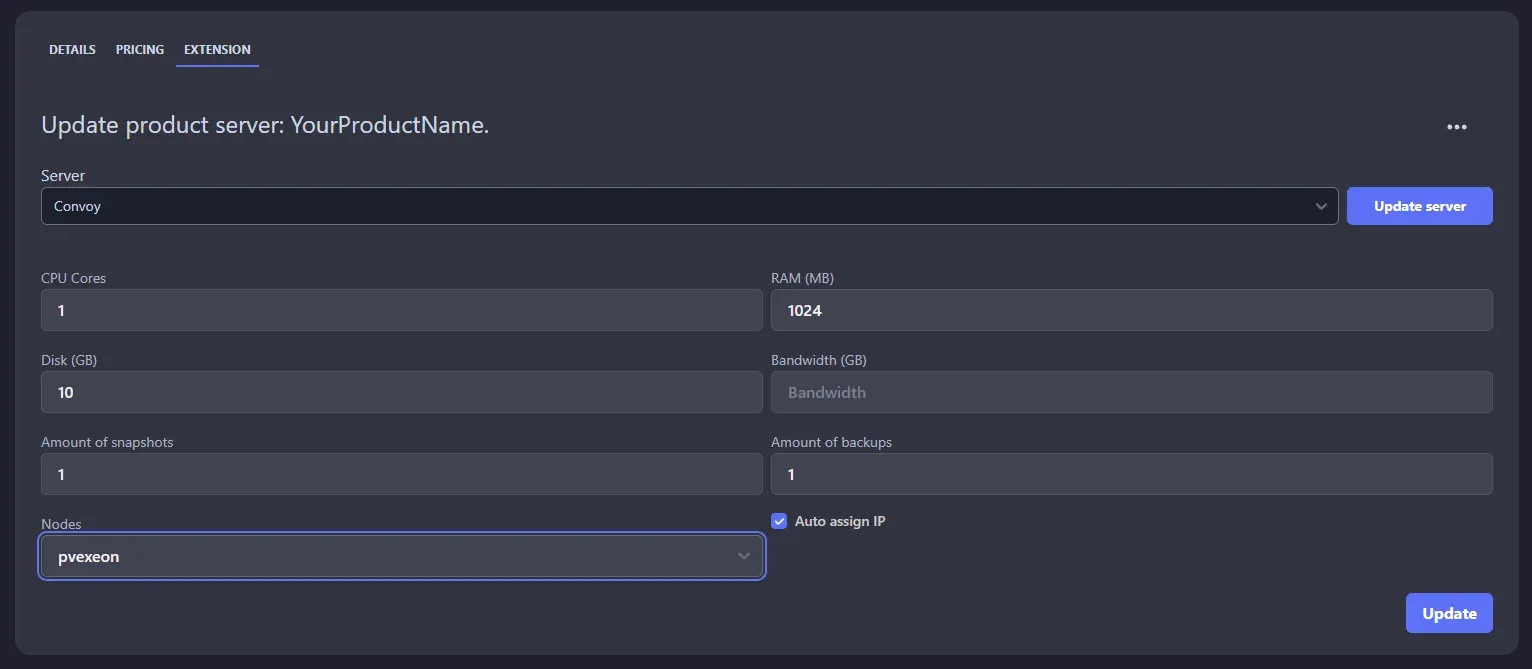
Official documentation screenshot of a product linked to a Convoy server, with resource fields for provisioning.
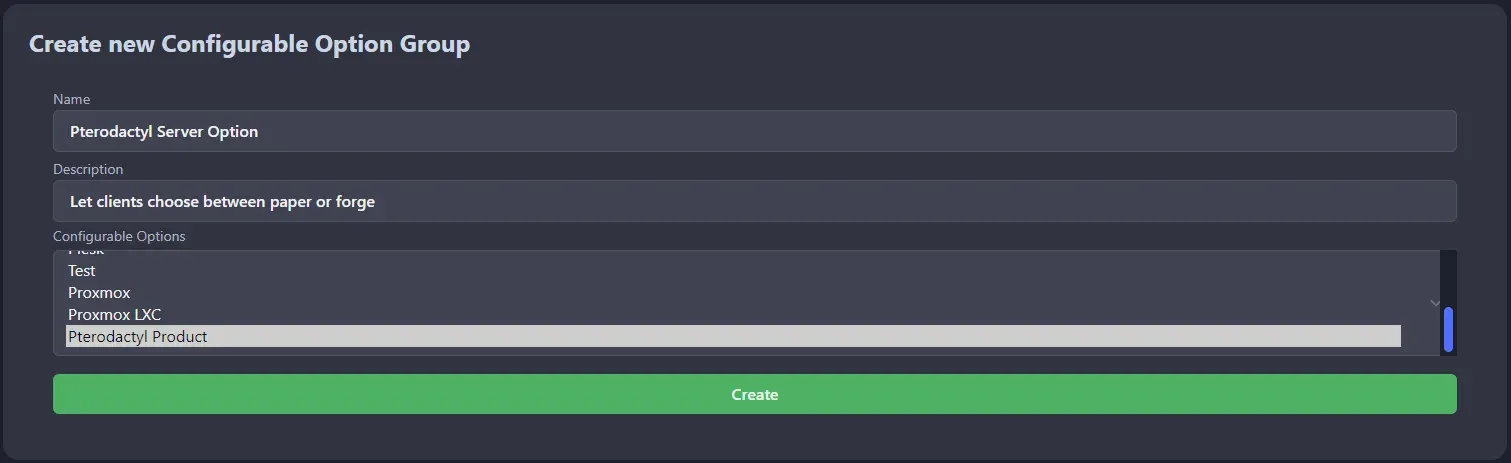
Official documentation screenshot of creating a configurable option group for a product.
Source: official Paymenter project page.
Key capabilities
- Storefront and client area Customers browse categories and products, place orders, pay invoices, manage services and open tickets from a responsive client area. The 1.4.0 release redesigned the homepage and footer, and themes can change the look.
- Admin panel A Filament-based admin area manages invoices, orders, products, tickets, users, services and categories, plus configuration such as config options, coupons, currencies, custom properties, roles, extensions, gateways and servers. The screenshots show a dashboard with revenue, tickets and services.
- Products with recurring pricing A product can have one-time or recurring prices for several billing periods and a setup fee. Configurable options let customers pick, for example, a server type or extra resources at order time. See the config options guide.
- Automated service provisioning Server extensions connect products to a provisioning backend. The documentation lists Convoy, cPanel, DirectAdmin, Enhance, Plesk, Proxmox, Pterodactyl, VirtFusion and Virtualizor, with more in the marketplace. Provisioning behavior depends on each extension, so test creation, suspension and termination.
- Payment gateways Stripe, PayPal and Mollie have documentation pages, and Xendit is listed among gateways in the docs. Billing agreements in 1.4.0 let customers save a payment method for automatic charges with Stripe and PayPal.
- Invoicing Invoices are generated for recurring services. Since 1.4.0, the customer details on an issued invoice are immutable, and an invoice can be marked as proforma. Check tax and legal invoice requirements for your country yourself, because the pages reviewed do not describe tax features in detail.
- Multi-currency The site lists multiple currencies with automatic conversion and multiple languages. Verify the exchange rate source and the rounding of converted prices before launching in several currencies.
- Support tickets A ticket system handles customer questions, with message avatars in 1.5.0. A guide in the docs covers tickets. Plan for email delivery, since a mail test action in 1.5.0 helps you confirm the settings from the panel.
- Affiliates and blog The website lists affiliate tracking with rewards and a built-in blog for announcements. Check the admin options for payout and commission rules before enabling it.
- Extension framework and marketplace Extensions for gateways, servers and other features can be installed from the in-app extension manager or the marketplace, and developers can write their own with the extension documentation. Review the source of third-party extensions before installing them, since they run inside your application.
- Themes The theme documentation and asset guide explain how to build a custom storefront theme, and an events list helps hooks into the application.
- Single sign-on with OAuth The docs include guides for signing in with Discord, GitHub and Google. This lets customers use an existing account, and it requires creating an OAuth application with each provider.
- REST API with OpenAPI description The website publishes an openapi.json and an API reference. Release 1.5.0 added endpoints to view products and categories, which helps for custom storefronts and integrations.
- WHMCS importer An artisan command imports currencies, users, admins, categories, products, tickets, orders, services, cancellations, invoices and payments from a WHMCS database backup loaded in a temporary database. The guide warns that it removes existing data in the Paymenter installation, so back up first.
- Manual installation The guide installs from a release tarball, configures a MariaDB database, runs
php artisan migrate --force --seedandphp artisan app:init, and creates an admin withphp artisan app:user:create. It also requires a cron entry for the scheduler and a queue worker service. - Docker installation The Docker guide downloads a compose file, starts the containers and runs the same init, seed and user creation commands inside the container. The default port is 80, and a reverse proxy must be added to the trusted proxies in the admin security settings or uploads fail.
- Updates and migration The docs describe an update procedure and a migration to a new server that depends on keeping the APP_KEY from the .env file, because encrypted data cannot be recovered without it. Test restores of both the database and the key.
Where Paymenter fits
Billing for a game server or VPS host
Create categories and products, attach a Pterodactyl or Proxmox extension, and connect Stripe or PayPal. Place a test order end to end, then check provisioning, the invoice, renewal, suspension for non-payment and termination. Use the demo site to explore the flow before installing, and write down which provisioning actions you need to automate.
Migrating from WHMCS
Load a WHMCS database backup into a temporary database and run the importer on a fresh Paymenter installation, since it removes existing data. Compare client counts, services and invoice totals afterward, and plan how customers will move to the new payment methods, because stored card tokens are held by the gateway.
Automatic recurring payments
Configure billing agreements with Stripe or PayPal so renewals charge a saved payment method. Test failed payments, retries and the emails customers receive, and read the gateway documentation for your region's authentication rules.
Selling configurable plans
Use config options to let customers choose resources such as server type, location or memory, with a price for each billing period. Check how each option maps to the provisioning extension and what happens to an existing service when the options change.
Building a custom storefront
Use the API and the theme documentation to change the customer experience. Start from the OpenAPI file, test authentication and permissions with a non-admin account, and keep theme changes in version control so updates are easy to apply. Re-test the theme after each minor release, since template changes can affect custom views.
Running a production instance
Follow the install guide for the web server, TLS, cron and queue worker, restrict admin access, back up the database and the APP_KEY, and watch the release feed: v1.5.9 fixed eight security advisories, so patches matter for a system that holds customer and payment data.
Reviews of Paymenter
Be the first to share your experience with Paymenter.
Write a review
Loading review form…
Alternatives to Paymenter
 Invoice NinjaSource-available invoicing app for freelancers and small businesses: invoices, quotes, recurring billing, expenses, projects and time tracking, a client portal, REST API and apps, hosted or self-hosted.AAkauntingAkaunting is accounting software for small businesses and freelancers. It runs on a web server, supports self-hosting, and provides a modular app structure and a RESTful API.
 MedusaMedusa is an open-source commerce backend for Node.js with products, carts, orders, payments and inventory as modules, a React admin and Store and Admin APIs. Self-host it with PostgreSQL and Redis or run it on Medusa Cloud.