

What is Nebula?
Nebula is a scalable overlay networking tool that connects computers through encrypted, on-demand tunnels across any IP network, without opening inbound firewall ports. It is a mutually authenticated peer-to-peer, layer 3 software-defined network built on the Noise Protocol Framework. The README states that it can connect a few computers or tens of thousands. Nebula was created at Slack Technologies, and its source code is published in the slackhq/nebula repository under the MIT license.
Identity is certificate based. Each network has its own certificate authority created with the bundled nebula-cert tool, and host certificates assert a node's overlay IP addresses, name and group memberships. Peers validate each other's certificates and the CA before exchanging traffic, and firewall rules are evaluated against the certificate groups. Lighthouses are discovery nodes with a stable routable address that help hosts find each other and, optionally, establish direct connections through UDP hole punching. Relays forward traffic between peers that cannot connect directly. The default cryptography is Curve25519 with AES-256-GCM; a CA can instead use NIST P-256, and Nebula can be built for Go's FIPS 140-3 mode.
Nebula is written in Go and ships as a single nebula executable plus nebula-cert. Release archives cover Linux on amd64, 386, arm v5 to v7, arm64, loong64, MIPS variants, ppc64le and riscv64, as well as macOS, Windows (amd64 and arm64), FreeBSD, NetBSD and OpenBSD. The README also lists distribution packages for Arch Linux, Fedora, Debian, Alpine and Homebrew, and a Docker image at nebulaoss/nebula. Mobile Nebula apps for iOS and Android, with public source code, are maintained by Defined Networking.
The latest release is v1.12.0, published on October 29, 2026. It adds Linux TUN offloads (TSO and USO) and UDP GSO and GRO behind the tun.use_offloads and listen.udp_offloads settings, which are off by default, batched UDP sends of up to 128 packets per sendmmsg call, and CPU pinning for multiple routines on Linux. Breaking changes include a Go 1.27.3 requirement for building or embedding, stricter validation of firewall group values and pki.blocklist entries, refusal of a pre-existing tun.dev on Linux and an MTU cap of 8937. Version 1.10 introduced the v2 certificate format with multiple IPv4 and IPv6 overlay addresses per host.
Documentation, configuration reference and guides are published at nebula.defined.net by Defined Networking, which also offers Managed Nebula: a hosted control plane with automated certificate management, SSO, a managed lighthouse and a web interface. Its pricing page lists a free plan for up to 100 hosts and a Pro plan at 1 USD per host per month. The self-hosted Nebula binaries have no cost and no host limit. Community discussion takes place in the NebulaOSS Slack workspace and GitHub Discussions. Other overlay and mesh VPN listings: ZeroTier, Netmaker and NetBird.
Nebula screenshots
Explore the interface. Open a screenshot to view it at full size.
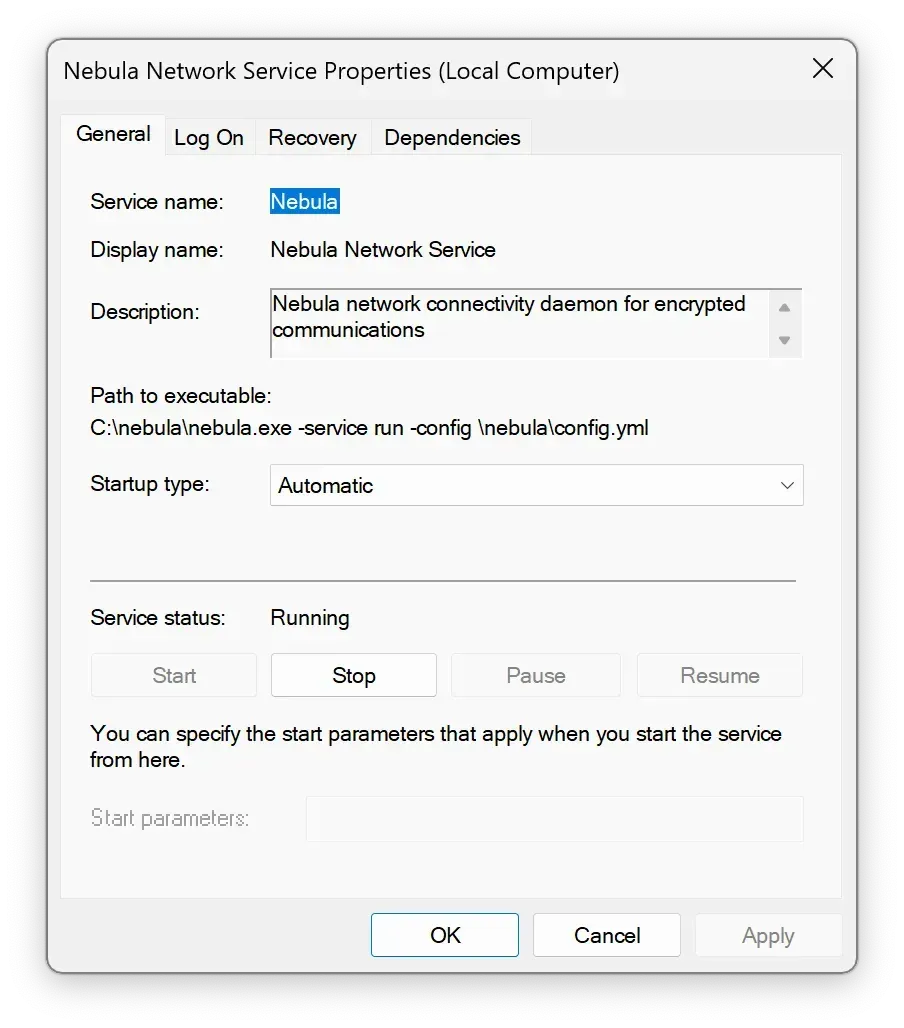
Nebula running as the Nebula Network Service on Windows, from the official documentation.
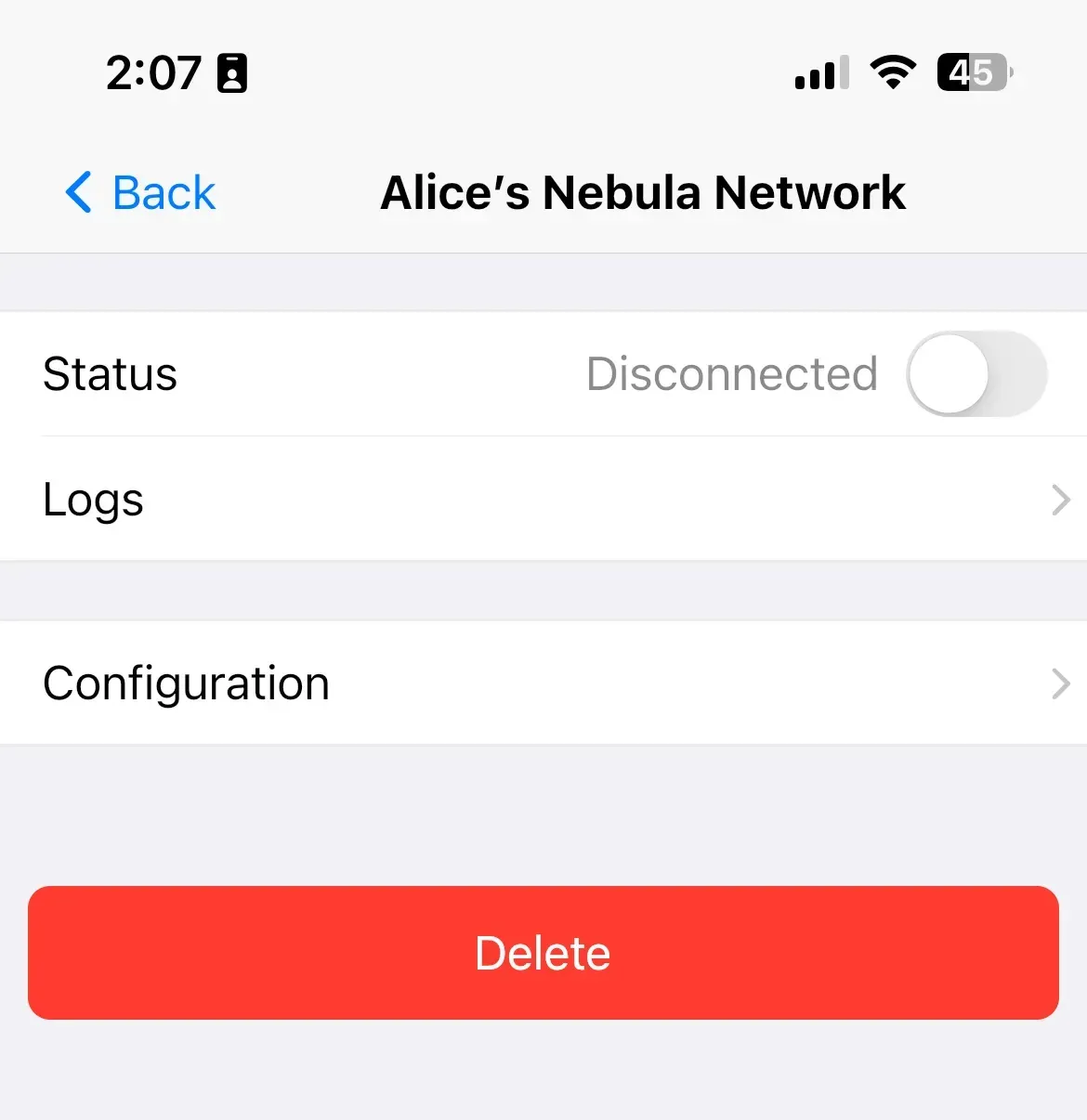
Site details in the Mobile Nebula iOS app, with connection status, logs and configuration.
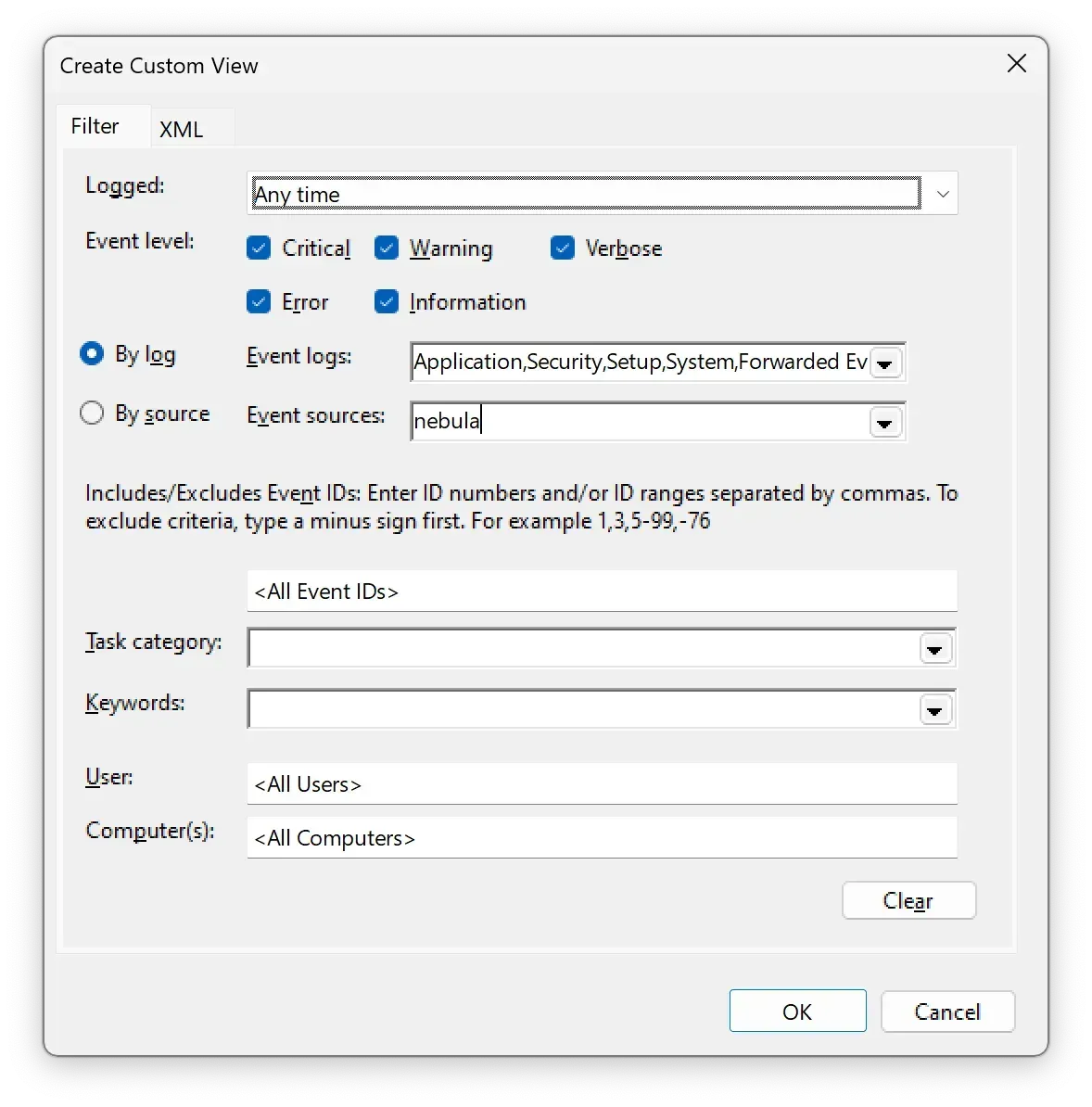
Filtering Windows Event Viewer by the nebula event source to read Nebula service logs, from the logging guide.
Source: official Nebula project page.
Key capabilities
- Peer-to-peer layer 3 overlay Nebula creates a virtual network on top of existing IP networks through a TUN adapter. It carries TCP, UDP and ICMP traffic, supports split tunneling, and lets hosts in different clouds, data centers and endpoints communicate without a shared addressing scheme on the underlying network.
- Certificate-based identity
nebula-certcreates a CA and signs host certificates that bind a name, overlay IP addresses and groups to a key pair. By default a CA lives for one year and host certificates expire one second before their CA; the-durationflag sets shorter lifetimes. The documentation includes a CA rotation guide and a guide for signing certificates from host-generated public keys. - v2 certificates and IPv6 Since v1.10 the v2 certificate format allows several IPv4 and IPv6 addresses per host. The upgrade guide describes a dual-CA migration with v1 and v2 certificates side by side, a rollback procedure and an optional move to IPv6-only overlays. All hosts must run v1.10 or later before v2 certificates are issued.
- Group-based host firewall Every node runs a built-in firewall for overlay traffic. Inbound and outbound rules match ports, protocols, hosts, CIDRs and certificate groups, similar in style to cloud security groups. Since v1.12.0 group values that YAML parses as floats, dates or maps are rejected at startup.
- Lighthouses and host discovery A lighthouse is a node with a stable routable IP that tracks where other hosts can be reached. Hosts query it to find peers;
static_host_maptells each host how to reach the lighthouses. Lighthouses can also answer DNS queries for overlay host names. - NAT traversal With the
punchysettings, hosts behind most NATs and firewalls establish direct UDP connections through hole punching coordinated by the lighthouse. The default listening port is UDP 4242. The NAT traversal guide explains which NAT behaviors prevent direct connections. - Relays Since v1.6.0 any host with
am_relay: truecan forward traffic between peers that cannot connect directly. Hosts list the relays that may be used to reach them, and the lighthouse reports those relays to peers. A relay cannot relay to another relay. - Unsafe routes A Nebula host can route traffic to networks outside the overlay that are listed in its certificate, so non-Nebula devices behind it become reachable from other hosts.
- Configurable cryptography Handshakes use the Noise framework with Curve25519 and AES-256-GCM by default. A CA created with
-curve P256switches handshakes and signatures to NIST P-256, andmake fips140builds Nebula for Go's FIPS 140-3 mode. BoringCrypto builds are deprecated. - Metrics Nebula reports statistics to Graphite (push) or exposes a Prometheus endpoint (poll), with optional message and lighthouse counters, as described in the stats reference.
- SSH debug server An optional built-in SSH server exposes debug commands for inspecting tunnels, host maps and certificates. Since v1.12.0 every command accepts
-jsonand-prettyoutput. - Linux performance options V1.12.0 adds TUN offloads and UDP GSO and GRO, which are off by default and announced to become the default in a future release, batched
sendmmsgsends of up to 128 packets, and thread pinning to CPUs whenroutinesis above 1. - Reloadable configuration A single YAML file defines the PKI, lighthouse, listen, tun, firewall, relay, logging and stats settings. Many keys, such as the relay list, can be reloaded without restarting the process.
- Downloads for many platforms GitHub releases provide archives for Linux on x86, ARM, MIPS, PowerPC, LoongArch and RISC-V, macOS, Windows, FreeBSD, NetBSD and OpenBSD, with SHA-256 checksums. Example service files for systemd, OpenRC, init.d and launchd are in the repository.
- Packages and Docker The README lists packages for Arch Linux (
pacman -S nebula), Fedora (dnf install nebula), Debian (apt install nebula), Alpine (apk add nebula) and Homebrew, and an official image pulled withdocker pull nebulaoss/nebula. Nightly builds are published separately. - Windows service and mobile apps On Windows, Nebula runs as a service using the bundled Wintun driver, and its logs appear in the Event Viewer. Mobile Nebula for iOS and Android connects phones and tablets to the same network and shows per-site status and logs.
- Embeddable Go library Nebula can be embedded in Go programs; the repository includes a
go_serviceexample. v1.12.0 changed several embedder interfaces, including reload callbacks and the overlay device API.
Where Nebula fits
Connecting servers across clouds and data centers
Nebula was created to let groups of hosts communicate securely across the internet with firewall definitions similar to cloud security groups. Hosts in different providers receive overlay addresses from the network's own CA, find each other through a lighthouse and exchange traffic directly, so the underlying networks do not need matching address ranges or VPN gateways.
Setting up a first network
The quick start guide covers the steps: download the binaries, run a lighthouse on a host with a routable IP and UDP 4242 open, create a CA with nebula-cert ca, sign host certificates with names, IPs and groups, copy each host its certificate, key, CA certificate and config.yml, then start nebula -config. The CA key stays off the individual nodes.
Segmenting access with certificate groups
Groups such as servers, laptop or ssh are written into host certificates when they are signed. Firewall rules on each host then allow or deny traffic by group, port and protocol, so access policy follows the certificate rather than the host's network location.
Reaching hosts behind NAT
Laptops and servers behind home routers or corporate NAT use lighthouse-coordinated UDP hole punching to connect directly. When a NAT type prevents this, a relay host with a public address forwards the traffic, and hosts declare which relays may be used to reach them.
Routing to non-Nebula networks
A host whose certificate lists additional subnets can act as a router for unsafe routes, giving overlay members access to devices on a private LAN or VPC that do not run Nebula themselves.
Moving to IPv6 overlay addresses
Networks created before v1.10 use v1 certificates with a single IPv4 address. Operators can add a v2 CA alongside the old one, issue v2 certificates with IPv4 and IPv6 addresses host by host, and later remove IPv4, as described in the documented dual-CA migration.
Install
docker pull nebulaoss/nebulaReviews of Nebula
Be the first to share your experience with Nebula.
Write a review
Loading review form…
Alternatives to Nebula
 ZeroTierZeroTier connects devices, VMs and containers into virtual Layer 2 networks over an encrypted peer-to-peer protocol. ZeroTier One agents run on desktop, mobile, NAS and Docker; networks are managed in ZeroTier Central or a self-hosted controller.
 NetmakerNetmaker builds and manages virtual networks on kernel WireGuard. A central server pushes configuration to Netclient agents, WireGuard endpoints and desktop apps, with gateways, relays, egress, private DNS and access policies. Community Edition is Apache 2.0.
 NetBirdNetBird is a WireGuard-based overlay network from NetBird GmbH in Berlin. Agents connect peer to peer with relay fallback, while a management service applies group policies, posture checks, DNS and routes. It runs as NetBird Cloud or self-hosted.