

What is Cachet?
Cachet is a self-hosted status page system: a public page that tells customers which components of a service are working, what incidents are in progress and when maintenance is planned, plus a dashboard where operators publish those updates. It is written in PHP on the Laravel framework and is made by Alt Three Services Limited, which owns the Cachet trademark. The project dates to 2014 and became a widely used open-source status page; the site states that it is free to self-host.
The code has been rebuilt. The main repository now holds Cachet 3.x, an application on Laravel 12.41.1 or 13 with Tailwind and the Filament admin panel, which depends on the separate cachethq/core package. The 3.x documentation says plainly that this line is in development and not yet released, that the docs are incomplete, and that its installation instructions are for development use. The last tagged release is v2.4.1, published on November 7, 2023, and that is the version listed on this page.
Requirements for 3.x are PHP 8.3, 8.4 or 8.5, Composer, and one of SQLite, MySQL, MariaDB 10.7+, PostgreSQL or SQL Server. Installation is manual: clone the 3.x branch, run Composer, set .env, publish assets, migrate, create the first user with an Artisan command, enable the scheduler and run a queue worker for subscriber email. The site also offers professional installation as a separate service, with no price listed.
The license is a custom one, not a standard open-source license: GitHub shows it as "Other". It lets you use, modify and bundle the software commercially or privately, but forbids distributing it as a standalone product, requires a verbatim copy of the license and compliance with the trademark policy, and ends automatically if you start a patent or copyright claim against Cachet. Read it before redistributing or building a service on top of it.
Cachet screenshots
Explore the interface. Open a screenshot to view it at full size.
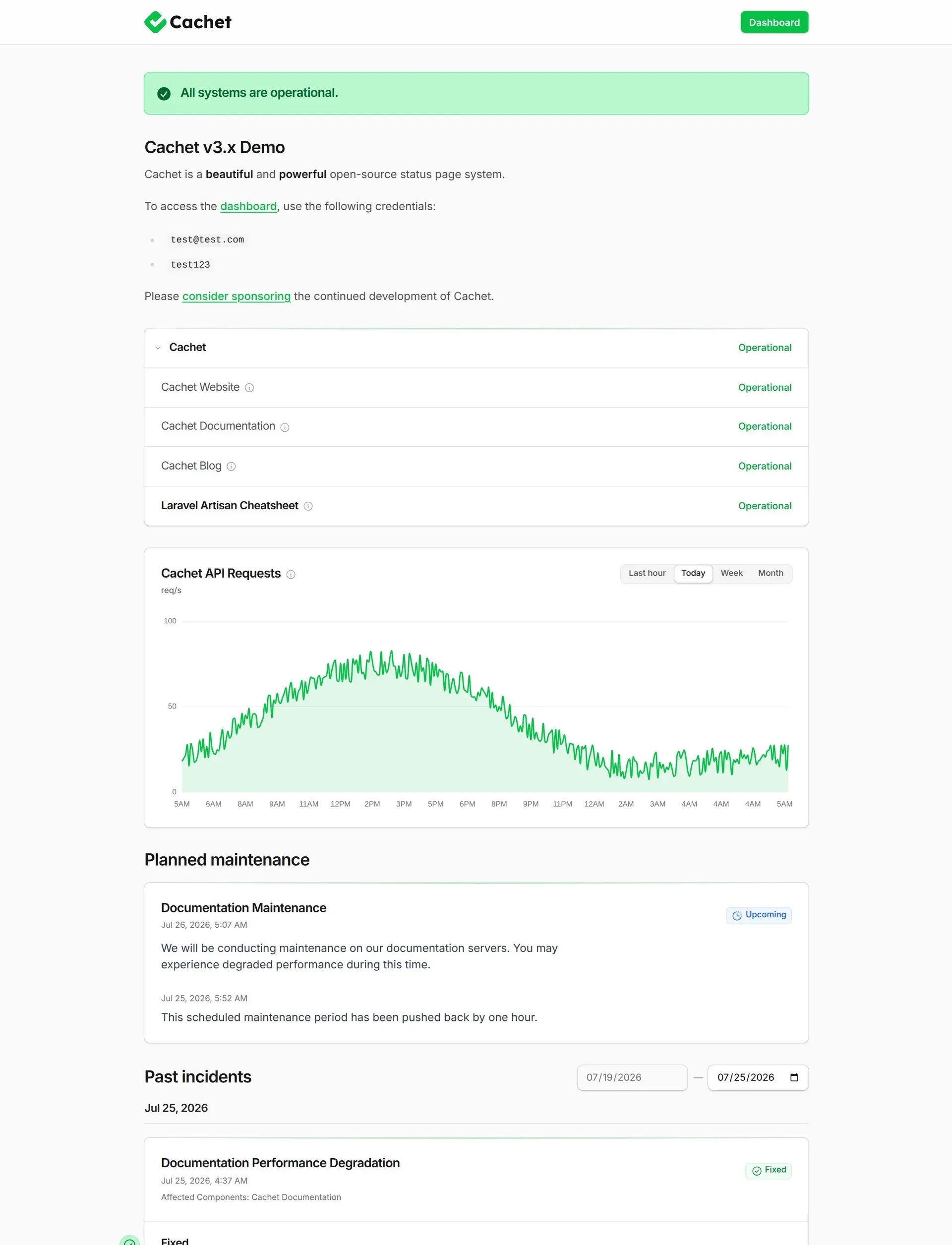
Official docs screenshot of the Cachet 3.x public status page (demo data).
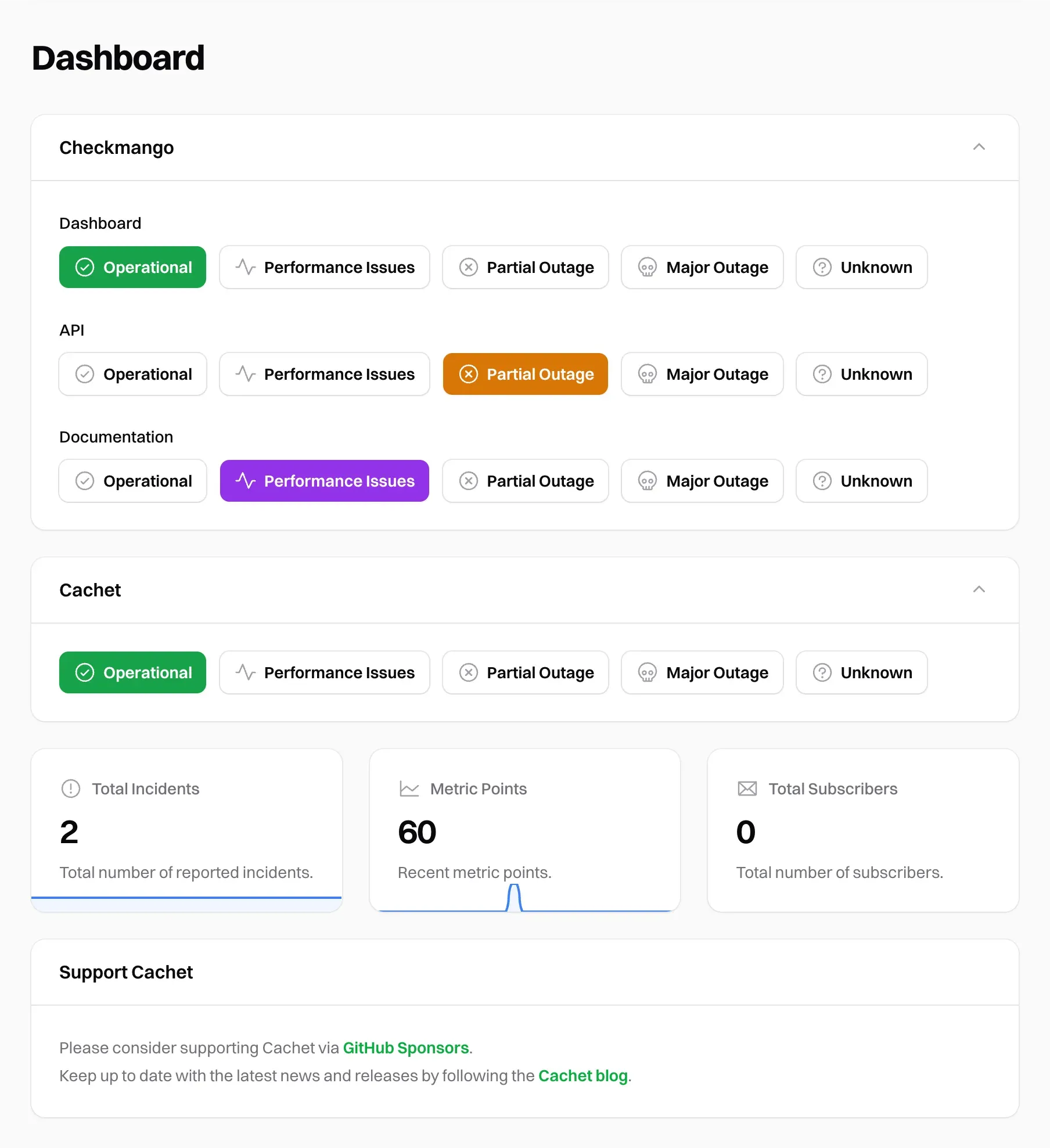
Official docs screenshot of the dashboard where each component status is set with one click.
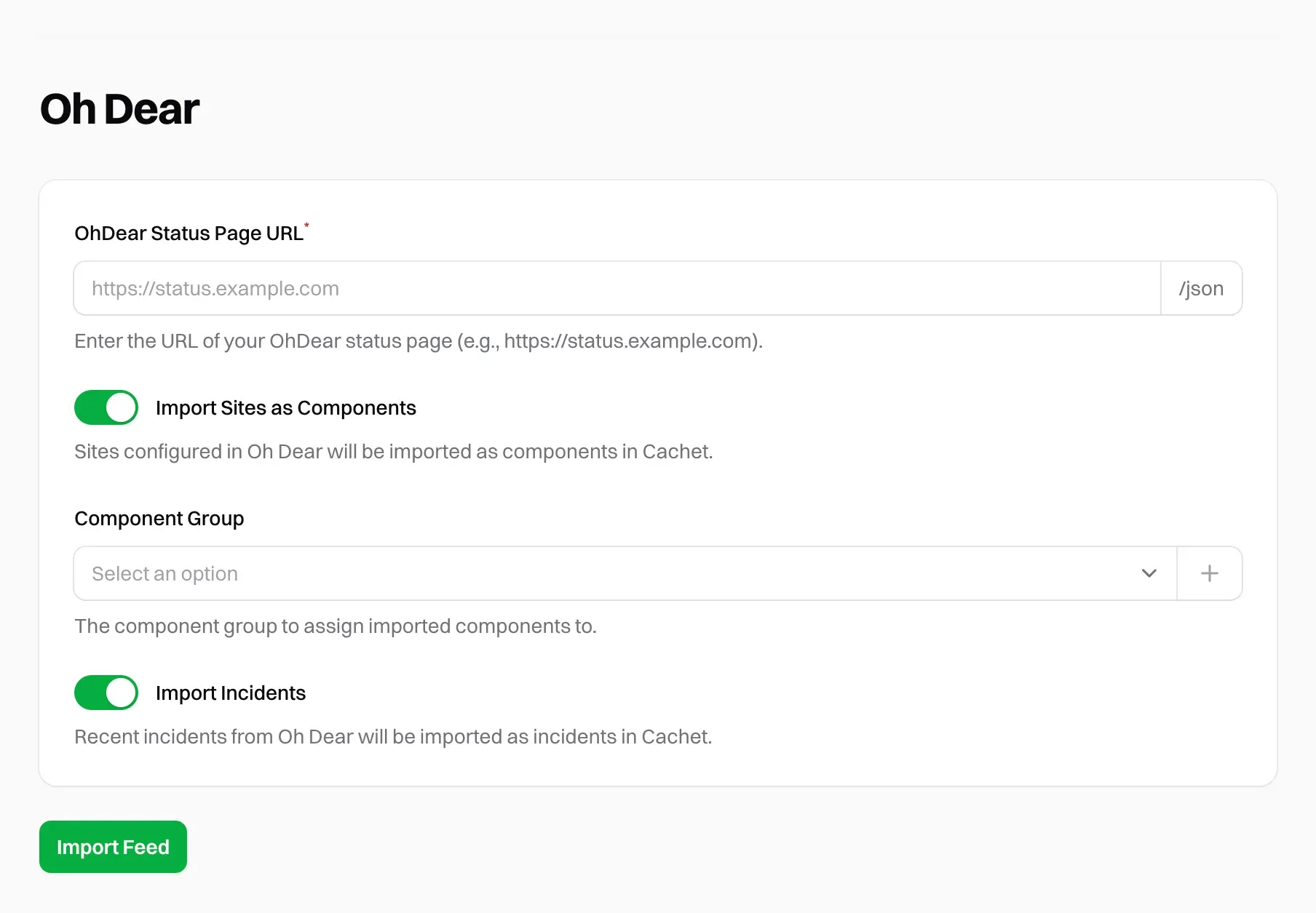
Official docs screenshot of the Oh Dear integration, which imports sites and incidents.
Source: official Cachet project page.
Key capabilities
- Public status page A responsive page with an overall status banner, grouped components, a metrics chart, planned maintenance and a timeline of past incidents with a date filter. The project demo at v3.cachethq.io shows this layout, and the page can be themed to match a brand.
- Components and component groups A component is any part of a system that can fail, such as an API or database. Each has a name, status, description, optional link and enabled flag, and can be grouped, ordered, collapsed and hidden from the public. Statuses include operational, performance issues, partial outage, major outage and unknown.
- Incidents Records with a name, status, message, occurrence time, visibility (users, guests or hidden) and a pinned flag. An incident can have a future publication time, affected components, updates and reusable templates, so a draft stays off the public page and API until you release it.
- Scheduled maintenance Events with a start time, completion time, affected components and the status each should show while work runs. A maintenance entry can be published ahead of time, updated when rescheduled and set to notify subscribers.
- Metrics Custom measurements such as users online or requests per second, with a suffix, default view (hour, day, week or month), decimal places, aggregation type and threshold, charted on the status page. You push metric points through the API or from your own scripts.
- Subscribers and notifications Visitors can subscribe by email after you enable subscriptions and configure SMTP or Sendmail. Subscribers confirm by a verification email, and Cachet queues messages, so production use needs a queue worker and the scheduler. Slack subscriptions are described in the guide.
- JSON API A REST API for components, incidents, schedules, metrics and subscribers, with API keys and token abilities. Settings can disable the API or require authentication for every request. The API reference documents the endpoints.
- Webhooks Signed HTTP POST callbacks for events such as component and incident creation, update and deletion, metric changes and subscriber events. Each webhook has a secret so receivers can verify the signature, as the webhook guide explains.
- Built-in MCP server Disabled by default and enabled in dashboard settings, it exposes status, components, incidents, schedules, metrics and subscribers to MCP clients at the
/mcppath over streamable HTTP. It reuses API keys, write tools always need authentication, and the guide covers Claude Code and other clients. - Status badges Cacheable SVG badges for overall status at
/badge.svgand for single public components, suitable for a README or documentation page. Disabled or non-public components return 404. - Users and two-factor authentication Dashboard users have Admin or User levels, and each can enable app-based two-factor authentication, which Cachet requests at sign-in and before sensitive actions. The changelog lists this as a July 2026 addition to the 3.x line.
- Component monitoring The June 2026 changelog lists component monitoring and advanced group ordering as additions. Check the current documentation for exactly what is monitored before relying on it, since the 3.x docs are still being completed.
- Oh Dear import A dashboard integration imports sites as components and recent incidents from an Oh Dear status page JSON feed. The import can be repeated and creates only items that do not already exist.
- Languages The website says Cachet supports 10+ languages. Confirm that the languages you need are present in the 3.x build, because the rebuild announcement warned that translations might be dropped and restored later.
- Customization Theme and theme-hook settings let you change the appearance of the public page, and an environment-variable reference lists the install options. The status page sanitizes user-written Markdown, according to the July 2026 changelog.
- Anonymous usage beacon Enabled by default, it sends an anonymous installation identifier, Cachet version, Docker use, database type and usage counts to cachethq.io once a day. Set
CACHET_BEACON=falseto opt out, as the beacon page describes.
Where Cachet fits
Publishing a status page for customers
Model the services customers actually notice as components, group them, and decide which groups are public. Seed a few incident templates for common situations so the wording is ready under pressure. Verify the page loads from a network outside your own and that hidden components do not appear. Decide in advance who may publish, and give each person their own dashboard login instead of sharing one.
Communicating an outage
Create the incident, attach affected components, set the status and add updates as the situation changes. Pin a major incident to the top of the page. Check the public page and RSS feed after publishing, and confirm subscribers received the message through the queue. Close the incident with a final update that states the cause in plain language.
Announcing planned maintenance
Schedule the maintenance in advance with the components it affects and the status each should show. Turn on subscriber notification so people hear about rescheduling or completion. Run a test schedule first to confirm the scheduler cron entry is running every minute.
Feeding metrics and automation
Create a metric for a number customers care about and post points from a monitoring script using an API key with the right ability. Use webhooks or the API to update component status from your monitoring tool. Keep keys scoped and rotate them when staff leave. Add the status badge to your documentation so customers can see current state without leaving the page.
Letting an AI agent draft updates
Enable the MCP server, create a dedicated API key and connect an MCP client. Keep Require Authentication on, review what write tools an agent may call, and have a person approve public wording during real incidents.
Trying 3.x alongside an old v2.4 site
Install 3.x in a separate directory with a separate database, because the migration guide says the upgrade path is incomplete and that a fresh install does not import v2.x data. Back up and test restore of the old instance before any experiment.
Reviews of Cachet
Be the first to share your experience with Cachet.
Write a review
Loading review form…
Alternatives to Cachet
 Uptime KumaUptime Kuma is a self-hosted monitoring tool that checks HTTP, TCP, ping, DNS and Docker targets at 20-second intervals and publishes status pages.
 OneUptimeOneUptime is an open-source observability platform from HackerBay, Inc. that combines uptime and infrastructure monitoring, status pages, incident management, on-call paging and OpenTelemetry logs, metrics and traces, as a cloud service or self-hosted.
 CheckmateCheckmate by Bluewave Labs is a self-hosted, AGPL-3.0 monitoring app for HTTP, ping, port, DNS, Docker, gRPC, WebSocket and heartbeat checks, server metrics via the Capture agent, PageSpeed audits, alerts and status pages.