

What is Daily Stock Analysis (DSA)?
Daily Stock Analysis, also called DSA and published on GitHub as daily_stock_analysis, is an MIT-licensed stock analysis system driven by large language models. It covers A-shares, Hong Kong, US, Japanese, Korean and Taiwan stocks as well as ETFs. For each stock on a watchlist it gathers quotes, candlestick (K-line) data, technical indicators, news, announcements and fundamentals, asks a configured language model to write a structured report, and pushes the result to chat channels or email. The project is maintained under the GitHub account ZhuLinsen, has a project website, and its README is available in Simplified Chinese, Traditional Chinese and English.
The project states its own disclaimer in the English README: it is for informational and educational purposes only, AI-generated analysis is not investment advice, and stock market investing involves risk. The Chinese README adds that the author accepts no liability for any losses arising from use of the project. This profile describes the software's features only.
There are four ways to run it. A forked repository can run the analysis through GitHub Actions on a schedule, by default every weekday at 18:00 Beijing time with non-trading days skipped, using API keys stored as repository secrets. It can run locally with Python 3.10 or newer (pip install -r requirements.txt, then python main.py). Official Docker images are published on Docker Hub as zhulinsen/daily_stock_analysis and on GHCR, with a Compose file for a web/API service and a scheduled analyzer. Desktop builds made with Electron are attached to each GitHub release: a Windows installer, a Windows portable ZIP and macOS DMGs for Apple Silicon and Intel.
The current release is v3.34.0, published November 9, 2026. It adds optional FastAPI security middleware, an option to skip a duplicate startup analysis in scheduled mode and offline diagnostics for agent trajectories. It refreshes the default Claude, Gemini, OpenAI and DeepSeek models, prefers MiniMax M3.1 Flash for new text channels, removes VIX returns from the Market Light score and removes the experimental Codex App Server agent backend.
The back end is Python with a FastAPI service and SQLite storage; the web workspace is a React application, and LLM calls go through LiteLLM, so Gemini, Claude, OpenAI-compatible providers, DeepSeek, Qwen and local Ollama models can be configured. Free market-data sources (AkShare, Baostock, YFinance) work without credentials, and the README notes that they can be rate-limited or change without notice; token-based sources such as Tushare, TickPlus and Longbridge are optional. The full guide documents every setting. Related tools on iThub include TSP (tick-stock-panel) and TradingAgents.
Daily Stock Analysis (DSA) screenshots
Explore the interface. Open a screenshot to view it at full size.
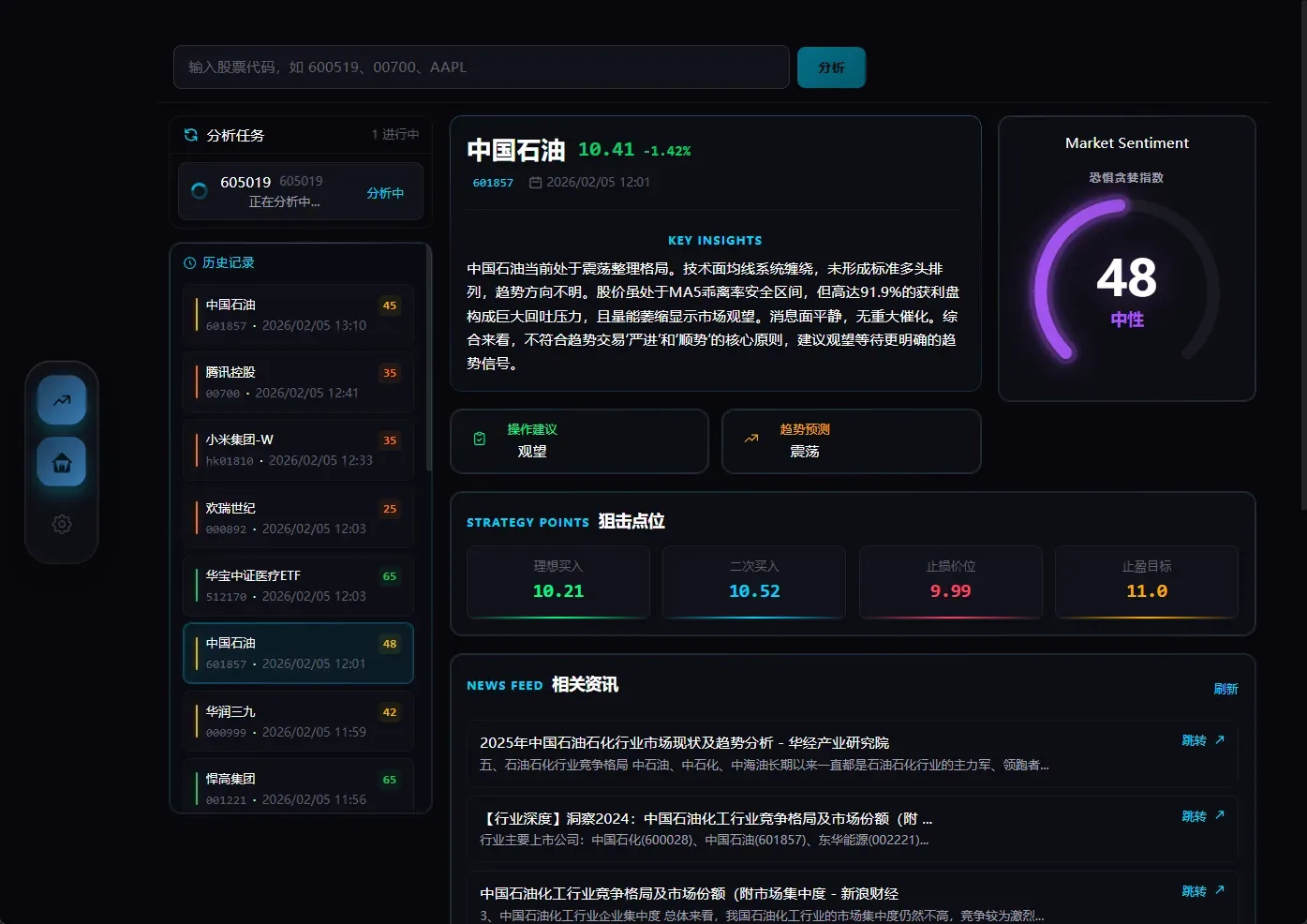
The DSA web workspace with a stock report: key insights, operation and trend labels, strategy price points, a fear and greed style sentiment gauge, related news and the history list. Interface text in Chinese.
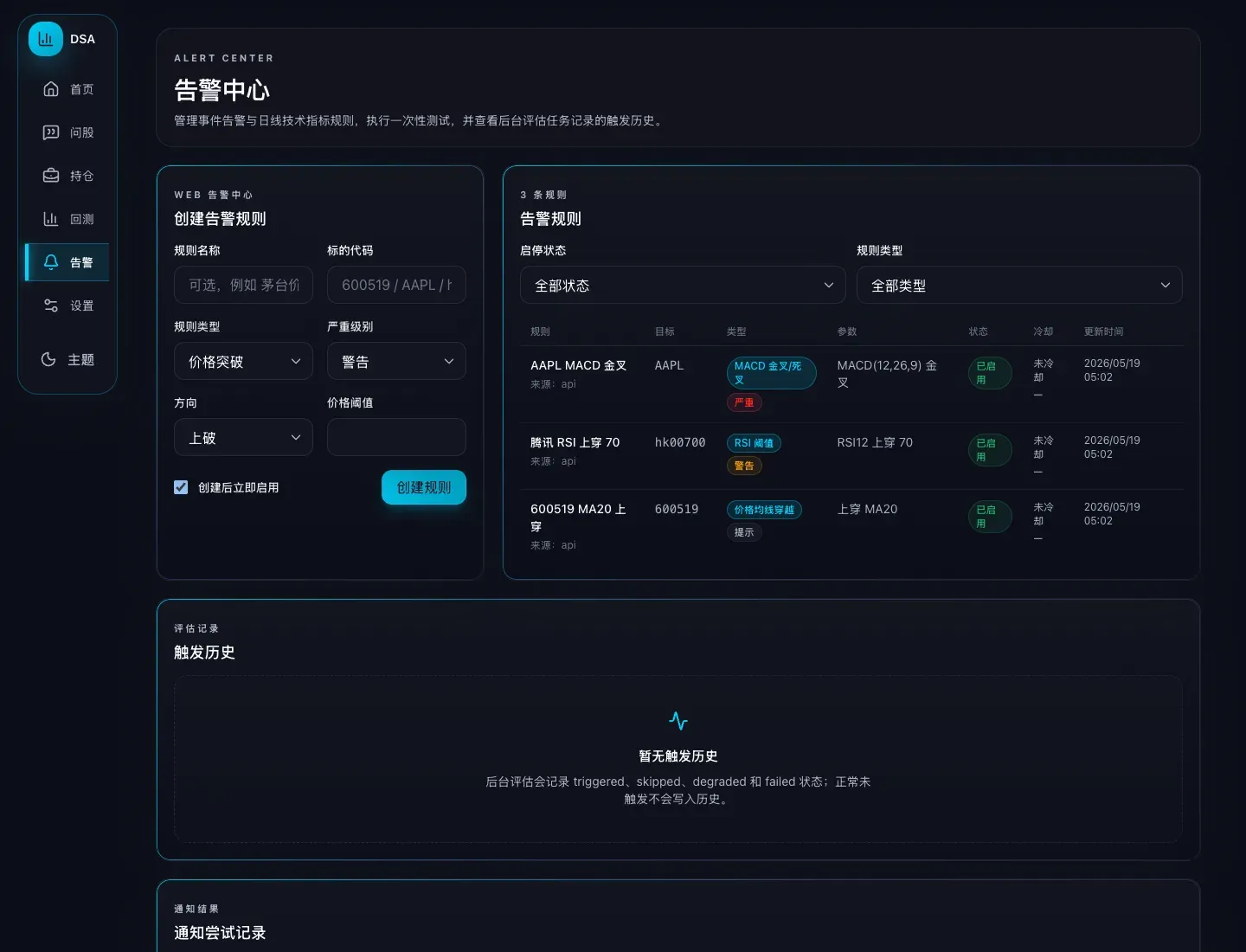
The alert center: creating a price-breakout rule and a list of three enabled indicator rules with severity, cooldown and update time.
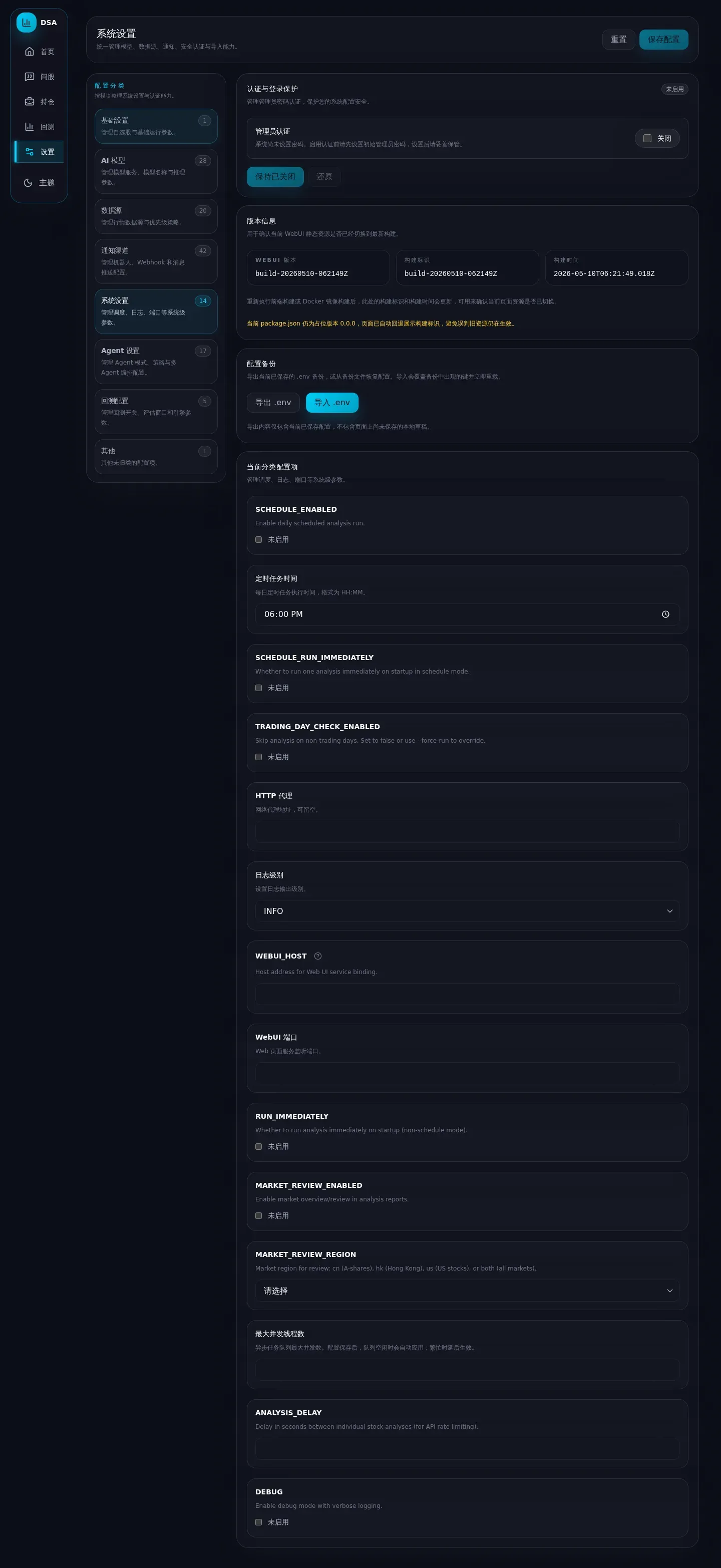
System settings: optional administrator password, web build version, .env backup export and import, and scheduler, logging and market review options.
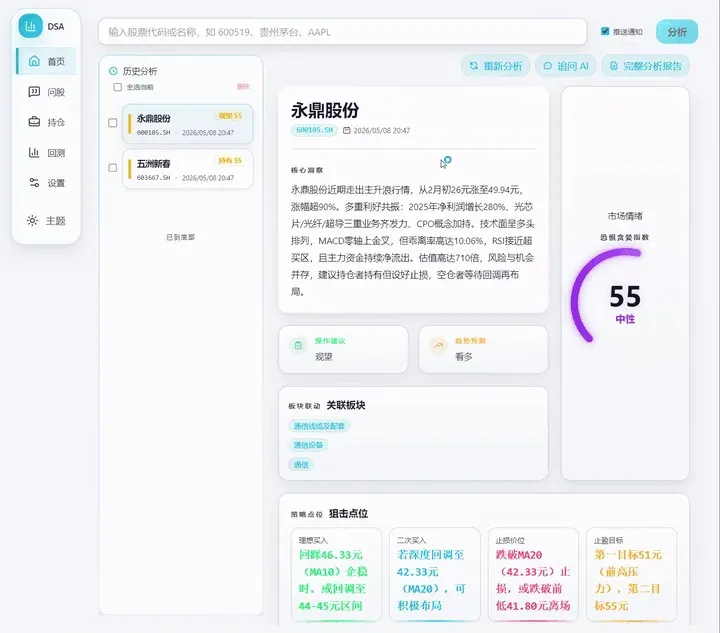
Animated tour of the light-theme home workspace: history, report summary, related sectors, strategy points and related news.
Key capabilities
- Structured AI reports per stock Each report contains a core conclusion, a score, a trend label, entry and exit levels, risk alerts, catalysts and a checklist, produced by the configured language model from the collected data. Reports are stored in history and can be viewed as full Markdown in the web workspace. The project labels this output as research material, not investment advice.
- Six markets plus ETFs Supported codes include A-shares such as
600519, Hong Kong (hk00700), US (AAPL), Japan (7203.T), Korea (005930.KS) and Taiwan (2330.TW). Japanese and Korean stocks use Yahoo Finance data only, and the market support notes list what is not provided there, such as market breadth and sector rankings. Registered indices can also be analyzed. - Daily market review A market review summarizes major indices, market breadth (advancers, decliners, limit-up and limit-down counts) and leading and lagging sectors. The region is set with
MARKET_REVIEW_REGION, for example China, Hong Kong, US or a combination. It runs with the daily job or alone throughpython main.py --market-review. - Multiple data sources with fallback Quotes and bars come from AkShare, Tushare, Pytdx, Baostock, YFinance, Longbridge and TickPlus, with a documented priority order and fallback chain. The free sources need no keys. Longbridge fills fields such as volume ratio, turnover rate and P/E for Hong Kong and US stocks.
- News and sentiment search News, announcements and event context come from SerpAPI, Anspire, Tavily, Bocha, Brave, MiniMax or self-hosted SearXNG instances. A separate sentiment API covers Reddit, X and Polymarket for US stocks only. Several providers can be configured as fallbacks.
- Web workspace The browser workspace at port 8000 provides manual analysis, task progress, history, full reports, backtests, portfolio management, settings and light and dark themes. Settings include optional administrator password protection and export or import of the
.envconfiguration. The same process also serves the FastAPI API. - Agent strategy chat The
/chatpage offers multi-turn questions about a stock using 15 built-in strategies, including moving-average crossovers, Chan theory, Elliott wave, bull trend, hot themes and event-driven views. The agent calls quotes, K-line data, indicators, news and risk context, supports session export and background execution, and accepts custom strategy files. Multi-agent orchestration is marked experimental. - Notification channels Results can be pushed to WeChat Work, Feishu, Telegram, Discord, Slack, email, Pushover, PushPlus, ServerChan, ntfy, Gotify and custom webhooks such as DingTalk. Reports can be rendered from Markdown to images for selected channels. Details are in the notification configuration section.
- Chat bots A bot module accepts commands through webhooks from Feishu, DingTalk, WeChat Work and Telegram and replies with analysis results in the conversation. Routes such as
/bot/feishuand/bot/telegramare documented in the bot integration guide. - Scheduling and automation The bundled GitHub Actions workflow runs on weekdays, checks trading days and can be triggered manually. Locally,
python main.py --scheduleruns a scheduler, and Docker offers a separateanalyzerservice. Command-line flags include--dry-run,--stocks,--serve-onlyand--webui. - Backtesting of past reports A backtest module compares stored analysis records older than 14 days with the price movement over the following 10 trading days by default. It reports direction accuracy, win rate, average stock return, simulated return with stop-loss and take-profit exits, and trigger rates. It runs after the daily analysis or through the API.
- Portfolio and risk view The portfolio page tracks holdings and shows a risk and exposure panel with flags for single-stock and sector concentration, drawdown and stop-loss proximity. Holdings can be imported read-only from Futu OpenD, which only reads active real securities accounts through query APIs.
- Alert center Alert rules cover price breakouts and daily technical indicators such as MACD crossovers, RSI thresholds and moving-average crosses, with severity levels and cooldowns. Rules can be tested once, and background evaluations record triggered, skipped, degraded and failed states.
- Smart import and autocomplete Watchlists can be imported from images, CSV or Excel files and the clipboard, with image recognition handled by a vision-capable model. The search box autocompletes stock codes, names, pinyin and aliases.
- ETF rotation command The
python main.py --etf-rotationcommand computes a rule-based dual-momentum rotation over a predefined A-share ETF list and writes the latest rebalancing signal and a rule backtest. It does not call a language model and only accepts forward-adjusted price data. - Desktop application The Electron desktop app starts the bundled back end, waits for its health check and loads the same React interface, picking a free local port between 8000 and 8100. On Windows the configuration and database sit next to the executable; on macOS they live in the Electron user data folder. Packaging steps are in docs/desktop-package.md.
- Model routing At least one model key is required: Gemini, Anthropic, OpenAI-compatible endpoints including DeepSeek and Qwen, or gateways listed in the README. LiteLLM-based routing supports multiple models and fallbacks, and Ollama can be used for local or Docker deployments. The LLM configuration guide covers the options.
Where Daily Stock Analysis (DSA) fits
Scheduled watchlist reports without a server
The README describes forking the repository, adding at least one model key, one notification channel and the STOCK_LIST watchlist as GitHub Actions secrets, enabling Actions and running the Daily Stock Analysis workflow once by hand. After that the workflow runs every weekday at 18:00 Beijing time, skips non-trading days and sends the decision dashboard and market review to the configured channels. The README estimates about five minutes for this setup.
Self-hosted web workspace with Docker
With a filled-in .env, docker-compose up -d server starts the web and API service on port 8000, analyzer runs the scheduled analysis, and both can run together. The guide gives memory limits for the Compose services: 512 MB for light web use, 1 GB for normal full analysis and 2 GB or more when both services run with multi-stock analysis, market review or screening. Data, logs and reports are mounted as volumes.
Desktop use on Windows or macOS
Release assets include a Windows installer, a portable Windows ZIP and macOS DMGs for arm64 and x64. The desktop app runs the analysis back end locally and opens the React workspace in an Electron window. Its share button renders a report to a PNG image with the built-in Chromium engine, without extra image tools.
Interactive research in the chat page
In the web workspace, the /chat page answers follow-up questions about a stock through the agent, which pulls quotes, K-lines, indicators and news on demand and applies one of the built-in or custom strategies. Sessions can be exported or sent to a notification channel. The same agent is available through the bot integrations and the API.
Team delivery through chat platforms
Reports can go to WeChat Work, Feishu, Telegram, Discord, Slack or email, and the bot module lets members of a Feishu, DingTalk, WeChat Work or Telegram group request an analysis by command. Email groups and Markdown-to-image rendering are configurable. Other self-hosted market research tools on iThub include OpenBB.
Reviewing how past reports played out
When BACKTEST_ENABLED is on, the backtest runs after each daily analysis and maps each report action, such as buy, hold or wait, to an expected direction, then measures it against later daily bars with a neutral band of 2% by default. The results appear in the web workspace as overall and per-stock metrics, which the guide documents in the backtesting section.
Install
git clone https://github.com/ZhuLinsen/daily_stock_analysis.git && cd daily_stock_analysis && pip install -r requirements.txtReviews of Daily Stock Analysis (DSA)
Be the first to share your experience with Daily Stock Analysis (DSA).
Write a review
Loading review form…
Related to Daily Stock Analysis (DSA)
 TSP (tick-stock-panel)TSP is an MIT-licensed, self-hosted workbench for Chinese A-share research: data sync, custom strategies, factor analysis, backtesting, paper trading and monitoring in one local app. It ships as a Docker image and desktop builds, with a token API and an MCP server.TTradingAgentsTradingAgents is an open-source research framework that combines financial, news, sentiment and technical analysis with agent debates, portfolio risk review and historical decision evaluation.