

What is Mole?
Mole is a free, open-source command-line toolkit for cleaning, uninstalling, maintaining, analyzing and monitoring a computer. Its command is mo. It is written by the independent developer Tw93 and published under GPL-3.0 in the tw93/Mole repository. The macOS version groups jobs that Mac users often split between a cache cleaner, an app uninstaller, a disk-space visualizer and a system monitor into one terminal program, with an interactive menu and subcommands such as mo clean, mo uninstall, mo optimize, mo analyze and mo status.
The repository holds three separate code lines. The main branch is the macOS CLI, which requires macOS 12 or newer on Intel or Apple Silicon and installs through Homebrew, an install script or a Nix flake. The windows branch targets Windows 10 and 11 with the built-in Windows PowerShell 5.1 and installs through Scoop or a PowerShell script. The linux branch is labelled an early version: it is built first for Omarchy and other Arch-based systems and covers Debian and Ubuntu through apt and Snap. The project states that it is distributed only through Homebrew, Scoop, the GitHub repository and mole.fit, and names several lookalike domains that are not affiliated.
The current macOS release is V1.69.0, published November 4, 2026. It lists APFS snapshots left by other backup tools such as Synology Active Backup and Carbon Copy Cloner in mo clean, shows hidden .app backups under their real names in mo uninstall, and aligns size units in mo analyze with Finder. V1.68.0, released a day earlier, made the sudo Touch ID prompt appear once, sent antivirus and remote-access apps to their own uninstallers and cut one measured mo clean --dry-run from 54.8 to 43.6 seconds. Windows and Linux are versioned separately; at the time of checking they were at V1.42.0-windows and V0.4.0-linux.
The macOS CLI is mostly shell scripts. The disk explorer and the status dashboard are Go programs, shipped as prebuilt darwin amd64 and arm64 binaries with each release together with a SHA256SUMS file. The repository carries a shell and Go test suite, ShellCheck and golangci-lint configuration, CodeQL and secret-scanning workflows, a security policy and a separate security audit document that records deletion boundaries. An agent skill and Claude Code and Codex plugin manifests are published from the same repository.
Mole for Mac and Mole for Windows, sold at mole.fit, are separate proprietary native apps by the same author, not builds of this repository. According to the official CLI and app comparison, the Mac app is a Swift reimplementation that shares the CLI's whitelist and operations log on disk but uses its own scanner. This profile covers the GPL CLI and mentions the paid apps where they change the choice. Mole provides no server component, fleet console or hosted API, and it is neither antivirus nor backup software.
Mole screenshots
Explore the interface. Open a screenshot to view it at full size.
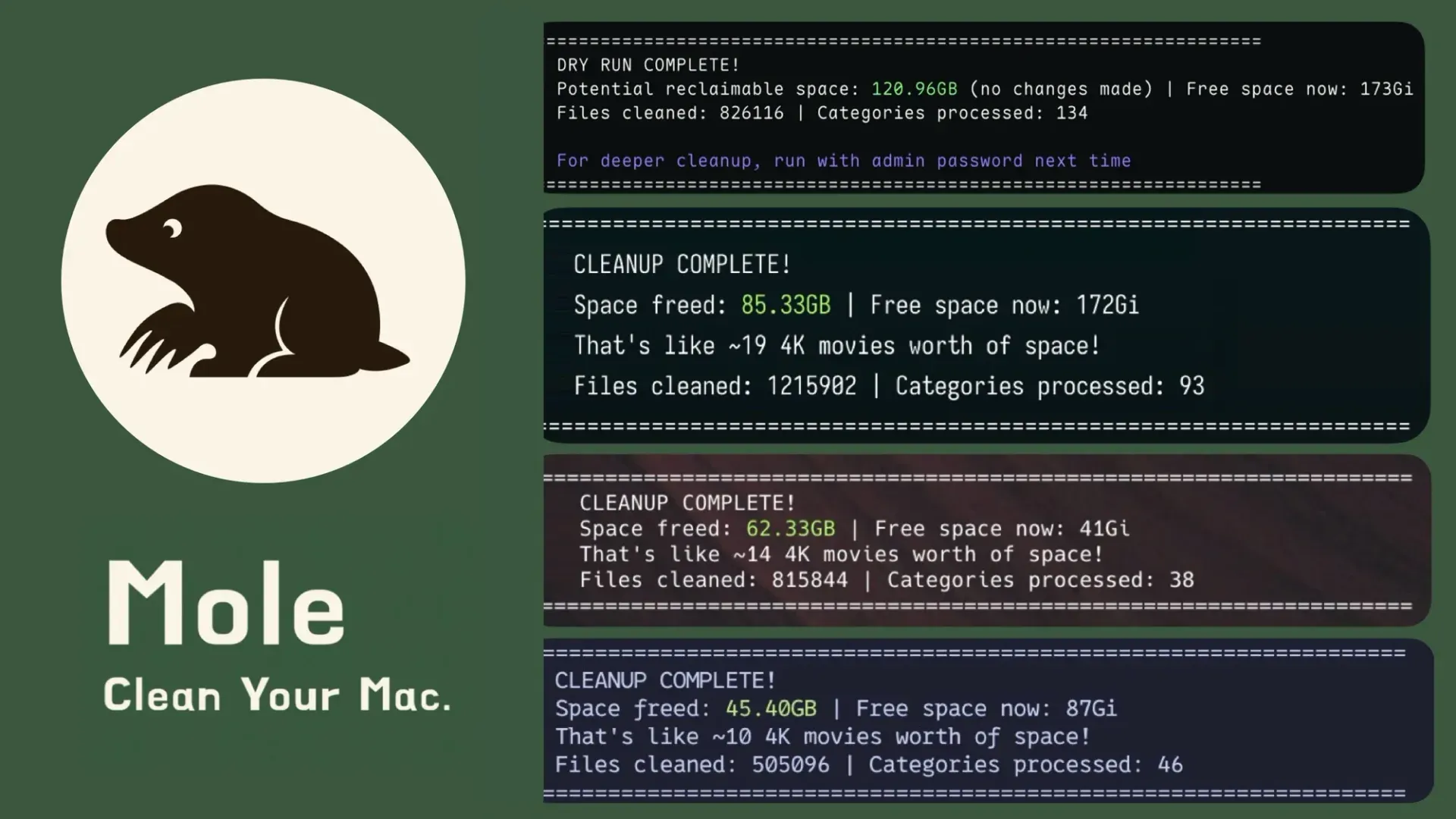
Official README figure combining one dry-run summary and three cleanup summaries from the macOS CLI; sizes depend on each Mac.
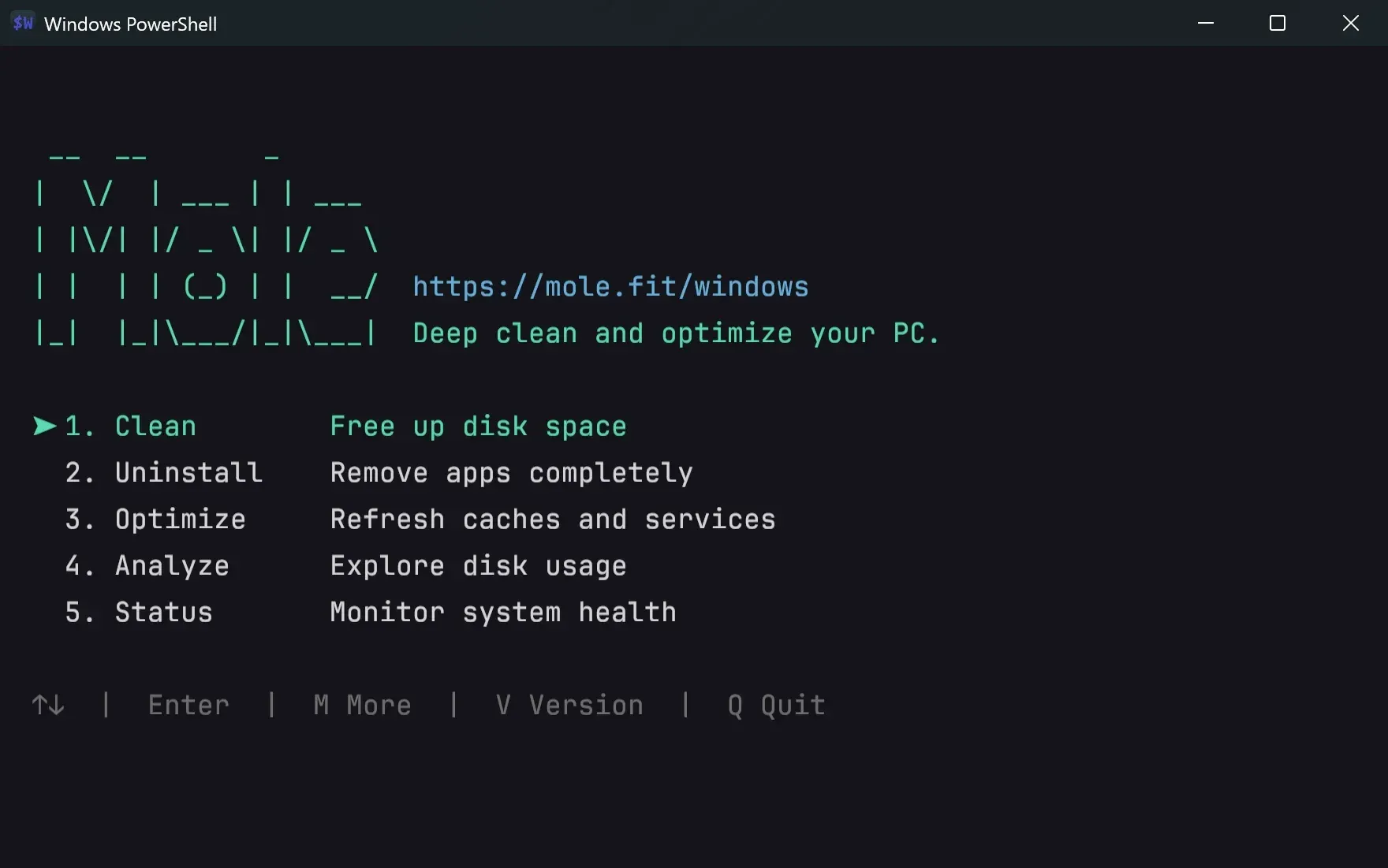
Official screenshot of the Windows CLI interactive menu from the windows branch README.
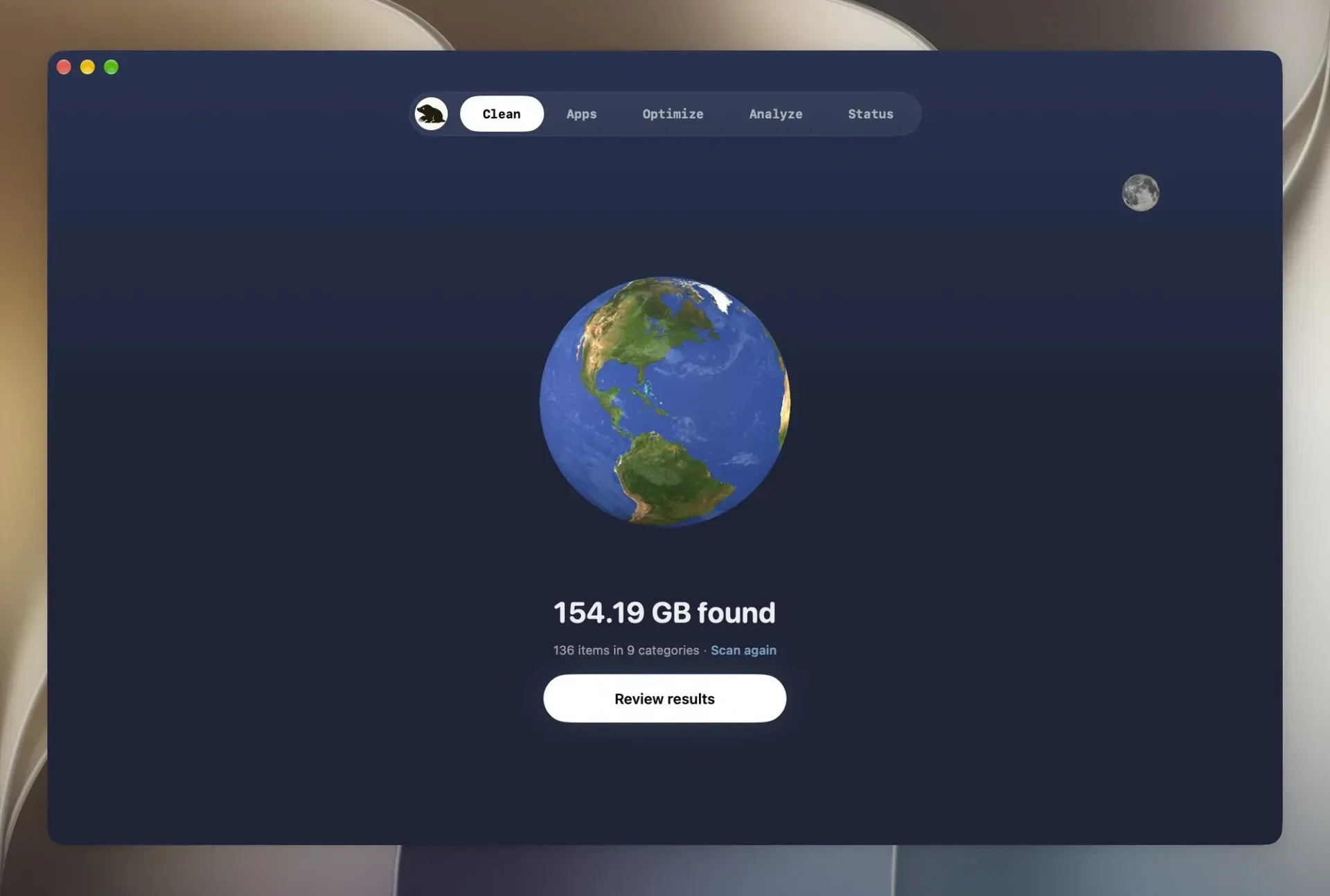
Clean tab of the separate paid Mole for Mac app after a scan, from mole.fit; the CLI equivalent is mo clean.
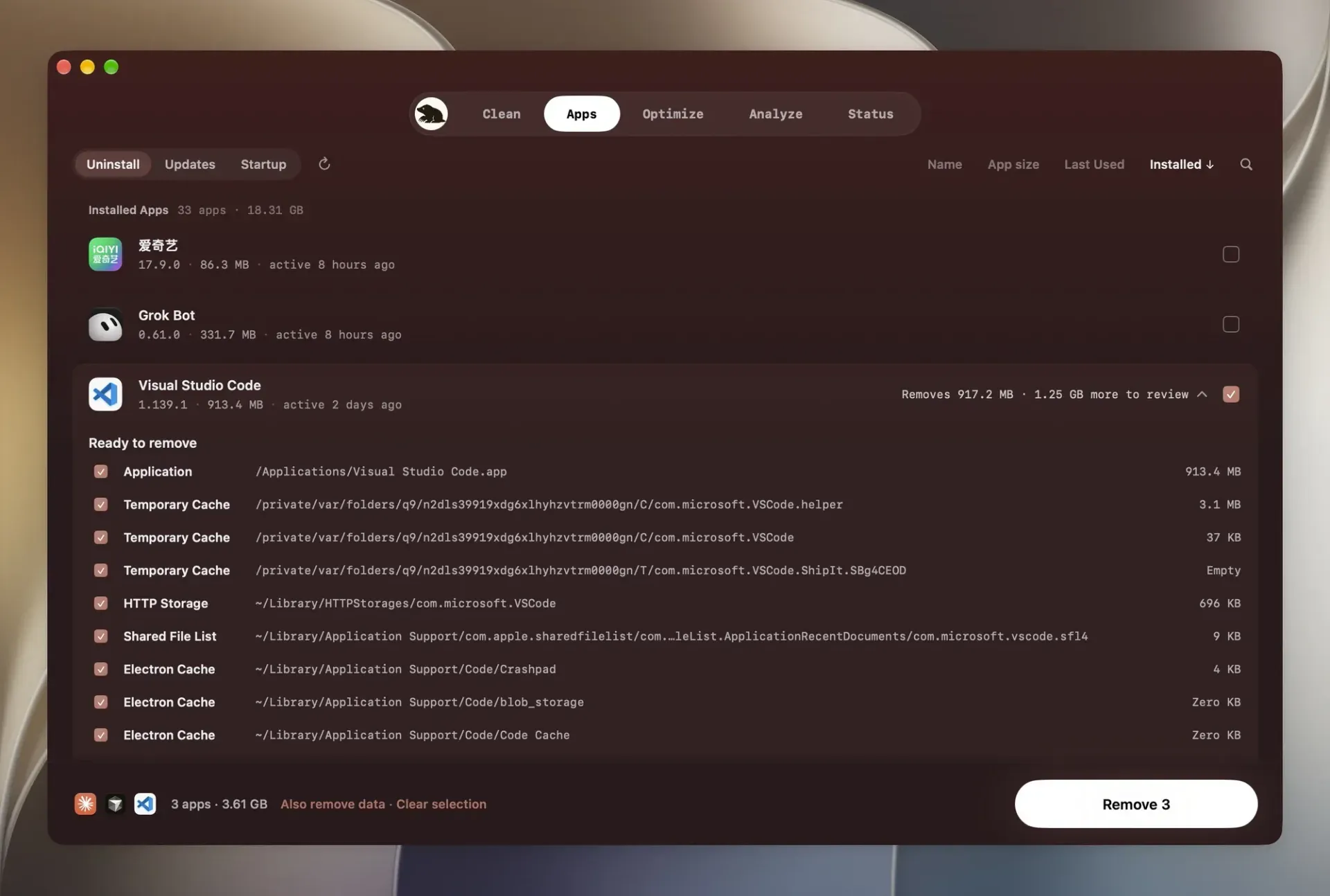
Uninstall review in the paid Mac app, listing each path and size before removal; the CLI equivalent is mo uninstall.
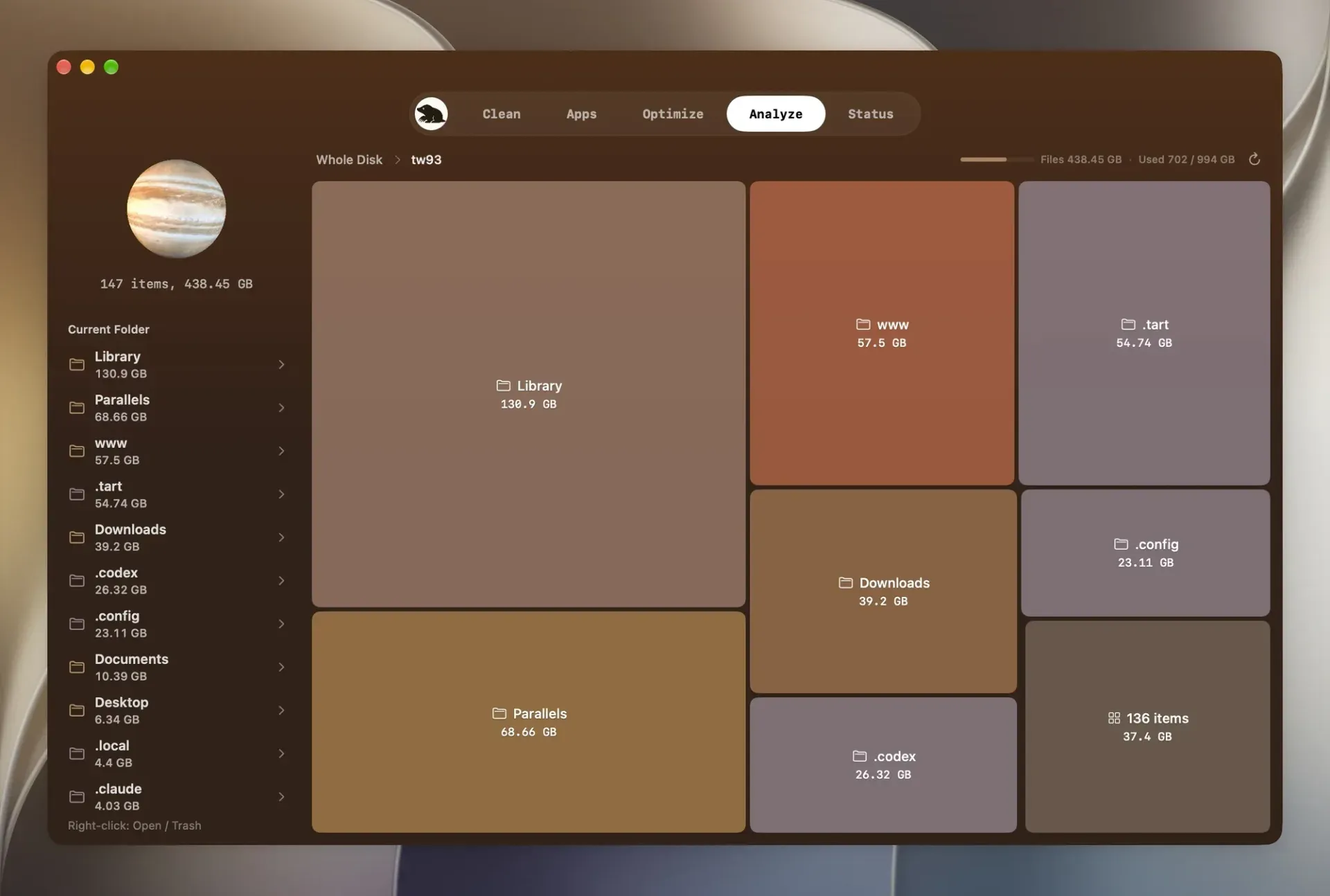
Treemap disk view in the paid Mac app; the CLI offers a terminal disk explorer through mo analyze.
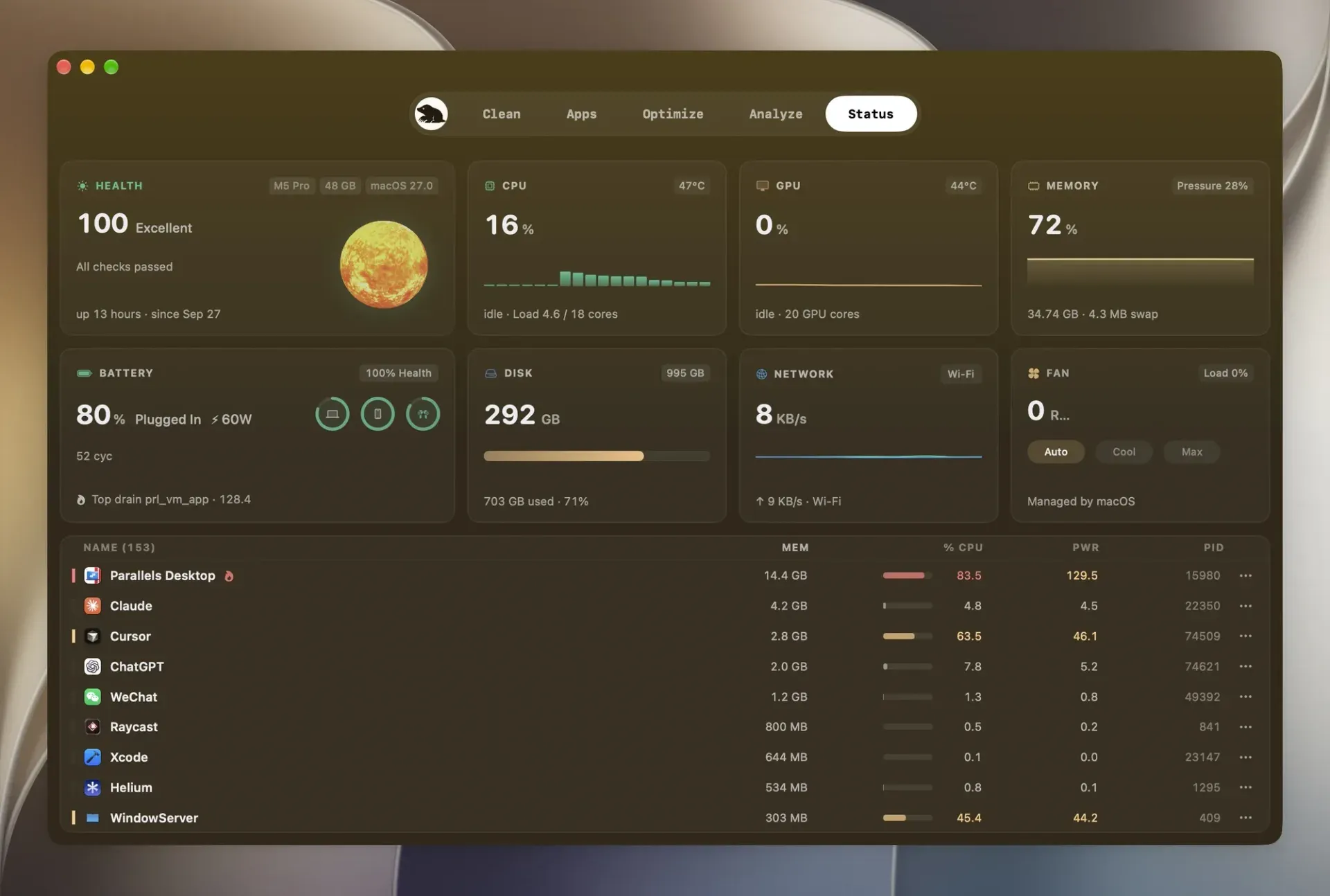
Live status dashboard in the paid Mac app; mo status shows similar metrics in the terminal.
Source: official Mole project page.
Key capabilities
- macOS install through Homebrew or script
brew install moleinstalls the CLI only, not the paid app. The script install writes to/usr/local/binand may ask for an administrator password; passing--prefix "$HOME/.local/bin"keeps latermo updateruns password-free. A specific release tag, ormainfor unreleased code, can be pinned. The CLI requires macOS 12 or newer on Intel or Apple Silicon. - Nix flake Nix users on macOS can run
nix profile install github:tw93/mole/main#moleor add the flake as an input. The flake followsmain, so it contains unreleased changes.mo updateandmo removeleave Nix-managed installations alone; upgrade and remove them through Nix. - Windows CLI The Windows branch installs with
scoop install moleor a PowerShell quick-install script on Windows 10 and 11. The script install needs Git, and Go when the source differs from the latest release, places files in%LOCALAPPDATA%\Programs\mole-cliand addsmoandmoleto PATH. It offers clean, uninstall, optimize, analyze, status and purge. - Linux CLI, early version A shell installer sets up Mole on x86_64 and aarch64 in
~/.local/share/moleand linksmointo~/.local/binwithout sudo. Uninstall understands pacman, AUR, apt, Snap, Flatpak and AppImage apps, matched by exact ID. Mole refuses to run as root, and on distributions other than Arch, Debian and Ubuntu only the user-level parts appear. - Deep clean
mo cleanreviews caches, logs, temporary files, developer tool caches and leftovers from apps that are no longer installed, grouped by category with item counts and sizes. It empties~/.Trashby default unless Trash is protected inmo clean --whitelist; volume Trashes are not emptied. Cleaned items are deleted permanently, not moved to Trash. - App uninstaller with leftovers
mo uninstallremoves an app together with LaunchAgents, preferences and other files Mole can tie to it, and keeps shared data still used by another installed copy. Personal data such as settings and plugins is kept unless selected with theDkey or--with-data. Removals go to Trash by default,--permanentskips Trash, and references in shell, hook or MCP configuration are reported by file and line without being edited. - Bounded system maintenance
mo optimizerefreshes QuickLook thumbnails, the icon services cache and the DNS cache, optimizes supported databases and checks disk health. Tasks that are unnecessary, unsafe at that moment or unavailable are skipped with a stated reason, for example when Safari must be closed first.mo optimize --whitelistexcludes tasks or path patterns. - Terminal disk explorer
mo analyzeis an interactive TUI with arrow and Vim keys, filtering, multi-selection, Finder preview and confirmed moves to Trash. External drives are skipped from the overview and can be opened withmo analyze /Volumes. The list keeps the 30 largest entries, sizes ending in+come from partial scans, and file-by-file scans count fully shared APFS clones once. - Live status dashboard
mo statusis read-only and shows CPU, memory, disk usage and I/O, network traffic, power and top processes. A health score combines CPU, memory, disk capacity, SMART status, I/O, thermals, battery state and uptime. Optional alerts flag processes that stay above a CPU threshold, tuned with--proc-cpu-thresholdand--proc-cpu-window. - JSON and NDJSON output
mo analyze --json,mo status --json,mo history --jsonandmo uninstall --listreturn machine-readable data, andmo statusswitches to JSON when piped.mo status --watch --interval 2sstreams newline-delimited JSON. Analyze results carry ascan_statusof complete, partial or unavailable, and partial scans still exit successfully, so scripts must check that field. - Project artifact purge
mo purgefinds rebuildable folders such asnode_modules,target,.build,buildanddist, grouped by project, and deletes only confirmed items permanently. Artifacts with activity in the last 7 days are unselected, and directories holding deployment keypairs, nested Git repositories or Git-tracked files are protected. Scan roots are set in~/.config/mole/purge_pathsand searched six levels deep. - Installer file sweep
mo installerlists DMG, PKG, MPKG, ISO, XIP and installer ZIP files from Downloads, Desktop, Homebrew caches, iCloud, Mail, Telegram and other supported locations, with size and source. If a scan or metadata probe fails or times out, the list is discarded and nothing is selected. Selected files are checked again against their confirmed identity right before deletion. - Slimming universal apps
mo slimremoves Intel code from universal apps on Apple Silicon Macs, listing only Developer ID signed apps you own. Each app is slimmed on a copy that replaces the original only after code signing and Gatekeeper checks pass, and the original goes to Trash. App Store, Apple, Rosetta-configured, running and other users' apps are left alone, and an app update restores the Intel code. - Dry runs, whitelists and an operations log
clean,uninstall,optimize,purge,installerandslimaccept--dry-run, with--debugfor detailed logs. Activity is written to~/Library/Logs/mole/operations.logand read back withmo history;MO_NO_OPLOG=1disables it. If the whitelist file cannot be read, clean, purge and optimize stop instead of running without it. - Administration commands
mo touchidconfigures Touch ID for sudo,mo completionsets up shell tab completion,mo updateupdates the installation that was invoked andmo removeuninstalls Mole.mo update --nightlyinstalls the latest unreleased build and is available for script installs only. Mole should be run without sudo; it requests administrator access when a step needs it. - Timeout tuning for slow disks Environment variables such as
MOLE_TIMEOUT_HINT_SCAN_SEC(default 15 seconds),MOLE_TIMEOUT_PKG_LIST_SEC(10) andMOLE_CLOUD_OFFICE_SECTION_BUDGET_SEC(300) bound probes, package listings and cloud mount scans. Mole runs without configuration, and the documentation advises raising a timeout only when Mole reports that a step timed out. - Agent skill and host plugins
npx skills add tw93/Mole -a claude-code codex cursor -g -yinstalls an agent skill that makes coding agents show every cleanup with--dry-runfirst and leave app uninstalls and administrator steps to the user. The same repository is a plugin marketplace for Claude Code and Codex. The agent still runs the local CLI; there is no hosted API or MCP server. - Raycast and Alfred launchers A setup script installs five launchers for Clean, Uninstall, Optimize, Analyze and Status as Raycast script commands and, when Alfred preferences exist, Alfred workflows. Raycast needs its script directory added manually. The launchers detect Terminal, iTerm2, Alacritty, kitty, WezTerm, Ghostty, Hyper, WindTerm and Warp, or use
MO_LAUNCHER_APP.
Where Mole fits
Reclaiming space on a full Mac
Start with mo clean --dry-run and read each category: user app caches, browser caches, developer tool caches, leftovers from removed apps and Trash. Protect anything you want to keep, such as Trash or a build cache, through mo clean --whitelist, then run mo clean. Cleaned caches are deleted permanently, and regenerating a cache is not the same as restoring it, so check the free-space line in the summary and confirm that the apps you use still start normally.
Clearing build output from developer machines
Point mo purge --paths at the folders that hold your projects, run mo purge --dry-run and review the per-project list. Folders such as node_modules or target can be rebuilt, but dependency folders must be downloaded again, which matters on slow or metered connections. Artifacts touched in the last 7 days stay unselected. Unattended runs need mo purge --yes, so decide that policy explicitly before adding it to a script.
Removing an app and its leftovers
Run mo uninstall --dry-run or open the interactive picker, select the app and read the files that will be removed and the personal data that will be kept. Press D only for data you are sure you no longer need. Removals go to Trash, so empty it after checking that nothing else broke. If the app was already deleted by dragging it to Trash, use mo clean to find what it left behind, and review any shell or MCP configuration lines Mole reports.
Finding what fills a disk
Run mo analyze and drill into the largest folders, or pass a path such as /Volumes for external drives. Sizes ending in + or marked unknown come from partial scans, often because macOS does not let the terminal read a folder, and those folders stay partial until that access changes. For reports, mo analyze --json /path returns every scanned entry, and automation should read scan_status before trusting totals.
Health checks in scripts and over SSH
mo status --json returns one snapshot with a health score, CPU, memory, disks and process data, and mo status | jq '.health_score' works because piped output switches to JSON. --watch streams NDJSON for longer observation. The command exits 1 only when none of the CPU, memory, disk or process metrics could be collected, so a monitoring script should also look for missing fields and messages on stderr.
Letting a coding agent handle cleanup
Install the official skill or plugin, then ask the agent to free space. The skill instructs the agent to show the --dry-run list first and to leave app uninstalls and administrator prompts to you. Approve each real run yourself, and afterwards use mo history or mo history --json to check exactly which paths were removed in that session.
Install
brew install moleReviews of Mole
Be the first to share your experience with Mole.
Write a review
Loading review form…
Alternatives to Mole
 WinDirStatWinDirStat is a GPL v3 disk usage analyzer for Windows that scans drives, shares and cloud storage and finds large or duplicate files.Ddisktreedisktree visualizes local and SSH-accessible disk usage as an interactive treemap. It supports reviewed local removal and exports remote selections as lists, prompts or cleanup scripts.