
What is disktree?
disktree is a desktop disk usage analyzer built with Rust and GPUI, originally designed for Omarchy. It displays directories as nested tiles sized by allocated disk space, with alternative views for apparent size, file count and age. Keyboard and mouse navigation, name filtering and data-type coloring help users explore what occupies a selected volume or directory.
Local cleanup follows a mark-and-review workflow, with trash support where available and confirmation before permanent deletion. The application rescans after removal to show the space actually recovered. Protected system paths, scan roots, home directories and mount boundaries are subject to removal restrictions.
The application runs on Linux, macOS and Windows through downloadable builds or source installation. SSH scanning brings remote filesystem measurements into the desktop without transferring file contents. Remote review is export-only: the scanner cannot delete files, and exported cleanup scripts require separate review and execution.
disktree screenshots
Explore the interface. Open a screenshot to view it at full size.
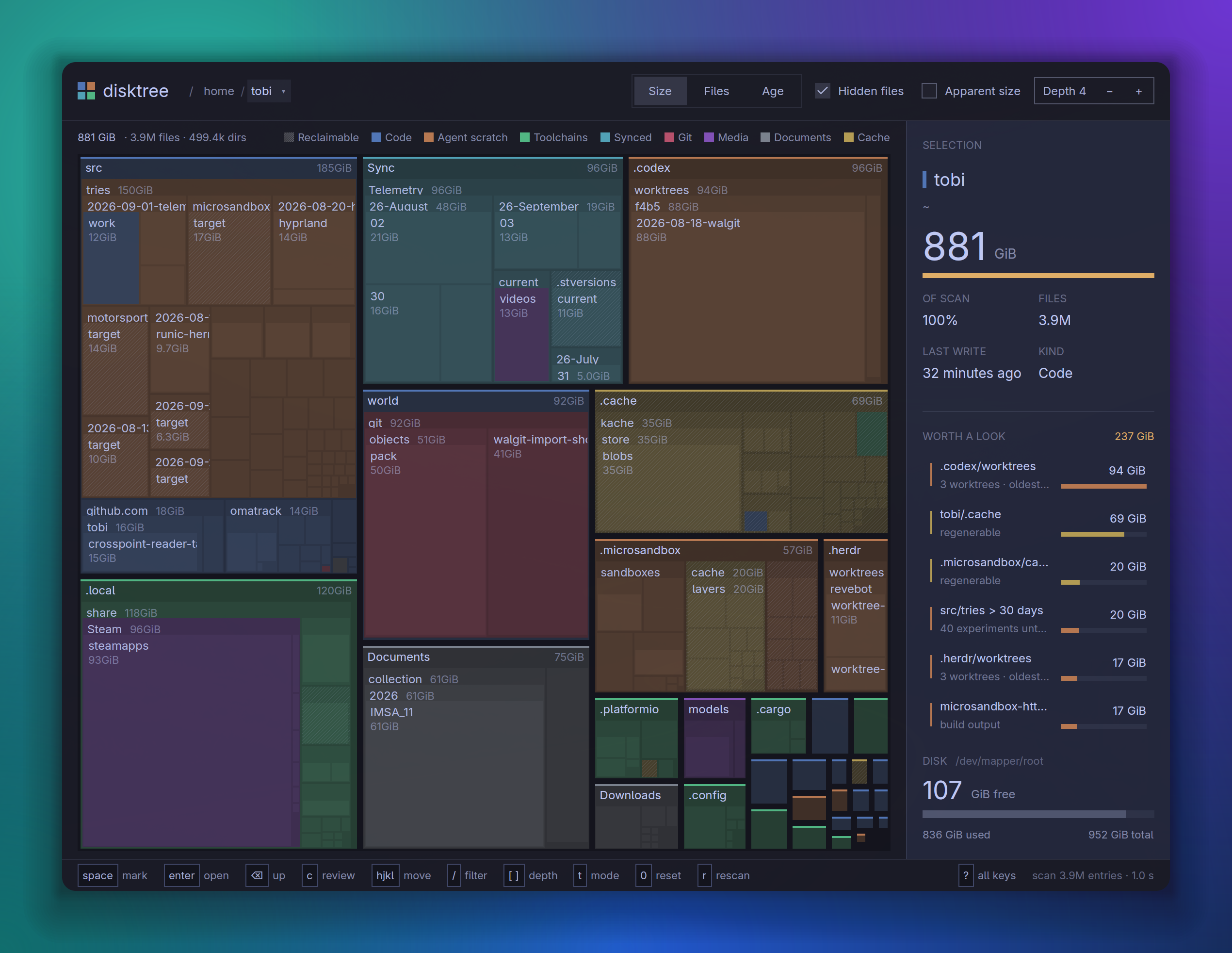
Source: official disktree project page.
Key capabilities
- Treemap exploration Navigate nested directory tiles with keyboard or mouse, filter names and switch between size, file count and age views.
- Disk accounting Measure allocated or apparent size, count hardlinks once and distinguish volume boundaries when projecting recovered space.
- Reviewed local cleanup Mark paths, inspect the selection and move items to trash or confirm permanent deletion before a rescan.
- SSH inspection Scan remote roots through a helper while retaining the complete navigable tree on the desktop.
- Cleanup exports Save selected paths, copy a coding-agent prompt or export a remote cleanup script that previews its actions by default.
- Git context Show local checkout changes, stashes and unpushed commits, with inspection restrictions for checkout-defined executable behavior.
Where disktree fits
disktree fits workstation maintenance and developer cleanup workflows involving build output, package stores, caches and large directories. Before removing selected data, users should check whether work is backed up and whether the owning tool provides a more appropriate cleanup command. Its directory classifications identify candidates for inspection rather than establish that files are disposable.
For server investigations, SSH mode allows administrators to inspect disk consumption before exporting a cleanup selection. Deployment requires working SSH authentication and a compatible scanner helper; macOS and Windows desktop builds do not embed the Linux helpers. Users should also verify filesystem permissions and mount coverage. On macOS, Full Disk Access affects visibility, and shared APFS blocks and local snapshots can make scan totals differ from recoverable space.
Install
yay -S disktree-binReviews of disktree
Be the first to share your experience with disktree.
Write a review
Loading review form…
Alternatives to disktree
 ArgusArgus is an AGPL-3.0 task manager for Windows 10 22H2 and Windows 11 x64, written in Rust with GPUI Kit. It covers processes, performance and SMART data, services, startup apps, TCP/UDP connections, file locks and 7 days of resource history.BBleachBitBleachBit is a GPLv3 cleaner that removes files to free disk space and maintain privacy, with a preview step and a command line interface.CTChris Titus Tech's Windows UtilityWinUtil is a PowerShell tool that bundles Windows app installs, debloating tweaks, troubleshooting config and update settings, with three presets.