
What is ShareX?
ShareX is a free and open source screenshot tool, screen recorder, file sharing tool and productivity application for Windows. It is described as lightweight, privacy focused and free of advertisements, and no account is required to use it.
Capture modes include fullscreen, active window, active monitor, region, scrolling screenshot, last region and custom region capture, plus screen recording, GIF recording and auto capture. After a capture, ShareX can copy to the clipboard, save, open the image editor, upload, print, run an action, scan a QR code or recognize text with OCR.
Annotation tools cover rectangles, arrows, text, step numbers, blur, pixelation and spotlight effects. ShareX uploads images, text, files, folders, clipboard content and URLs to many destinations, supports custom uploaders, and has guides for Amazon S3, Google Cloud Storage and Cloudflare R2.
ShareX screenshots
Explore the interface. Open a screenshot to view it at full size.
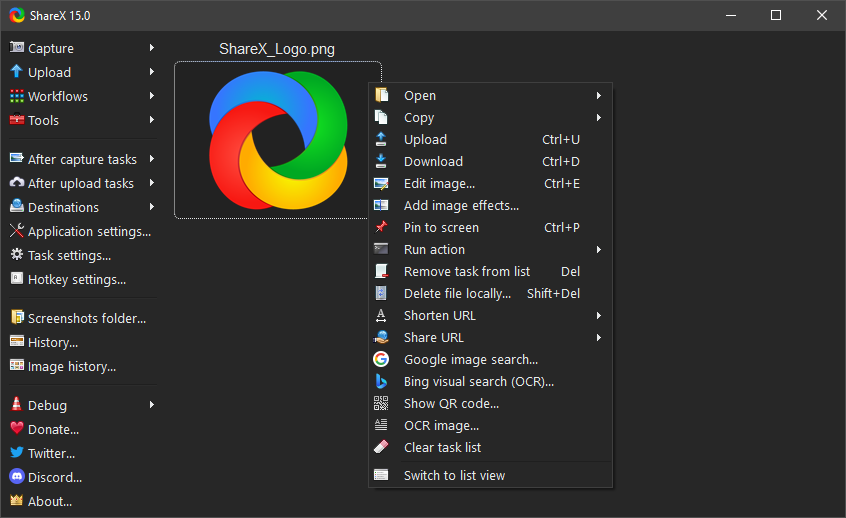
Source: official ShareX project page.
Key capabilities
- Screen capture Captures screens, windows, selected regions and scrolling content, with automatic capture options.
- Screen recording Records screen activity as video or animated GIFs.
- Image annotation Adds shapes, arrows, text and highlights, with cropping and tools for obscuring private details.
- Upload automation Uploads images, text and files to configured destinations and processes sharing links afterward.
- Workflow configuration Assigns hotkeys and chains capture, editing, saving, uploading and external actions.
- Desktop utilities Provides OCR, QR code tools, color picking, image conversion and hash checking.
Where ShareX fits
ShareX fits into bug reporting, support replies, technical documentation and tutorial creation. Developers, QA testers and technical writers can capture a region, annotate the relevant details and save or share the result through a configured workflow.
Before deployment, teams should verify Windows compatibility, select the installer or portable package, and review hotkeys and automatic upload tasks. Storage destinations, access settings and handling of sensitive screen content should be checked before enabling automated sharing.
Reviews of ShareX
Be the first to share your experience with ShareX.
Write a review
Loading review form…
Alternatives to ShareX
 CapCap is an open-source screen recorder for macOS, Windows and Linux that shares a link when you stop or opens a local editor for polished videos.
 CaptureFlowCaptureFlow is an open-source screen recorder that gives you a share link as soon as you stop recording and can be self-hosted on Cloudflare or Docker.
 OBS StudioOBS Studio captures screens, windows, games, cameras and audio, composes them into scenes, then records the result or streams it over RTMP or WHIP. It runs on Windows, macOS and Linux under GPL-2.0-or-later, with plugins, scripting and WebSocket control.