

What is It's a Plan?
It's a Plan is a self-hosted project management and issue tracking application written in TypeScript and published by Andrii Poluosmak under the GitHub account croffasia. It covers projects, issues with custom fields and issue types, cycles, initiatives, dashboards, Markdown docs and freeform notes boards, and it works as a conventional tracker with no AI feature turned on. The design choice that sets it apart is that AI agents are project members: an agent receives a role, permissions and an assignee slot, and it takes issues from the same board as the people on the team. The project presents itself as an open-source alternative to Linear and Plane.
There is no vendor-hosted SaaS edition. The documented routes are Docker Compose from the self-hosting guide, a one-click Railway template, compose files for Coolify, and a Helm chart for Kubernetes 1.24 or later that is also published to GHCR as an OCI artifact. Each release publishes container images for the api, worker, bot and web services, and the VERSION variable pins an instance to one release. For a first look, bun run setup on a machine with Docker and Bun starts the whole stack on localhost without a domain.
The current release is v1.10.0, published November 5, 2026. Version 1.0.0 shipped on September 15, 2026, and minor releases have followed roughly weekly since then. Release 1.10.0 adds project templates with a public gallery, run queues and concurrency limits for agents, system roles, private views, share links that expire, document tools for agents and a Mastra Code preset in runner 0.8.0; the Pro edition gains agent workflows drawn on a canvas. The same release fixes one high and one medium security advisory. Release 1.9.0 added Trello import, a calendar feed for shared views, GitHub issue and discussion tools for agents and search across all projects. The README still warns that breaking changes can occur before the first stable release, so read the release notes before each upgrade.
The codebase is a Bun and Turborepo monorepo. The API uses Elysia, the frontend uses the Next.js App Router with server rendering, shadcn/ui and Tailwind v4, authentication uses better-auth, and persistence uses Drizzle with PostgreSQL. Attachments go to an S3-compatible object store, RustFS in the default stack, which replaced MinIO. Internal agents are built on the Mastra framework. A Compose deployment runs Postgres, RustFS, api, worker, bot and web, plus a one-shot migrate service that applies schema changes before the API starts.
The server is licensed under AGPL-3.0, while the packages/runner client is Apache-2.0; the author offers a commercial license on request for companies that cannot accept AGPL terms. A paid Pro edition uses separate images and a license key bound to one domain. Out of scope: native desktop or mobile apps, a managed cloud run by the project, and bundled AI models. Agents need your own provider API key or an existing coding CLI subscription.
It's a Plan screenshots
Explore the interface. Open a screenshot to view it at full size.
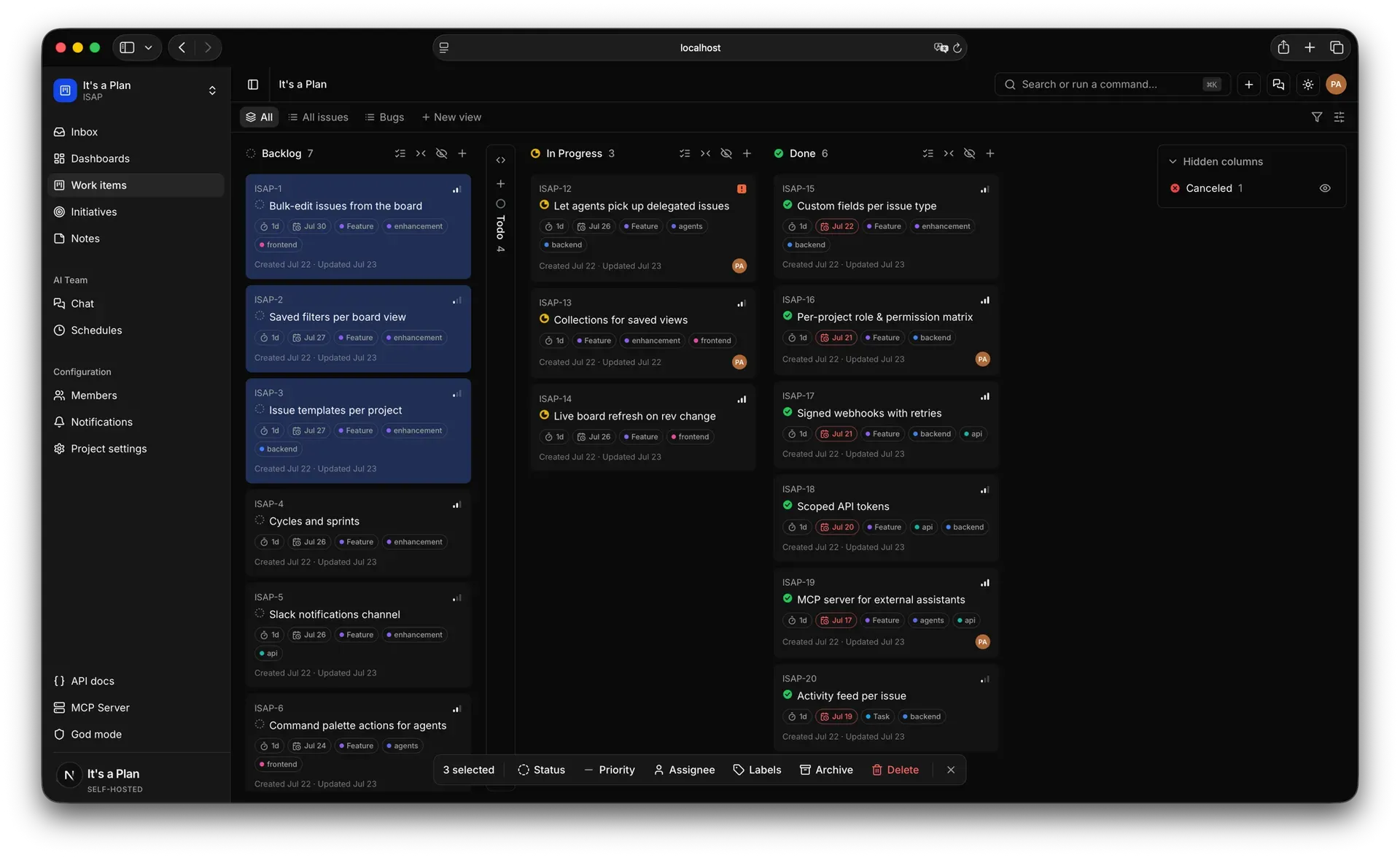
Official README screenshot of the Kanban board in dark mode, with labels, due dates and a bulk action bar.
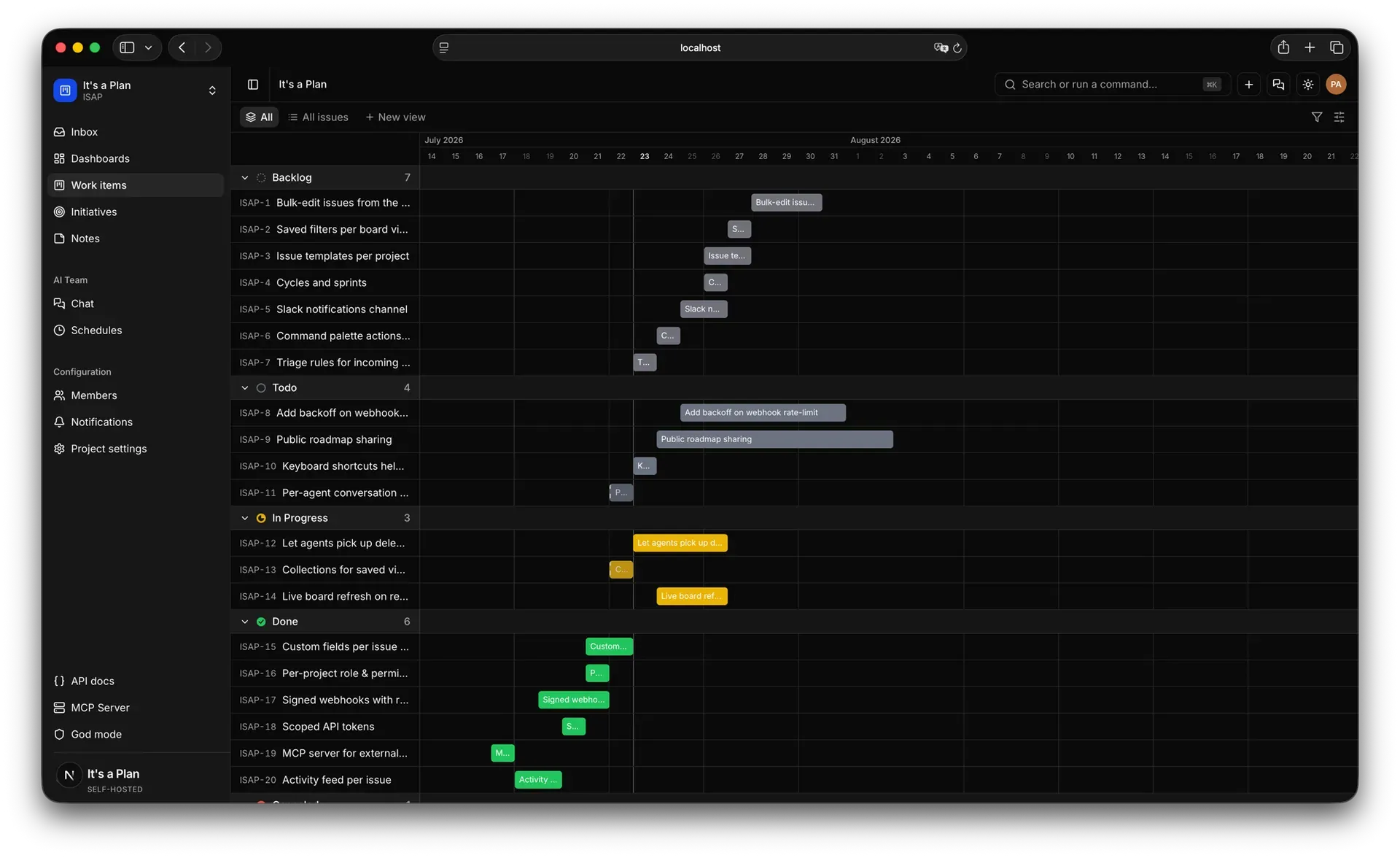
Official website screenshot of the Timeline view with issues grouped by state.
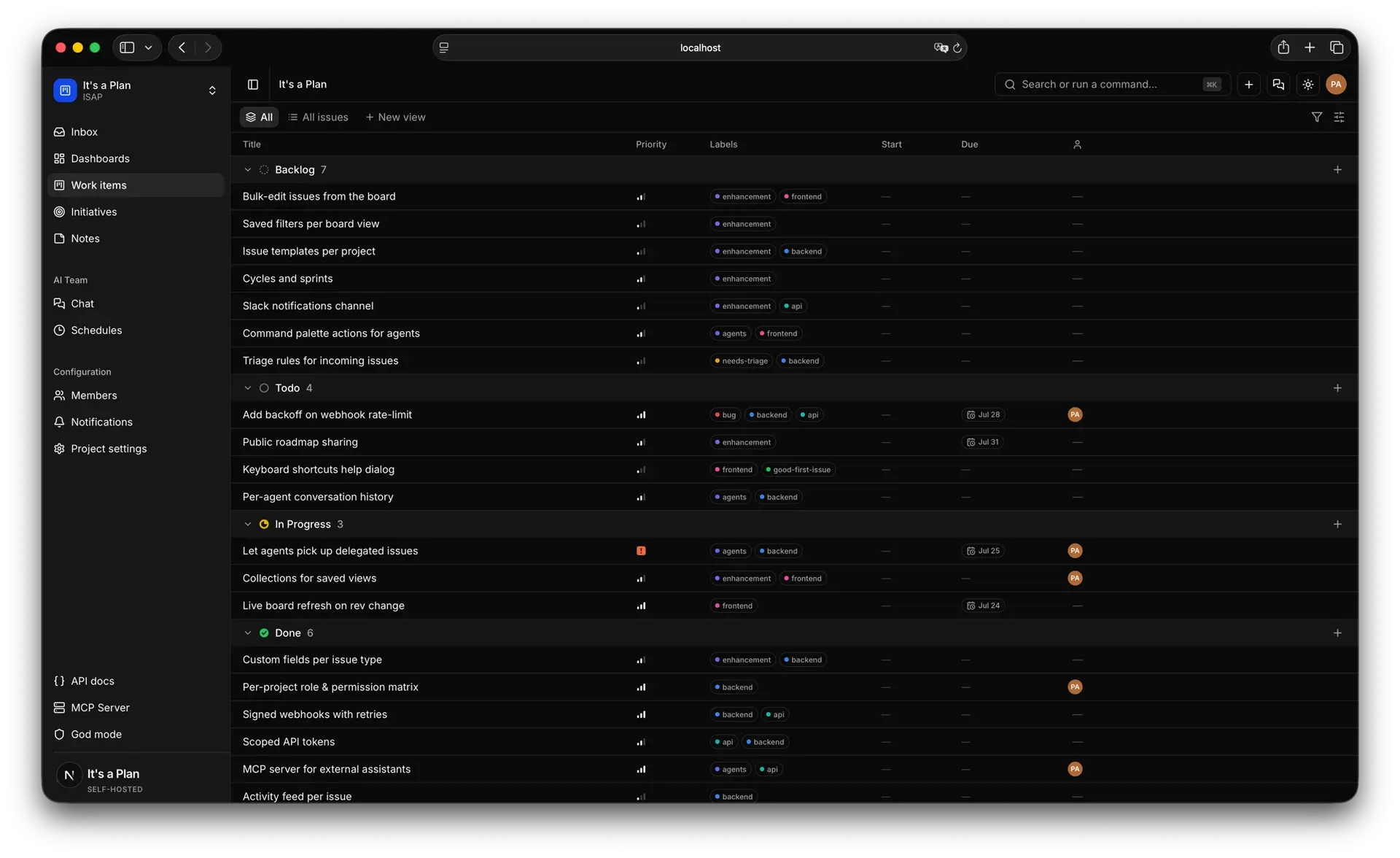
Official website screenshot of the Table view grouped by state.
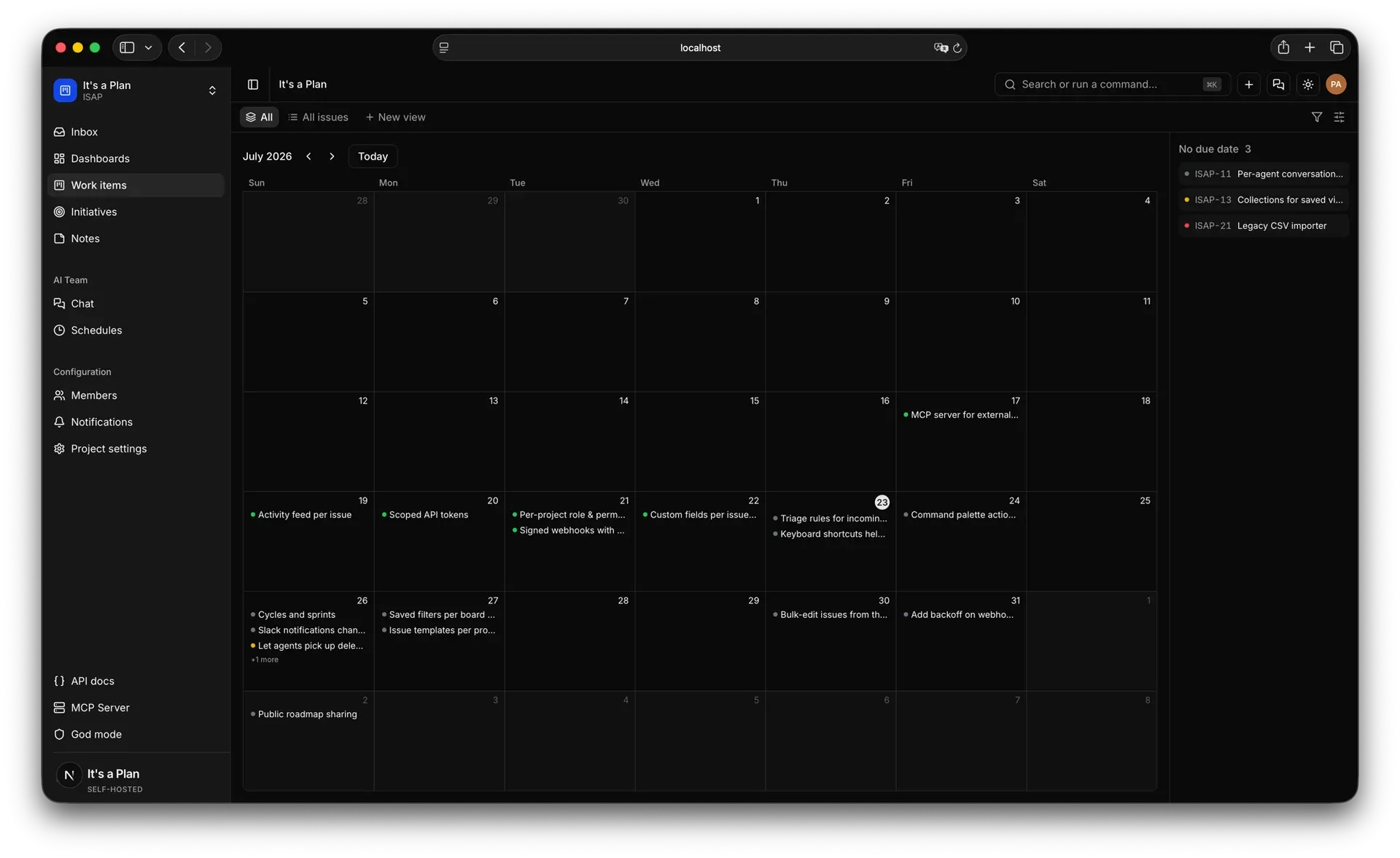
Official website screenshot of the Calendar view; issues without a due date appear in a side list.
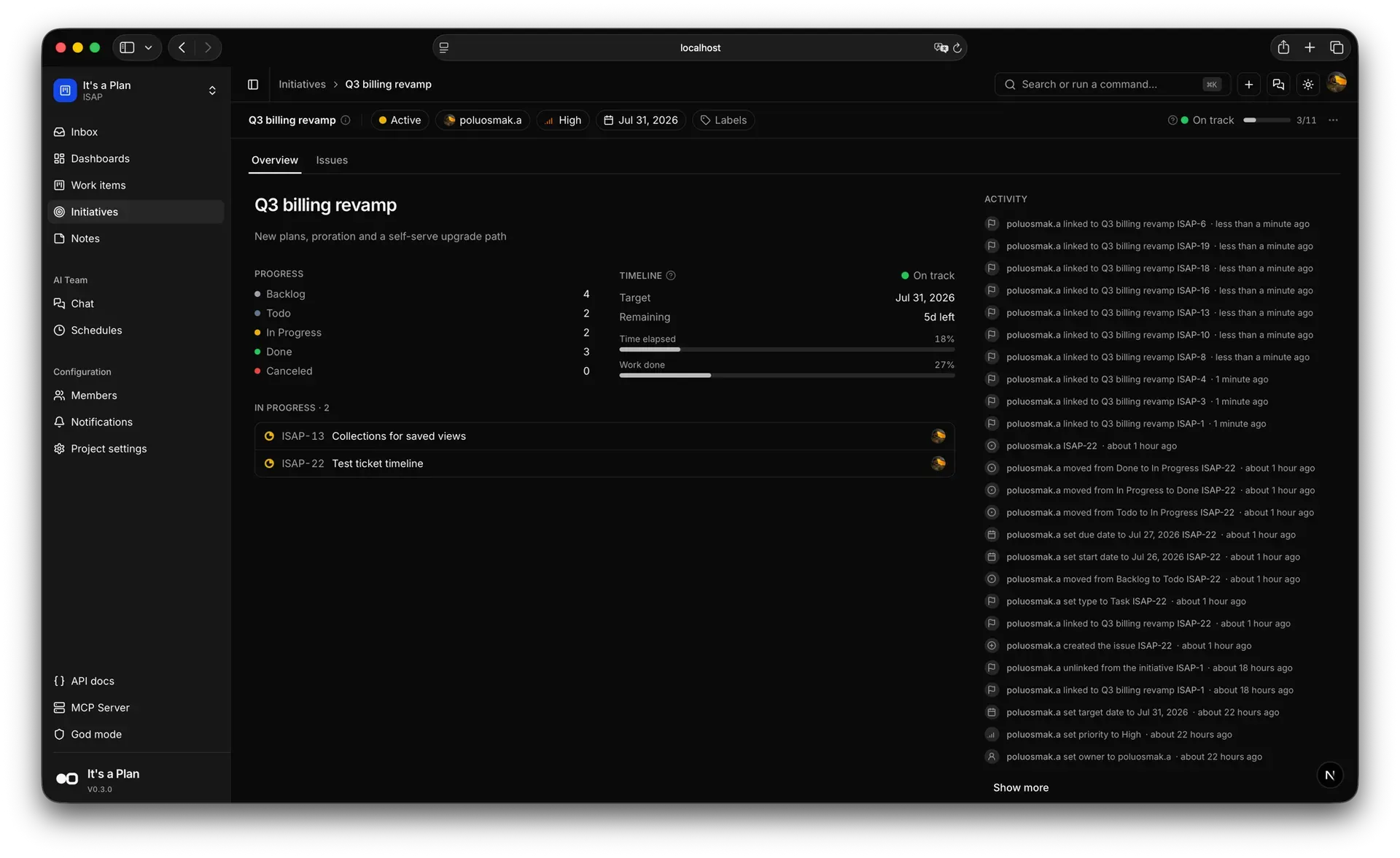
Official website screenshot of an initiative with target date, work-done progress and linked-issue activity.
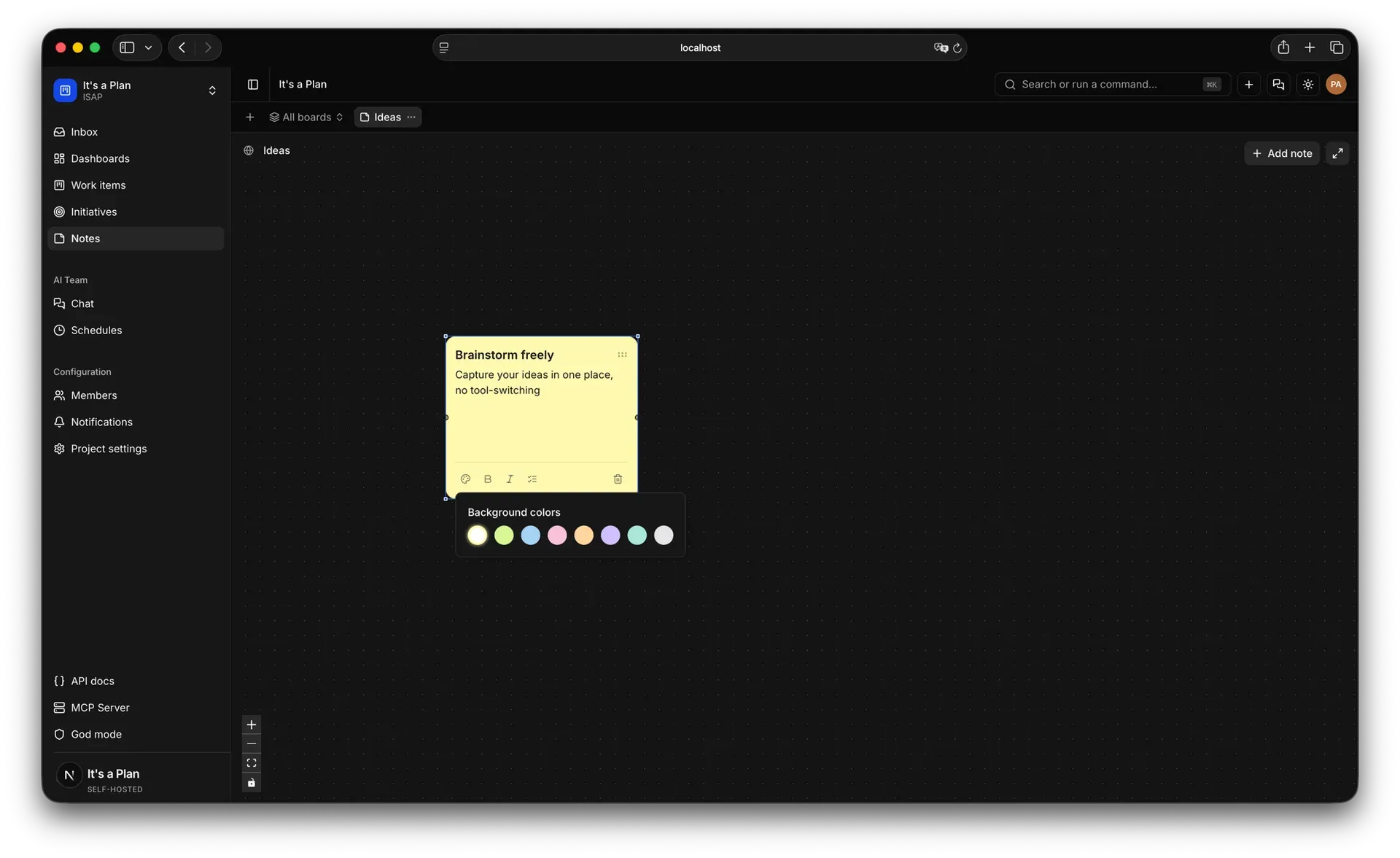
Official website screenshot of a notes board canvas with sticky-note formatting controls.
Source: official It's a Plan project page.
Key capabilities
- Self-hosting with Docker Compose Requirements are Docker and a domain behind a TLS-terminating reverse proxy; the session cookie is marked Secure, so sign-in does not persist over plain HTTP outside localhost. Clone the repository, copy
.env.example, fill in the public URLs and generated secrets (database password, auth secret, encryption key, object-store credentials) and rundocker compose up -d. The stack refuses to start while a required value is missing, and the first account registered becomes the instance admin. Full steps are in the self-hosting guide. - Local trial with Bun With Docker and Bun installed,
bun installfollowed bybun run setupand the answer "Try it" picks free ports, generates secrets, starts the stack in Docker and opens the app on localhost port 3001. No domain or reverse proxy is needed. Running the command again restarts the same instance with its data. - Railway, Coolify and Kubernetes The Railway template deploys the stack in one step and generates secrets, but you need a domain of your own for two hostnames. Coolify uses dedicated compose files. The Helm chart needs Kubernetes 1.24+ and Helm 3.10+, installs from
oci://ghcr.io/croffasia/charts/itsaplanwith a pinned--version, and ships PostgreSQL and RustFS that can each be replaced by an external service, as the Helm guide describes. - Upgrades with a pre-migration dump Updating is
git pull,docker compose pullanddocker compose up -d. Before applying migrations, the migrate service dumps the database into adb-backupsvolume and stops if the dump fails. Dumps are kept 30 days by default (BACKUP_RETENTION_DAYS);SKIP_PRE_MIGRATION_BACKUP=1disables them for operators with their own backups. On Kubernetes, an init container applies migrations under a Postgres advisory lock. - Board, table, timeline and calendar views Each view can be saved as a tab with its own filters, display fields and two-level grouping, for the whole project or as a private view. Every person orders and hides their own tab row. Since 1.9.0 the Table and Timeline allow editing issue properties in place, and a shared saved view can be exported as a calendar feed.
- Configurable issues States, labels, issue types and custom fields are configured per project. Issues support subtasks, checklists, attachments, comment threads with replies, @mentions of people and agents, and links of the types blocks, relates and duplicates. Quick actions run on an issue, and auto-assignment can fire when an issue enters a given state.
- Cycles, initiatives and dashboards Cycles time-box work, and unfinished issues move to the next cycle. Initiatives group related issues inside a project and show progress, target date and an activity feed. Project dashboards include throughput, a burnup chart with a projected completion date, breakdowns and a pulse view; archived issues are excluded from analytics since 1.10.0.
- Docs and notes boards Docs are shared Markdown pages in a tree with revision history, private and locked pages, favorites, embedded files, comment threads and links to the issues they describe. Notes boards are a canvas of sticky notes with colors, checklists and connections. Issues and saved views can be shared through read-only public links, which can expire after 1, 3 or 7 days or on a chosen date.
- Internal AI agents Internal agents run on the instance through Mastra. You configure the model and provider with your own API key, the system prompt, tools and reusable skills, written inline or imported from a GitHub repository. Built-in tools reach Notion, Telegram, Threads, Instagram, Jina, Firecrawl, Keenable, Gitea, Forgejo and GitHub. A run starts on an @mention in an issue or document comment, on an assignment or on a schedule, and the instance limits concurrent runs (five by default).
- External agents through the runner The Apache-2.0 @itsaplan/runner package (Node.js 20 or later, started with
npx -y @itsaplan/runner) polls the instance for queued runs and hands each one to a coding CLI on your machine. Presets cover Claude Code, Codex, opencode, Antigravity CLI, GitHub Copilot CLI, Pi, Oh My Pi and Mastra Code; any command that reads the task on stdin also works. The CLI reads and writes the issue through the project MCP server, which is off by default and must be enabled per project. - Agent endpoint Instead of a runner, the instance can POST an external agent's tasks to an HTTPS endpoint you operate, such as an AWS Lambda function URL, an Azure Function or a Cloudflare Worker. Requests are signed with a per-agent secret. The URL must resolve to a public address unless the host is listed in
SSRF_ALLOWED_HOSTS. See the agent endpoint guide. - REST API, MCP server and webhooks The REST API uses API keys and documents every route in an OpenAPI reference served at
/docson your own instance; no public hosted reference is offered. The MCP server accepts OAuth sign-in over HTTPS or personal API keys. Outgoing webhooks have signed payloads, retries and a delivery log, including anagent_run.finishedevent added in 1.10.0. - Pull requests from five forges Repositories on GitHub, GitLab, Gitea, Forgejo and Bitbucket can be connected to a project. A pull request containing "Fixes KEY-42" links to that issue, and the issue moves when the pull request opens and when it merges. For an instance reachable only on a private network,
GIT_WEBHOOK_BASE_URLexposes just the webhook route on a public hostname. - Sign-in, SSO and SCIM Users sign in with email or username and password, passkeys, sign-in links or Google. Any OpenID Connect provider (Keycloak, Authentik, Okta, Entra ID and others) can be added from god mode, and SCIM 2.0 provisioning creates, deactivates and deletes accounts and maps groups to projects. Instance-wide SSO and SCIM are part of the free Community edition; authentication routes are rate-limited per client address.
- Mail and notifications Notifications go to an in-app inbox, email and Telegram, with per-member preferences. Mail uses SMTP or Resend, and a Microsoft 365 mailbox with MFA can send through an Entra ID app registration over OAuth (XOAUTH2) instead of a password.
- Importers for Linear, Plane and Trello Project Settings, Import/Export pulls issues from Linear (personal API key, one team project per job), from a cloud or self-hosted Plane workspace, and from Trello since 1.9.0. Tokens are stored encrypted and deleted when the job ends. The Linear import guide lists what is not transferred, including estimates, activity history, milestones and documents, and a 50-label and 50-link cap per issue.
- Thirteen interface languages The interface ships in English, Ukrainian, Russian, Simplified and Traditional Chinese, Arabic, Persian, French, Brazilian Portuguese, Indonesian, Spanish, Korean and Turkish. Traditional Chinese (Taiwan) arrived in 1.7.0.
- Pro edition Pro adds unlimited workspaces per person, per-workspace SSO and SCIM, required SSO, an audit log, a workspace dashboard, event-driven schedules, agent workflows, agent analytics, AI budgets and a help desk with public forms. It costs $240 per year or $24 per month for one domain with unlimited seats. The key is checked daily, Pro keeps working for 30 days if the license server is unreachable, and an expired license falls back to Community without data loss.
Where It's a Plan fits
Moving a team off Linear, Plane or Trello
Create the target project, invite the people whose assignments and comments should keep their authorship (matching is by email address), then run one import job per source project from Settings, Import/Export. Review the automatic state mapping before starting and choose whether unmatched authors leave fields empty or drop comments. Linear rate limits can pause a large job for up to an hour. Afterwards, compare issue counts, labels and links against the source, and check the items the import guide lists as not transferred.
Handing issues to a coding agent on your own machine
Create an external agent in the project, copy its key (it is shown once), enable the project MCP server and point the coding CLI at it, then start npx -y @itsaplan/runner in the working directory. Assigning or mentioning the agent queues a run that the runner executes and reports back to the issue. Check which permission mode the preset passes: the Claude Code preset uses --permission-mode auto because no person approves actions during a run. The coding agent setup page holds the config for each CLI.
Scheduling internal agents for recurring work
Give an internal agent a model, a system prompt, the tools it needs and a narrow role, then attach a schedule for tasks such as a weekly triage pass or a status summary. Agents can read the project activity feed and dated issue lists by period. Confirm the run time limit per agent, the instance and workspace limits on concurrent runs, and that the permission set does not expose agent keys. Token usage and cost per agent are visible in Community; budgets and per-trigger analytics are Pro features.
Planning cycles and tracking initiatives
Configure states, issue types and custom fields per project, then run time-boxed cycles in which unfinished issues roll into the next one. Group related issues under an initiative with an owner, priority and target date, and use dashboards for throughput and a burnup with a projected completion date. Save private views for personal filters so shared tabs stay stable for the team.
Linking repositories and pull requests
Connect a GitHub, GitLab, Gitea, Forgejo or Bitbucket repository to the project and adopt a commit or pull request convention such as "Fixes KEY-42". Verify that the issue moves on open and merge in a test repository before relying on it. For an internal-only instance, publish just the webhook path through GIT_WEBHOOK_BASE_URL; deliveries remain authenticated by the project secret.
Operating a production instance
Put the stack behind a reverse proxy with TLS and make sure the client address reaches the API correctly, because authentication rate limits depend on it (nginx, Cloudflare and proxy chains need specific settings). Connect an OIDC provider, decide on open, invite-only or closed registration and add SCIM if accounts come from a directory. Pin VERSION, keep the pre-migration dumps and an object-store copy, and decide on telemetry using the telemetry disclosure.
Install
git clone https://github.com/croffasia/itsaplan.git && cd itsaplan && bun install && bun run setupReviews of It's a Plan
Be the first to share your experience with It's a Plan.
Write a review
Loading review form…
Alternatives to It's a Plan
 LinearLinear is a product development tool for planning and building software, with issue intake, projects, cycles and workflows shared by humans and agents.
 PlanePlane is a project management tool for tracking work items, running cycles, grouping work into modules and writing pages. The Community Edition is AGPL-3.0 and self-hosted with Docker or Kubernetes; Plane Cloud and the Commercial Edition add paid plans.
 KanKan (kan.bn) is an AGPL-3.0 kanban project management app with boards, lists, cards, labels, comments, checklists, activity logs and templates. It runs on Kan Cloud or self-hosted with Docker Compose and PostgreSQL.