

What is Showly?
Showly is an Android and iOS app for tracking television shows and movies. You add titles to a collection, mark episodes as watched, see which episodes are coming next and optionally sync the result with a Trakt.tv account. It is a progress tracker, not a player: the project FAQ states that it cannot stream, download or play shows and movies, so you still watch on the services you already use.
The app is published by Michal Drabik, as shown on the official Showly website, and the source repository now lives in the trakt/showly GitHub repository. Distribution is through Google Play, the Apple App Store (available since January 2025, according to the README) and the IzzyOnDroid repository. The open-source Android build in the repository is described as free of Google services; the store builds also carry the optional Premium purchase.
The code base is Kotlin with Hilt dependency injection and a Room database for local storage. It is split into many Gradle modules, one for each screen area (discover, progress, my shows, statistics, widgets, Trakt sync, backup and others), plus data-local and data-remote layers. The build files target Java 21, a minimum Android SDK of 24 (Android 7.0) and compile and target SDK 37. Show and movie metadata comes from Trakt.tv and TMDB, so building from source requires your own Trakt client ID and TMDB API key in local.properties, as the README explains.
The reviewed release is Showly 3.61.0, published September 30, 2026. Its notes list a fix for external ratings that failed to load and dependency updates; the previous release, 3.60.0, updated the internals of Trakt sign-in. The source is licensed under GPL-3.0. Out of scope: streaming, downloading, a server component or a web client.
Showly screenshots
Explore the interface. Open a screenshot to view it at full size.
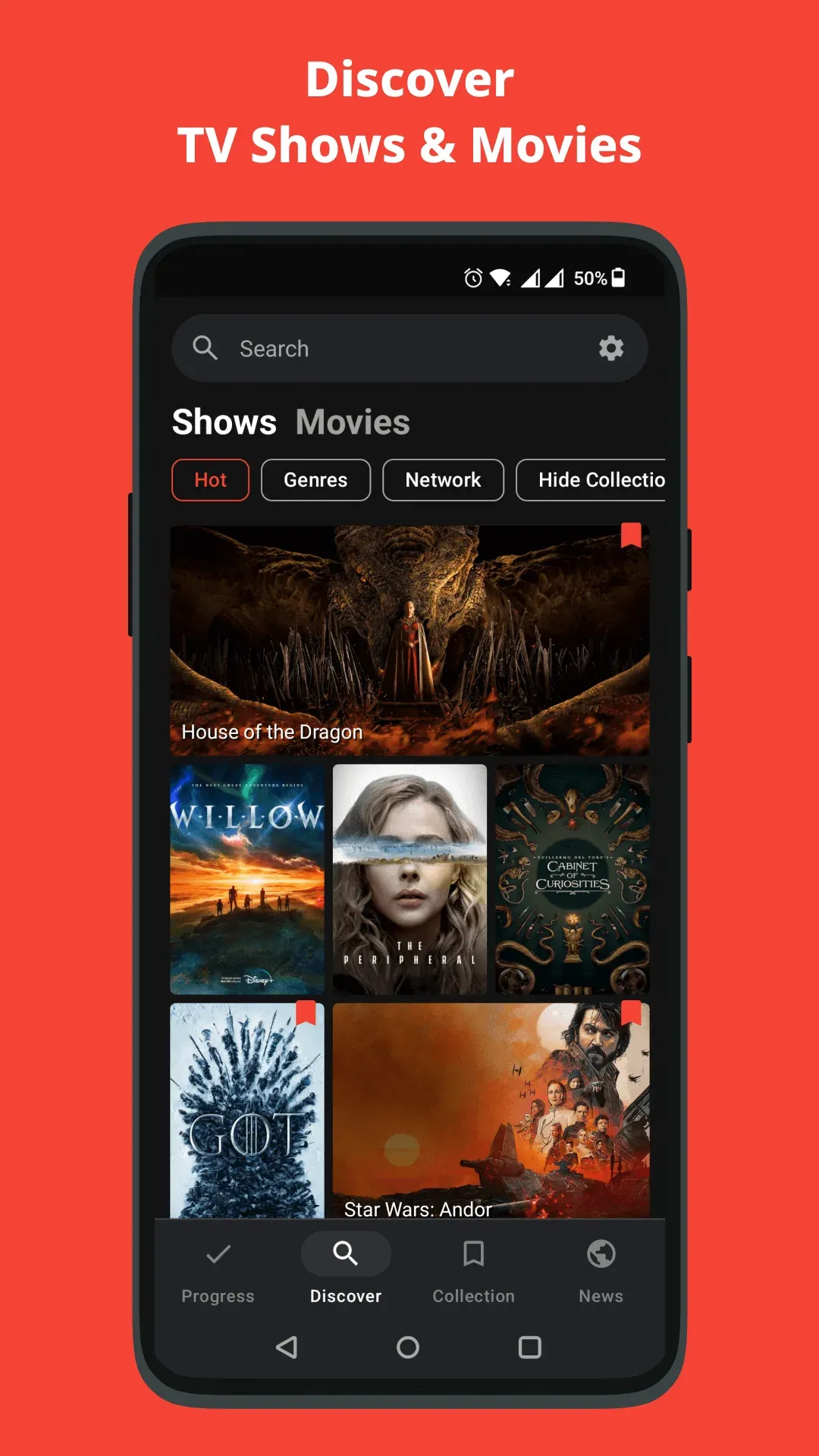
Official project screenshot of the Discover tab with show artwork and the bottom navigation.
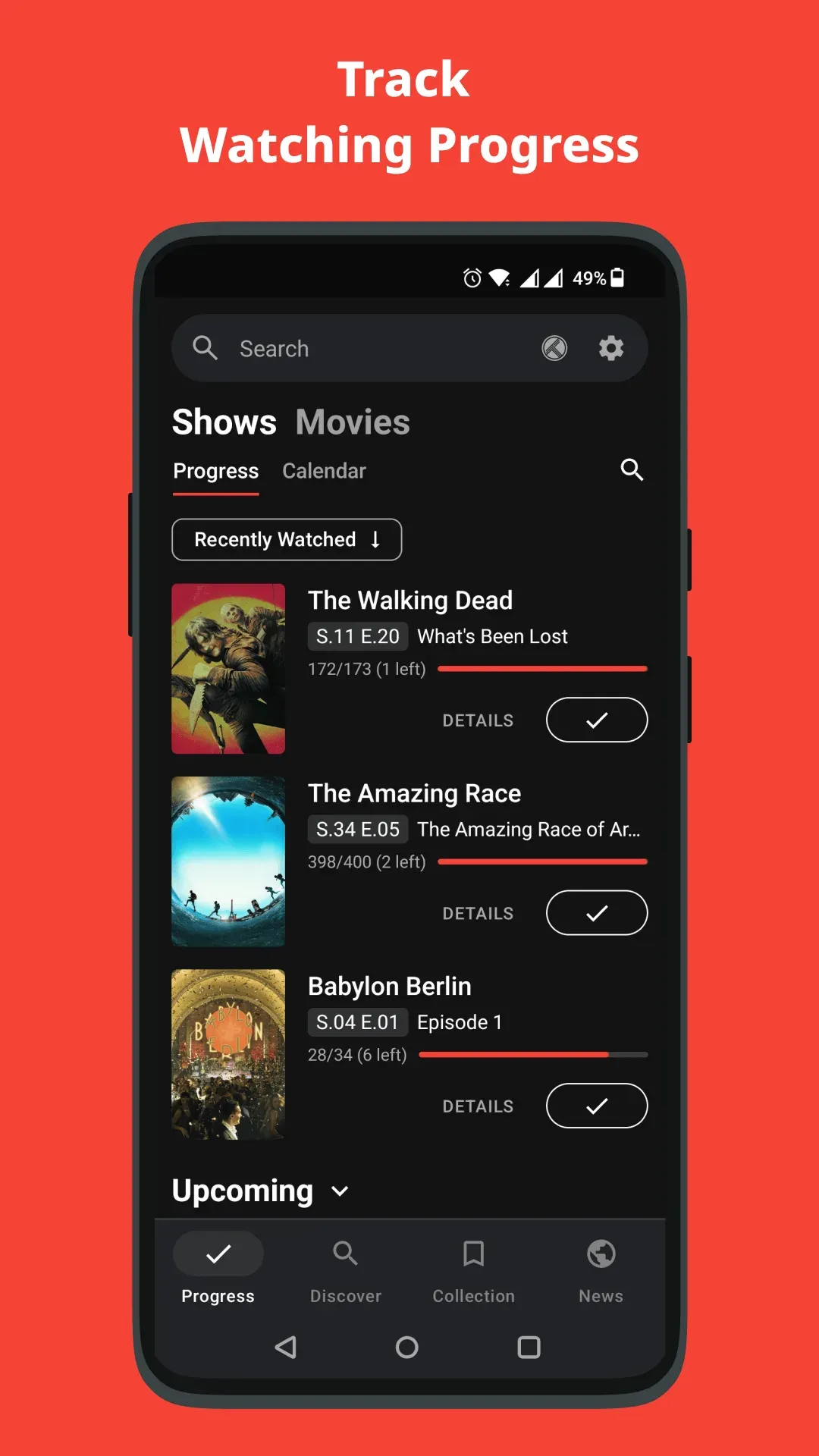
Official project screenshot of the Progress tab with next-episode entries and a mark-as-watched button.
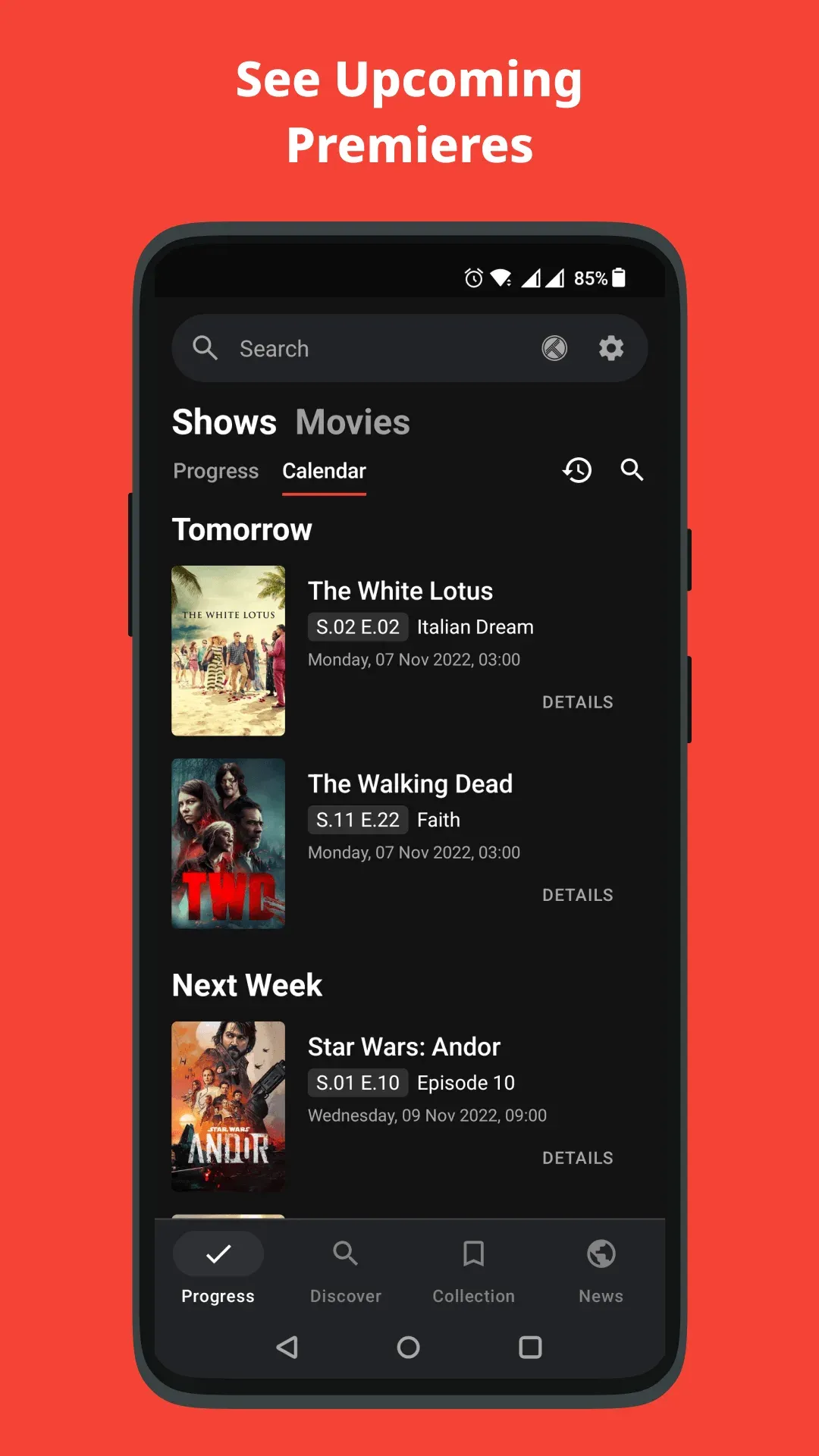
Official project screenshot of the Calendar view under Progress, grouped into tomorrow and next week.
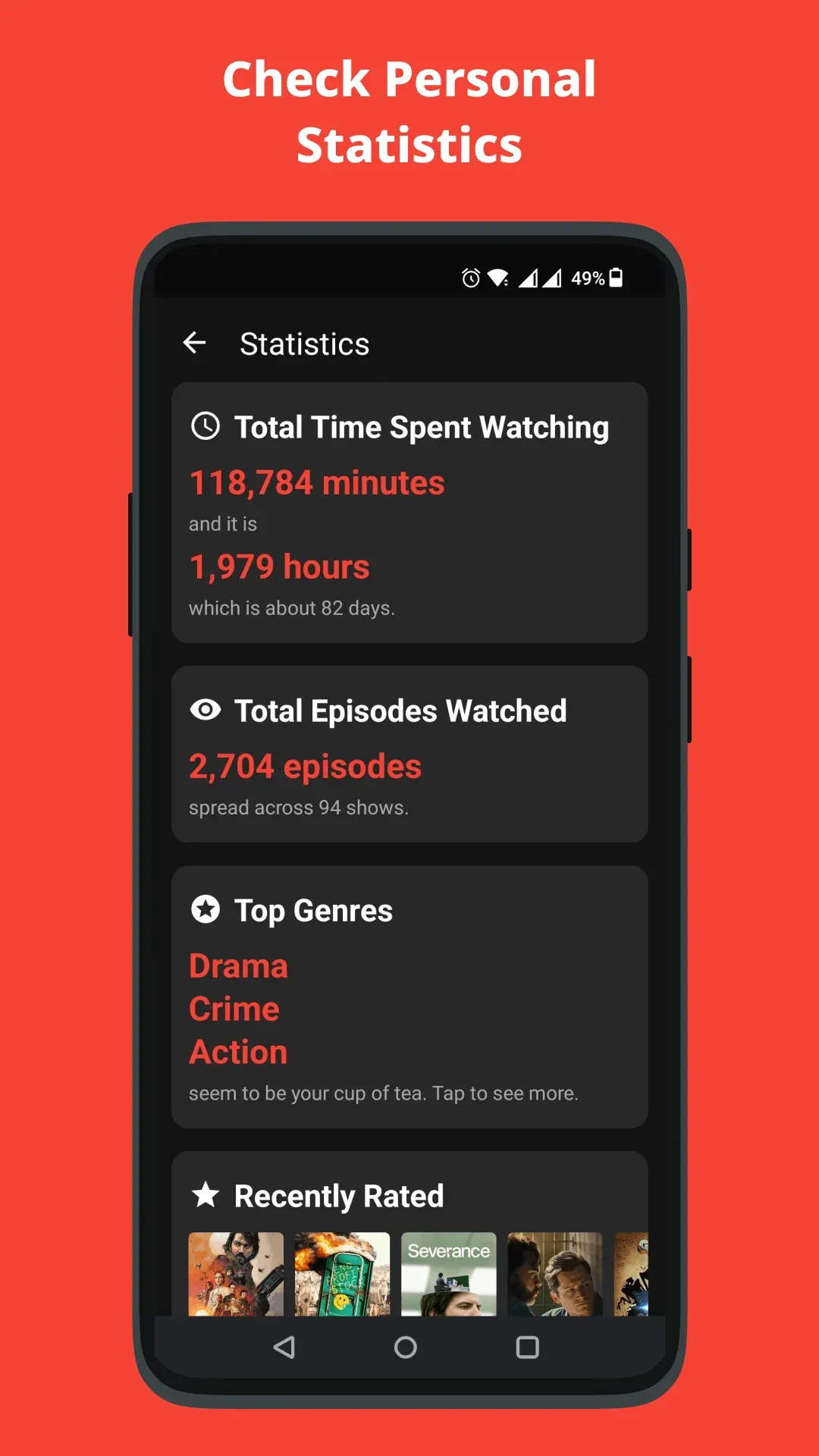
Official project screenshot of the statistics screen; the figures belong to the demo account in the image.
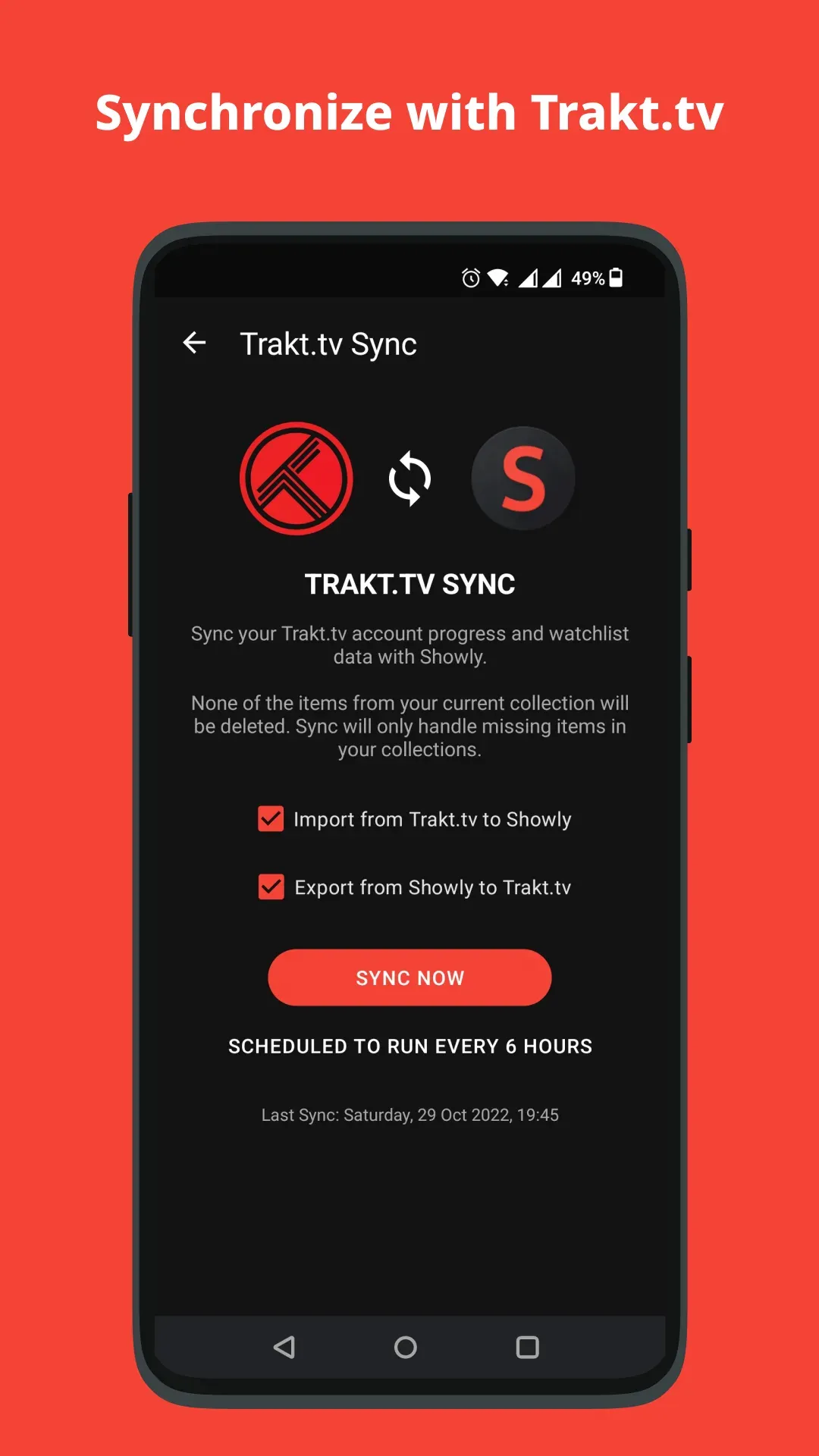
Official project screenshot of the Trakt.tv sync screen with import, export and a six-hour schedule.
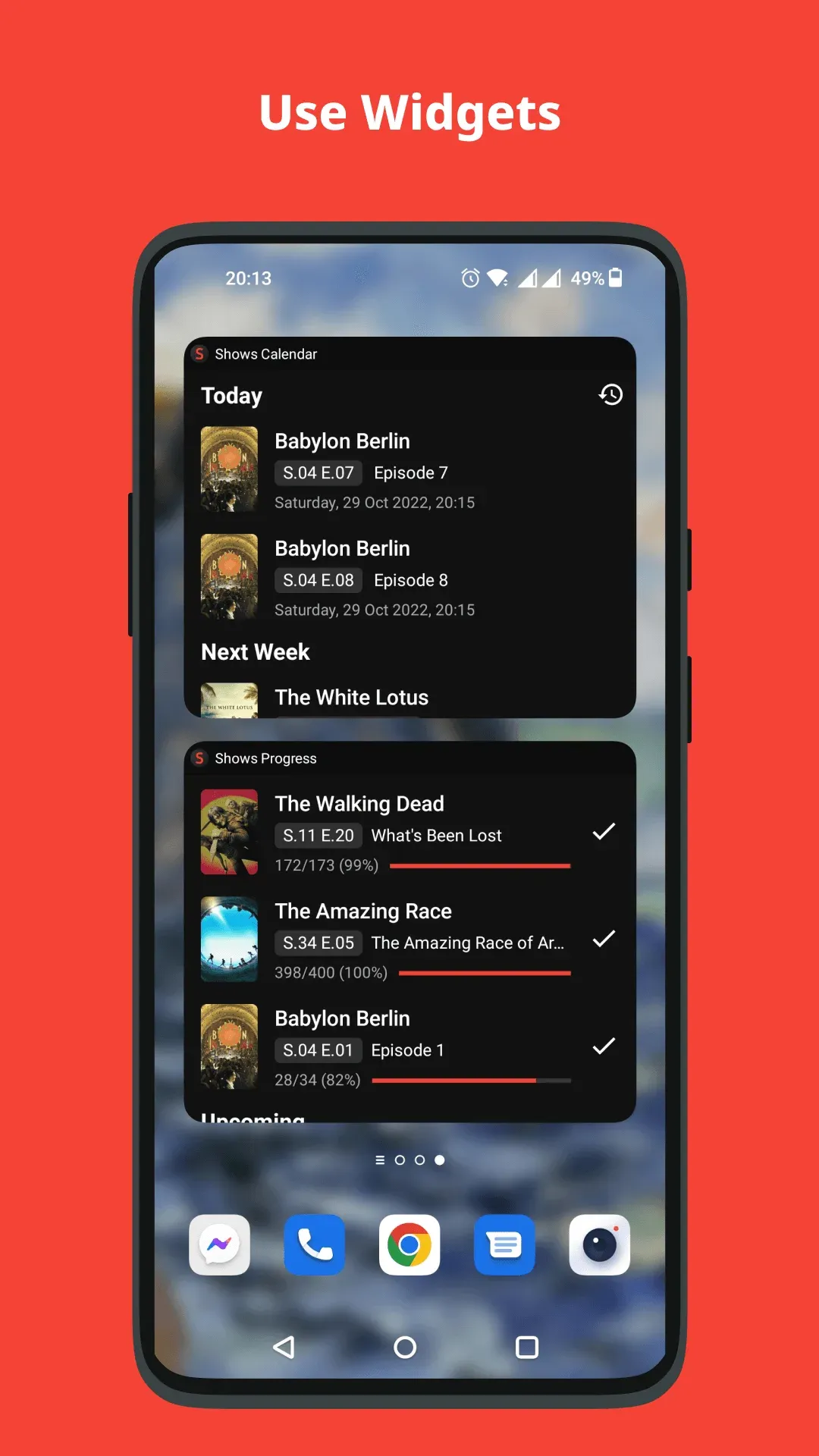
Official project screenshot of the calendar and progress widgets on an Android home screen.
Source: official Showly project page.
Key capabilities
- Progress tracking per show The Progress tab lists the shows you are watching with the next unwatched episode, a count such as episodes watched out of total, and a one-tap button to mark the episode as seen. Filters sort by recently watched, upcoming or on hold. Progress is stored in a local database first, so it works without an account.
- Calendar of upcoming episodes A calendar view groups upcoming episodes under headings such as tomorrow and next week, with season and episode numbers and air times. It only covers shows you track, and air times follow the data supplied by Trakt.tv, so late schedule changes can lag.
- Discover feed The Discover tab browses hot, trending and anticipated shows and movies, with filters for genres and networks and an option to hide titles already in your collection. It is a browsing aid fed by Trakt.tv and TMDB rather than a recommendation engine you configure. The amount of cached artwork and the loading speed depend on your connection and on the external services.
- Show, season, episode and movie detail Detail pages show status, runtime, network, year, ratings from Trakt.tv, IMDb, Metascore and Rotten Tomatoes where available, an overview, cast, related titles and comments. Where-to-watch badges show streaming or purchase providers, but Showly itself does not play anything.
- Collection, watchlist and hidden items My Shows holds titles you follow, Watchlist holds titles you plan to see and Hidden removes items from the feeds. Shows and Movies have separate sections, so a movie watchlist does not mix with a series backlog.
- Custom lists You can build your own named lists of shows and movies, and lists can also be managed from the detail page of a title. Lists are an organizing tool; they do not change the progress numbers of your collection.
- Trakt.tv synchronization After signing in to Trakt, the sync screen offers import from Trakt.tv to Showly and export from Showly to Trakt.tv, and a schedule that runs every six hours. The screen warns that sync only handles missing items and does not delete items from your current collection.
- Statistics The statistics screen shows total time spent watching, total episodes watched, favorite genres and recently rated titles. The numbers are computed from what you marked as watched, so they are only as complete as your own tracking.
- Notifications and widgets Optional notifications announce new episodes, seasons and premieres. Home screen widgets show a calendar and watch progress, and shortcuts open favorite sections. Notification timing depends on the Android battery and background settings of your device.
- Backup and restore The repository contains export and import modules that write and read a JSON backup of your data. Keep a copy off the phone if the collection matters, and test the restore on a second device before you rely on it.
- Showly Premium The store builds offer a paid Premium option. The official store description lists a news section, a light theme, custom images and quick rating among the bonus features. The price is set by the store and is not published on the website, so check it in the store listing.
- Translations The Gradle resource configuration lists 15 languages: English, Arabic, German, Danish, Spanish, Finnish, French, Italian, Polish, Portuguese, Romanian, Russian, Turkish, Chinese and Ukrainian. Translations are managed in Crowdin for Android and in a separate Crowdin project for iOS.
- Source build for Android The repository ships a Gradle build with debug and release variants, store metadata in a
fastlanefolder and a README setup sequence: clone, create akeystore.propertiesfile with placeholder values, add Trakt and TMDB keys tolocal.properties, then rebuild in Android Studio. A release APK is also attached to each GitHub release. - Issue and discussion channels Bugs go to GitHub Issues and feature ideas to GitHub Discussions. The README asks contributors to comment on the relevant issue before sending a pull request.
Where Showly fits
Keeping series progress in one place
Add the shows you follow, mark episodes as you finish them and use the Progress tab as your queue. Check that the next-episode counter matches what you actually saw, especially for long-running series that were imported. When a show is paused for a season, move it to On Hold so it does not crowd the list. If a series appears under the wrong title or season, correct it at the data source rather than adding a duplicate entry.
Planning around premiere dates
Use the calendar and notifications to see which episodes air this week. Confirm that notifications are allowed to run in the background on your phone, and compare an air date with the network site if timing matters, because the schedule comes from a third-party data source. Regional release differences can also move an episode to a different day than the one you expect.
Moving a Trakt.tv history to a phone app
Sign in with your Trakt account, run the import and look at the counts afterwards. The sync screen only adds missing items, so a first import into an empty collection is the cleanest test. Decide early which direction you trust as the source of truth to avoid duplicate cleanup. Keep the sign-in on a single device first, then add a second phone once the numbers match the website.
Building a movie and show watchlist
Use Discover, genres and networks to find titles, then add them to the watchlist rather than to My Shows so progress numbers stay honest. Custom lists can hold themed groups, such as a classic film run, without changing the statistics. Where-to-watch badges can then help you decide which service to open, though availability changes by country.
Reviewing viewing habits
Open the statistics screen to see total hours, genres and rated titles. Treat the figures as a personal summary: they depend on you marking items as watched, and imported data from another service may count differently. Compare a few shows by hand before drawing conclusions from the totals.
Building the Android variant yourself
Developers who want a build without Google services can follow the README: Android Studio, a placeholder keystore file and personal Trakt and TMDB keys. Check the license before redistributing, because GPL-3.0 requires that distributed builds make their corresponding source available. Your own Trakt and TMDB credentials stay in your local build and are not shared with the project.
Reviews of Showly
Be the first to share your experience with Showly.
Write a review
Loading review form…
Alternatives to Showly
 Tonkatsu BoxTonkatsu Box is a free, MIT-licensed Flutter app that tracks games, movies, series, anime, manga, visual novels, books and audio in a local SQLite library. It runs on Windows, Linux, macOS and Android, or self-hosted in a browser.
 StremioStremio is a media center with add-on-based content discovery, video playback and account-based viewing progress sync across devices. It does not supply content itself.CCloudStreamCloudStream is an open-source Android media center with streaming, downloads, bookmarks and Chromecast support. It includes no video sources by default and requires extensions to access content.