

What is Stremio?
Stremio is a media center application for movies, series, TV channels, web channels and podcasts. The application itself does not supply any video: everything it shows, from catalog metadata to playable streams and subtitles, comes from add-ons that the user installs. The official website describes it as a modern media center and states that it provides no content of its own, and the plans page adds that Stremio is not an IPTV provider and does not host, supply or stream movies, series or copyrighted material.
The project is developed by the Stremio organization, which the general terms and conditions call the Provider of the services. Apps are offered for Windows, macOS, Linux, Android phones, Android TV and a browser version at web.stremio.com. The downloads page also lists store apps for Samsung TV (2019 and newer models) and LG TV (2020 and newer), apps for Sony, Philips and Hisense televisions, builds for Meta Quest and Pico headsets, a Flatpak for Steam Deck and Stremio OS images for Raspberry Pi 4 and 5. For iOS and iPadOS the website points to Stremio Web as a more limited option, and the downloads page lists a full iOS build through AltStore PAL in Europe, Brazil and Japan.
The current desktop generation is Stremio 5, listed as the current stable version for Windows (x64 and ARM) and macOS (Apple Silicon and Intel), while Stremio 4.4 remains available as an older version and as the Debian/Ubuntu package. The stremio-shell repository holds the Qt5 based 4.x desktop shell, published under GPL-3.0. Its latest GitHub release object is 4.4.107 from June 2020, while later 4.4 versions are published as git tags, the most recent being v4.4.183 from March 2026. The README explains that the shell loads the web UI from app.strem.io and starts a local streaming server unless run with development flags.
Other parts of the stack are public as well. Stremio Web is the React web UI (GPL-2.0), and the logic lives in stremio-core, a Rust engine (MIT) compiled to WebAssembly for the browser. The technology page lists Qt, mpv, libVLC, Realm, Node.js, Rust, Kotlin for the Android and Android TV apps, Swift for Apple platforms and React. Add-ons are built with the MIT-licensed Stremio Addon SDK for Node.js.
The Basic plan is free and includes all current features. A Supporter plan, sold monthly, at $39.99 per year or as a one-time Lifetime payment of $199.99 according to the plans page, unlocks experimental features such as up to six user profiles, child-safe profiles and catalogs, a download manager, stream filtering, Cinemeta configuration and appearance options. Stremio states that the payment unlocks software features only and that it is a software service, not a content purchase. The website says Stremio is funded by its community through these plans.
Stremio screenshots
Explore the interface. Open a screenshot to view it at full size.
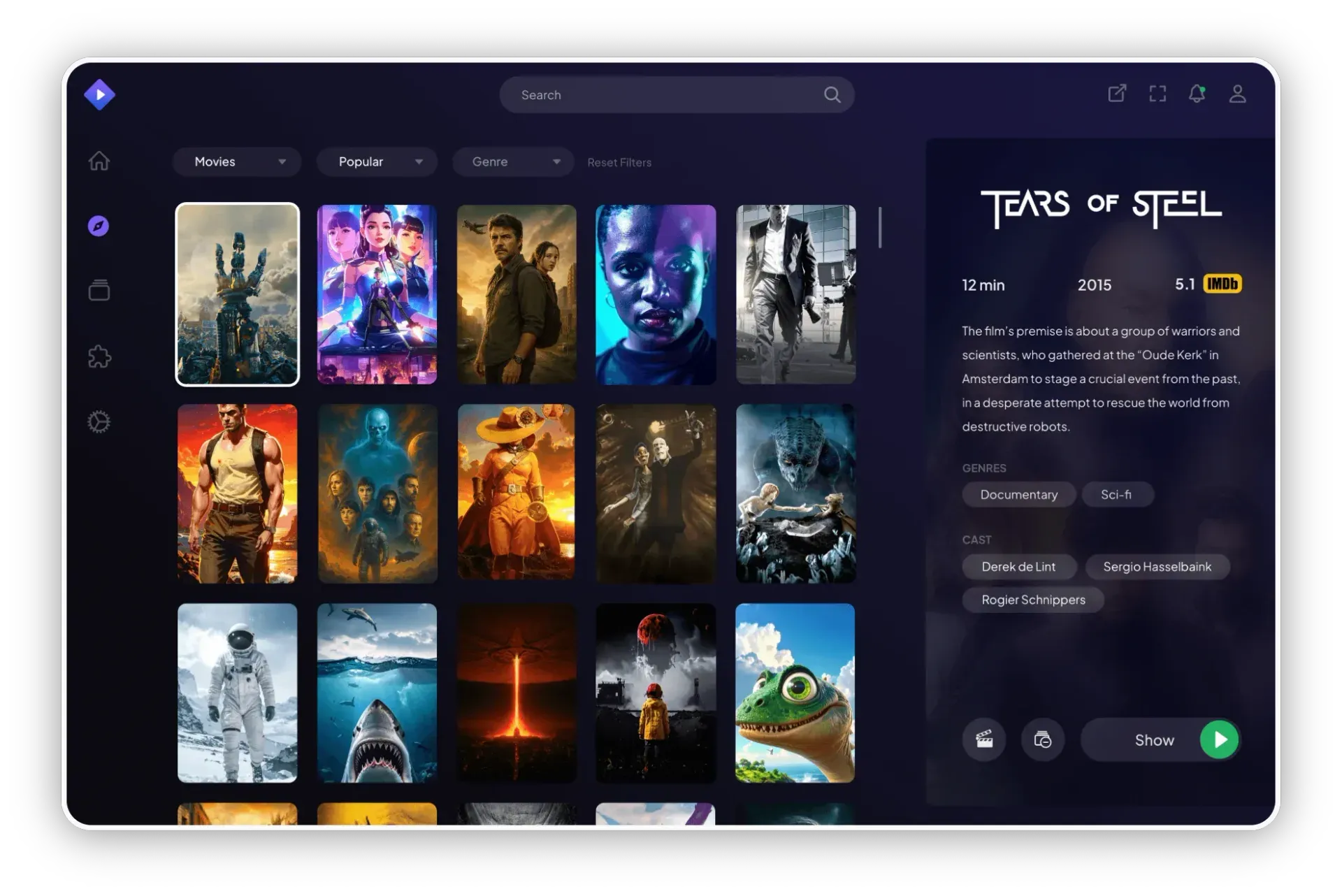
Official Stremio desktop illustration of the Discover section with type, popularity and genre filters and the item details panel.
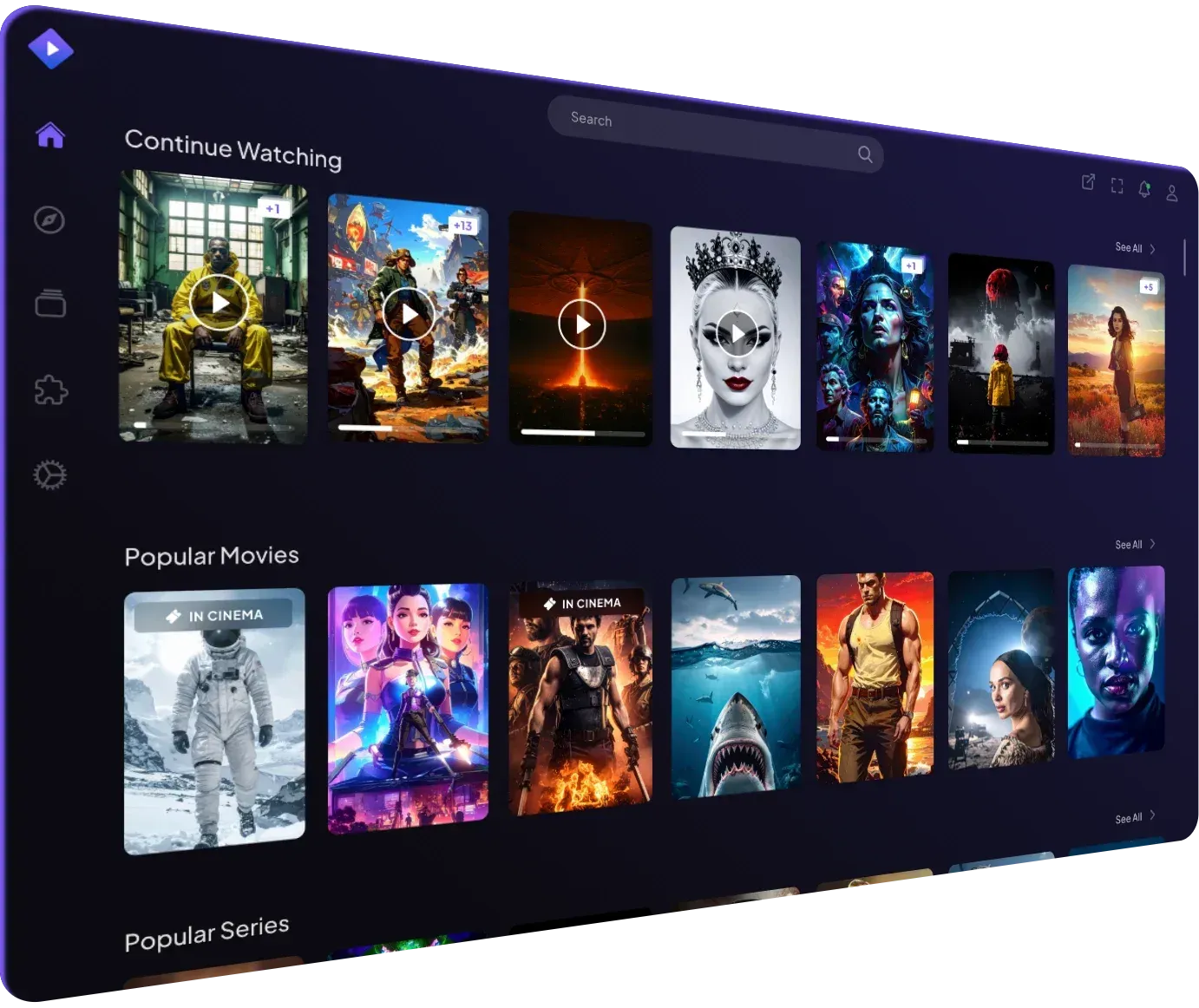
Official Stremio desktop mockup of the home board with progress bars on Continue Watching items.
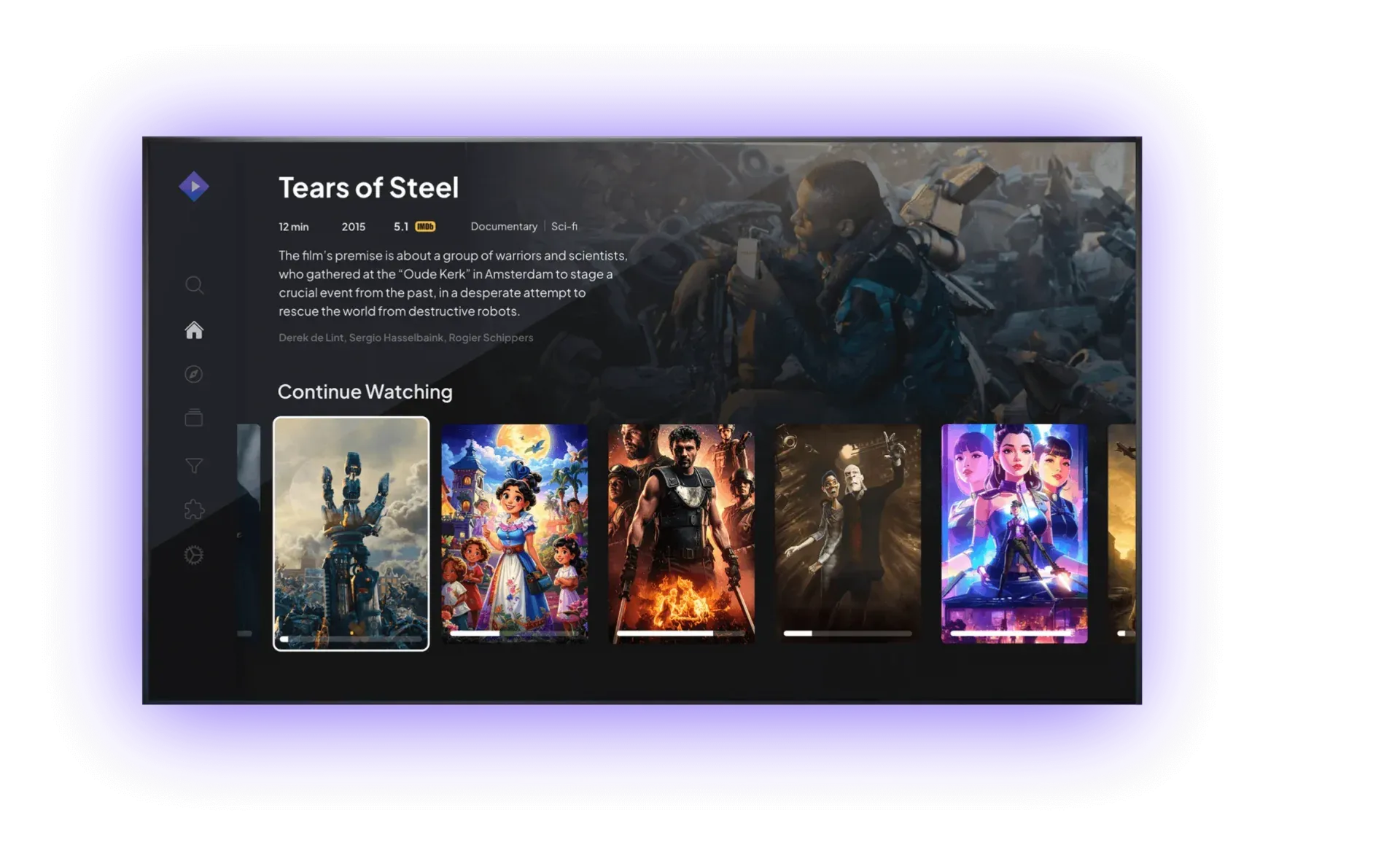
Official illustration of the Stremio TV app with item details and a Continue Watching row.
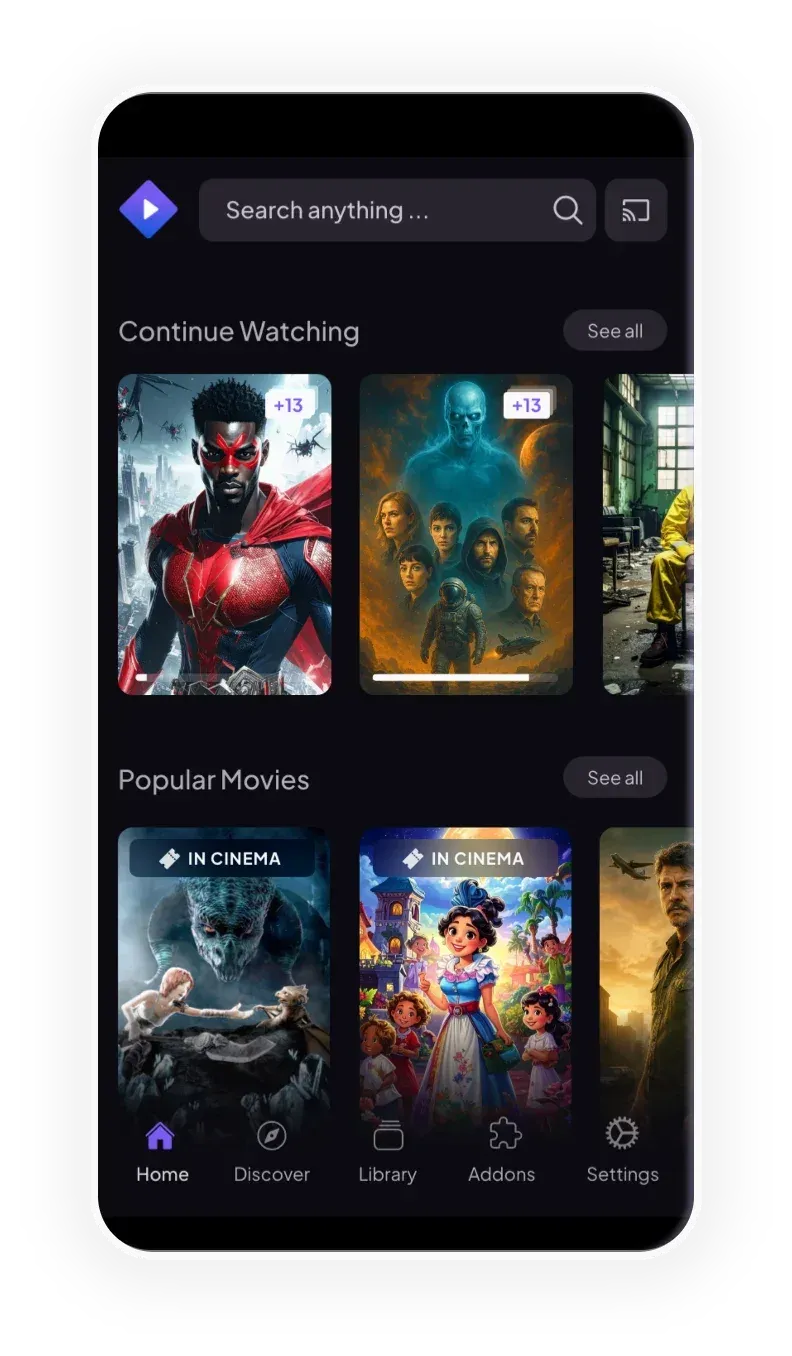
Official Stremio mobile app capture with Continue Watching and Popular Movies rows.
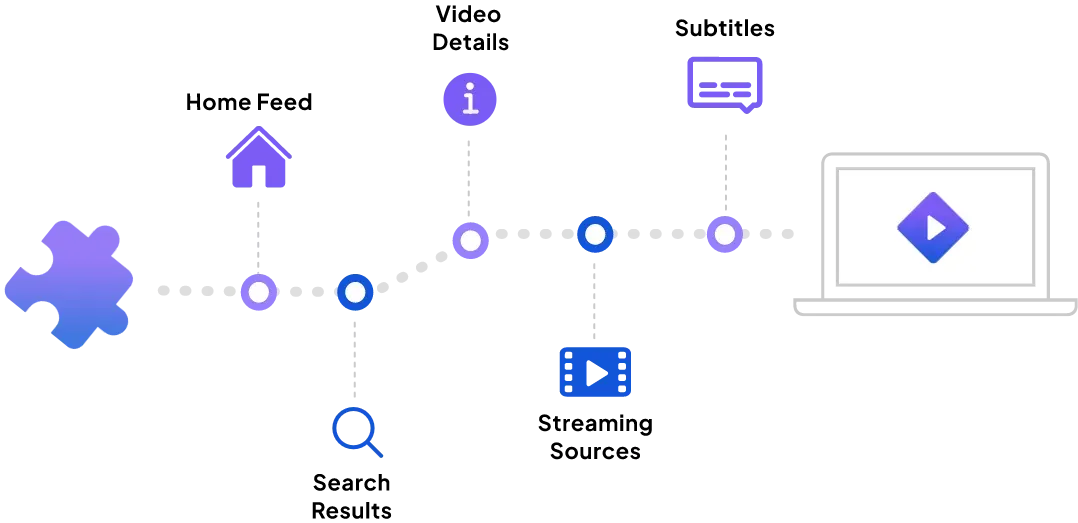
Official Addon SDK diagram of the resources an add-on can provide to the Stremio app.
Source: official Stremio project page.
Key capabilities
- Download Stremio for Windows Stremio 5 is the current stable version for x64 processors, with a separate Stremio 5 build for ARM processors. Stremio v4.4 is still offered as an older version. Both are linked from the downloads page; the Windows help center section covers firewall prompts for Chromecast and manual removal.
- Download Stremio for macOS The downloads page lists Stremio 5 for Apple Silicon as the current stable version, a Stremio 5 build for older Intel processors and a native version for both ARM and Intel. Stremio 4.4 builds remain available for High Sierra and later, and a separate 4.4 build for El Capitan and Sierra.
- Download Stremio for Linux A universal Flatpak is the listed package for 64-bit Linux, with the older Stremio 4.4 offered as a Debian/Ubuntu package and as source code. The stremio-shell README documents builds for Debian, OpenSUSE Leap and Docker based packaging for Debian, Fedora and Arch.
- Android, Android TV and television apps Android phones and Android TV get dedicated apps through Google Play, beta builds and manual APKs for ARM, ARM64, x86 and x86_64. Samsung (2019+) and LG (2020+) televisions install Stremio from their own app stores, and Sony, Philips and Hisense televisions running Android use the Play Store. Philips TitanOS and Hisense Vidaa versions are marked as limited.
- Stremio Web and iOS The browser version runs at web.stremio.com and its source is public. The FAQ suggests Stremio Web for iPhone and iPad, noting that it is more limited. A help center article explains that add-ons backed by BitTorrent or YouTube sources need the desktop app with its streaming server rather than the web version.
- Add-on based catalogs After signing in, the user opens the add-on catalog, installs add-ons and then browses content in the Discover and Board sections. According to the Addon SDK page, add-ons can provide a main feed, search results, item details such as descriptions, artwork and episode lists, playable streams and subtitles.
- Official and community add-ons The help center separates official add-ons, created and maintained by Stremio, some of which are protected and cannot be removed, from community add-ons published by independent developers. Stremio states that it does not control community add-ons and cannot act on problems with the content they provide. The terms say Stremio is not liable for hosting, storing, developing or monitoring content made available through community add-ons.
- Add-ons run remotely An installed add-on is not software on the device: the help center compares add-ons to websites that Stremio queries for content, and the FAQ states that add-ons do not run code locally. Installing or removing an add-on changes the user account, so the selection follows the user across devices.
- Video player and formats The integrated player supports most video formats, including 4K HDR content, according to the features page. It plays normal HTTP links, magnet links and torrent files dropped onto the window. External subtitle files can also be dragged into the player, and a subtitles menu adjusts timing.
- BitTorrent streaming settings BitTorrent is supported as a streaming protocol through add-ons, .torrent files or magnet links pasted into search. The streaming tab of the settings exposes BitTorrent parameters, and the cache location can be chosen, for example a folder on another drive on Windows. Stremio states that it does not support third-party add-ons that may enable copyright infringement.
- Library and progress sync An account keeps the library, add-on selection and viewing progress synchronized between devices, so playback can continue on another device without configuring the app again. Continue Watching rows appear on the home screen of the desktop, mobile and TV apps.
- Guest mode Signing up as a guest needs no data, and the FAQ says no calls are made to the Stremio backend in that mode. Library sync across devices is not available as a guest. The help center adds that anonymized usage data such as visit length, operating system and device information is still collected for guest users.
- Casting Chromecast casting is supported from the desktop apps and the Android mobile app. The help center notes that some formats need conversion before casting and that DLNA casting is no longer being improved.
- Supporter plan features Supporter perks include up to six user profiles with separate history, add-ons and recommendations, child-safe profiles whose catalogs and add-ons are controlled, drag-and-drop catalog ordering, a download manager for offline viewing, stream filters for quality and resolution, configurable Cinemeta recommendations and appearance options. Benefits are tied to the account and unlock on every signed-in device.
- Addon SDK for developers The SDK is installed with
npm install -g stremio-addon-sdkand needs Node.js 12 or newer. It provides a builder API for manifests and handlers, an HTTP server or Express router, CORS and cache headers, a landing page with an Install button, TypeScript types andpublishToCentralfor submitting an add-on to the public collection. Add-ons can be private with an access key, which the SDK page names as a way to monetize them. - Privacy and account data The privacy policy states that Stremio does not collect history or logs of the add-ons or sources used for streaming. The email address acts as username, passwords are stored hashed, library data is kept for portability and cookie data is processed in anonymized form. According to the help center, data may be kept for up to three years after account deletion.
- Open-source components The desktop shell (GPL-3.0), web UI (GPL-2.0), core engine (MIT) and Addon SDK (MIT) are published in the Stremio GitHub organization, together with translations and public issue trackers for bugs and feature requests. Volunteers translate the apps into many languages through the stremio-translations project.
Where Stremio fits
Watching across computers, phones and televisions
A user creates an account, installs add-ons once and signs in on each device. The library, add-on list and Continue Watching progress then appear on the desktop app, the Android app, Android TV or a supported smart TV. The features page describes this as keeping track of progress across devices without reconfiguring the app on each one.
Building catalogs from add-ons
Content in Stremio depends entirely on the installed add-ons. Official add-ons supply core functions such as metadata, while community add-ons are published by independent developers. The help center states that Stremio does not control community add-ons and points users with add-on questions to the community-run r/StremioAddons forum. The terms require community add-on developers to hold rights holder consent before making content available, and Stremio says it does not support third-party add-ons that may enable copyright infringement.
Developing and publishing an add-on
A developer installs the Addon SDK, runs addon-bootstrap to scaffold a project and writes handlers for catalogs, metadata, streams or subtitles. The add-on is a small HTTP service answering JSON requests, so one deployment serves every Stremio platform. Running with --launch opens Stremio Web with the add-on installed. Publishing to the public collection uses publishToCentral, and the SDK documentation covers testing and deployment.
Playing local links and files
Besides add-on streams, Stremio plays HTTP links, magnet links and torrent files dragged onto the window, and accepts external subtitle files the same way. With caching enabled in settings, previously streamed videos can be watched later without a connection; Supporter accounts get a download manager for offline viewing.
Household profiles and child-safe viewing
With a Supporter plan, one account can hold up to six profiles, each with its own watch history, add-ons and recommendations. Child-safe profiles restrict which add-ons and catalogs a child profile can access. These features are described as experimental on the plans page and unlock on every device signed in to the account.
Building Stremio from source
The stremio-shell repository documents builds with Qt 5.10 or newer on macOS, a detailed Windows guide, Debian and OpenSUSE Leap instructions and Docker based packaging scripts. Command-line flags select a development web UI on 127.0.0.1:11470, a staging UI or a custom web UI URL, and control the auto-updater. Similar media center projects on iThub include Kodi and Jellyfin.
Reviews of Stremio
Be the first to share your experience with Stremio.
Write a review
Loading review form…
Alternatives to Stremio
 KodiFree GPL media player and entertainment hub from the non-profit Kodi Foundation, with libraries for movies, TV shows, music and photos, PVR front end, game emulation, skins, add-ons and a JSON-RPC API, for Windows, macOS, Linux, Android, iOS, tvOS and webOS.
 JellyfinJellyfin is a free software media server that manages your media and streams it from a dedicated server to end-user devices through multiple apps.