

What is FreeTube?
FreeTube is an open source desktop YouTube player built with privacy in mind. It lets you watch videos without advertisements and prevents Google from tracking you with cookies and JavaScript. It is available for Windows 10 and later, macOS 13 and later, and Linux, built on Electron.
FreeTube uses a built-in extractor to fetch data and videos, and can optionally use the Invidious API. It does not use any official YouTube APIs. YouTube can still see your video requests, so the project recommends a VPN or Tor to hide your IP. Subscriptions, playlists and history are stored locally on your computer and are never sent out.
The software is licensed under AGPLv3 and the project describes itself as currently in Beta, with bugs and missing features still to be addressed. Features include subscribing to channels without an account, profiles for subscription feeds, import and export of subscriptions, SponsorBlock, DeArrow, a mini player and an external player option.
FreeTube screenshots
Explore the interface. Open a screenshot to view it at full size.
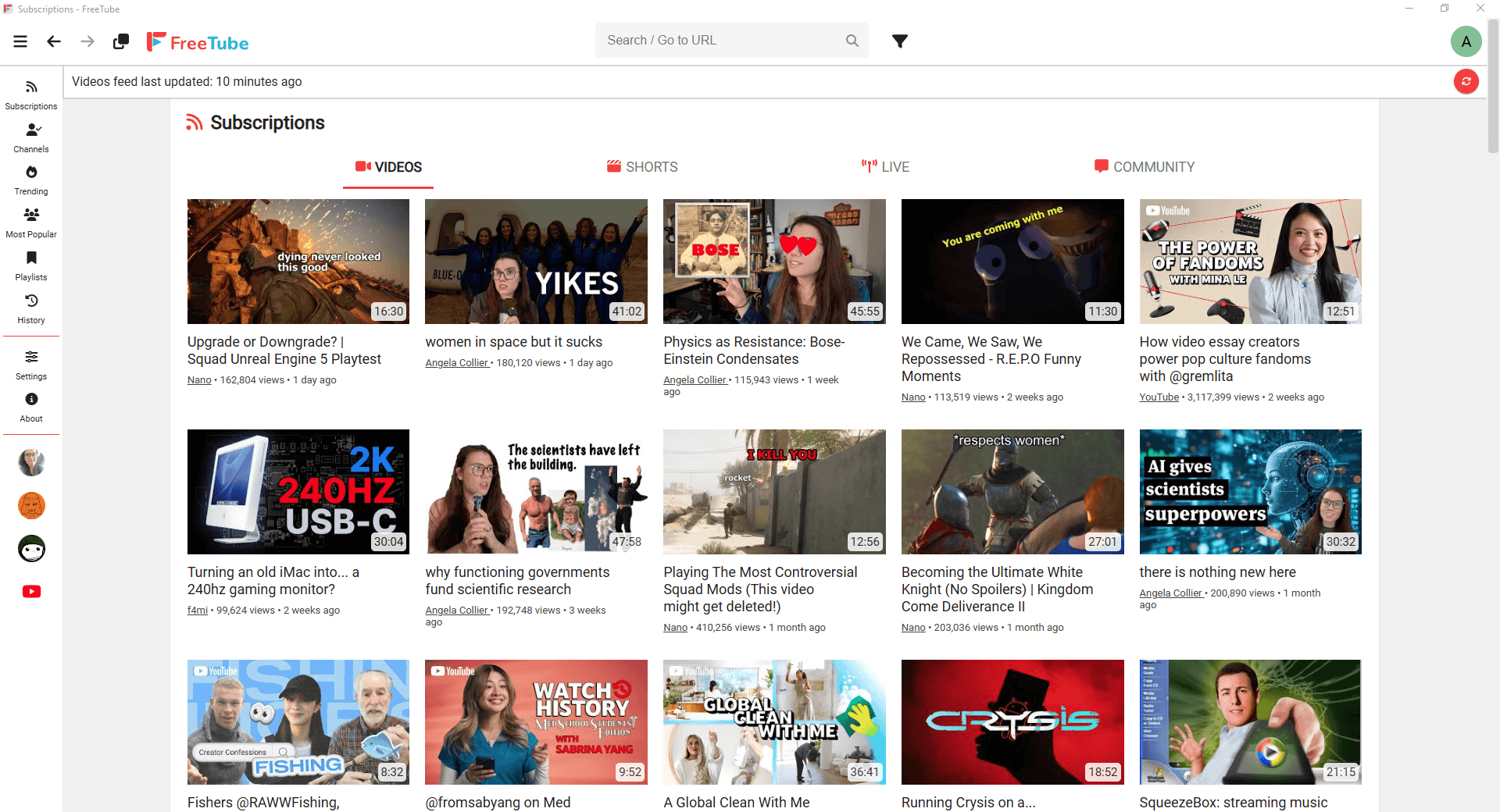
Source: official FreeTube project page.
Key capabilities
- Local library Stores subscriptions, playlists and history on the computer, with search and subscription import and export.
- Subscription profiles Groups channel subscriptions into profiles for separate viewing feeds without an account.
- Playback controls Supports chapters, subtitle appearance settings, playback speed controls, picture-in-picture and external players.
- Backend selection Retrieves content through the built-in extractor or an optional Invidious instance.
- Viewing customization Includes SponsorBlock, DeArrow, themes and settings that hide distracting interface elements.
- Browser handoff Opens YouTube links through LibRedirect or RedirectTube, except with Linux portable builds.
Where FreeTube fits
FreeTube fits personal desktop viewing workflows where users want to follow YouTube channels without a Google account and retain their viewing library locally. Profiles can separate subscriptions by topic, while browser extensions can hand videos over to the desktop player.
Before deployment, users should verify operating system support, the selected extractor or Invidious instance, and any browser extension requirements. Official builds support Windows 10 and later, macOS 13 and later, and various Linux distributions. The project recommends a VPN or Tor to hide the user's IP address; local library storage alone does not make video requests anonymous.
Reviews of FreeTube
Be the first to share your experience with FreeTube.
Write a review
Loading review form…
Alternatives to FreeTube
 InvidiousInvidious provides a web interface for watching YouTube videos without ads or tracking. It supports independent subscriptions, audio-only playback, data imports and exports, and a developer API.
 JellyfinJellyfin is a free software media server that manages your media and streams it from a dedicated server to end-user devices through multiple apps.