

What is Nightingale?
Nightingale is a free, open-source karaoke application that works from music you already own. It scans a local folder, or connects to Plex, Jellyfin or Navidrome, then analyzes a song once: it separates the lead vocals from the instrumental, finds synchronized lyrics or transcribes them, and aligns the words to timestamps. Playback then shows highlighted lyrics, scores microphone pitch live and lets you change key and tempo. The official site says it is built by one person in spare time and funded by optional Patreon and Ko-fi support.
It ships in two forms that share one Rust application core and one React interface. The desktop app is built with Tauri for Linux (x86_64 and ARM, as .deb and .rpm packages), macOS (Apple Silicon and Intel disk images) and Windows (x86_64, as an installer or MSI). The self-hosted mode is a web server for Linux, installed with a script or run from CPU or CUDA Docker images, that you open from phones, laptops and TVs on your network. The user guide documents both.
The latest GitHub release is v1.4.0, published November 6, 2026. It adds an interface language selector for English, German and Simplified Chinese, a full-screen pitch graph, scrubbing and one-second or one-line jumps, .nge song bundles that play directly, five-star scoring, a QR code that lets a phone on the same network control the queue, and an Auto-continue option on the results screen. The project follows a discussion-first contribution workflow, and its changelog shows frequent releases since version 0.8 in June 2026.
An analyzer runs as a persistent local Python process, reached through token-authenticated loopback IPC, so models load once instead of per song. Results are cached by a BLAKE3 hash of the source file. First launch downloads an isolated ffmpeg, Python 3.10, the analyzer packages and models, which the README says is several gigabytes. The code is licensed GPL-3.0-or-later. Nightingale is not a music store or streaming service: you supply the audio files, and lyrics timing is AI-generated and may be imperfect.
Nightingale screenshots
Explore the interface. Open a screenshot to view it at full size.

Official documentation screenshot of playback with synchronized lyrics over a video background.

Official demo poster showing a video background theme and playback controls.
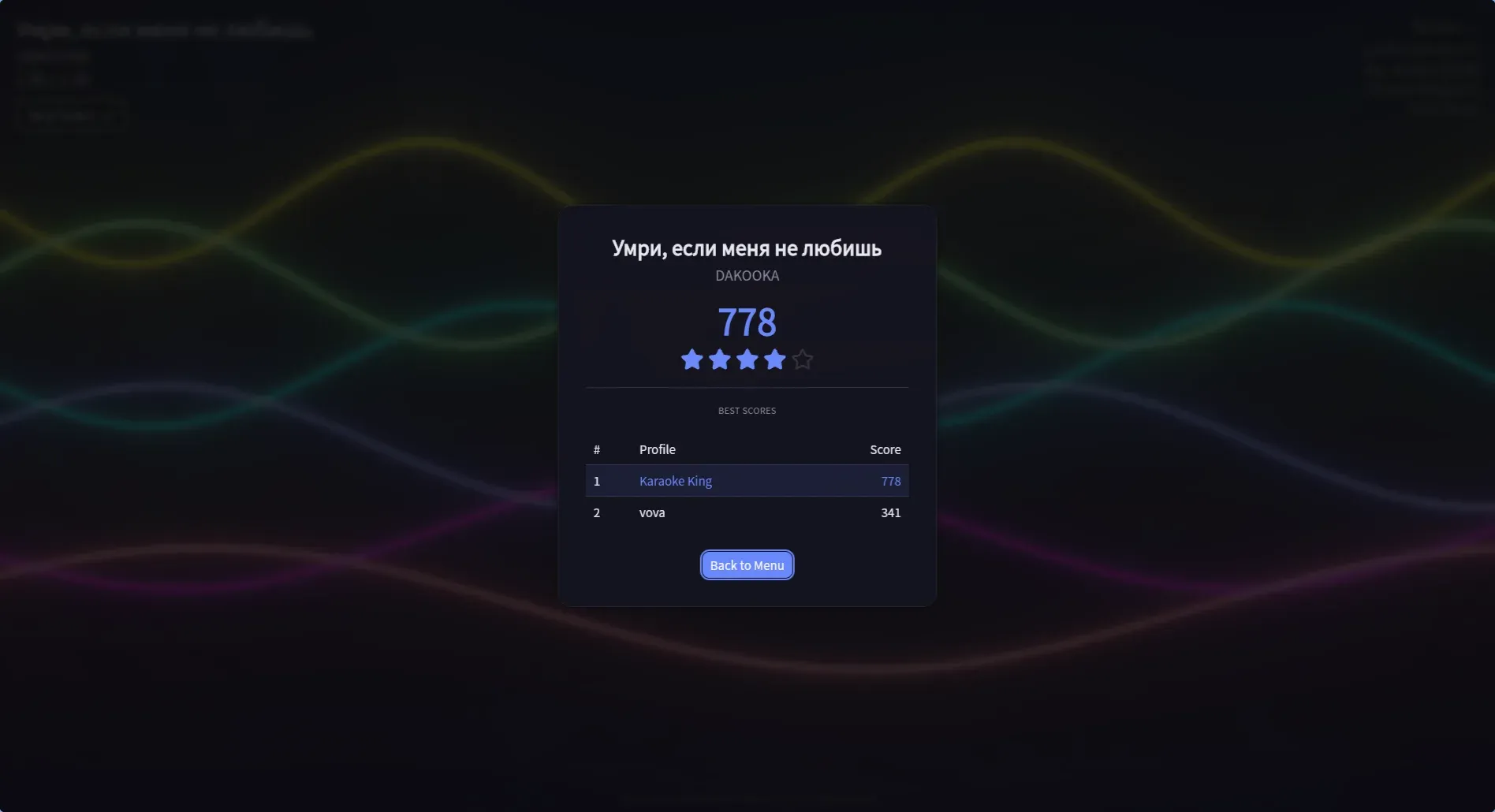
Official documentation screenshot of the results screen with score, stars and best scores.
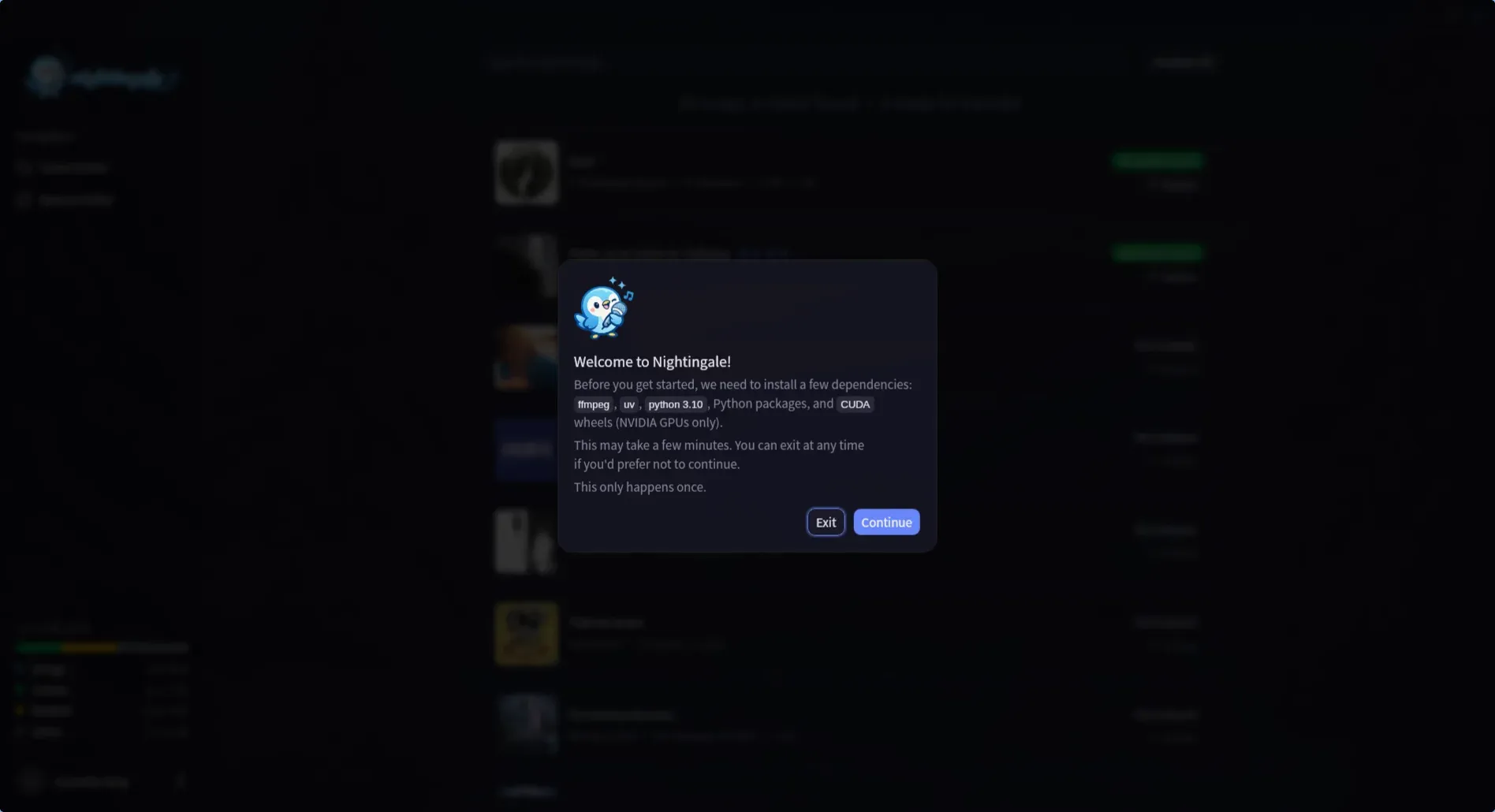
Official documentation screenshot of the first-launch dependency setup dialog.
Source: official Nightingale project page.
Key capabilities
- Desktop downloads Release assets include Linux
.deband.rpmpackages for x86_64 and aarch64, macOS.dmgimages for Apple Silicon and Intel, and a Windows x64 installer and MSI. Update signatures are published with the assets. The macOS build is not signed with an Apple Developer ID, so the docs tell users to clear the quarantine flag withxattr -crbefore the first launch. - Self-hosted web mode A Linux server build runs the same karaoke core and is opened from any browser on the network. The install script sets up a systemd service, Caddy for HTTP and HTTPS and Avahi for a
.localname, and asks for confirmation before eachsudostep. Microphone capture in a browser needs HTTPS, which the installer provides with a local certificate that each device must trust. - Docker images Prebuilt CPU and CUDA images are published to Docker Hub as
razzaru/nightingaleand to GHCR. The Compose example maps port 64448 and mounts a data volume plus a read-only music folder. The machine-learning stack downloads into the data volume on first launch rather than being baked into the image. - Library sources Nightingale scans local audio and video folders, picks up UltraStar Deluxe songs, and connects to Plex, Jellyfin or Navidrome. Existing playlists from those servers appear as read-only navigation. Supported audio formats include mp3, flac, ogg, opus, wav, m4a, aac and wma, and video formats include mp4, mkv, avi, webm, mov and m4v.
- Vocal separation The default UVR Karaoke model is tuned for karaoke and keeps backing vocals in the instrumental. Demucs is available as an alternative. Inference uses ONNX Runtime with CUDA on NVIDIA GPUs or CoreML on Apple Silicon, and falls back to CPU.
- Lyrics from LRCLIB or transcription LRCLIB is queried first for synchronized lyrics. If none exist, Whisper, through WhisperX, transcribes the isolated vocals and aligns each word. An experimental Parakeet v3 engine is faster for 25 European languages. You can also use local or pasted LRC text and edit lyrics in the app.
- CJK and romanization Japanese, Chinese, Cantonese and Korean lyrics can show romanized readings during playback. Accuracy depends on the transcription and alignment, so check lyrics for songs you plan to perform.
- Pitch scoring Microphone pitch is compared with the target notes and shown as a live score and, in 1.4.0, five stars. A full-screen pitch graph shows scrolling target notes with octave guidance. Scoring depends on microphone quality and latency compensation, which the app provides a test for.
- Key and tempo controls Songs can be shifted in key and tempo at playback time, and the choices are stored with each queued song. A song that has only its original mix and no separated stems cannot be shifted.
- Multiplayer Local multiplayer supports two to four singers, each with their own microphone and either a saved profile or a guest slot. Each singer gets a color-coded score and pitch trail, and a lineup can persist across a queued set list.
- Queue and session mode A playback queue can be reordered while a song plays, and session mode opens playback in its own window or browser tab so the menu stays free. Auto-continue starts the next queued song after a five-second countdown.
- Phone control by QR code Guests scan a QR code and can search analyzed songs, add or reorder queue entries, and control playback and some settings from a phone. Audio always plays from the host, and phones cannot manage the library or edit songs. The link uses plain HTTP and a random token.
- Backgrounds and visuals Backgrounds include the source video, GPU shaders, Pixabay video loops and custom image, video or shader files. Lyrics and the pitch graph can be repositioned and scaled. Pixabay clips download over the internet.
- Song bundles A
.ngefile packs a song with its separated stems, timed lyrics, cover and background video, with a checksum for every entry. Bundles play without unpacking or re-analysis, but their lyrics are read-only. Export is offered for analyzed songs from folder, Jellyfin, Navidrome and Plex libraries. - Profiles and scoreboards Player profiles keep best scores per song and show a scoreboard on the results screen.
- Input and display The interface supports keyboard, gamepad and touch, and layouts from phones to 4K displays. English, German and Simplified Chinese interface languages arrived in 1.4.0.
Where Nightingale fits
Setting up a karaoke night at home
Install the desktop app on a laptop connected to a TV, point it at a music folder and analyze the songs you expect to sing in advance, because analysis takes time. Test microphones and the latency compensation, then build a queue and share the QR code so guests can add songs. Check the lyrics of each prepared song before the party, and read the getting started guide for first-launch downloads and the macOS quarantine step.
Running a shared karaoke server for a household
Use the Docker Compose example or the Linux installer on a NAS or small server and open it from a phone or TV browser. Plan HTTPS so browsers allow microphone capture, and install the local certificate on each device. A CUDA image helps on NVIDIA hardware; otherwise expect slower CPU analysis.
Using a Plex, Jellyfin or Navidrome library
Connect the server from the Library section and select the music sections to sync. Original media is fetched on demand into a local cache, so check disk space. Existing playlists show as read-only navigation, so plan queues inside Nightingale. The library sources page lists the credentials each server needs, and passwords and tokens are kept by the app.
Singing with friends
Choose multiplayer for two to four singers, assign each person a separate microphone and a profile or Guest slot, and start a queue. Check that every microphone is detected before the first song, and remember that the browser asks for permission on each device.
Preparing and sharing songs
Export analyzed songs to .nge bundles to keep stems and timed lyrics together, then drop a bundle into a folder library on another installation. Bundles play without analysis but cannot be edited, so fix lyrics before exporting. The song bundles page describes what each file contains.
Bringing in UltraStar songs
Place UltraStar Deluxe song folders in a library folder and Nightingale picks them up automatically, skipping the analyzer when stems and timing are supplied. Confirm that their files and tags match the documented layout in the UltraStar guide, and that the song plays with the expected key and timing before the event.
Install
curl -fsSL https://raw.githubusercontent.com/rzru/nightingale/master/scripts/install.sh | bashReviews of Nightingale
Be the first to share your experience with Nightingale.
Write a review
Loading review form…
Alternatives to Nightingale
 FreeTubeFreeTube is an open-source YouTube desktop client for Windows, macOS and Linux that plays videos without ads and keeps subscriptions on your computer.
 InvidiousInvidious provides a web interface for watching YouTube videos without ads or tracking. It supports independent subscriptions, audio-only playback, data imports and exports, and a developer API.