

What is Navidrome?
Navidrome is an open-source, web-based music collection server and streamer. It indexes a music library stored on your own disk from its tags, serves a responsive web player built with React, Material UI and React-Admin, and implements the Subsonic API so that existing Subsonic, Madsonic, Airsonic and OpenSubsonic clients can browse and stream from it. The project is developed in the navidrome GitHub organization; its lead maintainer, GitHub user deluan, publishes the releases and accepts sponsorship through GitHub Sponsors and Ko-fi. The repository dates from 2016 and the code is licensed under GPL-3.0.
Every version is published on the GitHub releases page with a checksums file: Linux builds for 386, amd64, arm64, armv5, armv6, armv7 and riscv64 as DEB, RPM and tar.gz, Windows 386 and amd64 builds as ZIP or MSI installer, and macOS amd64 and arm64 tarballs. The navidrome/navidrome Docker image covers linux/amd64, arm/v6, arm/v7 and arm64. FreeBSD, Podman and community packages have their own pages in the installation guide. PikaPods, Zenith Hosting and ElfHosted offer managed instances; according to the README, a share of their revenue funds development.
The current release, v0.64.2 of September 24, 2026, is a bug-fix release. It reduces database lock contention on slow storage such as USB disks and remote drives, which had caused database is locked errors, UI freezes and failed full scans since 0.64.0, and it fixes scans on 32-bit builds when a file has an invalid track or disc number. It also sanitizes user-controlled names in download headers and stops writing the admin password to the log after a failed initial setup. Version 0.64.1 was a security release for five advisories, including unthrottled Subsonic login attempts, server-side requests through M3U artwork URLs and player takeover. Version 0.64.0 added the experimental Jellyfin Music API and a background artwork pipeline, and re-encoded every internal ID to a 128-bit base62 format, so the notes ask administrators to back up the database before upgrading.
Technically, Navidrome is a single Go program. It stores users, play counts, playlists and the library index in an SQLite database inside its data folder, reads tags through TagLib, watches the music folders for changes and calls ffmpeg for on-the-fly transcoding. Configuration comes from a navidrome.toml file or ND_ environment variables, and the server listens on port 4533 by default. Optional plugins run inside an Extism WebAssembly sandbox with per-plugin permissions.
Some boundaries are deliberate. The FAQ states that Navidrome never writes tags or moves files in the music folder and has no upload function; tag editing is left to tools such as beets or MusicBrainz Picard. Albums come from tags rather than folders, and folder browsing over the API is simulated. Video is not supported. The project ships no mobile app of its own: phones, desktops, TVs and cars use third-party clients from the apps directory.
Navidrome screenshots
Explore the interface. Open a screenshot to view it at full size.
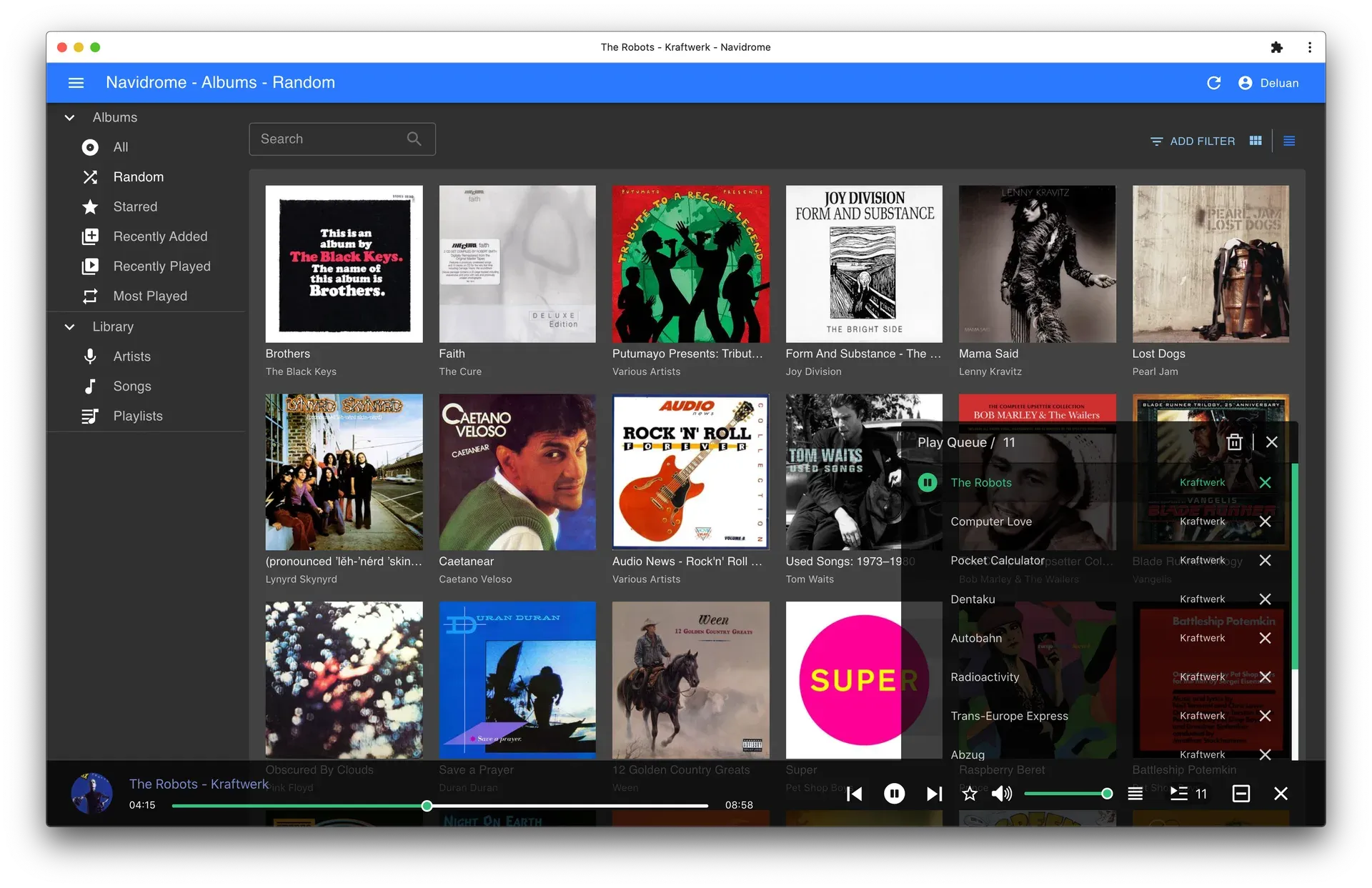
Desktop web player with the random albums view, play queue and player bar. Official repository screenshot; current themes and menus may differ.
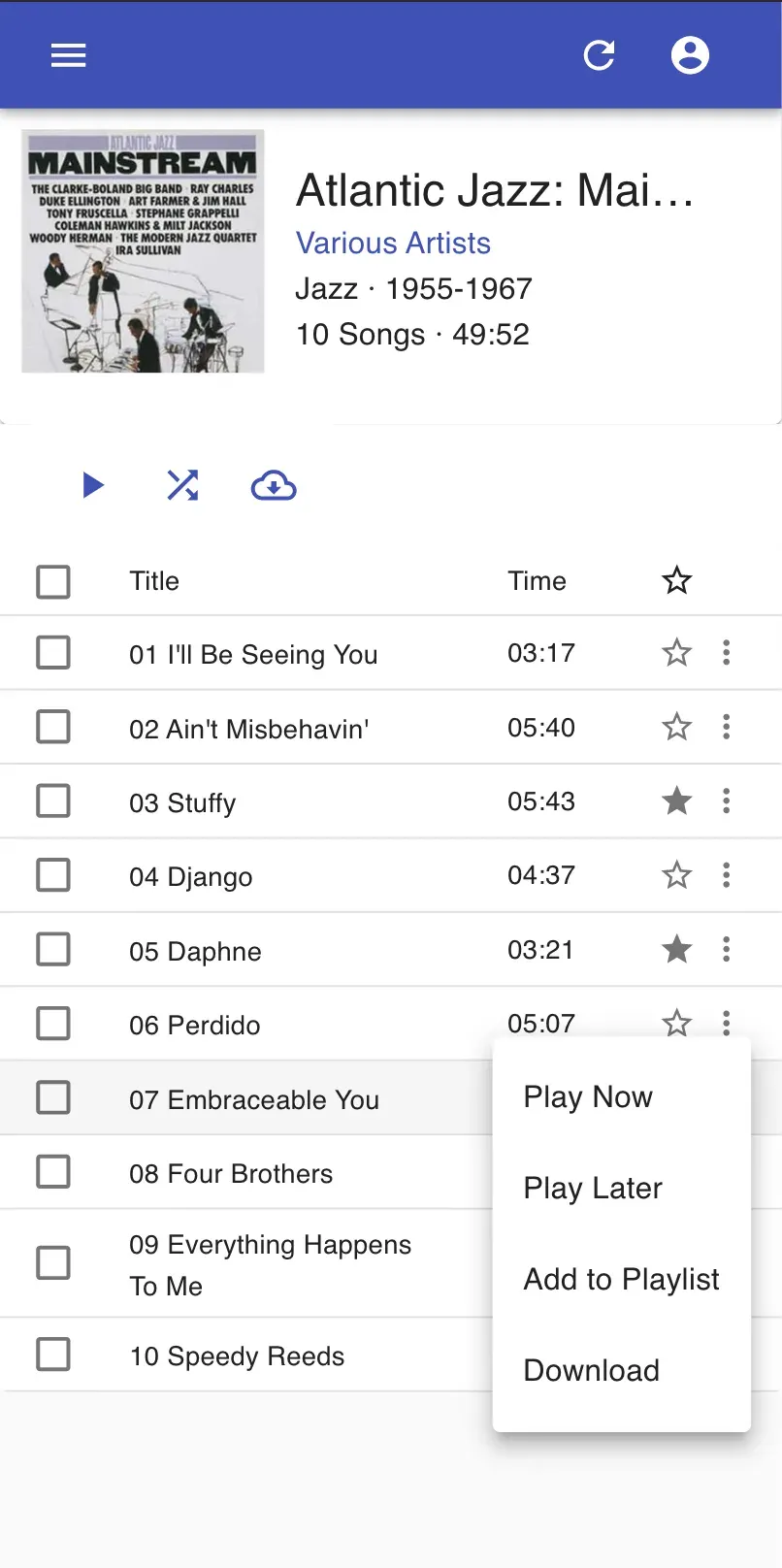
Album page in the responsive web interface on a phone, with the track context menu open. Official repository screenshot.
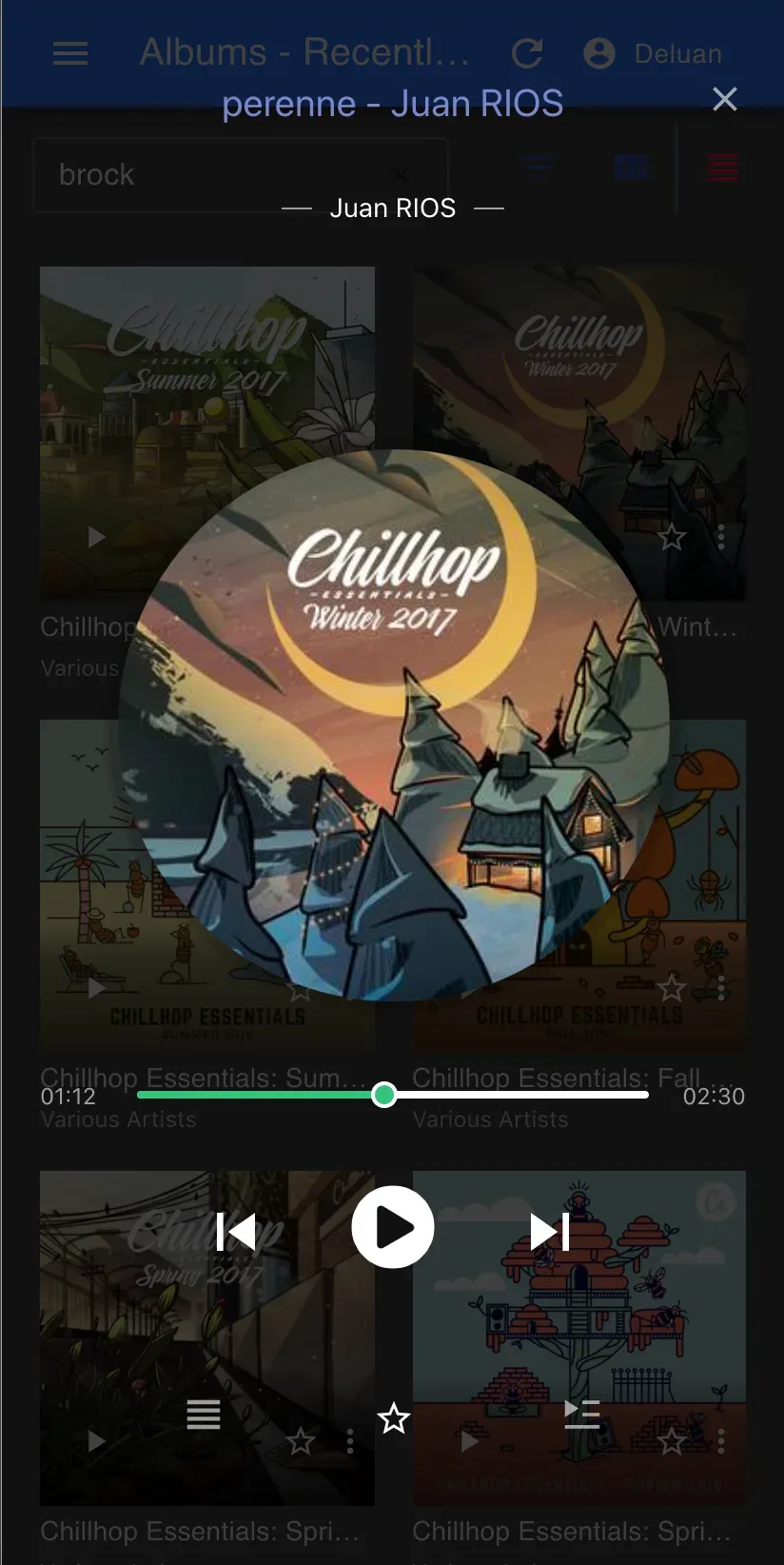
Full-screen player of the web interface on a phone, in a dark theme. Official repository screenshot.
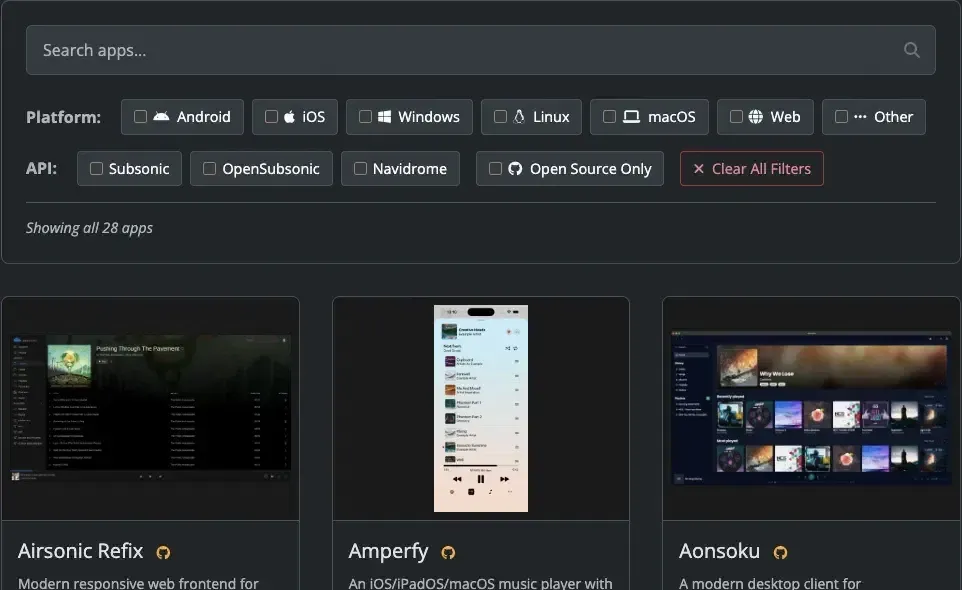
The client apps directory on navidrome.org, filterable by platform and by Subsonic, OpenSubsonic or Navidrome API. Image from the official documentation; the number of listed apps has grown since it was captured.
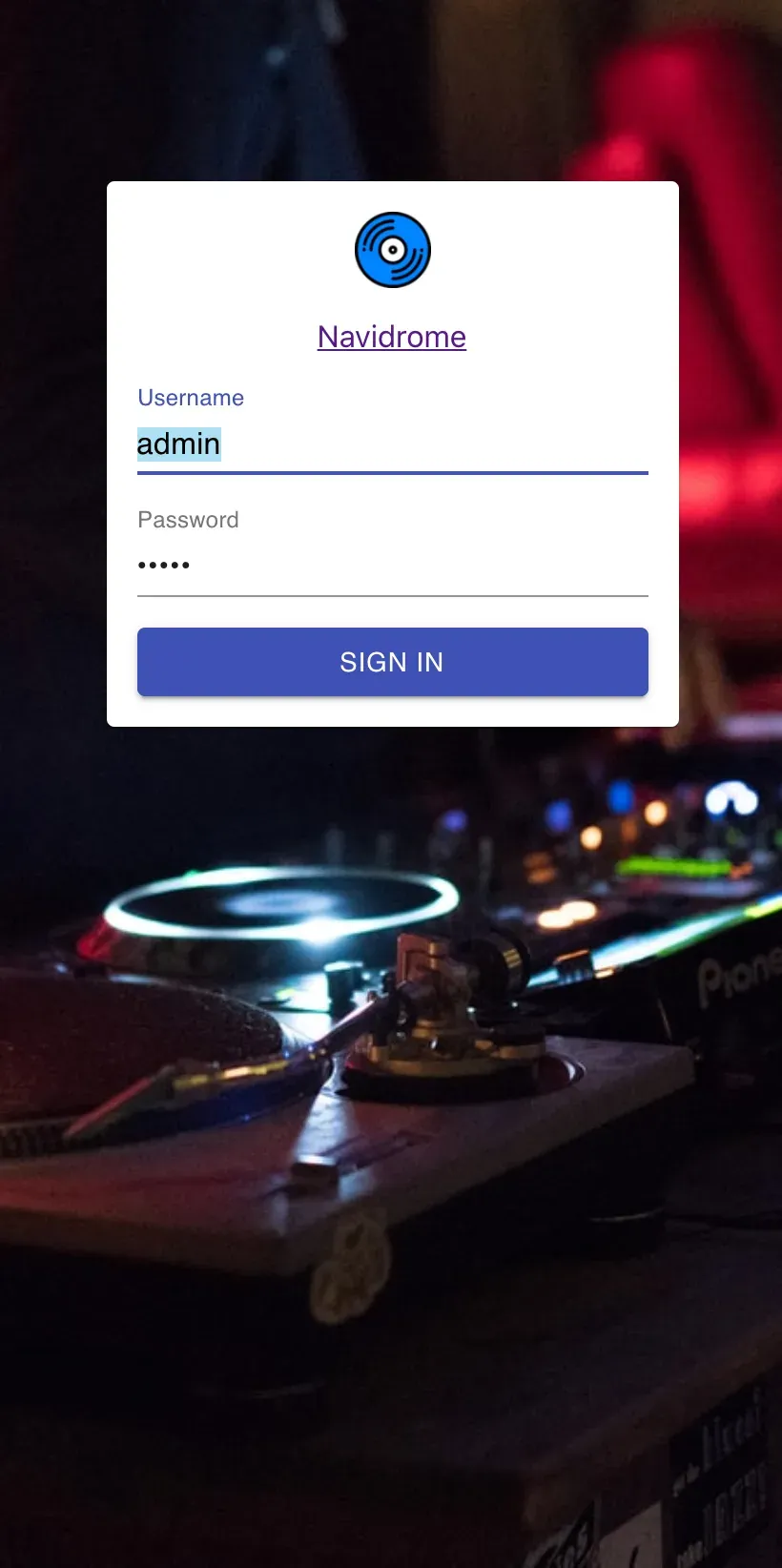
Sign-in screen of the web interface on a phone. Official repository screenshot.
Source: official Navidrome project page.
Key capabilities
- Docker image The official image is
navidrome/navidrome:latestfor linux/amd64, arm/v6, arm/v7 and arm64. Mount the data folder read-write at/dataand the music library at/music, preferably read-only, and publish port 4533. The container must run with a UID:GID that owns the data folder;PUIDandPGIDhave no effect in this image, as the Docker guide explains. - Linux packages Each release includes DEB, RPM and tar.gz builds for 386, amd64, arm64, armv5, armv6, armv7 and riscv64. The DEB installs with apt, pulls in ffmpeg, reads
/etc/navidrome/navidrome.tomland runs as a systemd service under anavidromeuser. A manual tarball install uses/opt/navidromefor the binary and/var/lib/navidromeas working directory, with a unit file you write yourself. - Windows installer The amd64 and 386 MSI installers ask for the port and folders, install a Windows service and start it, after which the first user is created at
http://127.0.0.1:4533. The configuration file isnavidrome.iniin the installation folder, by defaultC:\Program Files\Navidrome. ZIP builds can run as a service through Shawl, NSSM or WinSW. - macOS binaries Releases include darwin_arm64 and darwin_amd64 tarballs, usually extracted to
/opt/navidrome. The commandnavidrome service installregisters a system service that starts at boot and restarts after crashes. macOS privacy controls can block folders such as Documents, Downloads or external volumes, so the guide suggests a location like/Users/Shared/Music. - Raspberry Pi and other ARM boards ARMv5, ARMv6, ARMv7 and ARM64 builds are published for every release, and the overview says Navidrome runs on a Raspberry Pi Zero. Check
/proc/cpuinfoto choose the right build. ffmpeg must be installed separately on manual installs. - Managed hosting PikaPods, Zenith Hosting and ElfHosted offer one-click instances listed on the managed hosting page. PikaPods mentions EU and US regions and daily backups, and ElfHosted a 7-day trial. Prices are set by each provider, not by the Navidrome project.
- Tag-based library scanner The scanner builds albums, artists and genres from embedded tags and handles compilations and multi-disc box sets. Options such as
Scanner.ArtistSplitExceptionsprotect names like "Tyler, The Creator" from being split, andScanner.IgnoreDotFolderscontrols hidden folders. File watchers import new or changed files automatically, and a missing-files view keeps track of removed tracks. - Multiple libraries with per-user access Since v0.58.0 an administrator can add libraries under Settings, Libraries and grant each regular user only selected ones. Each library has its own watcher, albums belong to one library, and paths must not overlap. Network shares must be mounted by the host before Navidrome starts.
- Web player and themes The responsive interface offers album, artist, song, playlist and radio views, a play queue, ratings, favourites and downloads. It ships several themes, including Catppuccin, Rosé Pine and Nautiline, and is translated into 34 languages. Version 0.64.0 added Refresh Metadata actions and natural sort order as an option.
- Subsonic and OpenSubsonic API Navidrome implements Subsonic API 1.16.1 with documented exceptions and adds OpenSubsonic extensions such as structured lyrics and classical work and movement fields. Searches do not accept Lucene syntax, IDs are strings, and only a
scrobblecall withsubmission=truemarks a song as played. The compatibility page lists every difference. - Experimental Jellyfin Music API Enabled with
Jellyfin.Enabled = true, it serves Jellyfin music clients under/jellyfin. Finamp, Jellify and Feishin are listed as tested, and 0.64.1 added fixes for Manet and JellyBox, Quick Connect sign-in and optional LAN discovery on UDP port 7359. Video, live TV and the Jellyfin admin dashboard are not provided, and live library events are not pushed to clients. - On-the-fly transcoding Ffmpeg converts audio as it streams, with formats and bit rates configurable per user or per player, including Opus. The transcoding command editor in the UI is disabled by default because it could run arbitrary commands; it is enabled temporarily with
ND_ENABLETRANSCODINGCONFIG. - Playlists and smart playlists M3U files in the library are imported and kept in sync, in which case the file controls the track list. Smart playlists, still marked beta, are JSON rules in
.nspfiles with operators for tags, play counts, ratings, dates and other playlists. A per-playlistrefreshDelaykeeps the list stable for offline clients, and the web UI has no rule editor yet; Feishin can create them. - Lyrics Navidrome reads sidecar
.ttml, YAML Lyricsfile,.elrc,.lrc,.srtand.txtfiles as well as embedded lyrics, in an order set byLyricsPriority. Since 0.63.0 word-by-word timing and multi-voice layers are exposed to clients through OpenSubsonic extensions. - Scrobbling and listening history Each user can connect Last.fm, after the administrator configures an API key and secret, and ListenBrainz with a personal token.
ListenBrainz.BaseURLpoints scrobbles to compatible servers such as Maloja. Smart-playlist rules can exclude songs from scrobbling while still counting the play locally. - Public sharing Users can share tracks, albums, artists and playlists through
/share/links that recipients open without an account. Shares expire after 8760 hours by default and are limited to the libraries their owner can see. Sharing has been enabled by default since 0.63.0 and is turned off withEnableSharing = false. - Jukebox mode With
Jukebox.Enabled = trueand mpv installed, Navidrome plays audio on a device attached to the server, controlled from Subsonic clients that support jukebox commands. Named devices are set in the config file, and a custom mpv command can feed Snapcast. The web UI cannot control jukebox playback. - WebAssembly plugins Plugins packaged as
.ndpfiles add metadata agents, scrobblers, scheduled tasks and event handlers. Each manifest declares the hosts, storage, users and libraries it needs, and since 0.64.0 connections to private and loopback addresses are blocked unless listed. The plugin documentation notes that plugins come from the community and should be reviewed before installation. - Backups and command line Scheduled database backups are configured with
Backup.Path,Backup.ScheduleandBackup.Count, andnavidrome backup restorereplaces the database while the server is stopped. Backups cover the database only, not the music or the configuration. Other subcommands handle scans, users, plugins, artwork, playlists and diagnostics. - External authentication A reverse proxy or identity provider can log users in by sending a
Remote-Userheader from addresses listed inExtAuth.TrustedSources. Unknown users are created automatically, and the first user on a fresh install becomes administrator. Subsonic clients usually still need/rest/*to bypass the proxy and use a Navidrome password.
Where Navidrome fits
Replacing a music subscription with your own files
Point MusicFolder or the Docker /music volume at a tagged collection, start the server and create the administrator account on first visit to port 4533. Add a regular account for each household member so play counts, favourites and playlists stay separate. Check that compilations appear under one album and that multi-disc sets are grouped; when they are not, fix the Album Artist or compilation tags with a tagger, because Navidrome reads but never edits your files.
Running on a Raspberry Pi or home server
Use the ARM build that matches /proc/cpuinfo, or the Docker image on arm/v6, arm/v7 or arm64. Keep the data folder on reliable local storage: v0.64.2 specifically addressed lock errors and failed scans on slow USB disks and remote drives. Run the container as a non-root UID:GID that owns /data and can read the music, and confirm that a full scan finishes without database is locked messages in the log.
Connecting phones, desktops and cars
Pick clients from the apps directory, which filters by platform and by Subsonic, OpenSubsonic or Navidrome API. Offline-first clients such as Symfonium mirror the library through search3, which 0.63.0 made much faster on very large collections. For Jellyfin music clients such as Finamp, enable Jellyfin.Enabled and test browsing, playback and lyrics, since the API is still experimental. Clients that cached IDs may need a re-sync after the 0.64.0 ID migration.
Publishing the server outside the home network
Follow the security considerations: run as a dedicated non-root user, set Address to localhost and terminate TLS in Caddy, Nginx, Traefik or Apache. Set a PasswordEncryptionKey once, because by default stored passwords are only obfuscated with a key in the codebase. Allow /share/ through the proxy if links are used. When single sign-on is added, block every path that bypasses the proxy and make sure the proxy strips client-supplied Remote-User headers.
Curating listening with smart playlists and scrobbles
Write .nsp rule files, for example unplayed albums added in the last month or loved tracks above a rating, and place them in the library or PlaylistsPath. They are re-evaluated when a client opens them, subject to refreshDelay. Connect Last.fm or ListenBrainz per user and use a scrobble filter to keep children's music or test tracks out of public statistics. Check that the history counts plays, since streaming alone does not mark a track as played.
Upgrading without losing state
Before each upgrade, read the breaking-changes section of the release notes and copy the database, either from a scheduled backup or with the backup CLI. Version 0.64.0 rewrote every ID and blocked Extism built-in HTTP for plugins, and it now rejects negative configuration durations at startup. Keep the configuration file and music under your own backup routine, because the built-in backup covers only the database. Restore with navidrome backup restore while the server is stopped.
Install
docker run -d --name navidrome --restart=unless-stopped --user $(id -u):$(id -g) -v /path/to/music:/music -v /path/to/data:/data -p 4533:4533 navidrome/navidrome:latestReviews of Navidrome
Be the first to share your experience with Navidrome.
Write a review
Loading review form…
Alternatives to Navidrome
 JellyfinJellyfin is a free software media server that manages your media and streams it from a dedicated server to end-user devices through multiple apps.
 KodiKodi is a free, open source media player and entertainment hub from the XBMC Foundation for Android, Linux, BSD, macOS, iOS, tvOS and Windows.