

What is Mixpost?
Mixpost is a self-hosted social media management application for drafting, scheduling and publishing posts, keeping a shared media library and reading basic account analytics. It is developed by Inovector, with Dima Botezatu credited as the main developer. The GitHub repository inovector/mixpost holds Mixpost Lite, the free MIT-licensed edition. Mixpost Pro and Enterprise are commercial self-hosted licences built on the same base, and Mixpost Cloud is the hosted service run by the vendor.
Lite is a Laravel package written in PHP with a Vue and Inertia front end. It publishes to three services: Facebook Pages, X and Mastodon. Publishing and analytics imports run as queued jobs on Redis through Laravel Horizon, a cron entry triggers the scheduler every minute, and posts, accounts and settings are stored in MySQL or MariaDB. Media files sit on the local public disk or in an S3-compatible bucket. FFmpeg is optional and only generates video thumbnails.
There are three documented ways to install Lite, all described in the Lite hosting guide: a Docker Compose stack built on the inovector/mixpost image with MySQL 8.0, Redis and an optional Traefik proxy for Let's Encrypt certificates; a standalone PHP application created with composer create-project inovector/MixpostApp; or the inovector/mixpost Composer package added to an existing Laravel application, where the dashboard appears under /mixpost. The vendor recommends a public domain or subdomain because the social networks must reach the instance for OAuth callbacks.
The current release is Mixpost Lite 2.6.0, published on March 16, 2026, which adds support for the X pay-as-you-go API tier. Version 2.5.0 added Facebook Graph API v25.0 and 2.4.0 added v24.0 along with WOFF2 fonts. Version 2.2.0 allowed video uploads without FFmpeg, added Laravel 12 support and moved the interface to Tailwind CSS 4. The 2.0.0 release in January 2025 introduced a system status page, a system log viewer, email alerts for broken account connections and immediate analytics processing after an account is connected. Recent Lite releases are mostly platform API maintenance; feature work happens in the commercial editions, which have their own Pro release notes.
Several capabilities shown on the Mixpost website are not part of Lite: Instagram, LinkedIn, YouTube, TikTok, Pinterest, Threads, Bluesky, Pixelfed and Google Business Profile publishing, workspaces for several brands or clients, approval flows, the posting queue, the AI assistant, the engagement inbox, the REST API, the MCP server and webhooks. These belong to Pro, Enterprise or Cloud, as listed on the pricing page. The contribution rules in the README state that Lite features must stay distinct from Pro, so feature pull requests should start with an issue, while bug fixes and optimizations are accepted directly.
Mixpost screenshots
Explore the interface. Open a screenshot to view it at full size.
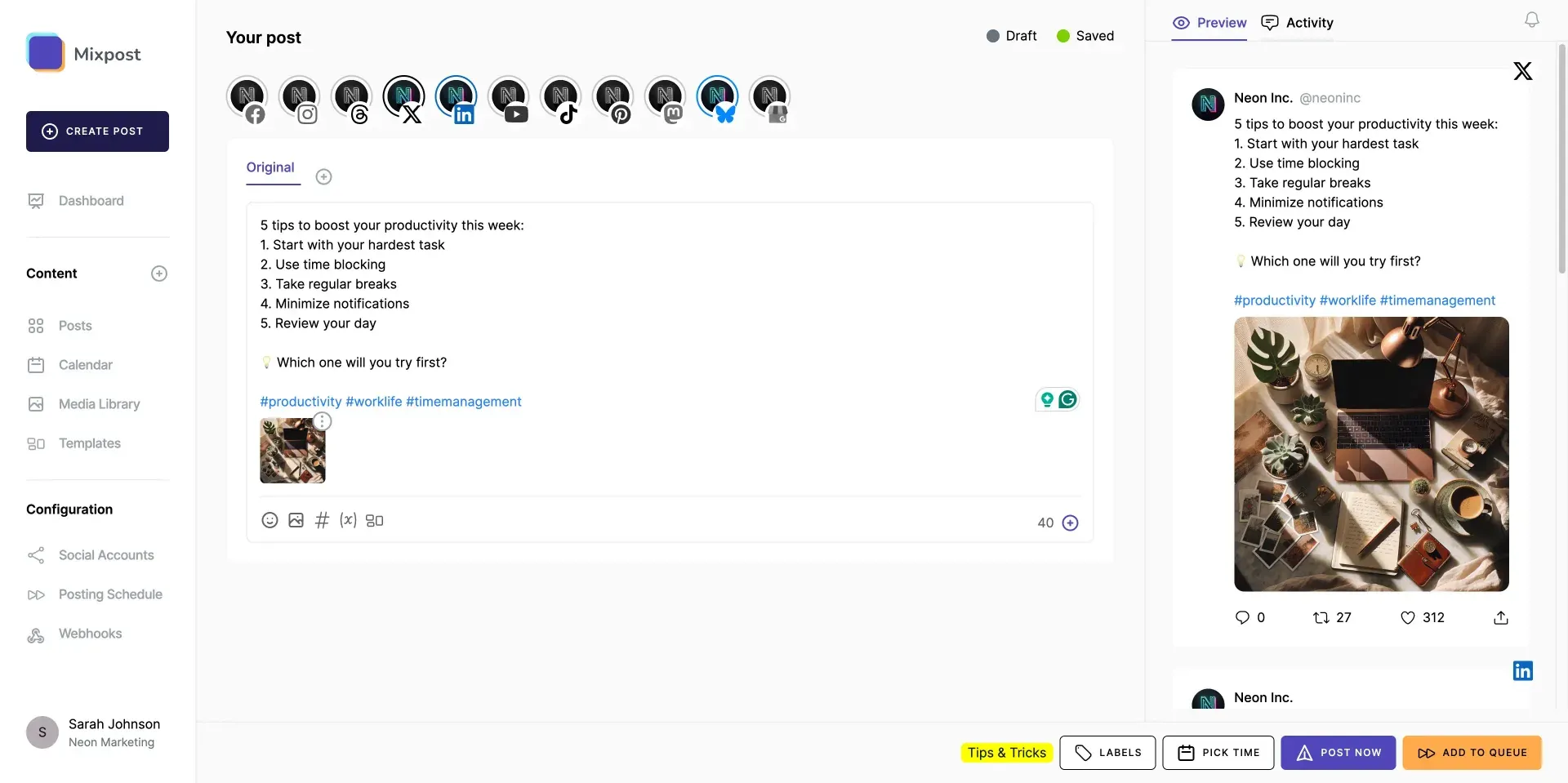
Post editor image from the Mixpost repository README; the account row includes networks that need Pro.
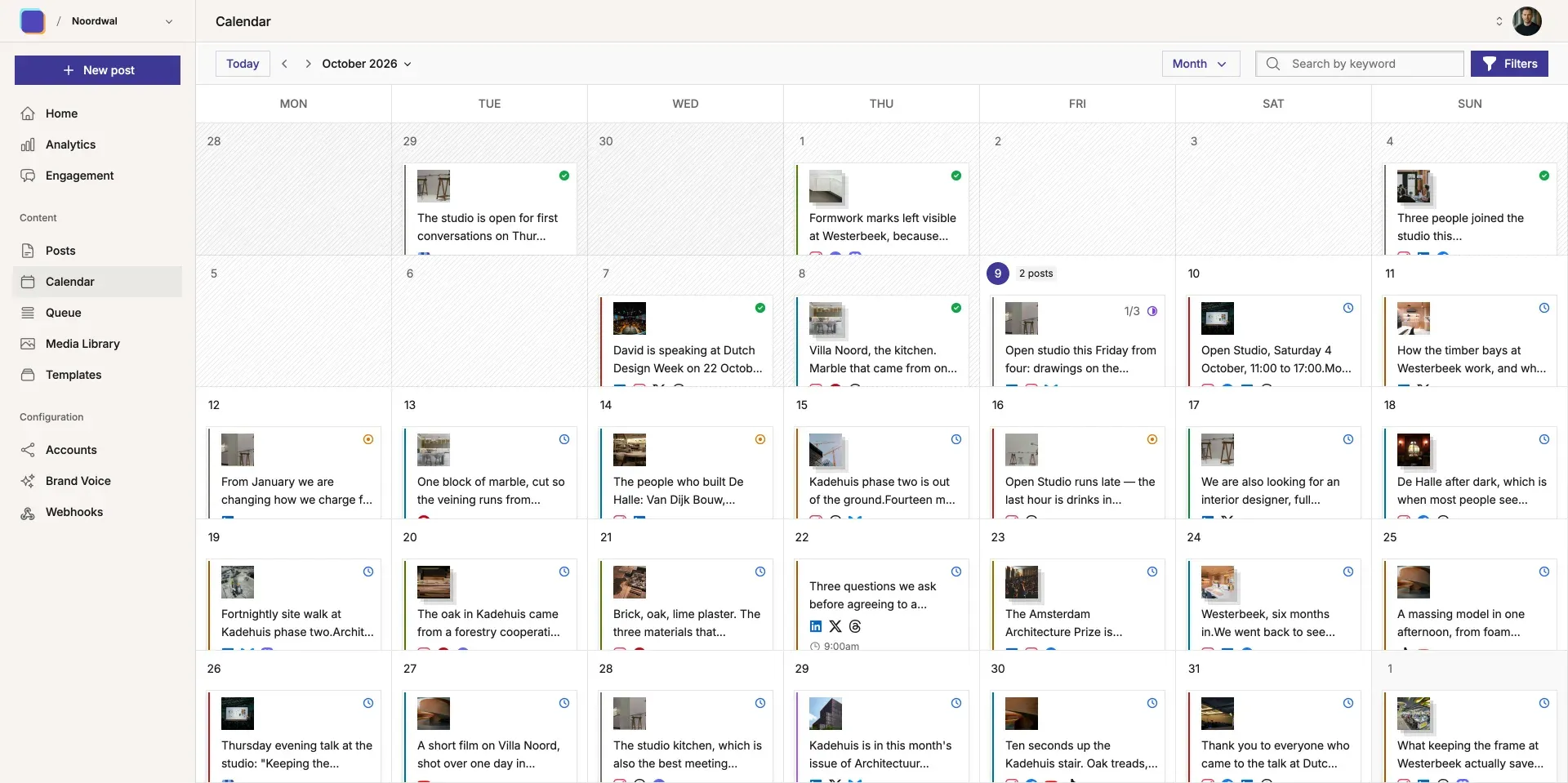
Monthly calendar view from mixpost.app, showing the current commercial interface.
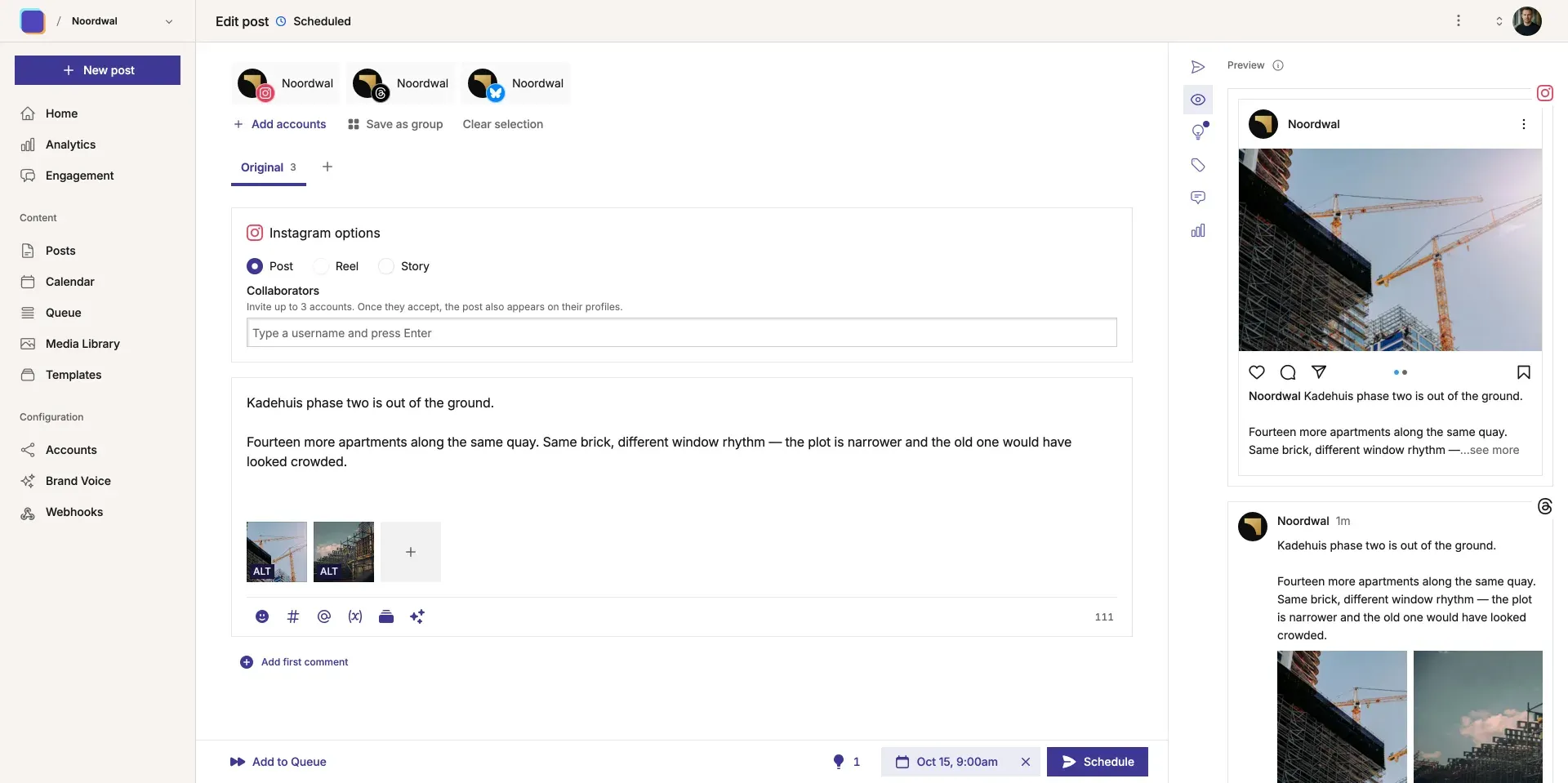
Post editor from mixpost.app with Instagram and Threads previews; these networks are Pro and Cloud features.
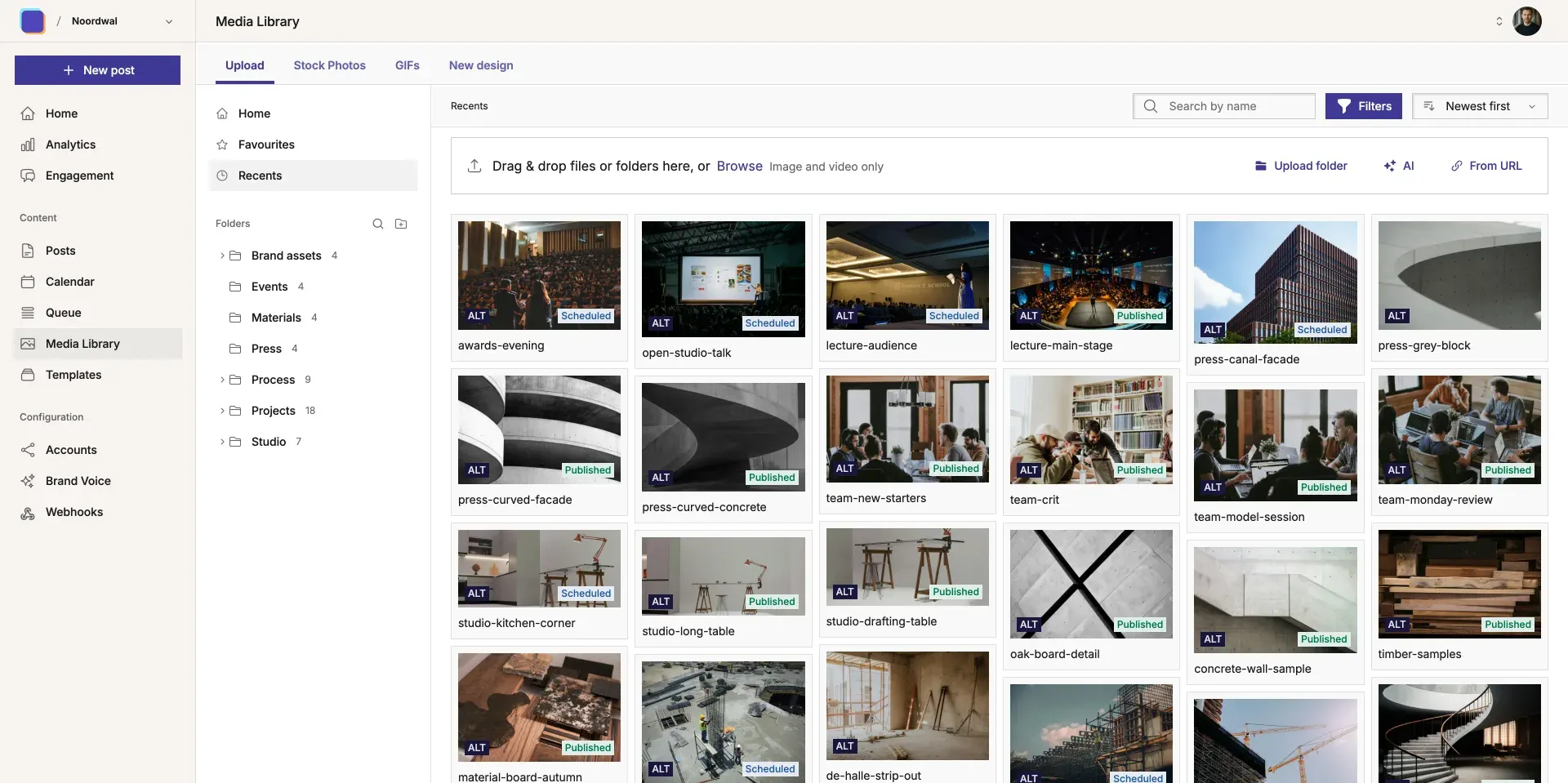
Media library from mixpost.app with folders, stock photo and GIF tabs.
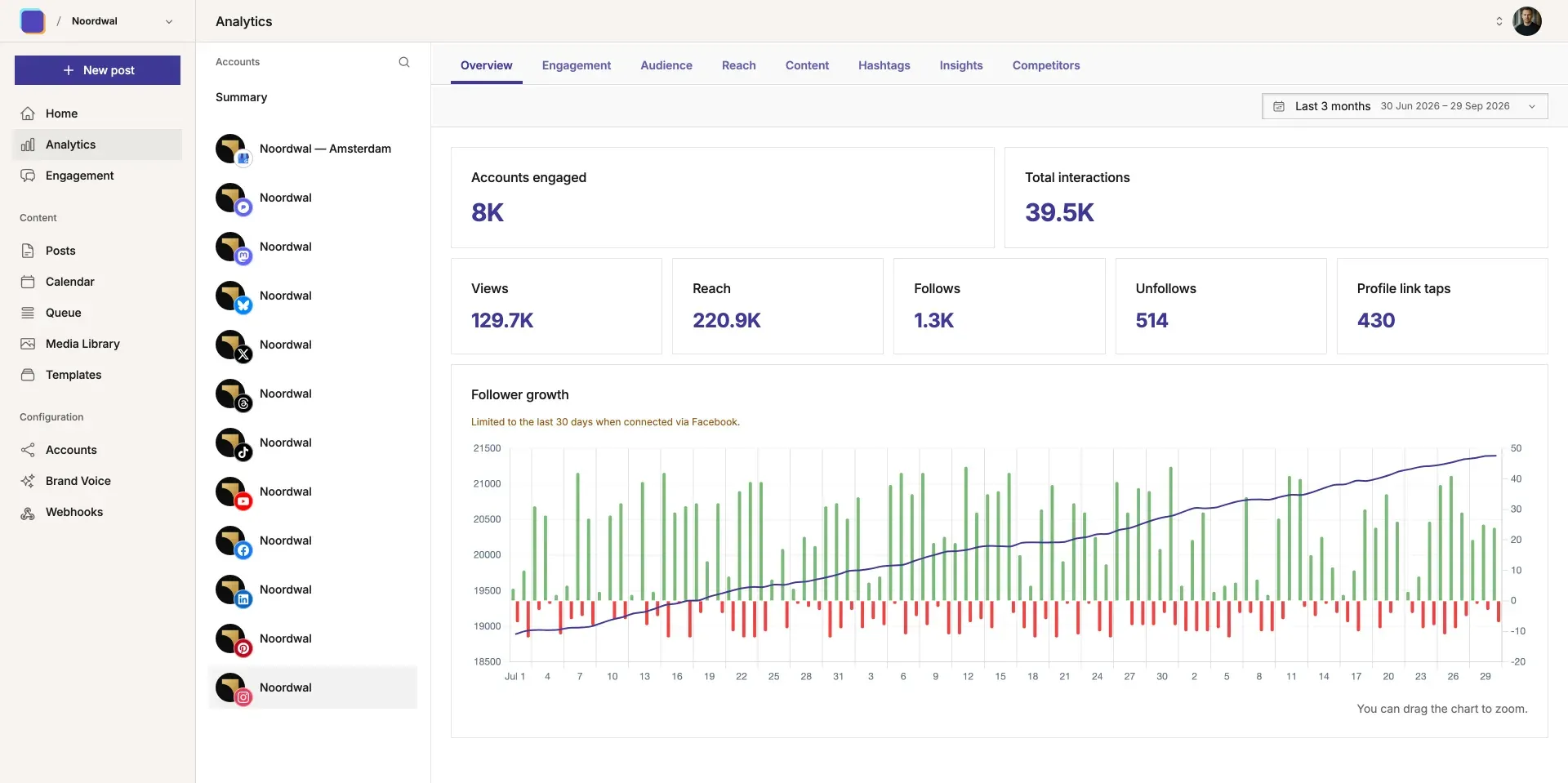
Advanced analytics screen from mixpost.app; Lite provides basic analytics only.
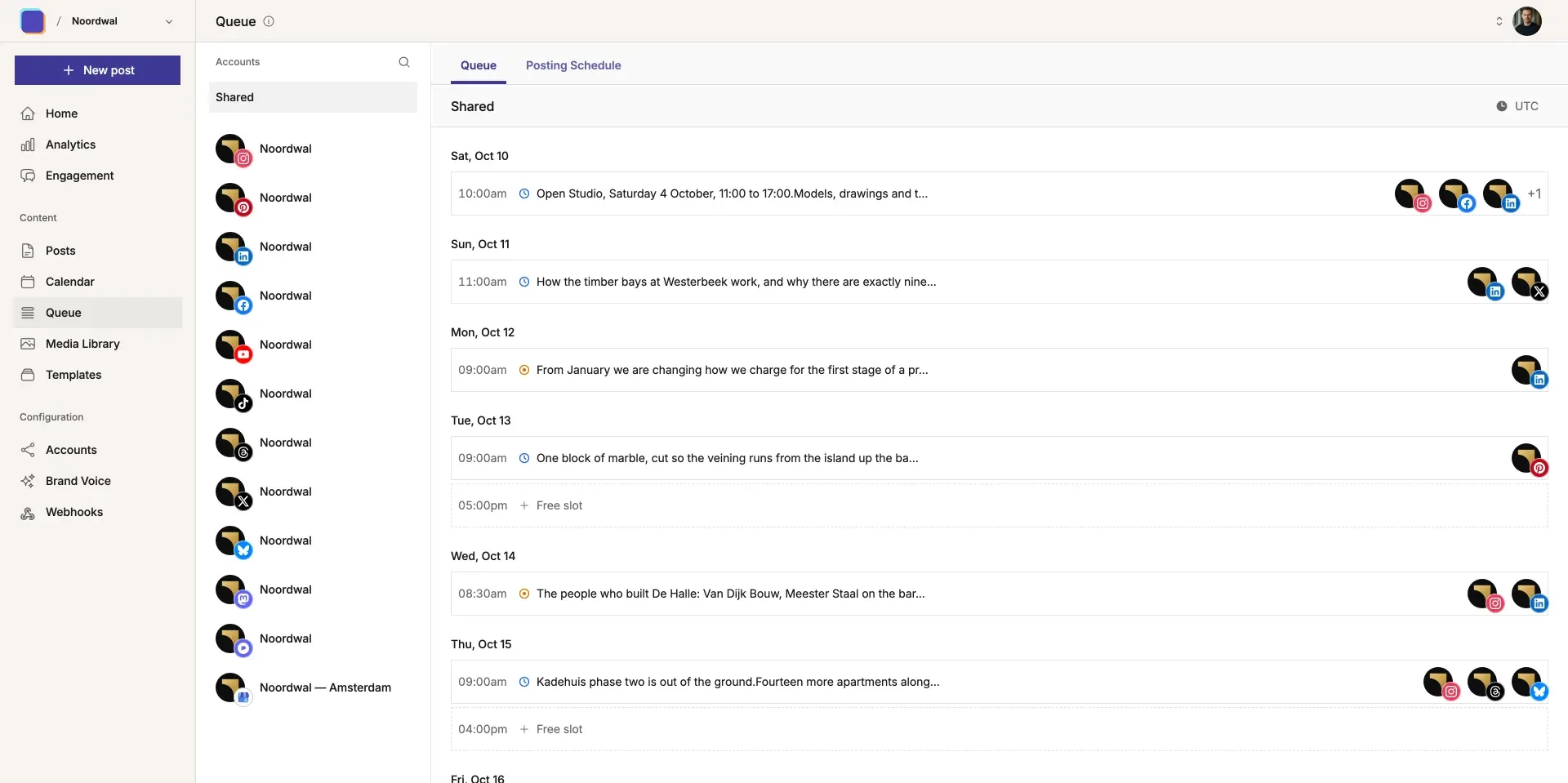
Posting queue from mixpost.app; the queue and posting schedule are Pro and Cloud features.
Source: official Mixpost project page.
Key capabilities
- Publishing to Facebook Pages, X and Mastodon Lite connects Facebook Pages through a Meta developer app, X accounts through an X developer app and Mastodon accounts on any server. For Mastodon, Mixpost registers its own application on the chosen server when you add the first account there, so no manual app setup is needed. Other networks shown on mixpost.app require Pro, Enterprise or Cloud.
- Per-network post versions A post starts as one original text and media set, and you can add a version for a specific account when the wording or media must differ. The editor validates against the limits in the package configuration, for example 280 characters on X, 500 on Mastodon and 5,000 on Facebook Pages. Each version is checked separately before the post can be scheduled.
- Media limits per platform The default configuration allows up to 4 photos on X and Mastodon and up to 10 on Facebook Pages, with one video or one GIF per post and no mixing of photos and video. Upload size limits are 5 MB for images, 15 MB for GIFs and 200 MB for video. These values sit in
config/mixpost.phpand must still respect the limits of the target network. - Calendar and post list Scheduled, published and failed posts appear in a calendar view and in a filterable list. Tags, shown as labels with colours, can be attached to posts and used as calendar filters, which the 2.0.0 release fixed for the calendar. Posts can be duplicated to reuse earlier content, and posts can be deleted in bulk.
- Scheduling through the Laravel scheduler A post scheduled for a given time is dispatched by the Laravel scheduler, which a cron entry must run every minute, and the actual publishing happens in a Horizon queue named
publish-post. If cron or Horizon stops, scheduled posts are not sent, so both need process supervision. Lite has no posting queue with recurring time slots: that feature is part of Pro. - Media library with uploads, stock photos and GIFs Uploaded images, GIFs and videos are kept in a library for reuse across posts. The Lite code includes connectors for Unsplash stock photos and Tenor GIFs, enabled by entering your own API keys under Services. Since 2.2.0, videos can be uploaded without FFmpeg, but they then have no generated thumbnail.
- Basic analytics per account After an account is connected, background jobs import follower counts and post metrics: Facebook Page insights, X post metrics and Mastodon post metrics. Results depend on what each platform API returns and on the API tier you have with X. Advanced analytics with engagement, reach and audience breakdowns are a Pro and Cloud feature.
- System status and logs The status page added in 2.0.0 reports the health of Horizon, the queue, the scheduler and, since 2.2.0, FFmpeg. A log viewer shows social network and third-party connection errors, which can be routed to a dedicated channel with
MIXPOST_LOG_CHANNEL. Administrators are also notified by email when a social account connection breaks and needs to be reconnected. - Docker Compose installation The Docker guide provides Compose files with the
inovector/mixpostimage,mysql/mysql-server:8.0and Redis, in three variants: Traefik with Let's Encrypt, Traefik without certificates for use behind Cloudflare, and no proxy with the app on port 9000. Configuration goes in an.envfile withAPP_KEY,APP_DOMAINand database credentials, thendocker compose up -dstarts the stack. The first login uses a documented default administrator account whose password must be changed immediately. - Standalone PHP installation
composer create-project inovector/MixpostAppcreates a ready Laravel application. You then set permissions onstorageandbootstrap/cache, configureAPP_URLand the database, runphp artisan migrate, run Horizon under Supervisor, add the scheduler cron line and create the first user withphp artisan mixpost-auth:create. The server requirements list PHP 8.3, Redis 6.2 or later, Nginx or Apache withmod_rewrite, and the curl, mysql, bcmath, gd, mbstring, redis, xml, zip and intl extensions. - Laravel package for existing applications In an existing Laravel 10, 11 or 12 application,
composer require inovector/mixpostandphp artisan mixpost:installadd the package. You add amixpost-redisqueue connection and amixpost-heavyHorizon supervisor, register the Mixpost schedule and define aviewMixpostgate that controls who can open the dashboard. The Composer manifest requires PHP 8.2 or later, while the server page recommends 8.3. - Media storage on local disk or S3
MIXPOST_DISKselects thepublicdisk ors3, with the usualAWS_*variables for the bucket, keys and region. On the local disk, the Docker setup keeps uploads in a named volume, which must be part of your backups together with the MySQL volume. - PHP and upload configuration The documentation asks for
memory_limit = 512M,upload_max_filesize = 12M,post_max_size = 13Mand a matching 13 MB request body limit on the web server, because uploads are sent in chunks.pcntl_signalandpcntl_alarmmust not be disabled, since Horizon depends on them. HEIC and HEIF photos additionally need libvips 8.15.1 or later, libheif and PHP FFI. - Updates and major upgrades Package updates come through Composer, and the Laravel package install adds
mixpost:publish-assetstopost-update-cmdso front-end assets are republished. Docker installs update by pulling a newer image. A separate upgrade guide to version 2 covers the move from 1.x; the 2.0.0 changelog also notes that resource URLs now use UUIDs instead of numeric IDs. - Commercial upgrade path Pro is a one-time $299 licence and Enterprise a one-time $1,199 licence, each with one year of updates, a perpetual fallback licence and a 14-day refund window. They add the other networks, workspaces, approvals, the API, MCP server and webhooks, and Enterprise adds billing and subscription management for running Mixpost as a service. Cloud plans start at $29 per month, prices exclude VAT.
Where Mixpost fits
Running a self-hosted posting schedule for one organization
A small team that publishes to a Facebook Page, an X account and a Mastodon account can run Lite on a single VPS with the Docker Compose file. Create the developer apps for Meta and X first, enter their keys under Services, then connect the accounts. Before relying on it, schedule test posts a few minutes ahead and confirm they publish, which proves that the scheduler and Horizon are both running.
Adding social publishing to an existing Laravel application
Agencies and developers who already operate a Laravel application can install the inovector/mixpost package instead of running a separate stack. The work is in the queue configuration: add the mixpost-redis connection and mixpost-heavy Horizon supervisor, register the Mixpost schedule and restrict access with the viewMixpost gate. Check that long video uploads do not hit the queue timeout of your existing workers.
Publishing to the Fediverse alongside commercial networks
Mastodon support in Lite needs no developer portal: you enter the server name and Mixpost creates its own application there. This makes Lite a practical way to cross-post the same announcement to Mastodon, X and Facebook with per-network versions. Verify the 500-character limit, link handling and image alt text on the Mastodon side, since 2.1.1 changed how URL length is counted.
Keeping a reusable media library
Teams that reuse logos, product photos and short clips can upload them once and pick them from the library in each post. With Unsplash and Tenor keys configured, stock photos and GIFs come from the same picker. Move the library to S3 when the server disk is small or when several instances must share files, and check that the bucket policy does not expose unpublished media.
Monitoring account health and failed posts
Social platform tokens expire and API versions change. Use the system status page to confirm Horizon and the scheduler are alive, read the system logs when a post fails, and route MIXPOST_LOG_CHANNEL to a separate file if you ship logs elsewhere. Make sure outgoing mail works, otherwise the broken-connection email alert will never arrive.
Evaluating Mixpost before buying Pro
Lite shares its core with Pro, so it is a reasonable way to test the editor, calendar and media workflow on your own server before paying. Keep in mind that Pro adds networks, workspaces, approvals and the API, so a Lite trial does not test those parts. The vendor offers a 14-day refund window on Pro and Enterprise and a 7-day trial on Cloud.
Install
composer create-project inovector/MixpostAppReviews of Mixpost
Be the first to share your experience with Mixpost.
Write a review
Loading review form…
Alternatives to Mixpost
 PostizOpen-source social media scheduler with a shared calendar, per-channel post editing, client preview links, analytics, RSS auto-posting, webhooks, a public API, a CLI and an MCP server. Run it on your own Docker host or subscribe to Postiz Cloud.
 n8nn8n is a fair-code workflow automation platform from n8n GmbH in Berlin. It combines a node-based visual editor with JavaScript and Python code, AI agent nodes, 1500+ integrations, a REST API and an MCP server, self-hosted or on n8n Cloud.SMSocial Media Skills for AI AgentsMIT-licensed Markdown skills for Codex and Claude covering social media writing, author voice, LinkedIn research, visual prompts, Reel scripts and analytics.