

What is Elmo?
Elmo is an open-source platform for answer engine optimization (AEO), also called generative engine optimization (GEO) or LLM optimization; the abbreviation LLMO gives the project its name. It runs the questions buyers ask on a schedule against AI answer engines such as ChatGPT, Google AI Mode, Google AI Overviews, Gemini, Perplexity, Copilot, Claude and Grok, stores every answer, and reports how often a brand is mentioned, how it is described, where it ranks among the companies named and which pages the engines cite. The code is MIT-licensed, and the project states that every number in the dashboard can be re-derived from the raw answers it came from.
Elmo is developed by Blue Whale Software, LLC, a San Francisco software company, with outside contributors. According to the about page, founder Jared Rhizor, previously a founding engineer at Airbyte, started the project in July 2025. The company describes itself as bootstrapped and names three revenue sources on its vision page: Elmo Cloud subscriptions, white-label deployments and affiliate links to the scraping providers recommended in the documentation. The providers guide discloses those affiliate links.
Self-hosting starts with the @elmohq/cli npm package. elmo init writes an elmo.yaml Docker Compose file and an .env file, and elmo compose up -d pulls the elmohq/elmo-web, elmohq/elmo-worker and elmohq/elmo-db-migrate images from Docker Hub, with PostgreSQL in a container or an existing PostgreSQL 15+ database. Elmo Cloud runs the same code as a managed service from 29 USD per month, a white-label option adds custom branding, domain and SSO for agencies and software vendors, and a read-only demo runs at demo.elmohq.com.
The latest release is v0.7.8, published November 5, 2026. It adds elmo lab audit, which checks how well AI crawlers and agents can reach and read a website, and elmo lab commands that generate, evaluate and plan tracking prompts as one-off runs without a database. It also stops a scheduled run being charged twice when its job outlives a 15-minute expiry, marks reports failed when their worker dies. Version 0.7.7 added a citation flow chart and paginated, searchable citation and fan-out API lists. Version 0.7.0 made Jev, a judging model from TypeSafe, a required dependency: the worker does not start without a TypeSafe key or an OpenRouter key, and upgrading re-judges the last 90 days of answers once.
The codebase is a TypeScript pnpm and Turborepo monorepo. The dashboard and REST API are built with TanStack Start, the worker schedules jobs with pg-boss, and PostgreSQL with Drizzle ORM holds both the data and the job queue, as described in the architecture guide. Each answer passes through a query stage, which is the only stage that calls a paid provider, a derive stage that extracts citations and asks Jev which companies are mentioned, and a roll-up stage that rebuilds dashboard aggregates. Elmo does not ship its own scraper for consumer AI apps: tracking the real ChatGPT or Google AI Mode interface requires a third-party scraping provider, and model APIs only approximate those products. It also does not write or publish content; the Off-Site AEO placement service is sold separately.
Elmo screenshots
Explore the interface. Open a screenshot to view it at full size.
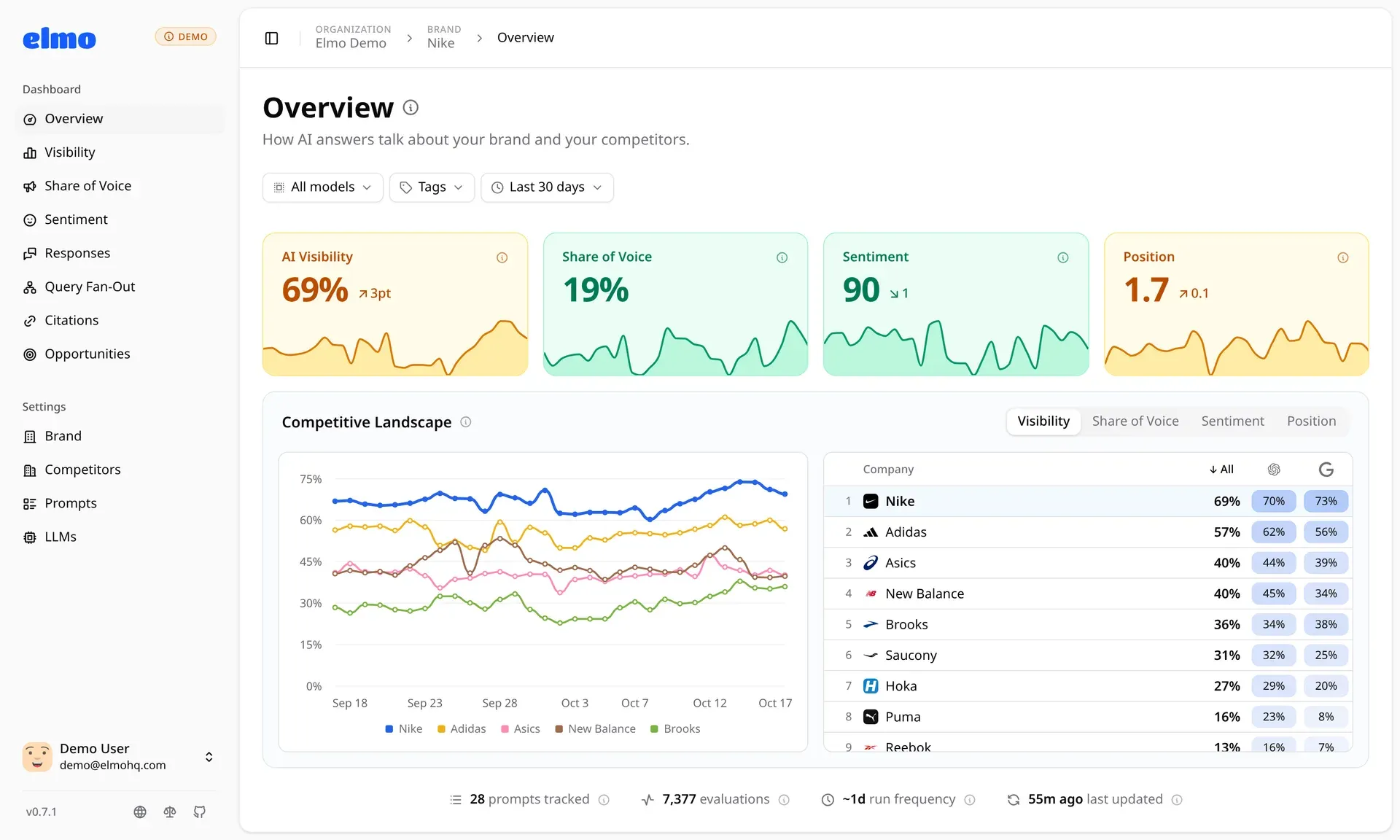
Official screenshot from the Elmo demo: overview for a sample sportswear brand with visibility, share of voice, sentiment and position trends and a competitor table per engine.
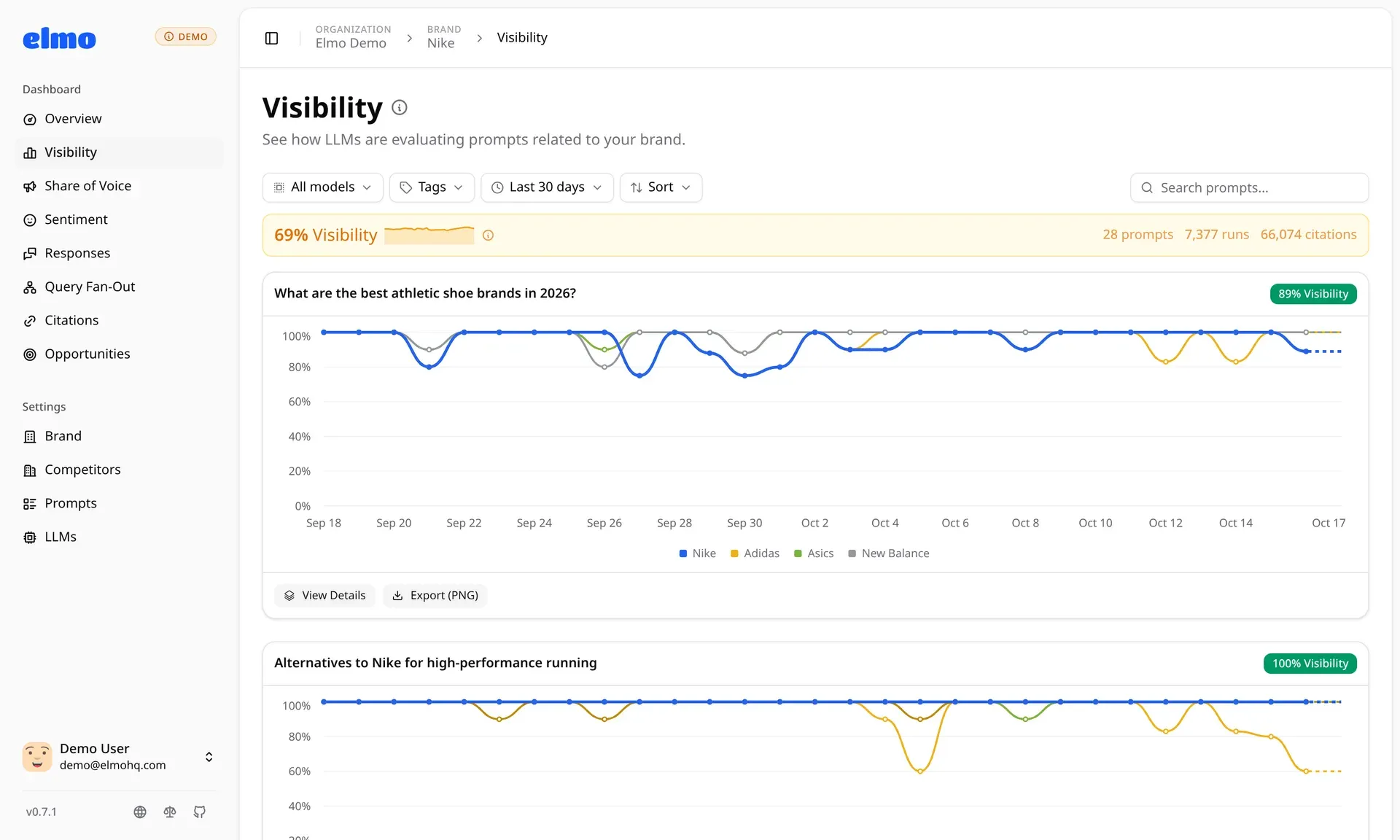
Official screenshot of the Visibility page: each tracked prompt gets its own trend line for the brand and selected competitors, with PNG export.
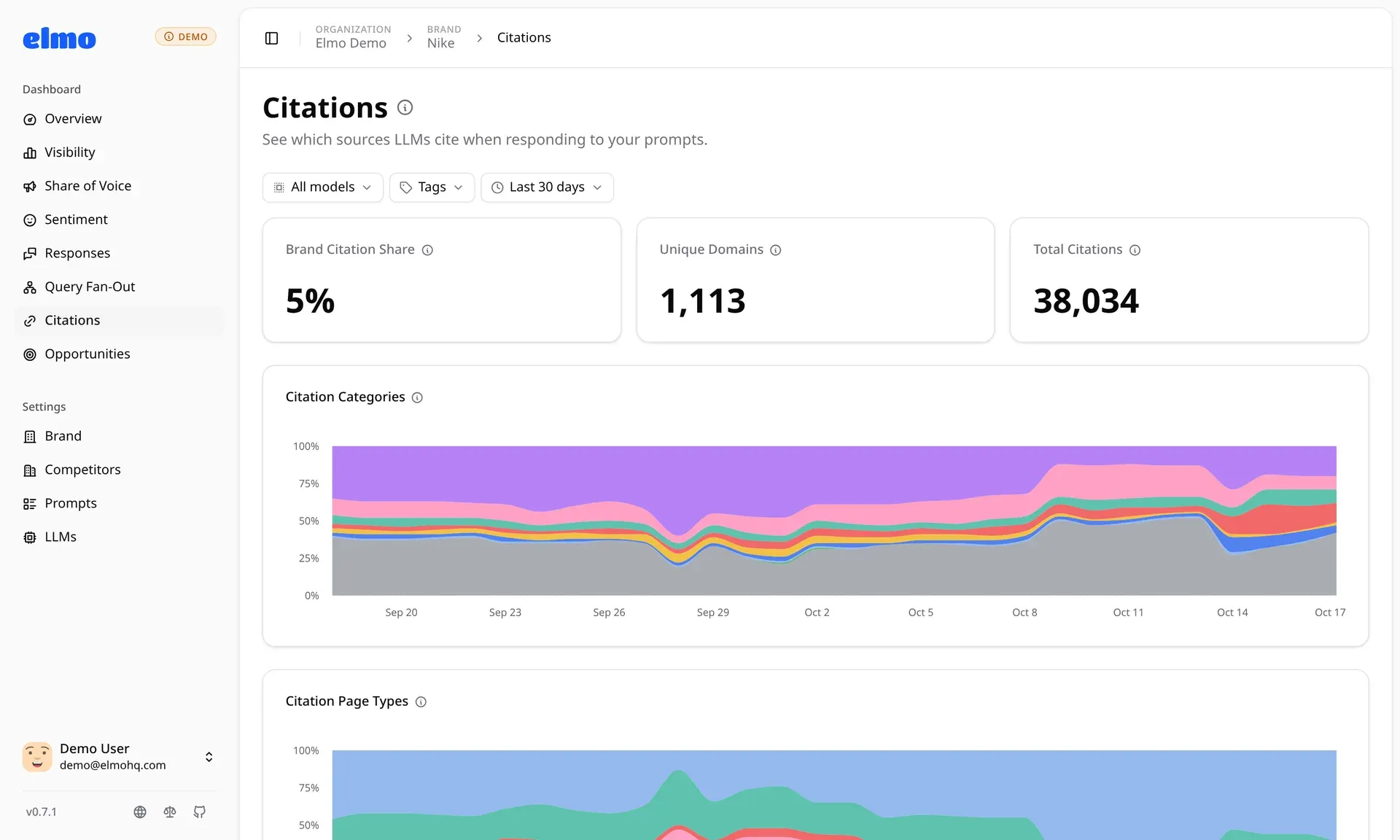
Official screenshot of the Citations page: brand citation share, unique cited domains and citation categories over time for the demo data set.
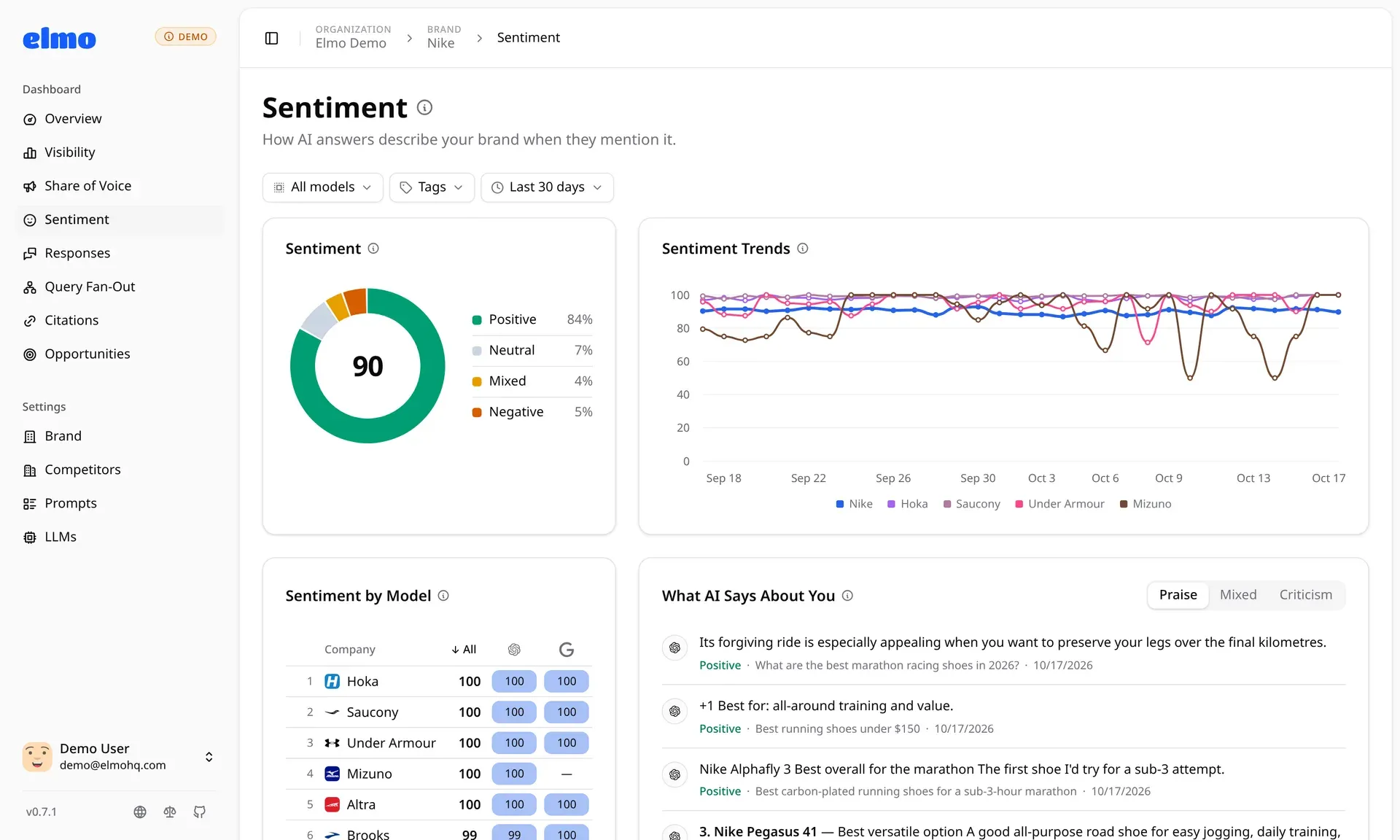
Official screenshot of the Sentiment page: score breakdown, trends against competitors, scores per model and the passages behind each judgment.
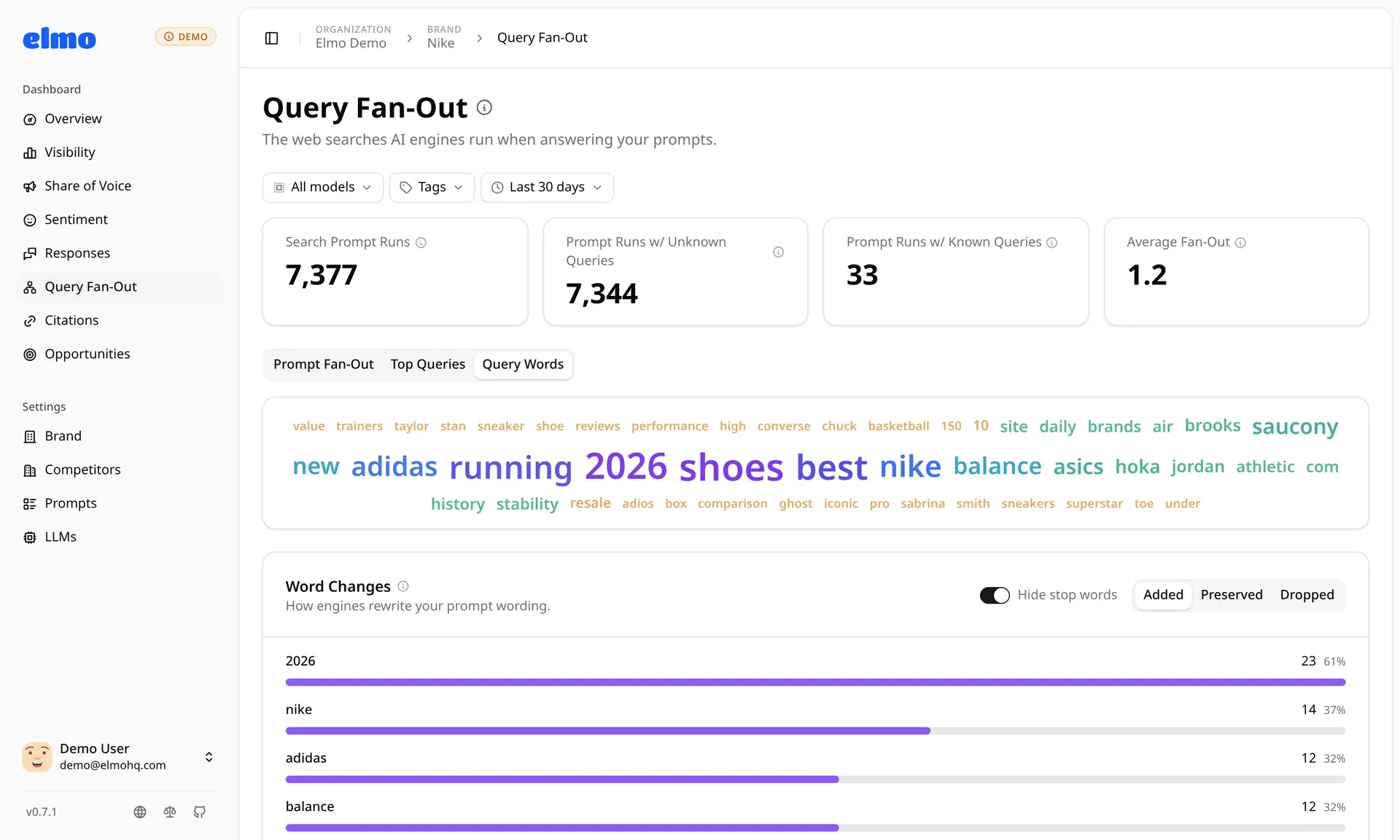
Official screenshot of the Query Fan-Out page: counts of runs with known searches, frequent query words and how engines rewrote prompt wording.
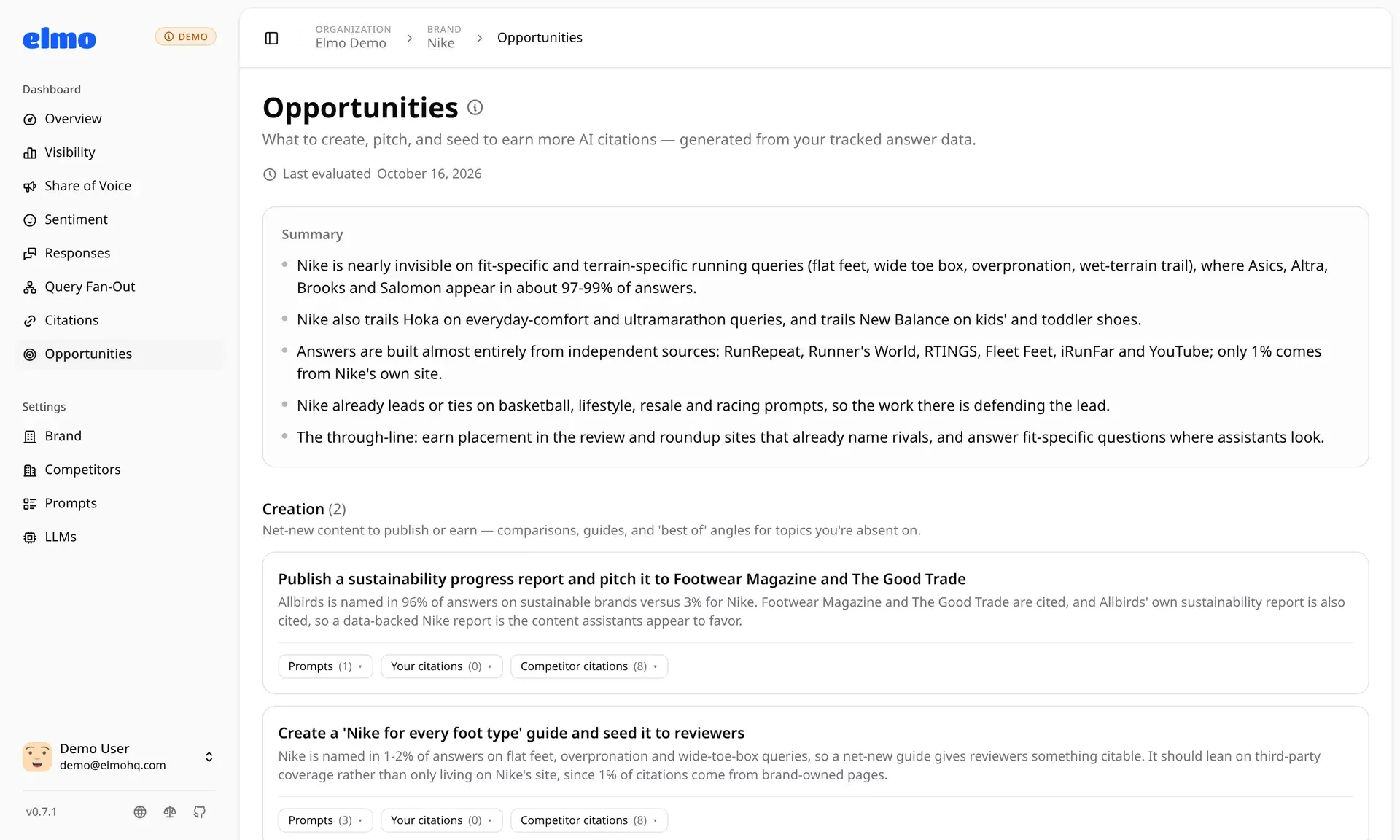
Official screenshot of the Opportunities report: a generated summary and prioritized content and outreach suggestions linked to prompts and citations.
Source: official Elmo project page.
Key capabilities
- Scheduled multi-engine prompt runs A worker runs every enabled prompt against each configured target on a schedule set by
DEFAULT_DELAY_HOURS(24 by default), sampling each platformRUNS_PER_PROMPTtimes (5 by default) because answers vary between identical calls. Targets use amodel:provider[:version][:online]syntax inSCRAPE_TARGETS, covering ChatGPT, Google AI Mode, Google AI Overviews, Gemini, Perplexity, Copilot, Claude, Grok, Kimi and Mistral. Each sample is a provider call that is billed, so the two settings multiply cost directly. - Scraper and model API providers The providers guide documents six scraping services (Cloro, BrightData, Oxylabs, SearchApi, Olostep, DataForSEO) with rough per-prompt monthly costs and a matrix of which surfaces each reaches; Oxylabs, for example, cannot reach Gemini or Copilot. Direct model APIs from OpenAI, Anthropic, Mistral and OpenRouter are cheaper per call but do not reproduce the consumer interfaces. Elmo publishes ongoing provider test results on a provider status page.
- AI visibility score Visibility is the share of runs that mention the brand, shown per prompt and per model and trended over time. Mentions are matched on the brand name, aliases and domains and then confirmed by the Jev judging model, so ordinary words that happen to be brand names do not inflate the figure. Results filter by prompt, tag, engine and date range.
- Share of voice and competitor benchmarking Tracked competitors appear in a leaderboard with their share of mentions and trend lines. The overview compares the brand with each competitor per model, which shows whether a gap is specific to one engine or general. Competitors are added during onboarding or later in brand settings.
- Sentiment and position Each answer is classified as positive, neutral, mixed or negative toward the brand and each competitor; the score maps positive to 100, neutral and mixed to 50 and negative to 0. Position averages the brand's rank among the companies an answer names, based on where each is first named. The sentiment page links every judgment to the passage it was read from.
- Citation tracking Every URL an engine cites is stored and grouped by domain and category, such as the brand's own site, competitors, social platforms, Google and institutional sources. Since v0.7.7 a citation flow chart shows which engines cite a given domain and which sections and pages of it. Since v0.7.8 a page tagged with UTM parameters is counted once.
- Query fan-out The fan-out page lists the web searches an engine ran while grounding its answer and how it rewrote the prompt wording. Availability depends on the provider and surface combination: the documentation shows, for example, that Google AI Mode and AI Overviews return no fan-out through any listed scraper, while the OpenAI, Anthropic and Mistral APIs do.
- Prompt Wizard onboarding After a brand is created, the wizard analyzes its website and proposes keywords, competitors, personas and tracking prompts that can be reviewed before saving. Prompts can also be written by hand and tagged. Onboarding needs one direct LLM key (OpenAI, OpenRouter, Anthropic or Mistral) even when tracking uses only scrapers.
- Opportunities A generated report turns tracked answers and citations into a prioritized list of content to create, outlets to pitch and pages to seed, each linked to the prompts and the brand and competitor citations behind it. It uses the same direct LLM key as onboarding and should be read as a set of hypotheses to check against the underlying data.
- Shareable reports Admin users can generate visibility reports for a date range and set of brands, with visibility summary, per-prompt breakdown, citation analysis and competitor comparison. Reports open through a shareable URL without an Elmo account. Since v0.7.8 they show progress and are marked failed if their worker dies.
- REST API and SDKs Every instance serves a REST API under
/api/v1with an OpenAPI spec at/api/v1/openapi.json, covering brands, prompts, competitors, analytics, citations, runs, reports, opportunities and billing state. Organization owners issue read-only or read-write keys that can be limited to selected brands and given an expiry. Generated clients are published as@elmohq/sdkfor TypeScript (Node.js 20.19+) andelmo-sdkfor Python; see the API reference. - MCP server An MCP endpoint at
/api/mcplets Claude, ChatGPT, Claude Code, Codex, Cursor and VS Code read visibility data and manage prompts. Clients can sign in through the browser and act as the user, or use an API key to receive narrower access. The MCP guide gives setup steps per client. - AEO skill for coding agents The repository includes an
aeoskill, installable withnpx skills add elmohq/elmo, that teaches coding agents a measure, diagnose, fix and re-measure workflow. It works without Elmo and can read Elmo data over MCP when connected. - CLI lab commands
elmo lab brainstorm,evalandplanrun prompt generation, cross-provider evaluation and AEO recommendations as one-off commands that never touch a database. They reuse the keys fromelmo init, write CSV, JSONL or Markdown output, and pass abrand.jsonpack between steps. They call real provider APIs and cost money per run. - Agent readiness audit
elmo lab audit example.comsamples up to 10 pages per site by default and checks robots.txt rules for AI crawlers, Content Signals, bot protection, noindex and snippet restrictions, sign-in walls, redirects and readability without JavaScript. It needs no Elmo instance or Docker, supports alternate domains with--domain, and--fail-underreturns exit status 1 for CI gating. - Self-hosted installation The quick start requires Docker Engine 24+ with Compose v2, Node.js 18+ for the CLI, at least one AI provider key and a key for Jev. The wizard can provision PostgreSQL 18 in Docker, configure providers and serve the dashboard on
localhost:1515or from a domain behind a reverse proxy; Elmo must be served from the root of its domain, not a subpath. - Encrypted provider credentials Provider credentials saved in the database are encrypted with
ELMO_ENCRYPTION_KEY, andELMO_ENCRYPTION_KEY_OLDsupports gradual key rotation. The documentation warns that losing the key, or restoring a database onto a deployment with a different key, makes stored credentials unrecoverable, so the key must be backed up with the database. - Telemetry with opt-out The CLI and the local deployment send usage events to PostHog keyed by a random deployment ID, including version, OS, configured providers and feature counts, plus the request IP. Brand names, prompt text, responses and API keys are excluded according to the telemetry page.
DISABLE_TELEMETRY=1turns it off; an optional newsletter signup during init is still sent if an email is entered.
Where Elmo fits
Benchmarking a brand against competitors in AI answers
Create the brand with its aliases and domains, accept or edit the competitors the Prompt Wizard suggests, and track a mix of unbranded category questions such as best-of lists and comparisons. After a few days of runs, compare visibility and share of voice per engine on the overview. Check that each competitor's aliases are complete before trusting a gap, because editing names triggers a re-judge of history, and use the passage links on the sentiment and responses pages to confirm that a mention really refers to the right company.
Finding the pages answer engines trust
Open the citations page for a tag or engine and look at which domains and URL categories dominate, then use the citation flow chart to see which sections of a competitor or third-party site are cited. Combine this with the query fan-out view, where the provider returns it, to see which searches the engine ran. The Opportunities report turns these patterns into proposed content and outreach; verify each suggestion against the cited pages before acting, since it is model-generated.
Budgeting a self-hosted deployment
Provider spend is roughly prompts x platforms x RUNS_PER_PROMPT x runs per day. The configuration guide estimates Jev judging at about 0.15 to 0.35 USD per 1,000 answers that name a tracked company, around 2 to 4 USD a month for 25 daily prompts on 3 platforms, and the providers guide gives per-prompt scraper costs. Start with one scraper on ChatGPT and Google AI Mode, watch the provider bills for a week, and only then add engines or raise sampling. Note that a new Jev version in an Elmo release re-judges up to REPROCESS_DAYS of history.
Agency and multi-client reporting
An agency can track several client brands in one organization, tag prompts by topic or funnel stage, and send stakeholders shareable report links that open without an account. Elmo Cloud plans set brand and prompt limits; the white-label option adds the agency's branding, domain and SSO. Confirm which engines each client cares about and keep the prompt set stable over time, because changing prompts breaks trend comparisons.
Feeding visibility data into agents and pipelines
Issue a read-only API key limited to the relevant brands and pull analytics, citations and runs through the TypeScript or Python SDK into a warehouse or BI tool, or connect Claude Code, Cursor or another MCP client to /api/mcp for ad hoc questions. On a self-hosted instance the raw answers are also in PostgreSQL for direct SQL. Set ELMO_BASE_URL explicitly, since each instance serves the API on its own address.
Checking agent readiness in CI
Run elmo lab audit against a production or staging site in a pipeline with --format json for the full report and --fail-under to fail the job below a chosen score. Pass alternate domains with --domain so redirects between them are checked. The audit uses a fixed request budget and delay, so it stays polite to the target site, but it samples pages rather than crawling everything.
Install
npm install -g @elmohq/cliReviews of Elmo
Be the first to share your experience with Elmo.
Write a review
Loading review form…
Alternatives to Elmo
 CanonryOpen-source, self-hosted answer engine optimization platform. Tracks how ChatGPT, Claude, Gemini and Perplexity mention and cite a site, joins Search Console, GA4 and AI crawler logs, and exposes everything to agents.
 AnsvisorMIT-licensed AI search visibility platform that tracks prompts, mentions, citations and AI traffic across ChatGPT, Gemini, Claude, Google AI Overviews and more, with an Action Center, Content Agent and MCP server. Self-host or use Ansvisor Cloud.
 OpenSEOOpenSEO is an open-source SEO platform with keyword research, competitor analysis, backlinks, rank tracking and audits, hosted or self-hosted, with MCP access.