

What is La Suite Docs?
La Suite Docs, usually called Docs, is an open-source editor for writing, organizing and sharing documents in real time. It covers the ground between a shared text document and a team wiki: block-based pages, nested sub-documents, comments, role-based sharing and exports. The project website describes it as a self-hostable alternative to tools such as Notion or Google Docs, and a public demo document is available without installation.
Docs started at DINUM, the French interministerial digital directorate, as part of La Suite numérique, the workspace offered to French public agents alongside Tchap, Visio, Fichiers and Grist. The README describes it as a joint initiative of the French government and the German ZenDiS, with the Netherlands being onboarded; the website lists DINUM, the European Commission and ZenDiS as roadmap funders. Development happens in the open on GitHub, and Docs is listed as a Digital Public Good. Several public bodies, cooperatives and hosting companies run their own instances, collected on the public instances page.
The current release is v6.0.4, published October 26, 2026. It moves user search onto trigram indexes, tightens who may delete sub-documents (creators only, with edit rights, and only when the sub-document has no children) and switches the frontend container to an unprivileged Nginx base image. The larger change came with v6.0.0 on October 5, 2026: the collaboration server moved from Hocuspocus to yhub, document content now lives in yhub's own PostgreSQL database, browsers keep a local copy so documents open and stay editable offline, and an HTTP polling fallback covers networks that block WebSockets. The 6.0 series also added user mentions with email notification, duplication with sub-documents, Markdown download and opt-in Prometheus metrics. Instances that predate 6.0 must migrate their stored documents, as described in the changelog and upgrade notes.
The stack is a Django REST Framework backend with Celery workers, a Next.js frontend exported to static files and served by Nginx, the BlockNote editor on ProseMirror, and Yjs for conflict-free merging. A separate y-provider service converts between Yjs, Markdown, HTML and JSON, and the optional Docspec service imports .docx files. PostgreSQL, Redis, Valkey and S3-compatible object storage hold the data. Login goes through any OpenID Connect provider. The architecture guide documents every service and data flow.
The source is released under the MIT license. Some advanced features come from BlockNote XL packages under the GPL (the .docx and PDF exporters and multi-column layout); the PUBLISH_AS_MIT build setting, true by default, leaves them out. Docs is distributed as source and as Docker images; there is no desktop or mobile app, no paid edition from the maintainers and no end-to-end encryption, which the website names as the reason not to store classified material in it.
La Suite Docs screenshots
Explore the interface. Open a screenshot to view it at full size.
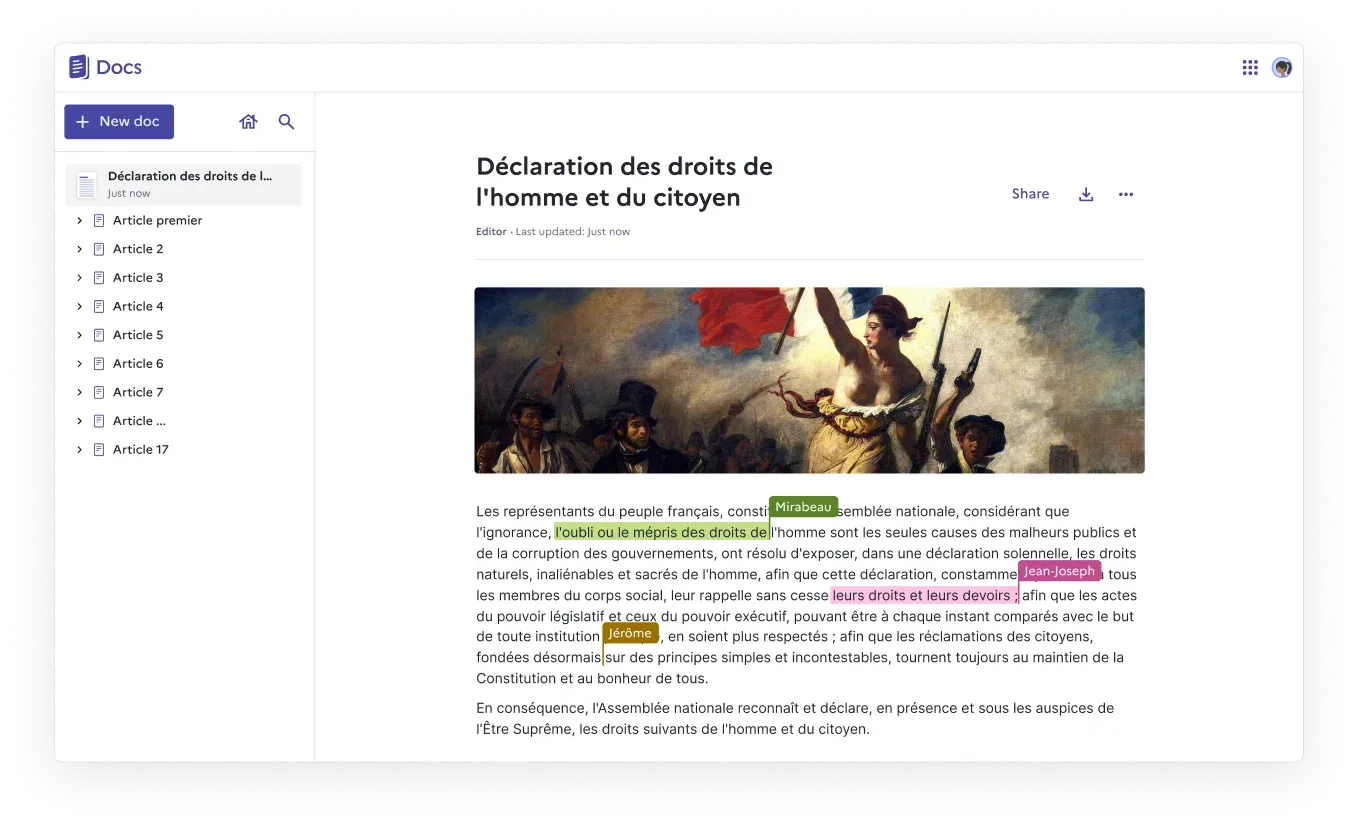
Editor view with a parent document and its sub-documents in the sidebar, Share and download buttons, and live cursors from three collaborators. Official image from the Docs website.
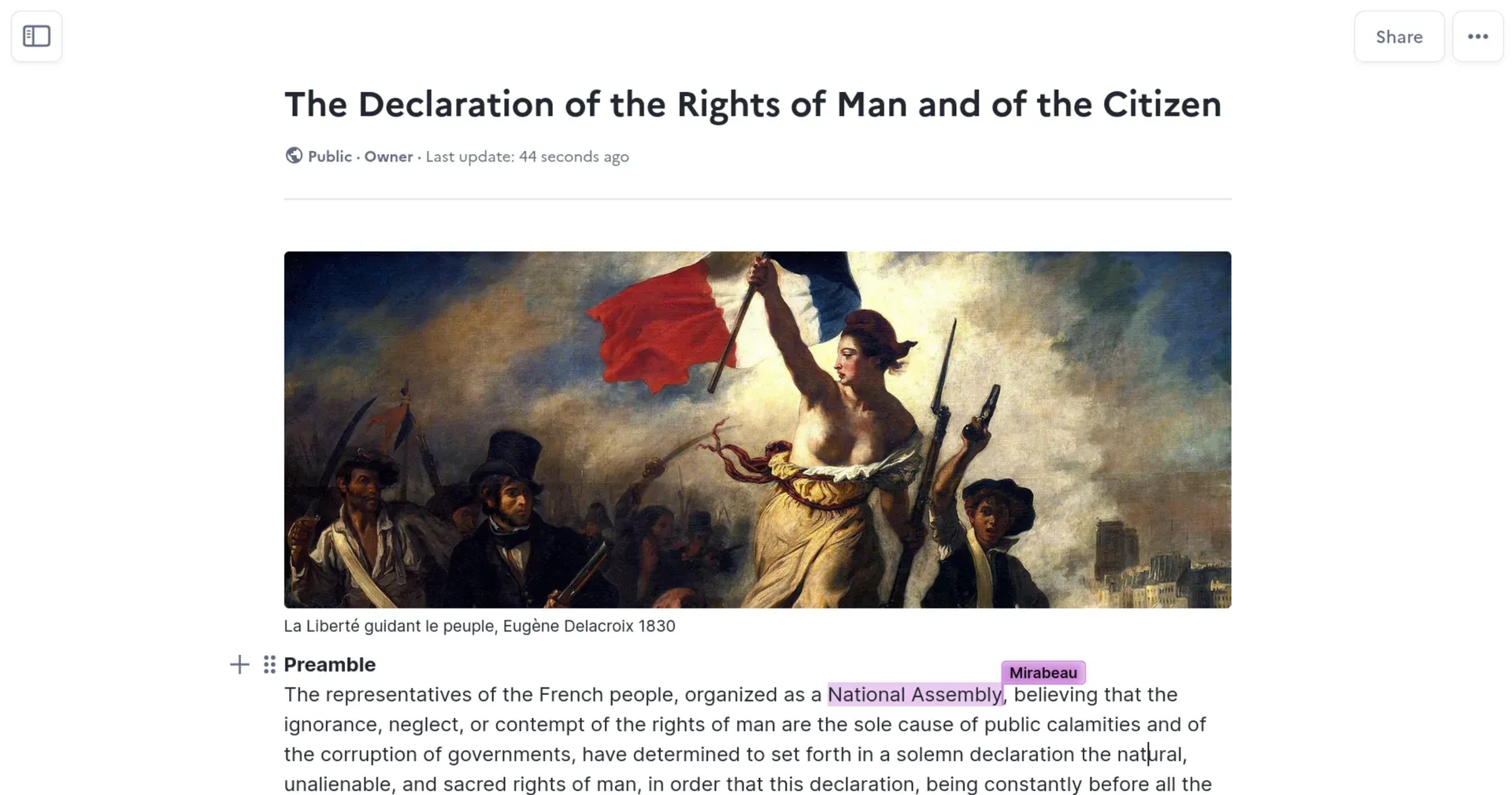
A public document owned by the viewer, with an image block and caption, block handles beside the Preamble heading and a collaborator's highlighted selection. Official README screenshot.
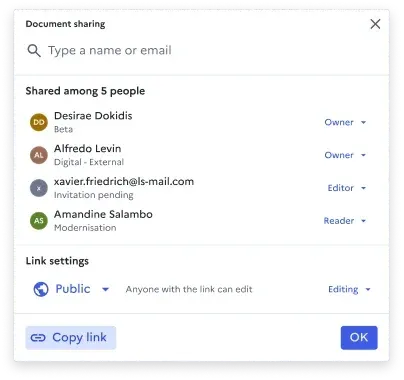
Document sharing dialog: member roles, a pending email invitation, and link settings where anyone with the link can edit. Official image from the Docs website.
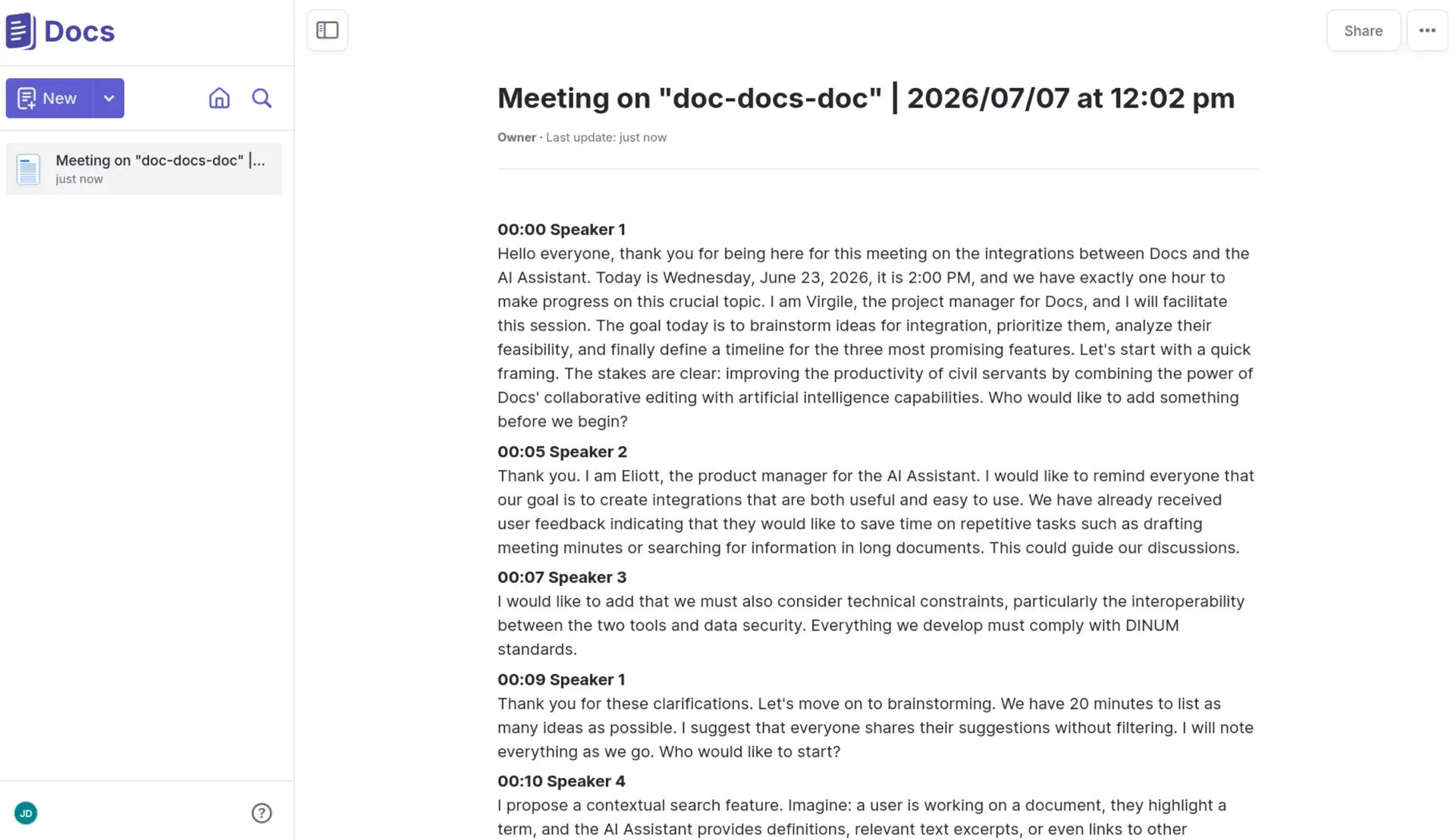
A meeting transcript delivered into Docs through the server-to-server API, as used by La Suite Meet. Official README screenshot.
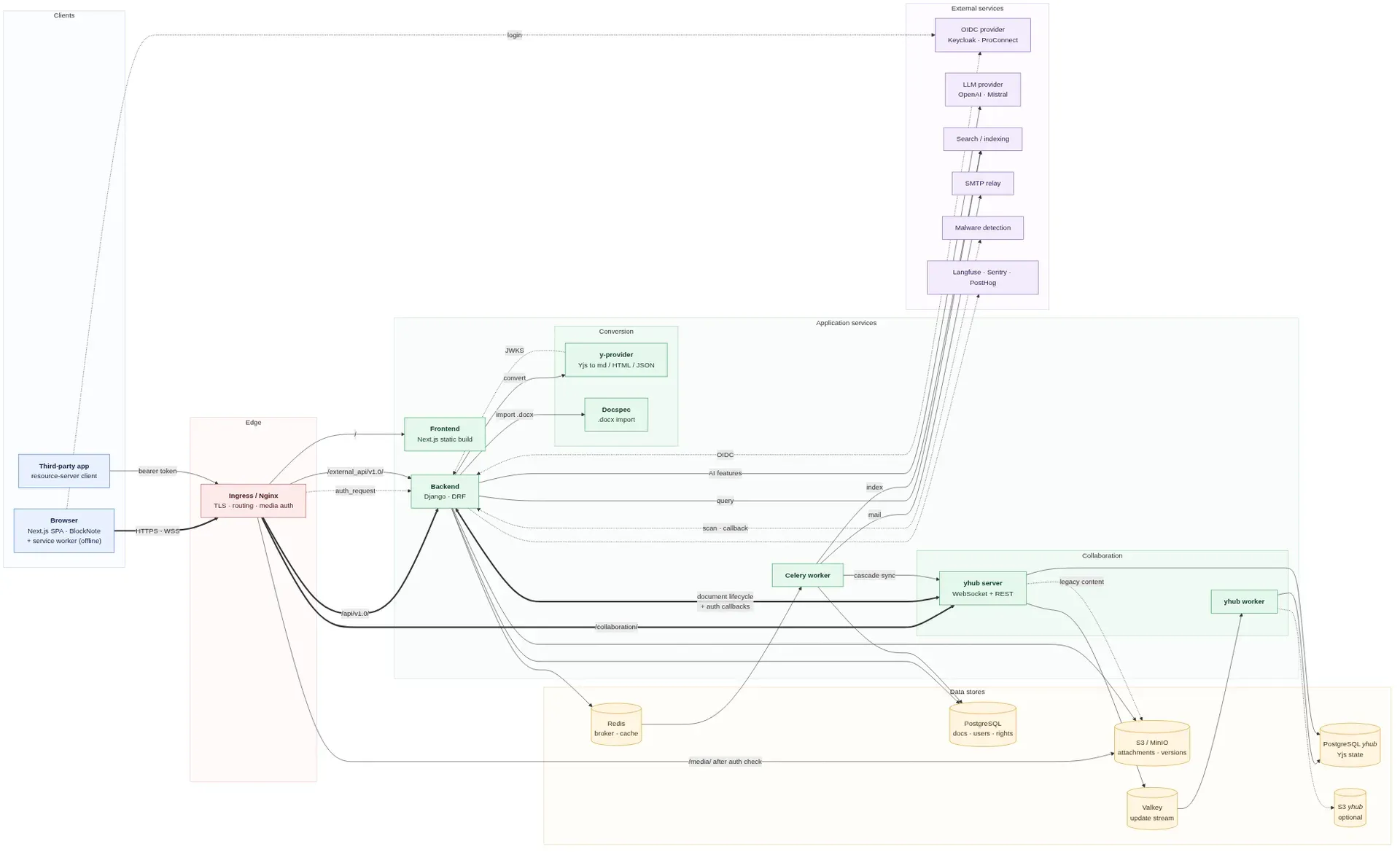
Official service map from the architecture guide: ingress routing, the Django backend, yhub collaboration server, converters, PostgreSQL, Redis, Valkey, S3 and optional OIDC, LLM, search and malware services.
Source: official La Suite Docs project page.
Key capabilities
- Block-based editor with Markdown shortcuts Pages are built from BlockNote blocks: headings, lists, tables, columns, collapsible sections, callouts, code, images and other media, inserted through slash commands or Markdown syntax. Release 5.6.0 added math and diagram blocks, find and replace, a word count in the document header and a link to any individual block. Since 6.0.2 the heading menu offers levels 1 to 3 only.
- Real-time co-editing Several people edit the same document with live cursors and presence labels, merged by Yjs so concurrent changes do not overwrite each other. The yhub collaboration server persists the merged state and can be split into server and worker processes that scale separately, without sticky sessions on the WebSocket ingress. When a WebSocket cannot be opened, the frontend falls back to HTTP polling.
- Offline copy in the browser Since 6.0.0 the frontend keeps a local copy of documents through a service worker, so they open and remain editable without a connection and sync when it returns. This is browser storage on the device that opened the document, not an offline desktop client. Login and logout stay out of the service worker cache.
- Sub-documents and a document tree Any document can hold nested sub-documents, shown as a tree in the side panel, which turns a set of pages into a wiki or handbook. Sub-documents inherit the accesses of their ancestors, and permission changes cascade down the tree through background tasks. Pasted links to other documents become interlinks, and documents can be duplicated together with their children.
- Sharing roles and link reach Each document has members with roles such as owner, editor and reader, plus email invitations for people without an account yet. Link settings control whether the document is restricted to members, open to authenticated users or public, and whether the link grants reading or editing. Comments with threads and @ mentions, which send an email notification, support review without edit rights.
- Version history and trash Saved states form a version history that can be browsed and restored, and 6.0.0 added a readable editing history served by yhub. Deleted documents go to a trash bin and are kept for 30 days by default (
TRASHBIN_CUTOFF_DAYS). Version history from older releases stays in the S3 bucket, which must keep versioning enabled. - Import and export Users import .docx and Markdown files and export to .docx, .odt and PDF, with a Markdown download added in 6.0.0. The API returns a document as JSON, HTML or Markdown through the
formatted-contentendpoint. The .docx import needs the separate Docspec service, and conversion uploads are limited to 20 MB by default. The format conversion guide covers the setup. - Presentation mode A document can be shown as slides, split on a
---delimiter, in full screen with keyboard navigation and a shareable presentation link. A presentation can start from a chosen block, and since 5.6.1 presenter slides export as PDF. - Optional AI writing actions Administrators can enable AI actions to rewrite, summarize, translate and fix typos, using any OpenAI-compatible endpoint or Mistral with an API key and URL. AI is off by default (
AI_FEATURE_ENABLED=false) and, when enabled, limited to authenticated users unless configured otherwise. A second, beta mode based on BlockNote AI adds a prompt toolbar and an AI cursor that edits like a collaborator. LLM calls can be traced with Langfuse. - Search and Find integration Without extra services, search covers document titles. Full-text and hybrid search come from Find, a separate La Suite indexing service built on OpenSearch, which Celery feeds on every document or access change. The search guide lists the settings and the feature flags that switch users between title, full-text and hybrid search.
- Protected attachments Uploaded files go through the backend to a private S3 bucket and are served only after an Nginx
auth_requestcheck against the reader's document access. The default size limit is 10 MB per file. A malware detection backend from django-lasuite can scan uploads; the default backend is a dummy, so scanning must be configured explicitly. - OpenID Connect login End users sign in through an OpenID Connect provider rather than local passwords, with Keycloak in development and ProConnect on French government instances. Any compliant provider can be used. Duplicate accounts that share an email address can be merged, and documents transferred between users, from the Django admin since 6.0.3.
- Resource server and service APIs With
OIDC_RESOURCE_SERVER_ENABLED, other applications call/external_api/v1.0/with OIDC access tokens. By default only document list, retrieve, create and children actions and the current-user call are exposed; theEXTERNAL_APIsetting allows more. Trusted services can also create documents for a user through server-to-server tokens, which La Suite Meet uses to deliver meeting transcripts. The resource server guide notes that this API may still change. - Interface languages and theming The interface ships in English, French, German, Dutch and Spanish, and
DJANGO_LANGUAGESnarrows or extends the list. Translations are managed on Crowdin. A theme file, a frontend theme setting and an external CSS URL adjust colors, footer and the La Suite application menu for a given organization. - Kubernetes deployment with Helm The maintainers run Docs in production only on Kubernetes and offer advanced support only for that method. The Helm chart from
https://suitenumerique.github.io/docs/deploys the frontend, backend with Celery, yhub and y-provider, plus jobs for Django migrations and the yhub schema. PostgreSQL, Redis, an S3 bucket and an OIDC provider must exist already; the Kubernetes guide shows example charts for each. - Docker Compose deployment An example
compose.yamlruns thelasuite/impress-backend,impress-frontend,impress-yhubandimpress-y-providerimages with PostgreSQL 16 (two databases), Redis and a separate Valkey. A domain, an OIDC provider and S3 storage are still required, with Keycloak and MinIO examples provided. The maintainers call this method experimental and do not use it in production. - Other installation routes Docs can run on Scalingo through a buildpack, which does not start the collaboration server, and on the Clever Cloud marketplace. Community packages exist for YunoHost, Coop-Cloud, Nix (marked unstable) and Podman (experimental), without maintainer support. The installation overview lists them all.
- Operations tooling The backend and yhub expose opt-in Prometheus metrics behind a bearer token, the Helm chart can create ServiceMonitors and PodMonitors, and errors can go to Sentry. Release 6.0.0 added k6 load-test scenarios, browser canaries and Grafana dashboards. A per-instance setting can ask search engines not to index public documents.
Where La Suite Docs fits
Running a team wiki or handbook
Create a top-level document per team or topic and nest procedures, meeting notes and FAQs as sub-documents. Because children inherit the parent's accesses, set membership and link reach on the parent first, then grant extra rights only where a page needs them. Check that a reader added at the top can open every child, and that a page meant to be public is not under a restricted parent you forgot to open.
Drafting and reviewing documents together
Write in one shared document instead of passing files around, and invite reviewers as readers or commenters so they leave threaded comments instead of edits. Mentions with @ notify the named person by email. Before the final version, use version history to compare with an earlier state, then export to .docx, .odt or PDF for recipients outside the instance. Open the export in the target application to confirm tables, columns and images survived the conversion.
Replacing a hosted editor in a public administration
Docs was built for public sector use, and DINUM, ANCT and ZenDiS operate instances for their agents. Plan the identity provider first, since every user signs in through OpenID Connect, then the S3 bucket with versioning and the two PostgreSQL databases. Import existing .docx and Markdown files through Docspec and y-provider, and test a sample of real documents before announcing the move. Note that .odt import is still on the roadmap.
Turning meeting transcripts and app output into documents
Other services can create documents on a user's behalf: La Suite Meet pushes meeting transcripts with a server-to-server token, and OIDC-authenticated applications can create documents from Markdown through the resource server API. Allow only the API actions each integration needs in EXTERNAL_API, and confirm that the created document lands with the right owner and access level.
Presenting from the same document
Split a document into slides with --- separators and present it in full screen or through a presentation link, so the notes and the deck stay in one place. Export the slides as PDF when attendees need a file. Check how long blocks, images and interlinks render in slide mode before a live session.
Adding AI help under your own provider
Enable the AI actions only after choosing a model endpoint whose data processing terms suit your documents, since selected text and, in the beta mode, document context are sent to it. Keep AI_ALLOW_REACH_FROM at authenticated or restricted, trace calls with Langfuse if you need an audit trail, and try summarize and translate on a non-sensitive document first.
Reviews of La Suite Docs
Be the first to share your experience with La Suite Docs.
Write a review
Loading review form…
Alternatives to La Suite Docs
 OutlineOutline is a team wiki by General Outline, Inc. with realtime collaborative Markdown editing, collections, search with AI answers, an MCP server and an API. It runs as a paid cloud service or self-hosted under the Business Source License 1.1.
 NotionNotion is a hosted workspace from Notion Labs, Inc. for documents, wikis, databases and projects, with Notion Agent, Custom Agents, an MCP server, a REST API, desktop apps for macOS and Windows, and mobile apps for iOS and Android.AAFFiNEAFFiNE is an open-source, local-first workspace that merges documents, an edgeless whiteboard and databases as an alternative to Notion and Miro.