

What is Faved?
Faved is a bookmark manager built around nested tags, aimed at large collections and fast everyday use. The open-source edition is a self-hosted web application written with a PHP 8 backend, SQLite storage and a React, TypeScript, Tailwind and Shadcn UI frontend served by Apache. It is published under the MIT license, and the README states that data is stored locally and that the self-hosted version has no external dependencies.
The same project also has a hosted product, Faved Cloud, at app.faved.to. According to the website, record types, custom fields and AI-based Extract are Faved Cloud features today, while the classic bookmark manager stays free to self-host. This listing therefore separates the two: the MIT-licensed repository on one side, and a paid cloud service with a 14-day trial on the other.
Docker is the recommended and, at the moment, the only official installation method. The installation guide offers a quick path with docker run and a named volume, and an advanced path with a Compose file for servers, SSL and updates with minimal downtime. The first visit asks you to create the database. Faved can be installed on a phone or desktop as a PWA, and saves arrive through a Chrome extension, a bookmarklet or Apple Shortcuts.
The latest release is v2.10.1, published on October 26, 2026. It is a security-only update to the Docker base image, PHP 8.5.12, addressing two critical PHP vulnerabilities disclosed on October 21, 2026, and the release notes advise Docker users to update immediately. The previous release, v2.10.0, added SSRF protection for server-side URL fetching, safer image handling and stricter ID validation.
Faved is a bookmark and link library. It is not an offline article reader, an annotation tool or a note-taking workspace. The documentation covers installation, updating, PWA setup, the bookmarklet, the Apple Shortcut, adding and editing bookmarks, importing, tags, search and bulk actions, and a public live demo lets you try the interface before installing anything.
Faved screenshots
Explore the interface. Open a screenshot to view it at full size.
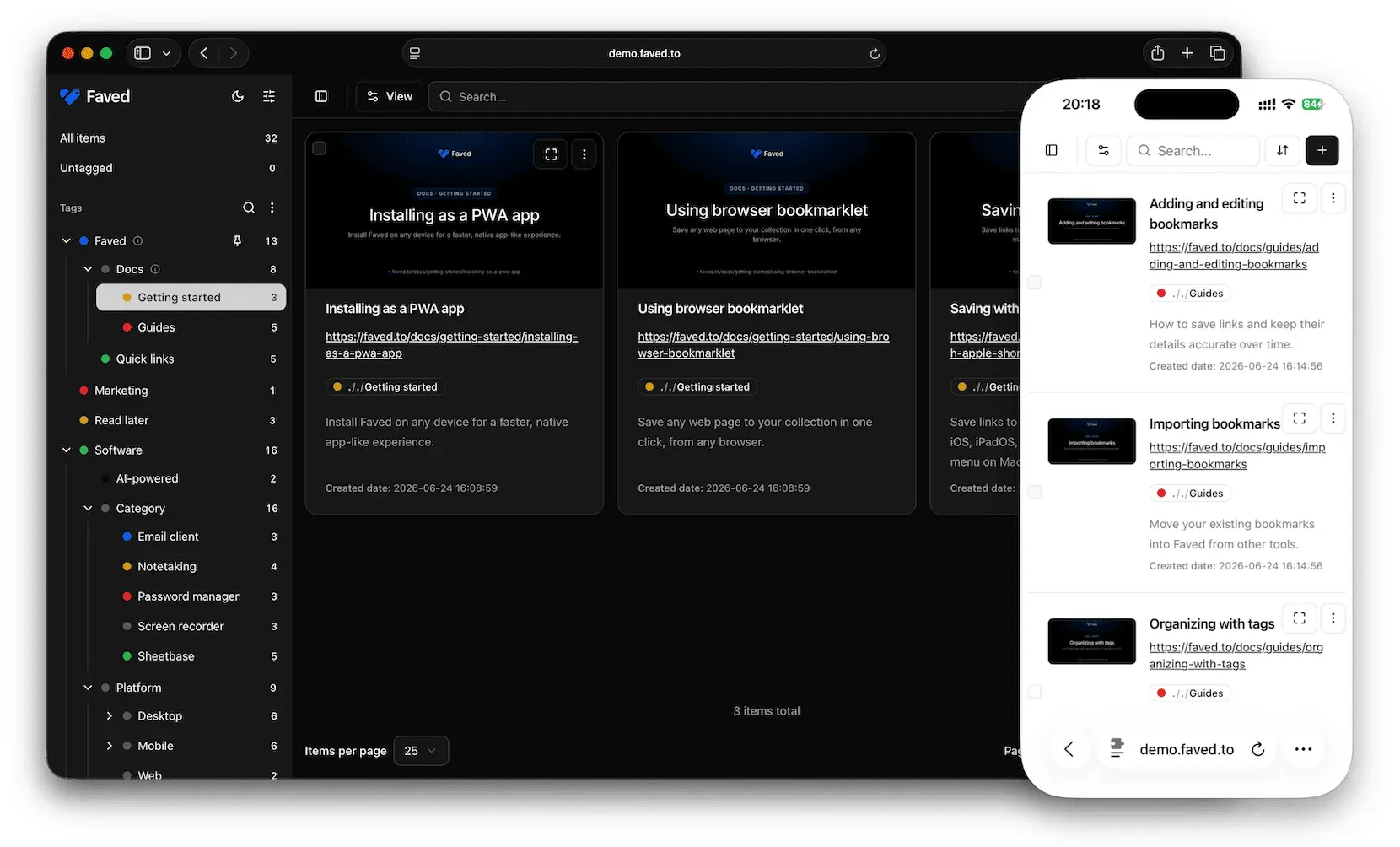
Official screenshot: card layout with a nested tag sidebar on desktop, plus the list layout on a phone.
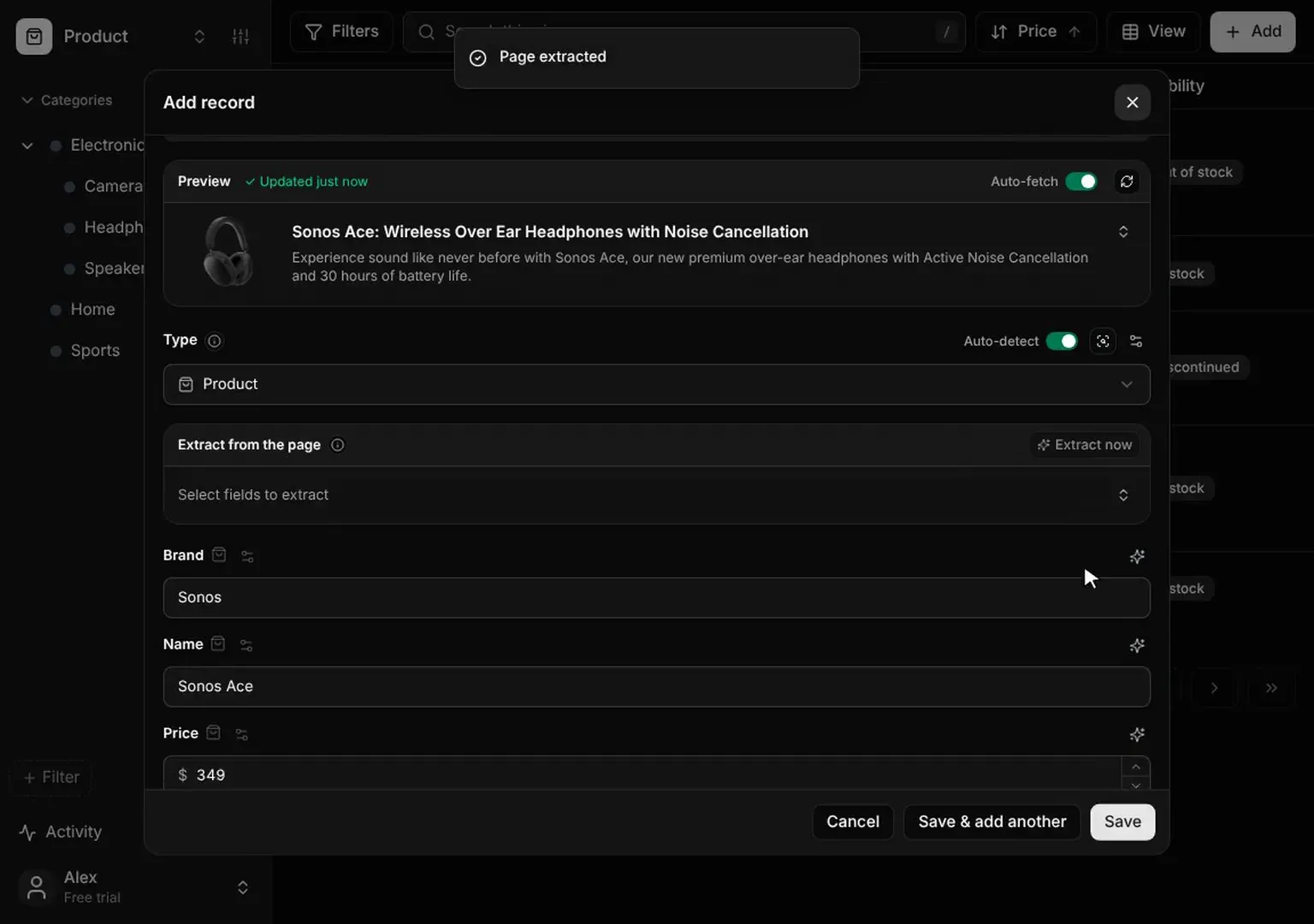
Frame from the official Faved Cloud product video: a record with fields filled from a page. Faved Cloud feature, not in the self-hosted edition.
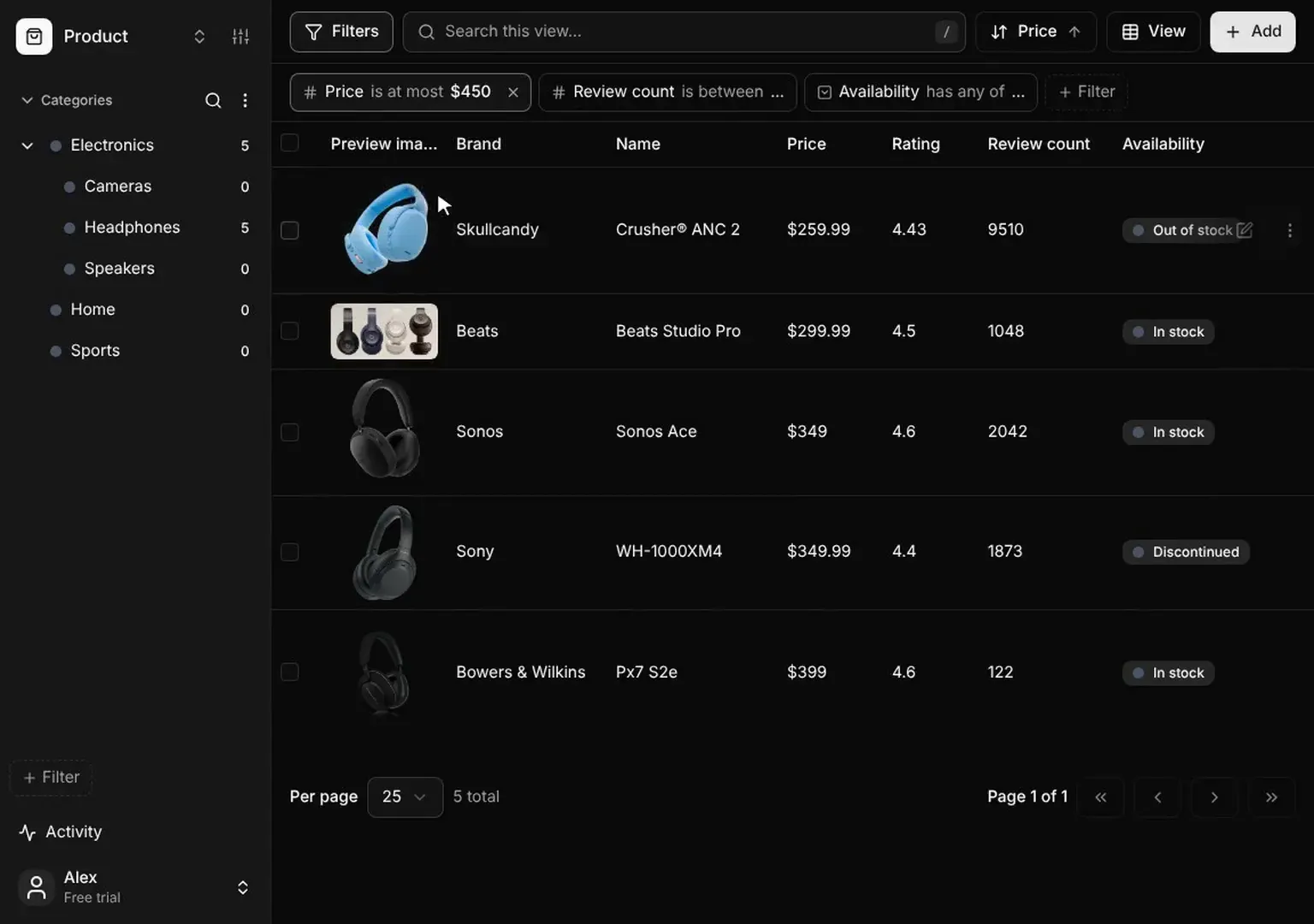
Frame from the official Faved Cloud product video: table view filtered by price, review count and availability. Faved Cloud feature.
Source: official Faved project page.
Key capabilities
- Nested tags Tags can be nested to any depth, for example Go and Python under Programming Languages and then Backend, so a folder structure becomes a tag tree. Tags support colors and descriptions, can be searched and filtered from the sidebar and pinned for quick access. An optional rollup includes items from child tags.
- Automatic metadata fetching When you add a link, Faved fetches the title, description and preview image. Since 2.10.0 the server validates destinations and blocks requests to internal, private, loopback and cloud-metadata addresses, which affects what you can bookmark on a private network.
- Duplicate detection Adding a URL that is already saved shows a warning before a second copy is created, which helps with large imports from several browsers.
- One-click actions without leaving the page Search, filtering, editing and tag management sit in one interface instead of separate screens. Bulk actions can delete, refetch metadata or tag several items at once.
- Layouts and sorting Items can be shown as cards, a list or a table, with configurable fields and sidebar. Search is instant and sorting is flexible. Test the table view on a large import to see whether it fits your habits.
- Responsive and installable The interface adapts to mobile, tablet and desktop and follows the system light or dark mode. It can be installed as a PWA, documented in the PWA guide. This is not a native iOS or Android application.
- Chrome extension A Chrome extension from the Chrome Web Store saves the current page. Check that your Faved instance is reachable from the browser, including over HTTPS if you host it on a public domain.
- Browser bookmarklet A lightweight bookmarklet works in any browser without an extension and saves to your instance. It is a practical option on browsers where the extension is not available, as described in the bookmarklet guide.
- Apple Shortcuts A shortcut adds Faved to the share sheet on iOS, iPadOS and macOS, so pages can be saved from Safari and other apps.
- Browser import Bookmarks can be imported from Chrome, Safari, Firefox and Edge with the original folder structure preserved as nested tags. Review the resulting tag tree after a large import and merge duplicates.
- Migration from other services Imports from Raindrop.io and Pocket keep collections, tags and other data, according to the README. Pocket and Raindrop export formats can change, so test with a small file first.
- SQLite storage and Docker volume All data lives in the application storage directory, mounted as a volume in the quick install. Back up that volume regularly, and keep the database out of reach of public web access.
- Updates The updating guide explains how to pull a new image. Release 2.10.1 shows why: a runtime vulnerability fix is only delivered once the container is rebuilt on the patched base image.
- Faved Cloud types, fields and Extract In the hosted product, a bookmark becomes a typed record with fields such as price or brand. AI Extract reads the page and fills them in, with presets for product, article, recipe, job posting, real estate and event. These features are not part of the self-hosted edition.
- Faved Cloud plans The website lists Basic at $4 per month billed yearly ($48) and Plus at $16 per month billed yearly ($192), each with a 14-day trial and a monthly allowance of AI credits. A Team plan has custom pricing. Check the website for current terms.
Where Faved fits
Replacing a browser bookmark bar with a searchable library
Import your browser bookmarks, let Faved keep the folder structure as nested tags, then search and filter by tag. Spend an hour cleaning the tag tree before relying on it, and use the duplicate detection to find repeated links. The importing guide lists the supported sources.
Migrating from Raindrop.io or Pocket
Export your data from the old service, import it into a test instance and compare counts of items and tags. Check that notes and collections arrived as expected before deleting anything at the source. Keep the original export file as a backup.
Running a private bookmark server at home or on a VPS
Use the Compose file from the official repository, place it behind HTTPS and back up the storage volume. Because the server fetches pages for metadata, review where it runs and what network it can reach, as release 2.10.0 added SSRF protection for exactly this reason.
Saving from phones and tablets
Install Faved as a PWA, add the Apple Shortcut on iOS or iPadOS and test saving from the share sheet. On Android and other browsers use the PWA together with the bookmarklet. Confirm that login persists as you expect on your device.
Organizing research with tags and bulk actions
Use nested tags for topics, pin the tags you use daily and apply bulk tagging after an import or a research session. Compare card, list and table layouts on a real collection to see which suits scanning.
Turning pages into structured records in Faved Cloud
For comparing products, jobs or recipes, create a type with fields and use Extract to fill them. Check the extracted values against the source page, since AI extraction can misread a page, and watch your monthly credit allowance. Top-ups are listed at $5 for 100 credits and $20 for 500, and fetching metadata, content, screenshots and summaries does not consume credits.
Install
docker run -d --name faved -p 8080:80 -v faved-data:/var/www/html/storage denho/favedReviews of Faved
Be the first to share your experience with Faved.
Write a review
Loading review form…
Alternatives to Faved
 LinkwardenOpen-source collaborative bookmark manager under AGPL-3.0. It preserves every saved page in several formats, adds highlights, shared collections, RSS, full-text search and mobile apps, and runs self-hosted with Docker or as a paid Cloud plan.
 MemosMemos is an MIT-licensed, self-hosted note-taking server written in Go. Short Markdown memos land on a dated timeline with tags, Views, Spaces and per-memo visibility, stored in SQLite, MySQL or PostgreSQL on your own host.