

What is Fumadocs?
Fumadocs (pronounced "foo-ma docs") is an open-source documentation framework for React frameworks and Astro. It is distributed as npm packages rather than a hosted service: you add it to a Next.js, React Router, TanStack Start, Waku or Astro application, write pages in Markdown or MDX, and the site builds and deploys like the rest of your application. The project introduction describes it as a framework you can break: less configuration file, more code that you own and can change.
The project is organised in layers. Fumadocs Core handles document search, content-source adapters, the page tree, table of contents and Markdown extensions. Fumadocs UI is the default theme, with layouts and interactive components. A content source supplies the pages, usually Fumadocs MDX, but also Astro content collections, Content Collections, local Markdown or HTML, remote MDX, Notion, Obsidian, Sanity and others. A CLI installs UI components into your repository so that you can edit them, in the style of shadcn/ui. The layout documentation lists Docs, Notebook, Flux, Glass, Spacious and Home layouts.
The README states that all packages are ESM only, and the quick start requires Node.js 22 or newer. The repository is a pnpm and Turborepo monorepo with packages such as core, ui, mdx, openapi, cli, create-fumadocs-app, obsidian, notion, sanity, content-collections, twoslash, python, epub and astro, each released with its own version. On November 6, 2026 the project published the create-fumadocs-app and CLI package version 16.2.30, with core at 16.18.1 and Fumadocs MDX at 15.5.0 the day before.
The license is MIT. The comparison page positions Fumadocs against Nextra, Docusaurus and Mintlify, and the quick start also mentions Fumapress, a separate site generator built on top for people who prefer more defaults and less code. This profile is based on repository and documentation text.
Fumadocs screenshots
Explore the interface. Open a screenshot to view it at full size.
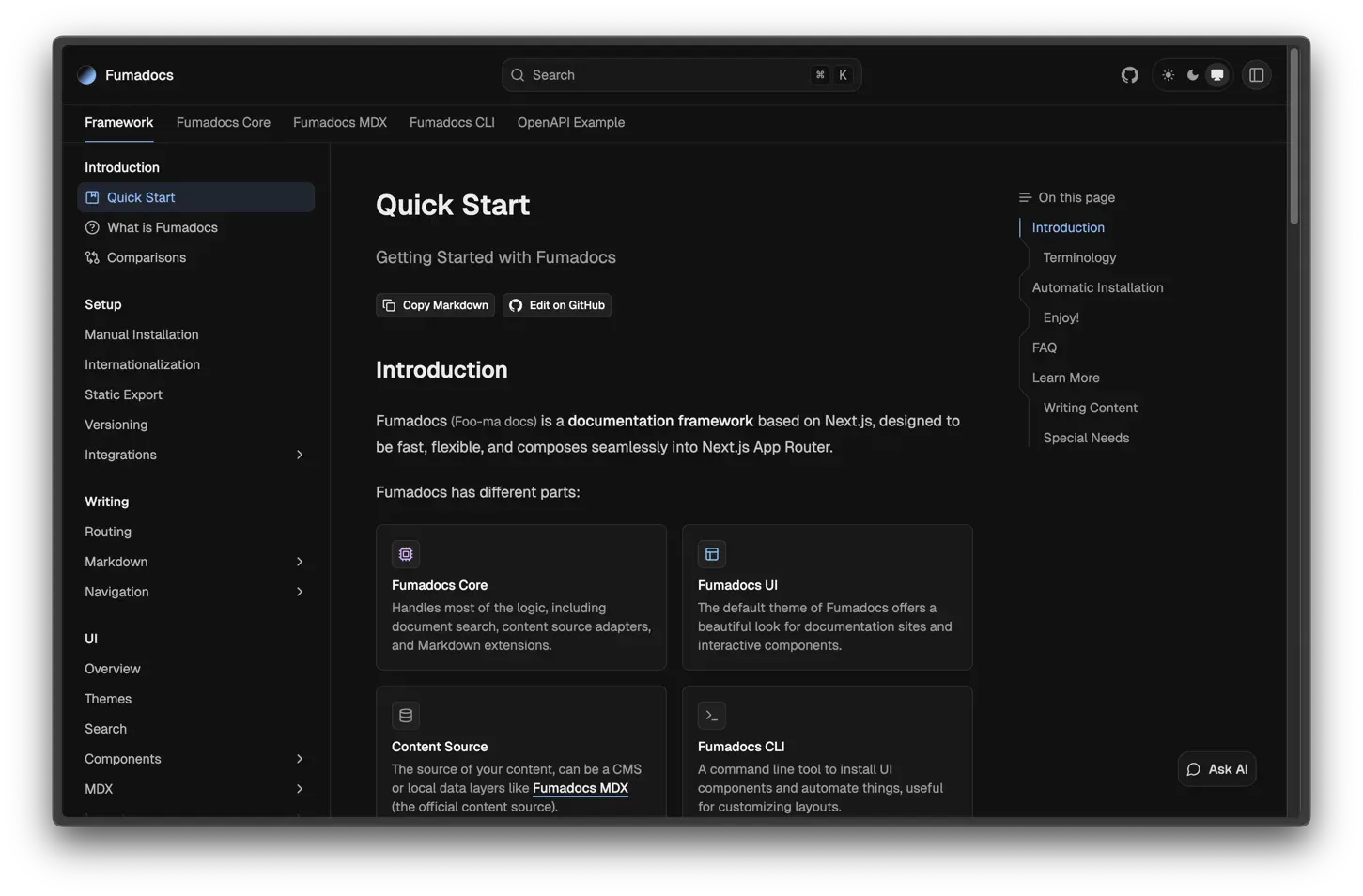
Official docs figure of the notebook layout showing navigation tabs, sidebar, search and On this page outline.
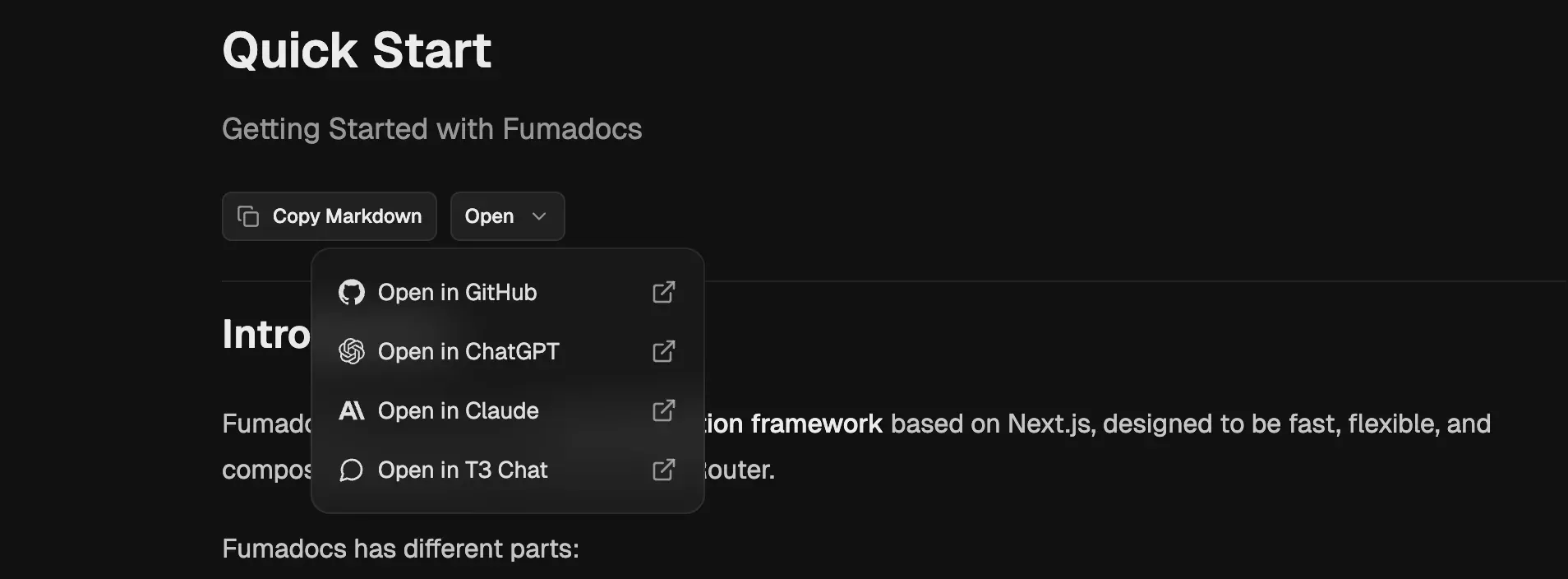
Official docs figure of the Copy Markdown and Open menu on a documentation page.
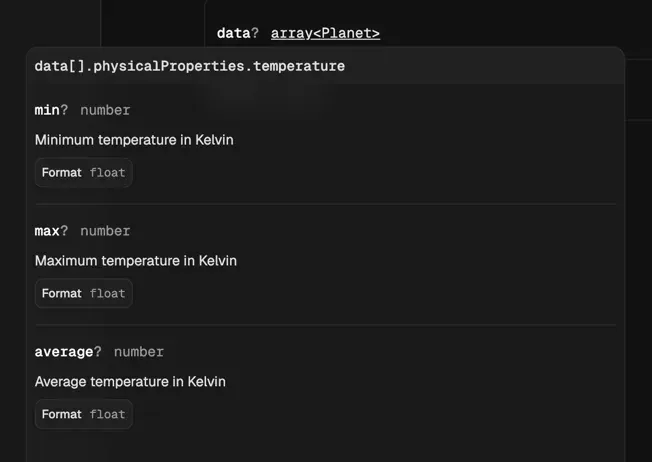
Official release figure of generated OpenAPI documentation rendering schema properties with types and formats.
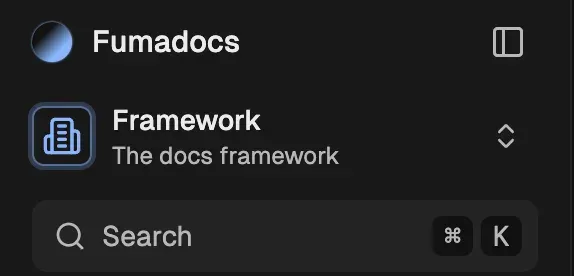
Official docs figure of sidebar tabs for switching documentation sections.
Source: official Fumadocs project page.
Key capabilities
- Automatic project creation Running npm create fumadocs-app asks for a framework (Next.js, React Router, TanStack Start, Waku or Astro) and a content source, then creates a site with LLM integration and dynamic metadata images configured by default. Node.js 22 or newer is required, according to the quick start.
- Manual installation into an existing app Guides for Next.js, React Router, TanStack Start, Waku and Astro show how to add the packages, configure the source and wire up layouts in a project you already have. This is the intended route for adding docs to a product site.
- Fumadocs Core The headless library provides the loader API, the page tree, breadcrumb, link and table of contents components, last-edit time from Git, Markdown rendering utilities and MDX plugins for headings, includes, images, steps and package-manager code blocks. See the core guide.
- Fumadocs UI themes and layouts The default theme supplies responsive layouts, a sidebar, a search dialog, theme switching and components such as Tabs, Accordion, Steps, Files, Banner and code blocks. The UI overview explains the structure, and the notebook layout is a more compact variant of the docs layout.
- Fumadocs MDX content source The official content source compiles local Markdown and MDX with a typed configuration file and exposes collections for the loader. Frontmatter schemas can be validated. The package is versioned separately, and a configuration file must be present in Docker builds, as the deployment page notes.
- Other content sources Pages can come from Astro content collections, Content Collections, local Markdown or HTML, remote MDX compiled on demand, Notion, Obsidian vaults, Sanity, BaseHub and Python package references. Each adapter has its own limits, so test your editorial workflow before choosing.
- Search The default search is built in and runs against an index you generate, and documented alternatives are Algolia, FlexSearch, Meilisearch, Mixedbread, Orama Cloud, Typesense and custom implementations. The search guide compares setup. External search services receive your content and may have their own pricing.
- OpenAPI, GraphQL and AsyncAPI pages The OpenAPI integration generates reference pages from an OpenAPI schema and renders them as components with a headless layer for custom UI. A standalone option builds API docs without a full docs site. GraphQL and AsyncAPI integrations follow the same pattern.
- TypeScript documentation tools Auto Type Table generates property tables from TypeScript definitions, and Twoslash adds compiler-backed hovers in code samples. Both run at build time against your own types, so documentation stays close to source.
- Markdown extensions Docs can include math equations, Mermaid diagrams, admonitions, npm install tabs, TypeScript-to-JavaScript tabs, content includes and link validation. Mermaid and math rendering add client-side code, so check bundle size.
- AI and LLM output The AI and LLMs guide covers generating llms.txt style output, exposing page Markdown, and MCP tools for docs. The default UI can show Copy Markdown and Open in GitHub, ChatGPT, Claude or T3 Chat actions, and an Ask AI dialog can be powered by Inkeep, which sends questions to a third party.
- Internationalization Per-framework i18n guides cover routing and translated UI strings for Next.js, React Router, TanStack Start, Waku and Astro. The internationalization overview explains the shared configuration and page conventions.
- Navigation and page conventions A shared page slug and page tree convention uses meta files to order sidebars, add folders and tabs, and link to other resources. Sidebar tabs and root folders allow several documentation sets, such as separate product areas or versions, in one site.
- Blog, changelog, feedback and RSS Integrations add a blog, a changelog fed from GitHub releases, a feedback widget and an RSS feed. These use the same content pipeline, so formatting and metadata stay consistent.
- Export to PDF and EPUB Guides show exporting pages as PDF and the whole documentation as EPUB for e-readers. Output depends on your content and components, so review layout, especially for interactive elements.
- Visual editor and community tools A visual editor lets you write Markdown and MDX with files as the source of truth. Community packages add page history, an AI chatbot and cookie-free analytics, listed in the docs and maintained by their own authors.
- Static export and deployment The static build outputs a fully static site hostable on a CDN. For Next.js there are notes for Docker and for Cloudflare through OpenNext, and the docs state that Fumadocs does not work on the Edge runtime.
- CLI for component ownership The Fumadocs CLI can copy UI components or layouts into your repository to customize them, and automates some setup tasks. Once copied, you maintain those files and merge upstream changes yourself.
Where Fumadocs fits
Documenting a product inside an existing Next.js app
Follow the manual installation, add a content directory, create a source loader and mount a docs layout under a route such as /docs. Verify that your authentication, analytics and shared header still work, and that the build output size matches your hosting plan. See Next.js setup.
Building API reference pages
Point the OpenAPI integration at a schema file or URL, generate pages, and review the rendered request examples and authentication descriptions. Check that large schemas build in acceptable time and that sensitive internal endpoints are not published. Re-run the generation step in CI so the pages follow the schema.
Open-source library documentation with typed examples
Use Auto Type Table and Twoslash against the library's own types, add npm install tabs, and publish a changelog from releases. Pin the Fumadocs versions in your lockfile, since core, UI and MDX are separate packages.
Making docs readable for AI assistants
Enable llms.txt and Markdown output, expose MCP tools if you want assistants to query the docs, and decide whether an on-page chat dialog is acceptable for your data policy. Test that private or draft pages do not appear in generated files, and review how often the files regenerate in your deployment.
Multilingual documentation
Configure i18n routing for your framework, translate UI strings and keep the page tree consistent across languages. Check fallback behavior when a page is missing in one language and how search handles each locale. Add a language switcher test to your release checklist so a missing translation is noticed before readers find it.
Pulling content from a CMS or notes tool
Use the Notion, Sanity or Obsidian adapters when editors do not work in Git. Confirm how images, links and callouts are converted, and plan for rate limits and preview behavior during builds. Keep a fallback copy of exported content in case the external service is unavailable at build time.
Install
npm create fumadocs-appReviews of Fumadocs
Be the first to share your experience with Fumadocs.
Write a review
Loading review form…
Related to Fumadocs
 TailwindCSSTailwind CSS is a free, open-source utility-first CSS framework for building custom designs directly in markup; Tailwind Labs joined Shopify in September 2026 while the framework stays MIT-licensed.
 DocumensoAGPL-licensed document signing platform built with TypeScript, React Router and PostgreSQL. Use Documenso Cloud or self-host it with Docker, with templates, a REST API, webhooks, embedded signing and X.509 sealed PDFs.