

What is drawDB?
drawDB is a free, open-source database schema editor and SQL generator that runs in the browser. You place tables, fields, indexes and relationships on a canvas, then export the result as DDL for MySQL, PostgreSQL, SQLite, MariaDB, Microsoft SQL Server or Oracle SQL (beta), or keep it as a dialect-neutral Generic diagram. The hosted editor at drawdb.app opens without an account, and the open-source edition keeps diagrams in the browser's IndexedDB instead of on a server.
The project lives in the drawdb-io GitHub organization, founded and maintained by the developer known as 1ilit, with community contributors and interface translations in roughly 50 languages. Next to the AGPL-3.0 editor, the organization publishes drawdb-server (a small Node.js backend for bug-report email and Gist sharing), the MIT-licensed @drawdb/mcp server and the documentation site. A commercial layer, drawDB Pro, adds accounts, cloud storage, teams, AI assistance and API access around the same editor.
The current release is v1.9.0, published November 1, 2026. Its headline feature is File, Import from database: drawDB hands you a read-only catalog query for the chosen dialect, you run it in a SQL client you already use (psql, MySQL Workbench, DBeaver or SSMS, for example) and paste the output back, and drawDB draws and auto-arranges the diagram without receiving a connection string or any row data. The same release makes subject areas own the tables inside them, so moving or hiding an area moves or hides its tables, adds a SQL headers tab for custom text at the top of every export, shows comments in the sidebar, enables horizontal touchpad panning and speeds up the canvas on large diagrams.
Technically, the editor is a React 18 application built with Vite. The canvas is an SVG surface in which tables, subject areas and notes are rendered through foreignObject elements, editor state lives in React Context providers, and persistence uses Dexie on top of IndexedDB. SQL imports are parsed into an abstract syntax tree with node-sql-parser plus a dedicated Oracle parser, and DBML is handled by @dbml/core. For self-hosting, the repository ships a two-stage Dockerfile that builds the static bundle on Node 20 and serves it from Nginx; each tagged release publishes a linux/amd64 and linux/arm64 image to ghcr.io/drawdb-io/drawdb.
Some work is deliberately out of scope. drawDB is a modeling tool, not a database client: it does not browse table data, run queries or apply migrations to a live server. Cloud sync, manual version history with generated migration SQL, public read-only links, team permissions, live collaboration, the AI schema assistant and API keys belong to the paid plans described in the drawDB Pro documentation. There is no native desktop or mobile app; the editor runs in a current desktop browser.
drawDB screenshots
Explore the interface. Open a screenshot to view it at full size.
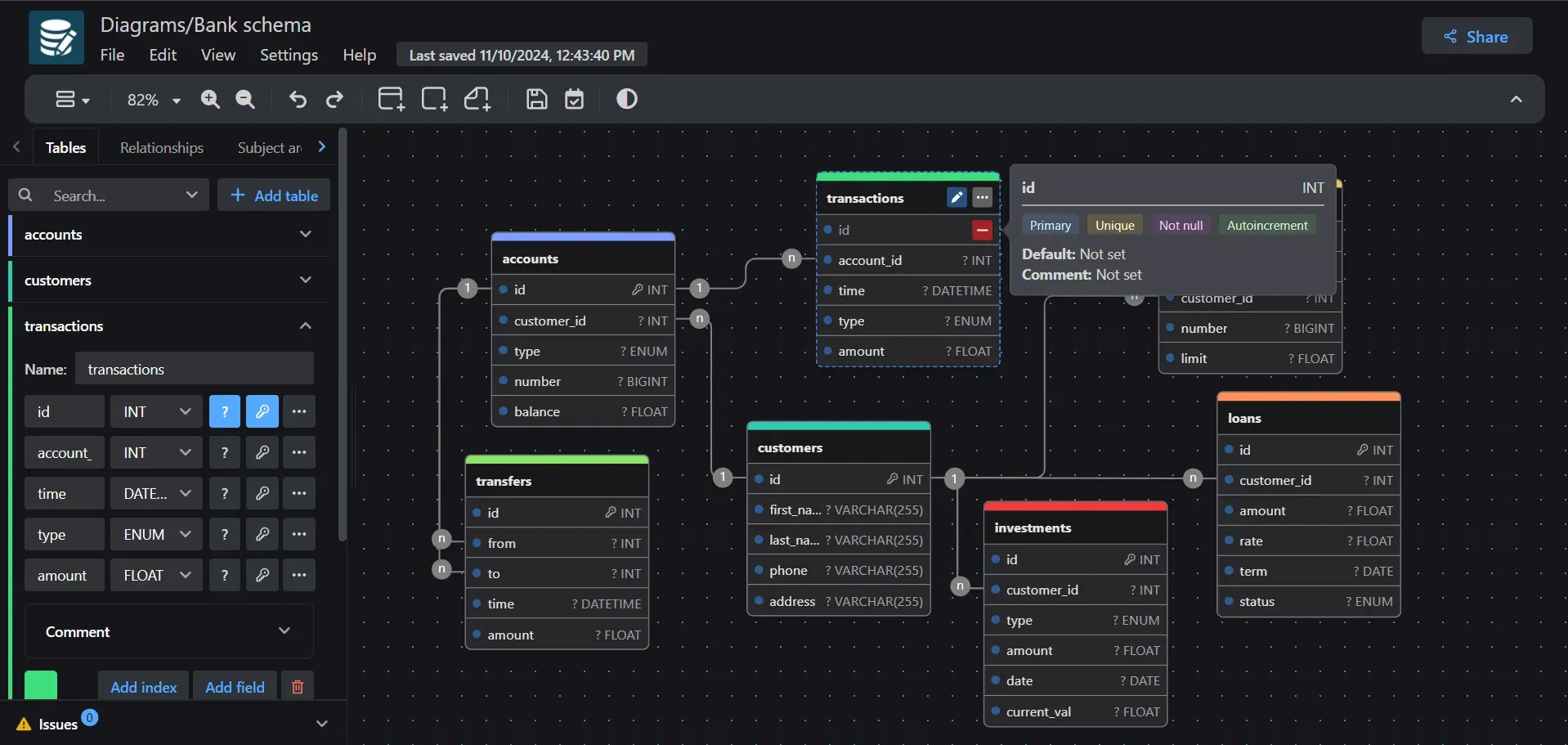
Official README screenshot: the Tables sidebar editing the transactions table, relationship lines with 1 and n cardinality markers, and a field detail popover for a primary key.
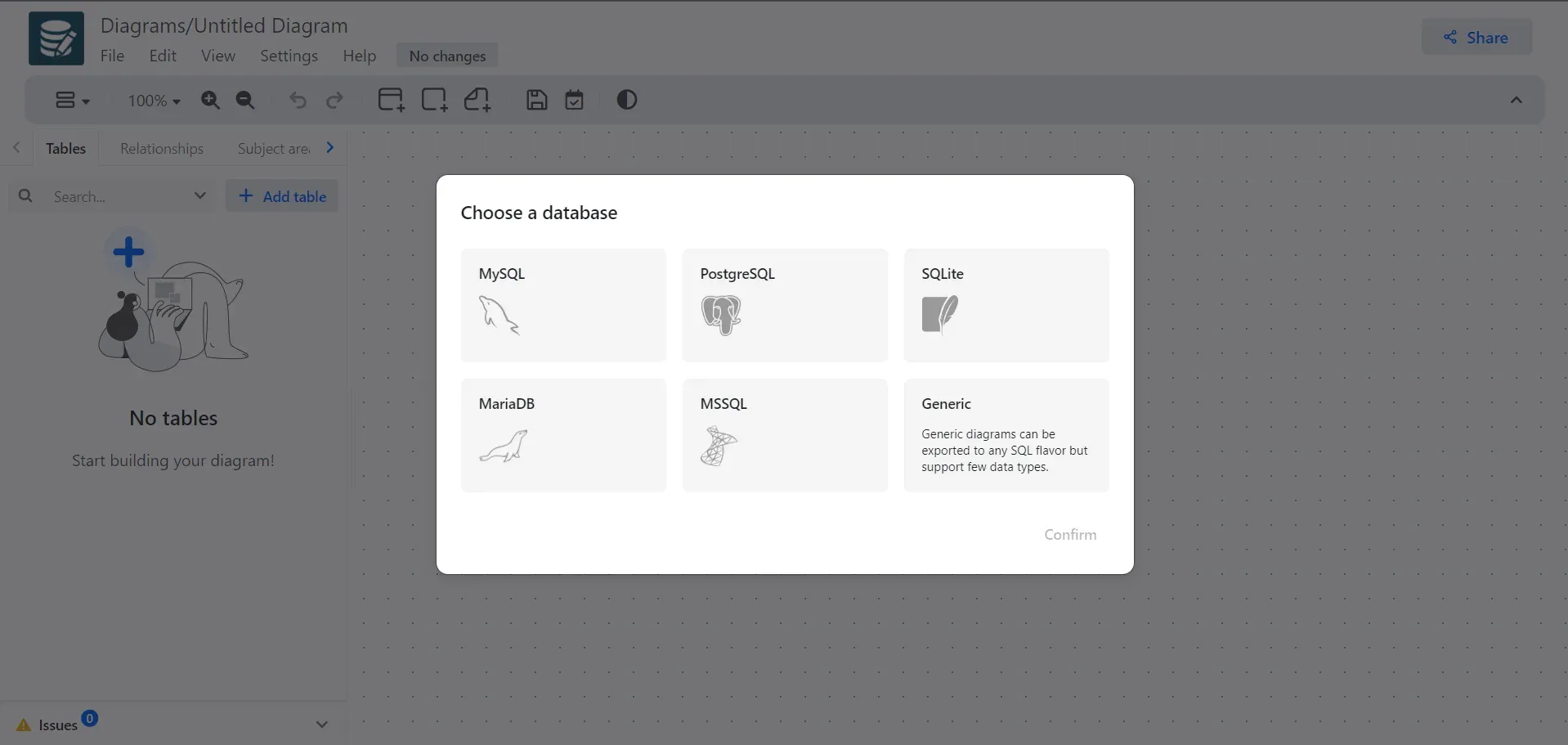
Dialect picker from the official documentation, captured from an earlier build; Oracle SQL (beta) is available in current releases but not shown here.
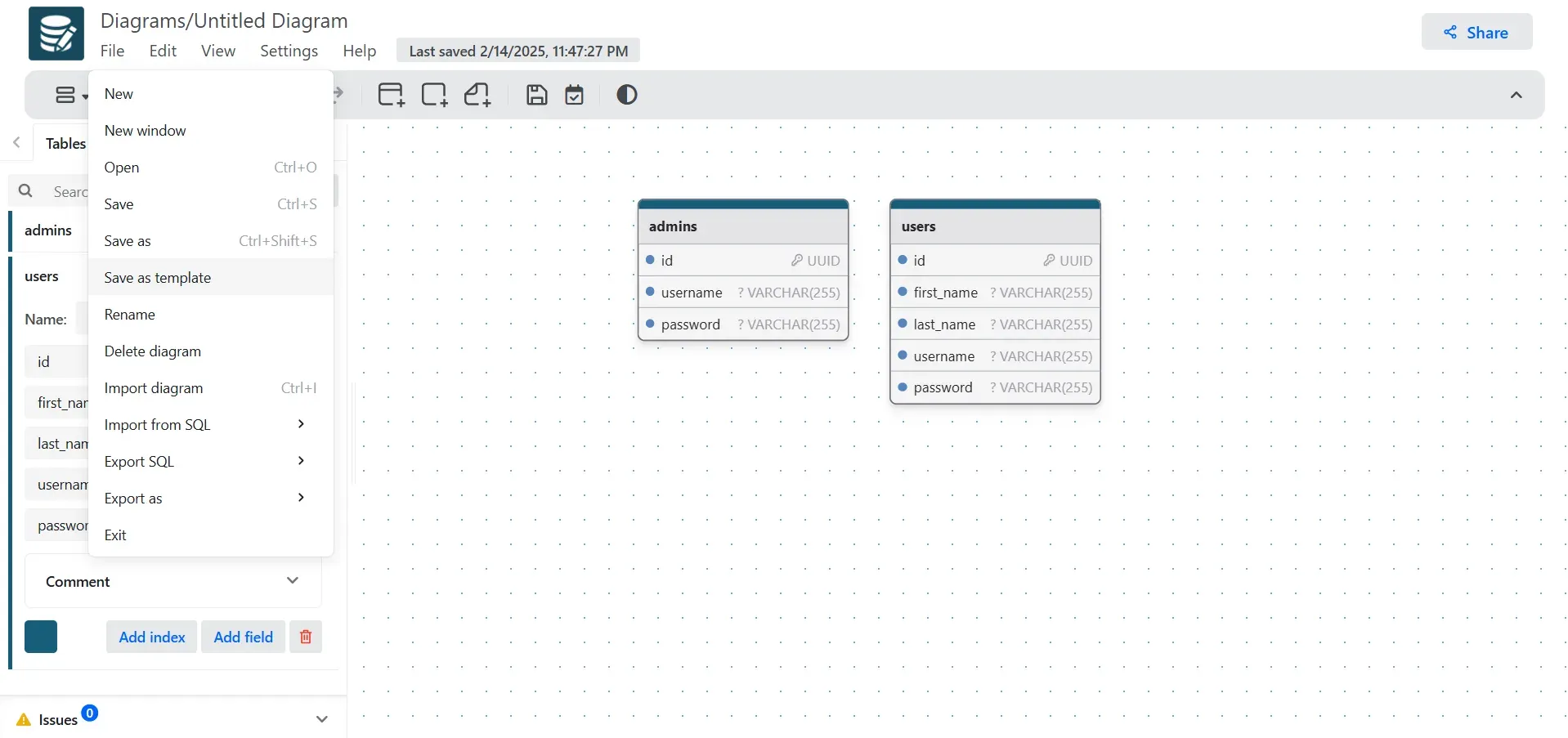
Documentation screenshot of the File menu with template, import and export commands; the Import from database entry added in v1.9.0 is not shown.
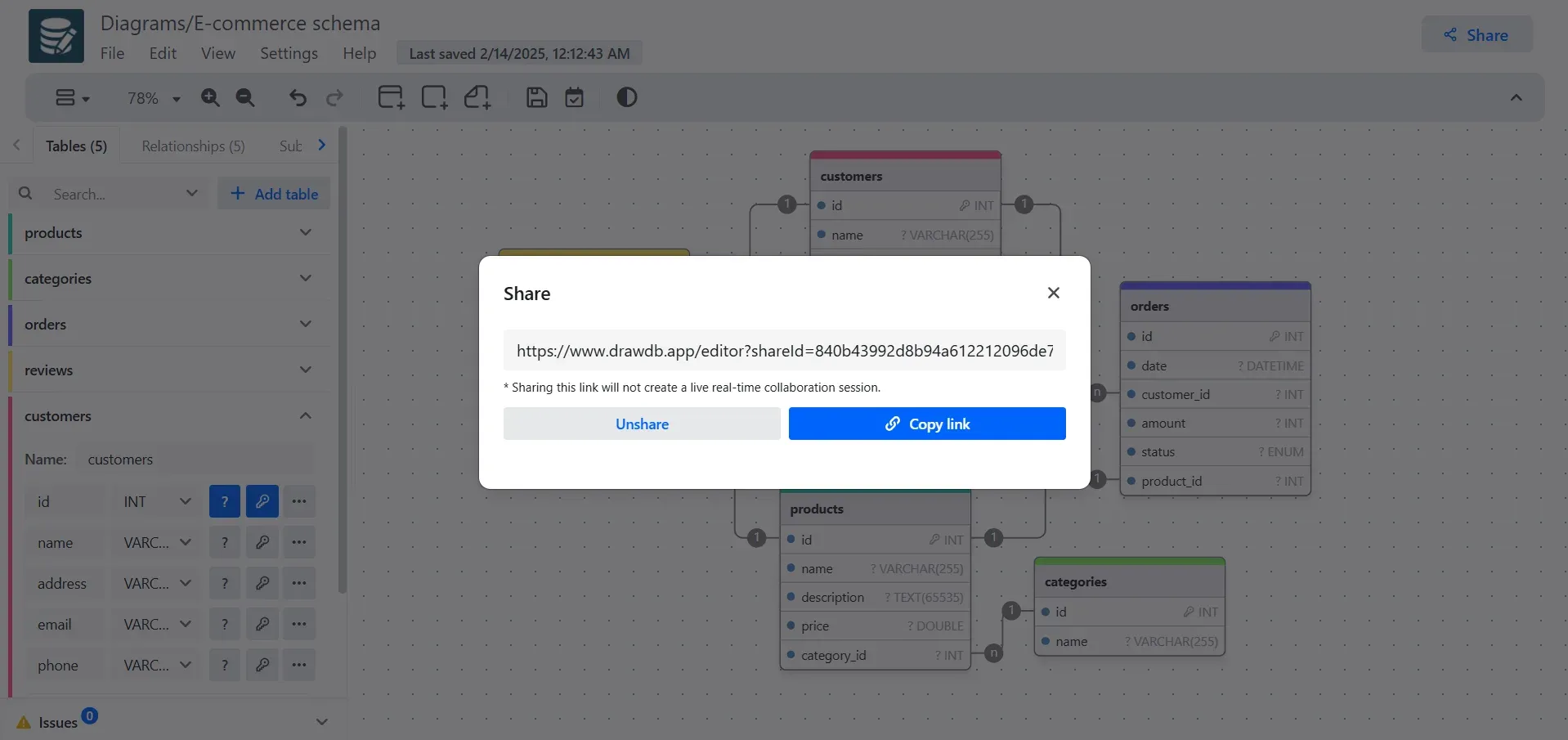
Open-source Share dialog from the documentation. The note in the dialog states that the link does not start a live collaboration session.
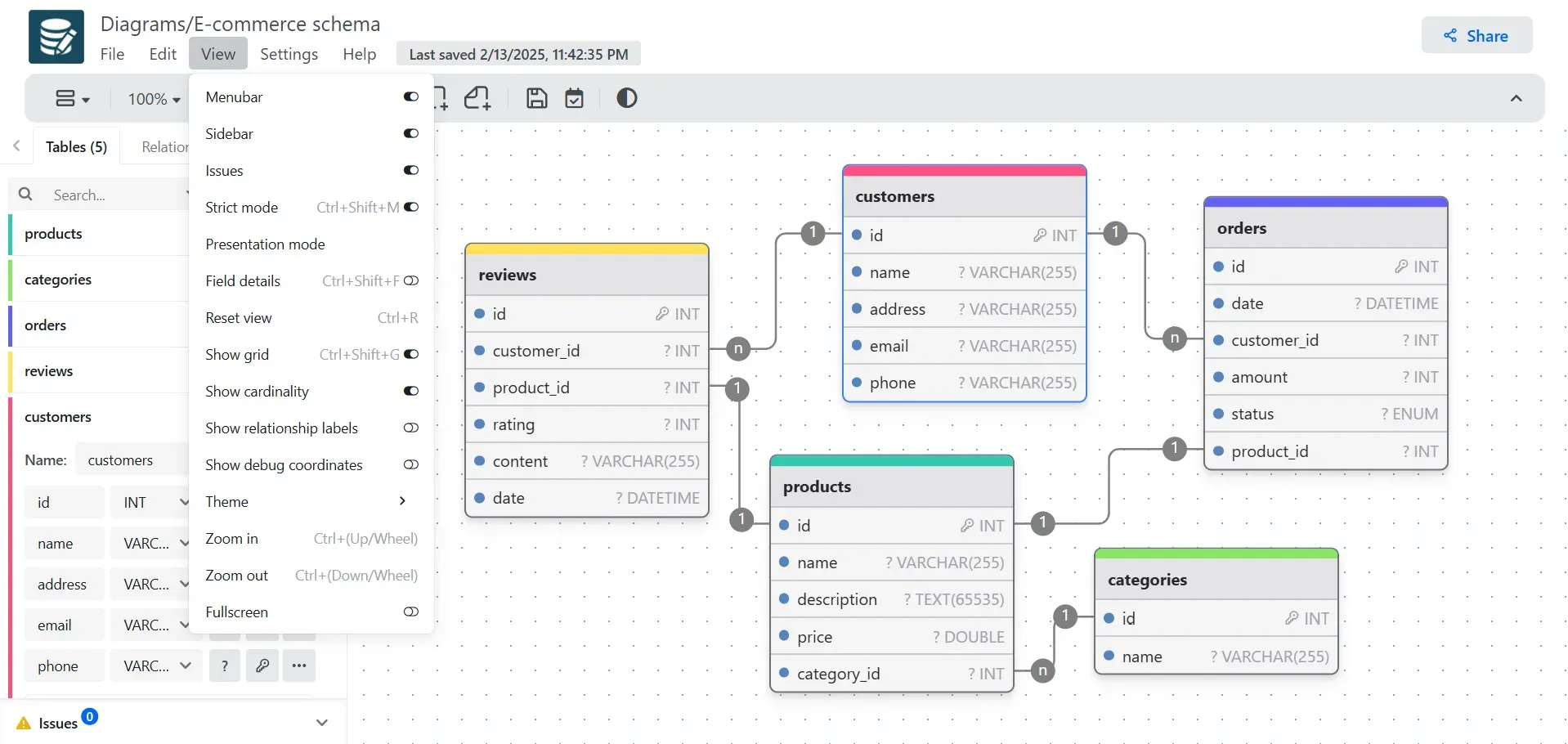
Documentation screenshot of the View menu over an e-commerce diagram; shortcut labels in this older capture may differ from the current shortcut reference.
Source: official drawDB project page.
Key capabilities
- Browser editor without sign-up The editor at drawdb.app/editor loads directly in the browser and lets you start a diagram without creating an account. Nothing has to be installed, and the open-source feature set is free of charge. Signing in is only needed for Pro features such as cloud storage, sharing permissions and AI.
- Seven diagram dialects Each diagram targets Generic, MySQL, PostgreSQL, SQLite, MariaDB, Microsoft SQL Server or Oracle SQL, with Oracle still marked beta. A database-specific diagram exposes that dialect's native types and options, while a Generic diagram uses a portable type set that can be exported to several SQL flavors at the cost of fewer data types. Choose the dialect up front, because it governs which types and features are offered.
- Tables, fields and constraints Every field has a name, datatype, primary, unique and not-null flags, autoincrement where the dialect supports it, a default value, a check expression and a comment. Marking several fields as primary produces a composite primary key. Check expressions are copied into the generated SQL as written, so they must use syntax the target database accepts.
- Indexes, unique constraints and dialect extras Indexes can span one or more fields and can be named or unique, and tables can carry named multi-field unique constraints. PostgreSQL diagrams add table inheritance, array dimensions, enums and composite types; MySQL and MariaDB diagrams expose unsigned numeric types. The source also includes a Views tab for modeling SQL views, with materialized views available for PostgreSQL, Oracle and Generic diagrams.
- Relationships and referential actions You create a foreign key by dragging from the connection point of one field to a compatible field in another table. drawDB infers cardinality from primary and unique constraints, and you can swap sides, map several field pairs and label the many side afterwards. ON DELETE and ON UPDATE each support no action, restrict, cascade, set null and set default; many-to-many links are modeled through a join table.
- SQL import and reverse engineering An existing DDL script for MySQL, PostgreSQL, SQLite, MariaDB, SQL Server or Oracle can be pasted or uploaded and turned into a diagram. The parser converts tables, fields, indexes, enums, types and relationships where the source dialect provides enough information. Release v1.9.0 fixed imports for columns without an explicit NOT NULL clause.
- Import from a live database without credentials Added in v1.9.0, this flow gives you a read-only catalog query per dialect to run in your own client, then accepts its output and lays out the diagram automatically. drawDB never receives a connection string or row data, which keeps credentials on your machine. It covers PostgreSQL, MySQL, MariaDB, SQL Server, SQLite and Oracle.
- DBML editor A DBML view (Alt+E) shows the diagram as DBML text next to the canvas, and DBML can be imported and exported as a file. This helps teams that keep schemas as code or move between drawDB and other DBML-based tools. The editor uses the @dbml/core library for parsing.
- Export formats Diagrams export as dialect-specific SQL, as PNG, JPEG, SVG or PDF images, as drawDB JSON, DBML, Mermaid or Markdown documentation. Ctrl/Cmd+Alt+C copies the diagram as an image. The SQL headers tab added in v1.9.0 inserts the same custom text at the top of every SQL export.
- Subject areas, notes and issue detection Subject areas group related tables visually and, since v1.9.0, own their tables, so moving or hiding an area affects its members. Notes keep requirements and decisions on the canvas; neither areas nor notes generate SQL. An Issues panel and a strict mode flag schema problems before you export a script.
- Templates and example schemas Six built-in templates can be forked, and any diagram can be saved as a custom template through File, Save as template. Custom templates are IndexedDB records in the current browser and are not account-synced. The website also hosts a gallery of 100 documented example schemas under CC0 that open in the editor with SQL for every dialect.
- Workspace controls and presentation mode The View menu toggles the menubar, sidebar, issues panel, grid, snap to grid, cardinality, relationship labels, comments and datatypes, and switches between light, dark and system themes. Presentation mode hides the chrome and enters fullscreen for meetings. A documented set of keyboard shortcuts covers saving, importing, editing, zoom and view toggles.
- Browser-local storage and backups In the open-source editor, diagrams and templates live in IndexedDB, while preferences and custom datatype aliases sit in local storage. Settings offers Export saved data for a backup, Clear cache, and Flush storage, which permanently deletes local diagrams. Data does not follow you to another browser or device, so regular exports are part of normal use.
- Snapshot share links and embeds The open-source Share action publishes the current diagram JSON as a private GitHub Gist and returns a URL with a
shareIdparameter; recipients get their own local copy. It is a snapshot, not live collaboration, and Unshare invalidates it. The dialog can also build an embed URL with a chosen theme and hidden menubar, sidebar or toolbar. - Self-hosting with Docker The prebuilt image runs with
docker run -p 3000:80 ghcr.io/drawdb-io/drawdb:latest, or you can build it from the Dockerfile; local development usesnpm installandnpm run dev. Sharing in a private instance needs your own drawdb-server, whose URL is passed at runtime throughVITE_BACKEND_URLorVITE_GIST_BACKEND_URLwithout rebuilding. A self-hosted copy does not include the Pro cloud services. - Pro cloud diagrams, versions and teams Pro Solo adds cloud storage and sync, public read-only links, manual version history with preview and restore, and a beta migration generator that produces up and down SQL plus a JSON diff for concrete dialects. Pro Team adds team workspaces with Admin and Member roles, per-diagram view or edit permissions, and live collaboration with presence and cursors. When a plan ends, cloud diagrams are retained but become read-only.
- AI schema assistant Pro users can open Ask AI (Ctrl/Cmd+Shift+K) to create and edit tables, columns, relationships, notes and subject areas from a prompt. Changes are applied as tool calls without a per-change approval step, and the current tool set cannot create enums or custom types. The diagram schema and prompt are sent to the AI service, which the privacy policy names as Anthropic.
- API keys and MCP server Pro accounts can create
ddb_API keys with 30, 60 or 90 day, one year or no expiration; only a hash is stored. The read-only drawDB MCP server runs locally throughnpx -y @drawdb/mcpon Node.js 20 or newer, and the drawdb-mcp README also documents a remote endpoint. Its tools list diagrams and describe tables, relationships, enums and composite types, but cannot change or export diagrams.
Where drawDB fits
Designing a new schema before writing migrations
Pick the target dialect first, or Generic if the engine is not decided, then add tables, keys and relationships on the canvas and keep open questions in notes. Watch the Issues panel and turn on strict mode before exporting. Export the SQL, run it against an empty development database and compare the result with what the application expects; check expressions and defaults are emitted as written, so the database is the final validator. Save a JSON or DBML copy next to the generated script in version control.
Documenting an existing database
Use File, Import from database in v1.9.0 or later: copy the read-only query drawDB provides, run it in psql, MySQL Workbench, DBeaver or SSMS, and paste the output back. Alternatively, import a DDL dump. Check that composite keys, enums, check constraints and cross-schema references survived the import, then group tables into subject areas and export PNG, SVG, PDF, Mermaid or Markdown for the team wiki. The diagram is a snapshot, so repeat the import after significant schema changes.
Moving a schema between database engines
A Generic diagram can be exported to several SQL dialects, and an imported MySQL script can be re-exported as PostgreSQL after reviewing types. Expect manual work: Generic supports fewer data types, Oracle support is beta, and dialect-specific features such as PostgreSQL arrays or MySQL unsigned integers have no direct equivalent elsewhere. Test the generated DDL on the target engine and review autoincrement, identity and default-value behavior column by column.
Reviewing a schema with colleagues
Without Pro, share a snapshot link or send the exported JSON and SQL; recipients work on their own copy and nothing synchronizes back. Use presentation mode for a walkthrough on a shared screen. With Pro Team, put the diagram in a team workspace, set the default access, and let reviewers with Can edit join live collaboration. Record a manual version before a large change, because restore does not create an automatic backup of the state it replaces.
Giving AI coding agents schema context
Save the diagram to a Pro cloud workspace, create a short-lived API key named after the device, and add the drawdb-mcp server to Claude Desktop, Cursor, Cline, Windsurf or another MCP client. Test with a prompt that lists diagrams and summarizes one schema. The key acts as your user across every team you belong to, so use a dedicated account if the agent should see fewer diagrams, and rotate keys per client.
Running a private instance
Teams that prefer not to use drawdb.app can run the ghcr.io image behind their own reverse proxy and TLS, mapping container port 80. Diagrams still live in each user's browser, so the server holds no schema data unless you also deploy drawdb-server for sharing. Pin a release tag such as v1.9.0 instead of latest, and review AGPL-3.0 obligations before offering a modified build to other users.
Install
docker run -p 3000:80 ghcr.io/drawdb-io/drawdb:latestReviews of drawDB
Be the first to share your experience with drawDB.
Write a review
Loading review form…
Alternatives to drawDB
 Beekeeper StudioDesktop SQL client for Windows, macOS and Linux with an autocompleting editor, spreadsheet-style table editing, SSH tunnels and import/export. The GPLv3 Community Edition is free; paid editions add more databases, AI Shell, ER diagrams and cloud workspaces.
 ExcalidrawExcalidraw is an MIT-licensed virtual whiteboard with an infinite canvas, hand-drawn rendering, shape libraries and PNG, SVG and JSON export. Use excalidraw.com with encrypted collaboration, self-host the Docker client, or embed the npm package in a React app.