

What is Relaticle?
Relaticle is an open-source CRM for small sales efforts that wants AI agents to work inside it. It keeps companies, people, opportunities, tasks and notes in a workspace, offers custom fields, a REST API and an MCP server, and includes Rela, a built-in AI assistant that proposes changes for you to approve. The README describes it as a CRM for people who sell to a named list of companies without a sales team, and the website positions it as the AI CRM for Claude and ChatGPT.
The software is published by Relaticle, Inc., which holds the name and logo as trademarks according to the repository's trademark policy. The code is at github.com/Relaticle/relaticle under the AGPL-3.0 license, with one exception: the packages/Cloud directory that runs relaticle.com has its own license, and software that talks to Relaticle only through its REST API or MCP server may use any license under the project's integration exception. The repository was created in September 2024 and contributors sign a contributor license agreement.
Relaticle is available as a hosted cloud service or as a self-hosted install. The self-hosting guide uses a Docker compose file with six containers: the app, a queue worker, a scheduler, a websocket server, PostgreSQL and Redis, and the docs list 2 GB of RAM, 1 CPU core and 10 GB of disk as the minimum, with deployment notes for Coolify, Dokploy and Laravel Cloud. Running from source needs PHP 8.5, PostgreSQL 17 or newer, Composer 2 and Node.js 22. The application is built on Laravel 13, Filament 5 and Livewire 4.
The latest release is v3.8.2, published November 4, 2026, which patches Symfony security advisories published that day and adds CI that patches and releases Composer security advisories automatically. Release v3.8.0 on October 31 let agents send drafts, schedule email and manage the outbox, made AI unlimited on self-hosted installs and refused sign-ups from Tor exit nodes and temporary mail hosts. Releases arrive every few days, so the project is young and moving fast. Relaticle is not an ERP, a marketing automation suite or a call-center platform, and the main repository ships English only.
Relaticle screenshots
Explore the interface. Open a screenshot to view it at full size.
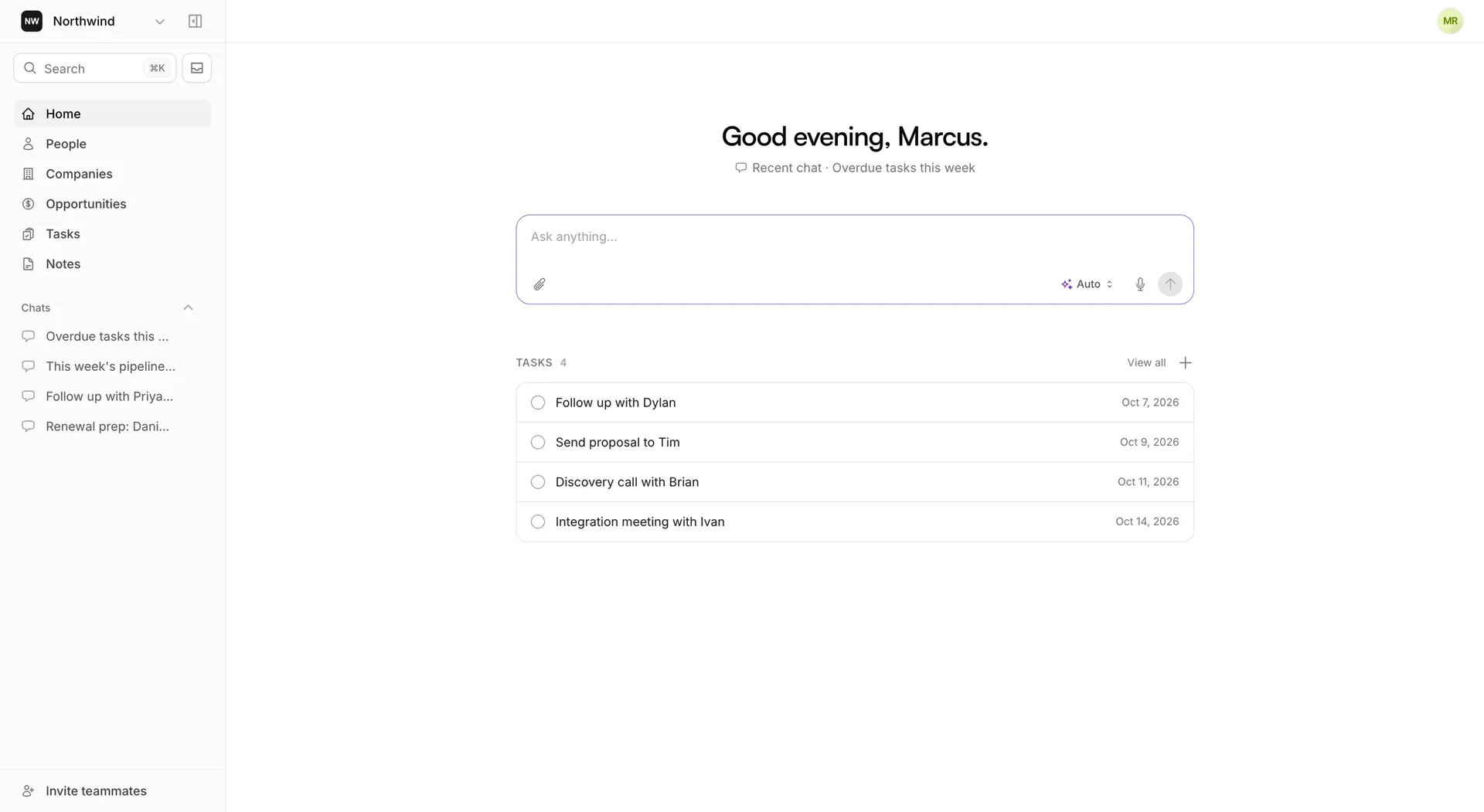
Official README preview of the Relaticle home view: navigation, recent chats, the Rela prompt box and open tasks, shown with sample data.
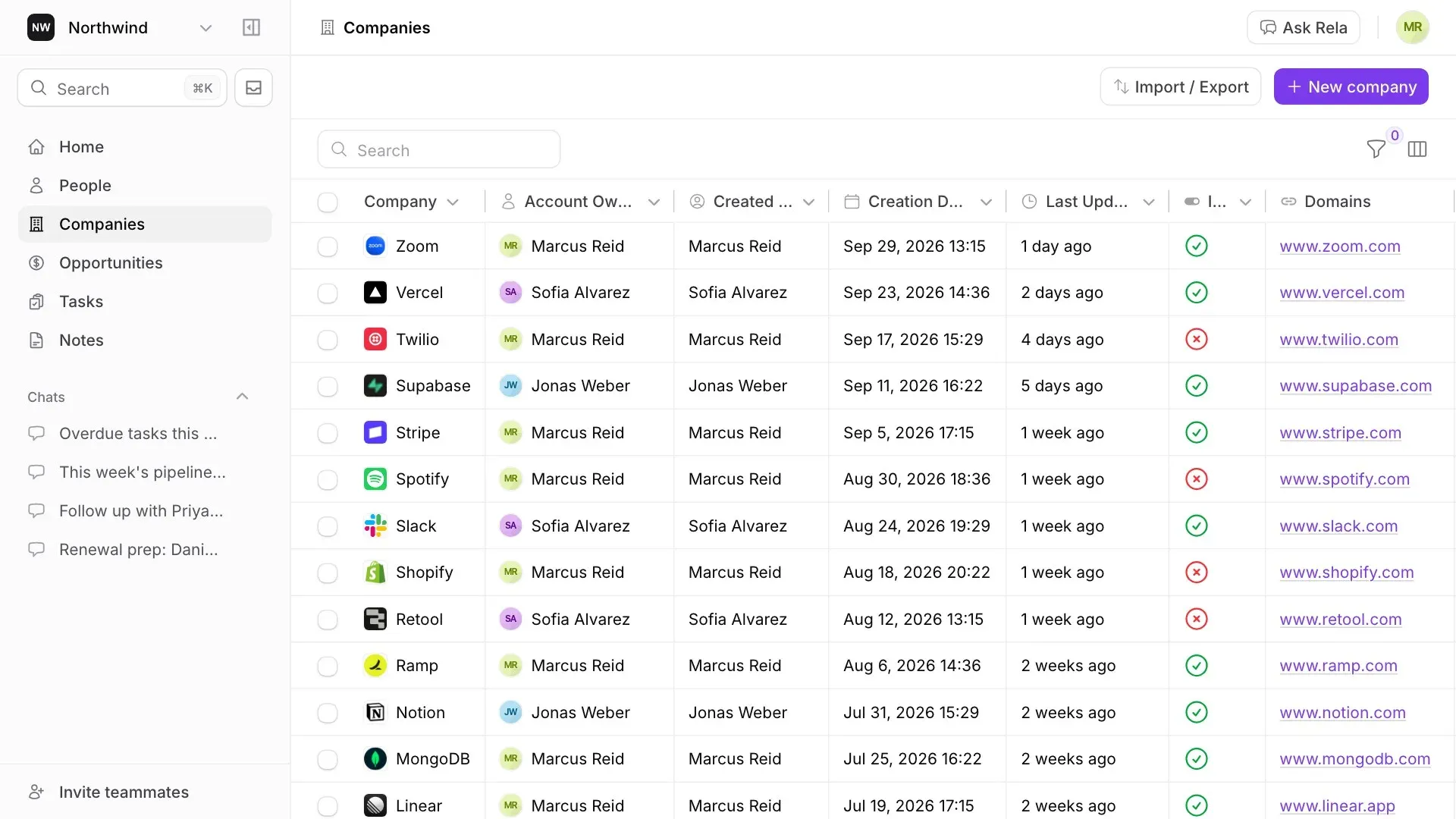
Official product preview image of the companies list with sample company records, search, filters and the Ask Rela button.
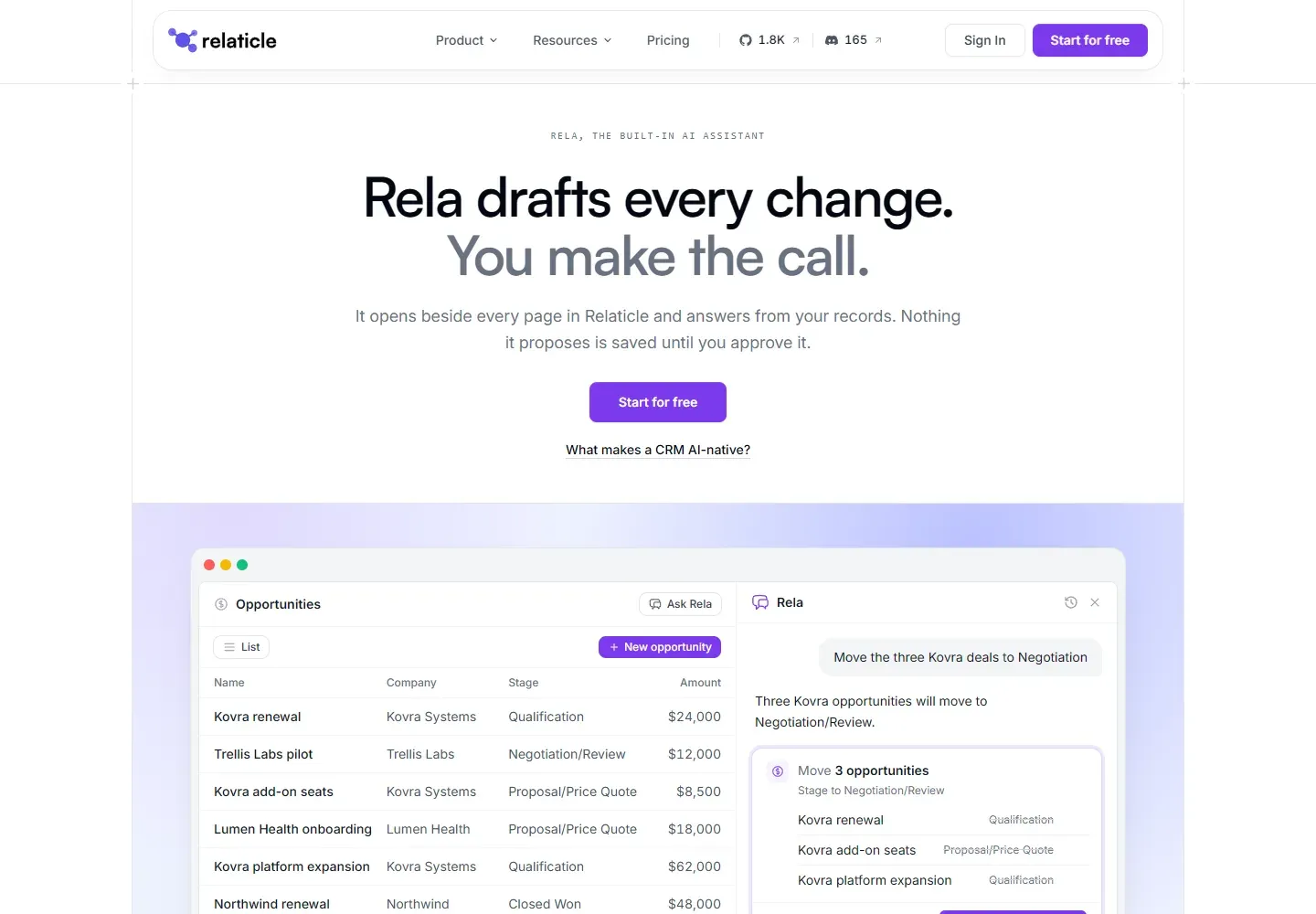
The official Rela page: the assistant beside an opportunities list, proposing a plan that waits for approval. Captured from relaticle.com/ai.
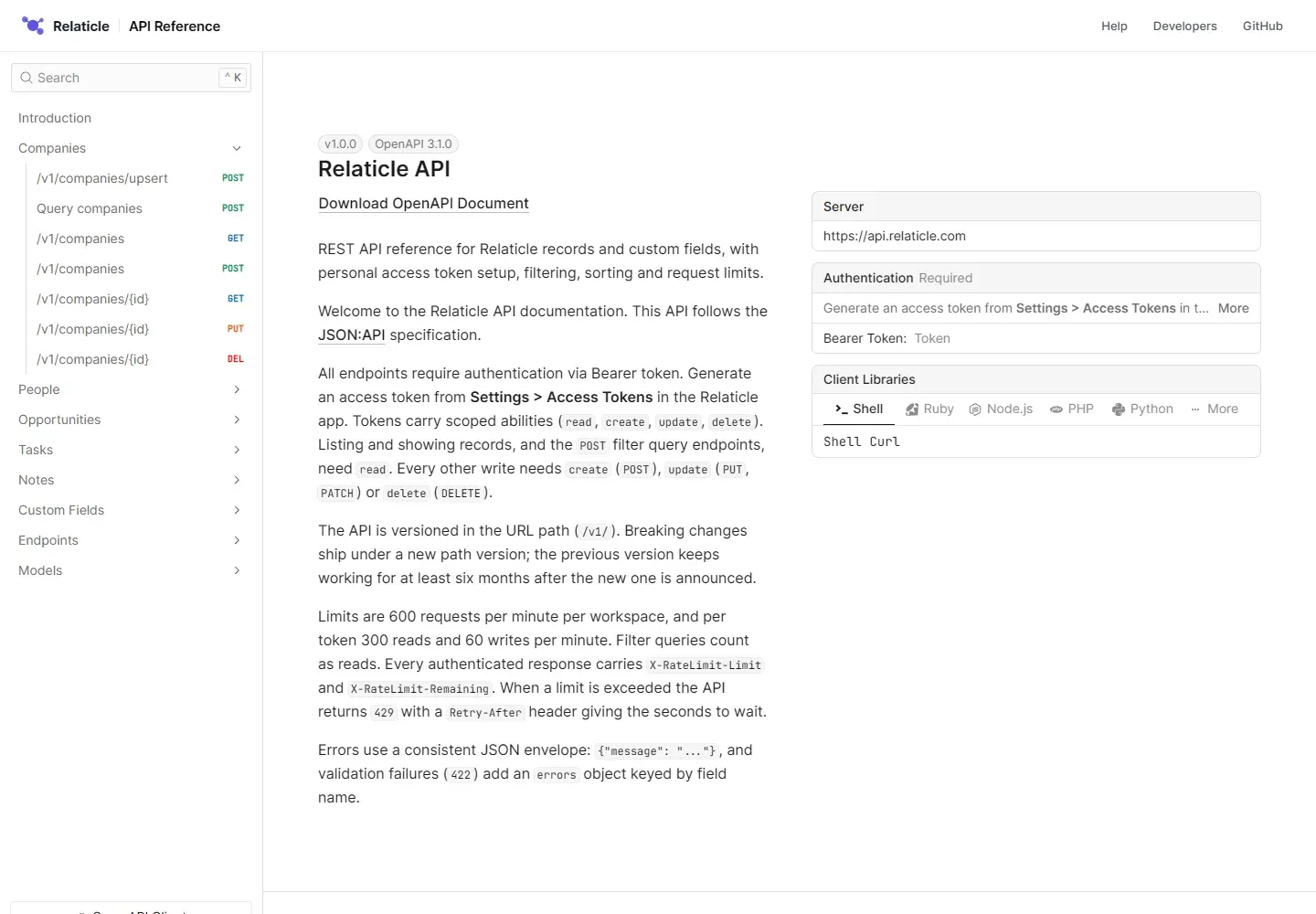
The official REST API reference built from the OpenAPI 3.1 document, with endpoint list, authentication and request limits. Captured from relaticle.com/developers/api.
Source: official Relaticle project page.
Key capabilities
- Companies, people and opportunities Core record types with relationships between them, a table view with search and filters, and a board view of opportunities by stage. Each record shows its activity and linked tasks and notes. Records can be restored after deletion and exported.
- Custom fields without migrations Add fields for text, dates, currency, selects and links between records, choose where a field appears and edit select options later. The README says no migrations are needed, and fields can be encrypted individually.
- Tasks and notes A task list and a task board, with tasks and notes attached to companies, people and opportunities. The open task stays in the URL, so a link to a task can be copied, as release 3.8.0 added.
- Pipeline tracking Opportunities move through stages on a board, and the help center has a guide to tracking a deal through the pipeline. Stages and values are part of the data model that agents and the API can read.
- Rela, the built-in AI assistant Rela opens beside any page, answers from your records and the product documentation and proposes changes as a plan of up to five linked steps that you approve once, line by line if you like. Nothing it proposes is saved until you approve. It can also research a company.
- AI providers and local models On the hosted service, requests to Rela send the content needed to answer to OpenAI or Anthropic, according to the security page. A self-hosted install can use your own provider key or a local model through Ollama, in which case the assistant sends nothing to an outside provider.
- MCP server The MCP server lets Claude, ChatGPT or any MCP client list and search records, read details and schemas, create, update and delete records, attach tasks and notes, and get a CRM overview. It uses Streamable HTTP with OAuth 2.1 or a personal access token, with one workspace per connection. Writes apply immediately, so rely on the agent's confirmation prompts.
- Agent plugins Claude can connect with a connector URL (the hosted
https://mcp.relaticle.comor your own/mcppath), ChatGPT through a plugin listing, and Claude Code, Cursor and Gemini CLI through plugins in the relaticle/agent-plugins repository. - REST API The API follows JSON:API, is versioned under
/v1/and exposes companies, people, opportunities, tasks, notes and custom fields, with upsert and query endpoints. Tokens carry read, create, update and delete abilities, and each token is bound to one workspace. - API rate limits The reference states 600 requests per minute per workspace and, per token, 300 reads and 60 writes per minute, with
429and aRetry-Afterheader when a limit is exceeded. A larger plan raises the limits, according to the pricing page. - Email and calendar Connect a Google or Microsoft account to read and reply to email on a record, send one email to many people, and see meetings linked to records. Relaticle reads mail only from the account you connect and never changes, labels or deletes messages, and email privacy levels control who in the workspace sees what.
- Email privacy controls Show only the subject and participants or the full message, change visibility for a single email, request access from a teammate, and hide chosen addresses or domains. Owners and admins set the workspace default.
- CSV import and web forms Import companies, people and opportunities from CSV, update existing records during an import and fix errors from a report. A guide describes capturing leads from a web form.
- Multi-workspace isolation and roles Every record belongs to one workspace and each request is checked against it. Four roles (Owner, Admin, Member and Viewer) decide what people can see and change, and an activity log shows every field change and who made it.
- Sign-in and account security Sign in with passkeys, require an authenticator code on sign-ins without a passkey, or use Google and Microsoft sign-in. Users can sign out their other browser sessions from the security settings.
- Docker self-hosting Download the compose file, set
APP_KEY,DB_PASSWORDandAPP_URL, rundocker compose up -dand create an admin withphp artisan make:filament-user. The stack serves HTTP on port 80, so put a TLS reverse proxy in front, and the app is at{APP_URL}/app. - Hosted cloud plans The pricing page lists Cloud Pro at $19 a month billed yearly and Cloud Scale at $49 a month billed yearly, each per workspace with unlimited users and records, a 14-day trial without a card, and AI credits of 2,000 and 5,000 a month. Enterprise starts at $20,000 a year.
- Internationalization The main repository ships English only, but the code is i18n-ready and a self-hosted fork can add a locale directory to translate the app. This matters if your team needs a non-English interface.
Where Relaticle fits
Run a small outbound pipeline
Import your target accounts from CSV, add custom fields for segment and source, create opportunities and move them across the board. Check that imported records map to the right company, set roles for the team and review the activity log after a week to see which fields people actually fill.
Connect Claude or ChatGPT to the CRM
Add the MCP connector with OAuth, pick the workspace and ask the assistant to summarize open deals or create a task. Because MCP writes apply immediately, start with a read-only token on the REST API, use a test workspace first and make sure the agent's confirmation prompts are on.
Self-host with Docker on your own server
Provision a host with at least 2 GB of RAM, deploy the compose stack, put TLS in front and create the admin user. Back up the PostgreSQL volume and the storage volume, pin the image version you run and plan updates, since releases come every few days.
Keep AI data local with Ollama
Configure a local model for the built-in assistant so that questions about your records do not leave the server. Test answer quality on realistic questions, since a local model may be weaker than a hosted one, and check what email and calendar content the assistant can read.
Sync records with other tools through the API
Generate a workspace token with only the abilities needed, use the upsert endpoints to avoid duplicates and respect the rate limits by retrying after the Retry-After value. Keep tokens in a secret store and rotate them when people leave. Log failures and test the integration against a staging workspace before pointing it at production data.
Connect a mailbox and work from the record
Connect a Google or Microsoft account, set the workspace email privacy to metadata first and read a thread on a person record. Send a templated email with a signature to a small test group, and confirm that the held-send behavior lets you cancel before delivery.
Install
curl -o compose.yml https://raw.githubusercontent.com/Relaticle/relaticle/main/compose.yml && docker compose up -dReviews of Relaticle
Be the first to share your experience with Relaticle.
Write a review
Loading review form…
Alternatives to Relaticle
 TwentyTwenty is an open-source CRM with custom objects, workflows, AI agents and REST and GraphQL APIs, run on a managed cloud or self-hosted.
 Krayin CRMMIT-licensed CRM from Webkul built on Laravel 12 and Vue.js. It covers leads in Kanban pipelines, contacts, quotes, products, activities, an IMAP or SendGrid inbox, web forms and workflows, self-hosted or on managed cloud hosting.
 Atomic CRMOpen-source CRM from Marmelab built with React, shadcn-admin-kit and Supabase. It covers contacts, companies, deals, notes and tasks, with inbound email capture, SSO, a mobile web app, a REST API and an MCP server.