

What is Krayin CRM?
Krayin CRM is an open-source customer relationship management application for small and mid-sized sales teams, published by Webkul Software, the company behind the Bagisto commerce platform. It manages leads, persons, organizations, quotes, products, activities and email in one admin panel, and it is distributed as a complete Laravel project rather than a hosted service. The first 1.0.0 release appeared in July 2021, and the code is maintained in the krayin/laravel-crm repository with a public demo instance.
Most installations start with composer create-project krayin/laravel-crm followed by php artisan krayin-crm:install, which asks for the application URL, locale, currency, database and the first administrator. A browser-based installer, a shared hosting route and a Docker path are documented in the installation guide. The webkul/krayin image on Docker Hub was last tagged at 2.2.0 in March 2026, so it trails the current Composer release. Webkul also sells managed cloud hosting priced per server rather than per user.
The current release is v2.2.8, published on November 6, 2026 with a security-only note. Version 2.2.7 added in-app notifications, quotes in the Quick Add menu and a modal mega search with per-section counts. Version 2.2.6 added MariaDB support, PDF export of dashboard reports and Japanese and Chinese locales. Version 2.2.5 closed unauthenticated installer access and executable attachment uploads, rejected webhook URLs that point at internal addresses, and added Google Contacts export plus import and export of custom attributes. The 2.2 line itself began on March 17, 2026 with the move to Laravel 12.
The application runs on PHP 8.3 or newer with Composer 2.5, Apache or NGINX with PHP-FPM, and MySQL 8.0.32+ or MariaDB 11.4 LTS+, per the requirements page. Each functional area is a separate package under packages/Webkul (Lead, Contact, Quote, Product, Warehouse, Email, Automation, WebForm, DataTransfer, Marketing and others), loaded through Konekt Concord, with Vue.js components in the Blade admin views. The SECURITY.md policy states that 2.2 receives bug and security fixes, 2.1 receives security fixes only, and 2.0 and 1.x are end of life.
The core is released under the MIT license. Several capabilities sit outside the core repository: the REST API is a separate Composer package, and WhatsApp messaging, VoIP calling, Google calendar sync, purchase orders and multi-tenant SaaS are offered as extensions on the Krayin website. There are no native mobile or desktop apps; the admin panel is a responsive web interface. Krayin does not include invoicing, accounting or a customer support ticket desk.
Krayin CRM screenshots
Explore the interface. Open a screenshot to view it at full size.
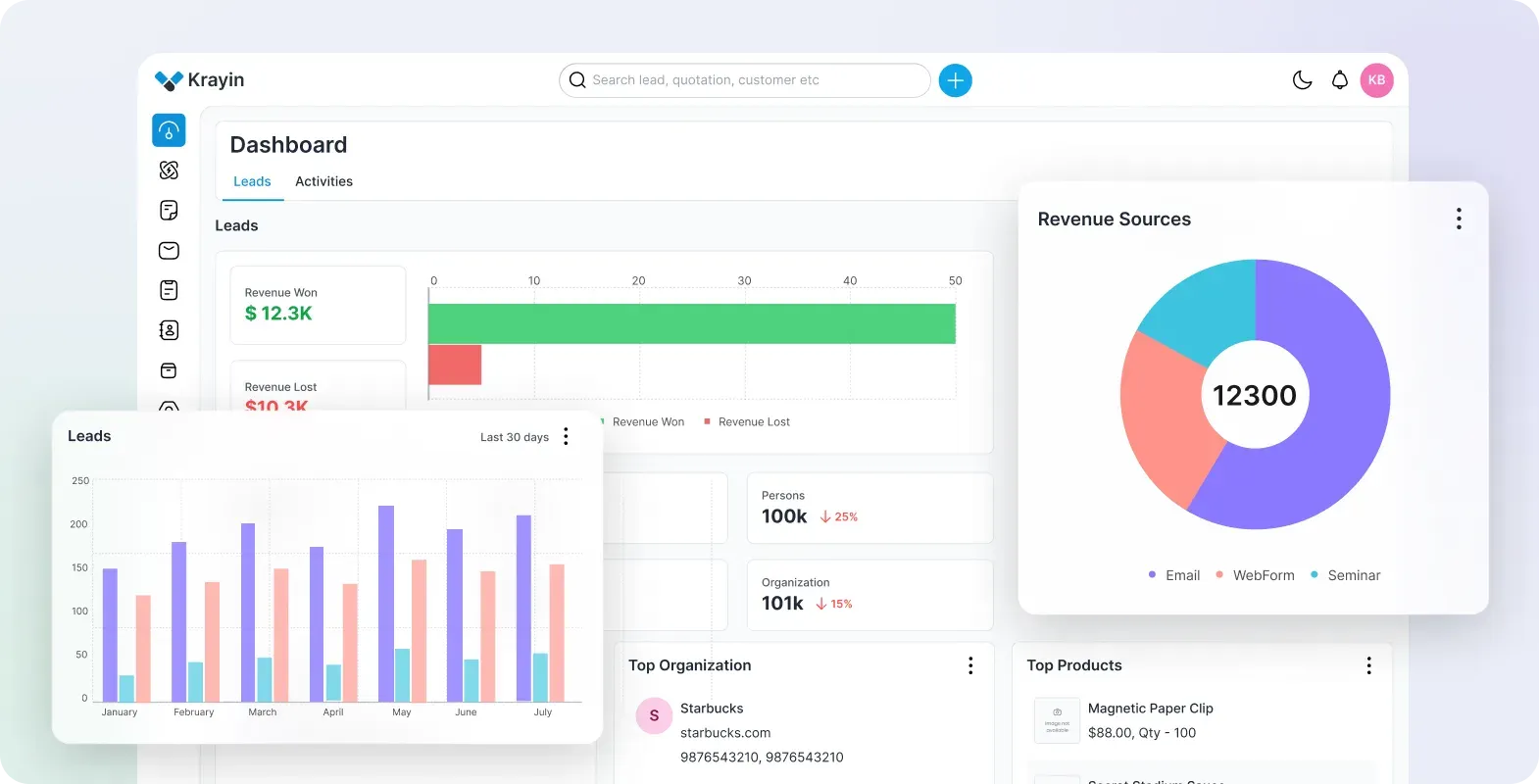
Official Krayin product image of the dashboard with sample data, showing revenue won and lost, leads per month, revenue by source and top organizations and products.
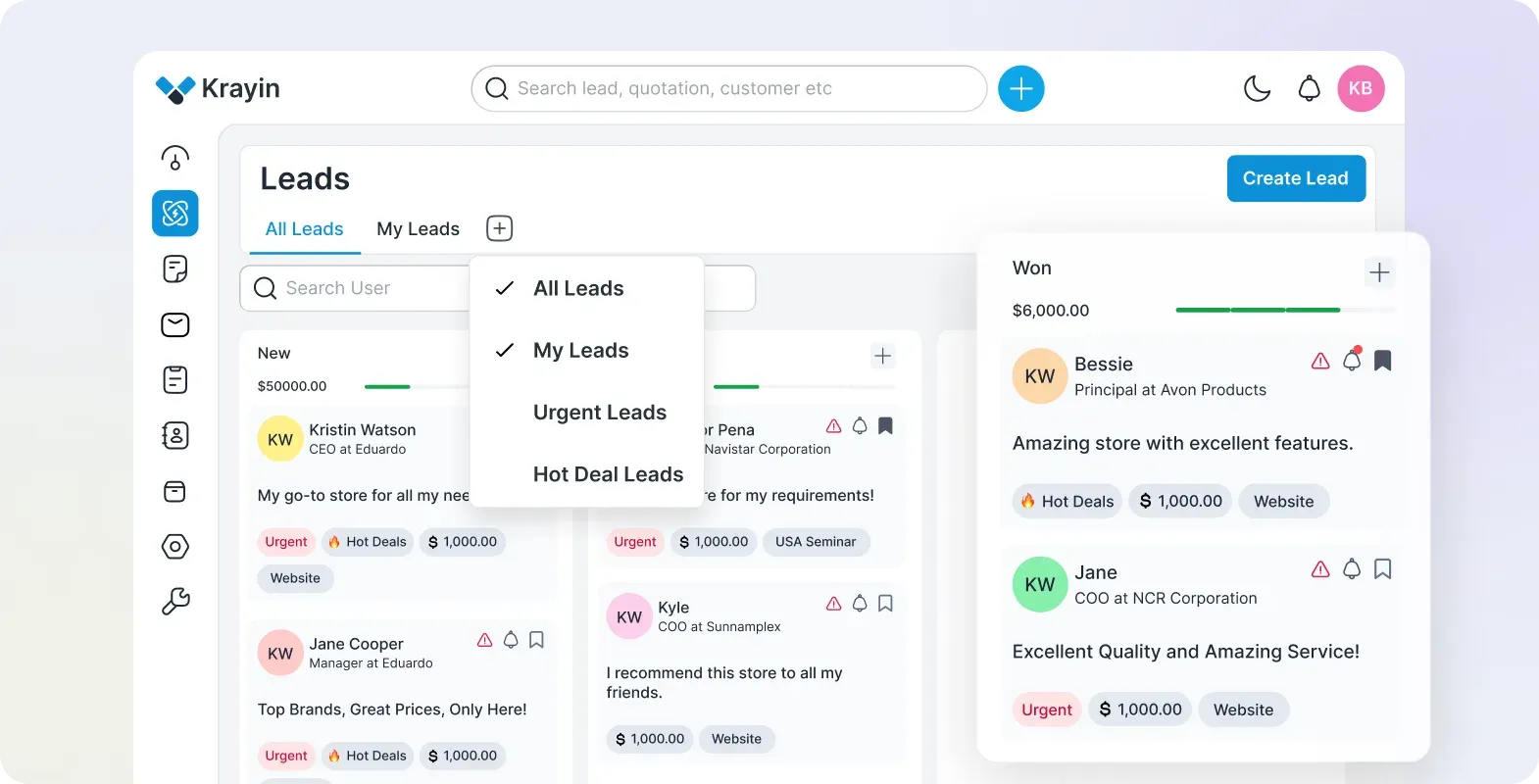
Official product image of the leads Kanban board, with the All Leads, My Leads, Urgent Leads and Hot Deal Leads view menu open.
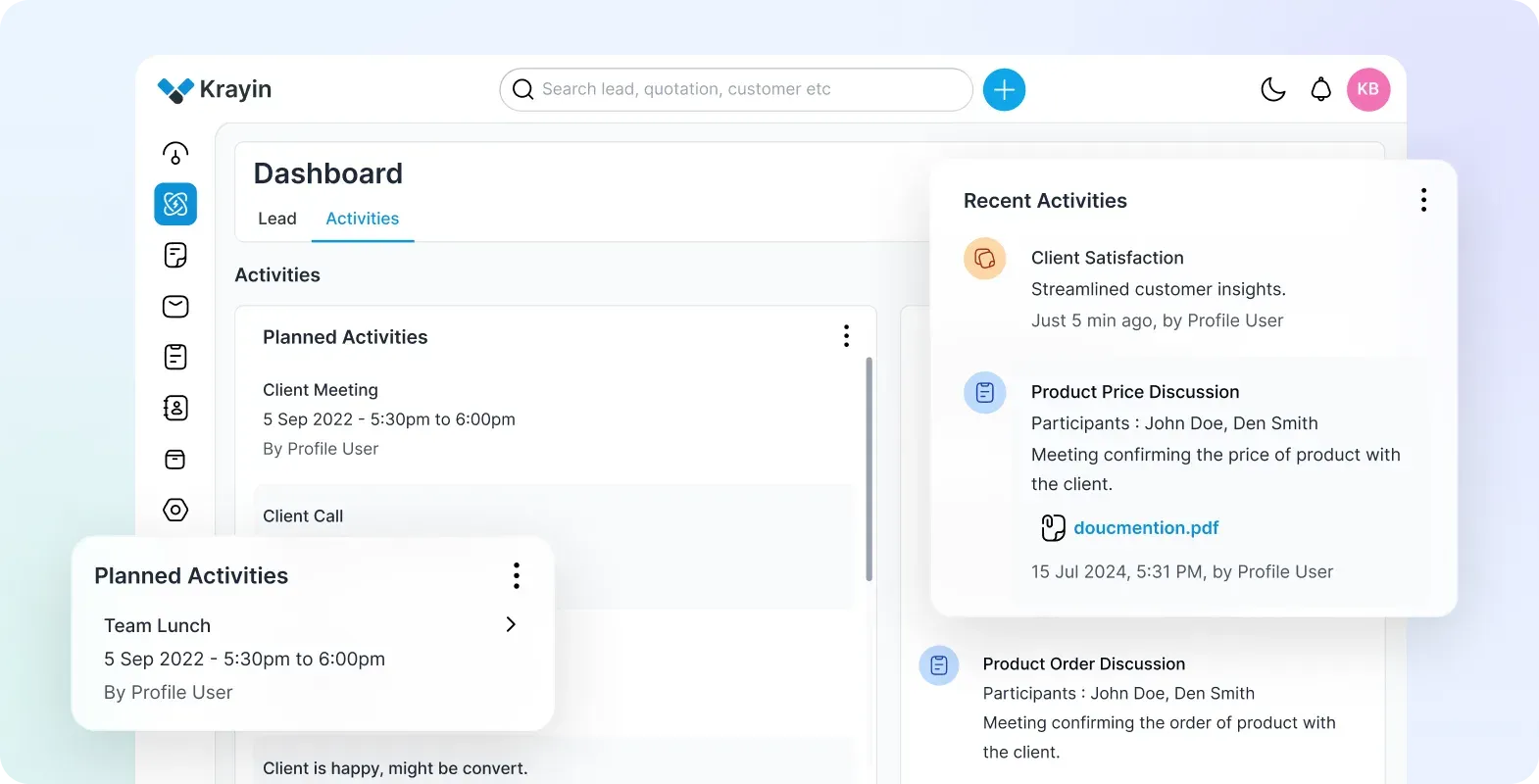
Official product image of the activities dashboard tab, listing planned activities and recent notes with participants and attachments.
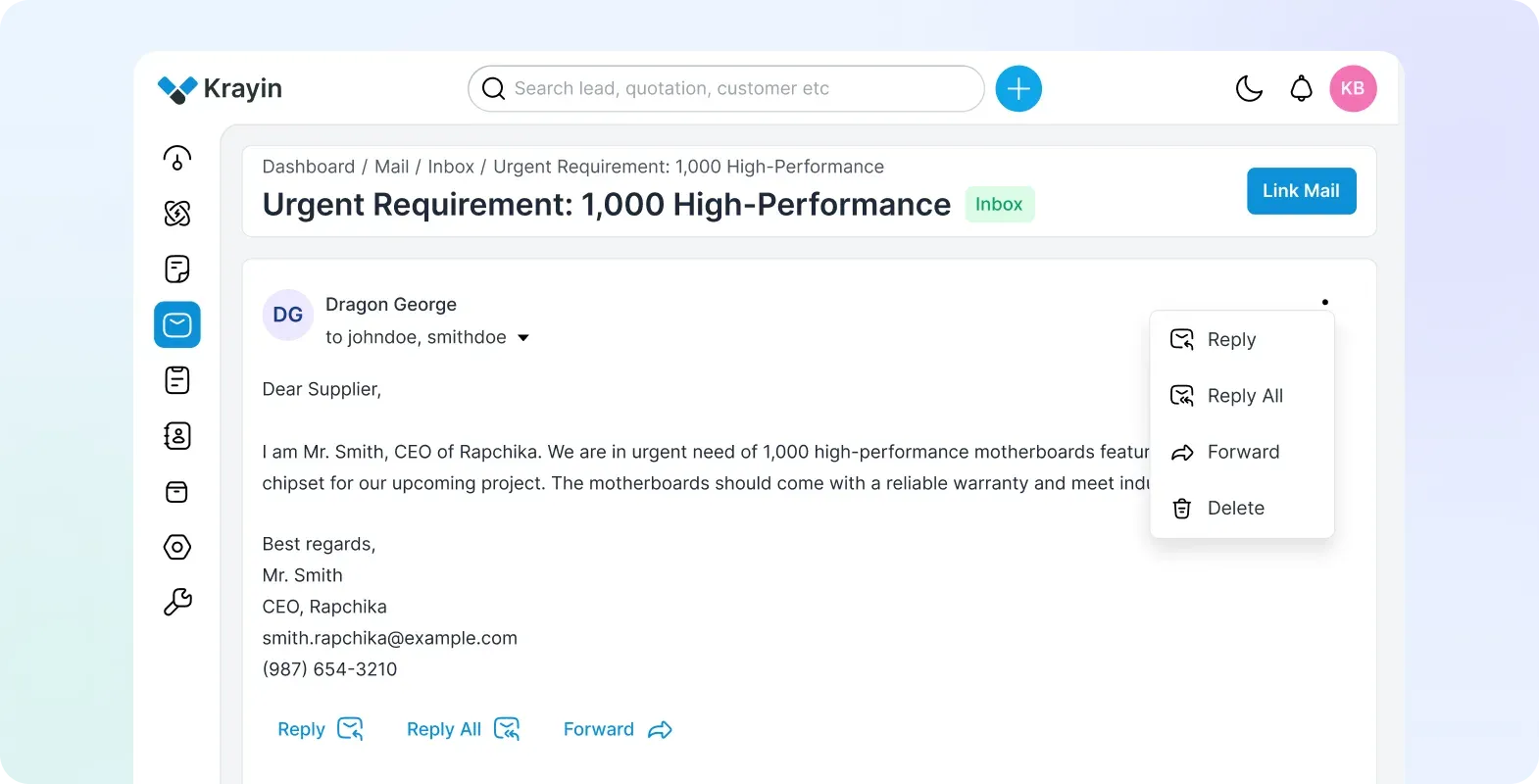
Official product image of an inbox message in the Mail module, with the Link Mail button that attaches it to a CRM record.
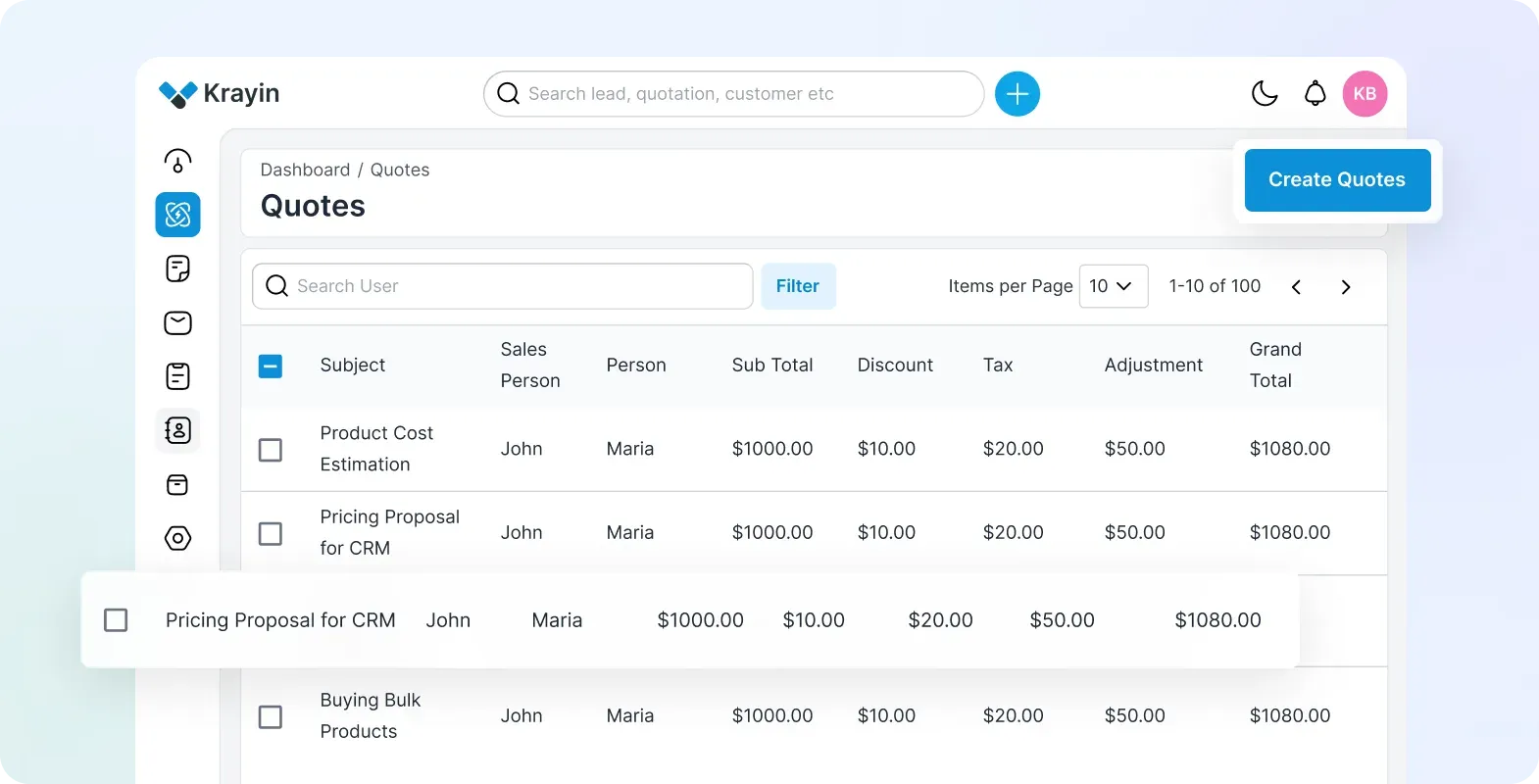
Official product image of the quotes data grid with sample quotes and the Create Quotes button.
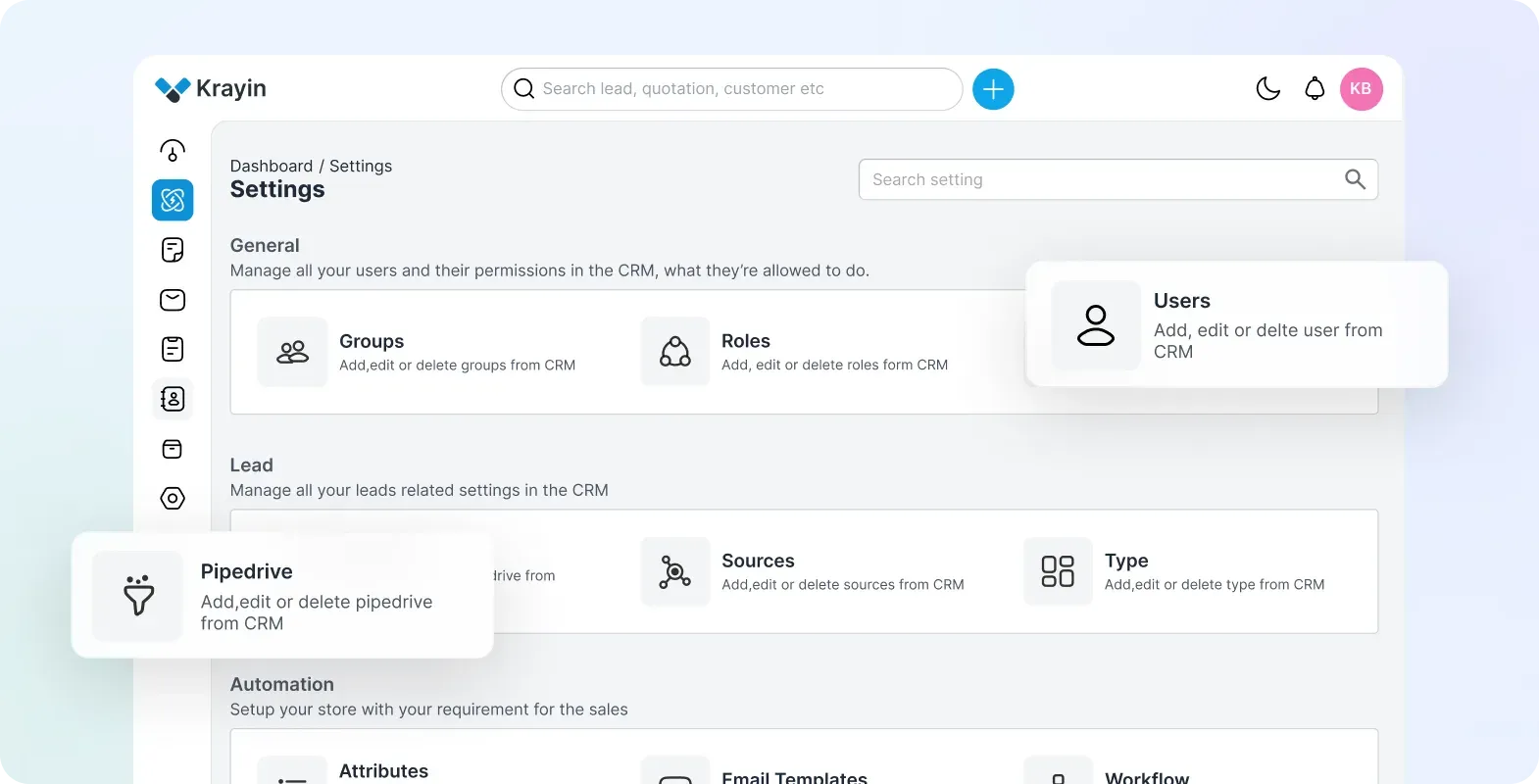
Official product image of the settings area, grouping user permissions, lead configuration and automation tools.
Source: official Krayin CRM project page.
Key capabilities
- Self-hosted installation with Composer Run
composer create-project krayin/laravel-crm, point the web server document root atpublic/, then runphp artisan krayin-crm:installfor the database, locale, currency and admin account prompts. The documented minimums are PHP 8.3 with theintlandgdextensions, 3 GB of RAM,memory_limitof 4G andmax_execution_timeof 360 seconds. Runcomposer install --no-devbefore production use, as the README advises. - Browser installer and shared hosting route After the project files are in place, opening the configured URL starts a graphical installer that collects the same settings. On shared hosting without SSH, the guide describes running
composer installlocally, uploading thevendordirectory and editing.envby hand. Thestorage/andbootstrap/cache/directories must be writable. - Docker image and Compose setup
docker run -d -p 80:80 webkul/krayin:lateststarts a single container from Docker Hub. The krayin-docker repository adds a Compose file with Apache, MySQL 8.0 and phpMyAdmin, started throughsetup.sh. The published image tags stop at 2.2.0, so a Composer install is the way to run the latest patch release. - Managed cloud hosting Webkul's hosting page lists plans from $20 per month with unlimited users, billed for servers rather than seats, with roughly 15% off on annual billing. Starter and Pro packs differ in uptime SLA (99.5% and 99.9%), backup retention and support priority. The page does not name a hosting provider or data region.
- Leads and Kanban pipelines Leads carry a value, source, type, sales owner, contact person, products and tags, and move through stages of one or more pipelines in a Kanban or table view. Each pipeline defines rotten days, after which a stalled lead is flagged. Leads are closed as won or lost with a reason, and saved views such as My Leads filter the board.
- Persons and organizations Contact records hold multiple emails and phone numbers, an organization link and a sales owner, and can be filtered by tag. Since 2.2.5, persons can be exported to Google Contacts after connecting a Google account under Settings, with duplicate detection and a queued export summary. Google OAuth credentials must be set in the environment first.
- Quotes Quotes are linked to a lead and person and list product lines with discount, tax and adjustment columns that produce a grand total. A quote can be printed to PDF through the bundled DomPDF and mPDF libraries, including Arabic text support. Since 2.2.7 a quote can be started from the Quick Add menu.
- Products and warehouses A product catalog with SKU, price and quantity feeds lead and quote lines. Warehouses and locations record where stock is held, and warehouse access is governed by the permission system since 2.2.0. This is a sales catalog, not a full inventory or purchasing module.
- Activities and calendar entries Calls, meetings, lunches, notes and files are logged against leads, persons and organizations, with planned and completed activities shown on the dashboard. Activity calendar files use UTC RFC 5545 date-times since the 2.2.5 fix. Participants can be users or contacts.
- Mail inbox linked to records The Mail module has inbox, draft, outbox, sent and trash folders, and messages can be linked to a lead or contact. Incoming mail arrives either through SendGrid Inbound Parse posting to
/admin/mail/inbound-parseor by IMAP polling through Webklex, selected withMAIL_RECEIVER_DRIVER. The inbound parse guide covers MX records and app passwords. - Email templates, events and campaigns Reusable email templates support placeholders and are used by workflows. The Marketing package, added in 2.1.0, creates events and sends email campaigns to selected persons. There is no built-in deliverability tooling; outbound mail uses the SMTP settings in
.env. - Workflow automation Workflows fire on created, updated or deleted events for leads, activities, persons and quotes, filter on attribute conditions and then run actions. For leads the actions include updating the lead or person, sending an email to the person or sales owner, adding a tag, adding a note as an activity and triggering a webhook. There is no visual flow designer; each workflow is a single event, condition and action set.
- Webhooks Webhooks send record data to an external HTTP endpoint and can be called from workflows. Since 2.2.5, URLs that resolve to internal addresses are rejected, and the endpoint must be a public HTTP or HTTPS address. Delivery retries and signing are not described in the documentation.
- Web forms The WebForm package builds public forms whose submissions create leads and persons, with an embed code for an external website. Fields come from the lead and person attributes, including custom ones. Release 2.2.4 fixed a pipeline field that had been exposed on public forms, so review form fields after upgrades.
- Custom attributes Administrators add attributes of 15 types, including text, select, multiselect, date, price, email, phone, lookup, image and file, to leads, persons, organizations, products, quotes and warehouses without code. Validation options include required, unique and, since 2.2.5, a None option for free text. The custom attribute docs show how packages can use them too.
- Bulk import The Data Transfer tool imports leads, persons and products from CSV or XLSX with create, update or delete behavior. Validation can stop on the first error, skip failing rows or fail the run above an error threshold. Large files can be processed in a queue, which needs
QUEUE_CONNECTIONset to database or Redis and a running worker. - Magic AI lead capture When enabled under Configuration, Magic AI reads an uploaded PDF or image and drafts a lead from its contents. Requests go to OpenRouter with your own API key; the preset models include GPT-4o, GPT-4o mini, Gemini 2.0 Flash, a DeepSeek R1 distill, Llama 3.2 3B and Grok 2, or any other OpenRouter model name. Uploaded document text leaves your server when this is used.
- Dashboard, search and notifications The dashboard reports revenue won and lost, leads over time, revenue by source and type, open leads by stage, top-selling products and top persons, with a configurable date range, multiple pipelines and PDF export. A global search covers leads, quotes, persons and settings. Notifications can poll the server or use Laravel Reverb or Pusher for WebSocket delivery.
- Users, groups and roles Roles carry fine-grained permissions, users belong to groups, and view permission can be global, group or individual so a salesperson only sees their own records. Release 2.2.4 fixed several record access issues in this layer. Admin languages include English, Arabic, Spanish, Persian, Japanese, Korean, Brazilian Portuguese, Turkish, Vietnamese and Simplified Chinese.
- REST API package
composer require krayin/rest-apifollowed byphp artisan krayin-rest-api:installadds Sanctum-authenticated endpoints under/api/adminfor leads, persons, organizations, quotes, products, activities, emails, tags, sources and pipelines. A Swagger UI is generated at/api/admin/documentation. See the API guide for token setup.
Where Krayin CRM fits
Standing up a trial instance
Provision a server with PHP 8.3, Composer 2.5 and MySQL 8.0.32 or MariaDB 11.4, create the project with Composer and run php artisan krayin-crm:install. Set APP_URL, the mail settings and the database collation utf8mb4_unicode_ci before inviting users. The README lists a default administrator login for fresh installs; change it immediately. A queue worker under Supervisor is needed once imports, Google exports or notifications run in the background, as the data transfer guide describes.
Capturing leads from forms and email
Create a web form from the lead and person attributes, embed it on a landing page and submit a test entry to confirm which pipeline and stage it lands in. For email, choose SendGrid Inbound Parse if you control MX records for a dedicated address, or IMAP if an existing mailbox should be polled. Send a test message and check that it reaches Mail, Inbox within a minute, then link it to the matching lead.
Running a sales pipeline
Define one pipeline per sales motion with its stages, win probabilities and rotten days, and add lead sources and types that match your reporting. Assign sales owners and configure group or individual view permissions so each salesperson sees the right records. Use the Kanban board for daily work and the dashboard for revenue won, revenue lost and source mix, exporting reports to PDF for reviews.
Quoting products to a lead
Load the product catalog by hand or through a CSV or XLSX import, then build quotes from a lead with product lines, discounts, tax and adjustments. Print a sample quote to PDF and check currency formatting, right-to-left text if needed and the totals against your own calculation. Quotes are not invoices, so plan where billing and payment tracking will live.
Automating follow-ups
Create a workflow on lead creation that tags the lead, notifies the sales owner from an email template and calls a webhook into another system. Test each condition on a copy of real data, because workflows run on every matching create, update or delete event. Webhook targets must be public HTTP or HTTPS addresses since 2.2.5, so internal services need a reachable endpoint.
Migrating contacts from another CRM
Export persons, leads and products from the old system and map columns to Krayin attributes, creating custom attributes first where needed. Run the Data Transfer import with the Stop on Error strategy on a small sample, then repeat with Skip Errors or an allowed-error threshold for the full file. Compare record counts afterwards and keep the source export, because a failed run commits nothing but a partial skip run does.
Install
composer create-project krayin/laravel-crmReviews of Krayin CRM
Be the first to share your experience with Krayin CRM.
Write a review
Loading review form…
Alternatives to Krayin CRM
 TwentyTwenty is an open-source CRM with custom objects, workflows, AI agents and REST and GraphQL APIs, run on a managed cloud or self-hosted.
 OdooOdoo is a web-based suite of business apps from Odoo S.A. The LGPLv3 Community edition covers CRM, sales, invoicing, inventory, manufacturing, POS and website modules on PostgreSQL; Enterprise apps, Studio and hosting are sold per user.
 Comp AI CRMOpen-source, single-tenant CRM from Comp AI built on Next.js, NestJS, Postgres and the eve agent framework. It reads Gmail or Outlook, enriches records from cited evidence and runs agents you describe in one sentence.