

What is Fluxer?
Fluxer is a free and open-source instant messaging and VoIP application for friends, groups and communities. Communities contain text, voice, announcement, thread and forum channels, with roles, moderation tools and an audit log. The project is developed by Fluxer Platform AB, a Swedish private limited company founded in Stockholm in 2025 and led by Hampus Kraft. Fluxer started as a private text-only alpha in July 2023, opened fluxer.com as a public beta on January 2, 2026 and moved from fluxer.app to fluxer.com on November 2, 2026. The company states it has no venture capital and is funded by Plutonium subscriptions, Operator Pass purchases and donations.
There are two ways to use it. The hosted service at fluxer.com runs in the browser and in desktop apps for Windows, macOS and Linux, with an Android beta on Google Play and as an APK. The iOS TestFlight beta is paused and an App Store release is announced but not yet published. Operators can instead run their own instance from the same repository, and the desktop and mobile apps can connect to that instance by address. The self-hosting guide covers a one-machine install with rexctl, a Docker Compose bundle and a Kubernetes Helm chart.
Releases are cut continuously and tagged by date. The latest repository release, fluxer-release 2026.1107.20335, was published on November 7, 2026. It ships a pinned Docker Compose bundle, rexctl binaries for Linux, macOS and Windows on amd64 and arm64 with SPDX SBOM files, and a checksums file with a Sigstore bundle. The November 1, 2026 patch notes added role icons, profile badge selection, a fuller custom CSS editor, desktop 2026.1031 on Electron 44.10.0 and a rexctl release with scheduled auto-upgrades, pre-upgrade backups, rollback on failure and additional LiveKit voice servers.
The monorepo combines several languages. The API and web app are TypeScript, the gateway is Erlang, services such as users, messages, media proxy and admin are Rust, and rexctl is Go. A self-hosted stack includes PostgreSQL, Meilisearch for search, S3-compatible storage, Caddy as the edge proxy and LiveKit for voice and video. Developers reach it through a versioned HTTP API, a WebSocket Gateway, an Admin API and webhooks, all documented at docs.fluxer.com.
Source code is licensed under AGPL-3.0-or-later, and Fluxer artwork is under CC BY-SA 4.0. The governance document gives Fluxer Platform AB final authority over roadmap and merges and sets a name and marks policy: unmodified or lightly patched builds may use the Fluxer name, while forks with substantive changes need their own. Today nothing on Fluxer is end-to-end encrypted, and federation between instances is still on the roadmap, so it is not a Matrix-style network at present.
Fluxer screenshots
Explore the interface. Open a screenshot to view it at full size.
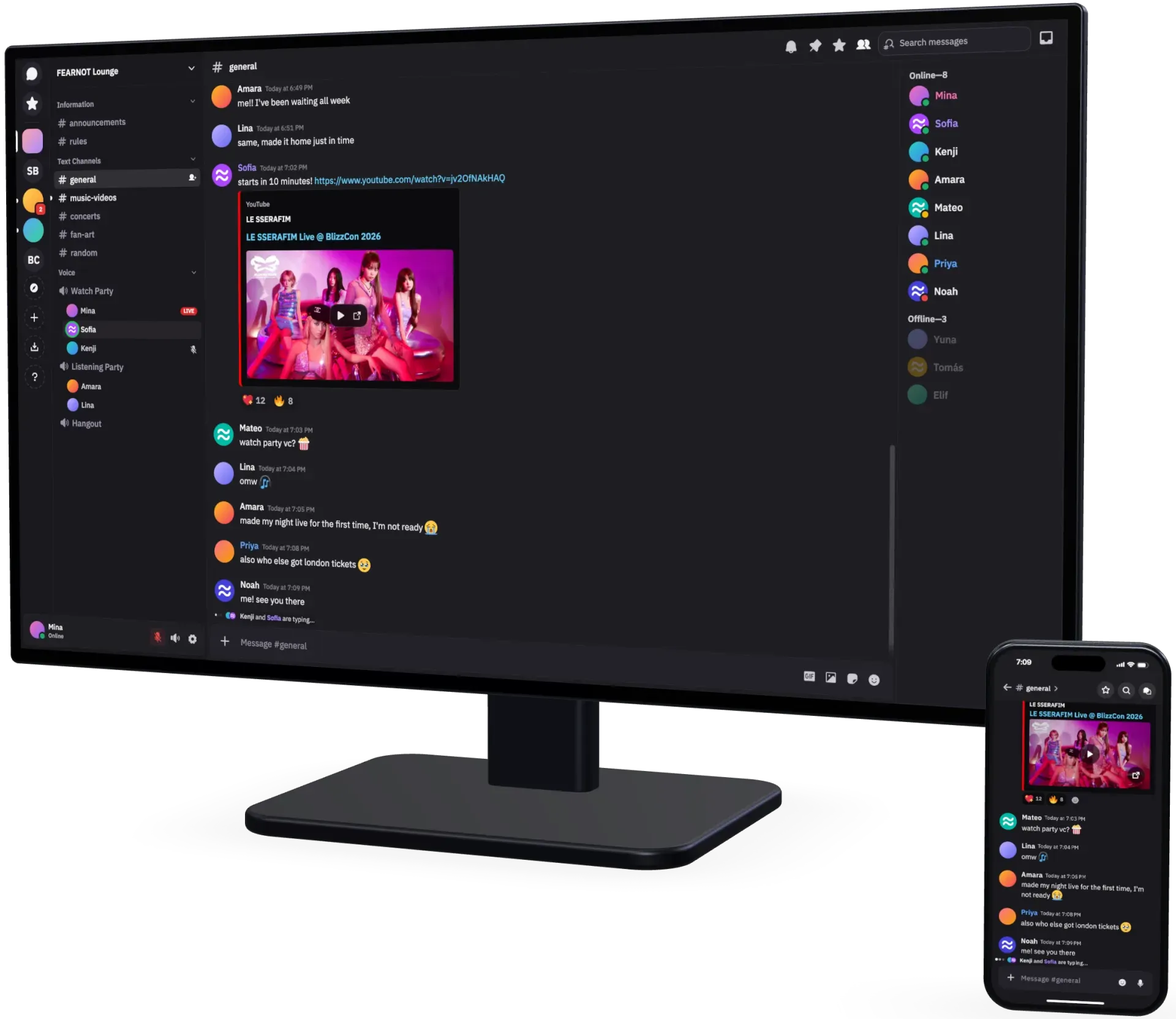
Official Fluxer screenshot of the same community on a desktop monitor and a phone.
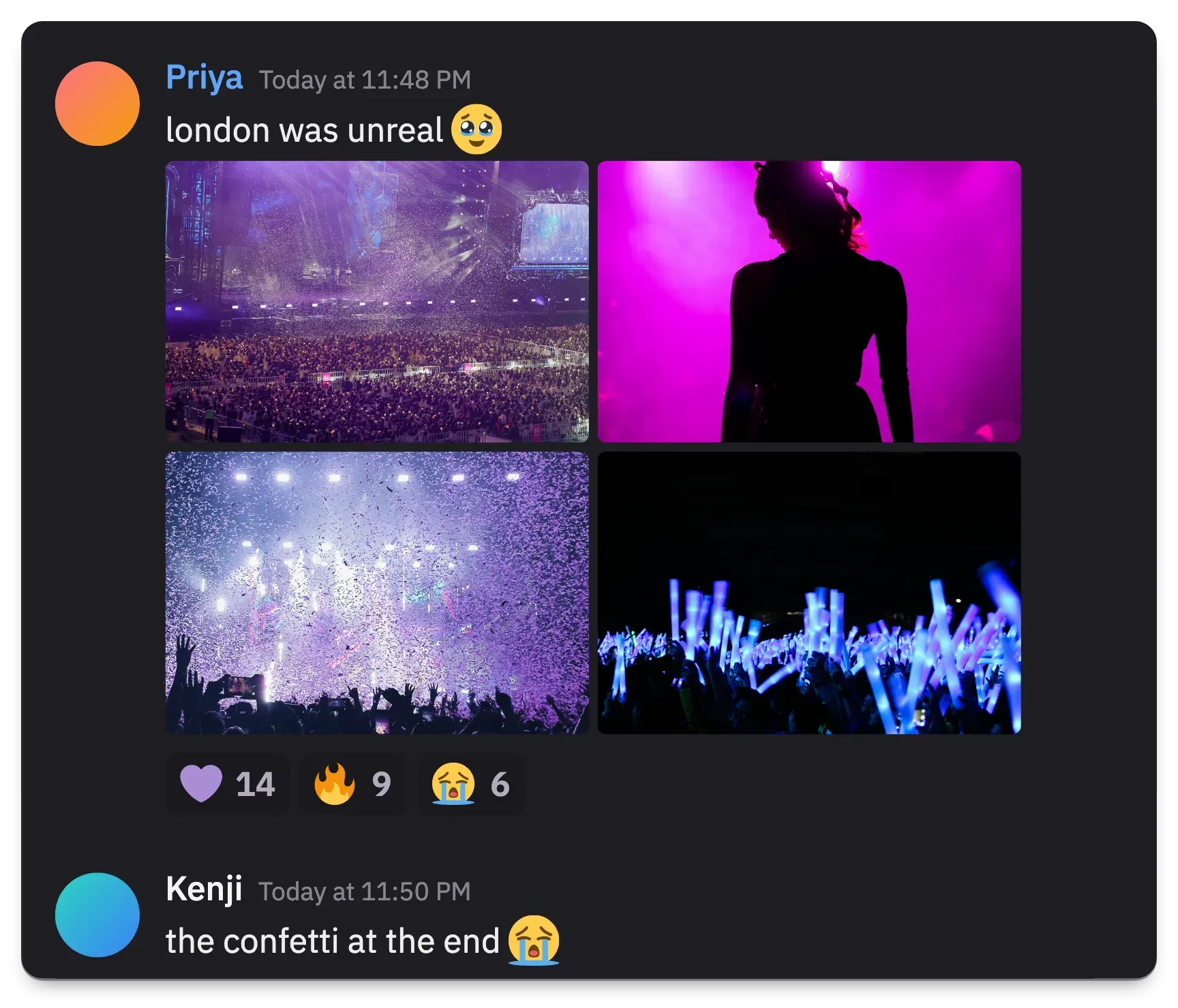
Official Fluxer chat example: a message with an image grid, reaction counts and a reply below.
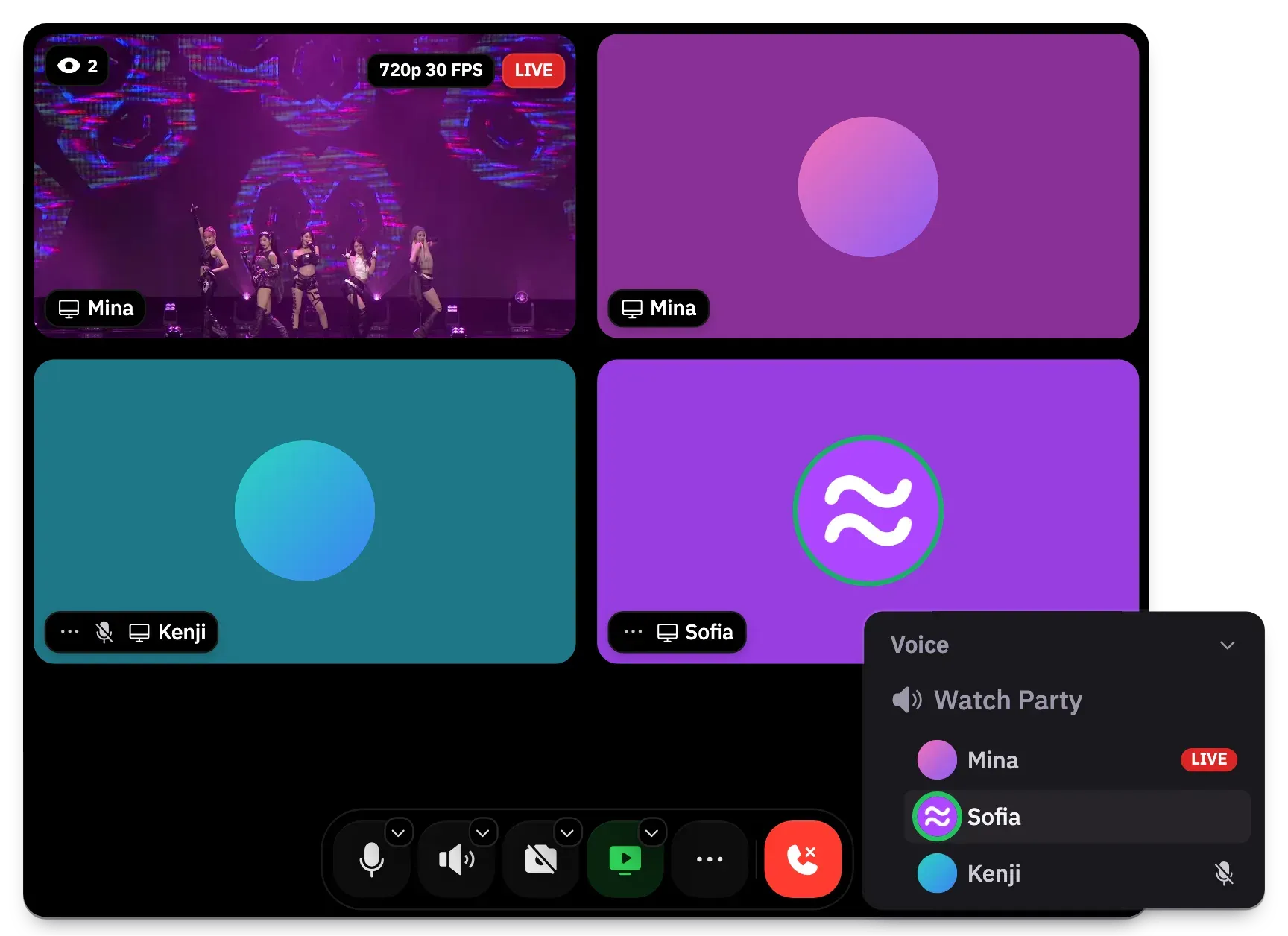
Official Fluxer voice example: a live screen share at 720p 30 FPS, participant tiles and the call control bar.
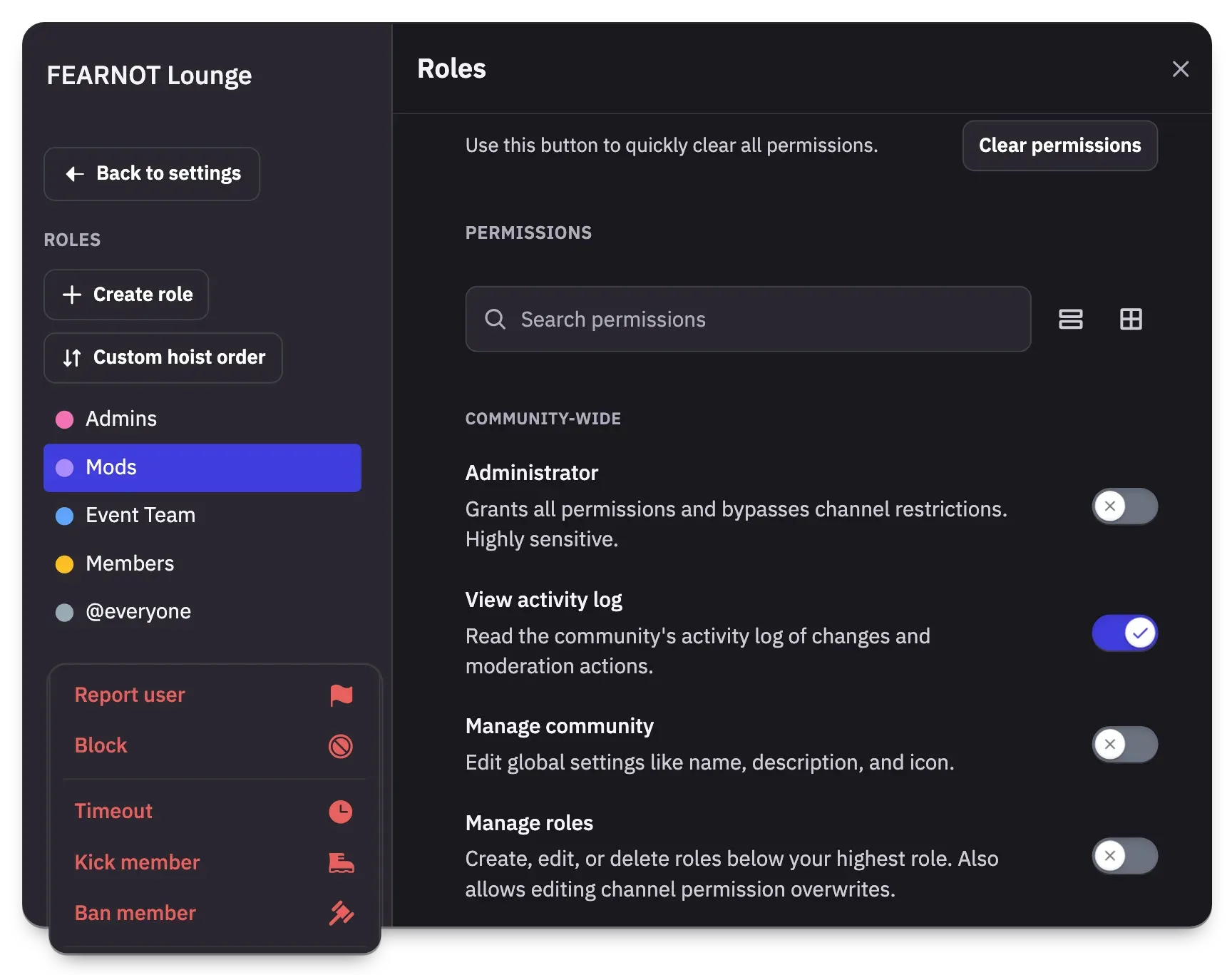
Official Fluxer community settings example: role list, permission toggles and timeout, kick and ban actions.
Source: official Fluxer project page.
Key capabilities
- Download Fluxer for Windows The desktop app is published as an installer and a portable build for both x64 and ARM64 at fluxer.com/download. Builds are served from pkgs.fluxer.com without signing in, and every file has a matching .sha256 checksum. The Windows app checks its own update feed. Pick the build that matches the processor; x64 and ARM64 files are not interchangeable.
- Download Fluxer for macOS A single disk image runs on both Apple silicon and Intel Macs, according to the README. A ZIP format is also listed in the desktop build index. The app updates from the macOS feed on pkgs.fluxer.com. The October 2026 desktop release fixed repeated screen-recording permission prompts on macOS.
- Linux packages and repositories Linux builds come as deb, rpm, AppImage and tar.gz for x64 and ARM64, plus Flatpak. Signed apt, dnf and pacman repositories at pkgs.fluxer.com keep the
fluxerorfluxer-canarypackage up to date, and Fluxer's own Flatpak remote gets releases the same day while Flathub can lag by a few weeks. RHEL, Rocky, Alma and CentOS Stream need EPEL forlibXScrnSaver. The Linux repositories page has the exact commands. - Web app and Android beta The full client also runs in a browser at fluxer.com/app with no install. Android is in beta on Google Play and as an APK, with Obtainium entries for phones with and without Google services. The Flutter mobile source has been public since June 15, 2026. iOS is not yet available: the TestFlight beta is paused.
- Text channels and messaging Messages support Markdown, code blocks, LaTeX math, replies, reactions, forwarding, pins and bookmarks. A mentions inbox, message search with filters and a personal notes channel are included. Threads and forum channels are in early beta. On fluxer.com a free account can send 2,000 characters per message and attach files up to 25 MB.
- Voice channels, calls and screen sharing Guild voice channels, DM calls and screen sharing with audio run over LiveKit, with noise suppression and echo cancellation. The default voice bitrate is 64 kbps with a maximum of 96 kbps, raised by guild features up to 384 kbps; up to 25 members can have a camera on in one channel. The hosted service lists 16 voice regions, and a call stays on the region chosen when the first person joins. Free screen sharing is 720p at 30 FPS.
- Communities, roles and moderation Communities have roles with granular permissions, channel permission overwrites, role icons, timeouts, kicks, bans and temporary bans. A moderation audit log records changes. Announcement channels, custom emoji (500 free per community on fluxer.com) and custom stickers are supported. Public communities can be listed in discovery.
- Accounts, sign-in and security keys Accounts support TOTP, backup codes, passkeys and security keys, and the desktop app can hold several accounts at once. Self-hosted instances choose username-only or email-based sign-in at setup; this choice cannot change after the first account exists. Username-only instances use a recovery kit instead of email resets. Single sign-on works over OpenID Connect with providers such as Authentik, Keycloak or Microsoft Entra ID.
- Bots, webhooks and OAuth2 Applications can own bot accounts with tokens, post through webhooks and authorize users with OAuth2. Bots use the same HTTP API and Gateway as clients, discovered through
/.well-known/fluxeron each instance rather than hard-coded domains. Bot uploads default to a 50 MiB limit. Slash commands and interactive components such as buttons and modals are announced on the roadmap, not yet available. - Documented HTTP API and Gateway The HTTP API reference covers users, guilds, channels, messages, threads, forums, calls, webhooks, search, reports and billing, with all paths under
/v1. The Gateway delivers events over a WebSocket with documented opcodes, close codes and rate limits. Each instance also exposes an OpenAPI document and its limit keys. Field tables mark optional and nullable fields explicitly. - Admin panel and Admin API Instance operators manage users, guilds, reports, blocklists, discovery, voice servers, search indexes, bulk jobs and instance configuration through an admin panel and a matching Admin API. Branding, custom badges, trusted link domains and attachment limits are set per instance. Limit rules depend on the instance premium mode. This is the layer that replaces vendor support when you self-host.
- Self-hosting with rexctl One command,
curl -fsSL https://fluxer.dev/install.sh | shon Linux or macOS or a PowerShell script on Windows, downloads rexctl, installs Docker on Linux if needed, checks DNS and disk space and obtains a certificate. The machine needs a 64-bit OS and at least 4 GB of memory, a domain with an A record and open TCP 80, 443, 7881 and UDP 443, 7882. A--behind-proxymode binds to 127.0.0.1:8080 for Caddy, nginx or a tunnel. - Upgrades, backups and rollback
rexctl upgradebacks up the instance before switching versions and returns to the previous version if the new one does not start.rexctl auto-upgrade onschedules daily or weekly upgrades through systemd or cron, with optional notifications to ntfy, Gotify, Slack or Discord webhooks. Backups can exclude uploads to save time, but that kind of backup does not help if the machine is lost.rexctl rollbackrestores the previous version, optionally with its database backup. - Docker Compose and Kubernetes options Every release includes a compose bundle with pinned images, a Caddyfile and an
.env.examplefor Portainer, TrueNAS or Unraid. Secrets in.envcannot change after first start, and compose users manage volume backups themselves. A Helm chart indeploy/helm/fluxertargets Kubernetes 1.29 or newer, with pods requesting about 1 CPU and 4.5 GB of memory.rexctl takeovercan later adopt a compose install. - Additional voice servers An instance ships with one bundled LiveKit server.
rexctl voice addadds further servers on the same or other machines, each with its own keys, ports, HTTPS and voice region. Voice servers can be drained and health-checked in the admin panel, and TURN relay settings cover instances behind tunnels, since calls do not pass through a tunnel. - Private networks and onion addresses An instance can run on a private name such as
chat.home.arpawith certificates from a local certificate authority, or behind Tor, I2P or Lokinet. Over plain HTTP, browsers disable passkeys, microphone, camera, screen sharing, notifications and offline install. Messages, uploads, sign-in and the admin panel still work without HTTPS. - Customization and languages Users can apply custom CSS themes, share them, and edit them in a Quick CSS editor with autocomplete, linting and an element picker. The desktop app imports CSS folders as themes, and custom notification sounds and entrance sounds are available. The interface is translated into 34 languages.
- Data export and deletion Users can export all their data as a ZIP of JSON files and bulk-delete their own messages, which also removes attachments. Account deletion has a grace period that signing in cancels. On fluxer.com, deleted messages leave active systems within minutes but may persist in encrypted disaster recovery copies for up to 30 days.
Where Fluxer fits
Moving a community off a commercial chat platform
Create a community on fluxer.com or on your own instance, then rebuild the channel layout with text, voice and announcement channels and map existing moderator groups to roles. Check that permission overwrites hide staff channels, that the audit log records role changes and that invites work from the web app without an install. Threads and forums are still in early beta, so test them with real usage before moving a forum-heavy community. There is no import tool documented for other platforms, so message history stays where it is.
Running a private instance for a club, school or company
Install with rexctl on a 4 GB or larger machine, choose username or email sign-in before the first account is created, and connect single sign-on if members already have accounts in Authentik, Keycloak or Entra ID. Create the admin account in the terminal or with the printed setup token. Afterwards, verify that the desktop and Android apps can add the instance address, that uploads respect the configured limits and that an email reset or recovery kit works. The sign-in methods page explains each option.
Voice rooms, calls and watch parties
Create voice channels, set bitrate, user limit and region per channel, and give the STREAM permission to members who should share screens or cameras. On a self-hosted instance, open TCP 7881 and UDP 7882 and add voice servers near your members with rexctl voice add. Test a call from a phone network and a home network, and test a screen share with audio. Note that the server issues the call encryption key, so voice is not end-to-end encrypted yet.
Building a bot or integration
Register an application, create a bot account and fetch /.well-known/fluxer from the target instance to find the API and Gateway base URLs. Use webhooks for one-way posting and the Gateway for event-driven bots. Respect the documented rate limits and the session start budget, and read error codes from the errors reference. Because instances can change limits, read the limit keys at startup instead of assuming fluxer.com values.
Operating and upgrading an instance
Enable rexctl auto-upgrade on with a weekly schedule and a notification target, keep a monthly full backup that includes uploads, and copy the backup folder off the machine. Use rexctl upgrade --check before maintenance windows and rexctl rollback if a release misbehaves. The run your instance guide covers moving machines and managing people. Watch disk usage, since uploads are usually the largest part of an instance.
Evaluating hosted use with Plutonium
Start with a free account on fluxer.com and check whether 25 MB uploads, 2,000-character messages and 720p screen sharing are enough. Plutonium at $4.99 per month or $49.99 per year raises these to 500 MB, 4,000 characters and 4K at 60 FPS and adds profile options. Data on the hosted service sits mainly with Vultr in New Jersey, so check that against your own policy before inviting members.
Install
curl -fsSL https://fluxer.dev/install.sh | shReviews of Fluxer
Be the first to share your experience with Fluxer.
Write a review
Loading review form…
Alternatives to Fluxer
 StoatStoat, formerly Revolt, is an AGPL-licensed chat platform for communities with servers, channels, roles, group DMs, LiveKit voice and a REST and WebSocket API. Use the free stoat.chat service or self-host the Rust backend with Docker Compose.
 Rocket.ChatRocket.Chat is a TypeScript and MongoDB communication platform for channels, threads, calls, Matrix federation and customer conversations. The core is MIT-licensed and self-hosted with Docker or Kubernetes; enterprise features and add-ons need a paid plan.
 SlackSlack is a messaging platform with channels, huddles, clips and no-code Workflow Builder automations, available with a free plan and paid upgrades.