

What is Colanode?
Colanode is an open-source collaboration workspace that puts team chat, rich-text pages, structured databases and file storage into one application. The project presents itself as a local-first alternative to Slack and Notion: every client keeps a working copy of the workspaces its user can access and synchronizes changes with a server in the background. The repository was created in July 2024, the first public announcement followed in January 2025, and most of the code, the release notes and the project manifesto are written by Hakan Shehu.
The system has two parts. The server is a Node.js API built on Fastify. It stores structured data in PostgreSQL with the pgvector extension, uses Redis or Valkey for caching, real-time events and BullMQ job queues, and writes uploaded files to the local filesystem, S3-compatible object storage, Google Cloud Storage or Azure Blob Storage. The web client is a React application that keeps its data in SQLite-wasm inside the browser's Origin Private File System; the desktop client is an Electron application backed by SQLite. Pages and database records are edited concurrently through Yjs CRDTs, while messages and file operations use simpler tables without merge semantics. The architecture overview and the data model page explain the node hierarchy and the sync engine.
Distribution covers three paths. Desktop installers for Windows (a Squirrel Setup.exe) and macOS (DMG and ZIP builds for Apple Silicon and Intel) are attached to each GitHub release and linked from the downloads page, where Ubuntu, iOS and Android are still marked as coming soon. A hosted web app runs at app.colanode.com and the README still labels it an early preview. Self-hosters get the server and web images from the GitHub Container Registry, a Docker Compose file and a Helm chart.
The current release is v0.4.7, published April 3, 2026. It adds authorization checks to the endpoint that changes a user's workspace role, adds path-based pull-request tests for server and web, updates packages and fixes the web Docker build. Version 0.4.6 added an nginx configuration for single-page web routes, an app information page and invitation emails, and 0.4.5 fixed undo and redo in documents. The larger change was 0.4.0 in January 2026: a JSON configuration file replaced environment variables, URL-based routing made nodes shareable by link, database fields and views gained locks, the sidebar gained a node tree and workspaces gained a read-only state. Clients reset their local data after that upgrade and resync from the server. The latest release and the most recent push to the repository both date from April 2026.
Colanode is licensed under Apache-2.0. The manifesto states that there is no enterprise edition and that Colanode Cloud runs the same codebase as the open-source project. Several things are outside the current scope: there is no Linux desktop build and no mobile app release, Google sign-in works only in the web client, and the AI code path was disabled in 0.4.0 and has not returned in later releases. The description follows the official documentation, release notes and source tree.
Colanode screenshots
Explore the interface. Open a screenshot to view it at full size.
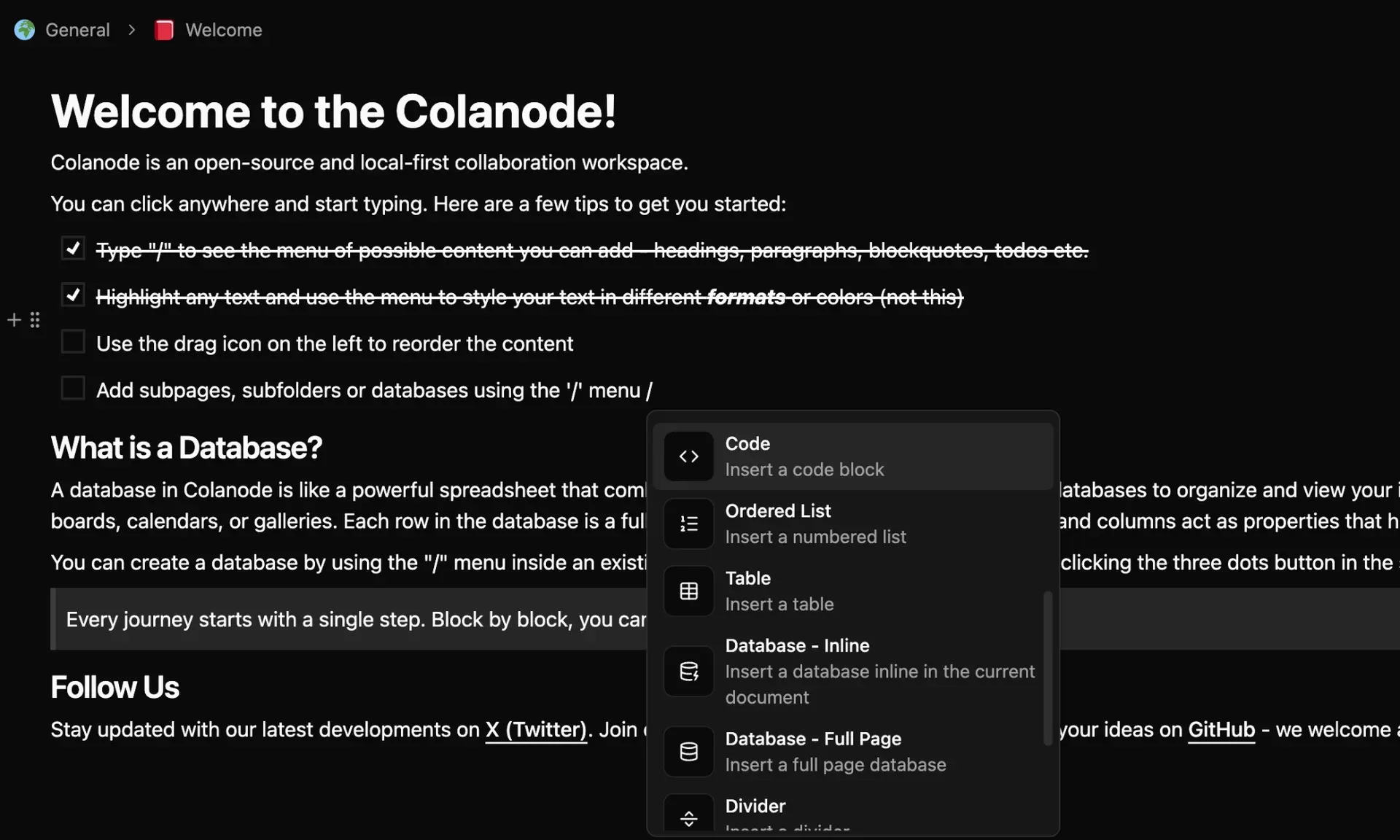
Official screenshot of a Colanode page: a to-do checklist and the slash menu offering code blocks, tables and inline or full-page databases.
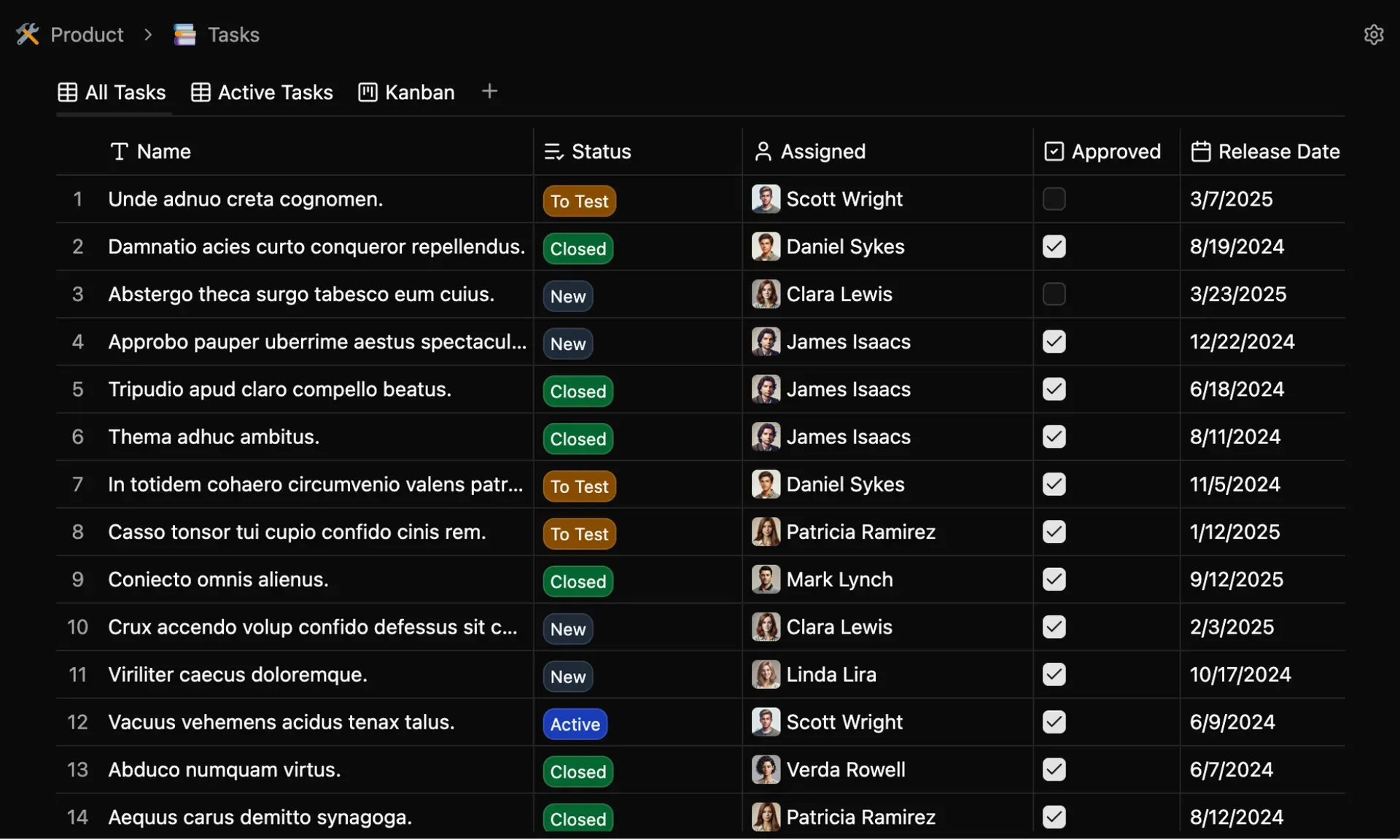
Official screenshot of a task database in table view, with select, collaborator, checkbox and date fields and saved views including Kanban.
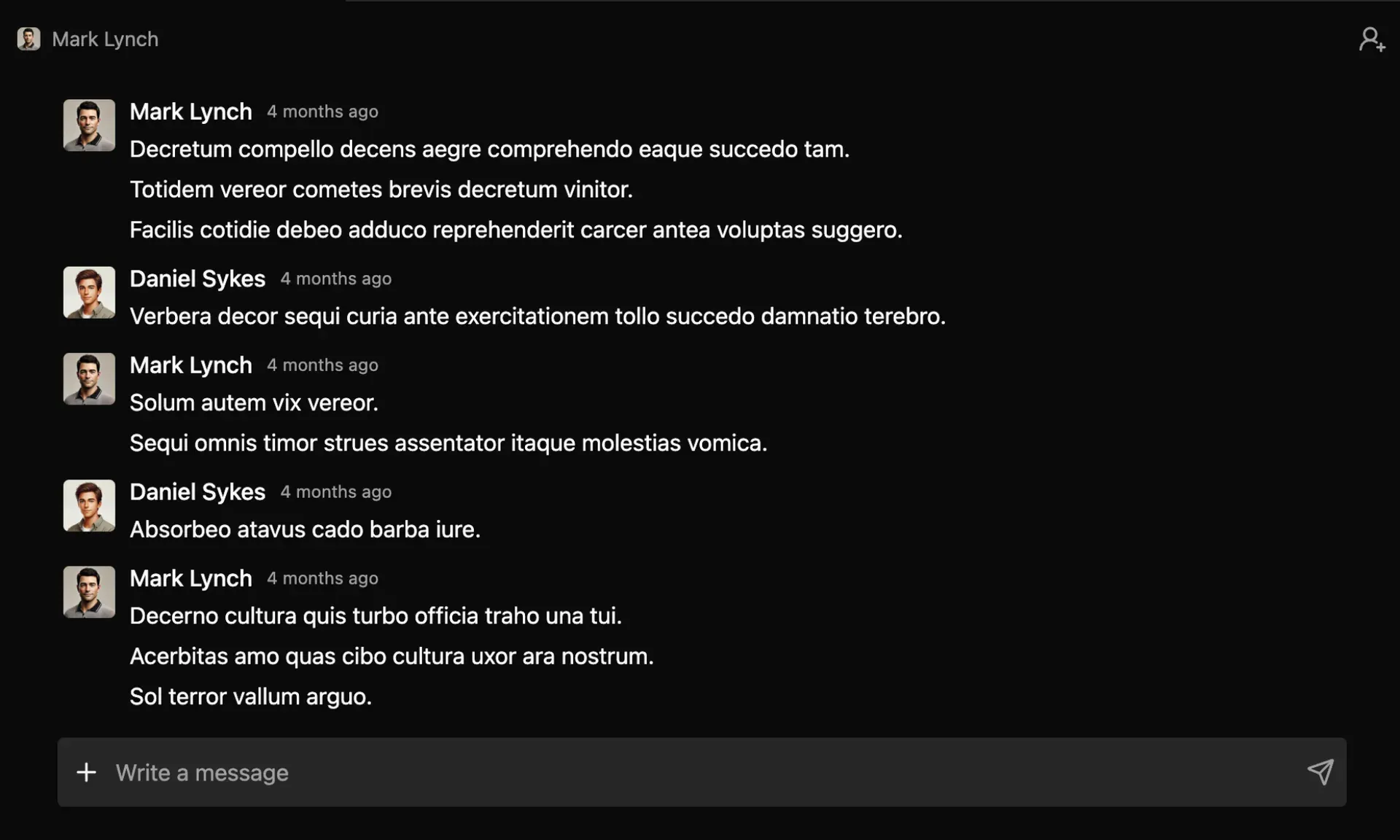
Official screenshot of a one-to-one chat in Colanode; the message text is placeholder content.
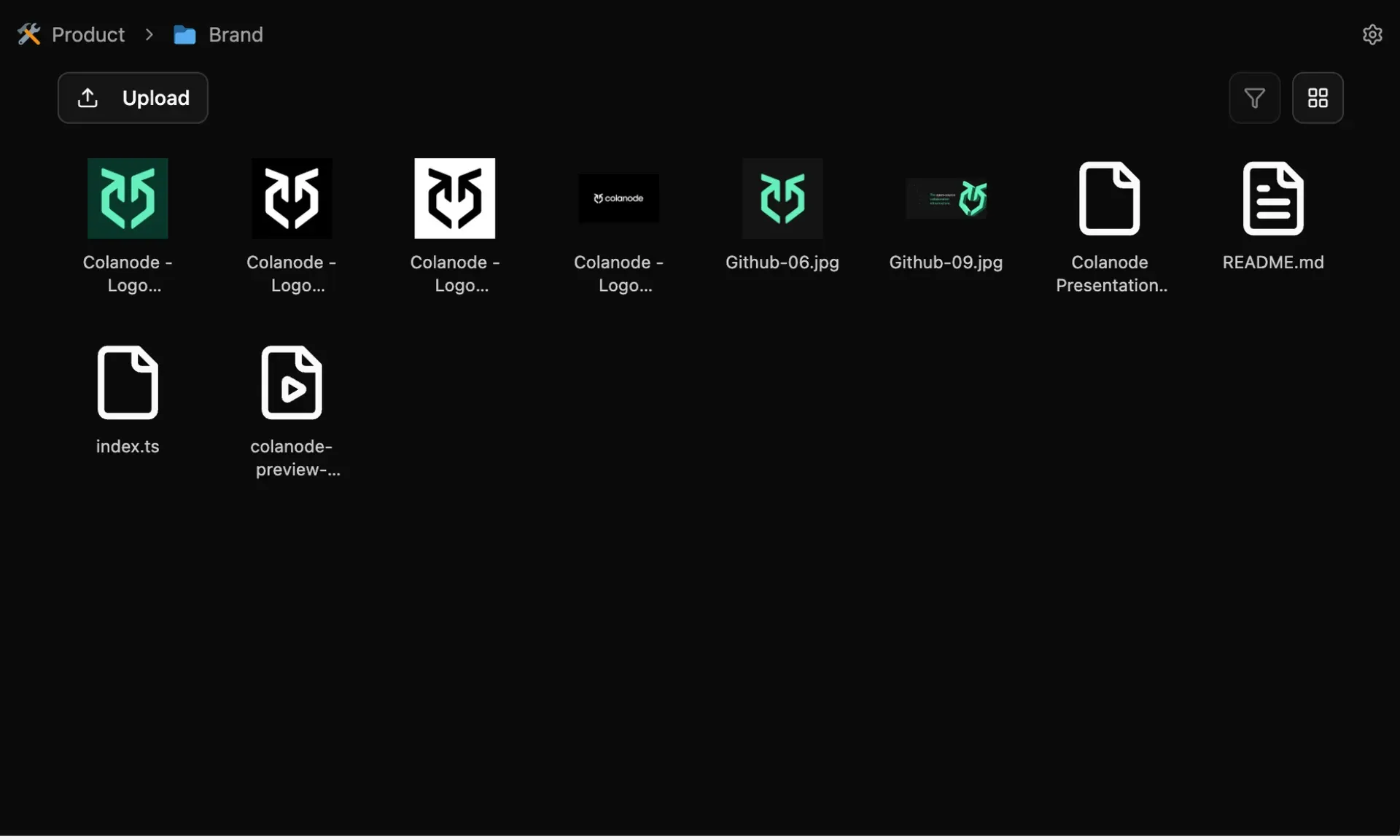
Official screenshot of a Colanode folder in grid view with an upload button, filter control and image thumbnails.
Source: official Colanode project page.
Key capabilities
- Download Colanode for Windows The release ships a Squirrel-based installer, Colanode-0.4.7.Setup.exe, plus the full NuGet package and RELEASES file used for in-place updates. One Windows installer is published, without a separate ARM64 build. Get it from the v0.4.7 release page or the official downloads page.
- Download Colanode for macOS Separate DMG installers and ZIP archives are published for Apple Silicon (arm64) and Intel (x64) Macs. The desktop app is built with Electron Forge and stores workspace data in a local SQLite database next to cached files. Linux packages are listed as coming soon on the downloads page, although the build configuration already contains DEB and RPM makers.
- Web client and Colanode Cloud The web app at app.colanode.com runs the same React client in the browser, with data kept in SQLite-wasm in the Origin Private File System. It can connect to the Colanode Cloud servers in the EU or the US, or to any self-hosted server. The README calls the web app an early preview and warns about browser compatibility issues.
- Self-hosting with Docker Compose The official compose file starts the server image on port 3000, the web image on port 4000, PostgreSQL 17 with pgvector and Valkey 8.1, with filesystem storage in a named volume. An optional MinIO service starts only with the s3 profile. The Docker Compose guide covers mounting config.json, reverse proxies with SERVER_PATH_PREFIX, volume backups and pg_dump.
- Kubernetes deployment with Helm An official chart in the colanode Helm repository deploys the server with PostgreSQL, Valkey, MinIO and optional ingress. Replica count, persistence sizes and an existing ConfigMap for config.json are set through values. The Kubernetes guide documents install, upgrade and the configuration options.
- Channels and direct chats Chat supports channels inside spaces and one-to-one conversations, with rich message content and emoji reactions stored per user. Messages are synced to every member device and appear immediately from the local database. Unlike pages, messages do not support concurrent editing, and an unsent message is removed if the server cannot confirm it after the configured retries.
- Rich-text pages and wikis Pages use a block editor with a slash menu for headings, lists, to-do items, quotes, code blocks, tables, dividers and nested pages. Databases can be inserted inline or as full pages. Several people can edit the same page at once, and undo and redo were fixed for documents in 0.4.5.
- Databases with typed fields and views A database holds records with 17 field types, including text, number, date, select, multi-select, collaborator, relation, rollup, file, URL, email, phone and created or updated metadata. Records can be shown as table, board or calendar views with sorting and AND/OR filters. Since 0.4.0, fields and views can be locked against accidental edits and records open in a quick preview modal.
- Files and folders Files are uploaded through the TUS resumable protocol and organized in folders alongside pages and databases. Image, audio and video files get in-app previews; previewed copies are cached locally and deleted after seven days without access. The default per-file limit on self-hosted servers is 500 MB, adjustable per workspace.
- Local-first sync engine After the first full sync, all reads come from the local SQLite database and writes land there first. Each write is appended to a local mutations queue that a background worker submits to the server, so work continues while offline or when the server is down. A WebSocket per account delivers confirmed changes from other devices in real time.
- Conflict-free collaborative editing Pages and database records are stored as Yjs CRDT documents, so simultaneous edits from several users merge without locking. Deletions are tracked as separate transactions. Large document bodies live in a separate documents table and are loaded on demand when a page is opened.
- Multiple servers, accounts and workspaces One client can connect to several servers and accounts at once, each with its own isolated data. A server hosts many workspaces, and a member receives a separate user identity in each workspace. The desktop app keeps tabs at application level, so tabs from different workspaces can stay open together.
- Workspace roles Members hold one of the roles owner, admin, collaborator, guest or none. Role changes go through a dedicated endpoint that received additional authorization checks in v0.4.7. A workspace can also be set to read-only, which blocks node, document and file changes while keeping content readable.
- Account verification and sign-in New accounts can be verified automatically, manually by an administrator in PostgreSQL, or through an emailed one-time code with a configurable timeout. Google OAuth can be enabled, but it currently works only in the web client. Email delivery uses SMTP and is off until configured, as described in the configuration reference.
- Storage backends File storage can use the server filesystem, any S3-compatible service (AWS S3, MinIO, Cloudflare R2, Backblaze B2), Google Cloud Storage or Azure Blob Storage. Credentials are referenced from config.json with env:// or file:// pointers instead of being written into the file. Multi-node deployments should switch the TUS upload locker to Redis.
- Server operations and maintenance jobs The server runs in standalone or cluster mode; cluster mode publishes events through Redis so several instances stay consistent. Optional cron jobs merge node and document update history and clean up orphaned data, and all three are disabled by default. Logging levels range from trace to silent.
- Offline emojis and icons About 8,000 emojis, general icons from Remix Icon and brand logos from Simple Icons ship inside the client as two SQLite databases with full-text search and SVG sprites. Pages, folders, databases and records can be labelled with them without any network access.
Where Colanode fits
Replacing a separate chat tool and wiki for a small team
Create one workspace, add a space per team or project, and keep channels, pages and databases for that topic together. Invite members with the collaborator role and reserve admin for the people who manage settings. Check that the features you rely on today, such as threads, integrations, notifications or guest access patterns, exist in the current release before moving a team over, because Colanode covers chat, pages, databases and files but not the integration ecosystems of larger suites.
Running a self-hosted server with Docker Compose
Download the official compose file, start it with docker compose up -d and open the web client on port 4000. For anything beyond a test, mount a config.json with your server name, CORS origins, SMTP settings and account verification mode, keep secrets in environment variables referenced with env://, and place nginx or Traefik in front with TLS. Verify that WebSocket upgrades reach the server through the proxy and that SERVER_PATH_PREFIX matches the proxied path.
Deploying on Kubernetes for a larger organization
Add the Helm repository, set replica count, ingress host and persistence sizes in values.yaml, and pass config.json with --set-file. Switch the server to cluster mode and the TUS locker to Redis when more than one replica runs. Use managed PostgreSQL with pgvector and a managed Redis or Valkey service if you already operate them, and confirm backup coverage for both the database and the object storage bucket.
Working offline and on unreliable connections
Install the desktop app, sign in while online and let the first full sync finish. Afterwards, pages, records and messages open from the local SQLite database and edits queue in the background. Test what happens to a message sent while offline, to two people editing the same page during a disconnect, and to large files, which are fetched on demand and are not available offline unless they were downloaded or recently previewed.
Building a lightweight tracker with databases
Create a full-page database, add select, collaborator, date and relation fields, then save a table view for the full list, a board view grouped by status and a calendar view by due date. Lock the fields and views once the structure is agreed. Records are full pages, so specifications or meeting notes can live inside the record that tracks the work.
Upgrading across releases
Read the release notes before each server upgrade. The 0.4.0 release changed server configuration from environment variables to config.json and reset local client data, so every user had to sign in again and resync. Keep server and client versions close, upgrade a staging server first, and confirm that existing workspaces, files and role assignments survive the upgrade.
Install
curl -o docker-compose.yaml https://raw.githubusercontent.com/colanode/colanode/main/hosting/docker/docker-compose.yaml && docker compose up -dReviews of Colanode
Be the first to share your experience with Colanode.
Write a review
Loading review form…
Alternatives to Colanode
 SlackSlack is a messaging platform with channels, huddles, clips and no-code Workflow Builder automations, available with a free plan and paid upgrades.
 NotionNotion is a hosted workspace from Notion Labs, Inc. for documents, wikis, databases and projects, with Notion Agent, Custom Agents, an MCP server, a REST API, desktop apps for macOS and Windows, and mobile apps for iOS and Android.
 Rocket.ChatRocket.Chat is a TypeScript and MongoDB communication platform for channels, threads, calls, Matrix federation and customer conversations. The core is MIT-licensed and self-hosted with Docker or Kubernetes; enterprise features and add-ons need a paid plan.