

What is Comp AI?
Comp AI is a compliance automation platform for companies preparing for audits and customer security reviews against frameworks such as SOC 2, ISO 27001, HIPAA and GDPR. It generates and manages policies, tracks controls and tasks, collects evidence from connected systems, monitors vendors and devices, and publishes a trust center. The repository describes itself as an AI-native alternative to the commercial compliance platforms Vanta and Drata. The company behind it is Comp AI, whose legal name on the official site is Bubba AI, Inc.
There are two editions, and the README is explicit about the difference. This repository is the Community Edition: free, AGPL-3.0, self-hosted on your own infrastructure and supported through Discord and GitHub Issues. Comp AI Cloud is the managed platform, built and operated as its own product on a separate, proprietary codebase with additional capabilities, managed infrastructure and dedicated support. The two are developed and released independently, so some features shown on the website may not exist in the Community Edition. Security advisories for the Cloud service apply to the managed service only, while issues affecting the Community Edition are tracked and fixed in this repository.
The code is a TypeScript monorepo built with Next.js, Prisma and PostgreSQL, Trigger.dev for background workflows, Better Auth for sign-in and Resend for email. Applications include the main app, a customer-facing portal, a NestJS API and a browser extension, and packages include an integration platform, a device agent and an MCP server. The latest GitHub release is v3.111.1, published August 5, 2026, which fixes an MCP serialization bug. The preceding v3.111.0 added bulk policy upload and a security questionnaire browser extension.
Self-hosting uses Docker Compose with separate environment files for the database, the app and the portal. It needs an external PostgreSQL 14 or newer with SSL, a Resend account for email and a Trigger.dev account for workflows. Comp AI is software that supports a compliance program; it does not replace an auditor, and a SOC 2 or ISO 27001 report still comes from an independent audit firm. Documentation lives at trycomp.ai/docs, with a separate self-hosting overview in the repository and a public roadmap at roadmap.trycomp.ai.
Comp AI screenshots
Explore the interface. Open a screenshot to view it at full size.
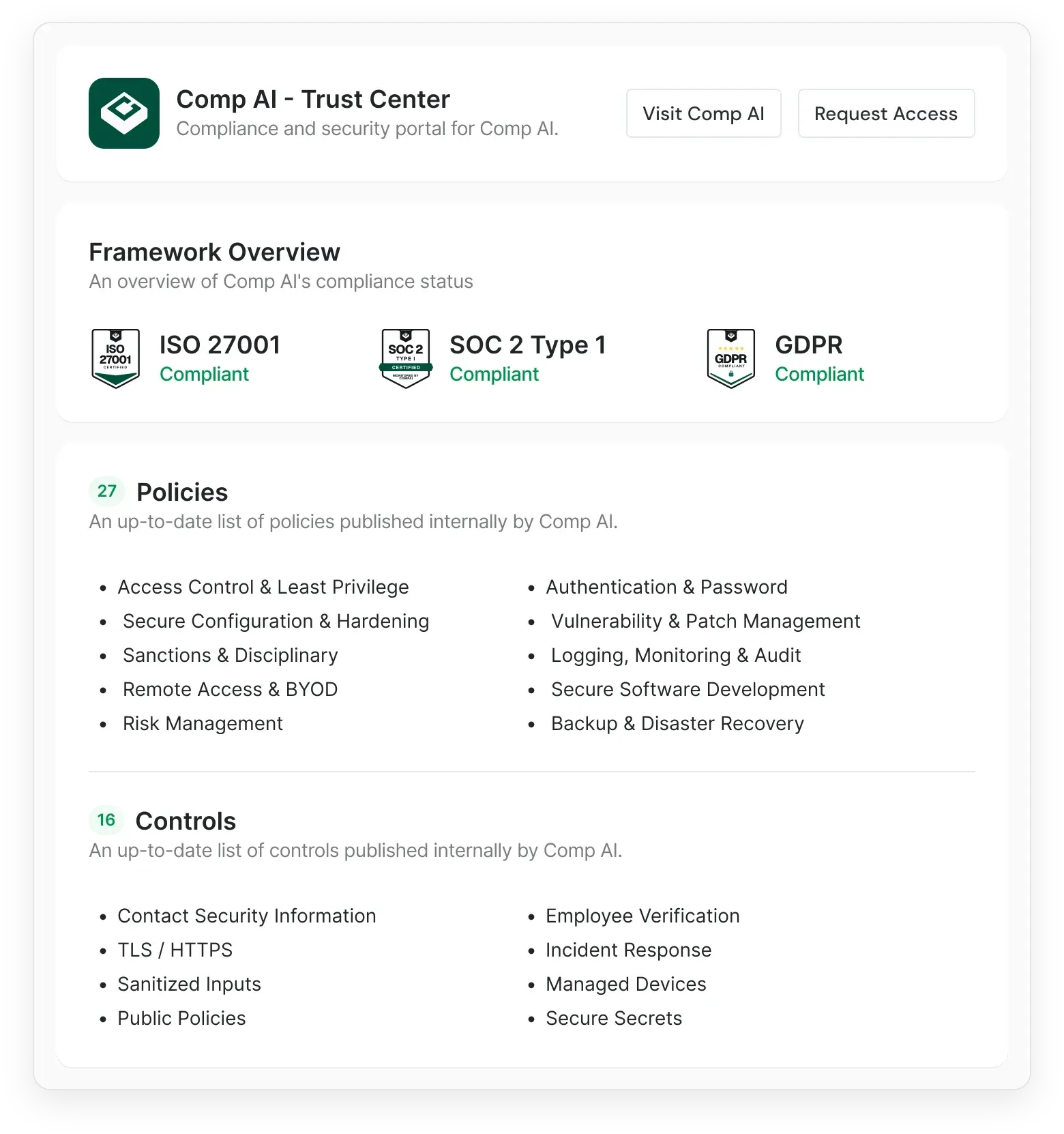
Official website illustration of a trust center with compliance status, policies and controls.
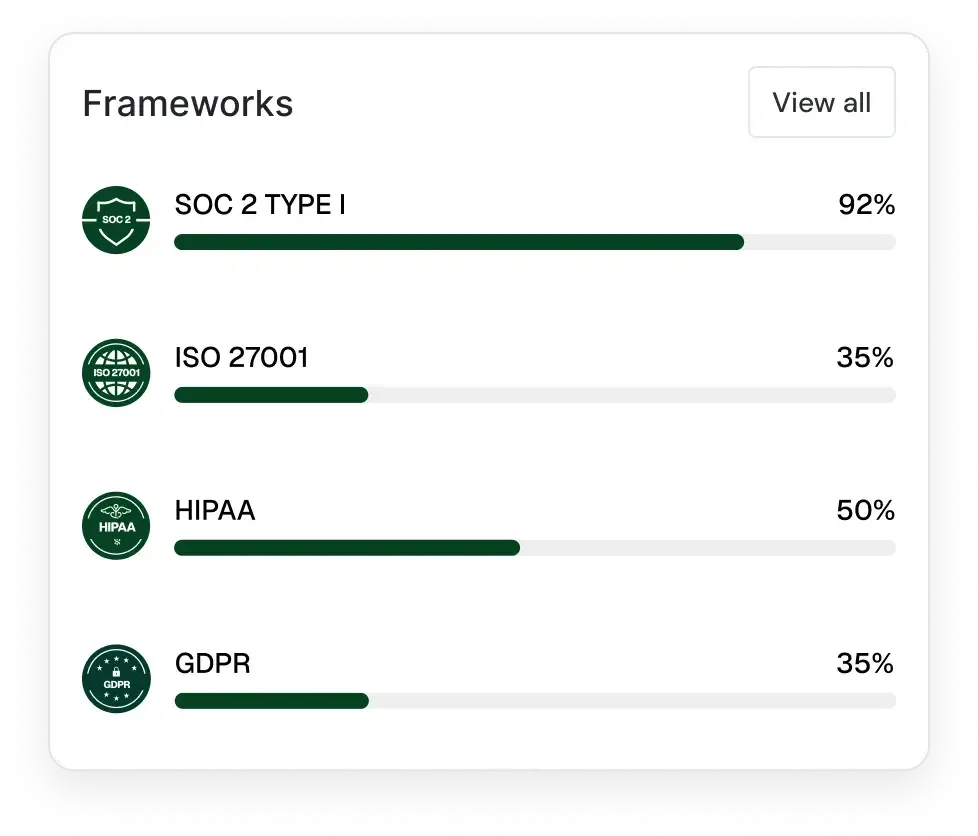
Official website illustration of framework progress for SOC 2, ISO 27001, HIPAA and GDPR.
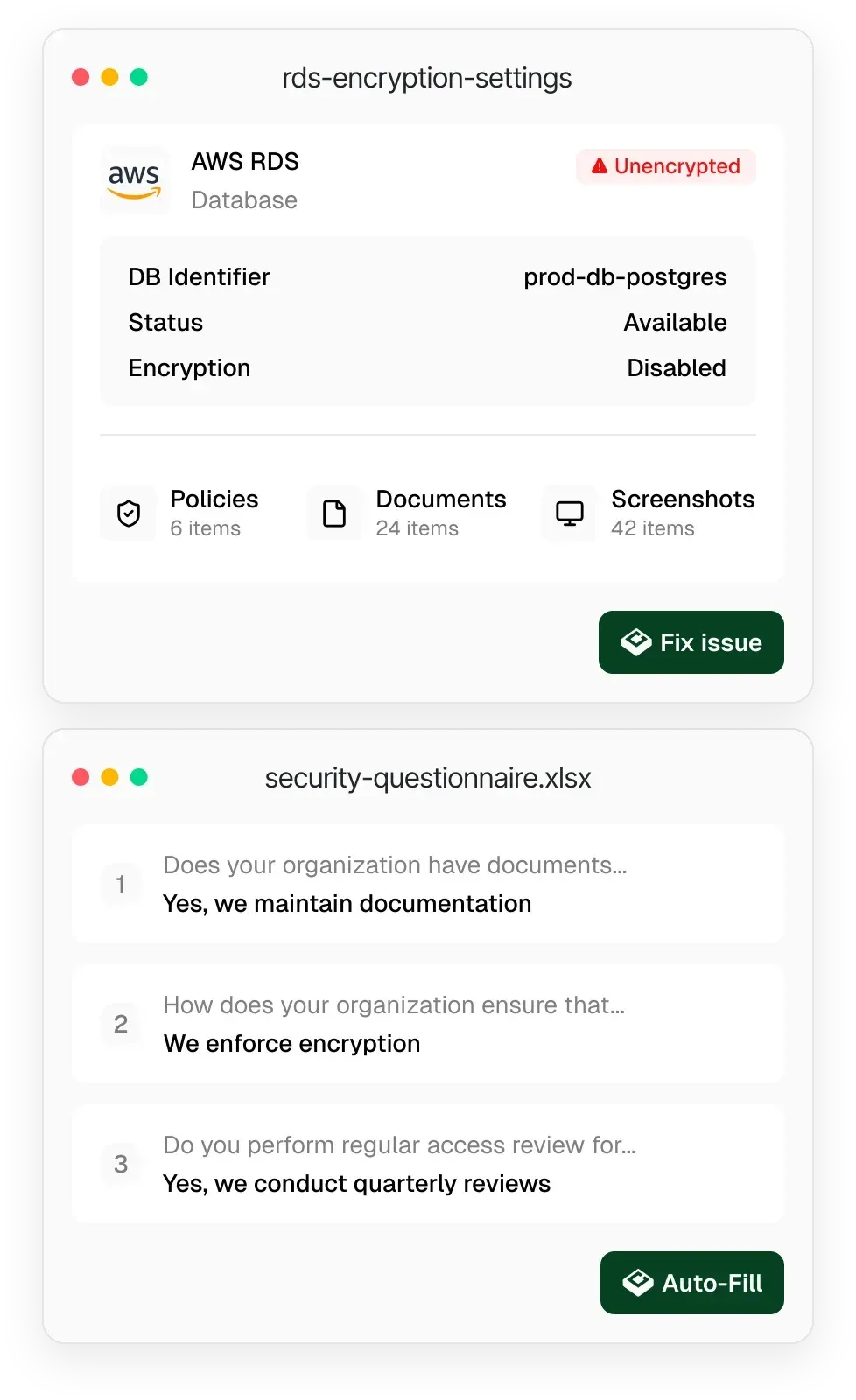
Official website illustration of evidence collection and security questionnaire auto-fill.
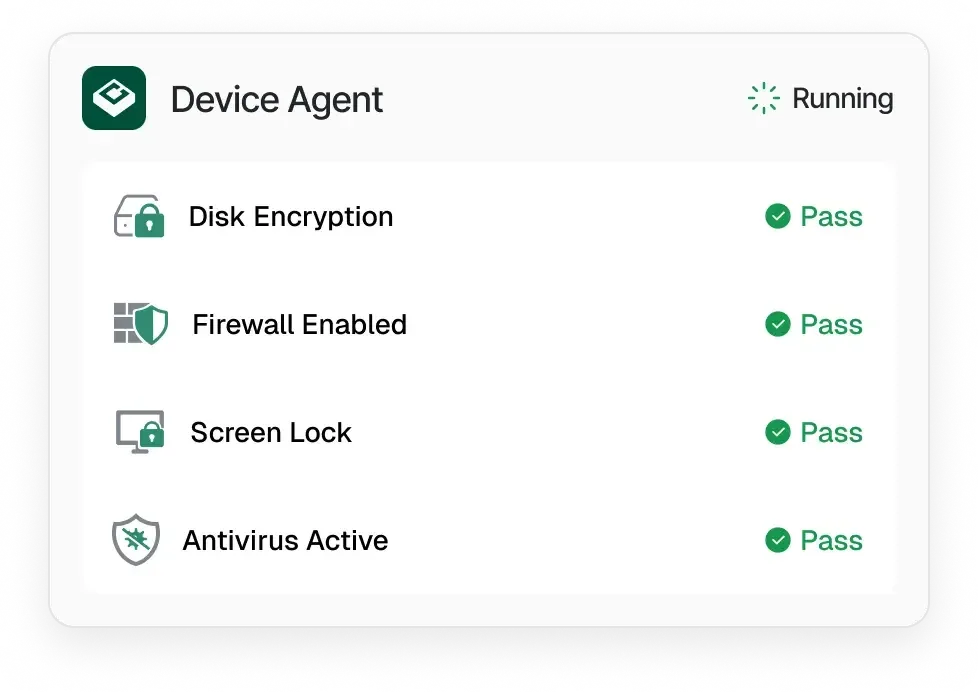
Official website illustration of the device agent compliance checks.
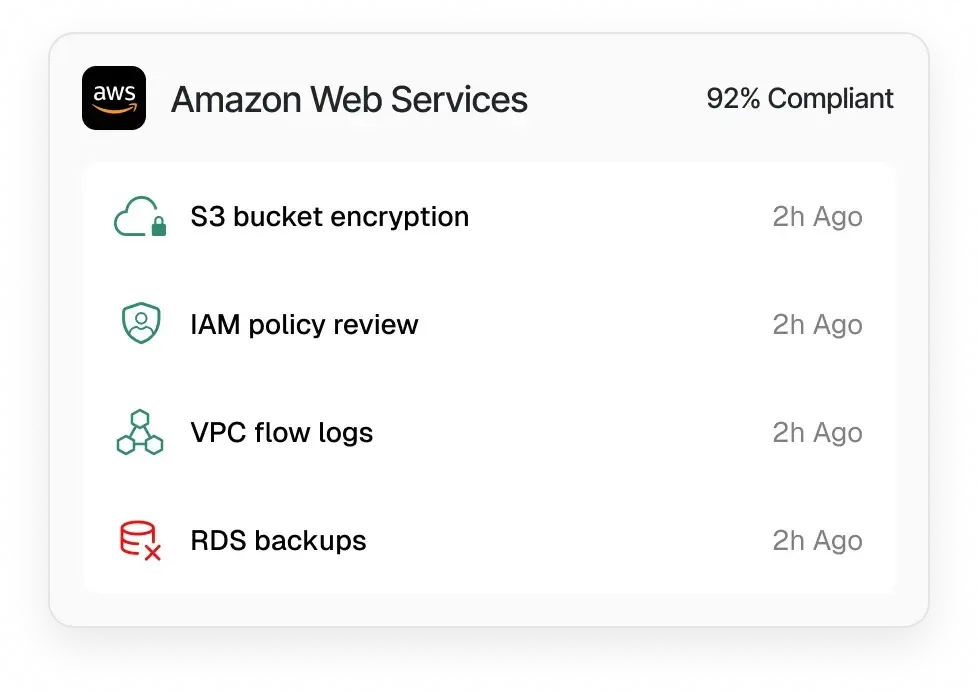
Official website illustration of cloud monitoring results for an AWS account.
Source: official Comp AI project page.
Key capabilities
- Framework coverage The website lists SOC 2, ISO 27001, HIPAA, GDPR and FedRAMP, and links a guide to ISO 42001. Frameworks are loaded as reference data with controls, and the repository has a framework editor and versioning for framework updates. Confirm which frameworks your edition ships before planning an audit.
- Policy generation and AI policy editor Policies are drafted from onboarding context such as stack, processes and risk tolerance, then edited with an AI policy editor. A bulk upload feature added in 3.111.0 helps migrate existing policies. A human owner must still review and approve each policy.
- Controls and tasks Controls map to framework requirements and to tasks, such as reviewing access or collecting a screenshot. Tasks can be assigned and tracked, and the docs describe automations attached to a task to gather evidence on a schedule.
- Automated evidence collection The automated evidence guide describes recurring evidence from connected systems for SOC 2, ISO 27001, HIPAA and GDPR. The website cites more than 580 integrations for the managed product, so check the integration catalog for the Community Edition.
- Integration platform An open integration framework lets developers write manifests and checks that run compliance tests and sync data. It supports OAuth 2.0, API key and custom authentication. Self-hosters must configure OAuth apps for providers such as GitHub or Google Workspace themselves.
- Cloud tests The cloud tests guide covers connecting AWS with a read-only IAM role, Azure through OAuth or a service principal, and Google Cloud through Security Command Center. An optional second AWS role can apply fixes, which is a permission decision to review carefully.
- Device agent The open-source device agent is a tray app that checks disk encryption (FileVault, BitLocker or LUKS), antivirus, a minimum password policy and screen lock within 15 minutes. It runs hourly, supports macOS 14+, Windows 10+ and Ubuntu 20.04+, and the docs say it does not collect browsing history or file contents.
- Browser automations Scheduled browser sessions can capture audit evidence from vendor websites, with optional sign-in and two-factor handling. This involves storing or using credentials for third-party sites, so review the browser automations page and your data policy first.
- Security questionnaires The platform answers vendor security questionnaires from approved policies and knowledge base documents. A Chrome extension added in 3.111.0 drafts answers on the vendor's page and inserts the ones you approve. Treat generated answers as drafts that need review before they go to a customer.
- Penetration tests The docs describe AI-assisted penetration test runs that track findings and produce Markdown or PDF report deliverables. The website presents it as a feature of the managed platform. It does not replace an independent test when an auditor or customer requires one.
- Vendor and risk management Vendors can be tracked with risk scoring and alerts, and the API reference lists an ISMS area alongside people, policies and trust portal endpoints. Use it to keep the vendor inventory that auditors ask for in one place.
- Trust center and Trust Access A public trust center shows compliance status, policies and controls, and Trust Access manages access requests, NDAs, reviewer grants and audit trails for shared resources. The vendor's own example is at security.trycomp.ai.
- Employee portal and training A portal lets employees accept policies, complete security training and install the device agent. Each employee's status is tracked for audit evidence, and training completion emails are part of the workflow.
- Public API and MCP connector The documentation includes an API reference with an OpenAPI specification. A hosted MCP connector lets an AI assistant connect with one URL and a sign-in, and the older local MCP server package is marked deprecated in the docs.
- Docker self-hosting The Docker guide deploys migrator, seeder, app and portal services with Docker Compose. Setting
NEXT_PUBLIC_SELF_HOSTED=truemarks the instance as self-hosted, auto-approves organizations and removes the need for Stripe keys. - Community support Community Edition support comes through Discord and GitHub Issues, with a public roadmap at roadmap.trycomp.ai. Security issues in the Community Edition are reported through the repository's SECURITY.md file.
Where Comp AI fits
Preparing for a first SOC 2 report
Pick the framework and audit window, generate the policy set, and assign owners to controls and tasks. Connect the cloud account and code host so evidence collects continuously, then walk through open tasks before engaging an auditor. Check with the audit firm which evidence formats it accepts, and agree who signs off on each policy before the observation period starts, since changing a policy mid-window creates extra evidence to explain.
Running the Community Edition on your own infrastructure
Follow the Docker guide with an external PostgreSQL that requires SSL, a Resend account and a Trigger.dev project. Set the self-hosted flag, run the migrator and seeder, then start the app and portal. Confirm email delivery and workflows work before inviting colleagues, and plan for backups of the database. Review the environment reference for optional services before exposing the instance to the internet.
Checking employee devices
Ask staff to install the device agent from the employee portal and confirm that disk encryption, antivirus, password policy and screen lock pass. Linux users may need a password quality module for the policy check. Keep a record of the exceptions you accept and why.
Answering customer security questionnaires
Load approved policies and knowledge base documents, then let the assistant draft answers to an uploaded questionnaire or through the browser extension. Review every answer against current policy, and keep the approved version so later questionnaires stay consistent. Flag any answer that makes a commitment you cannot yet evidence.
Publishing a trust center
Choose which policies, controls and certifications to show, enable access requests with NDAs where needed, and share the link with prospects. Check that nothing sensitive is public and that the status shown matches your audit stage, such as in progress rather than certified. Revisit the page after each audit milestone so it does not drift out of date.
Connecting an AI assistant through MCP
Use the hosted MCP connector with a sign-in to let an assistant read compliance data or draft changes. Scope the account to the least privilege needed, and review any write actions in a test organization first.
Reviews of Comp AI
Be the first to share your experience with Comp AI.
Write a review
Loading review form…
Alternatives to Comp AI
 OpenlaneOpenlane is an open-source GRC platform written in Go. It tracks programs, controls, evidence, policies, vendors, risks and scans, runs campaigns and a branded trust center, and is sold per module as a hosted service or run from source.
 Comp AI CRMOpen-source, single-tenant CRM from Comp AI built on Next.js, NestJS, Postgres and the eve agent framework. It reads Gmail or Outlook, enriches records from cited evidence and runs agents you describe in one sentence.