

What is Puter?
Puter is an open-source internet computer: a desktop environment that runs in the web browser, with windows, a dock, a file manager, context menus and an app launcher backed by cloud storage. It is developed by Puter Technologies Inc., which also operates the hosted service at puter.com and the Puter App Store. One repository contains the backend, the desktop interface, the Puter.js SDK, the Dev Center, a command-line client and an MCP connector, so the project is both an end-user workspace and a platform for building and publishing web apps.
There are three ways to use it. Puter.com is the hosted service with a free plan and paid storage tiers. Self-hosters run the documented Docker Compose stack, installed with a one-line shell script on Linux and macOS or a PowerShell command on Windows; the self-hosting guide covers DNS, TLS, reverse proxies and optional services. Contributors can clone the repository, run npm install and npm start, and open the local instance at puter.localhost on port 4100; the source tree declares Node.js 24 or later.
Releases use calendar versions. The current release is 26.11, published November 2, 2026, after 26.10 and 26.10.1 in October. Version 26.11 adds web push notifications for apps (a puter.notifications API, a notifications:push app permission and per-device settings), a graphical interface for custom domains and DNS, publishing of websites and workers from the Files view of the dashboard, a preliminary realtime conversation API in puter.ai, recovery codes when disabling two-factor authentication, and a long series of fixes to key-value sharing, permissions, hosting and usage metering. Version 26.10 let a team require two-factor authentication for its accounts.
The backend is written in TypeScript and organised in layers described in the architecture notes: controllers, optional RPC drivers, services, stores and clients for SQL, Redis, S3, DynamoDB and email, with extensions able to register into each layer. A self-hosted deployment combines the Puter container with Caddy, MariaDB, Valkey, DynamoDB-local and RustFS object storage. PostgreSQL support exists as a community contribution that the project describes as having rough edges; MariaDB or MySQL and SQLite are the supported defaults.
The repository is licensed AGPL-3.0, with bundled third-party libraries under their own licenses. The trademark policy is separate: a modified build cannot be distributed under the Puter name or logo. Puter is not a hypervisor or a remote desktop for native operating systems, it does not run Windows or Linux binaries, and its optional SMTP receiver only files inbound mail. The gallery uses official screenshots from puter.com and the documentation.
Puter screenshots
Explore the interface. Open a screenshot to view it at full size.
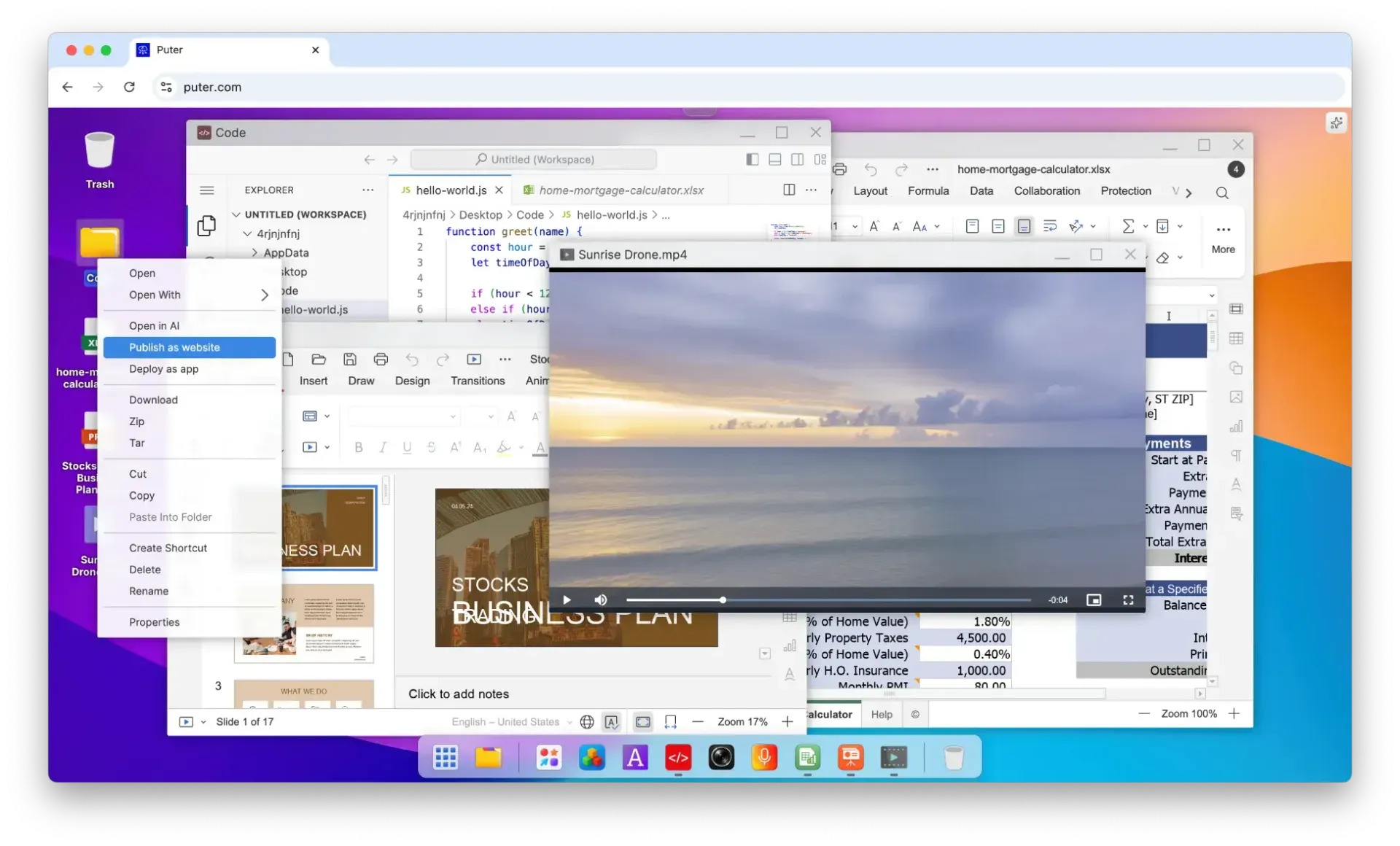
Puter running at puter.com: overlapping app windows, a file context menu with publishing actions and the dock. Official screenshot from the project README.
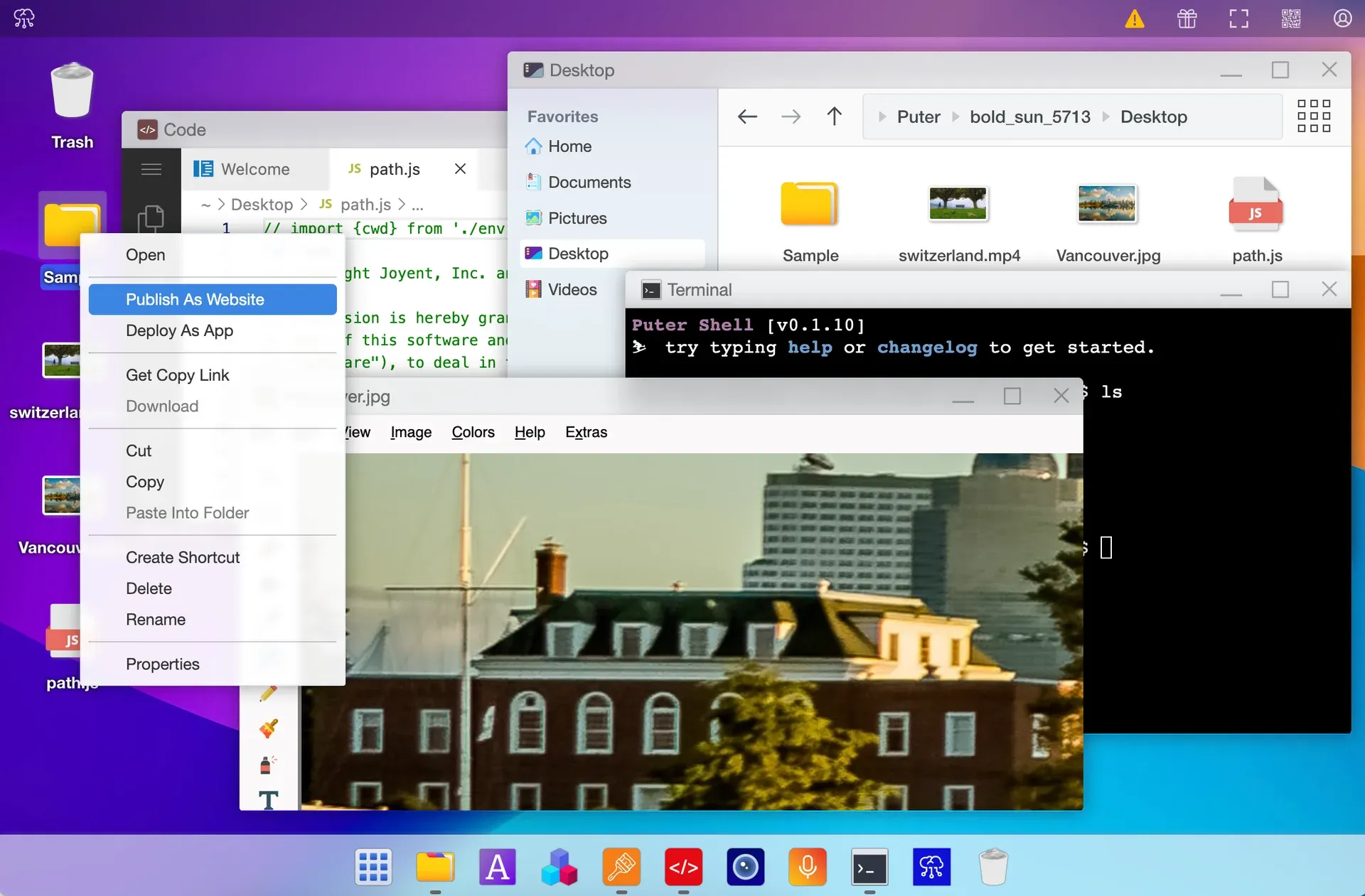
Earlier Puter desktop screenshot used as the puter.com preview image, showing the file explorer, the Puter Shell terminal and an image editor. It predates the current interface.
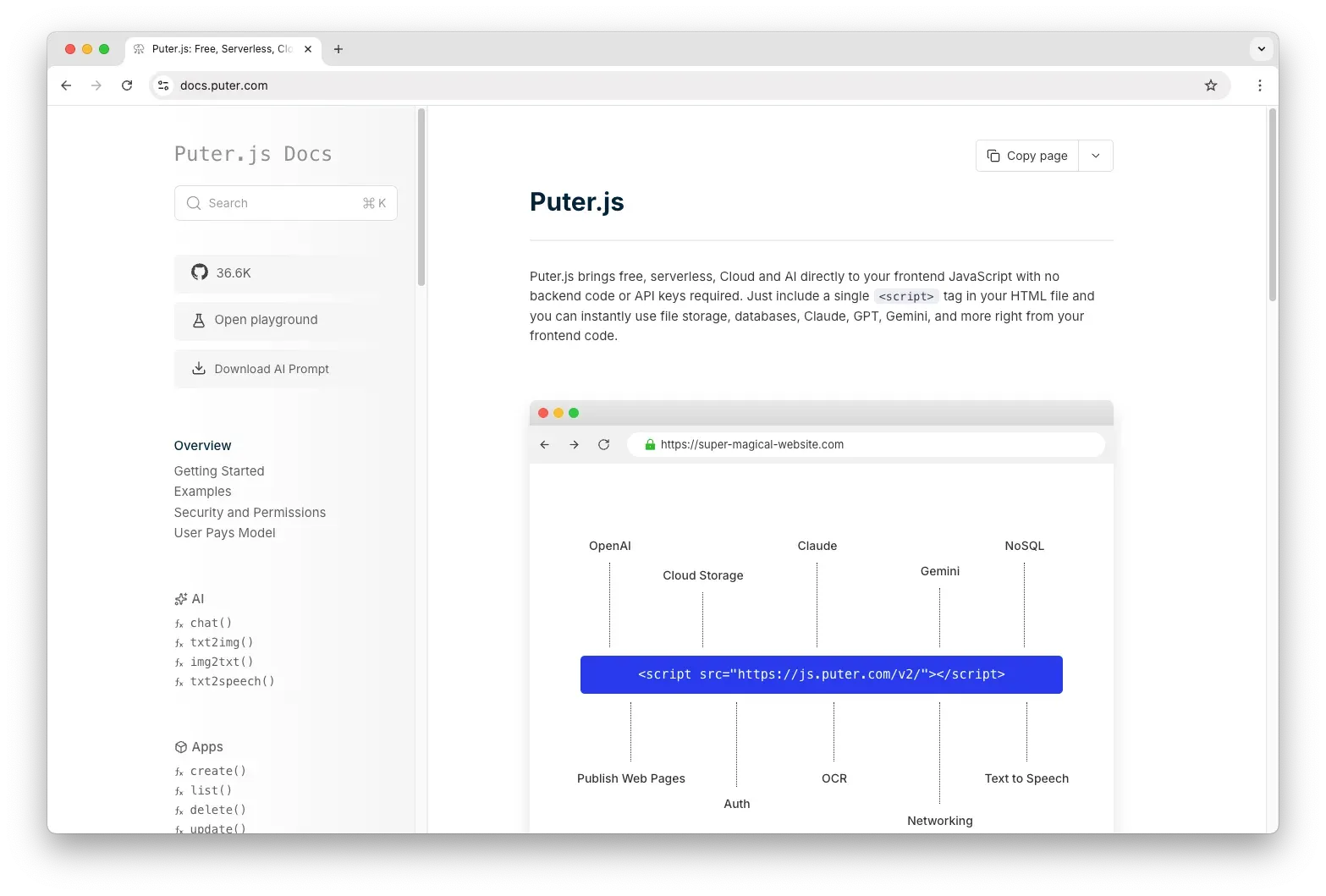
Puter.js documentation: a single script tag from js.puter.com gives frontend code access to AI models, cloud storage, NoSQL, auth, hosting and networking. Official screenshot from the repository.
Source: official Puter project page.
Key capabilities
- Desktop environment in the browser Puter draws a desktop with icons, overlapping windows, a dock, a trash can and a file explorer with Home, Documents, Pictures, Desktop and Videos folders. Right-clicking a file or folder offers actions such as Open With, Publish as website, Deploy as app, Zip, Tar, Download, Create Shortcut and Properties. Every application is a web app running in a window, so the experience depends on the browser rather than on a native operating system.
- Built-in apps and the App Store The project lists a notepad, voice recorder, spreadsheet and camera among its apps, and the official screenshots show a code editor, presentation editor, spreadsheet and video player open on the desktop. Third-party apps are published to the App Store. On puter.com, the pricing page states that every paid plan unlocks every app listed there; a self-hosted instance installs its default apps on first boot.
- Cloud file storage and sharing Files live in each account's home directory and can be shared through links or with other accounts, including team grants. On a self-hosted instance storage is unlimited by default, bounded only by host disk; setting
is_storage_limitedwithstorage_capacitycaps each user, and the capacity defaults to 100 MB once limits are on. On puter.com the free plan includes 25 MB. - Static website hosting A folder can be published as a website on a subdomain of the instance, such as
name.site.domain. Release 26.11 adds a graphical interface for custom domains and DNS and lets the dashboard publish websites from its Files view. Unpublishing removes the subdomain, not the underlying files. - Serverless workers A JavaScript file can be deployed as a worker with its own public URL, from the dashboard, the CLI or the MCP connector. Workers can act on the owner's resources, which is the documented route for shared backends. In 26.11, worker credentials and cleanup were bound to the owning site.
- Puter.js SDK Frontend code loads the SDK from
https://js.puter.com/v2/or installs@heyputer/puter.jsfrom npm. It exposes authentication, file storage, a key-value database, AI, hosting, workers, networking and notifications without API keys in the page. The Puter.js documentation includes a playground and an LLM-readable reference. - AI gateway The SDK covers chat, text-to-image, image-to-text, text-to-speech, speech-to-text, OCR and video generation. On a self-hosted instance a provider is enabled when its API key is configured, for example Claude, OpenAI or Gemini. The OpenAI and Anthropic compatible endpoints are paid-plan-only by default, so self-hosters turn off
meteringEnforcement.subscriptionsto open them. - User-Pays model Apps built on Puter.js run on the signed-in user's Puter account, which carries that user's storage, database and AI allowance. The developer pays no infrastructure cost for those users, and a user who exceeds the free allowance pays Puter directly. The User-Pays documentation does not publish the allowance size or overage rates.
- App sandboxing Each app gets its own folder under
~/AppData/in the user's storage and its own key-value store that other apps cannot read. By default an app cannot reach files outside that directory. Apps published on puter.com are signed in automatically; other sites trigger a Puter sign-in prompt on the first cloud call. - Push notifications for apps Release 26.11 adds
puter.notifications, anotifications:pushpermission, a service worker for browser push and settings to manage push devices and allowed apps. Notifications can be removed from the dashboard history. The release notes also add delivery receipts for live notifications. - Command-line client
npm install -g @heyputer/cliinstalls the beta 0.x CLI, which requires Node.js 18 or later. It logs in through the browser or aPUTER_AUTH_TOKENvariable, copies files between local paths andputer:/paths, and deploys sites and workers. The CLI README documents piping and JSON output. - MCP connector A separate MCP server, built for Cloudflare Workers, lets an MCP client such as Claude or Cursor drive a Puter account with the caller's own token or a Sign in with Puter OAuth flow. Tools cover file reads and writes, presigned uploads, directory operations, website hosting and workers. The connector stores no credentials of its own.
- One-line self-hosting installers Linux and macOS use
curl -fsSL https://puter.com/selfhost | sh; Windows uses a PowerShellirmcommand from the same address. Docker with the compose plugin must already be installed. The installer generates secrets, writes.envandconfig.json, downloads the compose file and Caddyfile, and starts the stack; rerunning keeps the existing configuration unlessPUTER_FORCE=1is set. - Docker Compose stack The default stack runs
ghcr.io/heyputer/puterbehind Caddy 2.11, with MariaDB 11, Valkey 8 for cache and rate limits, DynamoDB-local as key-value store and RustFS as S3-compatible object storage. State lives under./puter/data/, and schema migrations apply idempotently on every boot. The first login isadminwith a temporary password printed in the container logs until it is changed. - Domains, TLS and reverse proxies Puter routes by subdomain, so a public install needs wildcard DNS records and a wildcard certificate obtained through a DNS-01 challenge; the bundled Caddy has automatic HTTPS disabled. The guide also documents running behind Traefik, nginx or another proxy: keep the Host header, match
domainandprotocolin the config, forward WebSocket upgrades and settrust_proxyto the number of hops. - Accounts and sign-in controls Self-hosters can enable sign-in with Google, Apple, Microsoft or a custom OIDC provider, require email confirmation, disable new signups, block disposable email domains and set a minimum password length. A built-in proof-of-work captcha protects signup and login without an external service. Two-factor authentication supports recovery codes.
- Usage metering and budgets Puter meters bytes served, object-store requests, key-value capacity and AI tokens against a monthly budget. A registered account on a default self-hosted install is held to US$0.50 of measured cost, roughly 2.5 GiB of downloads, so the guide recommends
unlimitedMetering: true. Monthly usage records expire after 3 months by default. - Optional local models and inbound mail The
aicompose profile adds Ollama and pulls tinyllama by default, about 640 MB on disk, with optional NVIDIA GPU passthrough. Thesmtpprofile adds a receiver that files mail into each account's mailbox. It performs no spam filtering, no SPF, DKIM or DMARC checks and no STARTTLS, and needs inbound port 25.
Where Puter fits
Evaluating the hosted desktop first
Create a free account on puter.com to see the desktop, file explorer and bundled apps before planning a deployment. The free plan includes 25 MB of storage, which is enough to test uploads, sharing links and the Publish as website action but not a working file archive. Check which apps open your real file types in the browser, and whether paid storage tiers or a private instance fit the volume you need.
Running a private instance for a team or home lab
Install Docker with the compose plugin, run the installer, then set the domain and hosting subdomains in config.json and create wildcard DNS records. Add a wildcard certificate before any user types a password. Set unlimitedMetering or the default budget will start refusing downloads, change the admin password, and decide whether signups stay open. Back up ./puter/data/, which holds the MariaDB, object-storage and key-value state.
Publishing a site or app from the desktop
Upload or create a folder with an index.html, right-click it and choose Publish as website to get a hosting subdomain, or Deploy as app to register it as a Puter app. Since 26.11 a custom domain can be attached through the graphical DNS interface. Confirm the site still loads after renaming or moving the source folder, and remember that unpublishing keeps the files.
Building a frontend app on Puter.js
Add the SDK script to a static page and call the storage, key-value or AI functions from client code. Users sign in with their own Puter accounts and consume their own allowance, so the developer runs no backend. Test the first sign-in prompt, what happens when a user's allowance is exhausted, and the per-app sandbox: the app sees its own AppData folder, not the user's other files. The security and permissions page describes the defaults.
Automating files, sites and workers
Use the CLI in scripts with a PUTER_AUTH_TOKEN, for example to copy a build directory to puter:/ and run puter site deploy. For AI agents, the MCP connector exposes the same filesystem and hosting operations to an MCP client with the user's token. Use the --dry-run flags on copy and remove commands first, and give automation a token from an account whose data loss you can tolerate.
Running AI features on your own keys or local models
On a self-hosted instance, add API keys for the providers you want under providers, or start the ai profile to run Ollama locally. Small default models such as tinyllama keep memory use around 700 MB but limit answer quality. Check that apps calling puter.ai reach the expected provider, that usage appears in the dashboard and that provider data terms are acceptable for the prompts users will send.
Install
curl -fsSL https://puter.com/selfhost | shReviews of Puter
Be the first to share your experience with Puter.
Write a review
Loading review form…
Alternatives to Puter
 CasaOSCasaOS is an Apache-2.0 personal cloud system that installs Docker apps and manages files from a web UI on Raspberry Pi, x86-64 and ARM hardware.
 AppwriteAppwrite is a BSD-3-Clause backend platform with auth, databases, storage, functions, messaging and hosting; use the cloud or self-host.