
What is FreedomBox?
FreedomBox is a community project to develop, design and promote personal servers running free software for private, personal communications. It is a networking appliance that hosts applications such as a blog, wiki, website, social network, email, web proxy and a Tor relay, on a device that can replace your Wi-Fi router so that your data stays with you.
The website describes it as a private server for non-experts: server applications are installed and configured with a few clicks, on inexpensive hardware of your choice. FreedomBox is free and open source software and an official part of Debian, and the non-profit FreedomBox Foundation supports the project. The code is distributed under the GNU Affero General Public License, version 3 or later.
The core module, FreedomBox Service, also known as Plinth, provides the web interface. It is extensible and exposes each application as a module with a simplified user interface. Because FreedomBox can act as a wireless router, networking can be configured, along with basic system parameters such as time zone, hostname and automatic upgrades.
To run it, install Debian (Buster or higher) on a clean machine and run sudo apt install freedombox. Listed features include file sharing, group chat and calls, a VPN server, a privacy-enhancing proxy, blog and wiki hosting, calendar and contact sync, and network attached storage.
FreedomBox screenshots
Explore the interface. Open a screenshot to view it at full size.
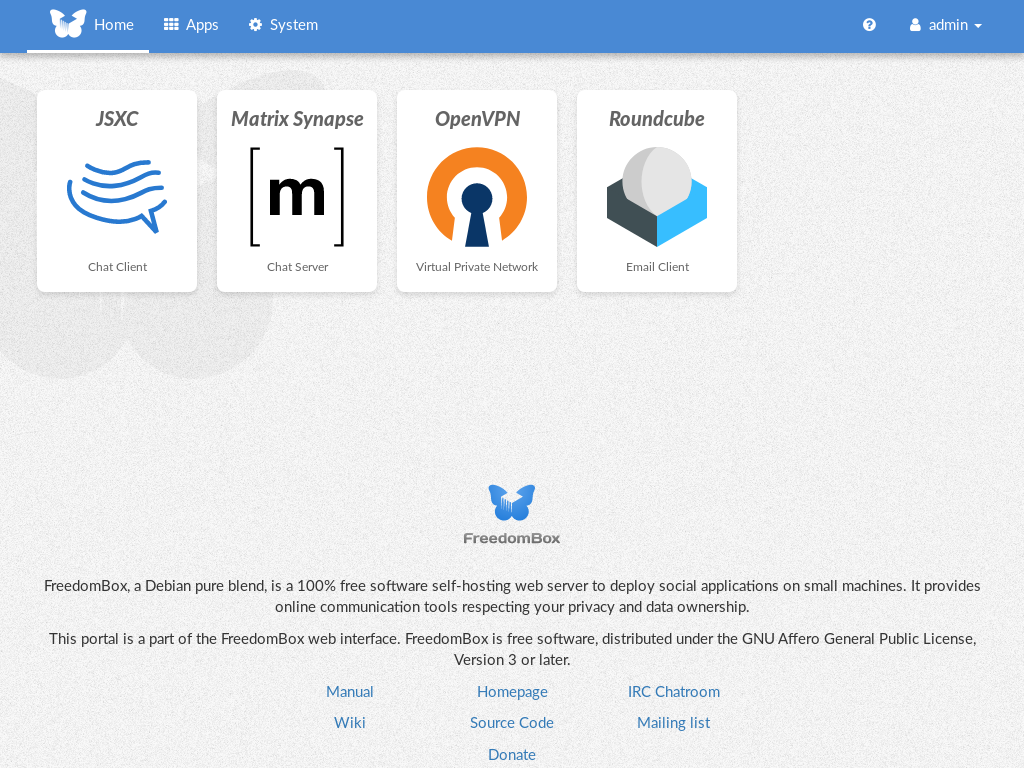
Source: official FreedomBox project page.
Key capabilities
- A web interface (Plinth) for installing and configuring server apps
- File sharing, group chat and audio or video calls
- A VPN server for remote access to home devices
- A privacy-enhancing proxy server and a Tor relay
- Blog and wiki hosting
- Calendar and contact synchronisation
- Network attached storage and backups from home devices
Where FreedomBox fits
- Personal server administration
- Router and network configuration
- Modular app architecture
- VPN and privacy tools
- Email, blog, wiki and website hosting
- Automatic upgrades and basic system settings
Install
sudo apt install freedomboxReviews of FreedomBox
Be the first to share your experience with FreedomBox.
Write a review
Loading review form…
Alternatives to FreedomBox
 1Panel1Panel is a GPL-3.0 Linux server management panel with a web GUI for containers, databases, files, websites, an app store, backups and AI tools.
 CasaOSCasaOS is an Apache-2.0 personal cloud system that installs Docker apps and manages files from a web UI on Raspberry Pi, x86-64 and ARM hardware.
 Cosmos ServerCosmos Server, branded Cosmos Cloud, is a source-available platform that puts a secured reverse proxy, authentication, SmartShield protection, container management, a VPN and Restic backups in front of self-hosted apps.