
What is Docklift?
Docklift is an open-source, self-hosted platform for deploying Docker applications on a Linux VPS. It accepts GitHub repositories or ZIP uploads, builds container images using a Dockerfile or Railpack, and runs the resulting containers. A connected GitHub repository can trigger automatic redeployment through push webhooks.
The platform runs as a Docker Compose stack with a web dashboard, a backend connected to the Docker socket, and an Nginx reverse proxy. It manages custom domains, automatic Let's Encrypt certificates, persistent volumes, environment variables and multi-service projects. It also provides database deployment, live logs, host monitoring, a browser-based terminal, and backup and restore functions.
Docklift operates on infrastructure controlled by its operator rather than a managed cloud account. The initial dashboard is accessible over unencrypted HTTP unless its exposure is restricted or HTTPS is configured. Persistent application data requires explicit volume configuration, and database credential rotation requires recreating the database.
Docklift screenshots
Explore the interface. Open a screenshot to view it at full size.
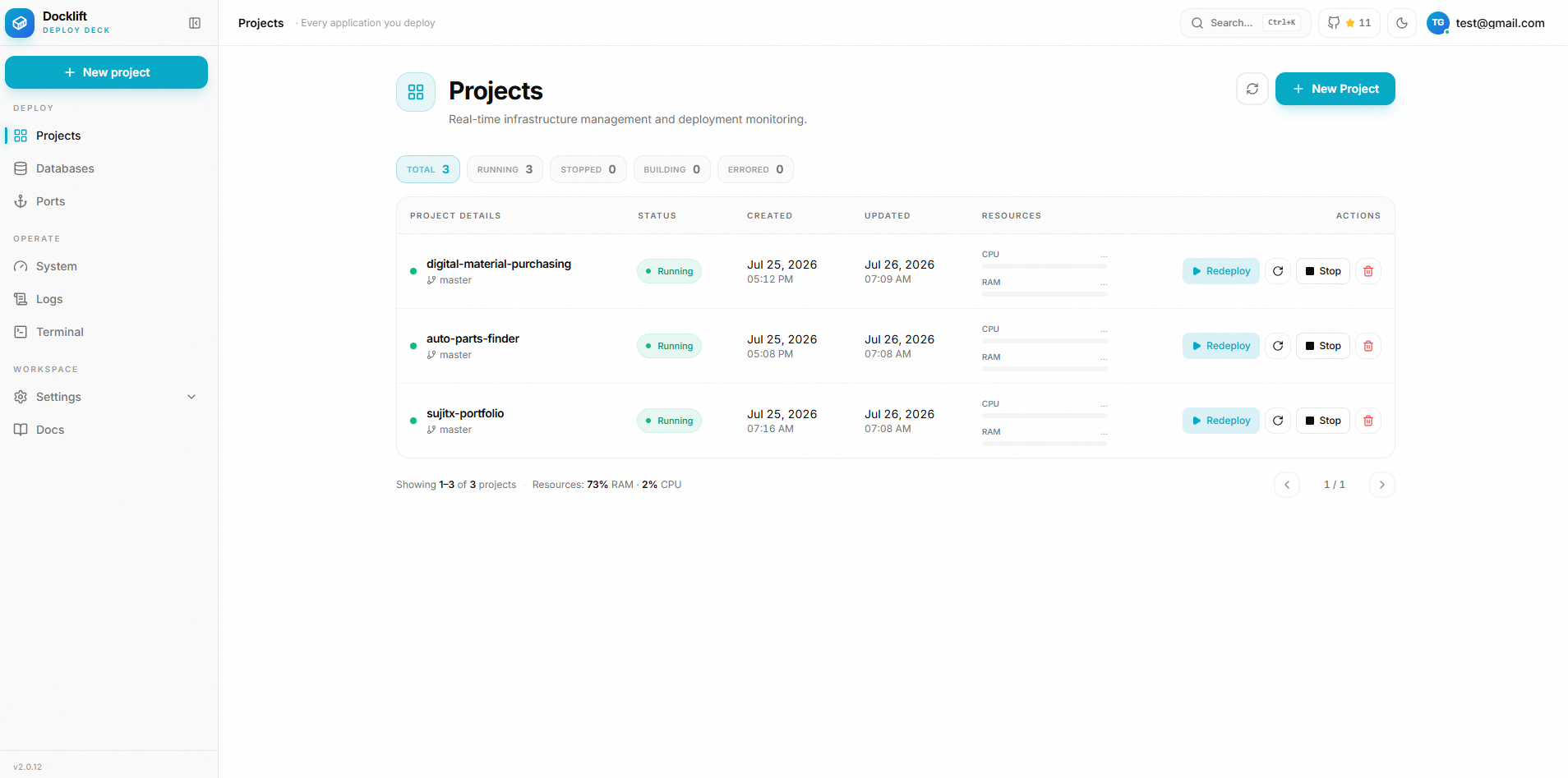
Source: official Docklift project page.
Key capabilities
- Deploys from a GitHub repo or a ZIP upload
- Dockerfile or Railpack builds
- Custom domains with automatic Let's Encrypt HTTPS
- Auto-redeploy on every push
- Managed databases and persistent storage
- Live logs and system monitoring in the dashboard
- One-command install on Ubuntu or Debian
Where Docklift fits
- Git-to-deploy workflow Projects start from a GitHub repository, including private ones through a GitHub App you own, or from a ZIP upload. A push webhook triggers a redeploy with a 10 second debounce.
- Docker image builds Auto mode uses the repository Dockerfile and otherwise falls back to Railpack. A base directory setting builds monorepos from a subdirectory.
- Domains and HTTPS Custom domains receive Let's Encrypt certificates through certbot, and renewals run every 12 hours.
- Managed databases Postgres, MySQL, MariaDB, Redis and MongoDB can be created in the dashboard, private by default and linkable into apps.
- Persistent storage Named volumes per service keep SQLite data and uploads across rebuilds.
- Logs and monitoring Build logs stream live and builds can be cancelled. Host monitoring covers CPU, RAM, GPU, disk, network and top processes.
- Backup and terminal Backups bundle the database, sources, vhosts and certificates in one archive. A browser terminal gives a root shell behind double auth.
Install
curl -fsSL https://raw.githubusercontent.com/SSujitX/docklift/master/install.sh | sudo bashReviews of Docklift
Be the first to share your experience with Docklift.
Write a review
Loading review form…
Alternatives to Docklift
 BackstageBackstage is an Apache-2.0 framework, created at Spotify and hosted by the CNCF, for building developer portals with a software catalog, software templates, TechDocs, search and a plugin ecosystem.
 CapRoverCapRover is a free, self-hosted PaaS under the Apache 2.0 license that deploys apps from a dashboard, CLI, webhook or Git workflow onto Docker Swarm.
 CoolifyCoolify is an open-source, self-hostable platform for deploying apps, databases and 360+ one-click services to your own servers over SSH.